Apple

KGI: iPhone 8 won’t support fingerprint recognition

Revered Apple analyst Ming-Chi Kuo of KGI Securities is back with the latest round of predictions conquering Apple's upcoming iPhones, obtained by StreetInsider.

The biggest takeaway from his latest note to clients: iPhone 8 will adopt a full-screen design with a 5.8-inch OLED screen covering nearly the entire front face of the phone. It should have “the highest screen-to-body ratio of any smartphone currently available worldwide”.

The device will feature a virtual Home button. Kuo doesn't think the virtual button will support Touch ID fingerprint recognition although he didn't unequivocally state that the OLED-based handset won't have an integrated in-screen fingerprint sensor.

An excerpt from his note:

We predict the OLED model won’t support fingerprint recognition, reasons being:

(1) the full-screen design doesn’t work with existing capacitive fingerprint recognition

(2) the scan-through ability of the under-display fingerprint solution still has technical challenges, including: (i) requirement for a more complex panel pixel design; (ii) disappointing scan-through of OLED panel despite it being thinner than LCD panel; and (iii) weakened scan-through performance due to overlayered panel module.

As the new OLED iPhone won’t support under-display fingerprint recognition, we now do not expect production ramp-up will be delayed again (we previously projected the ramp-up would be postponed to late October or later).

The analyst reiterated that the OLED-based device will use 3D sensors for advanced facial recognition, improved selfie quality, 3D mapping and other features.

“To maintain its boutique image, we think the OLED version will offer fewer options for casing colors than LCD iPhone models,” reads Kuo's note.

As for the 4.7-inch iPhone 7s and the 5.5-inch iPhone 7s Plus updates, Kuo maintains that these models will continue to use LCD display technology and retain the front form factor design similar to the current iPhone 7 series.

The OLED-based iPhone 8 and the 5.5-inch iPhone 7s Plus will have 3GB of RAM due to dual-camera requirements, while the 4.7-inch iPhone 7s is expected to only use 2GB RAM because it's expected to have a single camera.

All three new models should come with 64GB and 256GB storage options and have a Lightning port with a built-in USB-C Power Delivery chip for fast charging. The output power of the devices' receiver and speaker will be more consistent than before in order to “create better stereo effects,” the analyst predicted.

“For optimized promotional effect, we think Apple may unveil the three models simultaneously in September, though the launch date of the OLED version may trail that of LCD models, and supply tightness may not improve before the first quarter of 2018,” reads the note.

KGI forecast shipments of the three new iPhone models of 80-85 million units during Apple's fiscal year 2017, with an equal split between OLED-based iPhone and the LCD-based iPhone 7s and iPhone 7s Plus models.

iPhone 8 Full Vision Display concept courtesy of iFanr.

Apple confirms 3D Touch app switching was intentionally removed from iOS 11

The convenient 3D Touch power-user gesture for quickly opening iOS's app switcher has disappeared from iOS 11 beta. According to Apple Engineering's response to a Radar that developer Bryan Irace recently filed regarding its removal, the gesture was pulled intentionally from iOS 11 beta and might not be coming back in subsequent betas.

On iOS 10 and older, you can view your recently used apps by pressing the left side of the screen with 3D Touch. You can also use 3D Touch to quickly switch to a previous app by pressing the left edge of the screen hard, then swipe right.

Neither gesture works in iOS 11 beta.

When asked about the removal, Irace received the following reply from Apple Engineering:

Please know that this feature was intentionally removed.

The wording confirms it's not a bug—Apple did remove this power-user gesture on purpose.

Here's the screenshot of Apple's response to Irace's Radar.

I have a problem with the wording of the statement.

For starers, it doesn't make it 100 percent clear whether or not they intentionally removed the gesture from iOS 11 beta only for it to return in subsequent betas. We were, of course, hoping it was merely a bug. But the fact that it isn't listed as a known issue in the release notes accompanying the iOS 11 installer is rather telling.

This could be related to iPhone 8.

With major design changes coming to the next iPhone in the form of a nearly full-screen face with a seamless OLED display, the feature's removal might quite possibly indicate a brand new way of accessing iOS's app switcher on iPhone 8.

I wish Apple made it an optional setting rather than remove it completely. That way, people who still wanted it could keep it. On the other hand, Apple has stats on iOS features people use and perhaps numbers for the app switching 3D Touch thing were dismal, who knows?

The fact is, it doesn't make much sense if you use your Plus iPhone model right-handed. Besides, I know many people who accidentally activate it all the time and get annoyed.

Could it have been deprecated by iPhone 8, because it was too easy to trigger accidentally without a bezel around the display? Will iPhone 8's rumored function area at the bottom doubles as an app switcher of sorts? Last but not least, has Apple decided to remove the gesture because very few people were using it or were unaware it existed in the first place?

Tell us what you think in the comments section!

Apple shares shot on iPhone short “Détour” by Oscar-winning director Michel Gondry

Apple yesterday shared a short “Shot on iPhone” film, titled “Détour”, by French Oscar-winning director Michel Gondry who is known for such independent movies as “The Eternal Sunshine of the Spotless Mind” and “The Science of Sleep”.

The eleven-minute video was posted to the Cupertino company's YouTube channels in France and the United Kingdom as part of its focus on producing local video content that can be shared online rather than the more traditional broadcast ads.

The film runs eleven minutes long and features original soundtrack by indie composer Étienne Charry. It follows the adventures of a small tricycle as it sets off along the French roads in search of its young owner, a nice take on the lost-and-found theme.

And here it is.

https://www.youtube.com/watch?v=KrN1ytnQ-Tg

Along with the short film, Apple also shared a series behind-the-sccenes videos, seen below.

The clips show Gondry at work, explaining his approach to shooting films on iPhone and detailing some of the equipment used for “Détour”, which includes a multi-iPhone rig, Lightning-compatible microphones, a BeastGrip professional gimbal system and more.

https://www.youtube.com/watch?v=DuDUqqFzELk


https://www.youtube.com/watch?v=aPdwbvJCqfY


https://www.youtube.com/watch?v=2jYI10yT07c


https://www.youtube.com/watch?v=ZXgyX6cc5eE


https://www.youtube.com/watch?v=sIW5qChZJPg


https://www.youtube.com/watch?v=vInEUWuRq_Q

Gondry won an Academy Award for Best Original Screenplay for his work on “Eternal Sunshine of the Spotless Mind”. The director is scheduled to discuss the film and his career while sharing some of the tips for achieving cinematographic results on Apple's devices in a “Today at Apple” session at Apple March Saint-Germain on June 30.

Apple TV universal search adds support for kids app Holster in US

Apple TV's universal search function, which lets you use Siri to find content across supported video apps, has gained support for the kids app Holster in the United States.

Apple's support document was updated Friday to reflect the addition. Before, it was supported by the universal search feature for users in Australia and the United Kingdom only.

Aimed at kids aged five and under and billed as the app that lets kids learn through the shows they love, Holster is available on iPhone, iPad and Apple TV with 800+ kids TV episodes, 100+ songs and nursery rhymes, curriculum-based learning games and more.

The app requires a subscription fee of $5 per month.

https://vimeo.com/185792548

A 7-day free trial is available.

The following third-party content providers and apps are currently supported by tvOS's universal search on the fourth-generation Apple TV:

United States: Movies and TV shows in iTunes, A&E, ABC, AMC,  Animal Planet GO, Apple Music, BET, Bravo, CBS, Comedy Central, Cooking Channel, Crunchyroll, CuriosityStream, CW Seed, Discover GO, Disney Channel, Disney Jr, Disney XD, DIY, E!, Food Network, FOXNOW, FXNOW, FYI, Hallmark Channel, HBO GO, HBO NOW, HGTV, History, Hopster, Hulu, Investigation Discovery GO, Lifetime, MTV, MUBI, Nat Geo TV, NBC, Netflix, Nick Jr, Nickelodeon, PBS, PBS Kids, Science Channel GO, SHOWTIME, SHOWTIME Anytime, Spike, Starz, Syfy, TBS, Telemundo, The CW, TLC GO, TNT, Travel Channel, Tribeca Shortlist, USA and VH1. Australia: Movies and TV Shows in iTunes, ABC iview, CuriosityStream, Hopster, MUBI, Netflix, Plus7 and Stan. Canada and United Kingdom: Movies and TV shows in iTunes, CuriosityStream, Hopster, MUBI and Netlix France: Movies and TV shows in iTunes, CANAL+, Netflix Germany: Movies and TV shows in iTunes, Galileo, Netflix Japan, Mexico, Netherlands and Spain: Movies in iTunes, Netflix Norway: Movies in iTunes, MUBI, Netflix, NRK TV, TV 2 Sumo Sweden: Movies in iTunes, MUBI, Netflix, SVT Play Other countries: Movies in iTunes

YouTube search is supported across all regions. To search for YouTube content, simply use Siri and include the word "YouTube" in your search (i.e. “Search UFO sightings on YouTube”).

The full list of providers for tvOS's universal search function is on Apple’s website.

Apple celebrates America’s national parks with Apple Pay donations & Activity challenge

From July 1 through July 15, Apple is donating $1 to the National Park Foundation for every purchase made with Apple Pay at any Apple Store, on apple.com or through the Apple Store app for iPhone and iPad in the United States.

Apple Pay is accepted at select locations in some of the most popular national parks, from Yellowstone and Yosemite to the Grand Canyon and Muir Woods National Monument.

Proceeds will support the National Park Foundation’s mission to help protect and preserve national parks through conservation projects and other initiatives, as well as inspire the next generation of park enthusiasts with enriching youth programming.

According to CEO Tim Cook:

America’s national parks are an inspiration to us at Apple, and we know they are as important to many of our customers as they are to us. Our goal is to leave the world better than we found it, so this July we’re making it easier for anyone to help preserve the beauty of our natural, cultural and historical treasures.

Apple Watch owners who complete a walk, run or wheelchair workout of 3.5 miles (about 5.6 kilometers) on July 15, which matches the length of a hike from Old Faithful to Mallard Lake in Yellowstone National Park, will earn a special badge in the Activity app and unique stickers in the Messages app for iPhone, inspired by national parks.

Apple adds that App Store will soon highlight a collection of “some of the best apps to help users easily navigate and explore the country’s most beautiful national parks.”

Apple relaunches My Support site with new design and old features

Apple has relaunched the My Support website with an all-new design featuring bolder headings and adaptive layout to match the look of the rest of Apple.com. Available through the new address at mysupport.apple.com, the overhauled site has all the same features like the old one, which debuted back in 2011.

Upon logging in with your Apple ID, you can register your Apple product by typing in a serial number, which lets you access various support options and do things like track repairs, check on a device's warranty status and much more.

You can give products nicknames, reorder them, sort them by device category or coverage status and more. Other options include the ability to browse your repairs within the past 90 days, look up a repair by entering your Repair ID or a product's serial number and so forth.

Some of the features of the old site are nowhere to be found on its redesigned counterpart.

That's because some of them have been relocated elsewhere or integrated into the redesigned Apple ID or Apple Support webpages, like the ability to edit your contact information.

While the old site let you add an AppleCare protection plan to hardware, that features is absent on the new site because, as of recently, all of Apple's AppleCare plans for Macs, iPads and iPhones must be bought alongside a new device or within 60 days of purchase and they're automatically registered to your Apple ID.

The site provides a Contact Us link that leads to Apple's webpage where you can find various support options that are available to you, based on your country and products.

Like before, you can see a history of your support interactions and AppleCare coverage eligibility, access product manuals, guides, technical specifications and support pages for your products, view previous replacements of products and more.

Many people were unaware that this site existed in the first place because finding it without remembering the URL was impossible. I remember having to Google “where can I find all my registered Apple products” just to get to that page.

Even though the Apple ID site shows all your devices, older hardware with no iCloud support isn't displayed there. At the revamped My Support site, you can easily find all your Apple products, including all your iCloud-authorized devices and any manually registered products.

Apple’s latest A10X Fusion chip is built using TSMC’s 10nm process

The in-house designed Apple A10X Fusion chip powering the new 12.9-inch iPad Pro and 10.5-inch iPad Pro models is being fabricated on a cutting-edge ten-nanometer process technology by Taiwan Semiconductor Manufacturing Company (TSMC).

Having analyzed the processor, TechInsights was able to confirm that it's the first TSMC-built ten-nanometer chip to show up in a consumer device.

It's not the world's first ten-nanometer silicon to appear in a smartphone: a Samsung or Qualcomm-designed processor powering Galaxy S8 is built on Samsung’s 10 nm LPE process.

A detailed floorplan analysis of Apple's latest chip has revealed a die size of 96.4 mm2 versus the A9X which has a die size of 143.9 mm2 and is built on TSMC’s 16 FF-Turbo technology.

Despite its power, the A10X Fusion has the smallest die size for an iPad processor yet.

AnandTech says A10X Fusion's CPU clock speed is only marginally higher than A9X's, “and pretty much identical to A10”. Images of the chip's floorplan seen top of post and bottom reveal the chip's 12 GPU clusters on the left, along with the CPU cores to the right.

Chart via AnandTech.

“This is an impressive full node scale, when accounting for the extra CPU cores built into the A10X and extra IP blocks of the A10 vs. A9 family,” notes TechInsights.

AnandTech added:

Ultimately what this means is that in terms of design and features, A10X is relatively straightforward. It’s a proper pipecleaner product for a new process, and one that is geared to take full advantage of the die space savings as opposed to spending those savings on new features/transistors.

For those wondering, the GPU cores in the A10X Fusion chip appear to be the same Apple-customized PowerVR cores from Imagination Technologies, a British GPU designer.

As you may have heard, Apple is now developing on its own mobile GPUs to supplant Imagination-powered graphics for iOS devices.

A10X Fusion features thirty percent faster CPU performance and forty percent faster graphics compared to its predecessor, the A9X chip powering the original 12.9-inch iPad Pro.

Samsung to build world’s biggest OLED display manufacturing plant

Samsung is planning to build the world's biggest OLED display manufacturing plant that could kick off volume production in 2019, with a peak yield of between 180,000 and 270,000 OLED display panels per month, according to industry sources.

By comparison, the company's existing “A2” factory currently produces 180,000 units of rigid and flexible OLEDs per month.

Samsung Display, the South Korean conglomerate's display-making arm, will invest more than $1.75 billion just to construct the new plant. The report is relevant to our readers because Samsung Display is believed to be an exclusive provider of OLED panels for iPhone 8.

When operational, the company's new OLED factory, tentatively named “A5”, should have 30 percent higher production capacity than Samsung current biggest factory called “A3”, according to Korean outlet ETNews.

The site added that Samsung began expanding capacity of its upcoming “A3” factory during the second half of 2015 in order to meet Apple's order for a large amount of OLED panels.

According to the report, Samsung Display has secured production capacity of 135,000 OLED panels per month over the next two years, primarily to serve the needs of its two biggest clients: Apple and Samsung Electronics.

iPhone 8 Full Vision Display concept courtesy of iFanr.

Purported iPhone 8 prototype leaks with questionable design

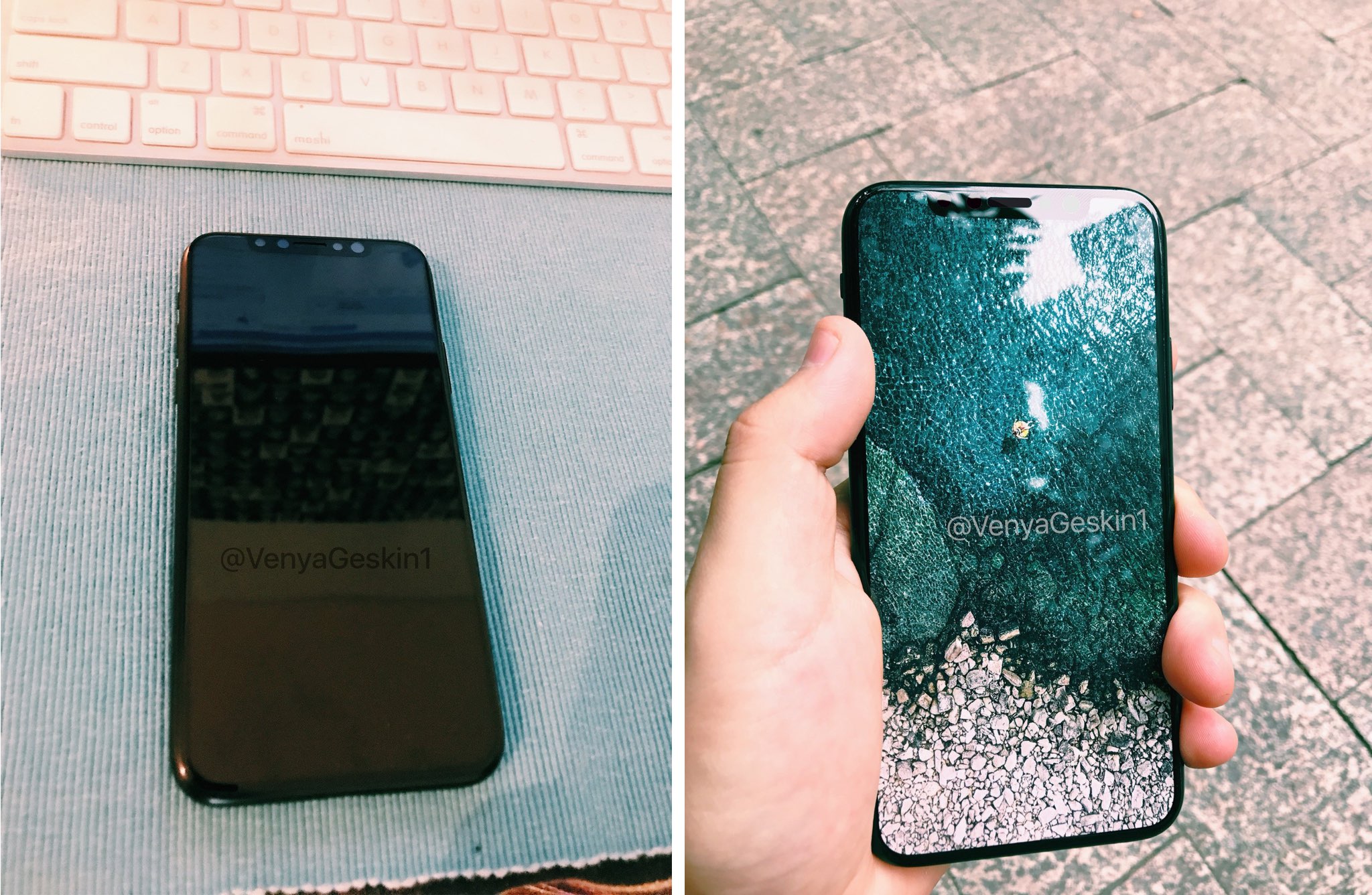
A trio of images published by Benjamin Geskin last night have gotten some folks excited (or worried, depending on your point of view). The photos appear to show an early iPhone 8 prototype, which he says was obtained from an insider.

The device pictured on the images does not have its front-facing FaceTime camera and the speaker integrated into the display, like we're expecting in the final model due this fall.

Instead, there's a “chin” at the top of the display, albeit thinner than on current iPhones.

The images show that the device came in the box with an iPhone 7 screen protector applied to its display. What's more interesting than that is a blue “passport” we can clearly see in the box.

For the uninitiated, iPhone prototypes are accompanied by this passport document at all times, for quality assurance and control testing.

According to Australian leakster Sonny Dickson:

Each component or product that is tested they document in the page. The person writes their initials next to it and any notes about it passing or failing or any other comments. It makes its way through each test and person. It then is finally sent with its 'passport' from China to Apple.

That being said, we're still unsure if the device shown on Geskin's image is in fact one of the ten iPhone 8 prototypes Apple has reportedly tested this year or simply a dummy unit created based on rumors, but we're posting it here for the sake of discussion.

So, what do you say?

Is this a real iPhone 8 prototype? And if so, does it represent the device we're going to see this fall or one of the designs that Apple has ultimately abandoned?

Let us know by posting a comment below.

Apple launches macOS High Sierra public beta

Three days after it launched public betas of iOS 11 and tvOS 11, Apple on Thursday released the macOS High Sierra public beta. This means that anyone can now take this pre-release version of Apple's latest and greatest desktop operating system for a spin, including those who are not registered developers.

Needless to say, you're wholeheartedly recommended to perform a full backup of your Mac before installing the public beta, just in case something goes wrong.

Better yet, install it on a separate partition on your Mac's startup disk or to an external drive. To get the beta, you must enroll in Apple's Beta Software Program with your Apple ID at beta.apple.com. Then, click the link “Enroll Your Devices” and follow the instructions.

You may want to check out the official macOS High Sierra system requirements before proceeding with the installation of the public beta on your system.

You'll need to download the macOS Public Beta Access Utility, which will change your Mac App Store settings in System Preferences so that your Mac can receive beta software updates.

As a last step, launch Mac App Store on your computer, find the macOS public beta, then click the Get button to install the public beta on your computer.

Because your Mac is enrolled in the beta program, you will receive a notification whenever a subsequent update is available and can install it from Mac App Store's Updates pane.

Will you be testing High Sierra and what's your strategy and approach to installing a beta OS on your computer? Also, what are your favorite features in High Sierra so far?

Let us know by posting a comment below!

How to stop iCloud Photo Library from eating into your iPhone’s cellular data plan

iCloud Photo Library is an optional feature on iPhone, iPad, iPod touch and Mac that uploads every photo and video you take or import to iCloud and keeps everything synchronized across all your Apple gear. I've been using it for years and it really “just works”.

On iOS 10 and earlier, Photos syncs with iCloud each time your device connects to Wi-Fi and the battery is charged. On iOS 11 and later, Photos can also use your iPhone's cellular data connection to sync and update the image library.

Do you take many photos on the go? Are you on a metered rather than an unlimited plan? Then you don't need me to tell you that you must ensure you're not wasting huge amounts of cellular data to this feature.

Here's how to stop the Photos app from eating into your iPhone's cellular data plan.

Before we get to it, keep in mind the following:

iOS 10 and earlier—Your Photos library syncs with iCloud each time your device connects to Wi-Fi and the battery is charged. iOS 11 or later—You decide if Photos syncs with iCloud via cellular or Wi-Fi only.

In other words, you should double-check that cellular updates for iCloud Photo Library are turned off only if you're on iOS 11 or later. Folks on older iOS editions needn't do that because Photos syncs with iCloud only when their iPhone is connected to power and Wi-Fi.

How to stop iCloud Photo Library on iPhone from using cellular data

12-megapixel images and 4K videos captured on your iPhone take up quite a bit of storage space. For most people, there's no point allowing iOS to gobble up cellular data just to keep the image library synchronized with iCloud at all times.

Thankfully, you can prevent this from happening, and here's how:

1) Launch the Settings app on your iPhone or cellular iPad.

2) Tap Photos in the list.

3) Tap Cellular Data.

4) Slide the button labeled Cellular Data to the OFF position.

This device will no longer use your carrier's cellular data for updating the Photos library. Any changes to your image library will automatically upload to iCloud as soon as the device connects to power and Wi-Fi.

TIP: If you really need Photos to be in perfect sync with iCloud at all times, even on the go, via cellular and Wi-Fi, be sure to slide the toggle labeled Unlimited Updates to the ON position.

The feature's description says “unlimited updates may cause you to excess your quota“.

Need help? Ask iDB!

If you like this how-to, pass it along to your support folks and leave a comment below.

Got stuck? Not sure how to do certain things on your Apple device? Let us know via help@iDownloadBlog.com and a future tutorial might provide a solution.

Submit your how-to suggestions via tips@iDownloadBlog.com.

Instagram launches stickers for Independence Day and Canada Day

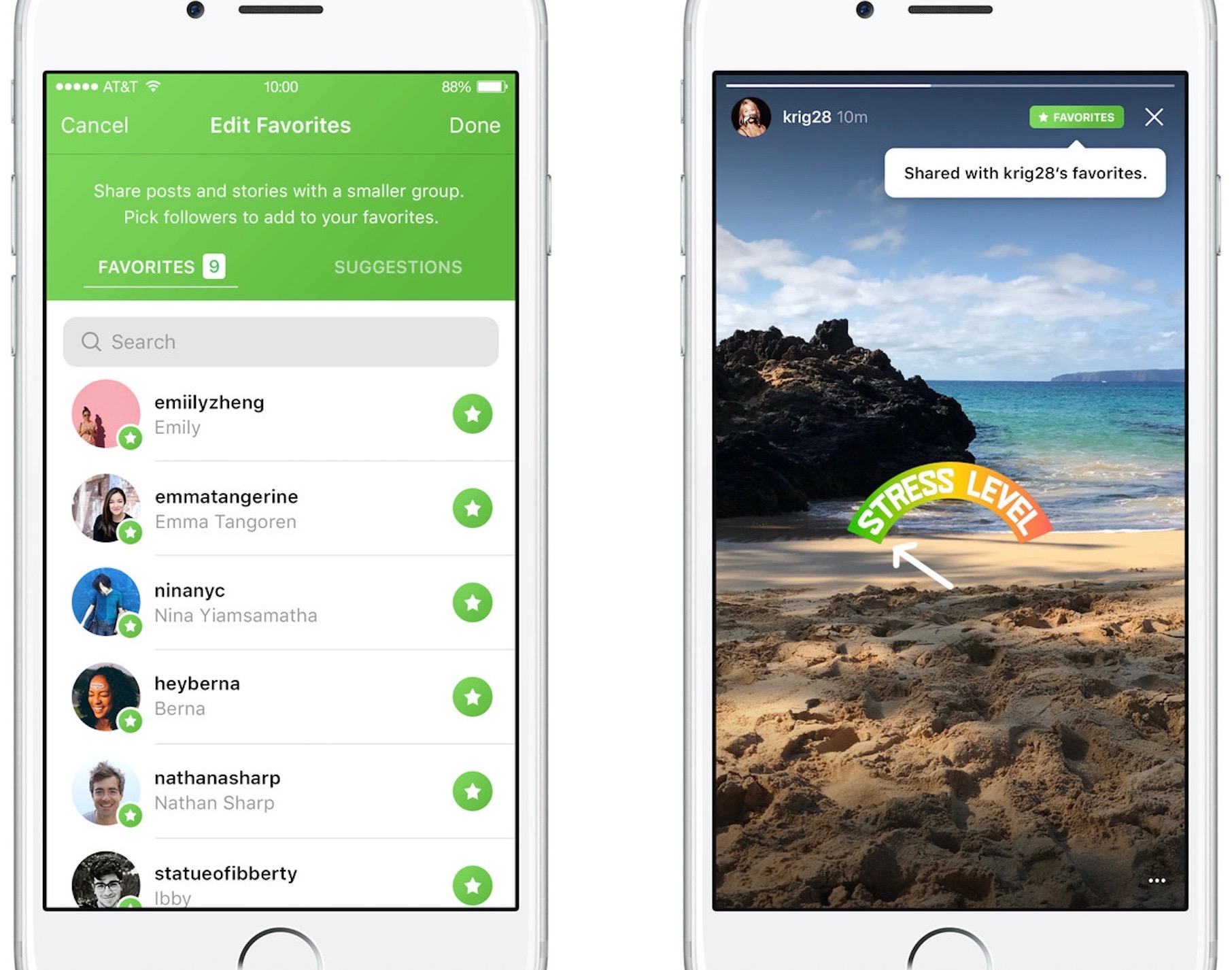
Instagram during the weekend launched stickers in its mobile app for iPhone and iPad which are dedicated to the 4th of July holiday and Canada Day celebrations across North America.

Instagram users in the United States can celebrate Independence Day by posting a Story adorned with one of the stickers in the app's new star-spangled sticker pack, ranging from backyard BBQs to fireworks at night.

Canadians get a sticker to celebrate Canada Day, available in both English and French.

The sticker was designed by Jenn Kitagawa, a multidisciplinary artist and illustrator who grew up in the prairies of Alberta and currently lives in Toronto.

Instagram is available at no charge on App Store.