App Store Apps

Spottly, Audm, Motivate, and other apps to check out this weekend

This week's edition of our Apps of the Week roundup features a new travel app with a modern twist, an app that reads out the best long-form journalism content, and an app that serves up daily motivational videos. And as always, we've selected two great new games for you to check out.

Spottly

The App Store is is overcrowded with travel apps, but I'm always on the lookout for curated apps that can cutdown your research time and improve your trips. And that's kind of what Spottly is. The app uses algorithms and user curation to highlight the best places to visit and things to do on your next vacation. Items are presented in photo form, so you can visual what you'll be doing, and ranked by popularity. Spottly is available for free.

Audm

This is kind of interesting. Have you ever wanted to read more long-form journalism, but just can't find the time? Meet Audm, the app that features the best content from the top publications around the world, read aloud by celebrated audiobook narrators. Supported publications include WIRED, The Atlantic, Esquire and ProPublica. Features include playlists, offline listening and more. There's a free trial, which I think is worth checking out, and if you like it it's $6.99/month for full access. Audm is available for free.

Motivate

This isn't a new app, but it's still worth checking out for folks looking for an extra helping of inspiration. Motivate delivers handpicked motivation videos to you daily. You can watch the clips in-app, listen to them in the background, save your favorites, and even share them with friends. I know this stuff may seem kind of cheesy, but for a lot of people it can be really useful and encouraging. Motivation is available in the App Store for free.

A Planet of Mine

A Planet of Mine is an engaging game combining exploration, mining, and strategy. Fully adapted for mobile devices, each game is unique thanks to an innovative "stellar system generator" that distributes resources, recruitable species, spoonable biomes, and buildable planets until a complete playground is yours to command. Some systems feature AI-controlled, faction-building opponents. Will you trade with these factions or fight them for control of the entire system. The choice is yours. A Planet of Mine is available for free (with some IAPs).

Full Throttle Remastered

Originally released by LucasArts in 1995, Full Throttle is a classic graphic adventure game from industry legend Tim Schafer, telling the story of Ben Throttle; butt-kicking leader of biker gang the Polecats, who gets caught up in a tale of motorcycles, mayhem and murder. Now over 20 years later, Full Throttle is back in a remastered edition that features all new hand-drawn and 3D high-resolution artwork, and remastered audio and music. Full Throttle Remastered is available for $4.99.

More apps to check out Apple’s free app of the week: Yankai’s Triangle Panic launches Transmit 5, a major update to the popular FTP client Add Spotify controls to your Mac’s Menu Bar with SpotMenu Lightroom for iOS gains selective brush editing, all-new iPad interface & more WhatsApp gains chat pinning, comprehensive file sharing & more in latest update

Lightroom for iOS gains selective brush editing, all-new iPad interface & more

Adobe today updated Lightroom for iPhone and Lightroom for iPad on App Store with some key new features aimed at making editing on the go easier than ever. You can now use a new brush feature to selectively paint in enhancements to any part of your images.

The selective brush option extends to the eraser tool, allowing you to selectively erase both the linear and radial gradients. And if your device has 3D Touch, like iPhone 6s or iPhone 7, you can even vary the effect by just pressing softer or harder as you paint.

iPad Pro users working with an Apple Pencil get the same pressure-sensing to apply more or less of the effect. You'll also notice a new Details tab within the app where you can add the finishing touches to images by controlling noise and enhancing image details.

The in-app camera now supports a new Show Highlight Clipping feature that shows you the over-exposed areas prior to capture, which lets you adjust the exposure or composition in camera. Lightroom for iOS also packs in an improved virtual level via the in-app camera with haptic feedback and support for latest cameras and lenses.

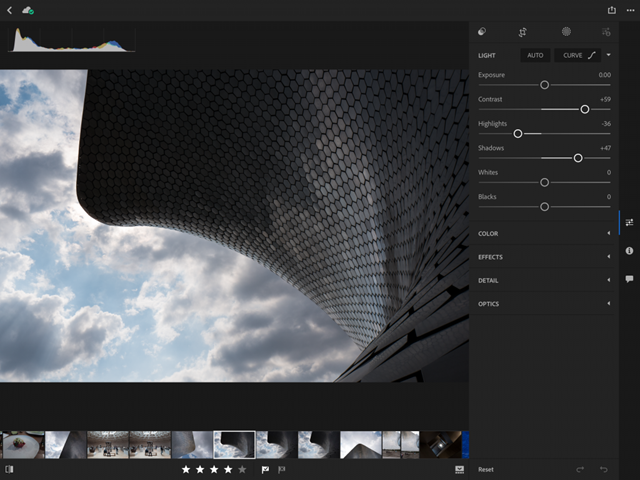
Last but not least, Lightroom for iPad now features a revamped interface, shown top of post, designed for the tablet's larger canvas. According to Adobe, the app makes editing via iPad a serious option as a laptop replacement for any photographer.

Download Lightroom for iPhone and iPad free in App Store.

WhatsApp gains chat pinning, comprehensive file sharing & more in latest update

As part of a broader set of capabilities recently teased for the Facebook-owned WhatsApp messaging platform, the app has now gained a trio of new features in the latest update. WhatsApp version 2.17.40 for iOS brings a chat pinning feature, multi-format file sharing and other improvements.

With the pinning feature, you can make it so your favorite chats remain at the top of the list, so you can quickly find them. To use this feature, just swipe right on a chat in the conversation list, then tap a Pin or Unpin option.

The app has also expanded the file sharing feature, which now allows you to share any type of file with one or more recipients. To send files of any type, open a chat, tap the plus icon at the bottom then choose the Document option.

In the popup menu, select your favorite storage provider like iCloud Drive, Dropbox, Google Drive and so forth (any app that includes an iOS Document Provider extension should be available from the menu).

And lastly, when you receive multiple photos the app now lets you tap and hold on the group of photos to quickly forward or delete all of them in one fell swoop.

Download WhatsApp for iPhone, iPad and iPod for free from App Store.

Sticky AI, Picsew, RoverPass, and other apps to check out this weekend

This week's edition of our Apps of the Week roundup features a sticker-maker, screenshot-stitcher, and an app for locating and reserving campsites. And as usual, we've selected two great new games for you to check out.

Sticky AI

Sticky AI uses artificial intelligence to help you create your own selfie-stickers incredibly fast. Create still and animated stickers, save them to the sticker pack and share them easily across your favorite messaging apps. Features include awesome comic and cartoon-like sticker styles, bright and colorful backgrounds to choose from, and a simple and clean user interface. For me it's kind of like having Instagram or Snapchat stickers in all of your favorite social apps. Sticky AI is available for free.

Picsew

In the market for a screenshot-stitching app? Check out Picsew. It's not a new app, but it just received a big update. Picsew can automatically merge multiple screenshots into a single image. The developer says it has the leading auto-stitching success rate among similar products, and it also has a manual stitching option for more complex projects. Other features include support for both vertical and horizontal screenshots, high resolution output, watermarks and more. Picsew is available for $0.99.

RoverPass

It's that time of year again! Search, compare, and book with thousands of other travelers using RoverPass. With more than 20,000 campgrounds across the country, RoverPass is the only directory to offer nationwide booking through its online travel agency service. Other features include quick-loading search results, large photos, map exploration, online booking, and more. This isn't a new app, but if you like to camp and haven't checked it out, it may be worth doing so. It has one of the largest campground databases of any app I've seen. RoverPass is available for free.

Dice Smash

In the mood to try a new puzzler this weekend? Check out Dice Smash. This game is simple, with the goal of tapping empty spaces between pairs of dice in an effort to clear the board. Features include daily challenges, support for Apple Watch and iMessage, and a gorgeous interface. Think you have what it takes to smash the dice? Try it. Dice Smash is available for free.

Street Fighter IV Champion Edition

A new warrior has entered the ring. Street Fighter 4: Champion Edition perfects the winning gameplay formula of its predecessor by offering higher resolution graphics, three new characters (Poison, Ibuki and Dudley), wide screen support for newer iOS devices and a host of updates and refinements. Long time Street Fighter fans can jump into the action and have an instant familiarity with the controls. For more casual players, Street Fighter 4 features numerous settings and tutorials that put you on the path to victory. Street Fighter IV Champion Edition is available for $5.

More apps to check out Pocketdex app by Majd Alfhaily and Surenix complements Pokémon GO Apple’s free app of the week: illi Fantastical for Mac gains attachment and travel time support, time to leave alerts & more

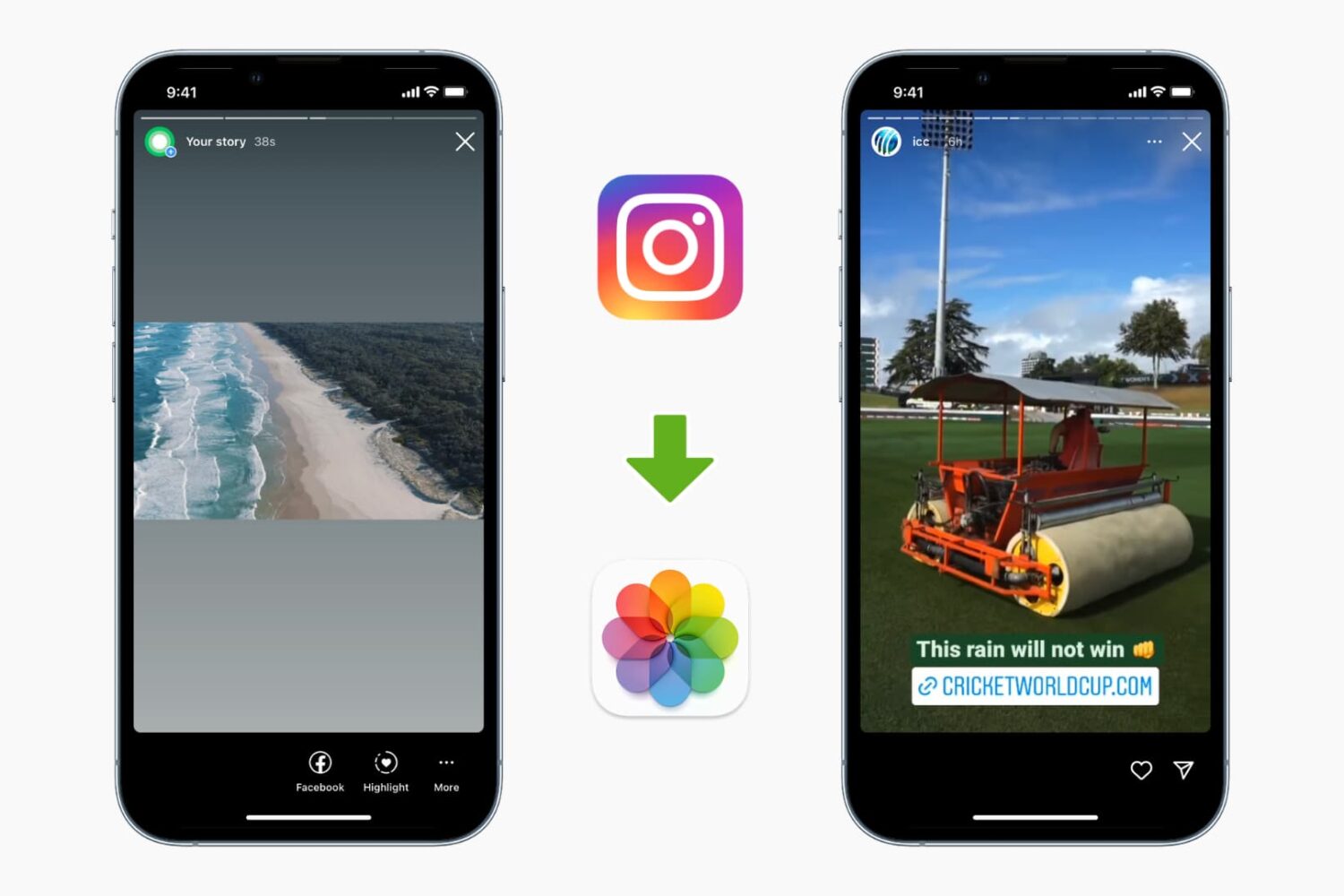
How to save Instagram stories on iPhone

Download Instagram story to iPhone

While the Instagram app allows downloading your stories, it doesn't let you download other people's stories. But there are ways to do it. This tutorial shows you how to download and save Instagram Stories to your iPhone's Photos app.

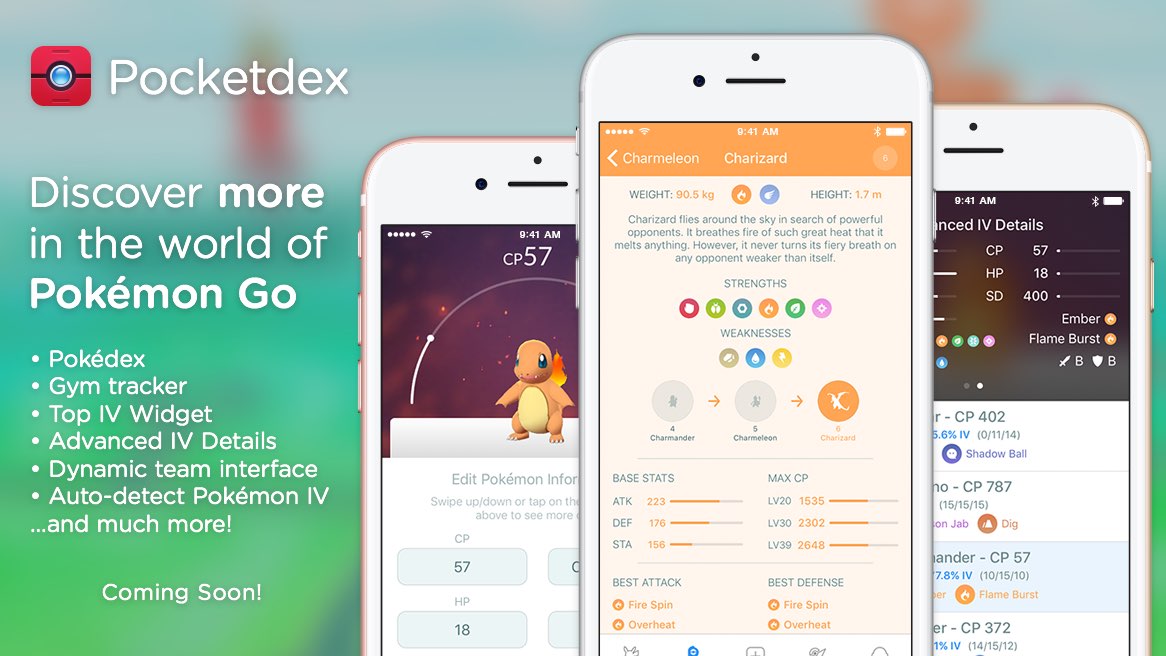
Pocketdex app by Majd Alfhaily and Surenix complements Pokémon GO

Although fewer people are as excited to play Pokémon GO today as when the game first launched last Summer, it still stands as one of the world’s most popular mobile games.

A new Pokémon GO companion app called Pocketdex is now available on the App Store, and was created with love by two prominent members of the jailbreak community: iOS developer Majd Alfhaily and graphic designer Surenix.

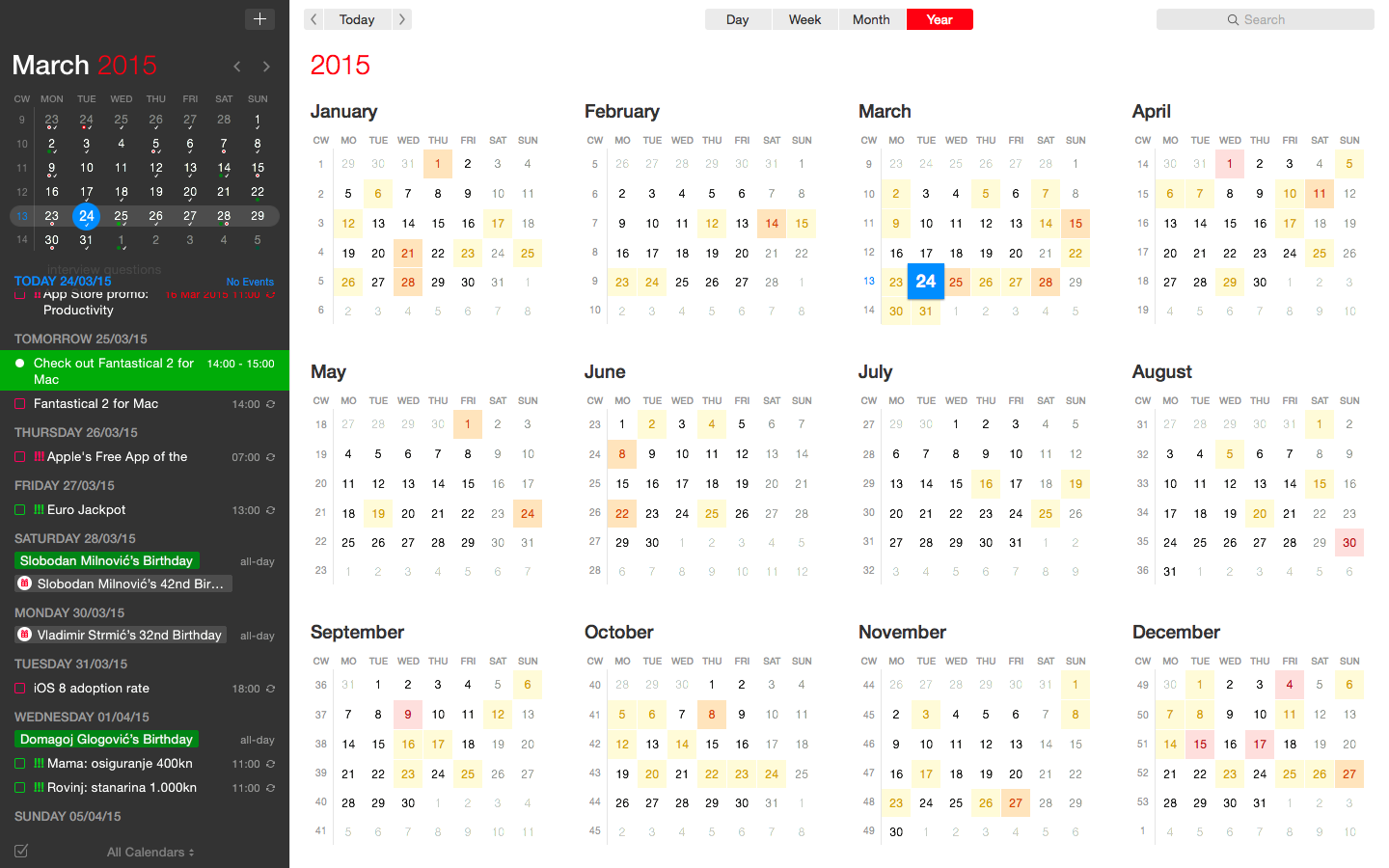
Fantastical for Mac gains attachment and travel time support, time to leave alerts & more

Developer FlexiBits today released a major update to the Mac edition of its award-winning calendar application, Fantastical, that you may be familiar with.

Version 2.4 brings a host of improvements, including new features like time to leave alerts, attachment support for iCloud and Exchange calendar events, undo/redo and more.

You can now view, create, and edit attachments on iCloud and Exchange (or view them on Google Calendar). With this feature, you can attach things like images, videos, Keynote presentations and other files to your calendar events.

The feature works on other CalDAV servers that support managed attachments.

https://www.youtube.com/watch?v=s2lJ5p8hd8A

Another new feature, aptly named Travel Time, allows customers to receive notifications when they need to leave to help ensure they reach an event on time. You can even define your own travel time so you can plan how long it will take to reach an event.

https://www.youtube.com/watch?v=_tVOwXgnipE

Fantastical 2.4 also improves invitation support for Google Calendar and Exchange with response messages, invitation guest count for Google, the ability to forward Exchange invitations and the option to respond to Exchange invitations without sending a reply.

TUTORIAL: How to create app-specific passwords for Fantastical and other apps

The app includes a bunch of refinements and under-the-hood fixes, like full undo/redo support for adding, editing, and deleting events and reminders, the ability to combine identical events that are on multiple calendars, to mention a few.

There's also a new More link in the Month view to show additional events and reminders, Facebook push updates are now instantaneous while new options in preferences at long last permit you to customize the number of weeks per month.

Have a look at everything new in Fantastical 2.4 for Mac.

https://www.youtube.com/watch?v=GZm3PWDBh5k

Last but not least, you can now forward invitations to other people on Exchange accounts, see the year of the anniversary for contacts and respond to an Exchange invitation without sending a message to the sender by clicking and holding the Accept, Decline or Maybe buttons.

Fantastical requires macOS El Capitan 10.11 or later.

Current users can get the update for free via the Mac App Store's Updates tab or through the in-app updater if the app was purchased directly from the Flexibits Store.

Fantastical 2.4 for Mac is $49.99 on Mac App Store.

A three-week trial is available via the Flexibits website.

YouMap, Purp To-Do List, RecordBird, and other apps to check out this weekend

This week's edition of our App of the Week roundup features a new map-based social app, a to-do list with a twist, and a new app that keeps you informed on new music releases from your favorite artists. And as usual, we've selected two great new games for you to check out.

YouMap

Events are constantly shaping the way we interact with each other and helping us decide where we go on any given day. With YouMap, you can let the world know what you’re thinking, seeing and feeling, while getting the latest updates at a moment’s notice. Obviously we're skeptical anytime a new social network comes on the scene, but YouMap seems to have the UI and user engagement needed to gain some traction. The early reviews are glowing, with one user saying this is the first social app to "get the map thing right." So if you're feeling adventurous this weekend, see what's going on around you with YouMap. It's available for free.

Purp To-Do List & Goal Tracker

Purp is a well-organized helper, to-do list and task manager app that allows you to achieve your goals and complete your daily tasks. Whatever your goals are—like completing projects, managing daily tasks, work todos, learning languages, mastering skills, sports or travel—Purp will help you to collect, keep, organize and track them, so you can reach them. Features include iCloud sync, task timer, progress dash board, and much more. The first reviews on iTunes are pretty rough, but the UI are feature set are unique enough that I think it's worth checking out. Purp To-Do List & Goal Tracker is available for free.

RecordBird

Record Bird informs you about new and upcoming music releases of your favorite artists and genres. Be the first to know of a new album or single by your favorite bands and musicians and share the news directly with your friends. With Record Bird, you will never miss a new release again. There have been more than a few apps that have tried a similar strategy, that didn't gain much traction. But the early user feedback (4.5 stars on 90 ratings in iTunes) suggest this one might have finally gotten it right. RecordBird is available for free.

Mini DAYZ - Survival Game

How long can you survive in a post-apocalyptic world? Find out in Mini DAYZ—an official pixel art rendition of the massively successful PC survival game (played by over 3 million fans). It's you against the world in Mini DAYZ: explore a randomly generated map and scavenge for food, ammo and supplies. Use anything you find to craft advanced items. Protect yourself against aggressive infected and ferocious wolves. But most important of all: make sure to stay dry, warm and well fed at all times. The weather out there can quickly get under your skin and your wounds will not heal without you treating them. Mini DAYZ - Survival Game is available for free.

Flippy Hills

Flippy Hills is an original arcade game with cool physics that will give you plenty of thrills, spills, epic wins, fails and tricks in two modes of your choice: campaign or arcade. Campaign mode features an adventure spanning over dozens of levels that get progressively harder, and arcade mode puts you in an endless barrage of assault courses to compete with your friends and gain records. The gameplay is surprisingly addictive, but you are going to have to put up with some annoying ads unless you're willing to fork over a few bucks via an in-app purchase. Flippy Hills is available for free (with some IAPs).

More apps to check out Apple’s free app of the week: Ridge Racer Slipstream You can now reply to Instagram Stories with photos and videos

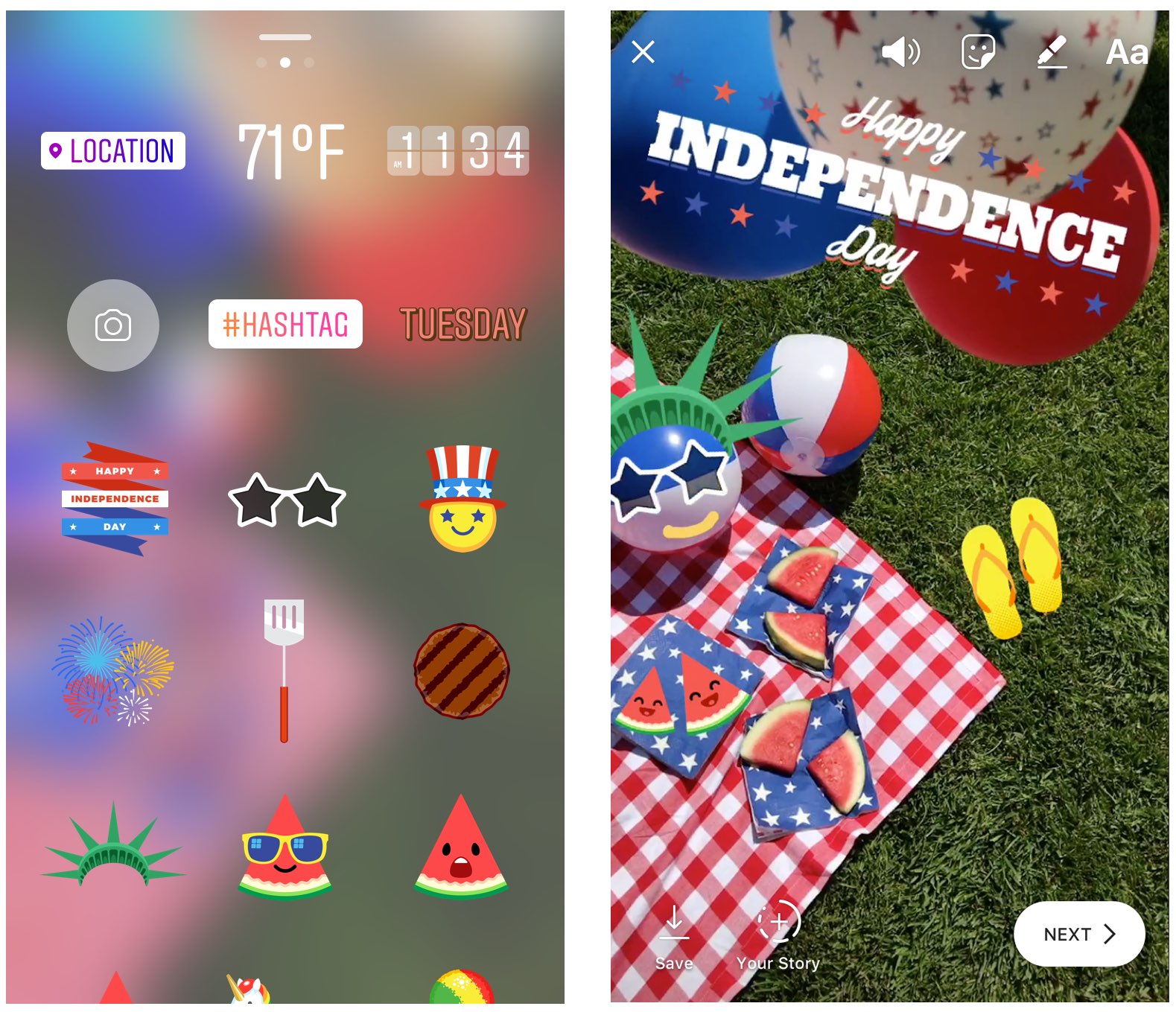
You can now reply to Instagram Stories with photos and videos

Instagram today announced that users of its popular photo-sharing service can now reply to Stories from people they follow with photos and videos. “From selfies to Boomerangs, now you can be even more fun and playful when you respond to friends,” said the company.

The new feature requires Instagram version 10.28 for iOS.

To reply to a Story with a photo or a video, hit the new camera button that appears while you're watching a Story. If you don't see the icon, the feature has not launched yet in your country.

Like with regular posts, you can pretty up your reply using Instagram's creative tools, allowing you to use face filters, stickers and the Rewind feature. “Replies also include a sticker of the Story that you can move around and resize,” said Instagram.

You'll get a message via Direct when someone replies to your Story with a photo or a video.

You can tap the message to view the reply and also see a sticker of the original story that’s only visible to you. As with disappearing media in Direct, your friends will know when you’ve taken a screenshot (Android only) or replayed a reply.

To learn more about these new features, be sure to check out Instagram's Help Center.

Instagram for iPhone and iPad is available free from App Store.

Arty, Frame App, Redacted, and other apps to check out this weekend

This week's edition of our Apps of the Week roundup features a new artsy-photo editor, a new app for making stop-motion and animated videos, and an app for redacting sensitive information in a photo. And as usual, we've selected two great new games for you to check out.

Arty

I know what you're thinking: come on Cody, not another photo editor. But hear me out. Unlike other editors Arty does more than just apply filters. You can use it to create accurate line drawings, zoom in to view and edit tiny details, and pick out colors. It even tracks how long you've been working on your project. Other features include Faber Castell Polychromos color-matching, custom color swatches, shadows, outline, overlay grid, and much more. Turn your device into a Lightbox and trace your image or print your photo to an AirPrint printer from within the app. Arty is available for free.

Frame App

If you're looking for something fun and new to do this weekend, try making a stop-motion or animated film using Frame App. Here's how it works: open Frame App and take a picture. A transparent overlay of the first image will appear on top of your live camera view in a ghost-like manner. Use this ghost image as your guide to easily align and frame your next shot. Take as many photos as you need, then select the ones you like, and staring them together to make your movie. You can edit playback speed, direction and image size, and then export your clip into a GIF or MP4 video. Of course there are other apps that perform similar functions, but I appreciate the simple design here, and the early reviews are glowing. Frame App is available for free.

Redacted

Want to share a hilarious screenshot of your Facebook feed, but afraid to expose your friends or family? Check out Redacted. Yes, I know iOS has built-in image annotation tools and there are countless apps that do this for free, but it's a bit of a chore and it never seems to look right. Redacted makes it quick and easy to redact parts of an image by simply clicking and dragging. You have three options, pixelate, blur and black bar, and once you're done you can share the image to your favorite social network and other apps in the iOS Share Sheet. The app doesn't support PDF files yet, but the developer says it's working on it. This obviously isn't going to be for everyone, but the folks I have shared this app with bought it instantly. Redacted is available for $0.99.

Filmoji

The title explains it all. Filmoji is a game that presents you with a movie title written in emoji, and you have to guess what it is. As you can see from the screenshots, this is definitely a low-budget, indie-style game, but I thought it looked fun and it's nice to highlight lesser-known developers every now and then. I'm sure there's a similar title out there from Zynga (and if not they are probably working on one), but if you want to put your cinema knowledge to the test without a slew of ridiculous IAPs, this game is worth checking out. Filmoji is available for free.

Futurama: Worlds of Tomorrow

Chances are, you've already heard about this game releasing this week, but it was still worth mentioning here. Futurama: Worlds of Tomorrow is the next epic adventure for the popular animated franchise. Play with all your favorite characters, build your own New New York, combat against alien specials and explore unfamiliar planets on a mission to save the universe. The game is based on an all-new story, written by the creators of the original Fox series, and it features actual dialogue from David Cohen and his team. Yes, you're going to have to deal with pesky in-app purchases, but this is about as good as it gets for Futurama fans. Futurama: Worlds of Tomorrow is available for free.

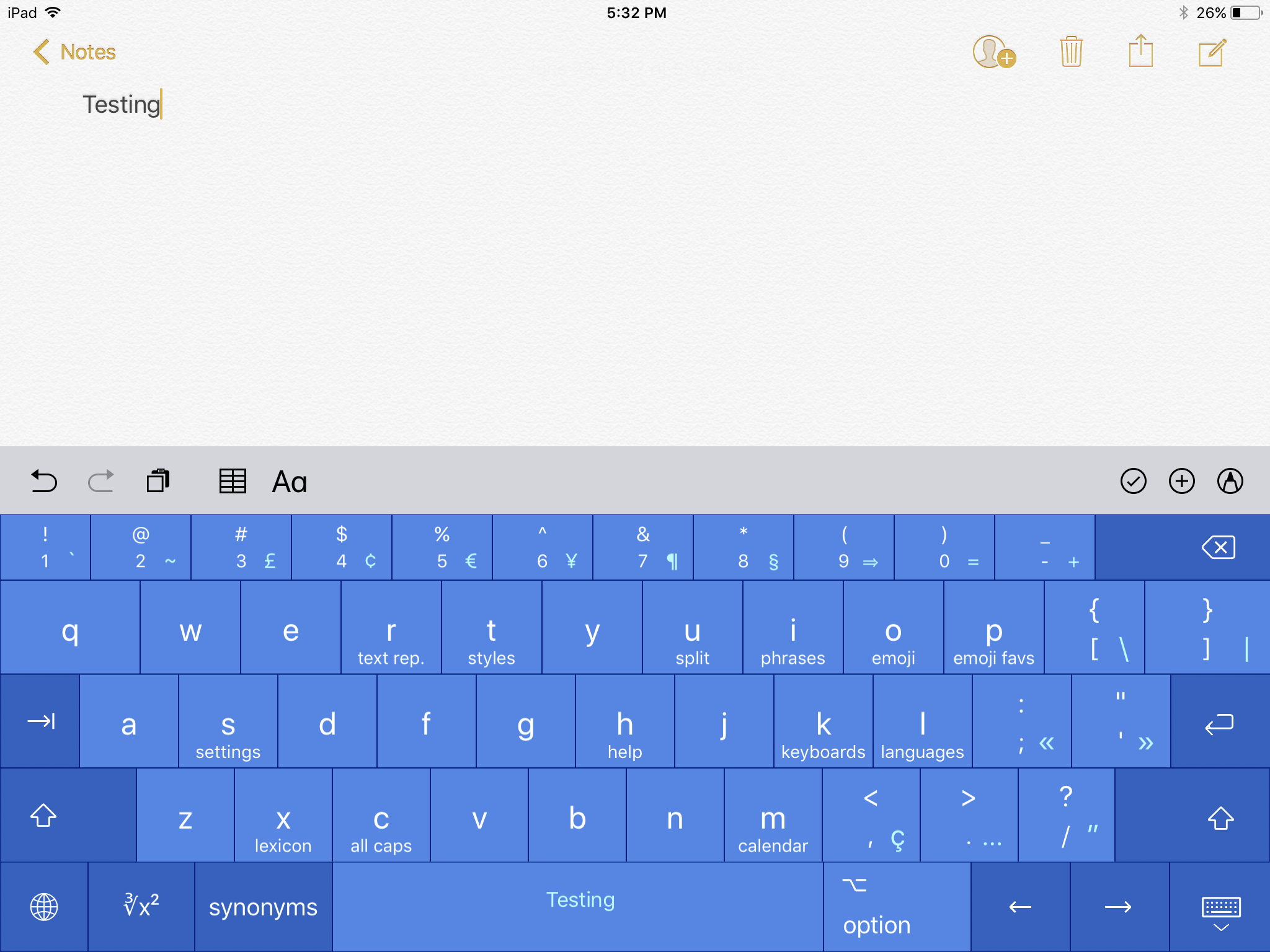
More apps to check out Enhance your iPad productivity with the new Prokeyboard app [sponsored] Apple’s free app of the week: Day One Journal Instagram unveils offensive comment filter, anti-spam tool in 9 languages Frustrated with Reminders? Taskful could be the answer to your woes New demos show how easy it is to bring 3D models to life with ARKit Skype for iPhone gains chat bots, its version of Stories, message & in-call reactions and more You can now edit text files right from Dropbox app Take notes on the fly with Apple Watch and SnipNotes