Accessibility

PasteAndGo2 adds a new search feature to iOS’ Haptic Touch menus

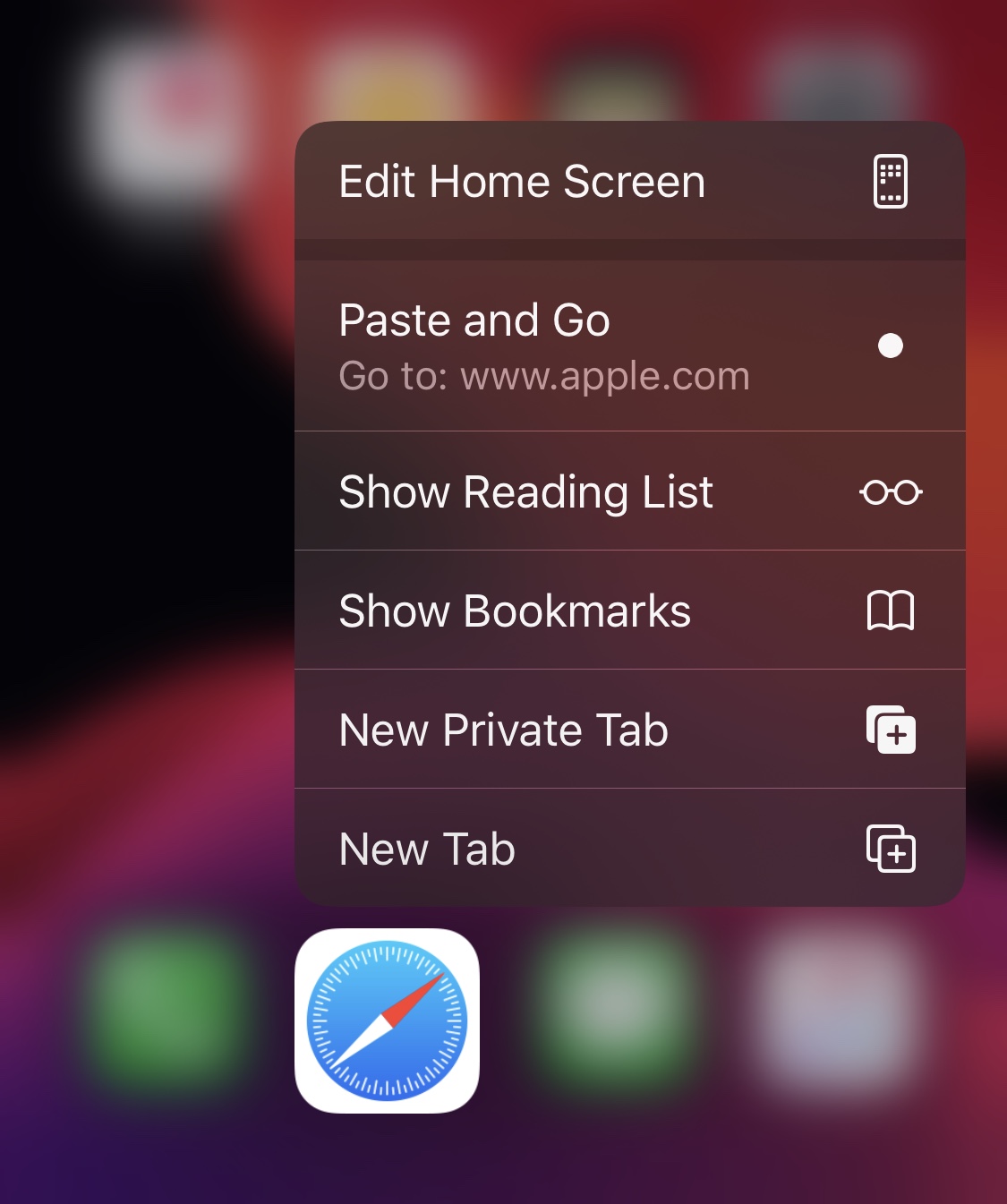
It comes up often enough where I find something of interest while reading an article or text messaging my friends and consequently find myself doing some research on Google about said item of interest. Doing this typically necessitates highlighting the link or text in question and then launching the Safari web browser to paste it into the search bar. But what if there was an easier way?

Fortunately, there is. Enter PasteAndGo2, a free jailbreak tweak release by iOS developer amodrono that adds a new option to the Home screen’s Force Touch/Haptic Touch menus to your favorite web browser applications. Examples of the tweak at work are shown in the screenshots above.

Arc is a sexy one-hand accessible shortcut pane for jailbroken iPhones

If you’ve got a jailbroken iOS handset at your disposal, then don’t waste any time – open your preferred package manager and refresh your sources. Upon doing so, you should find a curious new jailbreak tweak called Arc by iOS developer Muirey03 in your Changes list.

Arc is a beautiful new extension for pwned handsets that brings your favorite actions and apps right to your fingertips from anywhere in iOS. As depicted in the screenshot examples above, the tweak is quite literally arc-shaped, and this makes it comfortable to use with one hand.

SwipeExtenderX supercharges the iOS keyboard with useful new features

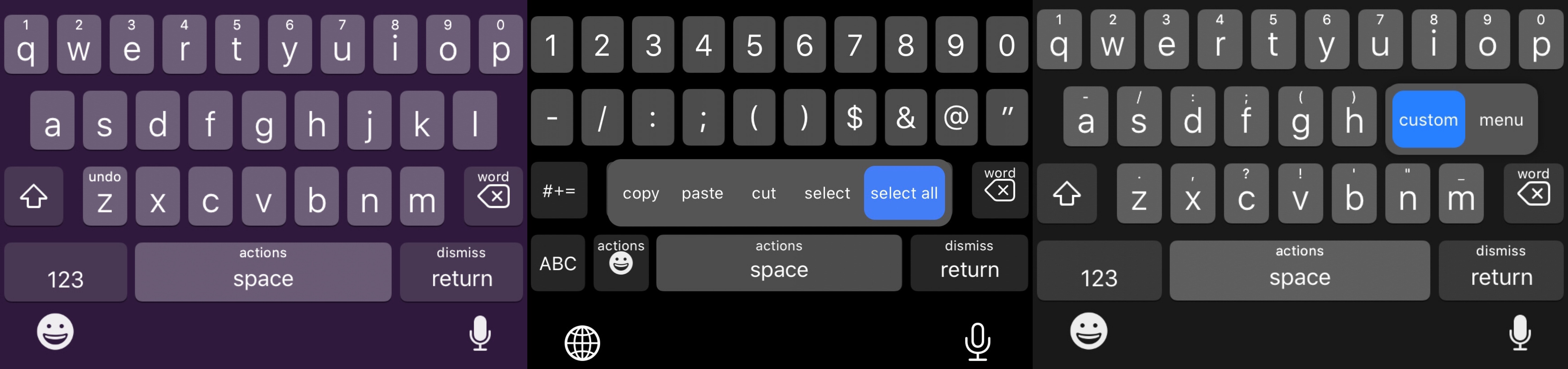
Swipe from any key on the keyboard to invoke assigned actions with SwipeExtenderX.

The iPhone sports one of the best software keyboards in the industry, and yet creative members of the jailbreak community always seem to find ways to remind us why we should be asking so much more of Apple as the company releases annual software upgrades.

Enter SwipeExtenderX, a newly released jailbreak tweak by iOS developer qwertyuiop1379 that supercharges the iOS keyboard with up to 20 different swipe gesture-based actions to help make the process of typing on an iPhone even easier than it already is.

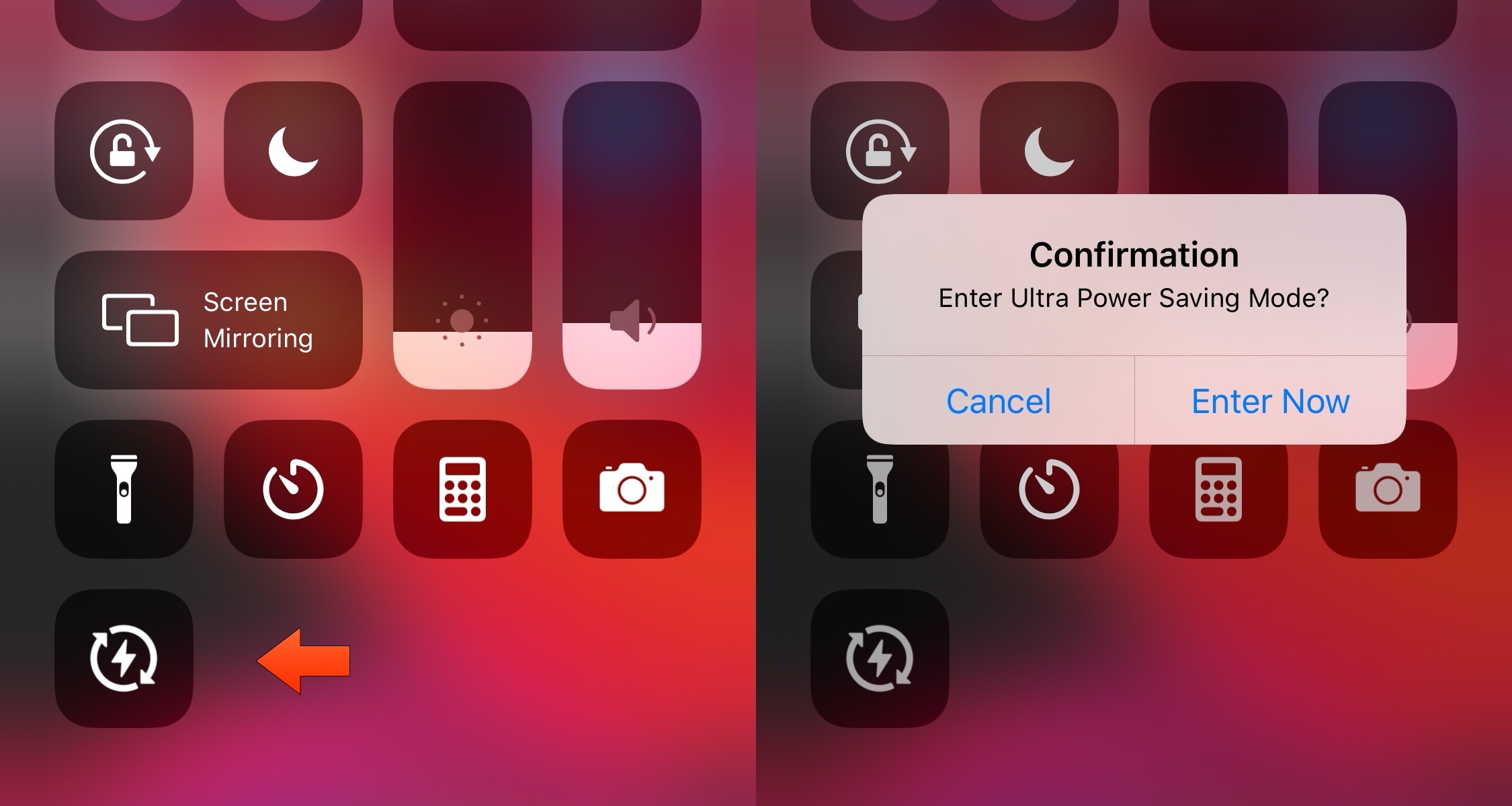
UltraPowerSavingMode brings an Apple Watch-style power reserve mode to iOS

So much of our lives are spent using our smartphones these days, and yet they’re still powered by batteries that hardly seem to last a full day without needing a charge. Apple’s Low Power Mode is helpful when you want to take advantage of every last drop of battery life, but when you demand even bigger extremes, a newly released jailbreak tweak called UltraPowerSavingMode by iOS developer Prasa just might be a better choice.

In a nutshell, UltraPowerSavingMode attempts to duplicate the Apple Watch’s Power Reserve mode on the iOS platform, albeit in quite a far more advanced manner. Once toggled, the tweak optimizes your handset’s power usage to help you maximize battery life well beyond what the native Low Power Mode is capable of.

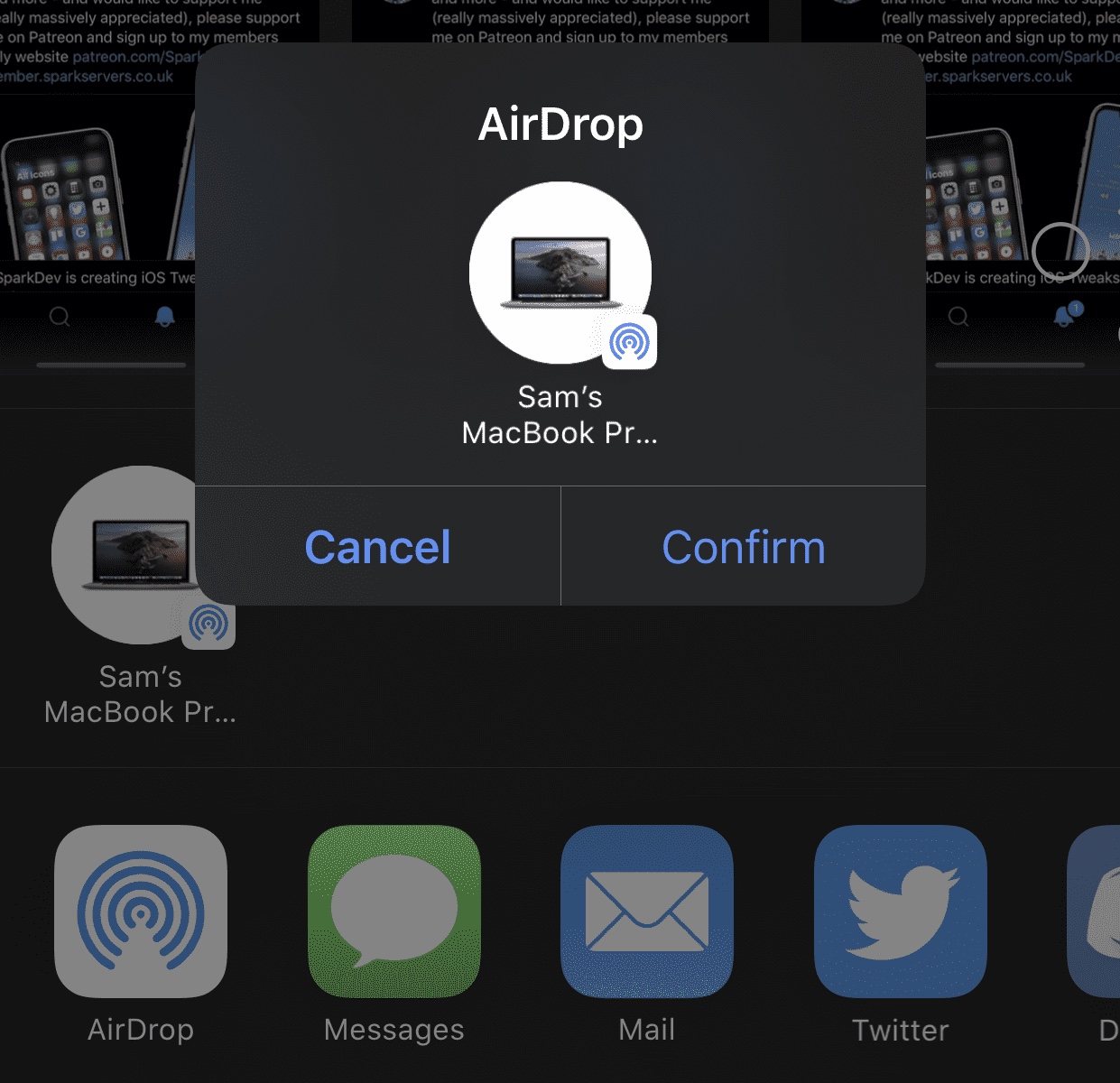
This tweak adds a confirmation dialogue to iOS’ AirDrop interface

AirDrop is one of the easiest ways to transfer files from one iOS device or Mac to another. On the other hand, some might argue that it’s just a little too easy to use. After just one tap, your file begins transferring to the recipient, whether that tap was intentional or not…

Enter AirDropConfirm, a newly released and free jailbreak tweak created by iOS developer SparkDev that aims to curb accidental AirDrop-centric file transfers by implementing a two-step confirmation dialogue into the AirDrop sharing interface.

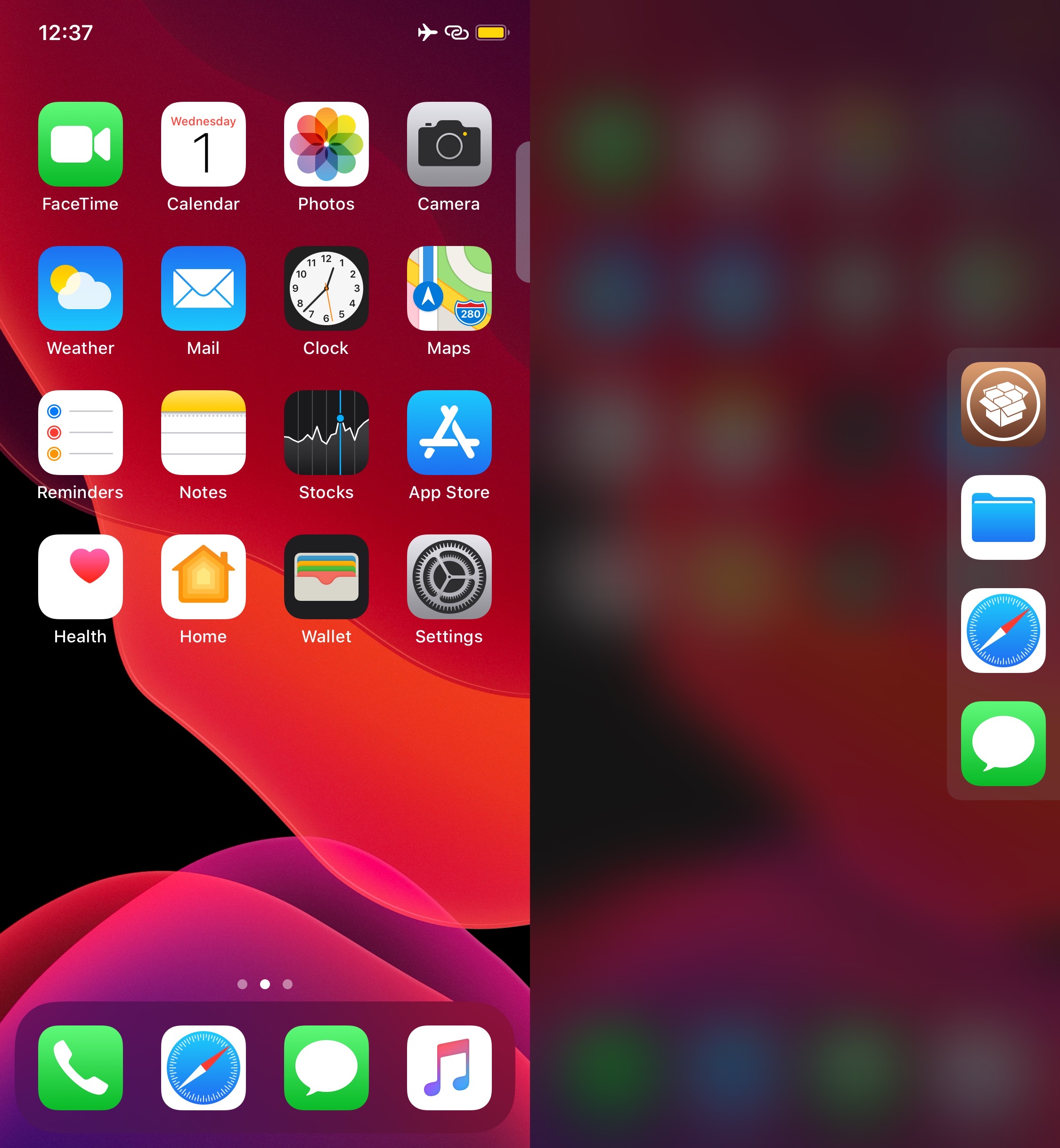
Rofi is a convenient app launcher you can access from anywhere in iOS

It’s always convenient to have quick access to your favorite apps from anywhere, and that’s the primary reason why application launcher extensions have been so popular among jailbreakers over the years. Given their apparent popularity, it only seems fair that we turn the spotlight to a newly released and free jailbreak tweak dubbed Rofi by iOS developer Kef.

As depicted in the screenshot example above, Rofi hides away on the edge your iOS device’s display as a tab. Once ready to summon the application launcher, users need only tap on the aforementioned tab to view and interact with all the apps hidden within.

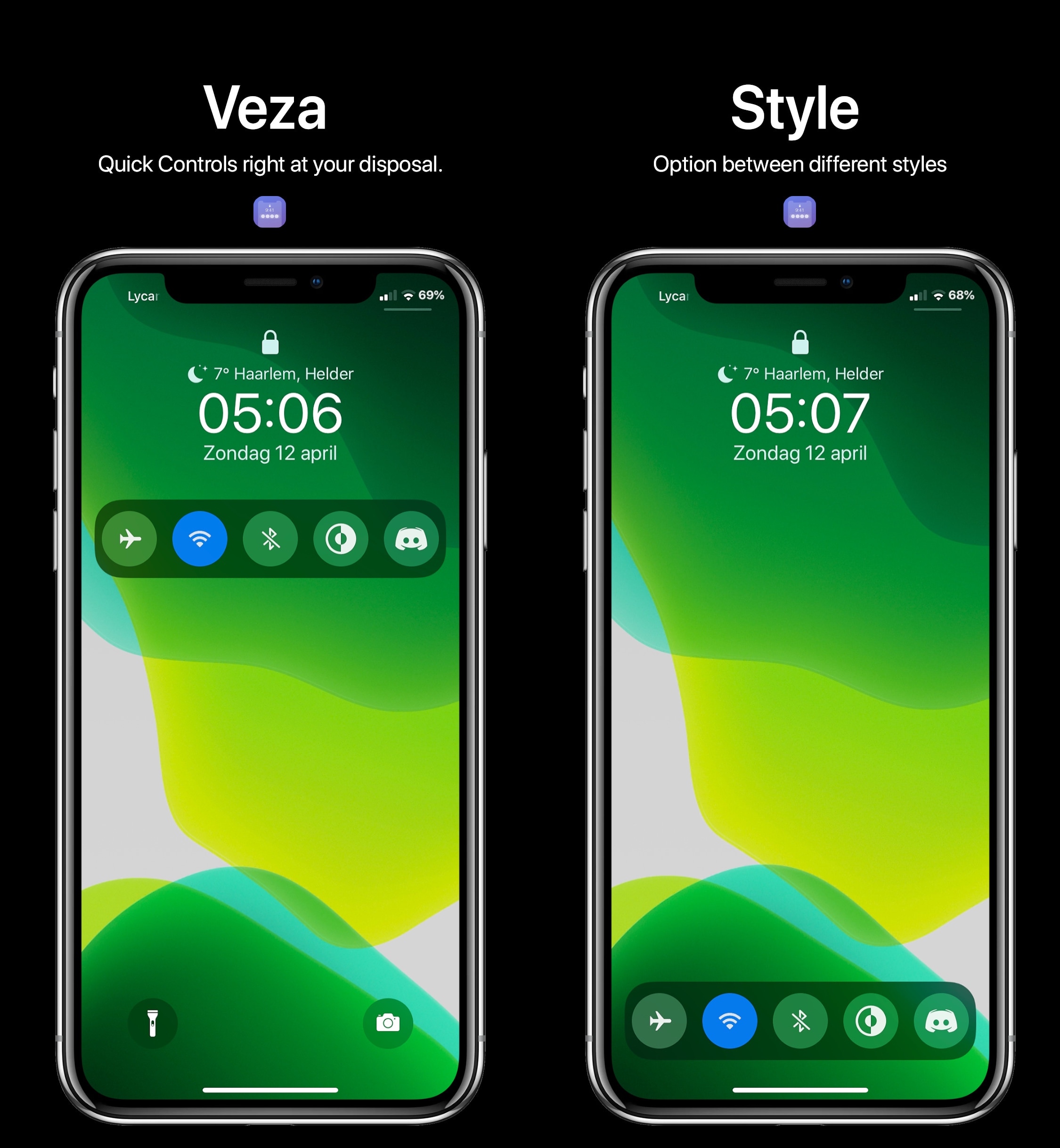
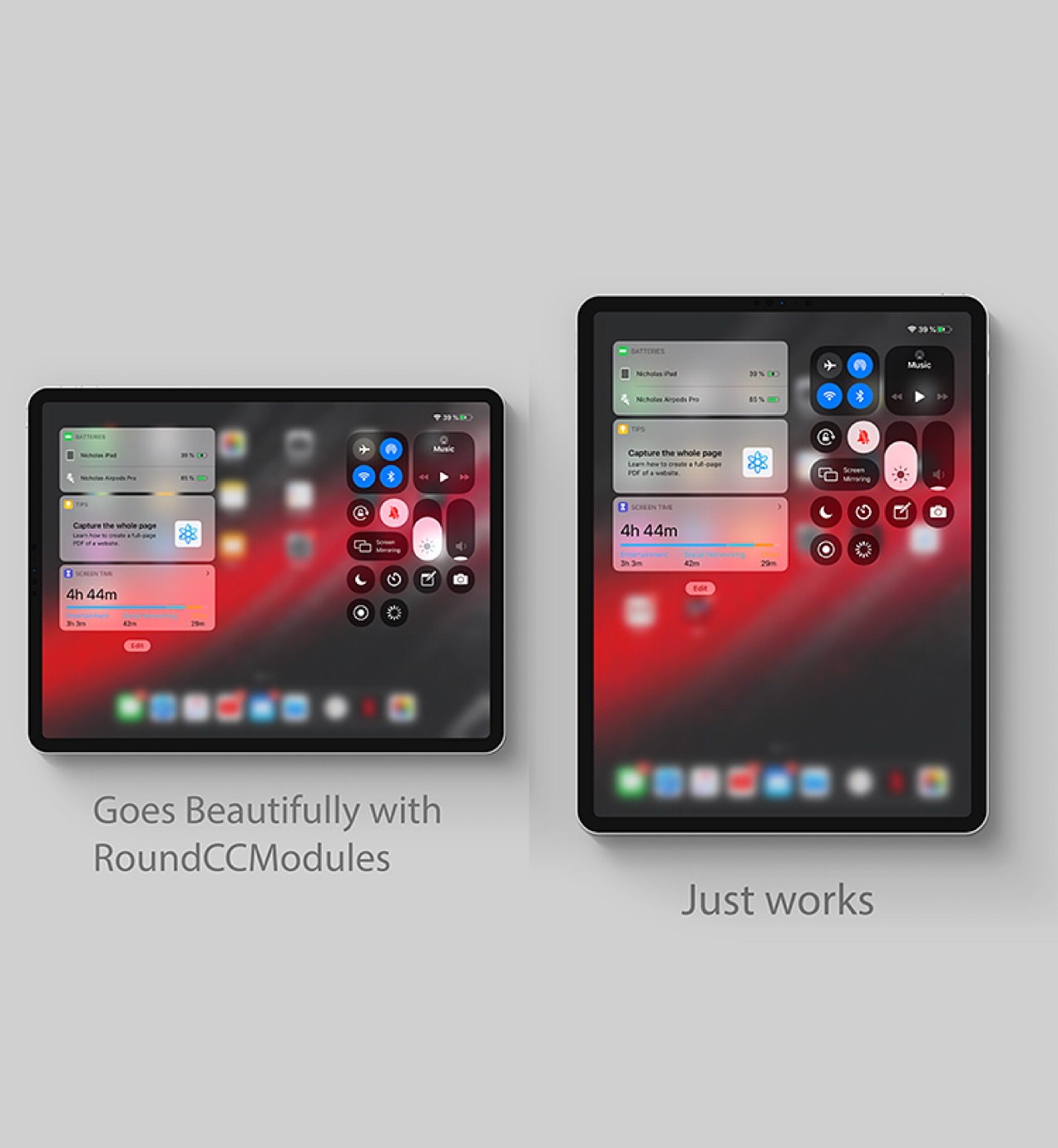
Dyadic combines Control Center and Today widgets into one interface

Two of the most useful on-demand interfaces in all of iOS are Control Center and the Today widget page, and if you’re any bit familiar with how iOS works, then you’d know that these interfaces are entirely separate from one another. But they don’t have to be… at least not anymore.

Enter Dyadic a newly released jailbreak tweak by iOS developer nicho1asdev that combines the two interfaces into one for a slicker user experience. What’s more is the tweak works seamlessly on both iPhones and iPads alike, ensuring a seamless ‘just works’ experience across all your jailbroken iOS devices.

This tweak mirrors your iPhone’s silent mode status to your Apple Watch

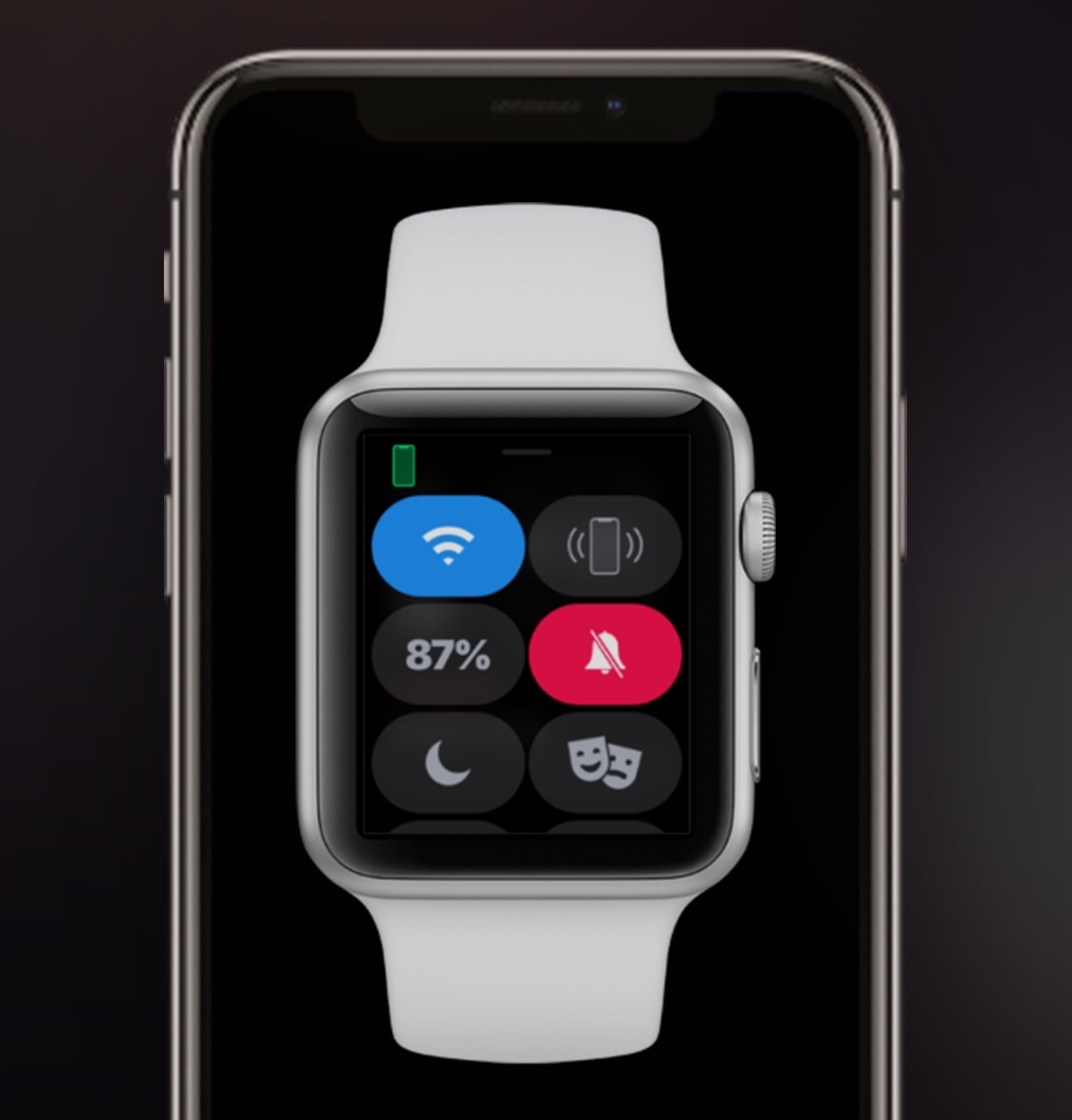
Both the Apple Watch and iPhone support silent mode – a feature that mutes all incoming notification sounds to prevent awkward situations in certain predicaments, such as a ringtone going off in the middle of class or disturbing participants during a work conference. Unfortunately, this handy feature doesn’t stay in sync between both devices, necessitating manual input for each.

This is a problem that a newly released jailbreak tweak called WatchMuteMirror by iOS developer Cardboard Face aims to resolve. As you may have inferred already from the tweak’s name, WatchMuteMirror keeps silent mode in sync between your iPhone and your Apple Watch so that the latter doesn’t make a bunch of noise even after you toggle the mute switch on the side of your iPhone.

Discern whether you have missed important notifications from your pocket with NotiVibe

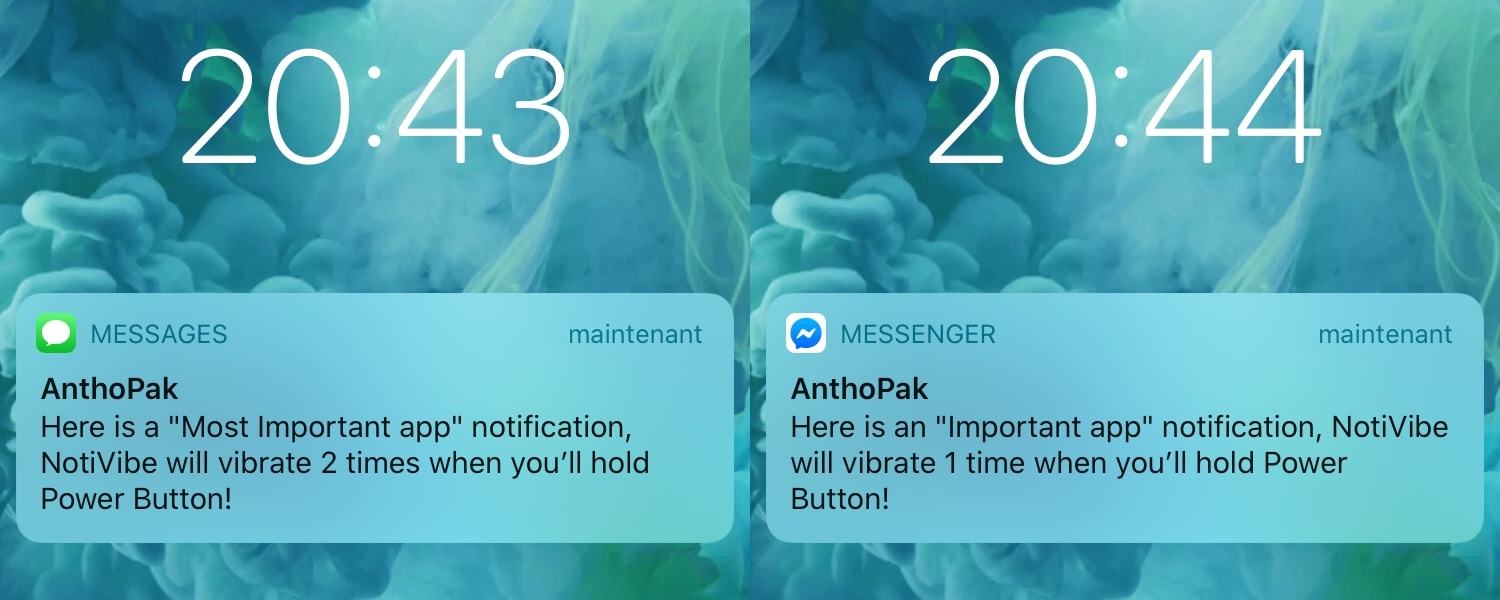
Your iPhone probably lights up with push notifications all day long, but only a small fraction of those are likely to be important. Unfortunately, there’s no easy way to discern between important and non-important notifications without looking at your display, and this means that if you’re smack in the middle of something important and can’t look at your handset, you won’t know what you’re missing.

The aforementioned situation doesn’t come up too often, but it may happen more frequently when you’re at work and stuck in meetings all day or when you’re in class and don’t want to make it obvious that you’re checking your iPhone for notifications. For that reason, a newly released and free jailbreak tweak called NotiVibe by iOS developer AnthPak may come in clutch.

Why cope with a dumb Low Power Mode when you can use SmarterLPM?

Low Power Mode.

Low Power Mode is an incredibly handy utility that helps iPhone users get the most out of their handsets when the battery level falls below a comfortable percentage. Apple designed Low Power Mode in such a way that users wouldn’t need to interact with the feature all that much, but in doing so, they also limited the possibility of advanced configurations tailored for ideal low-power setups.

Given the circumstances mentioned above, it’s not difficult to understand why iOS developer smokin1337 has released a new free jailbreak tweak dubbed SmarterLPM. Just as the tweak’s name suggests, SmarterLPM aims to make Low Power Mode a whole lot more useful for users with the help of deeply integrated user-configurable settings.

Keyboard Plus can make your iPhone’s keyboard more intuitive

For the most part, Apple’s iPhone sports one of the best software keyboard experiences on the market today, but that certainly doesn’t mean that there isn’t room for improvement.

Those looking to augment their jailbroken iPhone’s typing experience are likely to enjoy a new jailbreak tweak release called Keyboard Plus by iOS developer Ryan Nair. As the tweak’s name implies, Keyboard Plus brings new features and improvements to the native keyboard experience, with the goal of making typing on your iPhone an even nicer experience than it is already.