Tutorial

Learn how to master your Apple devices with our comprehensive tutorials. From iPhone and iPad to Mac, Apple Watch, AirPods, and more, our expert guides will help you unlock the full potential of your Apple products. Discover new features, tips, and tricks each day to enhance your user experience.

How to Give An iPhone App This Holiday Season

It's that time of year. Christmas music, staff parties, plenty of egg nog, and gifts. As fellow iPhone users, what better gift is there to give each other than what we crave: more apps.

We could all probably name at least a few apps that we would like to have, but haven't bought yet. How nice would it be to wake up on Christmas day and have that new app you've been wanting?

Luckily, Apple allows you to "gift" an app to a friend. If you didn't know about gifting apps, I'm going to walk you through how to gift an app, along with some gift-giving tips...

Accessing Your iPhone’s SIM Card

The presence of a SIM card slot is one of the things that differentiates the iPhone from your run of the mill iPod Touch. How do you access the SIM card inside, and why would you even need to replace the SIM card?

One good reason for doing so is if you plan on traveling abroad. You can receive much cheaper rates by using a SIM card originating from the country you're visiting. Of course, there are other valid reasons and additional points that you'll want to keep in mind as well...

Why Don’t Both of My Speakers Work on My iPhone?

In this latest video from our ongoing iPhone Basics series, we investigate the question that seems to forever permeate the iPhone community. Just what is the deal with the iPhone speakers? Why is sound only coming from one speaker?

Likely, you already know the answer to this question, but for new iPhone owners, it's a legitimate inquiry. Check inside as we spill the beans on the iPhone's speaker issues, along with a brief history lesson as well...

The Anatomy of an iPhone 4

This is the first of an ongoing series of videos that will provide in-depth coverage of the iPhone. Initially we will be targeting basic iPhone usage, such as the device's anatomy, guides on how to keep the iPhone in great shape, and other essential, but basic information.

Our goal is to provide a one-stop and comprehensive resource for all iPhone users, including those of you who are new to the wonderful world of iPhone. We hope that you will find these guides, walkthroughs, and tutorials beneficial, and encourage community feedback so that you can assist new ones.

Without further ado, let's talk about the basic anatomy of the iPhone 4, shall we?

Tutorial: How to Install the New Cydia for iOS 4.2

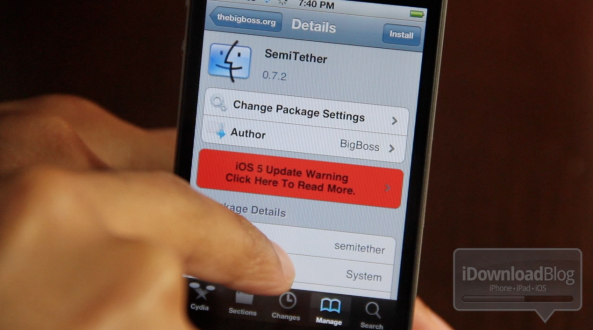
Cydia was recently updated to support Apple's updated API's in iOS 4.2. This particular Cydia update was quite the major overhaul, and there is no option available (yet) within Cydia to update to the newest version automatically.

Besides iOS 4.2 support, there are several long-awaited improvements in this version of Cydia.

The most noticeable improvement in this update is a huge performance boost throughout the whole application. Everything is faster. Once Cydia does the initial restructuring and downloading after you first install the update, you should notice an immediate boost in speed as you navigate the app. That means less of the dreaded loading wheel and more of actually accomplishing what you want to do...

Tutorial: How To Replace the Pink biteSMS Icon With the Stock SMS Icon

Jailbreaking is without a doubt one of the best features about owning an iPhone. Not only are there some totally cool apps that you couldn't get your hands on otherwise, but you can fully customize your iPhone's look to fit your style.

biteSMS is one such application that gives users much more functionality than Apple's stock offering. Wouldn't it be nice if you could completely replace the stock SMS application with biteSMS, all the way down to the look and name of the app icon? Indeed it would be, that's why we've created an in-depth tutorial for you inside...

How to Put Your iPhone in DFU Mode

I am asked constantly how to put the iPhone in DFU mode. I always answer people and explain them how to do it but I figured after all this time, writing a post about how to put your iPhone in DFU mode was long overdue.

In most cases, you'll need to put your iPhone in DFU mode during the jailbreak process. It's pretty easy but it's all about perfect timing...

How to Unlock Your iPhone 4.2.1 with UltraSn0w

The Dev Team has updated their UltraSn0w iPhone unlock for iOS 4.2.1. UltraSn0w 1.2 will unlock iPhone 4 baseband 01.59.00 and iPhone 3G/3GS basebands 04.26.08, 05.11.07, 05.12.01, 05.13.04 and now 06.15.00.

If your iPhone 4 is not on baseband 01.59.00, you will not be able to unlock it. If your iPhone 3G or 3GS is on one of the baseband version mentioned above, then you can follow the instructions below...

Mimicking the “Launchpad” With Your iPhone’s Wallpaper

In the recent Steve Jobs keynote, Apple introduced the next major version of Mac OS X. "Lion" boasts many new graphical innovations, and iOS seems to have been sewn into the new interface. One of the most interesting additions to Lion was the "Launchpad."

Launchpad brings the iOS home screen to OS X. In OS X Lion, when you activate your Launchpad, your desktop wallpaper is blurred and given a nice vignette so that you can clearly see your app icons. The effect is very pretty. And, fortunately, it's fairly simple to duplicate this visual effect with your iPhone's locks screen and home screen...

How to Forward Your iPhone Voicemails to Google Voice

Yesterday my iPhone notified me I had 14 voicemails within the last 6 days. Why didn't it notify me of the new voicemails as they came? I have no idea. I'd be lying if I said I wasn't really pissed at my iPhone. Not only had I missed important voicemails that I should have received days ago, but it wasn't the first time this had happened to me.

Like every normal person of the 21st century, I went to Twitter and started bitching about it. Within a few minutes I received replies from people telling me I should let Google Voice take over my iPhone. I already use Google Voice but I don't want it to completely replace my normal line. Then someone told me I could actually replace my iPhone voicemails with Google Voice voicemails by forwarding my iPhone voicemails to Google Voice.

After doing a bit of research, this made complete sense to me and I decided to give it a go...

Tutorial: The Easiest Way to Enable HD Video Recording on the iPhone 3GS

We recently linked to a Cydia app that was rumored to enable HD video recording on the iPhone 3GS. Apparently, that app didn't work. There is, however, an easy way to enable HD recording through some file modifications on your iPhone 3GS.

The 3GS has had the ability to shoot in HD since it was released. Apple, for whatever reason, places a software limitation on the 3GS video recording capabilities. The ARM Cortext processor inside the 3GS is more than capable of handling 720p video encoding. I'm going to walk you through the easiest way to enable HD video recording on your 3GS...

How to Speed Up Cydia

One of the big downsides of Cydia is how slow it is. It usually takes a couple minutes from the time you launch Cydia to the time you can actually download something. Well, it doesn't have to be that way anymore... There is a simple and quick trick that will incredibly speed up Cydia by removing ads and screenshots in each package.

That means you won't see any ads anymore, but that also mean you won't be able to see app screenshots. That's something I'm willing to sacrifice if it can save me a few seconds here and there. Here is what to do to speed up Cydia...