Microsoft

OneNote for iPhone gains note previews, Mac edition improves collaboration

Thursday, Microsoft made the iPhone and Mac edition of OneNote even better by adding previews to help quickly find notes on the Apple smartphone while bringing out more notebook sharing enhancements on the Mac.

Note previews are comprised of a headline and an excerpt of the text and include a small thumbnail to help visualize its contents.

These snapshots are readily glanceable from your page list and your Recent Notes list and even incorporate handwriting so it's really easy to quickly locate the note you want to read or edit on the go.

Microsoft debuts Office for Mac 2016 public beta

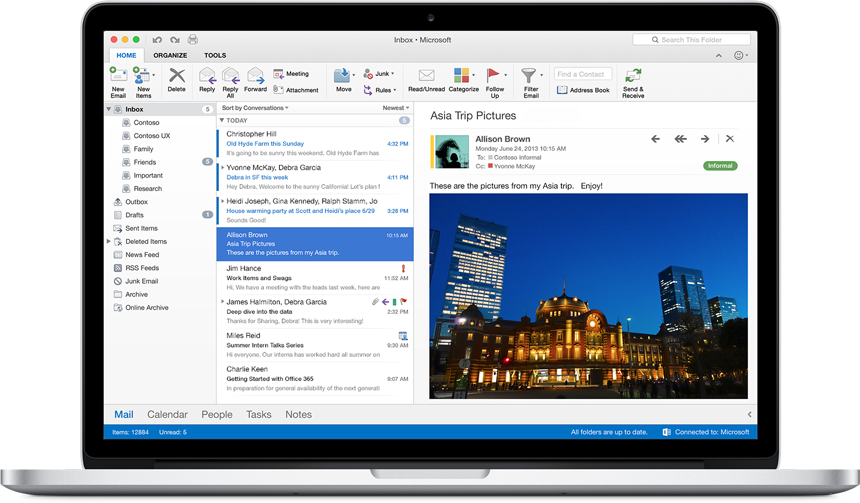
Microsoft has released the public beta of Office for Mac 2016 on its Microsoft Office webpage, most notably bringing a redesign and Retina support to the suite of apps. The beta can be downloaded for free and provides an alternative to Apple's iWork suite.

How to get 100GB of free OneDrive storage

Microsoft's cloud storage thing called OneDrive has been on fire lately. The service has been generous with free space in the past few months. For starters, each account gets fifteen gigabytes of free storage and Office 365 subscribers get to enjoy unlimited storage as long as they continue paying their subscription. For some time now the Windows maker's been offering free OneDrive storage to US residents who've signed up for Bing Rewards program.

Starting today, this offer is now available globally so everyone can now get 100GB of free OnDrive storage for two years. Here's how you can claim your free storage.

OneNote for iPad gains handwriting, stylus support with palm rejection and OCR for images

After updating the Mac edition of OneNote with enhanced optical character recognition (OCR) features and other goodies yesterday, Microsoft on Thursday announced that users of OneNote for iPad can now extract text within all images that are added to notebooks saved on OneDrive.

In addition, the iPad application now has handwriting support, a top requested feature which permits users to highlight documents, scribble notes or just draw sketches with their finger. With this update, handwriting is now available in OneNote across all platforms.

OneNote for Mac gains enhanced OCR features and other goodies

After adding the ability search for words in images to OneNote for the iPhone, iPad and Mac last summer, Microsoft today refreshed the Mac client by enhancing the somewhat limited functionality of the optical character recognition (OCR) feature.

In addition, the software contains other perks such as the ability to hide author initials in shared notebooks from the View tab and close the OneNote window without quitting the app.

OneNote for the Mac, iPhone and iPad is available at no cost through the Mac App Store and App Store.

Word, Excel and PowerPoint for iOS gain iCloud storage integration

Windows maker Microsoft today announced it's bringing out new cloud storage integration to Word, Excel and PowerPoint apps for the iPhone and iPad, including the iCloud file picker on iOS and Office Online integration for viewing and editing.

The much appreciated support for Apple's cloud-based storage permits customers to store their documents, presentations and spreadsheets to iCloud and access them on their other iOS and Mac devices.

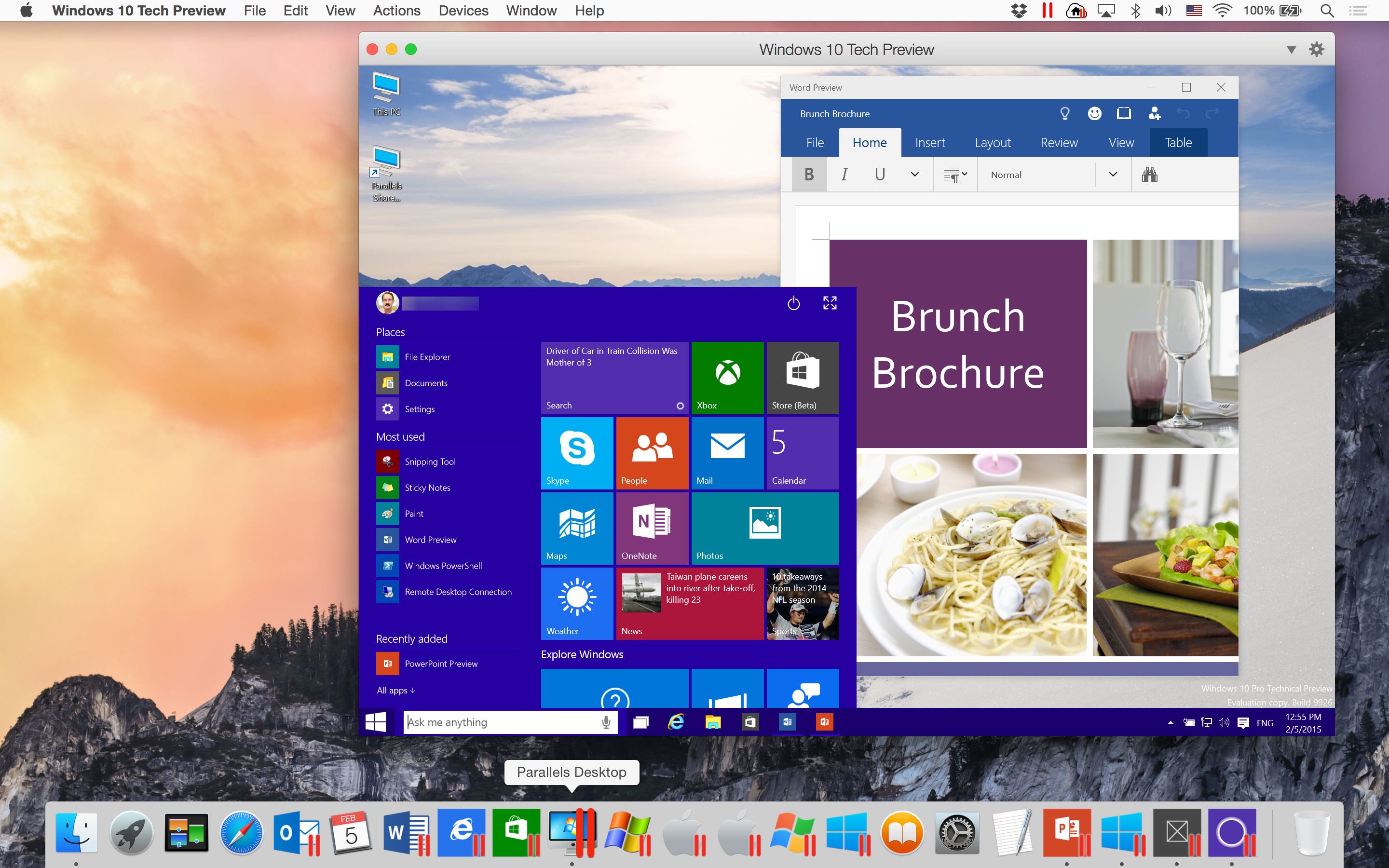
Parallels Desktop 10 gains experimental support for Office/Windows 10 Technical Preview

Our own Jeff Benjamin showed you earlier how anyone can try Windows 10 Technical Preview on their Mac for free, using VMware Fusion.

But if you use Parallels’ award-winning virtualization software, you must check out its most recent update.

Announced today, it enables experimental support for running both Office 10 and Windows 10 previews on your Mac.

Skype for iPhone introduces new chat picker, brings back URI support and more

Microsoft today released an update to Skype for iPhone in the App Store. In addition to general improvements, Skype 5.10 for iPhone lets you quickly call people and groups straight from a new chat picker: just tap on a new chat icon and choose who to talk to.

The update enhances Skype's dialer with a useful auto-complete feature that searches for Skype contacts as you’re entering a phone number.

Most importantly, the new version brings Skype URI support back to iPhones so third-party developers can again write apps that integrate with Skype.

How to install Windows 10 Technical Preview on your Mac with VMware Fusion

The Windows 10 Technical Preview is now available for free download and trial, but just because you're on a Mac doesn't mean you have to be left out of the fun. Windows 10 brings new features to the table like Cortana voice assistant integration, improved multitasking, and more.

In this full tutorial, I'll show you how to install Windows 10 Technical Preview on your Mac using VMware Fusion. In the video walkthrough, I show you how to install Windows 10 on your Mac in less than 15 minutes.

Microsoft snaps up cross-platform calendar app Sunrise

Microsoft has just acquired the popular calendar app Sunrise. TechCrunch, which first learned of the deal, has pegged the value of the transaction at a cool $100 million.

Sunrise has an awesome iPhone and iPad app in the App Store. It's also available for the Mac, across other mobile platforms and in the form of a responsive, lightweight application which runs smoothly in a web browser.

Microsoft releases native Outlook app for iOS

Microsoft on Thursday released the official Outlook email client in the App Store (not to be confused with the native Outlook Web App for the iPhone). Optimized for the iPhone, iPod touch and iPad, the iOS 8-only app is based on Microsoft's $200 million purchase of the popular mobile email app Acompli.

Featuring a built-in calendar, comprehensive search features, gesture-based interface akin to Dropbox-owned Mailbox and support for popular cloud storage services like Dropbox, Google Drive and Microsoft's own OneDrive service, it brings together the core tools you need to get things done in one sweet package.

Microsoft just made OneDrive totally awesome

Wednesday, Microsoft rolled out an all-new version of its OneDrive sync client for the Mac while bringing out a plethora of really cool features on the web and releasing a revamped iOS app.

The iOS client now supports OneDrive for Business accounts so basically your work and life can now be on all your Apple devices in a single app.

Not only does the redesigned iPhone and iPad app look nicer, it also lets you search photos by tags and create gorgeous albums. It even recognizes text in photos and PDFs and integrates with the popular password-management software 1Password and LastPass.