Here are five quick ways to check how much storage space is available on your Mac’s internal SSD or hard drive.
5 quick ways to see free space available on your Mac
Stay up-to-date on the latest Mac news, and tutorials. Get expert tips and tricks to optimize your Mac’s performance and learn about the latest Apple products and software updates. Discover the best Mac apps and accessories to enhance your user experience.
Here are five quick ways to check how much storage space is available on your Mac’s internal SSD or hard drive.
Learn how to fix issues such as no signal, poor color, blurry images, and more on an external display connected to your Mac.
Google Chrome fans that enjoy using Handoff to create a seamless experience between their iOS device and their Mac have been long disappointed in the third-party web browser's inability to support such a feature.
Fortunately, those sporting a device with a jailbreak can now take advantage of a new free jailbreak tweak called Chrome Handoff, which will enable Handoff for Chrome between your iOS device(s) and Mac. In this piece, we'll show you how it works!
Just 24 hours after seeding iOS 9.3 beta 7 to developers and public testers, Apple on Tuesday released a seventh beta of the forthcoming OS X El Capitan 10.11.4 software update.
The new version with a build number of 15E64a is available as an over-the-air update through the Mac App Store's Purchased tab on Macs authorized for software development through the Apple Developer Program and on computers enrolled into the Apple Beta Software Program.
Like your iPhone or iPad, your Mac sports an auto-correction feature that automatically corrects any misspelled words in your chats, documents, emails, and other documents that work with the system-level auto-correction feature.
In many macOS apps, mistakes are automatically corrected as you type. Native speakers who know their way around the grammar and spelling rules may want to reverse this behavior, and we’ll show you how.
One of the questions I hear a lot about storage space on Macs and iOS devices is why when you purchase a 256GB Mac you only get about 230GB of space to play with, or why when you get a 16GB iPhone, you only get about 12.6GB to use for yourself.
The fact of the matter is, your storage space is used by more than just what you put on your own computer or device, and in this piece, we'll explain how Apple calculates all that storage space that you can never seem to claim on your devices.
This tutorial shows you how to change the profile picture of admin, standard, or shared user accounts on your Mac.
Apple's portable Mac notebooks like the MacBook, MacBook Air, and MacBook Pro are all powered by Lithium-Ion batteries, and these batteries don't last forever. They go through cycles as they're charged up and used over and over. After a number of cycles, batteries tend to lose their effectiveness at storing power, and will eventually need to be replaced.
If you have ever wondered just how close you are to needing a battery replacement in your Mac, then you'll be happy to know that macOS is actively monitoring your Mac's battery and can tell you with a quick keyboard shortcut, which we'll be discussing in this short information piece.
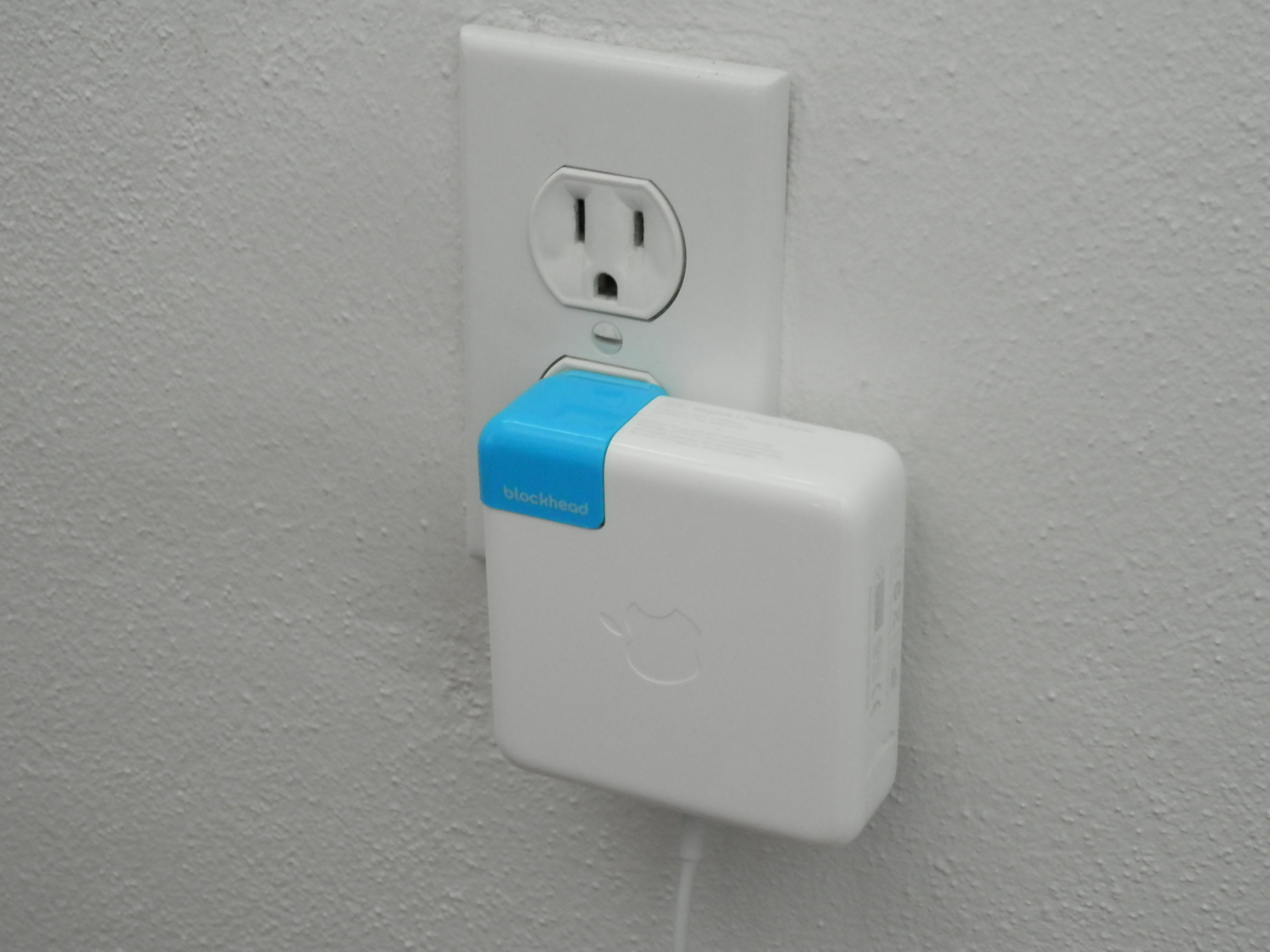
An company called One Design has announced an interesting space-saving solution that lets your MacBook or iPad charger sit flush against the wall. Dubbed the Blockhead, the inexpensive device is basically a side-facing plug for Apple's USB chargers.
It reduces between your charger and the wall socket from 3.8 inches to just 1.2 inches. By turning your MacBook's adapter sideways, Blockhead also brings its center of mass closer to the wall, resulting in a smaller footprint and less tension on the plug.
“At just over an inch thick, blockhead is the thinnest possible way to charge your MacBook,” says One Design. “Even the standard cord needs twice as much room.”
We recently detailed 'Other' iOS storage, an iTunes-reported section that includes various caches and temporary system files on you iPhone, iPod touch and iPad along with device settings, high-quality Siri and Voice Over voices and other system data.
Not many people know that macOS reports 'Other' storage on Macs, too. Unlike its iOS counterpart, the 'Other' Mac storage basically counts non-media files that don't fit any other category.
In addition, files not recognized by Spotlight are classed as 'Other' storage, among other items. Here's precisely what files are included in the 'Other' storage section, how to see its size, why your disk's used space appears as 'Other' storage when you startup up your Mac in Safe Mode and more.
Readdle, the Ukrainian developer of fine productivity software, has refreshed its PDF management and annotation app, PDF Expert for OS X and PDF Expert for iOS, with support for Apple's Handoff technology.
With Handoff, PDF Expert users can start editing a PDF document on their iPhone or iPad and then continue right where they left off on their Mac, and vice versa.
In addition, today's update includes half a dozen enhancements like the ability to select part of a document and crop or copy it.
Mac OS X comes with a little-known function that lets you slow down the Dock's window minimization animation just for the fun of it.
Since Apple spends a lot of time creating quality animations with sleek and buttery-smooth transitions, it's only fair that they should give users a way to enjoy them in slow motion.
In this tutorial, we'll show you how you can view your Dock's window minimization animation in slow motion.