Data

The Price of Turning Your Verizon iPhone into a Mobile Hotspot

I guess the most exciting thing about the Verizon iPhone's announcement this morning was the fact that you will be able to use your iPhone as a hotspot for up to 5 devices. This means you'll be able to turn your Verizon iPhone into a hotspot and share your Internet connection with up to 5 devices around you.

Sounds great, right? It is great. Not so great is that the pricing information has been left aside and no one at Verizon deemed it necessary to let people know how much this great feature will cost...

Check Out Nationwide Cellular Coverage Map With ‘Coverage’ for iPhone

With the imminent Verizon iPhone announcement, what better way to pass the time than seeing what you would actually be gaining with a Verizon iPhone. People want better cellular coverage, data reliability and overall speed. AT&T hasn't built a very good reputation over its last 3+ years of exclusivity with the iPhone.

The general consensus in the U.S. is that a Verizon iPhone would probably make the revolutionary smartphone a much more dependable cellphone. Less dropped calls and 3G dead-zones would be a warm welcome to those plagued by AT&T sluggishness in heavily populated areas.

Recently, there was a slew of ad campaigns from AT&T and Verizon that were all about "coverage maps." The goal of the ads were to convince the consumer that either Verizon or AT&T had better overall coverage. Thanks to a nifty iPhone app, you can see for yourself...

WSJ Reports That Verizon iPhone Means $30 Unlimited Data

It appears that Verizon's upcoming version of the iPhone 4 won't have that many distinguishing factors between AT&T's version from a hardware perspective. Spy shots revealed last week show an almost identical iPhone 4, with only subtle hints at changes with the antenna among other things.

So, how can Verizon make an even bigger splash when it unveils a phone that has been available for over half a year? According to the WSJ: offer $30 unlimited data to spite AT&T's recent restructuring to its data plans.

If you can remember, AT&T was met with its fair share of criticism when it unveiled new tiered data pricing on the eve of the iPhone 4's launch. AT&T no longer offers unlimited data to new subscribers; the most you can score is a $25 2 GB plan.

Now, Verizon is gearing up for what will undoubtedly be a hilarious PR campaign against its arch-rival....

Obsessively Check Your Data Usage with New SBSettings Toggle

If you're a new iPhone adopter in the U.S., chances are you're on the limited 2GB data plan. To keep track of your data usage, you have two options: Navigate to Settings > General > Usage, OR log into your AT&T account via the MyWireless app or online. Neither option is quick or easy.

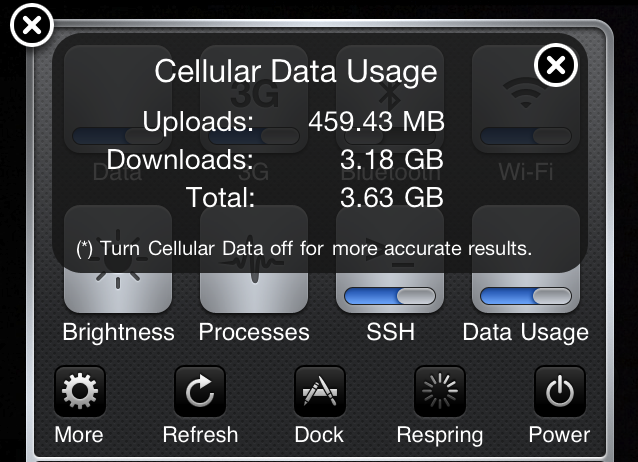
This simple add-on for jailbroken iPhones changes that. The Data Usage SBSettings tweak adds a toggle to your SBSettings menu that lets you see your total upload, download, and combined data usage. So now you can get quick and easy access to your monthly data usage (provided you're manually resetting the counter every month)...

How to Get Your iPhone Back on AT&T’s Unlimited Data Plan

When AT&T changed its data plans a few months ago, it put an end the unlimited data plans for new iPhone customers. Existing customers were however offered the possibility to stay on those unlimited plan. Others decided to go to a cheaper capped data plan. The trick is once you give up your unlimited plan, you cannot go back to it.

That's exactly what my friend Mathew did. He wanted to save a few bucks and downgraded to the $25 2GB plan but he quickly regretted his move. I was talking with Mathew the other day while preparing the TwiiPhone podcast when he told me he had found a way to get his iPhone back to the unlimited data plan.

I was very interested in hearing his story and how he managed to go back to the grandfathered unlimited data plan so he offered to email me all the details of the story. Here it is for you...

Data Counter App Keeps Track of Your Data Usage

Since AT&T recently started offering capped data plans for iPhone, those of you who were not grandfathered into the unlimited plan do have to pay attention to their 3G and Edge usage. While the iPhone does offer the ability to monitor your usage by going to Settings > General > Usage, it still doesn't offer a reliable way to see what you're really using.

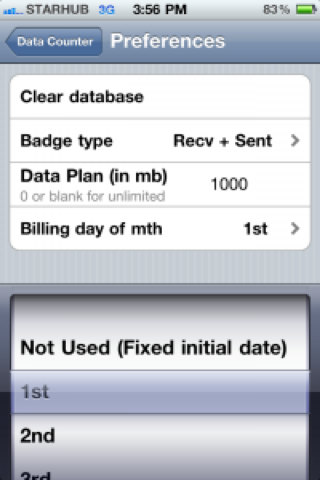
Enters Data Counter, a jailbreak application that helps you keep track of your data usage within a given period...

How’s That 2GB Data Cap Treating You?

By now there’s been ample time to digest the consequences of AT&T’s 2 gigabyte data cap initiated earlier this summer. Would it be too little? Are the prices fair? These were some of the questions that only time and usage could aptly answer. Well, I’ve done the time, and I’ve certainly put in my fair share of mileage on my iPhone 4 to be able to draw a conclusion.

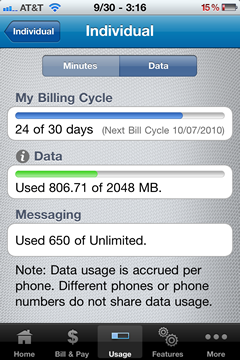
At $25 for 2,048 MB of data, that amounts to about .01220703 cents per megabyte. So a little over a penny per megabyte. Sounds fair enough. But cost was never the huge factor in my worries about AT&T’s new guidelines, real world usage was. In other words, how would my normal usage be affected by these new rules? Would I always have the data cap in the back of my mind causing me to stress unnecessarily? That’s something I didn’t want to have to put up with...

Why is Web Browsing Declining on the iPhone?

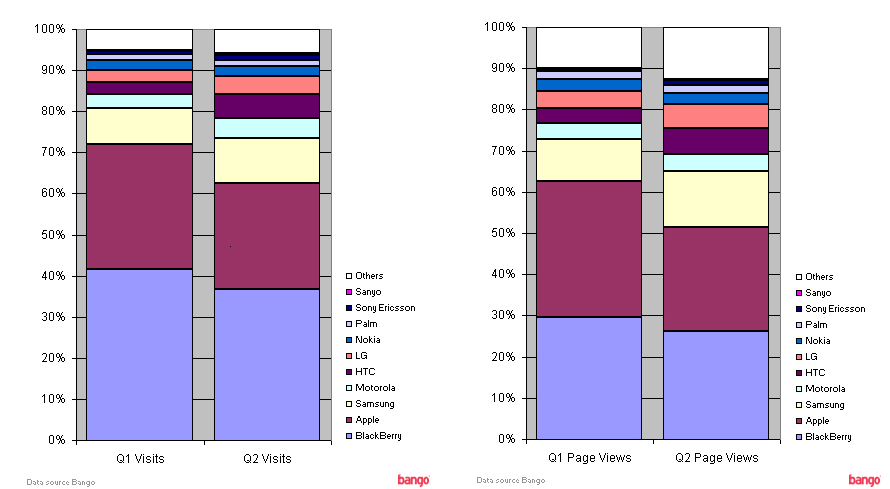
When the iPhone was introduced back in 2007 Steve Jobs made it known that he thought the phone's best feature was the ability to browse the internet in its entirety. To his credit it was the first device to even come close. As Jobs' idol, Bob Dylan sang, "The times they are a changing".

The Bango Blog offers some insight regarding their newest web browsing statistics that show a decline in web traffic as it relates to content viewed from the iPhone. Should the decline be attributed to the influx in platforms that offer the same style of browsing? Some would argue that systems like Android offer a more comprehensive experience strictly due to their support of Flash...

How Environmentally Safe is Your iPhone?

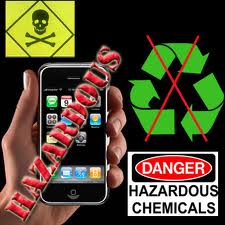
Apple is one of the most secretive companies you'll ever deal with. Even when they're about to release a product or report good news, they seem to have a vacuum seal applied to the lips of their employees. This seems to be the case with a piece of less desirable news regarding the eco-friendliness of the iPhone.

U.K. carrier, O2, showed off their "Green Rankings" which show the British consumers which phone hurts the environment least. Sony Ericsson and Nokia lead the way while the Palm Pre Plus bottomed out the ridiculous chart. Where did the iPhone rank? It didn't. Apple chose to keep the iPhone out of the research..

Stupid Criminal Leaves His iPhone at the Crime Scene

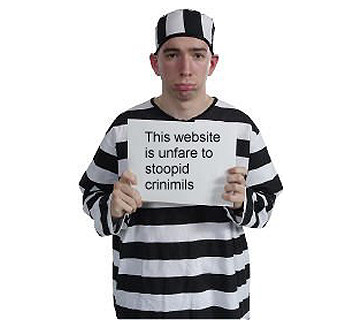
When we wrote an article last month about police being able to use iPhone data to help them further investigations this wasn't quite what we meant. An Alabama burglar is facing possible revocation of probation after he left his iPhone at the house he was robbing.

The Times Daily reports that the homeowners noticed the iPhone and told investigators that the device didn't belong to any of the residents and it was seized as evidence. Franklin County District Attorney, Joey Rushing, stated the following:

USB Spy Stick Allows Access to Deleted Content From Your iPhone

Well this sucks. Yesterday iDB reported on comments from the Chicago Police about the usefulness of recovering data from seized iPhones. Now Gizmodo says that a product eerily called the iPhone Spy Stick can access deleted data from your iPhone via USB.

For those asking how on earth a USB device could plug itself into your device, the stick comes with the necessary adapter. Nice eh?

Directly from the Spy Stick's website is the indicated abilities attached to the $199 priced accessory:

Features:

Get access to deleted information Download text messages and view calls made Recover deleted contacts and calendar items View pictures and other multimedia Get access to map history to see locations searched on the iPhone’s map with exact GPS coordinates Get access to notes, voice memos, multimedia files, and dynamic text data Downloading data is as simple as attaching the iPhone and iPhone Data Recovery Stick to a computer and pressing start iPhone information is saved on any computer and can be moved to other drives as a regular file Looks like an ordinary USB flash drive

Popular Uses:

Catch a cheating spouse Monitor your kids iPhone text messaging and Internet use Check on employees using company issues iPhones Restore deleted files

Before you freak out about your iPhone's security, it is worth mentioning that the not-so-friendly USB stick is currently only usable on iPhone iOS 3.2.1 and earlier. I'd venture to say this mostly targets those still using the original iPhone and the iPhone 3G. However the October version is said be coming for iOS 4 devices.

Will this stop users from selling their old iPhone when it comes time to upgrade? Please tell us your thoughts in our totally secure comment section.
This is How Much Data Your iPhone Uses When Using FaceTime on 3G

There are a few jailbreak apps on Cydia that let you use FaceTime on 3G: 3G Unrestrictor, My3G, and FaceBreak. If like me you're on an unlimited data plan, data usage is not a problem. If however you are on a capped data plan, using FaceTime over 3G could take you overboard.

A few days ago, I made a FaceTime call over 3G for 10 minutes to figure out how much data FaceTime uses on 3G. As you can see on the image above, I sent about 15 MB of data and I received about 12 MB. I think I sent more than I received because I was moving around a lot.

Total data usage for a 10-minute FaceTime call on 3G: 26.5 MB. That's about 2.65 MB per minute.

Obviously your mileage may vary but these numbers shouldn't be too far from what a FaceTime call over 3G will cost you.