Dark Mode

Customize the YouTube app’s native dark mode color scheme with GrooveTube

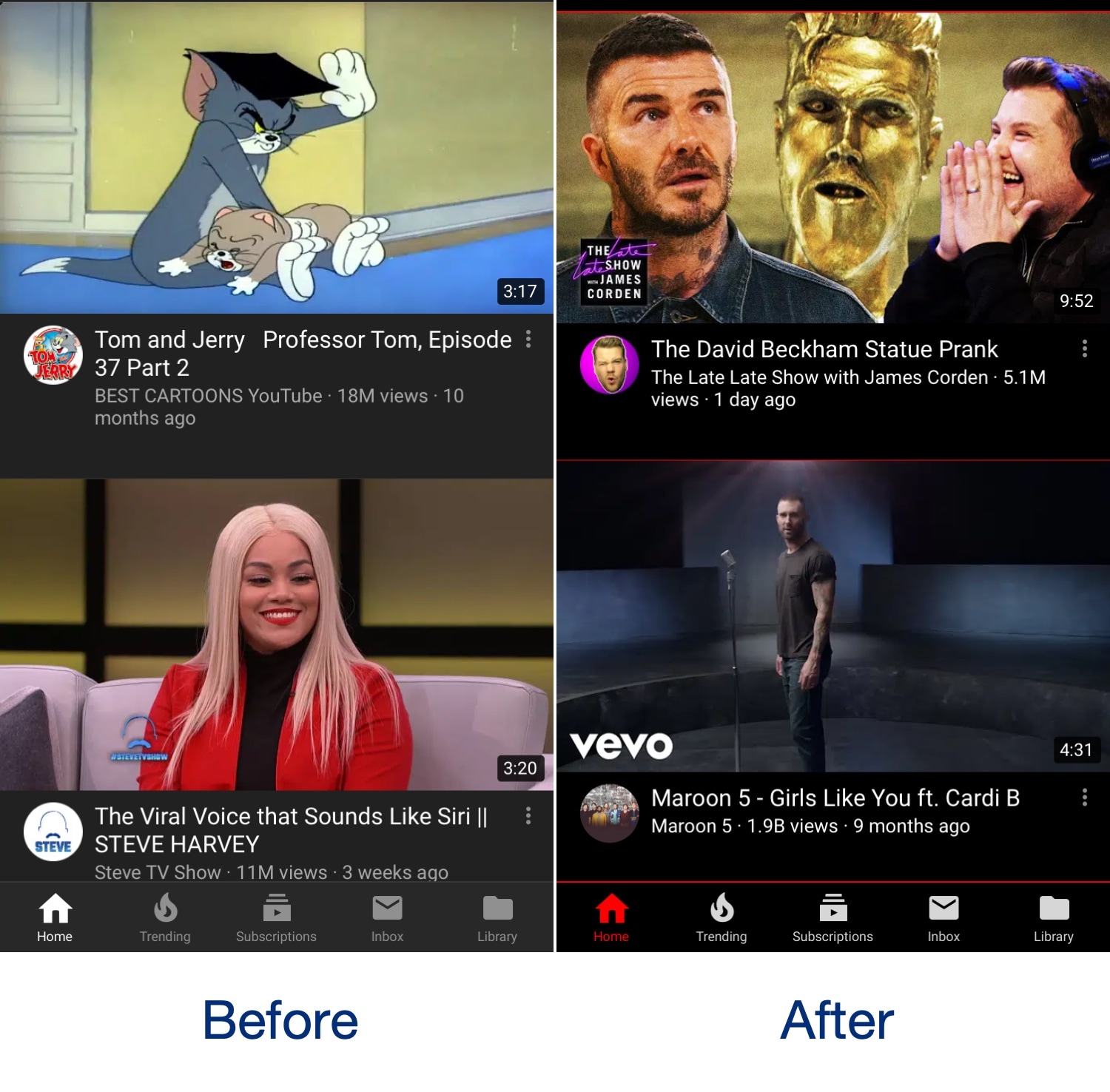
The official YouTube app incorporates a native dark mode that can help ease the stress on your eyes when using the app in a dark environment, and while it’s great, it’s also far from customizable. With that shortcoming in mind, iOS developer Revulate has just released a new free jailbreak tweak called GrooveTube.

After installing GrooveTube, you can manually configure the color scheme of the YouTube app’s dark mode to your liking. In the before and after screenshot examples above, you’ll observe how we’ve re-colored the YouTube app background to be darker and altered the tab bar tint color to be red.

Colorize your iPhone’s keyboard however you want with KeyboardColorXII

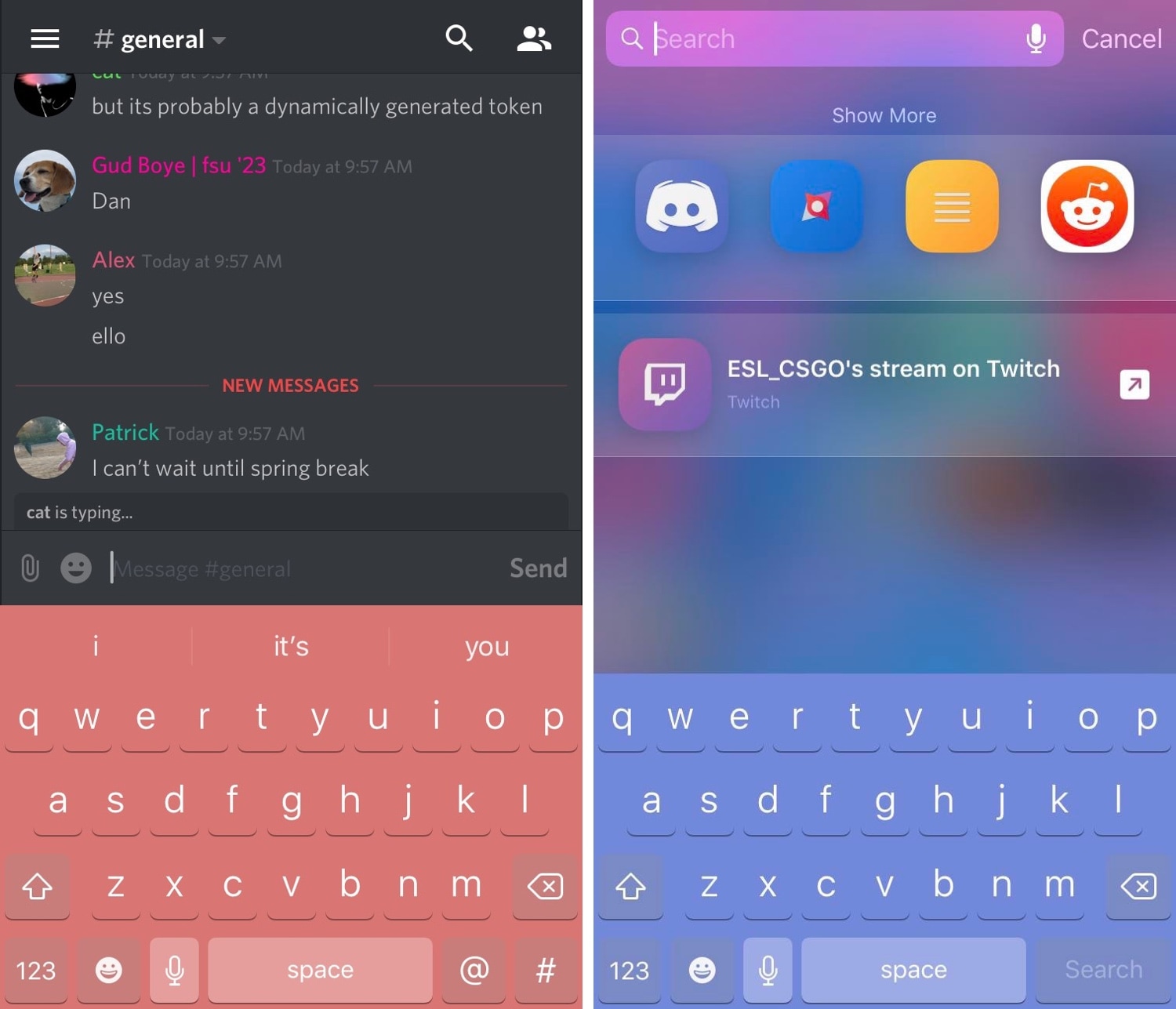
It was only yesterday that we showed you a free jailbreak tweak called DarkKeysXII that could give your iPhone’s keyboard a dark makeover, but what should you do if you wanted something more colorful? If you fall into this category, then you’re in luck!

A new free release called KeyboardColorXII by iOS developer asphyxia is now available in Cydia that lets you colorize your handset’s keyboard however you’d like, whether you prefer things dark, light, or even colorful.

Popular Eclipse dark mode jailbreak tweak now available for iOS 12

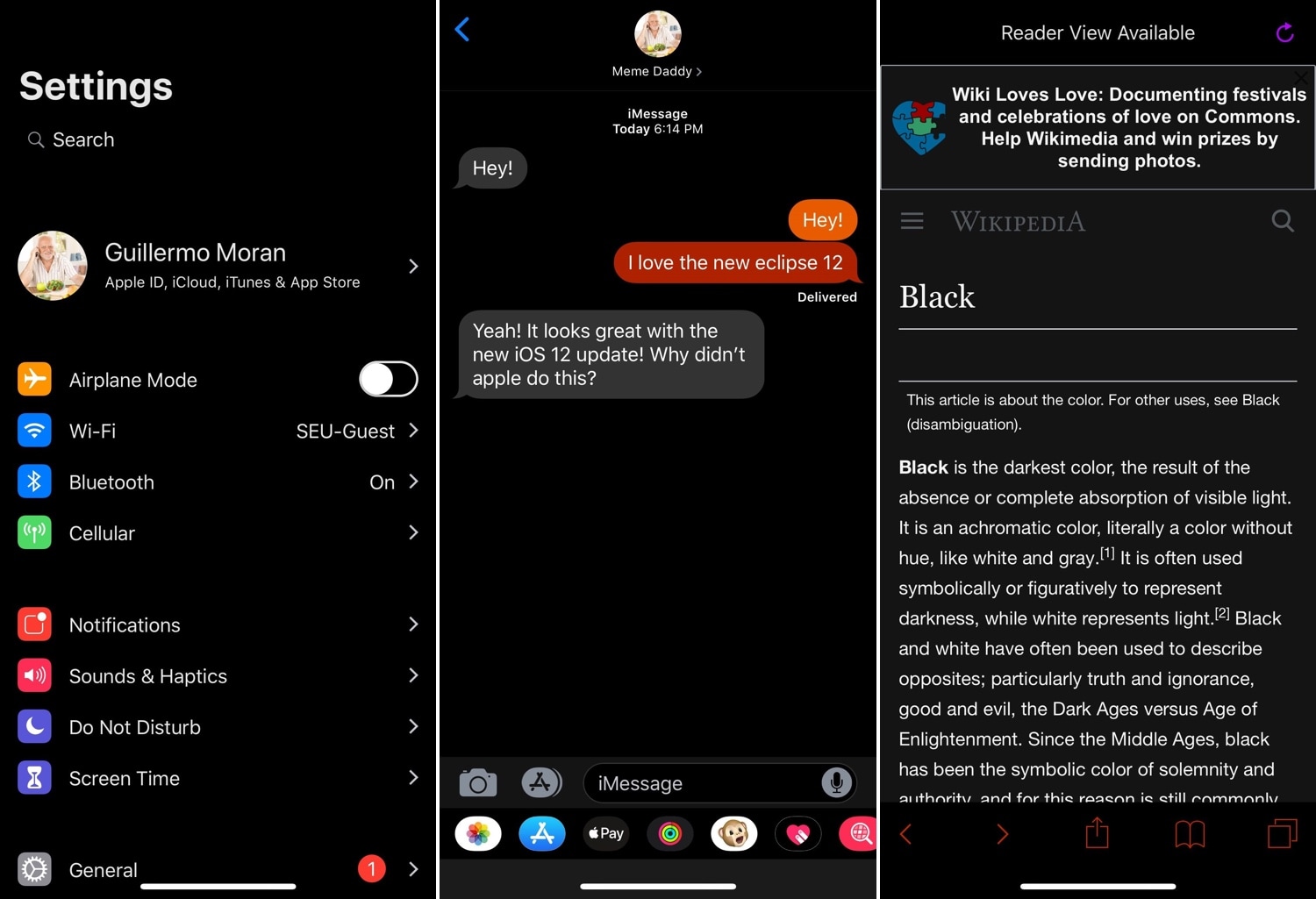
Eclipse by iOS developer Guillermo Morán (fr0st) was perhaps the most conspicuous dark mode jailbreak tweak ever conceived for the iOS platform, and those who’ve just jailbroken iOS 12 with Pwn20wnd’s unc0ver tool should be pleased to hear that Eclipse Dark Mode (iOS 12) is now available for download.

Just like its predecessor, Eclipse Dark Mode (iOS 12) continues its longstanding legacy by bringing a full-fledged dark mode experience to pwned iPhones and iPads alike. Users can ultimately choose between an OLED-friendly pitch-black UI experience, or they can toggle custom theme presets, which offer a variety of other color schemes.

Bring ‘Dark Mode’ to your newly jailbroken iOS 12 handset with Noctis12

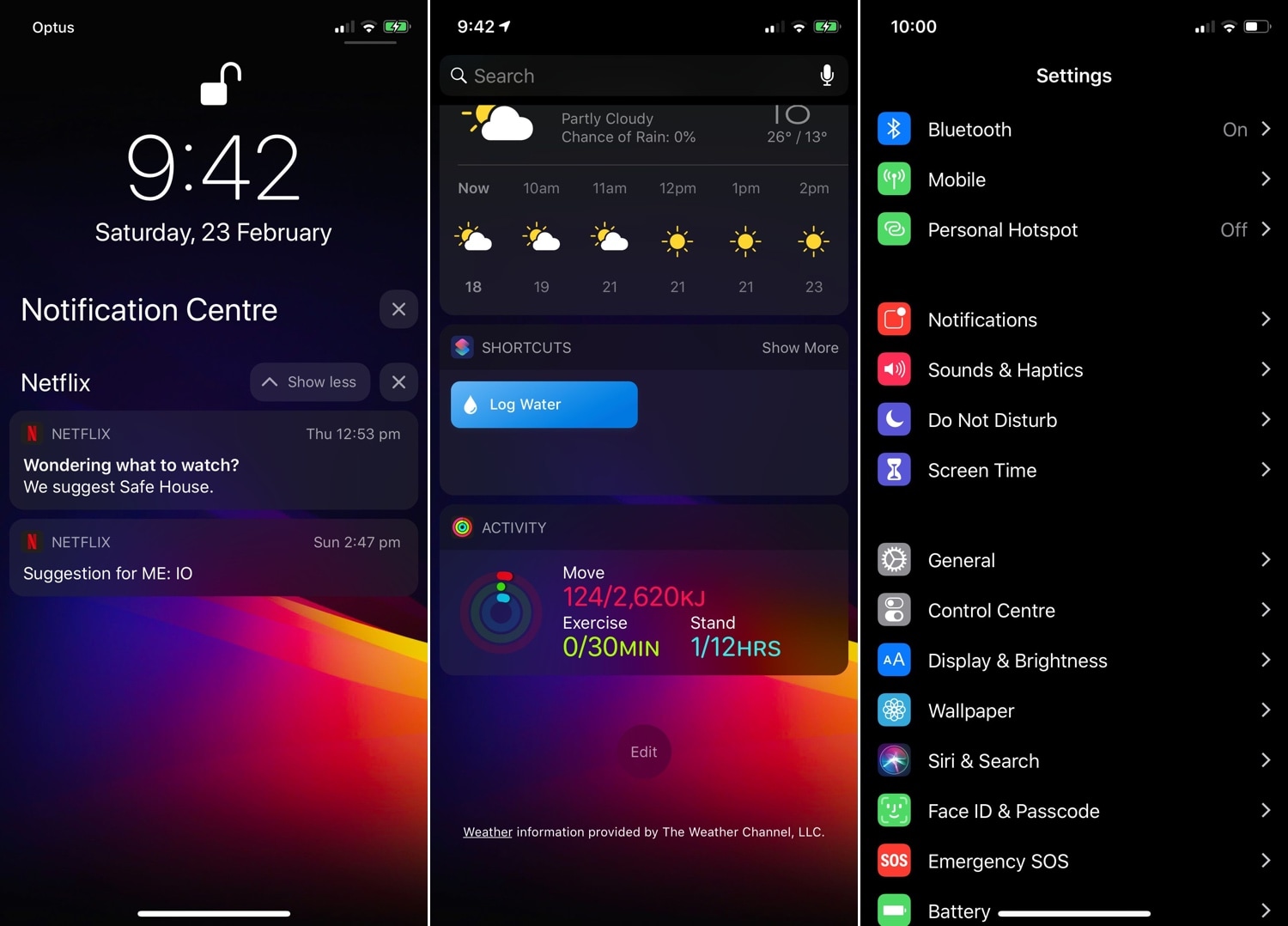
The popularity of dark mode-centric jailbreak tweaks has only continued to skyrocket over the past several years, and now that unc0ver can jailbreak iOS 12, many avid jailbreakers are looking for ways to implement the perfect dark mode experience on iOS 12.

If you fit the description above, then you’ve come to the right place because iOS developer LaughingQuoll has just released the latest iteration of his popular Noctis jailbreak tweak. The new iOS 12-compatible build has been fittingly-named Noctis12.

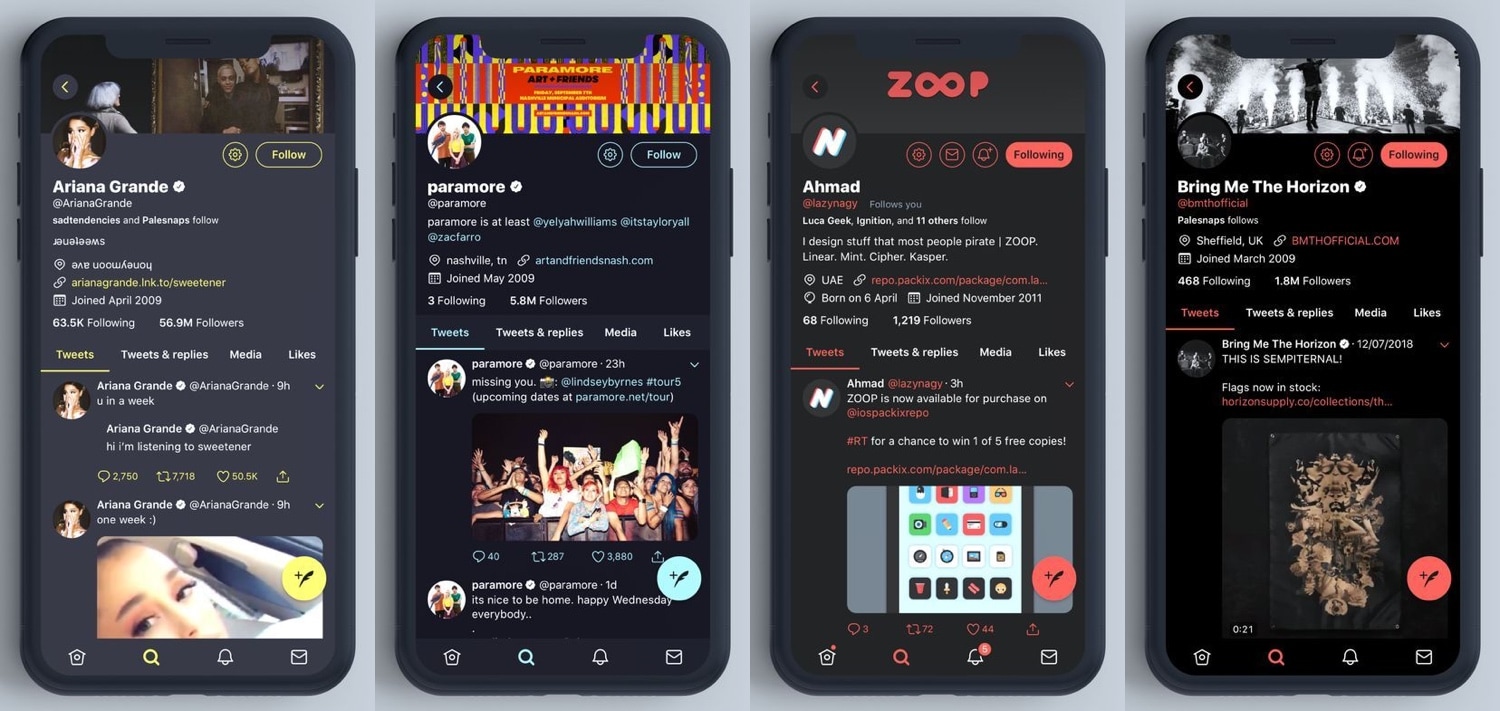
Colorize the Twitter app however you like with TwitterDarkMode

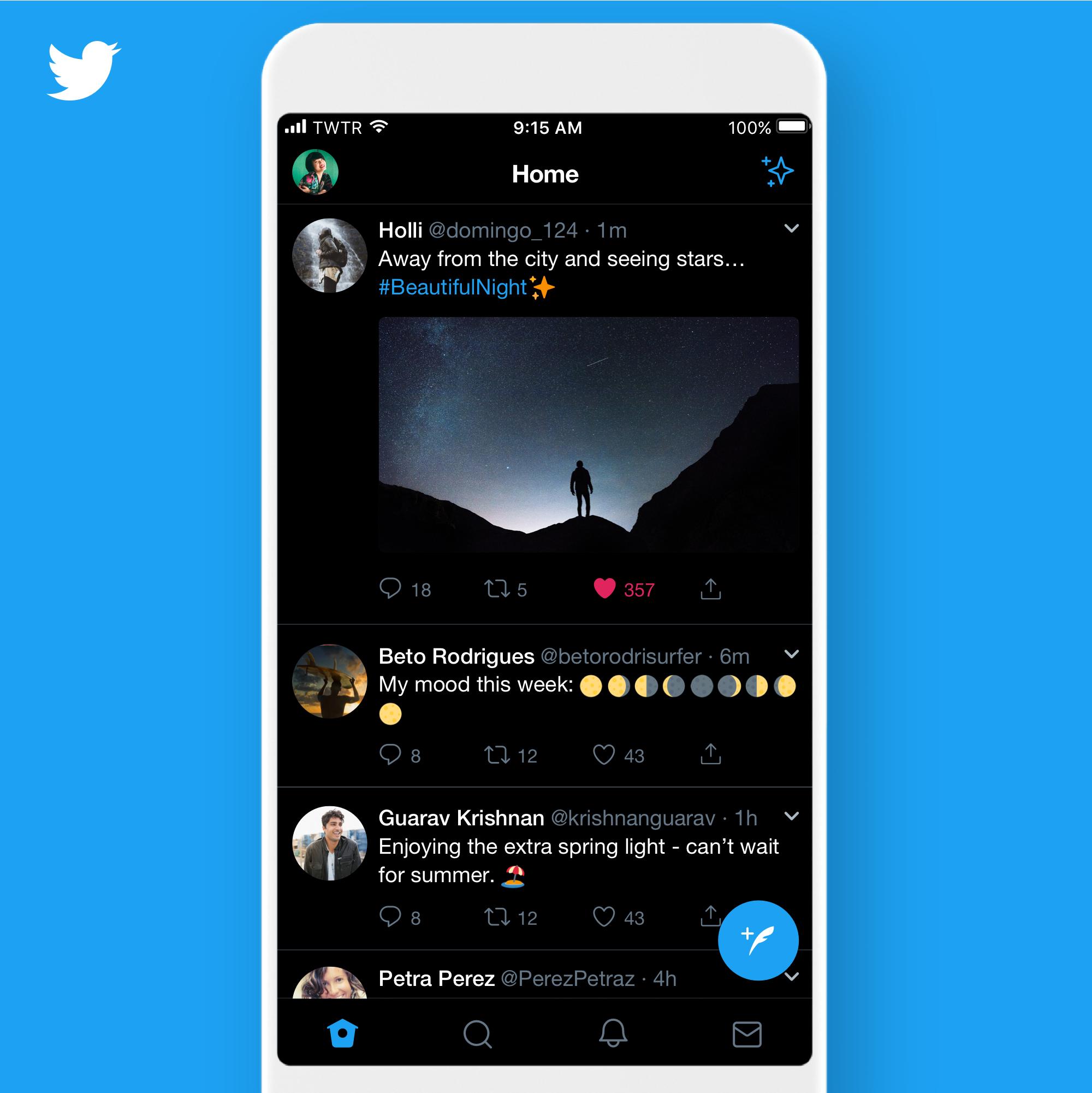
Twitter’s official app supports a feature called Night Mode that can give the app a dark-colored makeover on demand; but compared to some other apps, this ‘dark mode’-esque feature leaves a lot to be desired.

Fortunately, iOS developer Chloeeisoaky recognized these shortcomings and responded to them with the release of a new free jailbreak tweak called TwitterDarkMode.

How to enable the Firefox Dark Theme on Mac

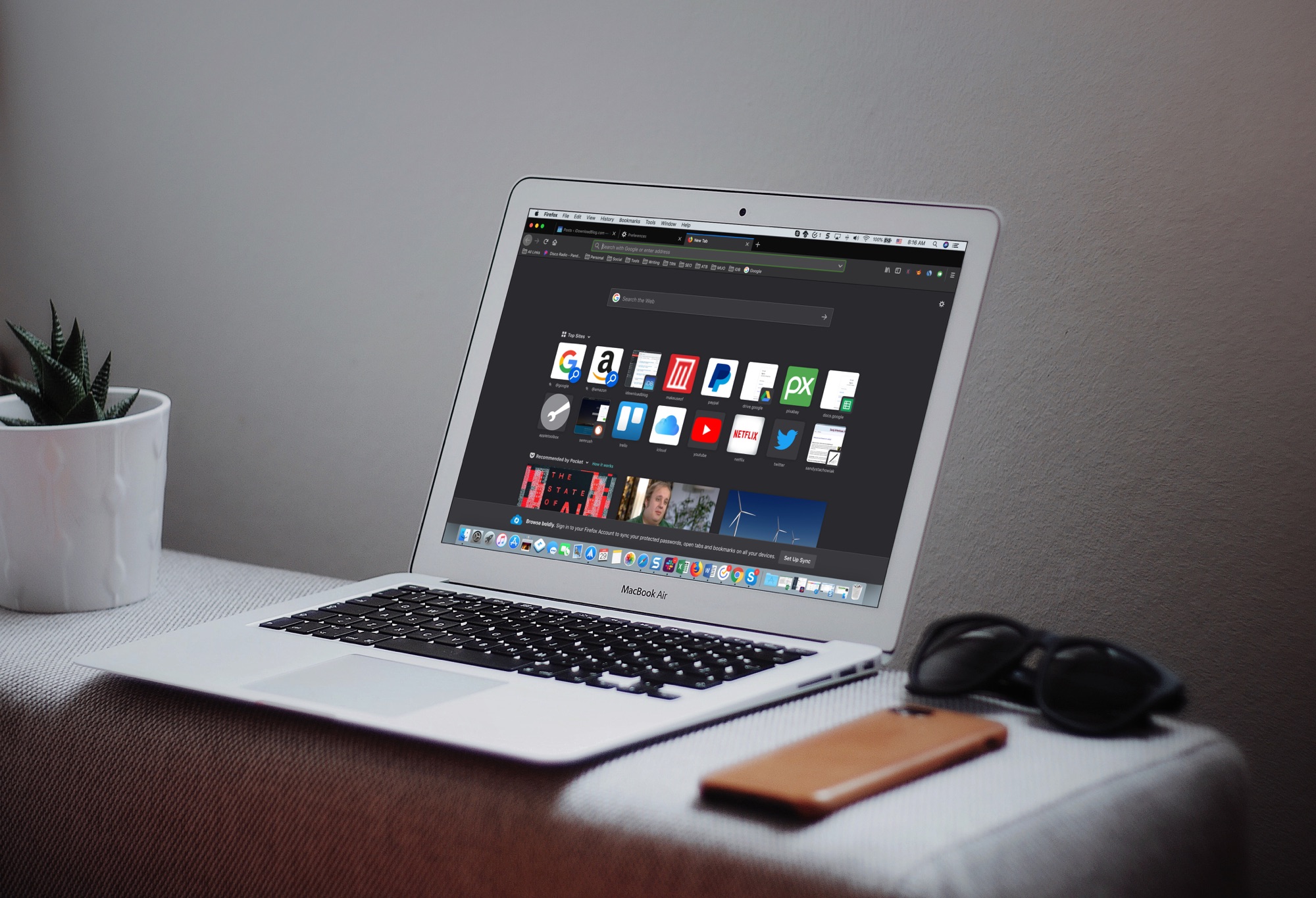
Firefox Dark Theme on Mackbook Screen

The Dark Mode on Mac is a cool feature, not just for the look and feel, but can be helpful for toning down the bright screen, especially in the evening. So, using a dark mode on your apps can be just as useful.

If you use Firefox in addition to or instead of Safari, you can set this up there too. Here’s how to enable the Firefox Dark Theme on Mac.

Turkey brings a pitch-black Dark Mode theme to Cydia

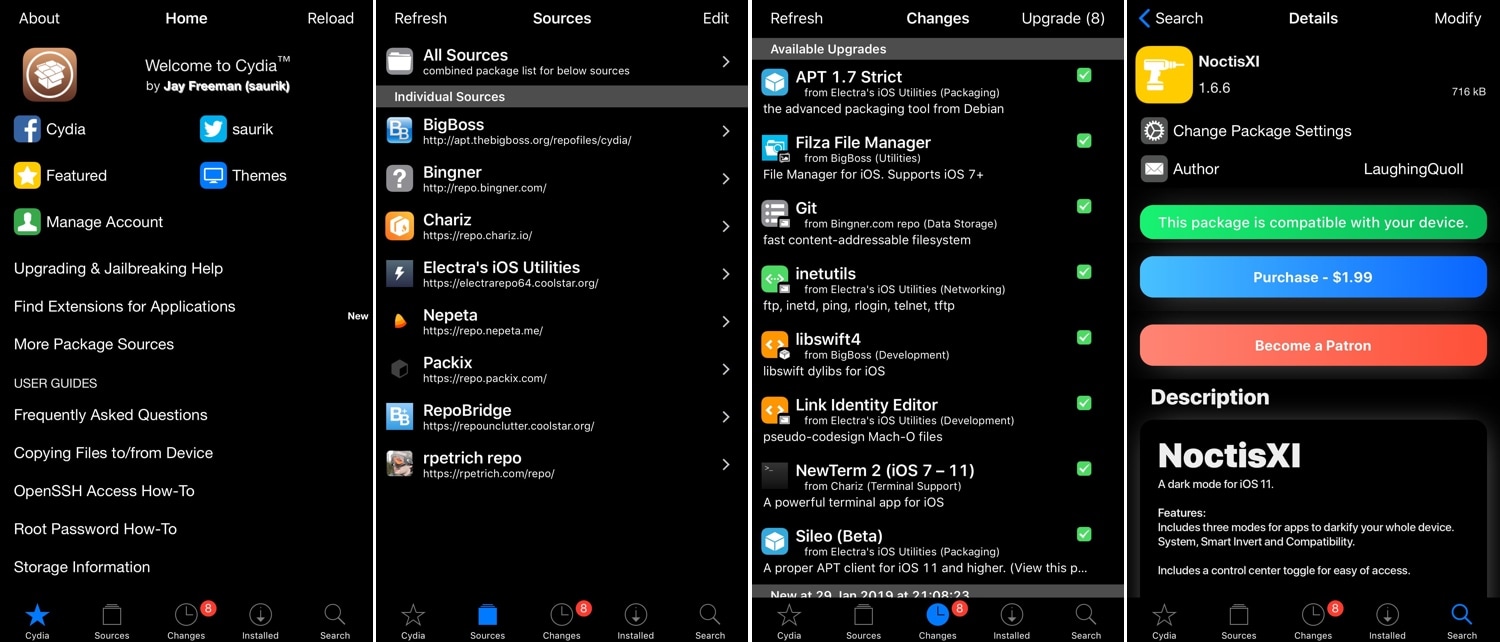
It seems likely that Apple could implement an official Dark Mode feature for iOS 13, so wouldn’t it be nice if you could get the same aesthetic in your Cydia app?

If you’re on board with the aforementioned thought process, then you might appreciate a new jailbreak tweak called Turkey by iOS developer LaughingQuoll. As depicted in the screenshot examples above, Turkey brings a sleek Dark Mode experience to the Cydia package manager.

macOS Mojave 10.14.4 enables automatic Dark Mode on websites with black themes

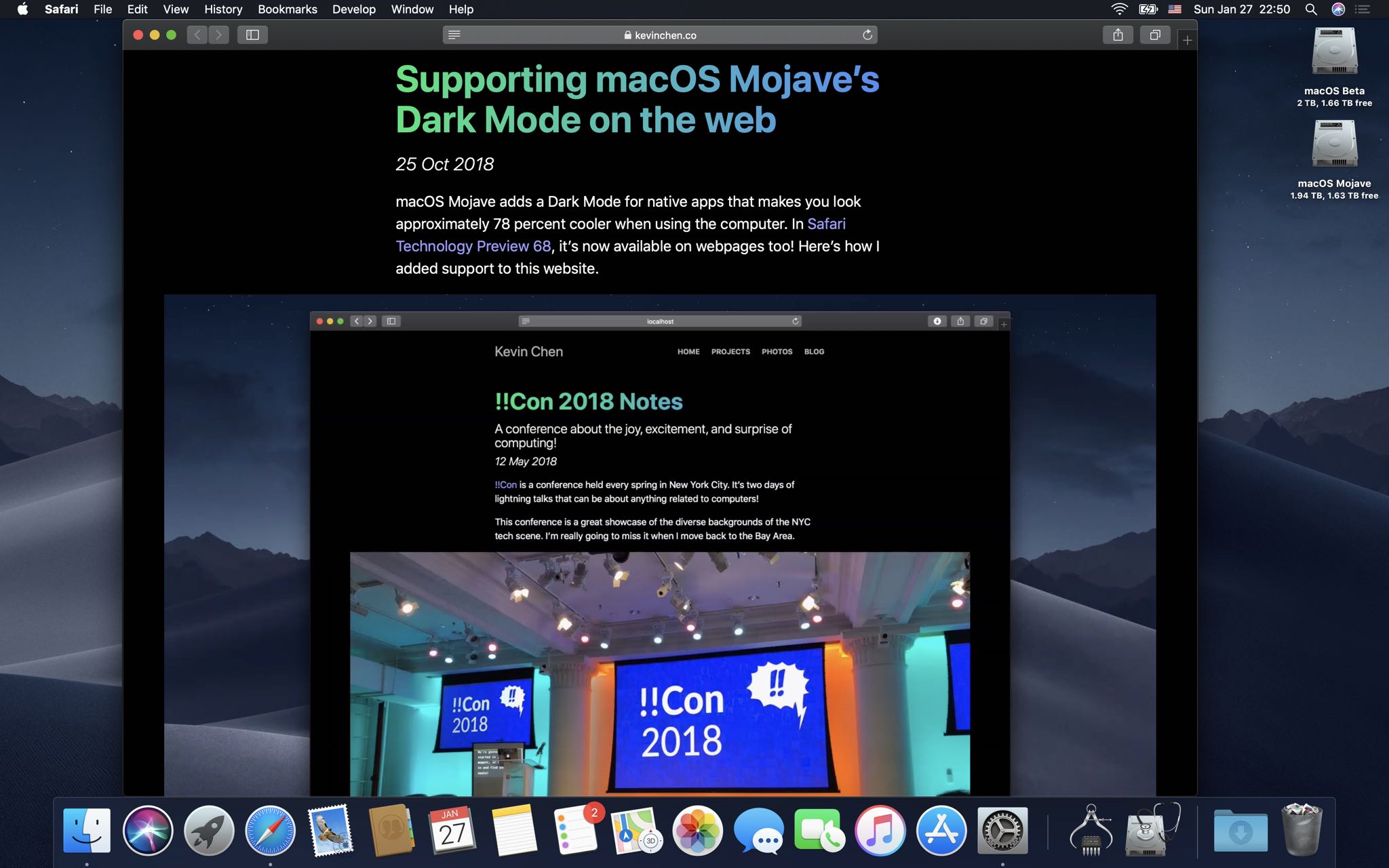
Safari on the macOS Mojave 10.14.4 beta, which was released last week, permits websites to automatically adapt their styling to complement Mojave's dramatic new Dark Mode.

Apple in October put out Safari Technology Preview 68 with support for the prefers-color-scheme media query for styling dark mode content. This experimental feature's now made its way into the Safari browser that ships in the macOS Mojave 10.14.4 developer beta.

Websites that support dark themes still appear white in the current macOS Mojave 10.14.3...

This super-useful feature can be manually enabled or disabled in Safari's Develop menu under Experimental Features → Dark Mode CSS Support, as shown top of post. However, That option is nowhere to be seen in the current macOS Mojave 10.14.3 software.

...but on MacOS Mojave 10.14.4 they automatically adapt to OS appearance.

When macOS Mojave 10.14.4 releases, turning on Mojave's Dark Mode in System Preferences will now change the styling on websites you visit accordingly. This will, of course, require web developers to implement black themes and adopt the new media query.

If you have the macOS Mojave 10.14.4 beta installed, you can try this out yourself by visiting Kevin Chain's example webpage, then switch between Light and Dark mode in System Preferences to see the website automatically apply an appropriate theme.

Again, this does not work in Safari on macOS Mojave 10.14.3 and earlier.

A white webpage looks out of place when Dark Mode in the current Mojave version is on.

Safari Technology Preview gives you an early look at upcoming web technologies in macOS and iOS. Anyone can install it alongside the regular Safari and use them interchangeably.

This looks more like it, however. Courtesy of Safari on macOS Mojave 10.14.4.

The biggest annoyance with Mojave's Dark Mode currently is Safari's lack of support for the new media query. With macOS Mojave 10.14.4, Apple's web browser will finally be able to allow websites to automatically cycle their styling for Light and Dark system appearances.

TUTORIAL: How to get Dark Mode on any website with Siri Shortcuts

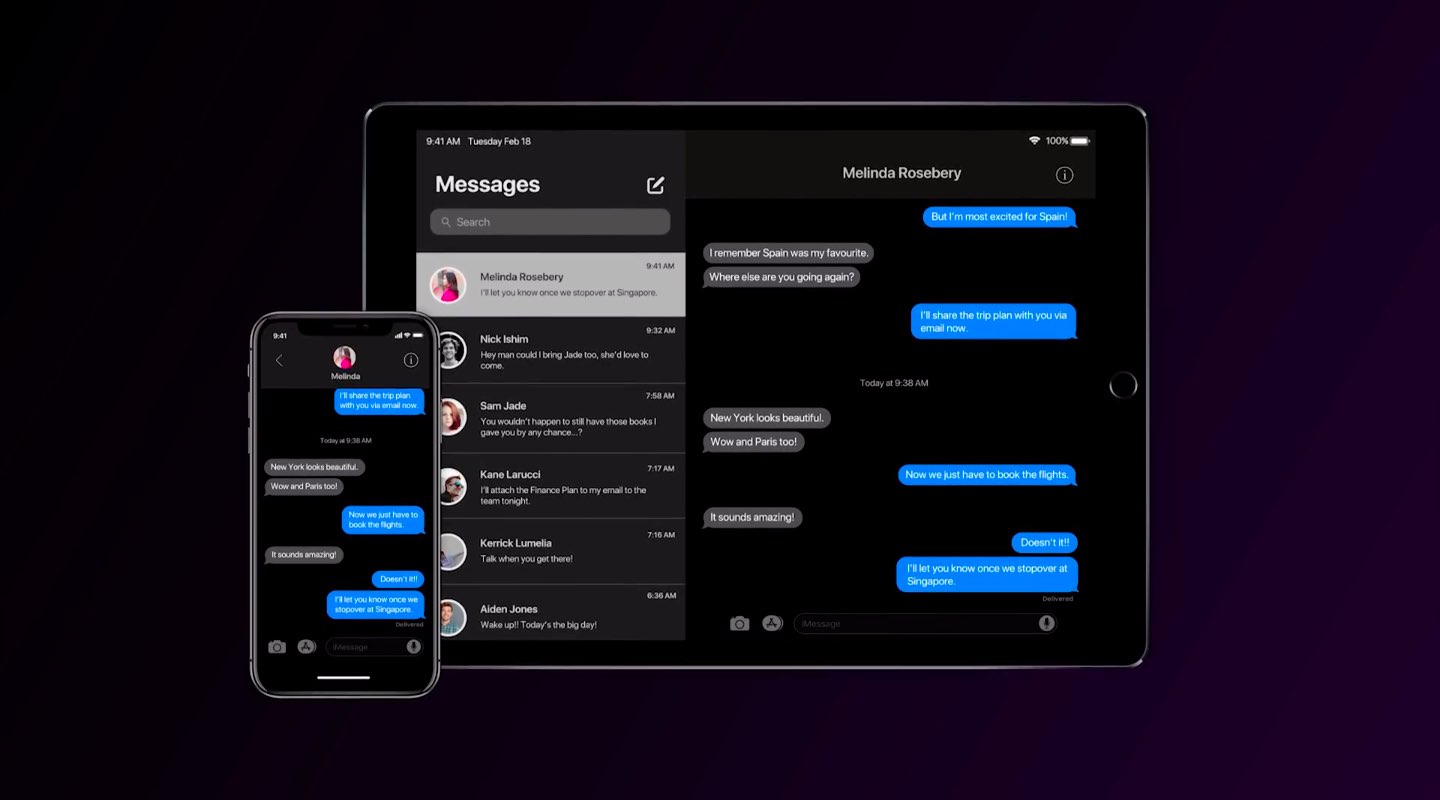
Dark Mode in Mojave transform your desktop into a darkened color scheme that puts the focus on your content. It changes the look of built-in apps like Mail, Messages, Calendar and more. An official API permits developers to do the same for their own apps.

What you'll find embedded below is a very cool comparison between automatic theme switching on websites when cycling between Dark and Light Mode in MacOS Mojave 10.14.4.

Just drag the vertical slider to see it in action.

Since macOS Mojave was released to the public in September, numerous apps have added support for the system-wide Dark Mode, including 1Password, HazeOver, Spark and more.

Dark Mode is officially unsupported on iOS, but a number of popular apps have adopted dark themes internally. Because there's no OS-level support for Dark Mode in iOS 12, users must manually turn on a darker interface in their favorite app, provided it supports it.

Dark Mode in Bear Notes for Mac.

Be sure to check out Apple’s list of the top apps that feature darkened or pure black interfaces. A fan-made website over at Darkmodelist.com highlights more than 70 iPhone and iPad apps with custom dark themes along with screenshots.

Apple's App Store list of apps with black themes.

macOS Mojave 10.14.4 will also bring support for Apple News in Canada and the ability for Safari to automatically fill in your saved passwords with a touch of the Touch ID button.

The software update should releases to all users in a few weeks.

Are you looking forward to Safari's support for Dark Mode styling on website?

Let us know by leaving a comment down below!
Umbreon: A customizable Dark Mode for web pages in iOS

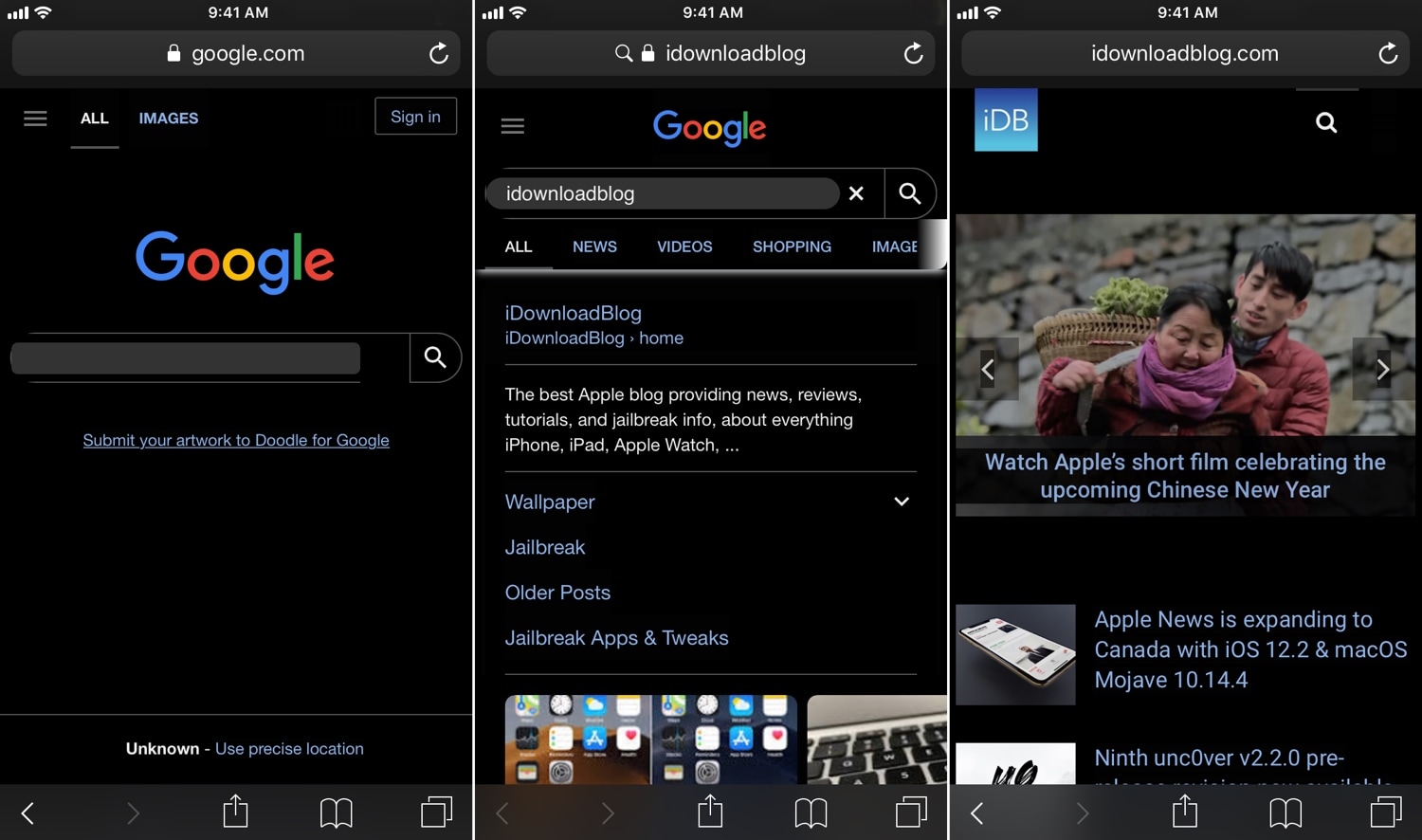
While most Dark Mode-oriented jailbreak tweaks support iOS’ native app interfaces, the vast majority lack support for the various web pages you might visit while surfing the web.

Two tweaks launched in September, dubbed Deluminator and Nebula, were some of the first to bring a full-featured Dark Mode experience to web pages in particular. But now, a new release called Umbreon by iOS developer Soh Satoh accomplishes this same goal while providing some additional customizations.

In the screenshot examples above, you can see how white backgrounds on most web pages are darkened to reduce the eye-searing effect that’s typically endured while browsing the internet in a dark environment. Umbreon should play nicely with most standard web pages, but there are some instances where a web page won’t be fully compatible.

After you install Umbreon, you’ll find an extensive preference pane in the Settings app where you can configure the tweak to your liking:

Here, you can:

Toggle the tweak on or off on demand Enable Dark Mode for web pages Combine custom CSS formatting with Dark Mode CSS Select different apps to disable features in Configure a CSS injection delay Toggle gray background instead of black for Dark Mode Enable web image brightness adjustments Use a slider to set a custom image brightness level Enter custom Dark Mode CSS styling if you don’t want to use the default Toggle website filtering Choose whether filter is a black list or a white list Choose whether filter should exactly match URLs or guess websites based on name Inject custom JavaScript Toggle filtering for JavaScript injection

The developer includes a respring button at the top right of the preference pane that you can use to save your changes. You should use it any time you adjust the settings in this pane.

Compared to Deluminator and Nebula, it seems like Umbreon intends to offer more features to the end user, but its aesthetics aren’t as streamlined. As you can probably discern from our screenshot examples above, some website elements don’t render as expected, such as the Google search bar text field and the filtering tabs just above the Google search results.

Finally, we should mention that Umbreon looks best when paired with a core Dark Mode tweak, such as Eclipse or Nightshade; otherwise, you'd only be theming web pages and not the apps you use on a regular basis.

If you’re interested in trying Umbreon, then you can download it for $1.00 from Cydia’s Packix repository. The tweak is compatible with jailbroken iOS 10 and 11 devices. Any bugs should be reported directly to the developer such that they can be fixed promptly.

What are your thoughts about the versatility that Umbreon presents? Let us know in the comments section below.

Dimage brings smart image diming to Dark Mode-supported apps

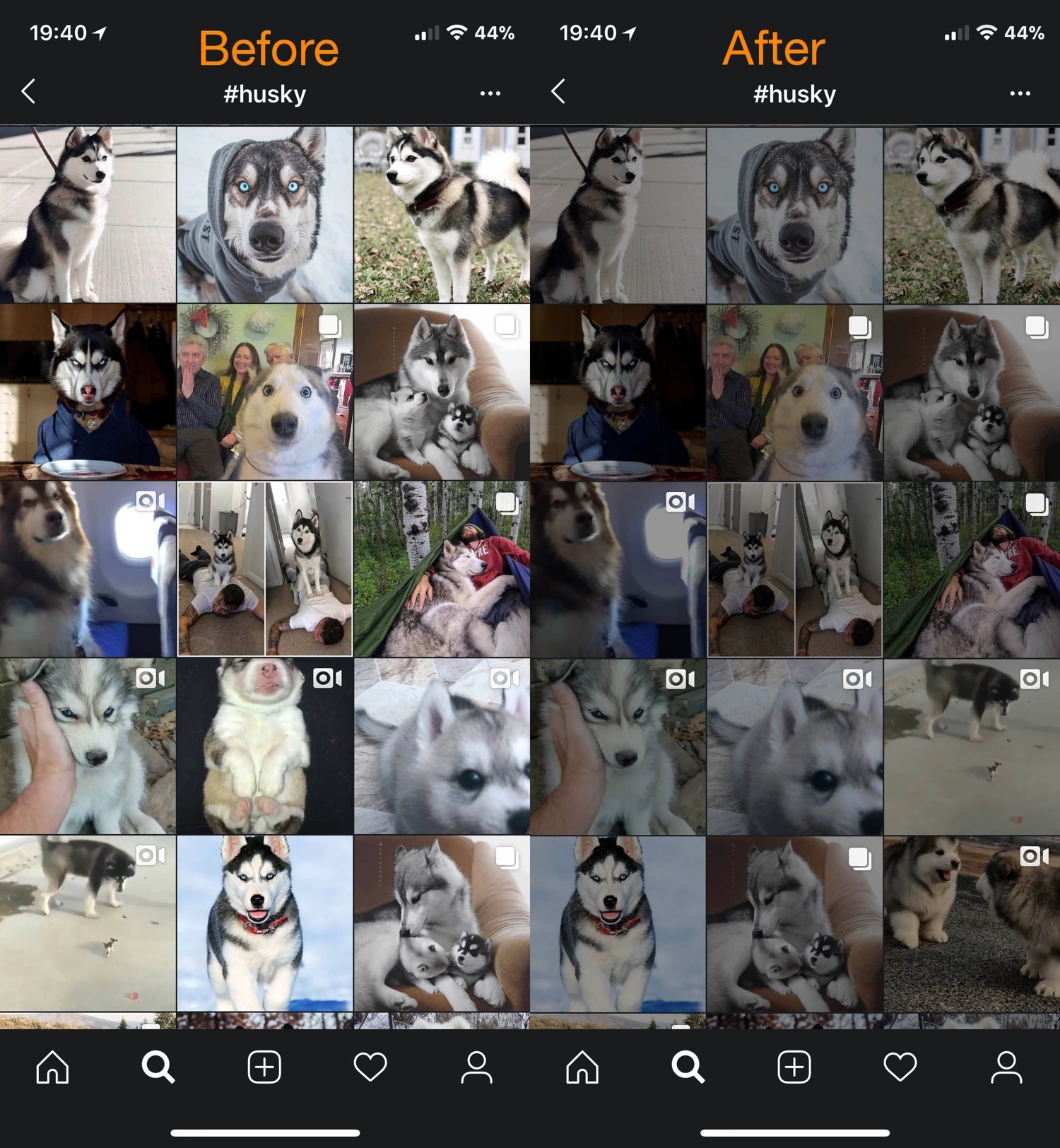
Dark Mode-centric jailbreak tweaks are becoming increasingly popular given the lack of native Dark Mode support in Apple’s mobile operating system, but while the bulk of such tweaks can make an app interface or web view darker, that doesn’t do much for the content inside the app, such as images and screenshots shared by others in social media apps.