Apple

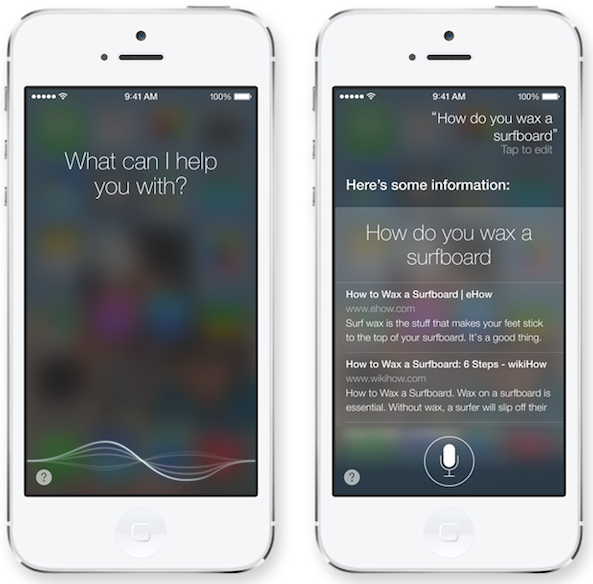
Apple makes Bing Siri’s default search engine

"The enemy of my enemy, is my friend." That proverb seems fitting for the new Bing partnership Apple announced today, which sees Microsoft's lackluster search engine tapped as the default search engine for the snarky digital assistant Siri.

The entire audience went silent during the keynote this morning, as Apple's SVP of Internet software and services Eddy Cue announced that new in iOS 7, Siri will be able to respond to queries with integrated Bing web search results...
Poll: do you like iOS 7 face-lift?

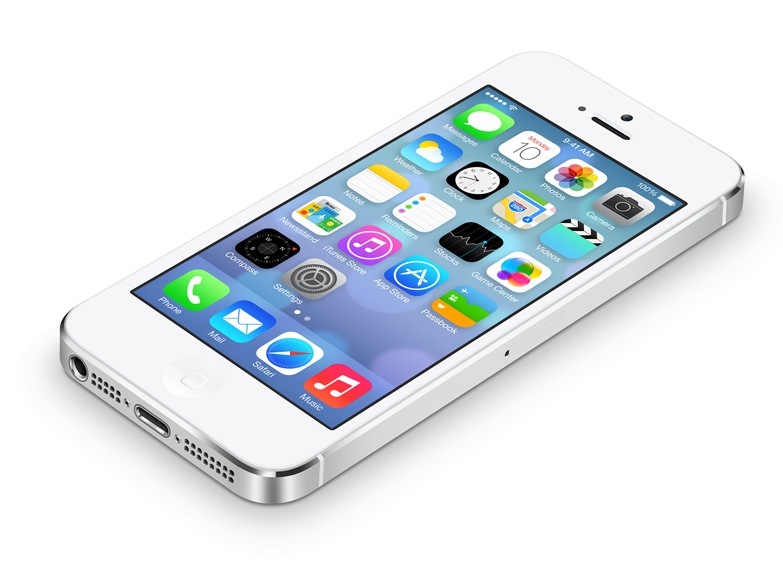
With the first iOS 7 beta now available to Apple's registered developers, Twitter is on fire with both praises and complaints from those who have downloaded and installed the software to their devices. At first blush, a lot of people seem to dislike the redesigned home screen icons - and I bet some folks will actually miss skeuomorphism in iOS 7.

Those who do love the new iOS 7 look tend to be equally passionate about the subject. We knew changes in iOS 7 would be polarizing and I'm still bipolar about it.

That being said, today we're asking you to participate in our little non-scientific poll and vote on the subject of iOS 7 redesign. Please disregard iOS 7 features, this poll is strictly focused on finding out whether or not iOS 7 is aesthetically pleasing to your eye...

24 iOS 7 features Apple didn’t talk about today

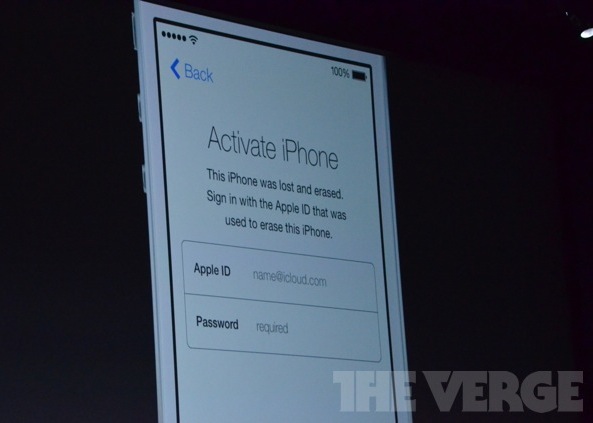
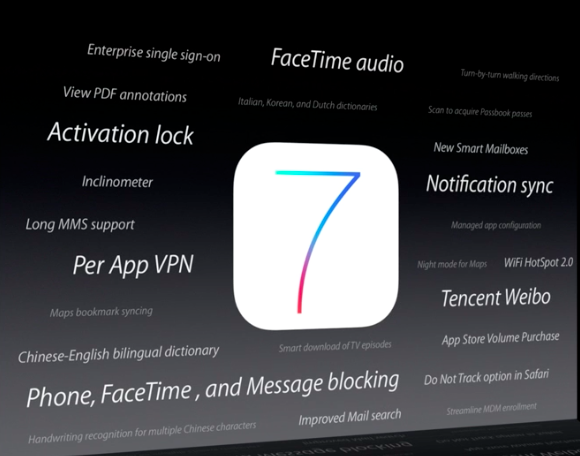
Apple showed off a lot of cool new features in iOS 7 this morning. There's the anti-theft measure, called Activation Lock, and 'iOS in the Car,’ which lets users mirror their iPhone screens on in-car displays. And don't forget about the new iTunes Radio.

But there's also a lot of stuff in iOS 7 that Apple didn't talk about today, due to time limitations and other restrictions. And looking at this slide behind Tim Cook at the end of the keynote, there's at least 24 features that weren't mentioned today...

OS X Mavericks has native LinkedIn sharing, but what about iOS 7?

Apple has shared a bunch of software-focused updates during today's WWDC keynote, but only briefly touched on a few topics dear to my heart, due to time constraints. Among them: native LinkedIn sharing. As you know, OS X Mountain Lion already incorporates single sign-on for Facebook and Twitter. Truth be told, the company did make a passing mention of LinkedIn integration during the keynote's Safari segment and it would only seem natural that it will be bringing that capability to iOS 7 in the betas preceding a Fall release...

You can now watch the full WWDC 2013 keynote

Folks who missed Apple's WWDC keynote this morning, or would just like to watch it again, will be happy to hear that Apple has just posted the full video online for your streaming pleasure. Obviously, you can read everything you need to know about today's event right here on iDB. But if you have the time, the video is definitely worth watching...

Apple updates AirPort Utility with 802.11ac support

As you know, Apple alongside a host of software-focused announcements today also refreshed its AirPort wireless appliances with compatibility for the latest 802.11ac standard, also known as Gigabit Ethernet. As a result, the updated AirPort Express and Time Capsule base stations can now transfer data up to three times faster, and more reliably too. And to go along with the hardware refresh, the company has pushed new versions of AirPort Utility for iOS and Mac...

Watch the iOS 7 intro video here

About halfway through Apple's keynote today, Craig Federighi brought Tim Cook back up onstage for one of the biggest reveals in the company's history. It was the moment everyone had been waiting for: the preview of Apple's biggest iOS refresh to date, iOS 7.

Rather than jump right into listing new features and improvements, Apple chose to introduce the new software with a hardware-like introduction video featuring Jony Ive talking against a white background. And in case you missed it, Apple just posted it online...

New ad: ‘Designed by Apple in California’

Apple executives on several occasions during the just-finished WWDC keynote made note of both the fact that the new Mac Pro is being built in the United States and that the redesigned iOS 7 software and other apps are being conceived, designed and implemented by its team of engineers in California.

In fact, Apple's been proudly putting stickers on its products saying 'Designed by Apple in California' for years and has now even made a compelling new ad which focuses in its California design roots...

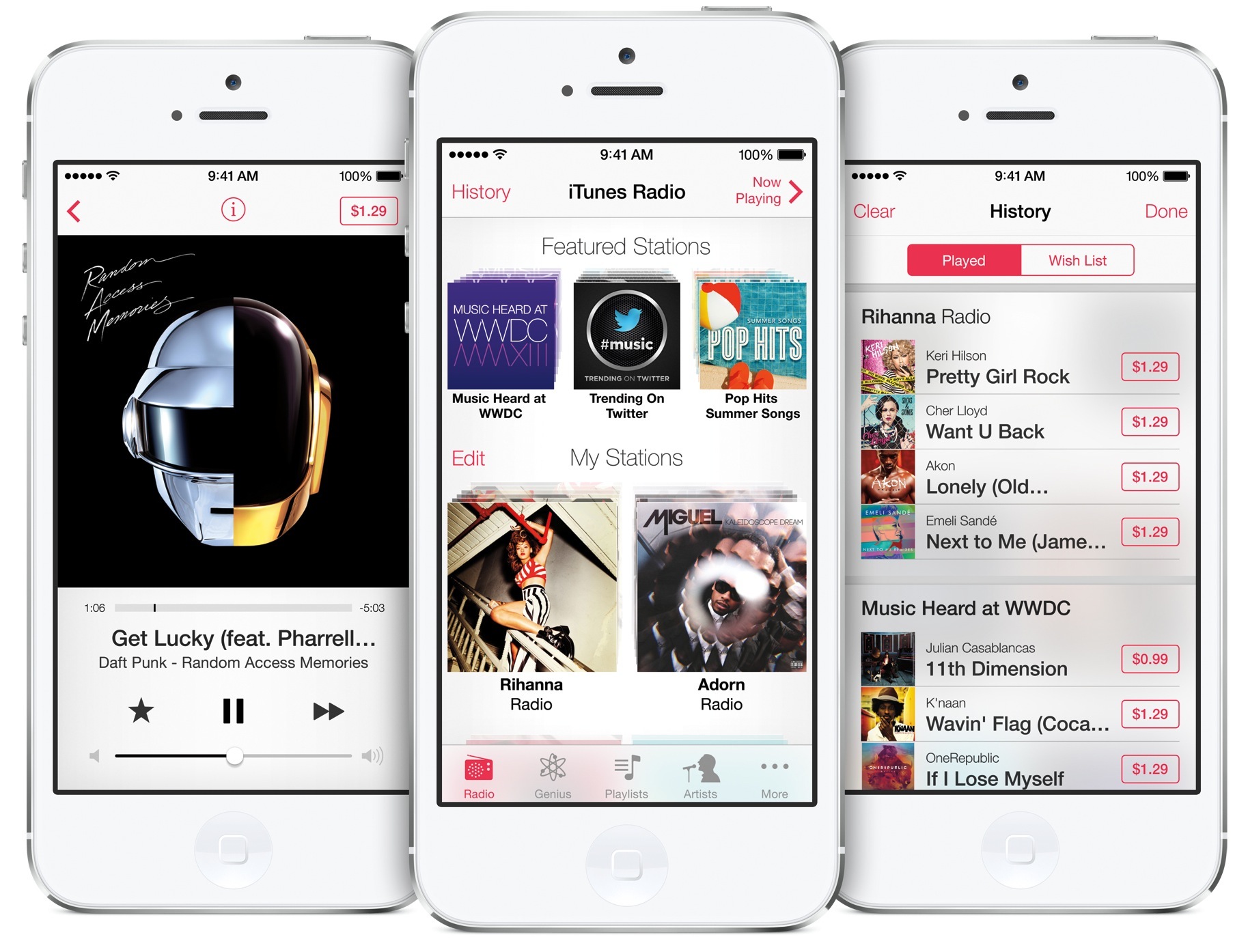
Apple announces iTunes Radio, coming this Fall

Ending months of speculation, Apple here at WWDC talked about its Pandora-like service, dubbed by the press iRadio. The company is actually calling it iTunes Radio and pitches it as a free Internet radio service that features over 200 stations and “an incredible catalog of music” from the iTunes Store. Built right into a redesigned Music app in iOS 7, iTunes Radio streams music for free, in exchange for ads.

The new service also gives you access to “first listen” premieres from top selling artists and other exclusives. Tim Cook called it "the best way to discover new music." Here's your fine print...

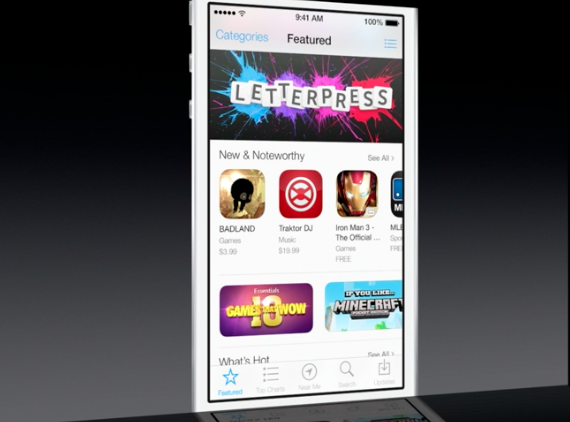
App Store gets auto updates and more in iOS 7

Folks hoping that Apple would make some changes to the dark-themed App Store in iOS 7 will be happy to hear their wish has come true. In line with the rest of the UI design changes in the new software, App Store is now flat, white and easier to read.

In addition to the makeover, the App Store also receives several enhancements in iOS 7. Perhaps the most compelling change is the fact that users can now opt to have their applications automatically updated. Keep reading for more on the update...

iOS 7 simplifies file sharing with AirDrop

In addition to Control Center, a new iOS 7 feature which puts often used Settings toggled just a swipe away anywhere in the system, Apple has also made it easier to send your files and documents to other iOS devices and Macs with AirDrop. As you know, Apple launched AirDrop on Macs with OS X Lion.

AirDrop talks to devices directly over Wi-Fi, without the need for an Internet connection or having to join a Wi-Fi network. In fact, the system is hassle-free in that you don't need to configure anything - it just works...