Fightback review: old-school fighting action on iOS

Most gamers have played Street Fighter. Even if you weren’t born until after arcades went the way of the dinosaur, the classic fighting game has been ported to so many gaming consoles that it is nearly impossible to avoid. Street Fighter spawned decades of fighting games that, to this day, still include the same basic mechanics.

Fightback is a fighting game that features the tried-and-true punch/kick combos of our youth, but also adds a few fun aspects to make your street brawling adventure just a little cooler…

That syncing feeling: why don’t iPad and iPhone versions of the same game share game progress often enough?

Games are fun. Judging by both the paid-for and free app charts in the App Store, they're also extremely popular. A look at the top-grossing apps on the iPad shows that 9 of the top 10 (in the UK store) are games. The odd one out is a newspaper, oddly enough. If you look outside the top 10 list, the trend continues throughout the chart.

With gaming clearly so popular on the iPad, and indeed the iPhone, developers are rightly beginning to throw considerable resources at creating some truly impressive iOS games. The likes of XCOM: Enemy Unknown and Oceanhorn are effectively console or handheld games that run on a smartphone or tablet. Both are a far cry from the games we used to play on our mobile devices. Does anyone remember Snake on the Nokia phones of old? Ahh, fond memories indeed.

For all the increased attention that game development on iOS has received over the last couple of years, and with both big names and smaller independent developers bringing some excellent titles to the platform, there is still something lacking. We're being treated to games that look absolutely stunning on the latest hardware and voice acting as well as story building have both improved dramatically of late, but there's one issue remaining. One that's become all too apparent to me as I've started playing games on an iPad mini (with Retina display, of course) as well as my iPhone. That issue is syncing.

The syncing of game progress, to be precise...

Happy new year

And just like that, a year went by again.

I can still remember last year at the same time, when I started making resolutions for the new year that was about to start. As it turns out, I didn’t follow through most of them.

As we grow older, and as our lives get busier, it seems harder and harder to find time to do the things we really want to do. Various obligations make our days shorter, sometimes forcing us to miss the essential parts of life.

I’ll consider myself lucky for doing something I love for a living, which really makes my days more enjoyable than the average worker, I assume. I’m also very lucky to have such an amazing family. My daughter, my wife, and our future baby are constant reminders that life is wonderful and that you should enjoy every single moment. Carpe diem!

Maybe I’m drifting away from the original intent of this post.

I guess what I’m trying to say is that life is short, so I hope you’re getting the best of it. A new year is the right time to look back at where you’re at in life and where you want to get to. Maybe it’s a good occasion to make slight changes and make sure you’re on the right track to do whatever you want to do.

On behalf of everybody at iDB, I would like to wish you a happy new year. I hope this new year will bring you health, wealth, love, and everything else in between. I also want to thank you for being a loyal or occasional reader. Whether you read iDB every single day or you’re just stopping by, my message to you is the same.

Happy new year!

Barrel, the flagship jailbreak tweak has been updated for iOS 7

If you've been around jailbreaking for any measurable amount of time, the name "Barrel" has a significant meaning for you. It's the tweak that I, and many others, view as the flagship jailbreak tweak. It's the tweak that represents jailbreaking as a whole.

Barrel is the type of tweak that you use to convince skeptical friends that they should jailbreak, and often the end result is that they do. No, Barrel isn't a tweak that will improve the usability of your device, such as biteSMS' quick reply. It's not a practical release like iFile, or Safari Download Manager. But it's still one of the first tweaks that come to mind when a new jailbreak arrives.

I'm happy to say that Barrel has been updated to support iOS 7. In fact, it works beautifully on my iPhone 5s. If you're new to jailbreaking and don't know what Barrel is, then I invite you to step inside and enjoy the visual roller coaster.

How to make the volume HUD transparent on iOS 7

The little heads up display that appears when you adjust the volume on the iPad or iPhone is often the subject of tweaking when it comes to the jailbreak community. The latest tweak to alter the look of the volume HUD is called TransparentVolume—a jailbreak tweak that adds transparency to the HUD's background.

Once installed, a new preference panel for TransparentVolume is placed in the stock Settings app. From here, you can use a slider to adjust the background transparency. Have a look at our video walkthrough inside to see how it works.

p0sixspwn updated with fixes for iMessage, LTE and Apple TV 2 support

For those that missed it this morning, p0sixspwn was updated to fix a few major bugs from the previous release. The untethered jailbreak, released for devices on iOS 6.1.3-6.1.5 by winocm and iH8Sn0w, should no longer create issues with iMessage or LTE.

Interestingly enough, the update also adds support for the Apple TV 2 (still no Apple TV 3). So while I don't think you can use it to directly jailbreak the set-top box, it shouldn't be too long before a utility like Seas0nPass takes advantage of the new capability... 

Let’s Talk Jailbreak 38: Cydia Substrate goes live!

Cydia Substrate went live today, and that means that you can now enjoy your favorite jailbreak apps and tweaks on Apple's most recent devices like the iPhone 5s, iPad Air, and iPad mini with Retina Display. In this episode, we break down what Cydia Substrate means for jailbreakers, and look at some of the first new jailbreak apps and tweaks to be released on Cydia.

The best apps of 2013: iDB readers’ choice

For the past month or so, we've been compiling lists of what we think are the best apps of 2013. Divided into specific categories, each list is composed of 10 apps handpicked by iDB editors. For each category, iDB readers were able to vote for their favorite app, helping us come up with what we believe to be the best of the best apps of 2013.

In order to be eligible, apps had to have been released in 2013. This ensured that we were putting new apps under the spotlight, rather than always seeing the same ones at the top.

With your help, we present you the best of the best apps of 2013...

Apple denies knowledge of NSA’s iPhone program

Yesterday, a trove of secret documents was released regarding the NSA and its ongoing spying on citizens both abroad and here in the US. One of the programs mentioned, called DROPOUTJEEP, is particularly scary as it can give the Agency complete control of any iPhone.

These are some pretty serious allegations made against the NSA and maybe more-so Apple, who either has several unknown security holes in its mobile OS or is consciously giving the NSA access. Well the company just responded to these claims, and it appears to be the former...

iFile updated to fix broken “Open With” support, iOS 6 app icons

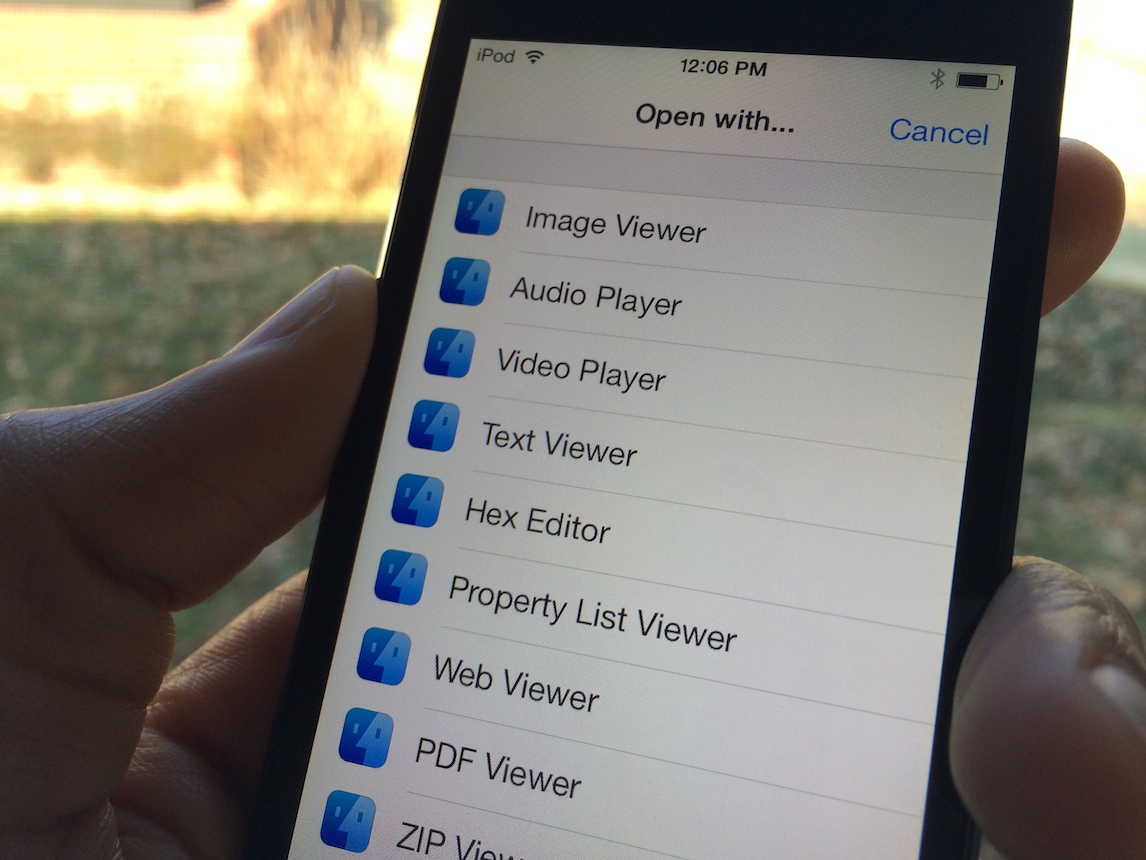
Yesterday, we told you about the update to iFile. The legendary app was redesigned to fit the mold of iOS 7, and it looked glorious in doing so. But, as tends to be the case with large updates, it featured a few bugs that needed to be fixed.

The first bug, and the most glaring flaw with the iFile update, involved the app's Open With support in the attributes editor. When you tried to open a file using the Open With dialogue, you were left with a blank screen. This has been fixed.

Along with the fix to Open With support, comes a fix for the iFile icon in firmwares lesser than iOS 7. As you all know, the iFile icon was "iOS 7-ified" with the latest update, taking on a flatter appearance and a bolder look. While the new app icon fits in perfectly with iOS 7, it doesn't fit in very well with older firmware. This oversight has been fixed, and iFile now features an app icon that's appropriate for the version of iOS that is being used.

Let’s Talk iOS 009: A year in review

Episode 009: Jeff Benjamin, Cody Lee, and special guest Jim Gresham look back on Apple's big year in 2013. The trio discusses their fondest memories from the year, their favorite products, and most-liked accessories. Jim fills us in on his upcoming plans for CES 2014, and tells us what it's like to attend the huge annual event.

Having issues with Cydia Substrate? Try this

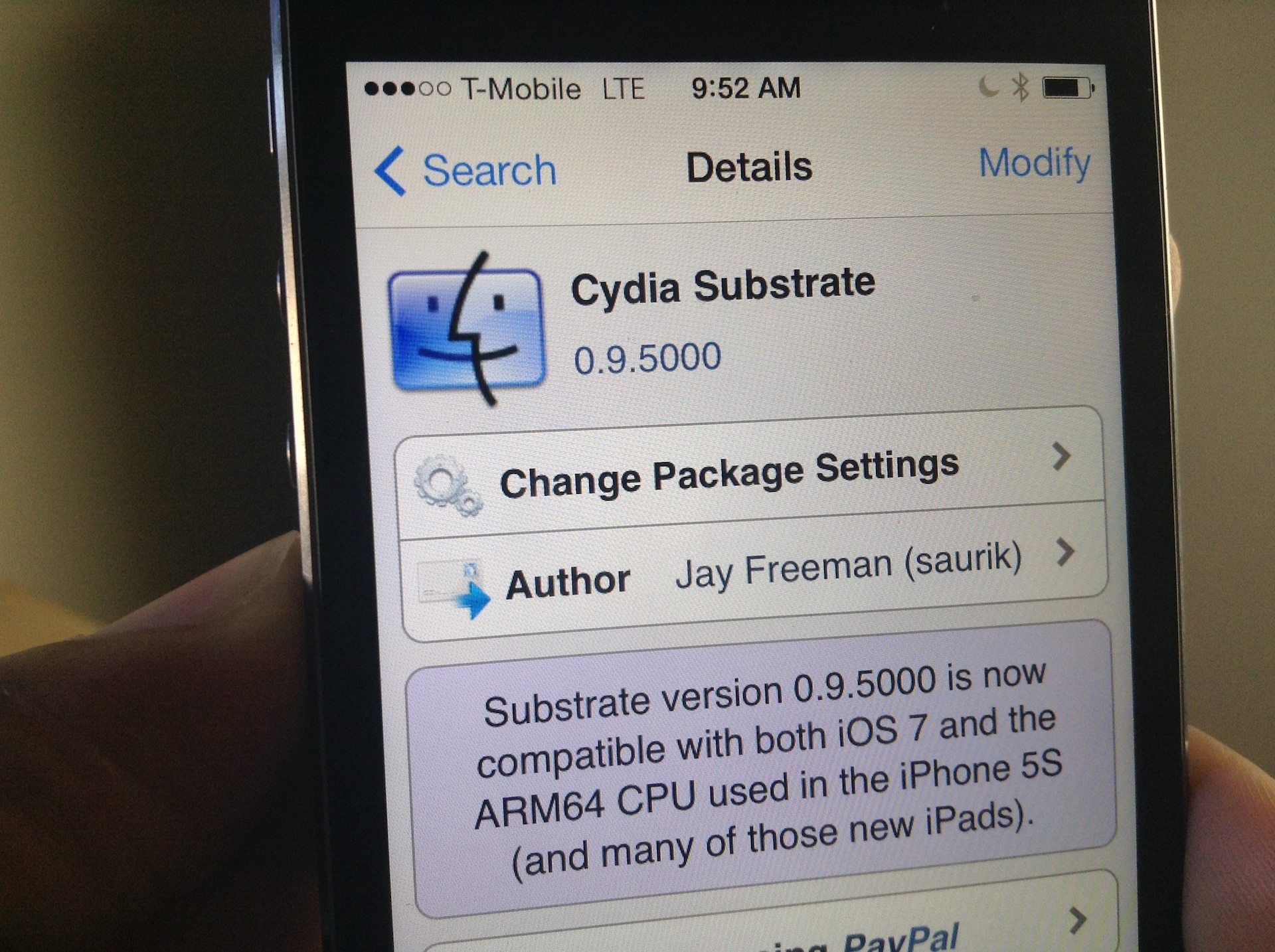
I woke up this morning to a pleasant surprise: Mobile Substrate had been updated to support iOS 7 on ARM64 CPUs, making it compatible with all of the latest Apple devices like the iPhone 5s, iPad Air, and iPad mini with Retina Display. As you can imagine, I rushed to the office without even brushing my teeth (I know, gross) and installed the new Cydia Substrate package that appeared on Cydia.

Unfortunately for me, none of the tweaks and apps that I had installed began to work after Cydia Substrate was updated. I think it may, and I'm just grasping at straws here, have to do with the fact that I was impatient, and already had a bunch of stuff installed that didn't work in the first place. To fix this issue, I took a fairly logical approach; I completely uninstalled Substrate and reinstalled it from scratch. Have a look inside for more details.