In this tutorial, we’ll show you how to turn on two-way iCloud sync for the Messages app on your iPhone, iPad, and Mac so your texts are synced and updated across all your devices.
How to back up iPhone messages to iCloud and sync to all devices
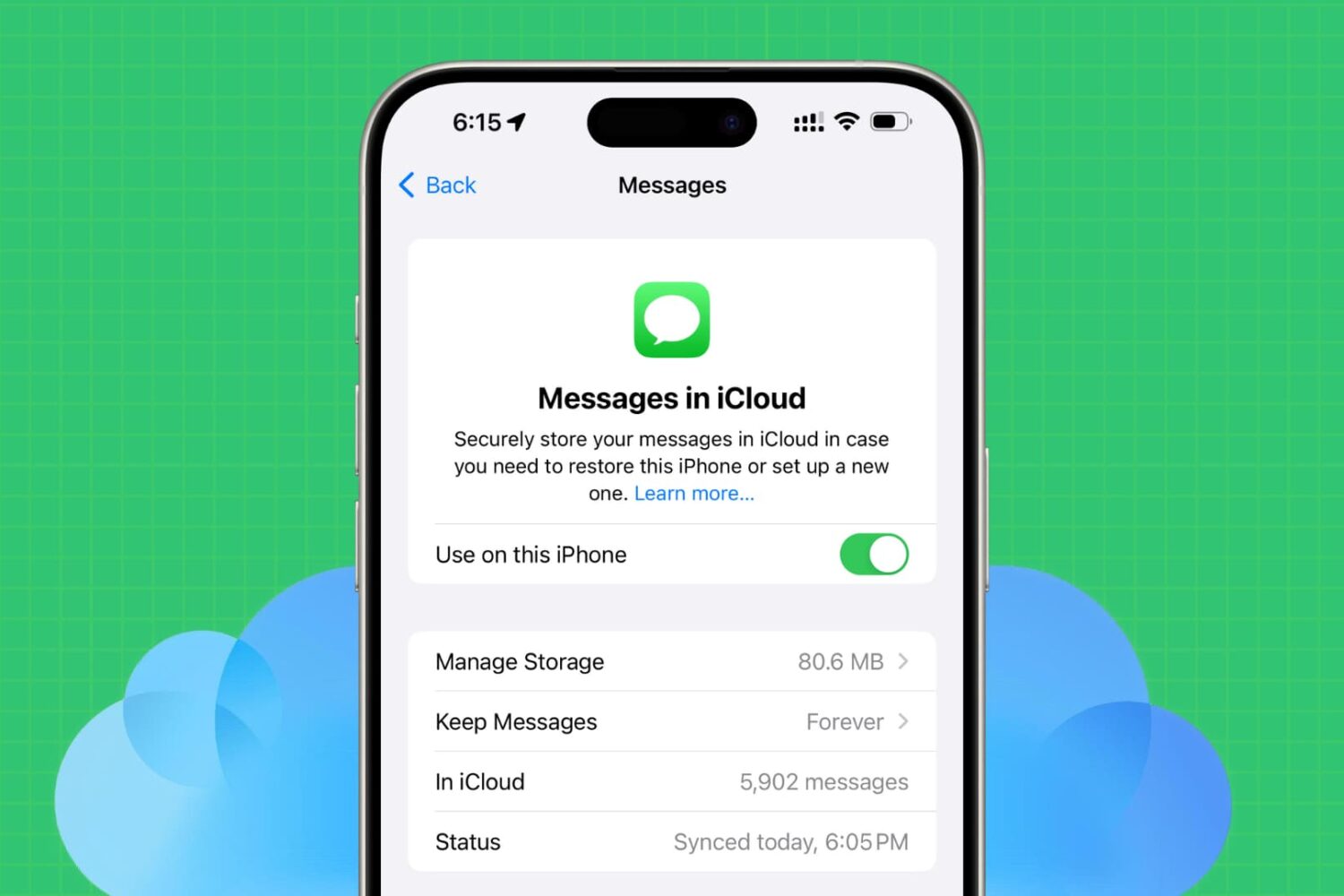
In this tutorial, we’ll show you how to turn on two-way iCloud sync for the Messages app on your iPhone, iPad, and Mac so your texts are synced and updated across all your devices.
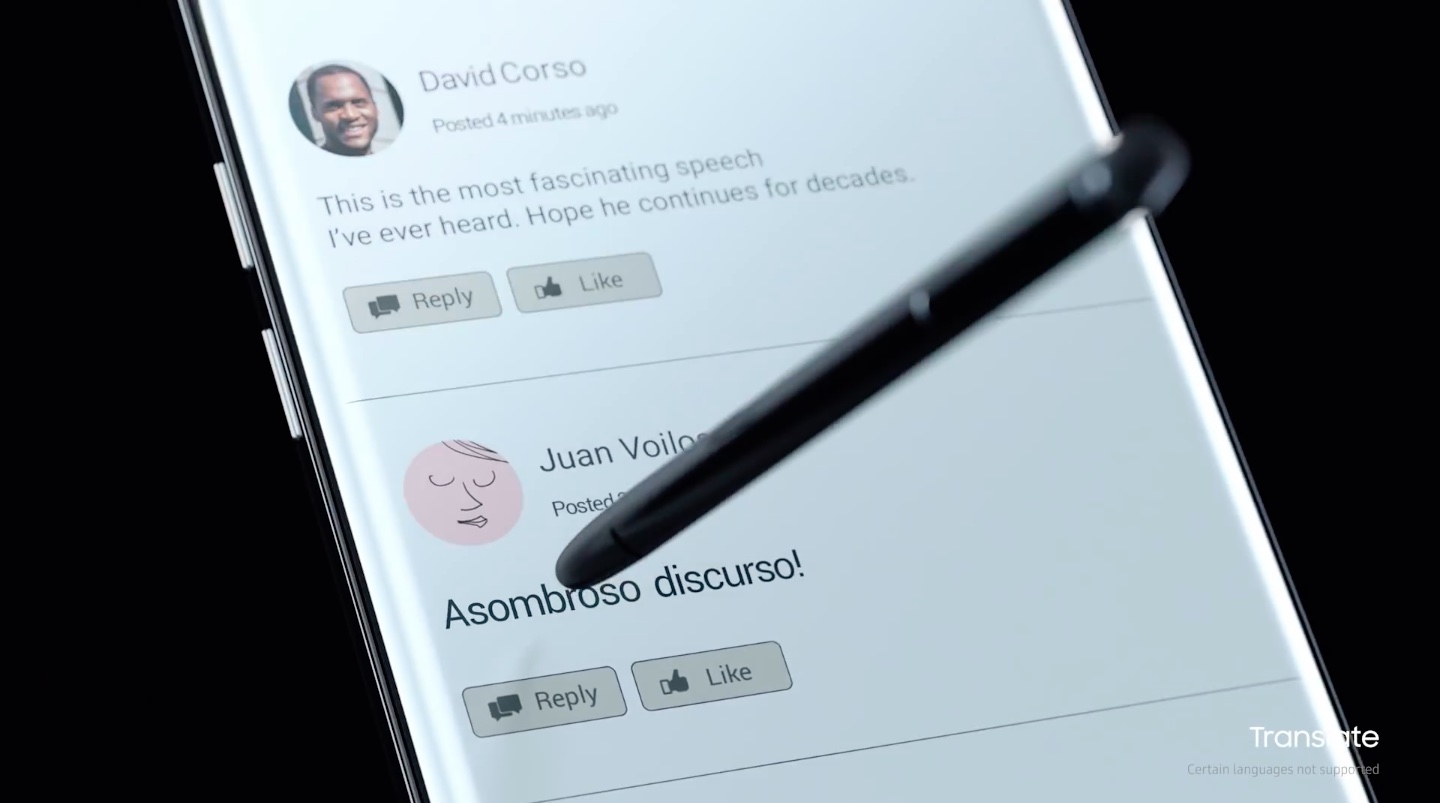
Intent on continuing the premium Note brand, Samsung is working on an eighth-generation Note with a dual-lens camera on the back, like iPhone 7 Plus, and a larger screen. The upcoming phone should be formally announced at a media event in New York City in August, Reuters reported today.
Sources familiar with the matter have described the next Note as being “marginally larger” than the 6.2-inch version of Samsung's Galaxy S8 smartphone.
The Note 8 event should be held in the second half of August, ahead of Apple's presumed iPhone 8 event the following month. Last year, Samsung held the Note 7 event a bit earlier than usual in an effort to divert attention from Apple's iPhone 7 announcement.
Watchers have speculated that Samsung, in its desire to beat Apple, made the decision to launch Note 7 earlier than usual. But the South Korean conglomerate shot itself in the foot because the issues with the device's battery have gone unnoticed with its quality assurance teams, which were not given enough time to properly test the device.
Is reviving the ill-fated Note brand a wise move on Samsun's part? Let us know your thoughts by posting a comment below.
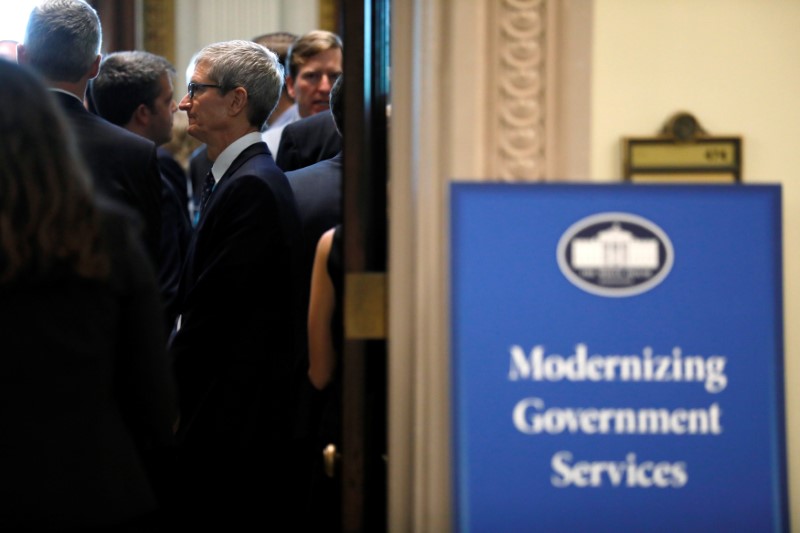
Apple CEO Tim Cook and other technology leaders met with U.S. President Donald Trump at the White House today to share their views on how the federal government could improve its public services and use technology to reduce government spending.
According to Recode, Cook told Trump that coding should be a requirement in schools.
Cook said the same thing when Apple debuted the Swift Playgrounds app, saying that “We believe coding should be a required language in all schools.”
Cook also suggested that the White House modernize the US government's IT systems.
“The US should have the most modern government in the world. Today it doesn’t,” Cook said. The White House released a video of the meeting. Here's what Cook said in full (edited for clarity):
The United States should have the most modern government in the world, but today it doesn’t. It’s great to see the effort that Jared is putting in working on things that will pay back in five and ten and twenty years.
The government should be focused on its citizens and the services of the government should be measured on how pleased the citizens are with receiving those services.
That basic premise is not how it’s done today.
I would really encourage you to ask the cabinet how they’re measuring their parts of government and what they’re doing to serve the citizens that they’re meant to serve.
Unrelated, I think coding should be a requirement in every public school. We have a huge deficit in the skills that we need today versus the skills that are there. We are trying to do our part or, hopefully, more than our part in doing that.
But I think leadership from government is also key.
And here's the video.
https://www.youtube.com/watch?v=dKUU9VavTjE
Trump said the government could save up to $1 trillion over 10 years by updating its information technology systems, which should help cut costs and improve public services.
“Our goal is to lead a sweeping transformation of the federal government’s technology that will deliver dramatically better services for citizens,” Trump said. “Government needs to catch up with the technology revolution. We’re going to change that with the help of great American businesses like the people assembled.”
He called for a “sweeping transformation” of the government's outdated computer systems.
Amazon's Bezos added that the government should make more use of commercially available technologies and Palantir CEO Alex Karp suggested tapping into big data in order to catch and prevent fraudulent federal spending.
Trump's remarks are available on the White House website.
https://twitter.com/BouchardAnthony/status/877196743070429184
By the way, we're running a caption contest for that photo top of post.
Image: Carlos Barria/Reuters
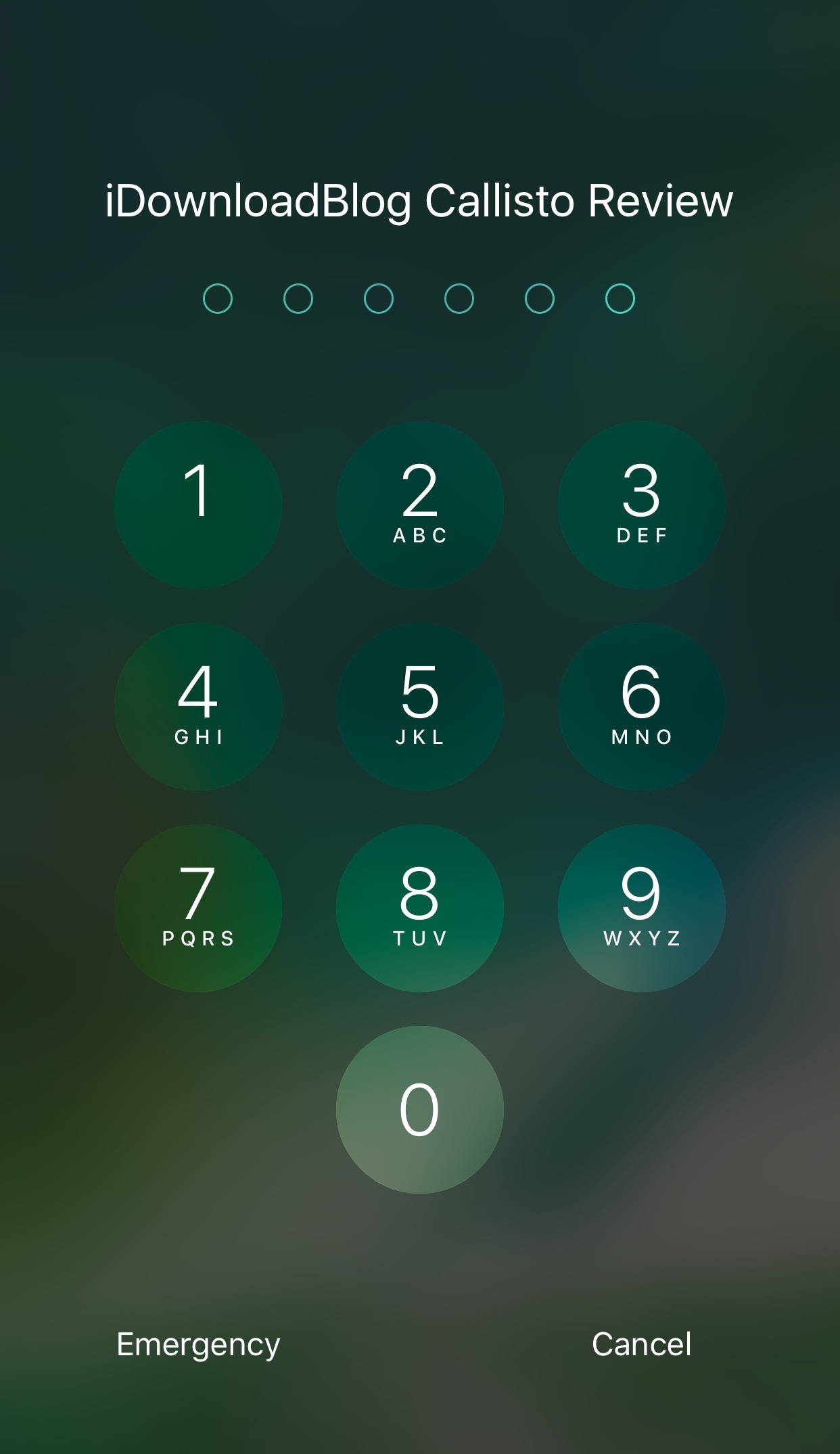
Whether you’re using Touch ID or a passcode to secure your device, a new jailbreak tweak dubbed Callisto Pro (iOS 10) by iOS developer ijapija00 provides a host of new features for customizing the passcode-entry experience.
It's jam-packed with both aesthetic and functional features, letting you not only customize the way your passcode keypad looks and feels, but also the way it keeps your device protected.
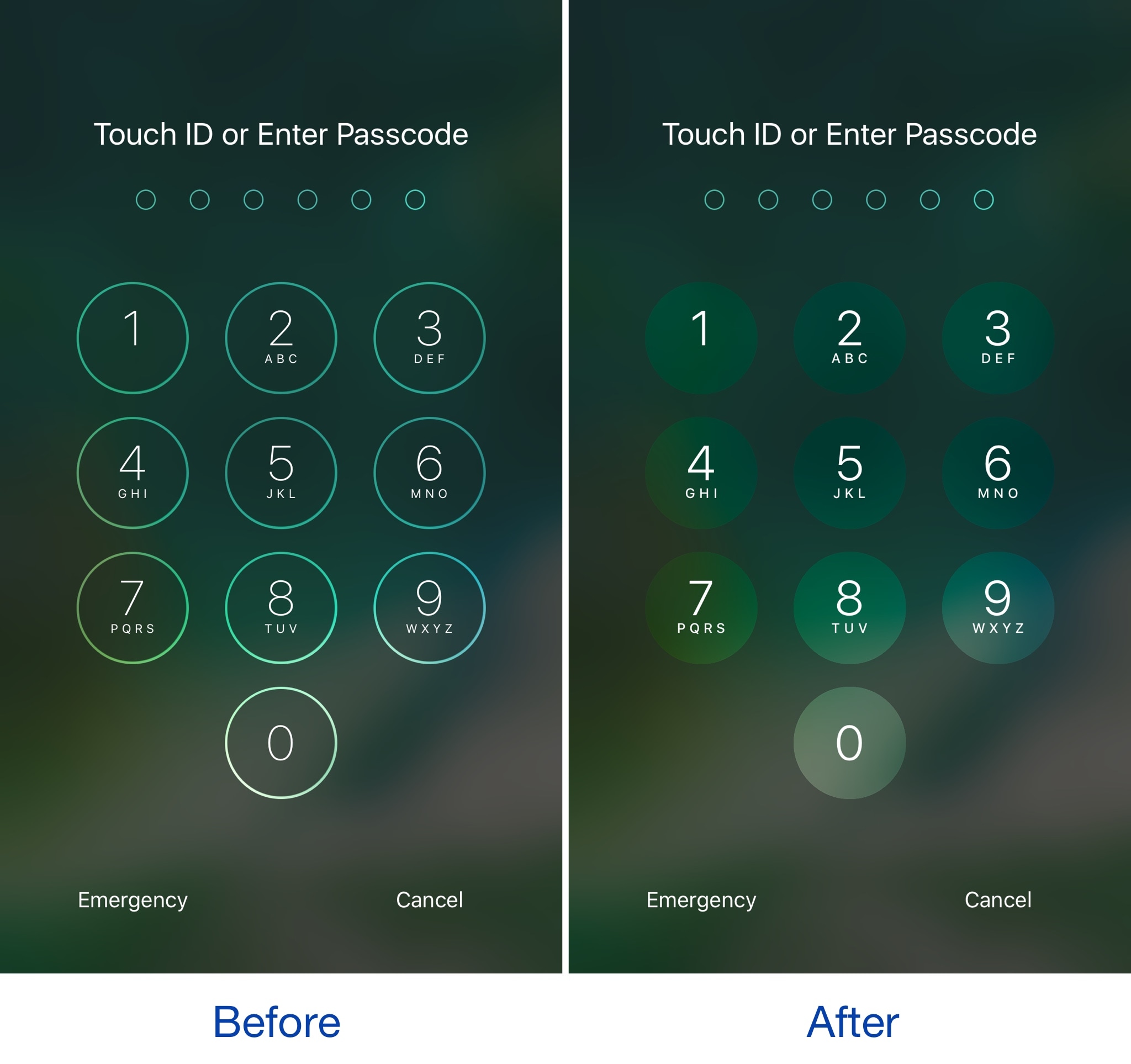
Among the slew of interface changes iOS 11 brings to the table, one of first things you’ll notice after picking up a device with the new operating system installed on it is the redesigned passcode keypad.
If you like the way it looks, but you won’t be upgrading this Fall in order to keep your jailbreak, a new free jailbreak tweak dubbed Creamy (iOS 10) by iOS developer ijapija00 can be used to mimic the aesthetics of the iOS 11 passcode keypad on your jailbroken device.

Cody and Sebastien can't resist the urge to talk about Planet of the Apps again, but they can definitely resist the urge to talk too much about iPhone 8 rumors this time around. Sebastien is not happy with the new Podcasts app in iOS 11. Finally, the guys talk about how they keep up with the news using RSS and Twitter lists.
Subscribe on iTunes
Support Let’s Talk iOS: Go to jamf.com/LETSTALK to create a free account and set up your 3 free devices today.

Apple is teaming up with a tiny startup called Health Gorilla to bring comprehensive clinical data to the iPhone, reports CNBC. The goal is to integrate with hospitals, imaging centers and lab-testing companies to make data such as blood work accessible from the smartphone.
According to its website, Health Gorilla specializes in giving doctors a "complete picture of patient health history." The tech is primarily geared towards physicians, allowing them to easily share records, but also has a free offering for patients that delivers medical info in short order.
Apple is hoping its new partnership will allow it to solve the long-standing interoperability problem by putting patients in charge of their own medical information. This will enable hospitals to access vital data at the point of care, cutting down on missed diagnoses and other errors.
Source: CNBC
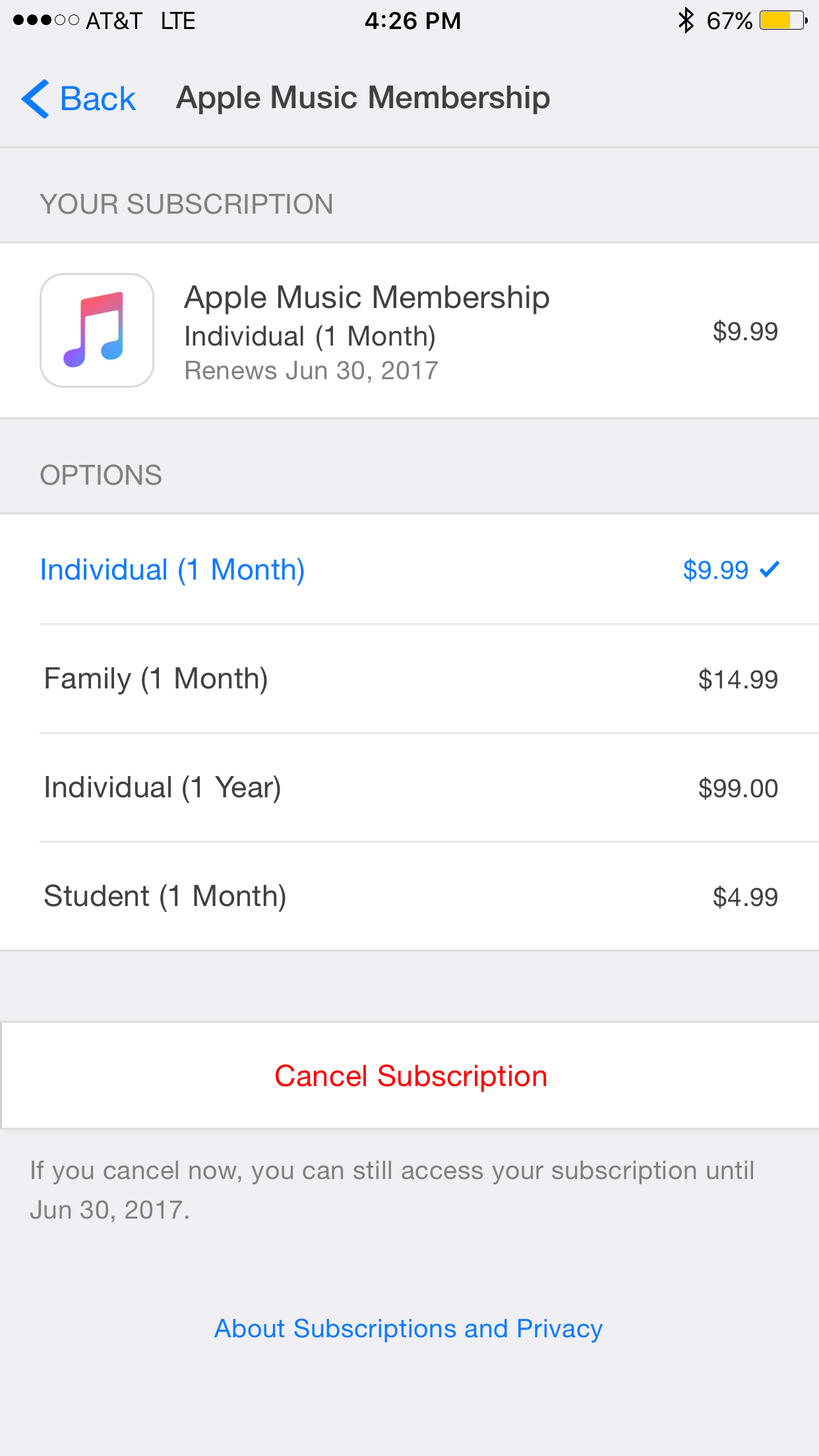
It appears Apple has quietly added a new annual subscription option for its Apple Music service. TechCrunch points to the new plan, which costs just $99 for 12-months of access to the 20 million+ track library and loads of exclusive content.
This is good for a $20 savings over the standard $9.99/month plan, but Apple doesn't make it easy to find. You have to go into iTunes or the App Store and tap on Apple ID > Subscriptions > Apple Music. It also looks like the price is only available to current users.
Of course Apple has long offered 12-month Apple Music gift cards for $99, and the $4.99/month student plan is still the cheapest. Apple Music offers on-demand access to all of your favorite songs, albums, custom playlists, exclusive videos and much more.
Source: TechCrunch

Apple on Monday released a fourth beta of what would become the sixth major update to macOS Sierra since its official debut last fall. The most recent macOS Sierra 10.12.6 beta 4 (build number 16G18a) is now available through Apple's Software Update feature via Mac App Store's Updates tab on any supported Mac with an appropriate configuration profile installed.
This new build is being released to Apple's registered developers and members of the Apple Developer Program. Public beta testers should see it popping up on their devices later today or tomorrow. When it releases later this summer, macOS Sierra 10.12.6 will be a mostly bug-fix update with security and performance improvements.
macOS Sierra 10.12.6 beta 4 arrived less than a week after the third beta dropped and more than a month after the bug-fix macOS Sierra 10.12.5 update released on Mac App Store.
Apple, of course, previewed macOS High Sierra at the Worldwide Developers Conference.
The next major version of the desktop operating system powering Macs, macOS High Sierra is currently available as a developer-only preview. It should hit Apple Beta Software Program later this month or in July, ahead of its official release this Fall.

Apple is widely expected to release three new iPhone models this year: the LCD-based update to the existing iPhone 7 series and a whole new iPhone 8 model with an OLED screen and more. While it's been generally accepted that the LCD-based devices will be named “iPhone 7s” and “iPhone 7s Plus”, the jury is still out on the possible name for the OLED-based iPhone.
An accessory vendor who posted an image of its iPhone 8 screen protector on SlashLeaks today wrote that the OLED-based phone may be marketed under the “Decade Edition” moniker.
This is the first time this particular name has been mentioned.
Be that as it may, we don't think Apple will released a phone named “iPhone Decade Edition” because we don't think a screen protector maker would be privy to the company's plans, but we could be wrong. On top of that, such a marketing name would only last one year.
Apple, of course, began using the “Edition” suffix in conjunction with the gold-plated models of the original Apple Watch, which were marketed as “Apple Watch Edition”.
https://www.youtube.com/watch?v=SKqCKdEGEPk
Subscribe to iDownloadBlog on YouTube
When the Cupertino giant phased out golden watches following the release of Apple Watch Series 2 last year, the company retained the “Apple Watch Edition” name for its higher-priced models that feature the casing in brilliant white ceramic.
Back in March, the fairly reliable Japanese blog Mac Otakara reported that the next iPhone would be called “iPhone Edition”. Apple probably has multiple name suggestions for the device and it will be up to the firm's marketing department to pick one ahead of its release.
iPhone 8 renderings via Vianney le Masne.
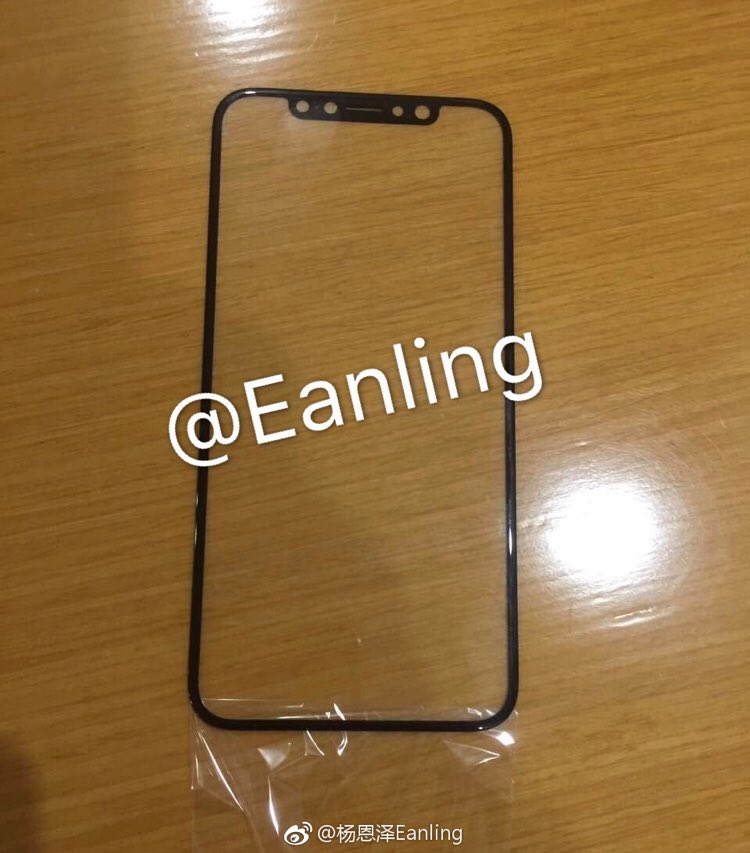
Smartphone leakster Benjamin Geskin today tweeted out a few images and a video of an alleged tempered glass screen protector for Apple's OLED-based 5.8-inch iPhone 8.
First posted on Chinese social network Weibo and originally re-posted on SlashLeaks, it has noticeably thin bezels and a minor cutout at the top for the camera and the sensors.
As evidenced by the images, the accessory matches up the rumored dimensions and design schematics of iPhone 8 perfectly. It should be said that vendors often design accessories for unreleased Apple products based on rumors, so take this one with a grain of salt.
The screen protector is made by Olixar and can be purchased via MobileFun for $32.
https://www.youtube.com/watch?v=khCLSSpTpto
According to the product's listing, the accessory features edge-to-edge design with a 2.5D rounded edge and includes support for Apple's 3D Touch pressure-sensing technology.

Ikea is co-building a new augmented reality app together with Apple that will allow customers to try out virtual furniture at home, and then buy it.
Built on ARKit, Apple's new framework for powering augmented reality experiences on iOS devices, the app will basically superimpose tables, chairs and other furniture on top of your room, as seen through the lens of an iOS device's camera.
The app leverages ARKit's scene understanding and lighting estimation features that permit it to automatically find horizontal planes like tables and floors in a scene, as well as track and place objects on smaller feature points. ARKit even applies the correct amount and type of light to any virtual objects to match the current lighting conditions in your room.
According to a local report in Di Digital, the app is launching in the Fall of 2017, shortly after iOS 11 releases for public consumption.
“This will be the first augmented reality app that will enable you to make buying decisions,” said Michael Valdsgaard, Leader of Digital Transformation at Inter Ikea, to Di Digital. The executive couldn't promise that the in-app payment feature will work in the first version of the app.
The app will launch with 500-600 products available in AR. “When we launch new products in the future, they will first appear in the AR app,” Valdsgaard says.
Ikea said recently that its LED bulbs and other smart lighting products would soon gain compatibility with HomeKit, Apple’s smart home management platform.
At WWDC 2017, Apple announced a number of improvements for HomeKit, including software-based encryption that could enable existing non-HomeKit-compliant devices to gain support for HomeKit via a simple firmware update.