Updated builds of iOS 11 and tvOS 11 betas now available

Apple on Monday issued a slightly revised build of iOS 11 beta 2 for iPhone, iPad and iPod touch, as well as an updated build of tvOS 11 beta 2 for the fourth-generation Apple TV.

The new builds appear on select devices only.

iOS 11 Developer Beta 2 Update 1, as it's called, has the build number of 15A5304j, up from the build number of 15A5304i in iOS 11 beta 2 which was seeded to developers five days ago.

According to the official release notes on Apple's Dev Center portal, iOS 11 Developer Beta 2 Update 2 resolves an issue preventing reverting to iOS 10 from iOS 11 beta.

To revert to an earlier version of iOS, follow the instructions shown in Apple's support doc.

As for the updated tvOS 11 beta, the new version has a higher build number of 15J5310h versus build number of 15J5310e for the original tvOS 11 beta 2.

https://www.youtube.com/watch?v=TZ5pwZMPRxI

Subscribe to iDownloadBlog on YouTube.

The revised beta builds may also patch dangerous exploits while addressing performance issues on older hardware like iPhone 6.

iOS 11 cuts off 32-bit devices like the iPhone 4s/5/5c handsets.

The new builds are available over the air via the Software Update mechanism in Settings on iPhone, iPad, iPod touch and Apple TV. As mentioned before, they appear on select devices.

Build numbers for beta 2 of macOS High Sierra 10.13 and watchOS 4 have stayed intact. Public betas of iOS 11, macOS High Sierra 10.13 and tvOS 11 are coming later this month.

watchOS betas are currently unavailable for public beta-testing.

watchOS 3.2.3 beta 4 rolling out to developers

A fourth beta of watchOS 3.2.3 for Apple Watch is now rolling out to Apple's registered developers and members of the Apple Developer Program. Available as an over-the-air update via the Software Update mechanism in the companion Watch app on a paired iPhone, watchOS 3.2.3 beta 4 (build number 14V5751a) includes bug fixes and performance optimizations.

You Apple Watch must be in range of its paired iPhone, have 50 percent battery and be placed on its charger in order for the update to download and install. watchOS 4 betas are not available through the Apple Beta Software Program.

https://www.youtube.com/watch?v=lKt7h4SX_ME

Subscribe to iDownloadBlog on YouTube.

The new watchOS 3.2.3 beta follows iOS 10.3.3 beta 4 and tvOS 10.2.2 beta 4 which got seeded to developers on June 22. The prior watchOS 3.2.2 bug-fix software update released for public consumption more than a month ago.

watchOS 3.2.3, iOS 10.3.3 and tvOS 10.2.2 could be the last point updates before iOS 11, watchOS 4 and tvOS 11 arrive this fall. If you spot any noteworthy changes in watchOS 3.2.3 beta 4, leave a comment below and we'll update the article with new information.

Watch new ARKit demos: Minecraft and measuring tape

The website madewitharkit.com dedicated to highlighting cool apps made with Apple's new ARKit framework, was updated today with a pair of new video demonstrations showing off some of the augmented reality possibilities coming to iPhone and iPad with iOS 11 this fall.

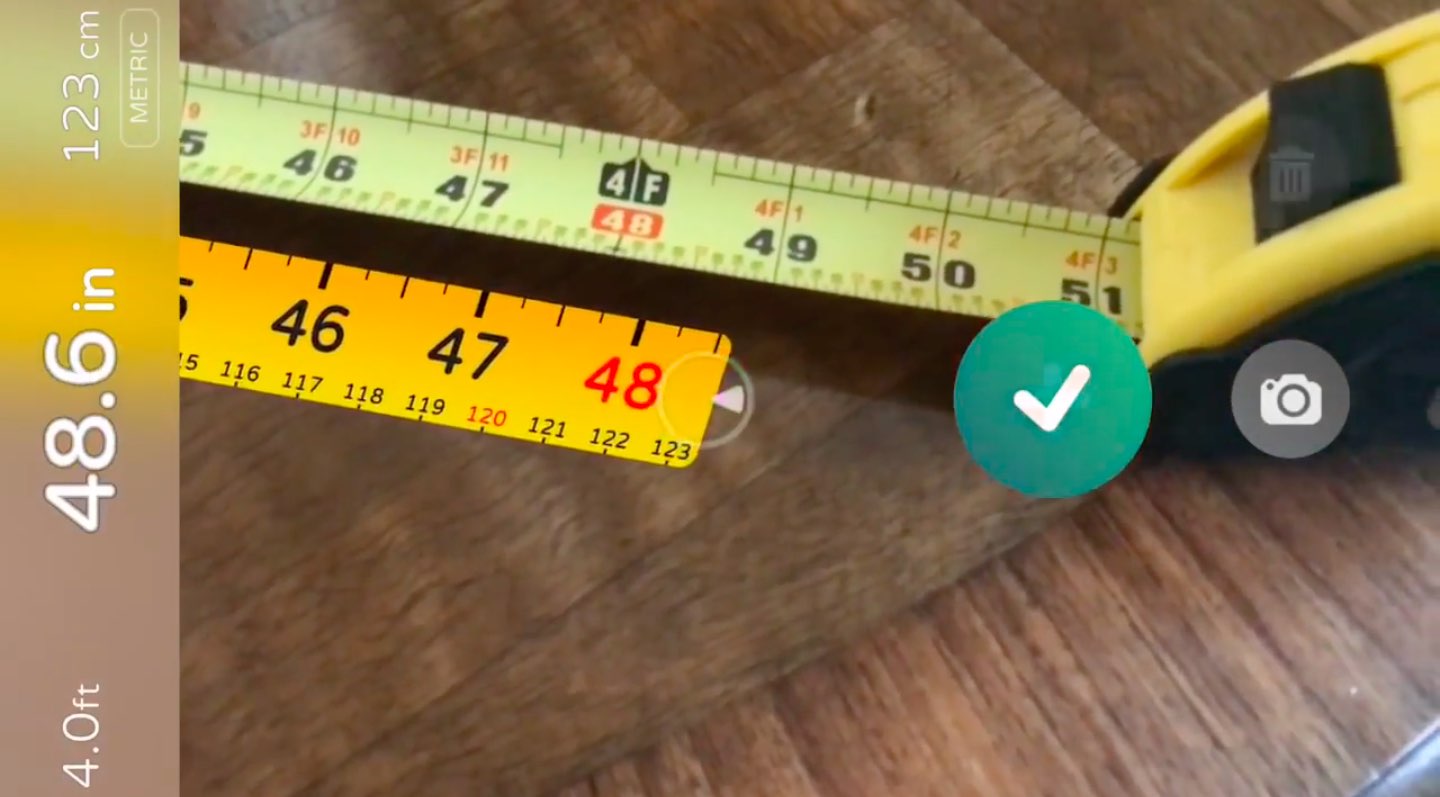
The first demo has the user selecting two spots in the real world, as viewed through an iPhone's lens, to calculate the distance between them, transforming the device into a working tape measure. That's a great example of the power of the ARKit framework.

https://www.youtube.com/watch?v=z7DYC_zbZCM

The app was built by Laan Labs and, like other ARKit-enabled apps, uses an iOS device's camera along with sensor data to precisely find horizontal planes in the real world, such as tables, floors and other objects.

You can beta-test the app by signing up at armeasure.com.

Measure distances with your iPhone. Just because you can. Clever little #ARKit app by @BalestraPatrick https://t.co/b2mXe2FS84 pic.twitter.com/pyoHp99Yts

— Made With ARKit (@madewithARKit) June 25, 2017

Laan Labs has other examples of proof-of-concept apps built using ARKit on their Twitter, like the following example of impressive 3D drawing in augmented reality.

https://twitter.com/laanlabs/status/878692051889655808

As for an AR-enabled Minecraft, we don't know if Minecraft creator Mojang is working on one, but that didn't stop developer Matthew Hallberg from recreating Minecraft in AR using the ARKit framework and the Unity engine.

By superimposing Minecraft building blocks on top of the real-world, and taking advantage of ARKit's super accurate tracking, the user is able to walk around their environment and place Minecraft blocks at arbitrary spots. “I love that you are able to place life size objects because the tracking with ARkit is so good,” Matthew said.

https://www.youtube.com/watch?v=qFGx9QcE5Gk

Apple is also using ARKit tracking for an impressive virtual reality mode in Apple Maps on iOS 11. The Cupertino giant is even helping Ikea build an ARKit-powered app which will let you try out virtual furniture at home before purchasing it.

ARKit requires a device with an Apple A9 or A10 chip because those processors deliver “breakthrough performance that enables fast scene understanding and lets you build detailed and compelling virtual content on top of real-world scenes,” as per Apple.

How do you like the aforementioned ARKit demos? Are you looking forward to augmented reality-enabled apps, and why? Chime in with your thoughts in the comments section.

Video: former Apple executives recount original iPhone creation

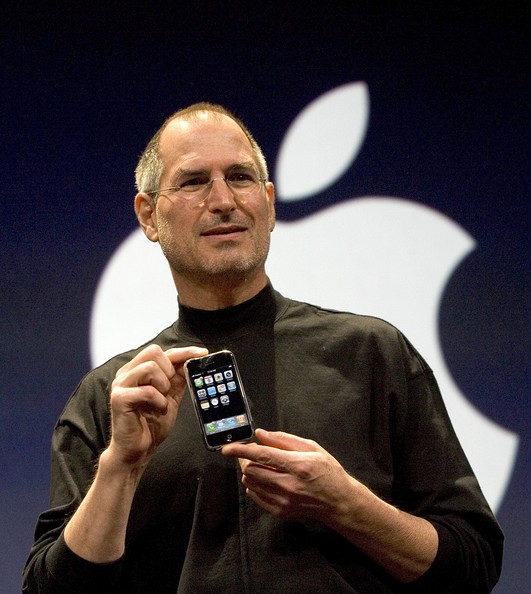
Apple earlier this year celebrated the tenth anniversary of the original iPhone's unveiling. And as we approach the tenth anniversary of the handset's June 29, 2007 debut, Christopher Mims of the Wall Street Journal sat down with the original iPhone team members who recounted designing the handset's touchscreen interface and more.

Running nine minutes long, the interview features former iOS chief Scott Forstall, former Vice President of Human Interface Design Greg Christie and the iPod “Godfather” Tony Fadell.

Fadell's team was tasked with the development of a device that was basically an iPod with a phone. It featured a clunky hardware keyboard and ran a version of the iPod interface.

“We tried 30 or 40 ways of making the wheel not become an old rotary phone dial and nothing seemed logical or intuitive,” said Fadell. “To actually dial a real number, it was so cumbersome.”

It was 2005 and Jobs was displeases with the direction of “Project Purple”.

“We’d been doing a lot designs which weren’t quite there yet. It didn’t feel complete. And Steve came to one of our design meetings and he said, ‘This isn’t good enough. You have to come up with something so much better. This is not good enough'”, Fadell recounted.

“Start showing me something good soon or I’m going to give the project to another team,” Christie paraphrased Jobs. According to Forstall, Jobs gave the team two weeks to come up with something special.

“So we went back to the drawing board and Greg assigned specific ownership of different pieces of the design to different people and that team worked 168 hours per week for two weeks. They never stopped,” said Forstall. Eventually, Forstall and Christie's vision for the user interface of the original iPhone, based on OS X code, prevailed over Fadell's click-wheel design.

Christie reflected on how their early iPhone interface designs blew Steve Jobs away:

The first time he saw it he was completely silent, he didn't say a thing. He didn't say anything, he didn't gesture, he didn't ask a question.

Then he sat back and he said, 'Show it to me again.'

And so we go through the whole thing again and Steve was pretty much blown away by the whole demonstration. It was great work.

It took them nearly two and a half years to turn that demonstration into a shipping product.

A ping pong table sized demo had a projector that was beaming a Mac interface on it, allowing engineers to use their whole hand to touch different things on it. “It was literally a ping pong sized multi-touch display,” said Tony Fadell.

And now, watch The Wall Street Journal's full video, titled "How The iPhone Was Born: Inside Stories of Missteps and Triumphs”.

According to Fadell, back at the time sales of the iPod music player accounted for half of Apple's total sales so they wondered about iPod's success long term and kept asking themselves what will cannibalize sales of the music player.

“And one of the biggest concerns was cell phones,” said Fadell.

The three former Apple execs also talk about pinch to zoom, rubber-band scrolling and more. Be sure to watch the whole thing, it's definitely worth ten minutes of your time.
First “Assembled in India” iPhone SE units go in sale, but don’t carry lower price tag

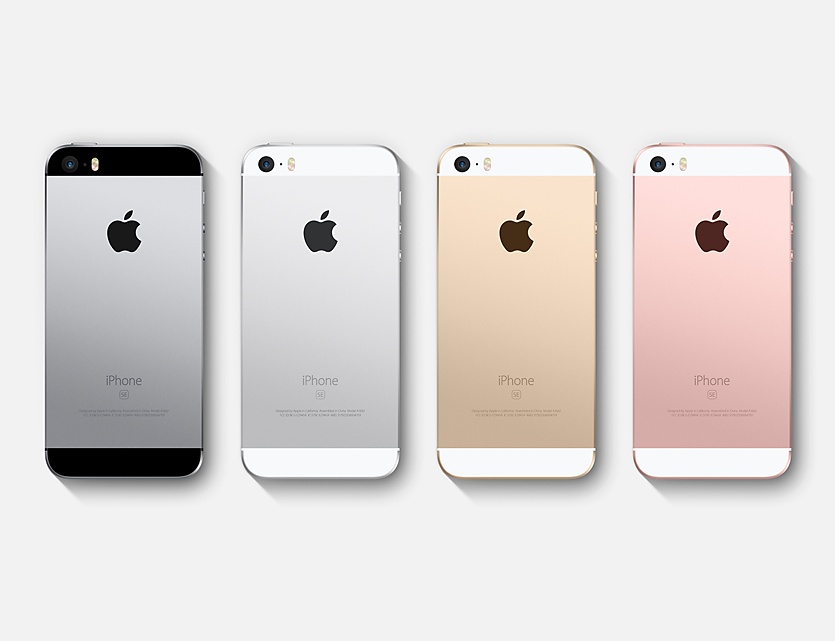
First iPhone SE units assembled in India have gone on sale in many cities in the country, including the city of Bangalore near which the handset is being assembled in a facility operated by Apple's contract manufacturer Wistron.

The Indian Express reported today that the iPhone SE units manufactured in India don't carry a lower price tag because they are made locally due to Apple's policy of keeping the pricing more or less the same across the globe. In fact, these phones are “priced the same as other models manufactured in China,” according to The Indian Express.

Currently, a small trial run of limited iPhone SE units has been produced. Although the handset is now selling in many Indian cities, customers interested in the handset may not be able to get their hands on one until Wistron ramps up production.

These phones have “Designed by Apple in California, Assembled in India” printed on their back.

Sean Combs’ documentary “Can’t Stop Won’t Stop” debuts exclusively on Apple Music

As promised back in April, the hip-hop documentary “Can't Stop Won't Stop: A Bad Boy Story” has made its exclusive debut on Apple's music-stremaing service.

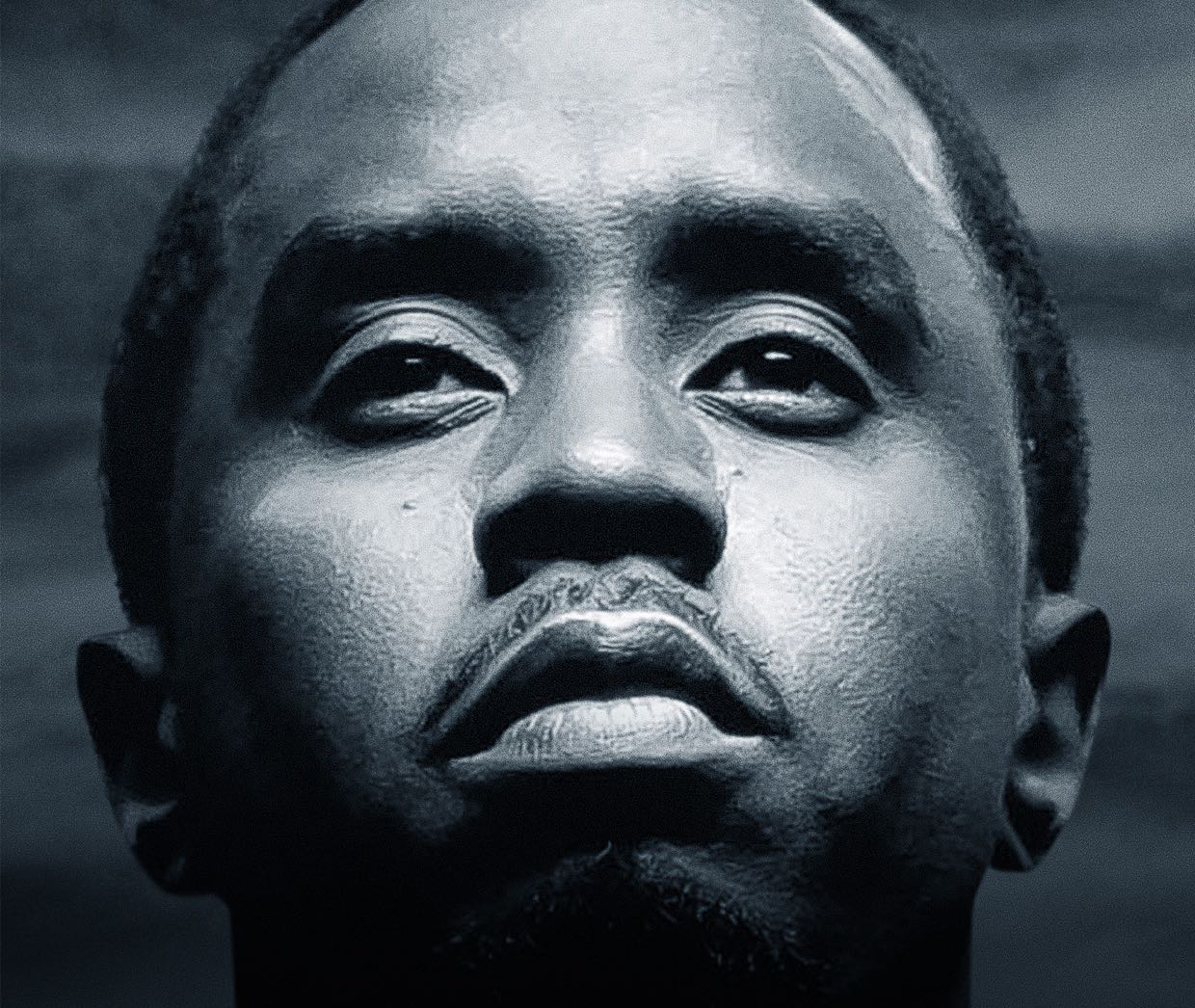
Directed by Daniel Kaufman and available for streaming to all Apple Music members, the documentary chronicles the precipitous rise of Sean “Diddy” Combs aka Puff Daddy and his record label in the mid-90s to the top of the music business.

To watch the documentary, fire up the Music app on your iPhone, iPad or Apple TV, then enter the Browse section and tap TV & Movies and find the movie listed there.

Jimmy Iovine, Apple Music chairman and CEO, said:

I went to the Bad Boy Reuion concert and thought it was incredible. I think Puff and Bad Boy’s story is incredible and one that a lot of people can relate to in any genre or in any business. His story is powerful. He really overcame a lot to get to where he’s at today and the documentary shows that.

Here's Apple Music's official blurb:

In 1993, Sean "Diddy Combs, a.k.a. Puff Daddy, founded Bad Boy Records and changed popular culture forever. In 2016, the Bad Boy Family reunited in Brooklyn, New York for the biggest homecoming in hip-hop history. Can't Stop Won't Stop: A Bad Boy Story explores the passion and personalities behind the empire, and goes inside the making of a movement and the staging of an unprecedented musical event.

This is an intern-to-CEO story -- a raw behind-the-scenes look at the legacy of Bad Boy through a complex portrait of its mastermind as Combs reunites the Family over a frantic three-week rehearsal period. The film traces the label's emergence in Harlem and Brooklyn, follows its meteoric rise, reflects on the tragic killing of Biggie Smalls, and celebrates Bad Boy's influence -- all while reveling the love and commitment that binds every member of the Family together.

The film covers the trials and tribulations that Combs faced in putting together last year’s 20th anniversary Bad Boy reunion shows in two weeks time, with artists who hadn’t performed in years. Apple Music will have the exclusive rights to the documentary for at least the next year.

Apple Park sunset footage shows entrance to Steve Jobs Theater with its lobby lights on

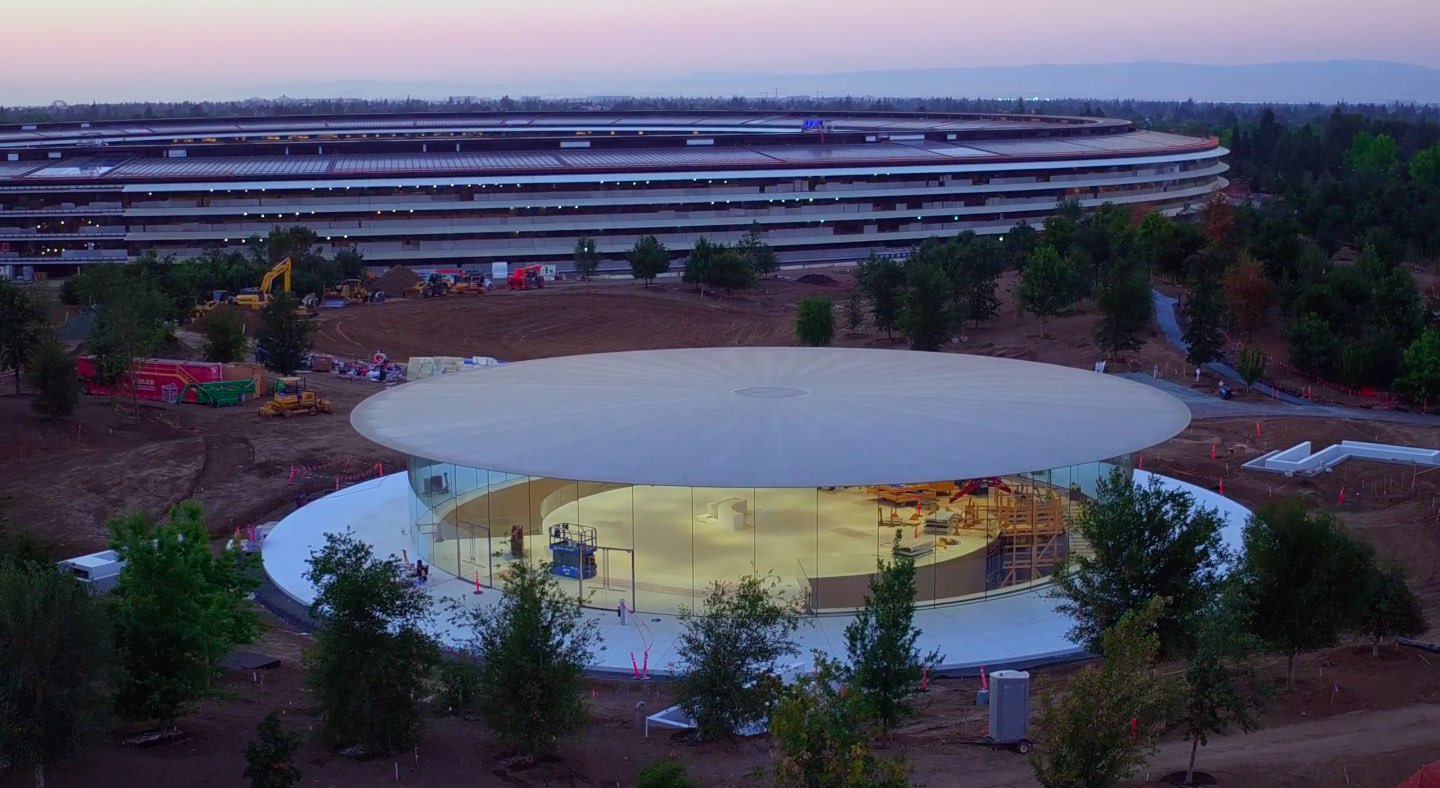
Drone pilot Duncan Sinfield last Saturday published new aerial footage of the 175-acre Apple Park site on his YouTube channel, offering a glimpse at the entrance into the Steve Jobs Theater with its lobby light on.

“Opening day is getting closer at Apple Park, landscaping and road-striping are not the only things wrapping up,” reads the video's description.

Located atop a hill at one of the highest points of the upcoming campus, the Steve Jobs Theater sports the world's largest freestanding carbon-fiber rooftop.

Featuring glass staircase spiraling downward to an underground 1,000-people auditorium, the Theater will be used for corporate meetings and Apple media events, meaning the unveiling of iPhone 8 will most likely take place there.

https://www.youtube.com/watch?v=YgzZnfAqLW8

“Steve’s vision for Apple stretched far beyond his time with us. He intended Apple Park to be the home of innovation for generations to come,” said Tim Cook in April.

The video revels significant progress being continually made on the main ring-shaped building, offering a nice look at the main atrium with its floor-to-ceiling glass doors.

Landscaping work will continue for a few months after offices in the main ring-shaped building are completed. Since April, employees have been gradually moving into Apple Park.

Take notes on the fly with Apple Watch and SnipNotes

Since watchOS 4 is not poised to deliver all answers to some of our lofty demands, it is time to get serious about alternative solutions to replicating a Notes-esque experience on your wrist. And as though the people behind SnipNotes had known of Apple’s continuing blind spot all along, in late 2015 the app originally designed for iOS went out on a limb and added an Apple Watch extension to its core competencies. Since then, the note taking app has gone from strength to strength and, even if only philosophical at this point, provides a standard of note sharing between iPhone and Watch that Apple themselves could hardly topple.

Let’s get the major pitfall out there first: just like Apple’s (still fictitious) Notes app on watchOS would only correspond with the original Notes app on iPhone, SnipNotes too only works and syncs inside its very own cosmos.

Accordingly, if you want to create, share or store notes (including locations, images, links) on your wrist, you are going to have to embrace SnipNotes as your default gateway for note taking. If you weren’t expecting anything else great, nothing to see here. If you thought of SnipNotes as a third-party app to read and feed into your proprietary Apple Notes, unfortunately that is still off limits.

That’s about as far as (subjective) caveats go, and with that it is time to turn our focus to the glorious meat of the app.

Take notes, Apple!

SnipNotes earns its first brownie point right on launch. When activated, the app is going to ask for Touch ID authentication before breaking the seal to your data. This is not only a much appreciated safety net for when your nosy friend handles your iPhone, but generally gives most users peace of mind and a sense of privacy protection that Apple Notes is slowly getting whiff of as well.

The second brownie point is scored by an intuitive file system inside, consisting of multiple categories (such as Travel notes, Snapshots, etc.) which can all be edited, deleted or supplemented with the addition of new rubrics.

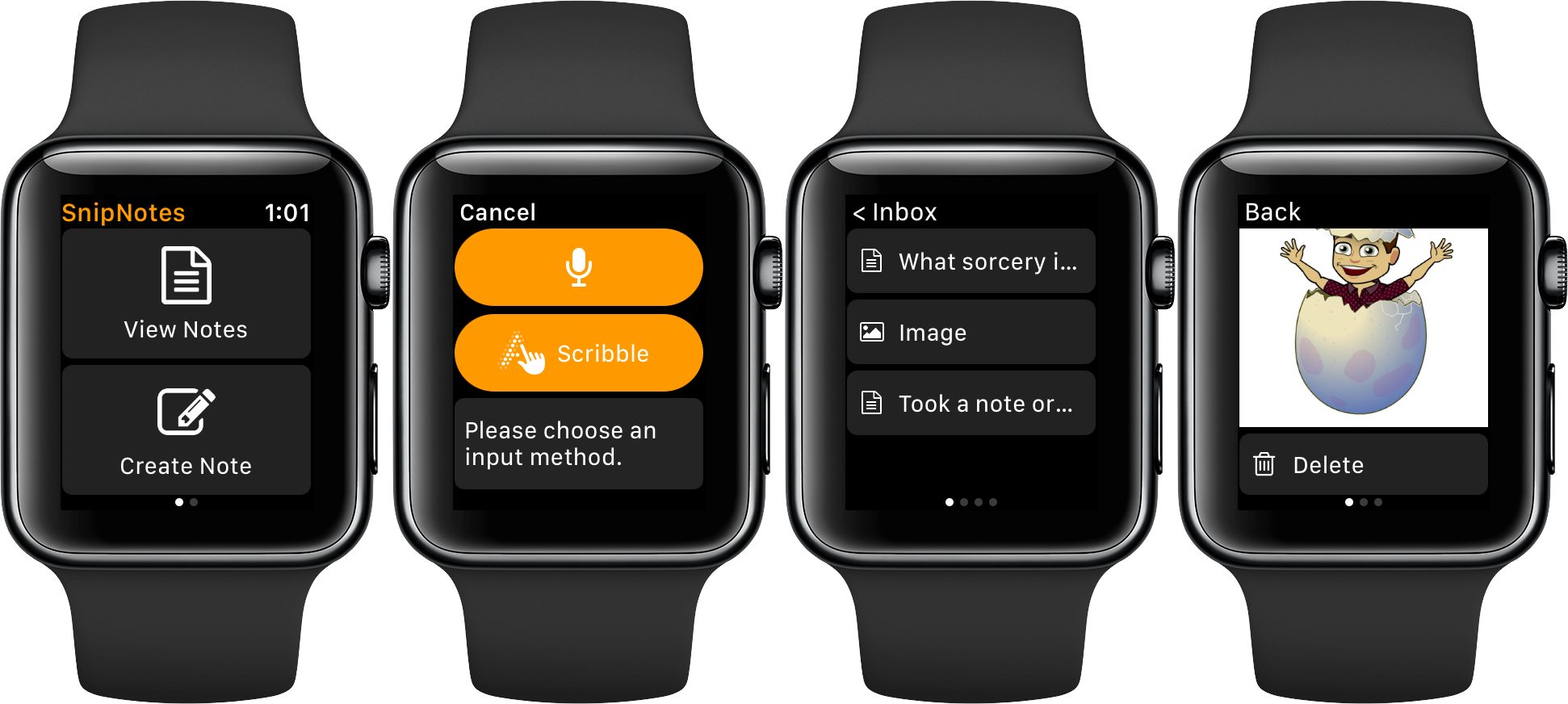
Brownie point number three - yes we’re keeping score - is conferred due to the fact that SnipNotes allows you to individually determine which categories sync their contents with your Apple Watch. It all starts with the ‘Inbox’, the overarching folder on both your devices, which functions as the initial collecting tank for new notes. From there, you can assign any file or note to a category, filter them or favorite notes to permanently pin them atop of your lists.

As for Apple Watch devotees, here's your lowdown: Notes can be created by way of voice input and Scribble. Neither might ever truly rival bigger screen note taking, however the ability to swiftly capture fleeting thoughts might be priceless to some. So talk to your wrist or jot down a few letters and before you know it, the note will be seamlessly relayed to your iPhone.

Conversely, SnipNotes on iPhone can be a great agent to storing pictures or screenshots on Apple Watch, since the app's category structure enables a folder like organization of your images. This little detail can't be stressed enough, because frankly, to this day, Photos on Apple Watch is egregiously half baked. That’s four out of five brownie points.

Suffice it to say that there is a whole lot more to discover, especially for advanced users, such as clipboard-to-note shortcuts and smart widgets. SnipNotes has clearly not spared any expenses to ultimately please every type of user, which is admirable in its intent but can sometimes produce an air of clutter to the untrained eye.

If you’re curious or in need of a notes app for your wrist, iPhone or iPad, grab SnipNotes for $0.99 on the App Store today.

Live Photo Wallpapers for iPhone with Wally Papes

One of my favorite features of iOS is the ability to take Live Photos. It is shocking how drastically different a memory expresses itself over 3 seconds, as opposed to a single instance in time. I frequently find myself going back through a photo album, to play through each Live Photo.

Launching with the feature, came the ability to set Live Photos as wallpapers, both on the Lock and Home screens. However, there is really no great way to share Live Photos as posts on the internet. Dave Gorum comes to the rescue with Wally Papes, a curated collection of Live Photo wallpapers for your iPhone.

Jailbreak tweaks of the week: ActIf 2, Kairos 2, & more…

With the jailbreak community becoming a bit more active in recent weeks, we've seen a number of interesting releases and even teases of upcoming releases that are sure to knock your socks off.

In this roundup, we'll talk about all of the jailbreak tweaks that were released during the past week, starting with our favorites. We'll outline all of the rest of the tweak releases after we get through the best of the best.

iOS 11 beta 2 hands-on, ARKit demos, iOS 11 jailbreak, and other top stories of the week on iDB

Like every Sunday, we get to take a look at some of the most popular posts that were published on iDB during the week that just ended. Whether it is a news item, a new jailbreak tweak, a tutorial, or an app review, we sum it all up in one convenient place for you.

As always, if you like what you're reading, please feel free to spread the love by sharing our posts on your favorite social network.

We're usually hanging out a lot on Twitter and Facebook, more rarely on Google+.

Don't forget to listen to the latest episode of our new podcast, Let's Talk iOS:

Subscribe on iTunes

Want to support iDB? Visit our Deals Store and buy something from us.

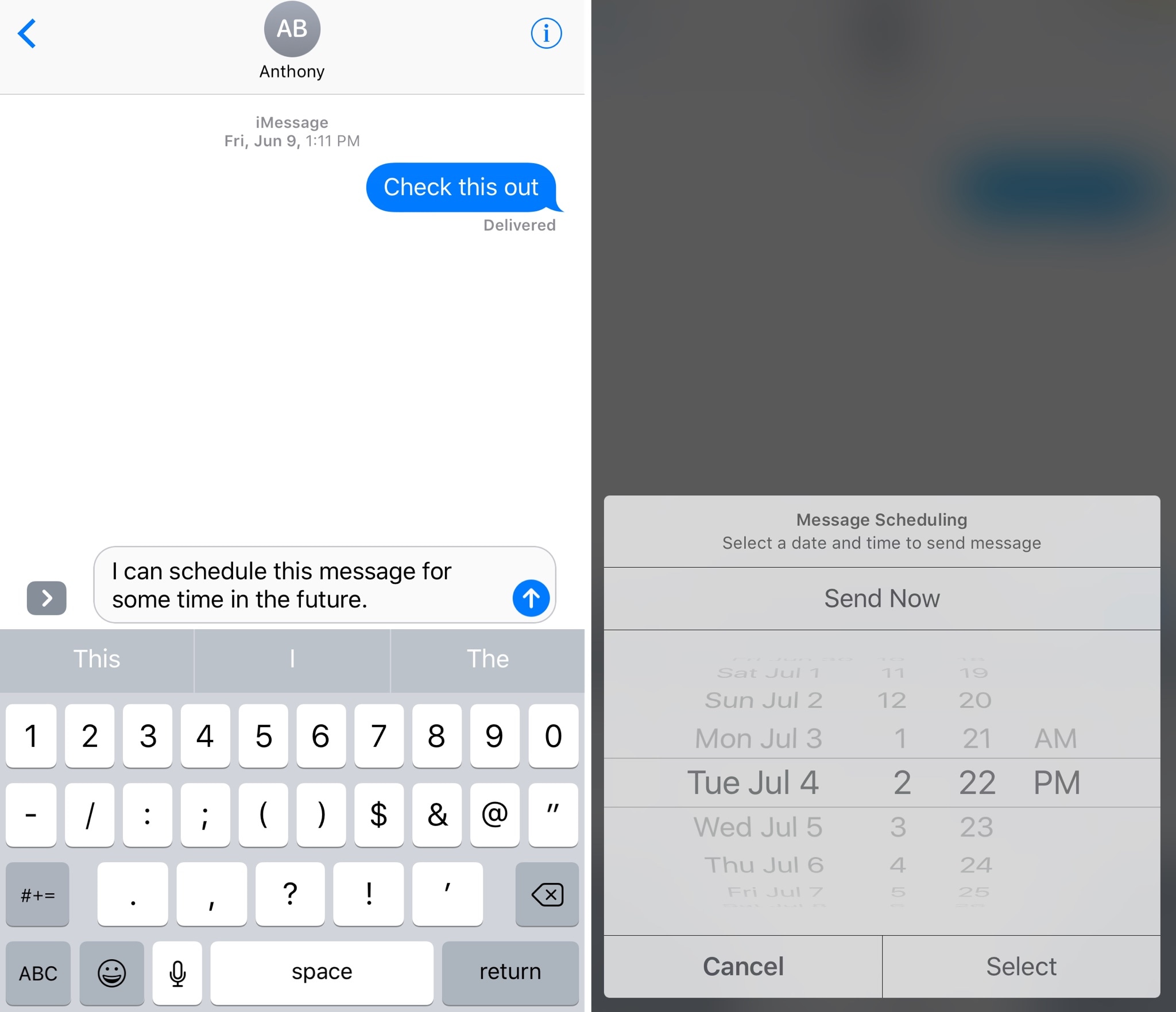
Kairos 2 lets you schedule text messages for future dates and times

Have you ever thought to yourself, “I wish I could schedule iMessages or text messages to send at a future date?” Well, now you don’t have to just sit and wish for such functionality anymore.

A jailbreak tweak called Kairos 2 by iOS developer CP Digital Darkroom enables iMessage and SMS scheduling right from the stock Messages app on your jailbroken iPhone or iPad.