Fender and Apple partner on curated guitar playlists for Apple Music

Apple has partnered with American manufacturer of stringed instruments and amplifiers Fender for curated guitar playlists on Apple Music. Fender has now joined the more than sixty curators providing unique playlists to Apple Music members.

As first noted by AppleInsider, Fender's playlists are wide-ranging, spanning music from classic rock icons to emerging artists to experimental guitar works.

Fender CMO Evan Jones said in a press release:

We're pleased to partner with Apple to bring a Fender-curated music experience to long-time Fender fans and those just discovering the brand. These five new playlists honor a diverse range of iconic artists and visionaries, and an emerging generation of artists, who are driving guitar and music forward.

The following playlists from Fender are available on Apple Music:

Roots, Rock & Twang—A Mix: New sounds blending Americana, Country and Rock, featuring Chris Stapleton, Nikki Lane, Jaime Wyatt and more. Shuffle—Today's Hits: Plug in to set the tone for your day with the latest from Years & Years, Cold War Kids, Radiohead and more. Best of the Rock You Need to Know: From Gary Clark Jr. to the Red Hot Chili Peppers to Cold War Kids, press play on this list of rock and bluesy tracks to energize your day. We've got guitar heroes and visionaries that are set to inspire, in addition to plenty of hidden gems from artists that you need on your radar now. Best of Everything Acoustic: Celebrating the accosting guitar, whether it's featured in favorite solo ballads or roaring with the rest of the band. Best of Under the Radar: Become an early listener of some up and coming Fender favorites who are pushing sonic boundaries.

According to Fender, its guitar lessons app for iPhone and iPad as well as the Fender Play web app can teach users to play their first song in minutes, as Engadget reported today.

These apps put the “songs you love, world-class instructors and bite-sized lessons from the most trusted brand in guitars” at your fingertips.

https://www.youtube.com/watch?v=h6ada1kvgEw

As Apple Music recently celebrated its second anniversary, the service is still heavily focused on promoting rap and hip-hop music, with its Beats 1 24/7 global Internet radio station almost exclusively focused on the genre.

However, Apple filed trademark applications for “Beats 2”, “Beats 3”, “Beats 4” and “Beats 5”, indicating the company is likely going to introduce additional Beats radio stations potentially focused on other musical genres.

The Verge said in August 2015 that Apple’s licensing contracts with rights holders include permissions for up to five additional Beats stations.

Shortages of 3D NAND flash chips for 2017 iPhones forcing Apple to turn to Samsung, again

Apple's upcoming iPhone models—the OLED-based iPhone 8 and the iterative LCD-based iPhone 7s and iPhone 7s Plus handsets—have been hit in a global shortage of 3D NAND flash chips, forcing the Cupertino giant to call on Samsung in an effort to secure more.

According to a new report Thursday from DigiTimes, the overall supply of 3D NAND flash components for 2017 iPhones has fallen short of Apple's orders by as much as thirty percent.

That's because the company's current flash chip suppliers SK Hynix and Toshiba have both experienced lower-than-expected yield rates for their 3D NAND technologies.

SK Hynix is among the bidders for Toshiba’s lucrative flash chip unit.

Here's an excerpt from the DigiTimes report:

Apple has turned to Samsung for more NAND chip supplies for its upcoming phones, since Samsung has relatively stable yield rates for 3D NAND technology and has scaled up its output of 3D NAND chips.

TrendForce estimated that supplies of the 3D NAND flash storage chip won't ease until the middle of 2018. “The NAND Flash industry’s manufacturers will continue to devote their attention to the development of 3D 64L NAND Flash technology in 2017,” said TrendForce.

In the second half of 2018, some suppliers will also begin to shift their attention towards the industry’s newer and more advanced 96L flash storage products. Samsung, Toshiba and Micron Technology are currently transitioning to 64-layer 3D NAND flash products, while SK Hynix plans to jump straight to supplying 72-layer 3D chips.

“These gradual changes are all expected to have a potentially beneficial effect on the productions of NAND Flash in 2018,” added TrendForce. “As a result, their prices could start to fall as early as next year”. However, the global supply of NAND flash chips is set to remain tight through the end of 2017.

Business Korea said that Samsung Electronics (which leads the global NAND flash market), Toshiba, Western Digital and SK Hynix are accelerating the development of these three-dimensional NAND flash chip technologies, which basically stack more memory cells than 2D chips while utilizing existing mass production facilities.

The 128GB iPhone 7 model, for example, uses Toshiba’s 3D BiCS NAND technology, which stores three bits of data per transistor and stacks 48 NAND layers onto a single die, bringing accelerated read and write performance compared to 2D flash memory chips.

Nikkei: all iPhones released next year will use OLED screens

Apple will use advanced organic light-emitting diode (OLED) panels in all new iPhones launched from the second half of 2018, according to industry sources cited in a report Thursday by Japanese outlet Nikkei.

An industry source added that the Californian company is “tentatively looking” at releasing three new iPhones next year, adding Apple has already started to design the upcoming models.

Apple's plans are contingent upon suppliers' ability to churn out OLED panels in volume.

Because of that, the company could change its plans down the road. Sources in the OLED production equipment industry suggested that vendors may be unable to manufacture enough OLED panels to meet demand should Apple in fact go with OLEDs across 2018 iPhones.

An unnamed Sharp executive was quoted in the story as saying that “it was not likely” Apple will be using OLED screens for all new iPhones next year.

Here's a recent video of a CNC-machined iPhone 8 dummy based on the rumor-mill.

https://www.youtube.com/watch?v=pW1gx086ZxU

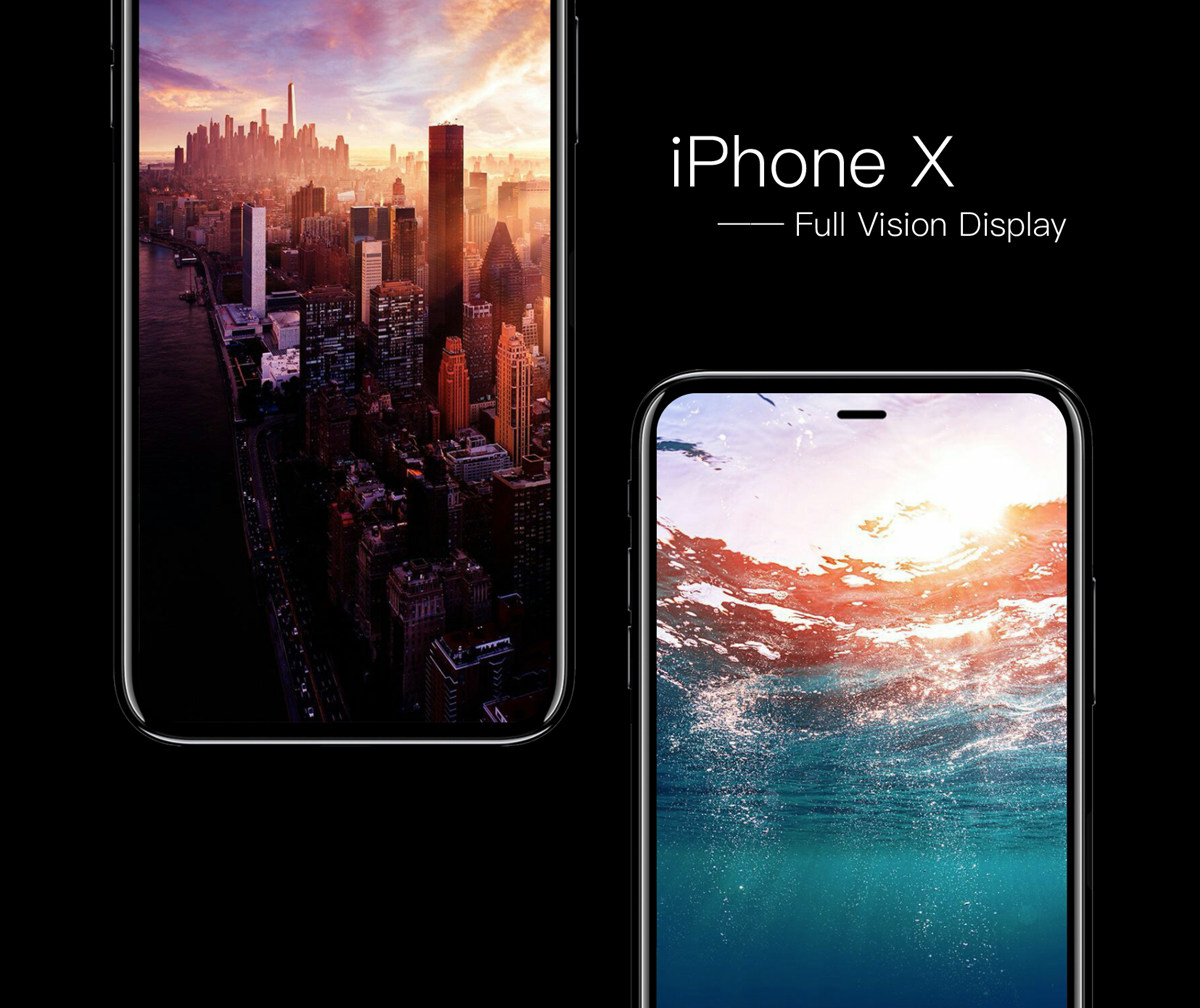
This year, as you know, Apple is widely expected to outfit iPhone 8 with an OLED-based screen.

The flagship device is expected to sport the highest screen-to-body ratio, ditch the physical Home button and reduce or completely eliminate the top and bottom chin.

Yuanta Investment Consulting said shipments of 2017 iPhones will reach 90 million handsets, half of which will be OLED models.

As for the iterative iPhone 7s and iPhone 7s Plus updates coming down the pike this year, these devices will continue to sport LCD screens like prior iPhone models.

Nikkei added that the iPhone 7s and iPhone 7s Plus models will be sold into early 2019. In other words, panel vendors will still be able to supply LCDs for older Apple handsets next year and well into 2019.

Apple to report June quarter earnings on August 1

According to an update on the Investor Relations website, Apple is scheduled to report its fiscal 2017 third quarter earnings on August 1. The Cupertino technology giant has scheduled a conference call with Wall Street analysts and investors to discuss the quarterly results for Tuesday, August 1, at 2pm Pacific Time / 5pm Easter Time.

A press release announcing the earnings typically goes out 30 minutes ahead of the earnings call. You'll be able to listen to the conference call live via Apple's website. Apple states that live audio streaming uses its HTTP Live Streaming (HLS) technology.

HLS requires an iPhone, iPad, or iPod touch with Safari on iOS 7.0 or later, a Mac with Safari 6.0.5 or later on OS X 10.8.5 or later or a PC with Microsoft Edge on Windows 10.

We'll be covering the earnings and any interesting tidbits from the conference call.

How to research Terminal commands using manual pages

If you're like me, you'll often be messing around in Terminal and find you can't remember (or don't know) the correct syntax and options for a command you're trying to issue.

You could look it up online and search through all the slightly different answers for different Unix-based systems, or you could use macOS' built in manual pages to get your answer. This guide will show you how.

Ventana gives your iPhone a Windows 10-inspired Lock screen

We’ve seen tons of Lock screen replacements for jailbroken devices over the years, but for the first time, a new jailbreak tweak dubbed Ventana by iOS developers CoolStar and Jeremy Goulet brings a highly-polished Windows 10-like Lock screen to iOS 10 devices.

As shown above, this tweak is nothing short of a full redesign for the Lock screen, and includes a refreshed look and feel for the date and time indicator, incoming notifications, and Now Playing music interface.

Get notifications when your iPhone switches Wi-Fi networks with this tweak

As you leave your home to visit over places, you probably bounce from Wi-Fi network to Wi-Fi network to save your cellular data. In some cases, your device automatically connects to known or trusted Wi-Fi networks, whether you want it to or not.

A new jailbreak tweak called NotifyWiFi10 by iOS developer ichitaso is a Wi-Fi notification management platform that alerts you every time your device connects to different Wi-Fi network. It comes with a slew of features for choosing what happens after connecting to certain ones.

How to adjust the intensity of bright colors on iPhone and iPad

Since iOS 7.1, Apple's mobile operating system has included a feature that allows you to manually adjust the display's white point to your liking. A white point, also known as reference white or target white, defines the color white in reproduction.

Lowering the white point makes bright colors on your iPhone, iPad or iPod touch's screen more intense. Conversely, increasing the white point reduces the intensity of bright colors, thereby helping extend the run time of your iPhone or iPad.

The ability to manually adjust the white point so that it matches a white surface in your room is particularly handy for owners of devices that lack Apple's True Tone display technology.

How to adjust the intensity of bright colors on iPhone and iPad

1) Launch the Settings app on your device.

2) Tap Accessibility.

3) Tap Display & Text Size underneath the Vision heading.

4) Slide the button labeled Reduce White Point to the ON position.

5) Now drag the slider underneath the button to the right to make bright colors less intense or move it to the left to lower the white point, which will make bright colors more intense.

Reducing the intensity of the screen's battery-hogging backlight by increasing the white point is one of the nearly dozen proven ways to save battery life on iPhone and iPad.

TIP: To get to this feature faster, set it as a triple-click Home button action in Settings → General → Accessibility → Accessibility Shortcut.

Again, don't confuse Reduce White Point with the True Tone feature.

True Tone ≠ Reduce White Point

What exactly is the difference between True Tone and Reduce White Point?

True Tone is Apple's display technology currently found on iPad Pro models which changes the white point of the display on the fly while simultaneously adjusting brightness in order to compensate for the lighting in the environment

The Reduce White Point option does not take advantage of the ambient light sensors in your device like True Tone does. As a result, you cannot tell your device to adjust the white point of its display dynamically to match the current lighting conditions in a room.

Put simply, should lighting conditions change you'll need to repeat these steps to manually recalibrate the intensity of bright colors for the current ambient lighting.

Have you ever wanted to set the screen brightness on your iOS device below the normal threshold? If so, the Low Light filter in your Zoom accessibility settings is your friend.

Need help? Ask iDB!

If you like this how-to, pass it along to your support folks and leave a comment below.

Got stuck? Not sure how to do certain things on your Apple device? Let us know via help@iDownloadBlog.com and a future tutorial might provide a solution.

Submit your how-to suggestions via tips@iDownloadBlog.com.

macOS Sierra 10.12.6 beta 6 now available for developer testing

Aside from releasing a sixth developer beta of iOS 10.3.3 for iPhone, iPad and iPod touch, Apple today seeded a sixth beta of the forthcoming macOS Sierra 10.12.6 software update.

macOS Sierra 10.12.6 beta 6 has a build number 16G24b.

It can be downloaded and installed on a compatible Mac using the Software Update mechanism through the Mac App Store's Updates tab. Only Apple's registered developers and members of the paid Apple Developer Program are allowed to beta-test macOS Sierra 10.12.6.

The new beta arrived nearly ten days following macOS Sierra 10.12.6 beta 5.

Like with iOS 10.3.3, users won't see any important outward-facing changes in macOS Sierra 10.12.6 when it releases for public consumption. This is a point release that will fix bugs and improve the security and performance of your Mac.

Apple is currently testing macOS High Sierra with its developers ahead of its release in the fall.

Apple issues sixth beta of iOS 10.3.3 to developers

Apple on Wednesday seeded iOS 10.3.3 beta 6 to its registered developers and members of the paid Apple Developer Program. The new update has a build number of 14G57 or 14G58, depending on the device. It can be deployed to any compatible iPhone, iPad or iPod touch via the Software Update mechanism in the Settings app.

Your device must have an appropriate configuration profile installed, which can be downloaded from Dev Center. The latest beta arrives following iOS 10.3.3 beta 5, which was seeded to developers on June 28 (the first beta dropped on May 16).

Some of the fixes in iOS 10.3.3 are mentioned in Andrew’s walkthrough video of the first beta.

https://www.youtube.com/watch?v=Xvh5kOofWW0

Subscribe to iDownloadBlog on YouTube.

As mentioned, iOS 10.3.3 is a bug-fix release which enhances the security and performance of your iPhone, iPad and iPod touch. This is most likely that last point update to iOS 10 as Apple continues to beta-test the major iOS 11 software update ahead of its public release in the fall.

Apple also released macOS Sierra 10.12.6 beta 6 for developer testing today.

Apple News may soon let you access paywalled articles “for cents at a time”

A new AdAge report Wednesday asserts Apple could soon enable a brand new micropayment option inside its News app to let readers access articles locked behind a paywall, like those from The Wall Street Journal, “for cents at a time”.

Citing people familiar with the plans, the publication has learned that the Cupertino giant is also coming up with new ways for major publisher partners to sell advertising on their articles encoded in the native Apple News format.

Apple may permit publishers to inject ads in the News app directly from third-party ad networks such as Google's DoubleClick for Publishers. It should help Apple News become more of an extension of the publishers' own websites than the walled-off island it is now.

“There's a ton of scale there but no dollars,” a publishing partner told the publication. “So Apple has to do something soon or publishers will pull out.” The iPhone maker should open new money-making avenues for publishers when iOS 11 launches for public consumption this fall.

Publishers aren't making much money on Apple News because Apple maintains tight control over ad delivery in the News app, which claims a comScore-estimated 47 million monthly users.

iOS 11's News app brings personalized top stories and suggestions from Siri, daily curated stories via a new Spotlight tab and the best videos of the day in your Today view.

Does it make more sense for Apple to allow standard ad serving on Apple News?

Tell is in comments!

How to use Control Center without 3D Touch

iOS 11 offers more customization for Control Center than ever, allowing you to make it your own by disabling toggles you rarely use. If puts frequently used controls all on one page, many of which can be expanded to reveal additional options when pressed with 3D Touch.

For instance, you can press the Home toggle lightly to bring up your HomeKit scenes, press the Now Playing toggle with 3D Touch to expand media controls, press the Apple TV Remote toggle to navigate your Apple TV or type some text into it, and much, much more.

So far, so great. But what if your device lacks 3D Touch?

Unlike prior iOS editions that didn't provide a fallback mechanism for 3D Touch interactions on non-3D Touch devices, iOS 11 allows you to use all of the features the redesigned Control Center has to offer without having to own a 3D Touch device.

Our resident video editor Andrew O'Hara details how iOS 11's Control Center works on devices that don't include 3D Touch features, like iPads and iPhone 6 and older models.

https://www.youtube.com/watch?v=cpSoo5_TqIQ

Subscribe to iDownloadBlog on YouTube.

Continue reading for step-by-step instructions on using Control Center without 3D Touch

How to use Control Center without 3D Touch

1) Access Control Center by swiping up from the bottom of the screen

TIP: Enable Access Within Apps in Settings → Control Center to have your device respond to that gesture when you're using an app.

2) Tap and hold on the control to expand it.

In Andrew's example, he long-taps the Brightness toggle to access controls for turning Night Shift on or off. You can long-tap other Control Center items that are expandable. For example, long-tapping the Volume control enlarges the slider as if you pressed it with 3D Touch.

iPad lacks Taptic Engine so you won't feel haptic feedback when long-tapping.

That's it, boys and girls, now you know how to interact with Control Center on iOS 11 without actuating having to have a 3D Touch device. This tip should be especially useful for iPad owners as Apple's tablets lacks 3D Touch features.

TUTORIAL: How to force-quite iPad apps on iOS 11

Don't forget you can selectively enable or disable nearly two-dozen different toggles and change the order in which they appear in Control Center under Settings → Control Center → Customize Controls, including new system toggles and features like Screen Recording, Voice Memos, Low Power Mode, Apple TV Remote, Accessibility Shortcuts and more.

To lear more about iOS 11's Control Center, watch another walkthrough video below.

https://www.youtube.com/watch?v=UGWjmt6UXJI

Aside from drag and drop, iOS 11 brings five different types of tap gestures, including a longer tap to move multiple apps on the Home screen, a special half-long tap to pull up an extra Dock menu and a long-tap in the notifications overlay to access additional options.

Need help? Ask iDB!

If you like this how-to, pass it along to your support folks and leave a comment below.

Got stuck? Not sure how to do certain things on your Apple device? Let us know via help@iDownloadBlog.com and a future tutorial might provide a solution.

Submit your how-to suggestions via tips@iDownloadBlog.com.