Jailbreak

Hacker Luca Todesco advises jailbreakers to avoid updating to iOS 10.2

While there’s still no public jailbreak for iOS 10 to date, there have been some very convincing demos of personal jailbreaks for it, most of which have come out of the woodwork from none other than well-known iOS hacker Luca Todesco.

Amid the current jailbreak situation, Todesco is now seen warning netizens that if they have any intention of jailbreaking iOS 10 in the future, they should stay on iOS 10.1.1 and refrain from updating to iOS 10.2 when it comes out.

Jailbreak tweaks of the week: Columba for iOS 9, Force Delete, & more…

These past few weeks have felt pretty stale for the jailbreak community, but this week has seen a slight resurgence. Unfortunately, with no public announcements from reputable jailbreak teams at this point in time, there's still no news as to when a public jailbreak for iOS 10 may drop.

Regardless, developers continue to make tweaks for iOS 9. In this roundup, we'll show you everything that was released this week, starting with our favorites.

Columba: a biteSMS alternative offering Quick Compose/Reply, scheduled messages, and more

Although biteSMS is no longer supported on the latest versions of iOS, a jailbreak tweak called Columba for iOS 9 brings some of the functionality biteSMS users loved to jailbroken iOS 9 devices.

Columba for iOS 9 comes complete with Quick Compose and Quick Reply, as well as a slew of other must-have features for sending and receiving messages from your jailbroken iPhone.

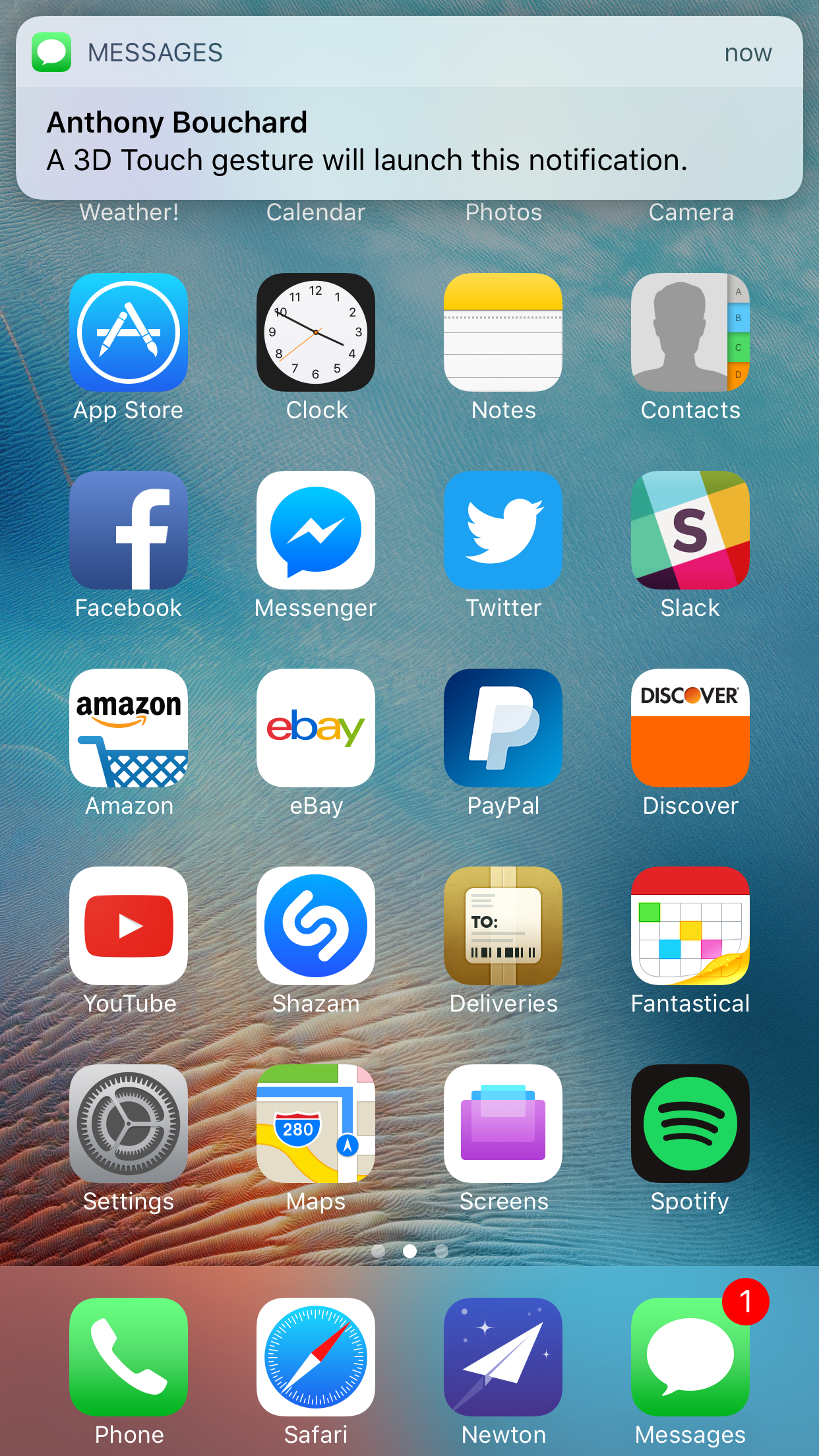
Force Delete lets you delete or hide apps with a 3D Touch gesture

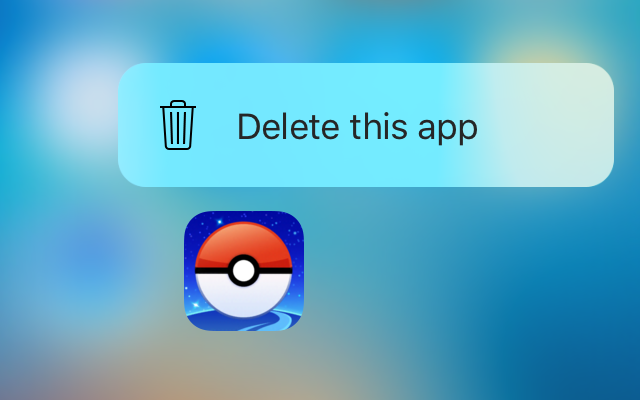
Force Delete is a new free jailbreak tweak in Cydia that lets you utilize your 3D Touch display to delete apps from your device.

While the tweak is designed primarily for the purpose of letting you delete the apps you’ve downloaded from the App Store, the tweak can even hide system apps from your Home screen if you wanted to do that instead.

LockLaunchApp brings up to six app shortcuts to your Lock screen

We’ve all got those special apps on our iPhones that we use more than the others, and a jailbreak tweak called LockLaunchApp intends to make accessing them easier.

As the name suggests, it will put an app launcher on your iPhone’s Lock screen that can support up to six of your favorite apps, and best of all, you can customize the appearance of the launcher too.

ColorCalculator lets you modify the color scheme of the Calculator app

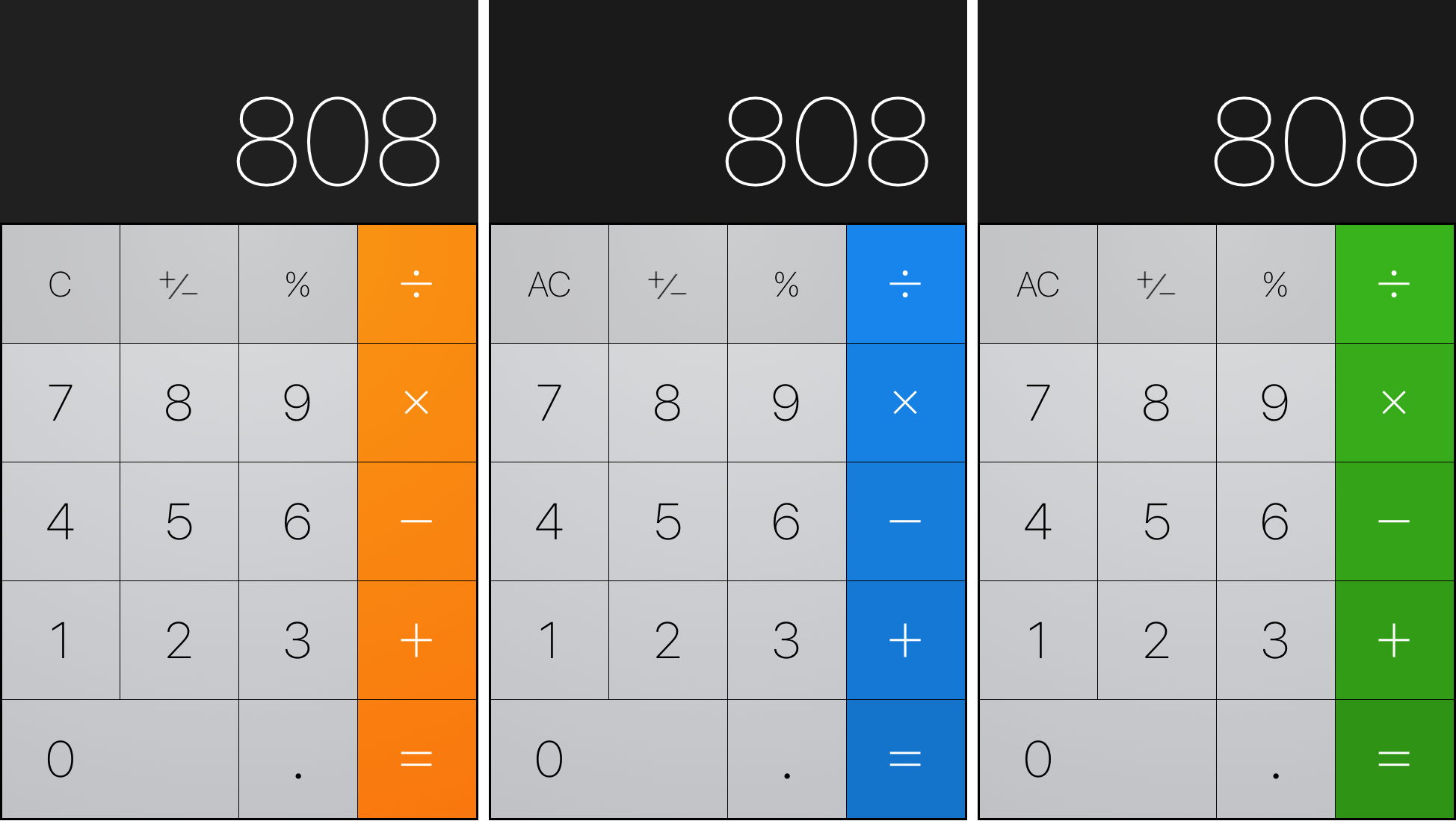
The Calculator app on the iPhone has always had the same orange color scheme for as long as I can remember, but with a new free jailbreak tweak called ColorCalculator, you can tint the app any color you’d like.

With a number of pre-set colors to choose from, ColorCalculator is easy to use and can help you get whatever color scheme you might be going for.

Jailbreak tweaks of the week: NotificationPop, Notifications10, & more…

This week was an improvement over last week in terms of jailbreak tweak release volume in Cydia, but things are still slow as we continue to go on without a jailbreak for iOS 10, Apple's latest mobile operating system.

In this roundup, we'll discuss all of this week's jailbreak tweak releases, starting by showcasing our favorites and then talking about the rest afterwards.

This tweak keeps Google Maps from nagging you when Location Services are disabled

While most people grant Google Maps access to their location for navigation purposes, not everyone uses Google Maps for navigation. Other users primarily use the app for region exploration and keep Google Maps from accessing their location for privacy reasons.

If you're one of these people, and you hate seeing the location services warning alert every time you open the app, then you should install a new free jailbreak tweak called Google Maps - No Location Services Alert right away.

Five ways to make the most of a file manager on jailbroken iOS

The vast majority of non-developers who jailbreak do it for the tweaks, and use Cydia almost exclusively to find, maintain, and update them.

However, jailbreaking your device brings much more than the ability to install tweaks; its real power lies in granting unfettered access to the filesystem, which allows you to make almost any change you like.

In this article, I’ll go through five of the most interesting and ubiquitous uses for file managers on iOS.