Apps

Hands-on with iOS 11’s overhauled Podcasts app

Apple's stock Podcasts app has undergone some visual changes in iOS 11. Functionally, a few things have moved around and some new features have been added.

For example, the Unplayed, My Podcasts, Featured, Top Charts and Search tabs lined up alongside the bottom of the interface have been replaced with a new and simpler tab layout: Listen Now, Library, Browse and Search.

Our resident video editor Andrew O'Hara has put together a quick video for you guys to see for yourselves Apple's new design for the Podcasts app on iOS 11.

Watch Andrew's video right below, then meet us in comments.

https://www.youtube.com/watch?v=LFsAlcnlmSo

Subscribe to iDownloadBlog on YouTube

The Listen Now tab combines podcasts you're subscribed to (previously in the My Podcasts tab), recently played episodes (previously in the Unplayed tab) and shows other people like.

Under the new Library tab, you can easily browse all of the audio and video shows you're subscribed to, as well as individual podcast episodes, ones that have been download to the device and the recently updated episodes of any shows you're following.

The Browse tab is your storefront to the Podcasts section on iTunes.

There, you can swipe through featured podcasts Apple's editors highlight at the top, access the full Featured section, see charts-topping audio and video shows, access the list of major podcast providers and browse all podcasts by category.

The Search tab now lets you choose between searching across podcasts in your library or all shows on iTunes. As evidenced by the screenshots, the redesigned app has adopted a bold font with much bolder headings and other visual cues borrowed from Apple Music on iOS 10.

Another feature iOS 11's Podcasts app has borrowed from Apple Music is a completely revamped mini-player that can be now pressed with 3D Touch to access quick shortcuts pertaining to the currently playing episode.

Other tidbits worth mentioning include larger artwork and other visual tweaks to match the look and feel of other apps inside of iOS 11, as shown on the screenshot top of post. The official Podcasts widget has remained unchanged.

For those wondering, Apple still does not provide Podcasts for Apple Watch.

How do you like these Podcasts app changes on iOS 11?

Let us know by posting a comment below.

iOS 11 drops support for 32-bit apps

During Monday's keynote talk at the Worldwide Developers Conference, Apple introduced iOS 11, the next major software update for iPhone, iPad and iPod touch. As previously suspected, the mobile operating system has dropped support for legacy 32-bit apps.

Attempting to launch a 32-bit app on iOS 11 now yields a message, saying “The developer of this app needs to update it to work with iOS 11”. You can tap OK to dismiss the prompt or tap Learn More to open the full list of 32-bit-only apps that are currently installed on the device.

Apple's Clips app, for example, requires a 64-bit iOS device and the new Files app is optimized for 64-bit computing. Starting with iOS 10.3, Apple began naming and shaming legacy apps via a new App Compatibility section in Settings → General → About → Applications.

TUTORIAL: How to identify legacy 32-bit apps on your iOS device

Any previously installed 32-bit apps are no longer available for re-download through the App Store's Purchased tab. Moreover, 32-bit app no longer appear in App Store search.

The time is right to drop support for non-64-bit apps because running legacy 32-bit apps alongside 64-bit ones slows down the system as iOS has to load both 32-bit and 64-bit versions of the kernel and system frameworks in the RAM.

Devices with the Apple-designed A7 or newer chips are 64-bit, including the sixth-gen iPod touch and every iPhone and iPad from their respective iPhone 5s and iPad Air models onward.

In fact, iOS 11 itself won't run on a non-64-bit iPhone, iPad or iPod touch, meaning iPhone 5s, iPad Air and the sixth-generation iPod touch are now the entry-level devices for iOS 11.

Monument Valley 2 hits App Store

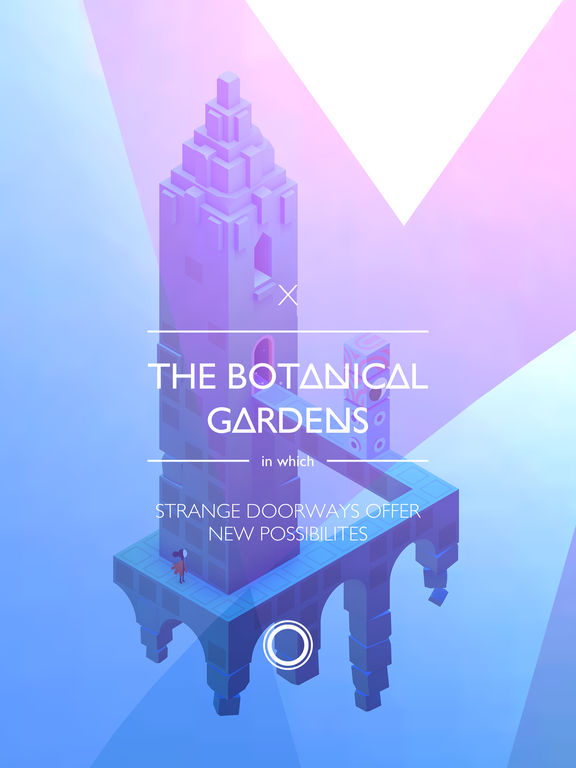
Monument Valley 2, the official sequel to UsTwo's surreal physics-based game of platforms and perspectives with a twist, is now officially available for download through App Store after being demoed during the WWDC keynote earlier this morning.

The game is priced at $4.99 and supports your iPhone, iPad and iPod touch.

Thankfully, it features no In-App Purchases whatsoever. Monument Valley 2 is packed to the gills with the artistic backdrops, visuals and gameplay mechanics that have made the original so popular with fans. Like before, the design is inspired by a mixture of architectural styles, artistic movements and personal influences.

In Monument Valley 2, you guide a mother named Ro and her child as they embark on a journey through magical architecture, discovering illusionary pathways and delightful puzzles as you learn the secrets of the Sacred Geometry, according to the app's description.

Check out my colleague Andrew's video hands-on with Monument Valley 2.

https://www.youtube.com/watch?v=3A1ySdcHDY8

Subscribe to iDownloadBlog on YouTube

The impossible world of Monument Valley 2 has you manipulating architecture to help guide Ro and her child on their way. This is a completely new and standalone adventure set in the Monument Valley universe, meaning you don’t need to have previously played Monument Valley to enjoy the sequel.

Augmenting the individually crafted levels with meditative puzzles, new interactions let you explore the changing dynamics between characters.

“Immerse yourself in uniquely melodic interactive soundscapes, tailored perfectly to every step of Ro and her child’s journey,” reads the description.

The original game was named Apple's Game of the Year 2014.

Buy Monument Valley 2 for $4.99 on App Store. It requires iOS 9 or later.

The original Monument Valley game currently sells for $3.99 on App Store.

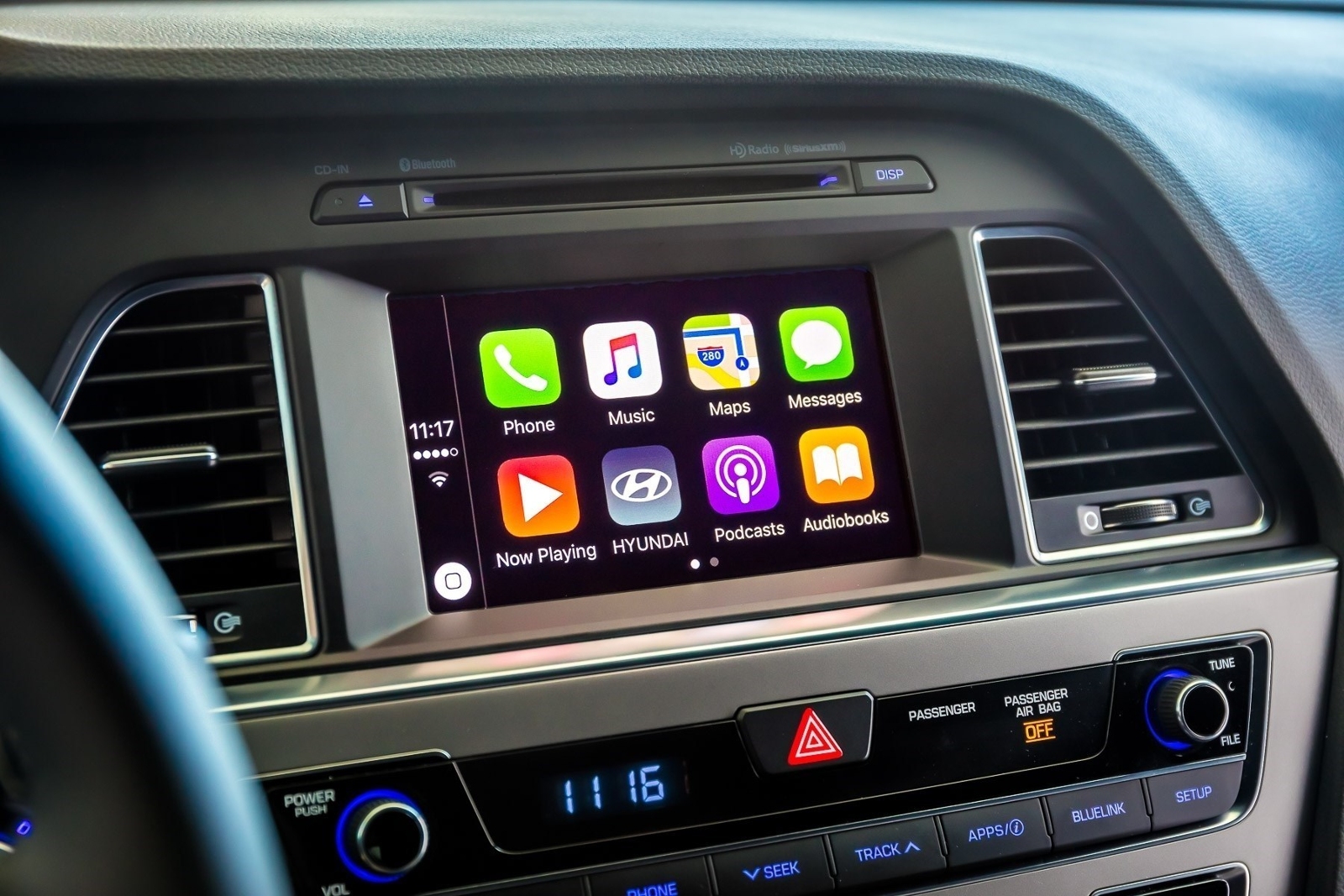
CarPlay on iOS 11 has DND while driving

A real important step for safety in the car was just introduced at Apple's Worldwide Developers Conference that's currently underway in San Jose: Do Not Disturb mode while driving. Apple's proactive assistant on iOS 11 determines when you're driving and offers to automatically turn on DND mode via CarPlay.

With DND active while driving, CarPlay won't be showing any notifications, similar to DND mode on iPhone, iPad and iPod touch. And if someone message you while DND mode is active on CarPlay, the Messages app on your iPhone will auto-respond with a message on your behalf telling the sender that you're currently driving and will be getting back to them soon.

Like with DND on iOS, DND for CarPlay allows you to cherry-pick contacts whose messages will get through while you're driving in DND mode. The Messages app on iOS 11 will permit users to respond with a simple “reply” message if they'd like their muted message delivered to CarPlay, as long as they're on your whitelist.

Those and other CarPlay improvements will launch for everyone when iOS 11 releases for public consumption this fall.

Messages in iOS 11 gains iCloud syncing, revamped app drawer & more

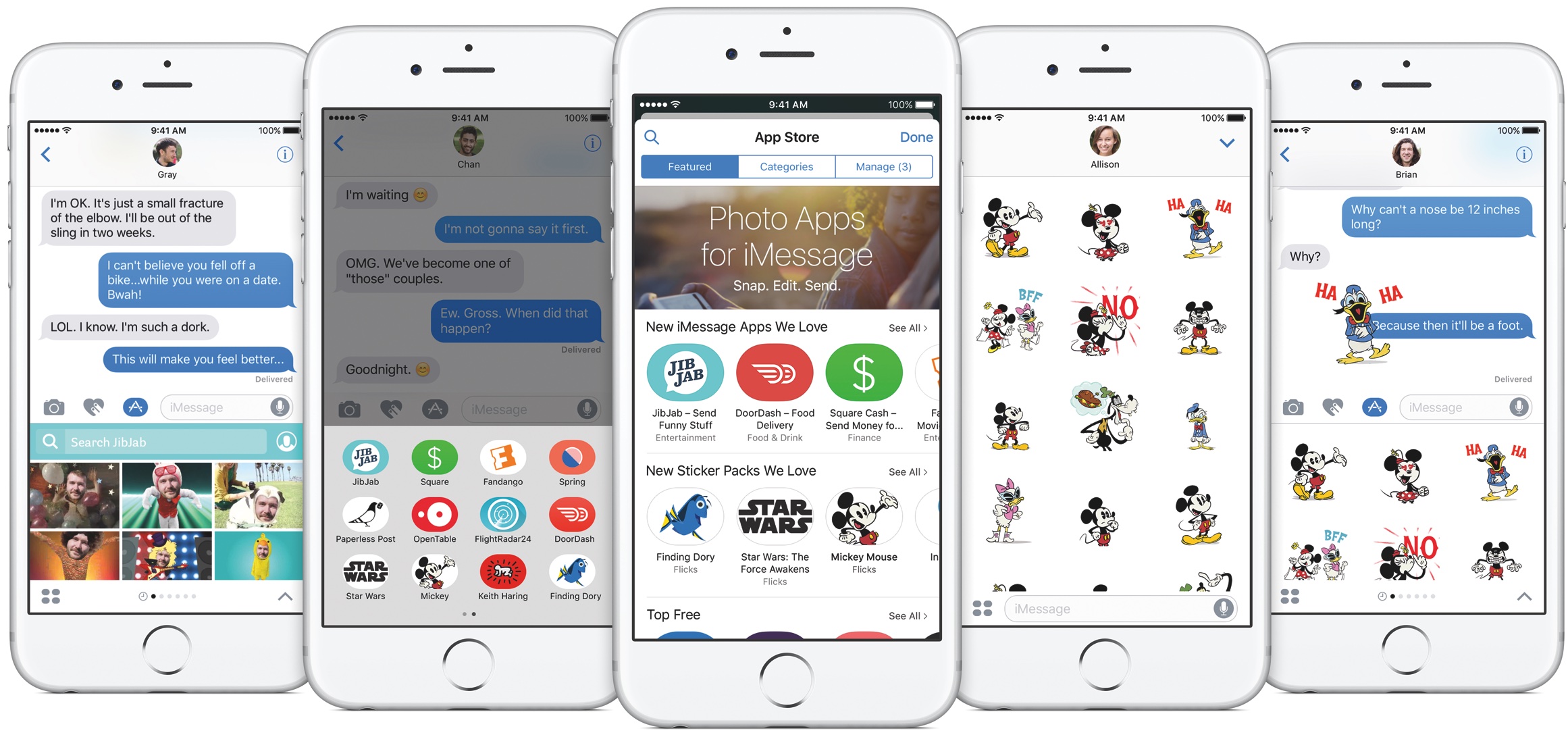
Apple announced at the Worldwide Developers Conference today that Messages on iOS 11 will now synchronize your chats across devices via iCloud while making it a lot easier to get to your favorite iMessage apps and stickers using a redesigned app drawer.

With the redesigned drawer, your favorite iMessage apps and stickers live as horizontally-scrollable thumbnail icons lined alongside the bottom of the interface. Before today, getting to a sticker pack or an iMessage app you wanted to use was a multi-tap affair. With a new Messages in iCloud feature, when you sign in to a new device all your existing conversations will be automatically synchronized, and stay in sync.

For example, if you delete a message on your iPhone it will get automatically deleted from Messages on your iPad, and vice versa. And because your full Messages archive is now synced via iCloud, iOS 11 only keeps the most recent messages on the device while downloading older ones on demand.

As a result, Messages will consume a lot less storage space on your device, and device backups will be faster, too. According to Apple, iOS 10 is now installed on 86 percent of supported devices in the wild, up from the 79 percent adoption rate for iOS 10 reported on February 20, 2017.

iOS 10 features 96 percent customer satisfaction.

Image: The current Messages app on iOS 10.

Workout app gaining support for 2-way gym equipment sync, multiple workouts in a single session & more

Apple's Kevin Lynch, who is in charge of the watchOS software, said at Apple's Worldwide Developers Conference today that the stock Workout app for Apple Watch will be gaining some much-needed new features. For starters, you'll be able to connect your watch with a number of gym equipment in use today.

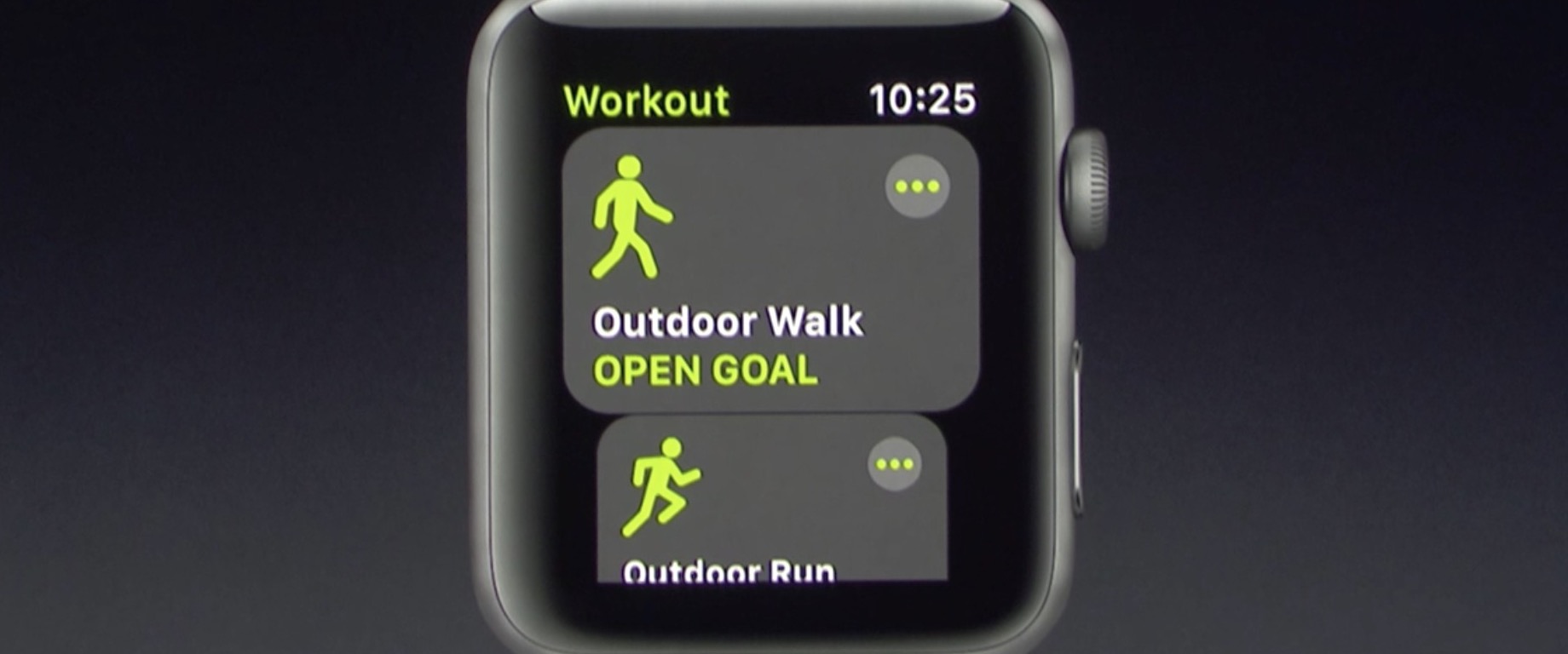
With support for multiple workouts, users can easily start a workout session like an outdoor walk, then switch to another workout such as an outdoor run. Apple is working with major gym equipment manufacturers responsible for about eighty percent of equipment in use in gyms today.

watchOS 4 will feature two-way data change in real-time with supported gym equipment. Your watch will send things like your heart rate to, say, the treadmill machine, while getting info like the distance and pace from the machine.

The user interface for the Workout app has also been reworked to be easier to use, with bolder headings and easier to select workout sessions.

The Pool Swim workout now has auto sets, a feature that automatically marks each set that you’re doing. Calisthenics buffs will be pleased to learn that the Workout app in watchOS 4 will be gaining support for a new workout type: Hight Intensity Interval Training, the most popular workout in the world.

These new features will be part of watchOS 4, which will be released as a developer-only preview later today and this fall for public consumption.

Apple updates TestFlight app with support for iOS 11 beta

Just a few minutes ahead of the keynote presentation at Apple's Worldwide Developers Conference, Apple has updated its TestFlight app with support for iOS 11 beta development.

With the updated app, now at version 1.5.1, developers can now issue beta builds of their apps for testing on iOS 11 devices. AS you know, iOS 11 will be previewed at the conference today and released as a developer-only beta later in the day.

Apple promoting WWDC 2017 with themed Snapchat geofilters

With the live-streamed WWDC keynote almost upon us, Apple has now created a bespoke Snapchat geofilter to help promote this year's developers conference. The sponsored WWDC 2017-themed geofilter automatically appears for Snapchat users who find themselves near the McEnery Convention Center in San Jose.

As first noted by 9to5Mac, the filter is available when sharing photos or videos with other Snapchat users. Simply choose it from the list of Snapchat filters to have Apple's official WWDC 2017 banner design applied to your item. Again, this is a filter that uses geofencing so only people attending this year's developer conference will see it in Snapchat.

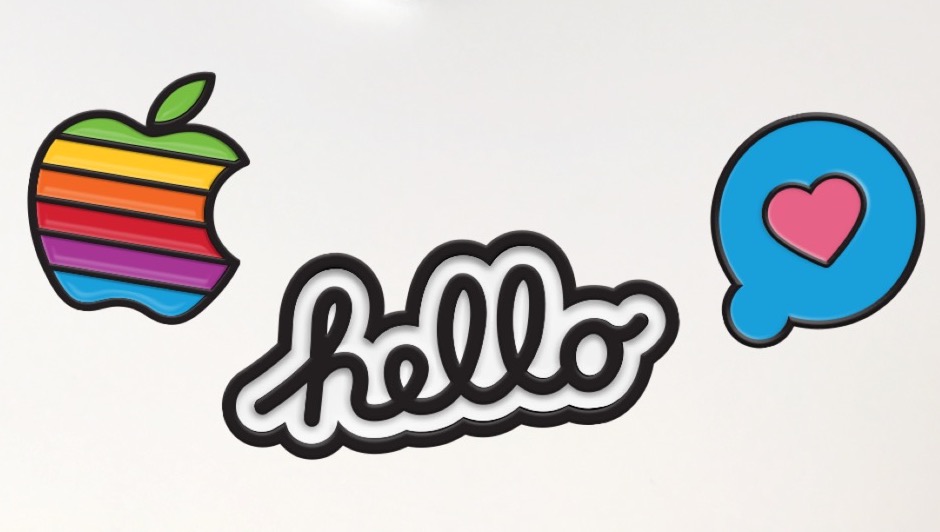
The same stickers can be found in iMessage via Apple's official WWDC app, as shown above.

Snapchat is available at no charge from App Store.

Apple’s Activity app could be removable in iOS 11

Aside from spotting interesting references to a drag-and-drop feature for iPad and an all-new dedicated Files app, developer Troughton-Smith also noticed a placeholder listing for Apple's stock Activity app on App Store.

This is the first time the app has appeared as a downloadable item on App Store, suggesting Activity could be removable in iOS 11. The listing has since been removed from App Store.

No additional screenshots, descriptions or other information were provided.

Introduced as part of the iOS 9 update two years ago, the Activity app is one of the few stock apps that cannot be hidden from a user's Home screen. Check out Apple's support document for the full list of built-in iPhone and iPad apps that can be removed from the Home screen.

The Activity app only appears on the Home screen if a paired Apple Watch is present. Apple could be making Activity a downloadable item so that non-watch users could optionally download it and fill their Activity rings with other fitness tracking devices.

References to drag and drop on iPad spotted in Apple Feedback app ahead of iOS 11 reveal

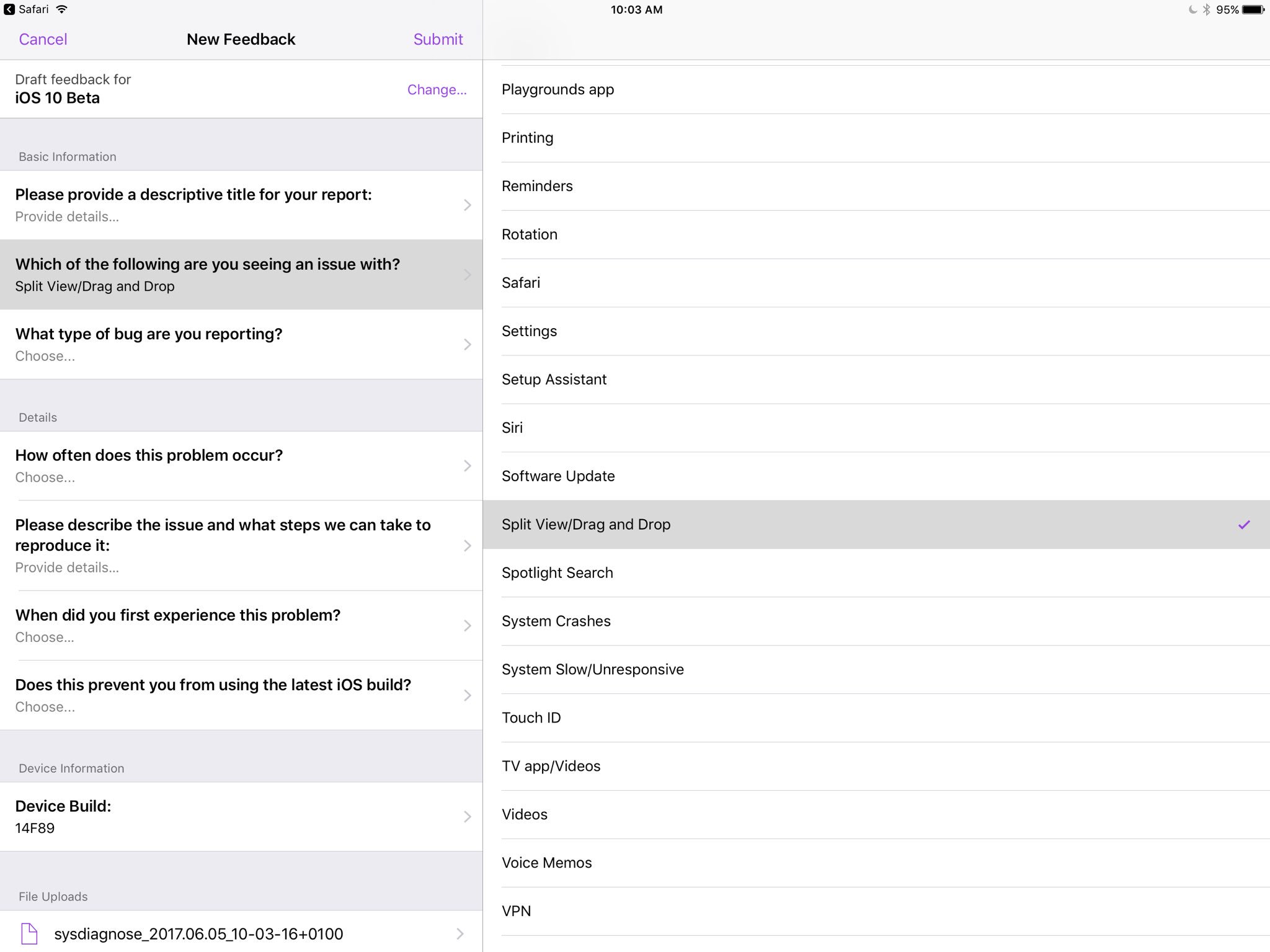
Apple's own Feedback app, that iOS beta testers use for reporting bugs, contains references to a drag and drop feature, as first spotted by developer Steven Troughton-Smith this morning.

An entry labeled “Split View/Drag and Drop” now appears in the list of preset options when filing a bug using the Feedback app. iOS, of course, lacks any drag and drop features that would admittedly be tremendously useful, especially in Split View mode.

That said, it's unclear that the Cupertino technology giant will formally announce drag and drop functionality in iOS 11 during today's live-streamed WWDC keynote.

Ukrainian developer Readdle's popular iOS apps were updated last week with the ability to drag and drop content between them in iOS's Split View multitasking mode on iPad, providing an early preview of how Apple's version of system-wide drag-and-drop might work in iOS 11.

https://www.youtube.com/watch?v=epzh9-rd-AI

MacStories editor Federico Vittici and his team painstakingly created some awesome iOS 11 productivity concepts, imagining new productivity features for iPad. Among them is—you guessed right—drag and drop functionality. “Because drag-and-drop would be fully multitouch-enabled, it wouldn’t block the iOS interface,” Vittici explained.

https://www.youtube.com/watch?v=UyFUDQ5LLZw

“Another finger could be used to navigate in a different 'drop area' of an app, or a user could keep dragging until the Split View app picker is shown and drop an item onto an app’s icon, opening a contextual action menu.”

Late Sunday, Troughton-Smith discovered a placeholder listing for Apple's unreleased Files app on App Store. It's since been removed and no screenshots or official descriptions were provided, but we do know it's going to require iOS 11 and 64-bit support.

App Store placeholder listing for Apple Files app appears briefly ahead of WWDC keynote

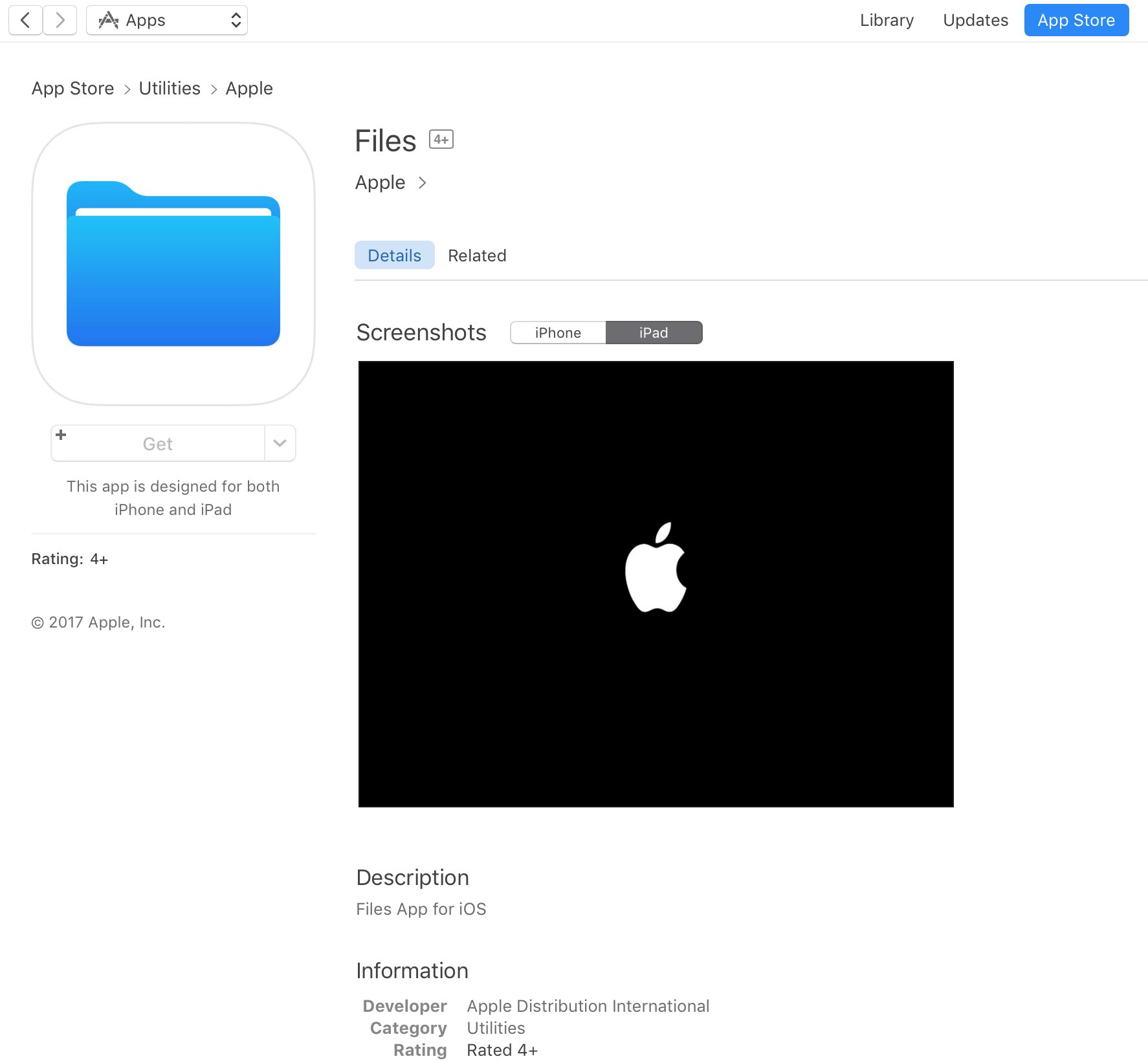
A placeholder listing for a new Apple Files app has briefly appeared on App Store ahead of today's live-streamed WWDC keynote, as spotted by iOS developer Steven Troughton-Smith late Sunday. It's surfaced in the Utilities section of App Store and has since been removed.

No screenshots or the official description were provided.

The app requires iOS 11 and 64-bit support and is designed for both iPhone and iPad. It sports a blue file folder icon resembling the design for folder icons in macOS. It's entirely possible that the new Files app is really just a rebranded version of the existing iCloud Drive app.

It's unclear if the forthcoming app will be a new stock item in iOS 11 or an optional download. If I had to guess, I'd say it will likely come pre-installed with iOS 11. Since iOS 10, Apple has allowed users to hide most of the stock apps from their Home screen.

To help users easily re-install any removed stock apps, Apple has provided all of its first-party iOS apps that are removable as downloadable App Store items. iOS 11 will be previewed at WWDC later today along with tvOS 11, watchOS 4 and macOS 10.13.

Halide, Clarity, Adobe Scan, and other apps to check out this weekend

This week's edition of our Apps of the Week roundup includes a new camera app with a beautiful UI and powerful features, a wallpaper editor and a text scanner. And as usual, we have two great new games for you to check out this weekend.

Halide

The App Store probably didn't need another camera app, but Halide was just too beautiful to pass up. The developers describe Halide as a "groundbreaking camera app for deliberate and thoughtful photography." Its bag of high-end tools includes gesture-based exposure and manual focus controls, focus peaking, histogram, adaptive level grid and RAW support. Built by former Apple designers, this app is well-worth checking out. Halide is available for $2.99 (limited time).

Clarity

Clarity is a minimal, handy wallpaper editor. Simply load your favorite photo into the app and adjust things like Hue, Saturation and Opacity to ensure that any image makes a great wallpaper. Other features include 200+ gradients to choose from, as well as various blur and mask effects. The point is to make your photo light enough so that you can still clearly see the date/time on your Lock screen and icons on your Home screen. Clarity is available for free.

Adobe Scan

That's right, Adobe released a scanner app this week called Adobe Scan. Like similar apps, it turns your mobile device into a portable scanner that recognizes text automatically using OCR. Turn anything—receipts, notes, pictures, documents, business cards, whiteboards—into an Adobe PDF with content you can highlight, search and annotate. There are a few caveats here, such as you need an Adobe account to use the app, but this still looks like a solid option for folks in the market for a scanner app. Adobe Scan is available for free (with some IAPs).

Bouncy Hoops

Bouncy Hoops is a minimal basketball game for all the, in the developers' words, "street ballers and shot callers" out there. The gameplay is dead simple, with one-touch controls, and there is quite a bit of content to unlock—20 different basketballs and 5 unique locations to hoop in. It has a retro arcade style look and sound, and it's getting very favorable early reviews. The game is made by the same team behind Flappy Golf and Super Stickman Golf. Bouncy Hoops is available for free (with some IAPs).

SUP Multiplayer Racing

Gear up and make your engines roar for the craziest multiplayer mobile racing experience ever! Leave your rivals in the dust: drift, jump, blast off with boosters, and reach the finish line in one piece. Compete with up to 3 opponents from around the world on stunning tracks, smash others off the track and push your car to the limit! There is tons of customizable content and events to keep you entertained. If you're looking for a new racing game, this one is worth checking out. SUP Multiplayer Racing is available for free (with some IAPs).

More apps to check out Apple’s free app of the week: The Robot Factory Expand iPad’s Picture-in-Picture feature with PiPifier Skype is getting a major redesign with Snapchat-like features Plex app gets live TV support and DVR enhancements Twitter’s inbox now separates out messages from people you don’t follow