In this brief tutorial, we’ll show you how to see the current firmware version of your Apple Pencil using the Settings app on your iPad.
How to see your Apple Pencil firmware version

In this brief tutorial, we’ll show you how to see the current firmware version of your Apple Pencil using the Settings app on your iPad.
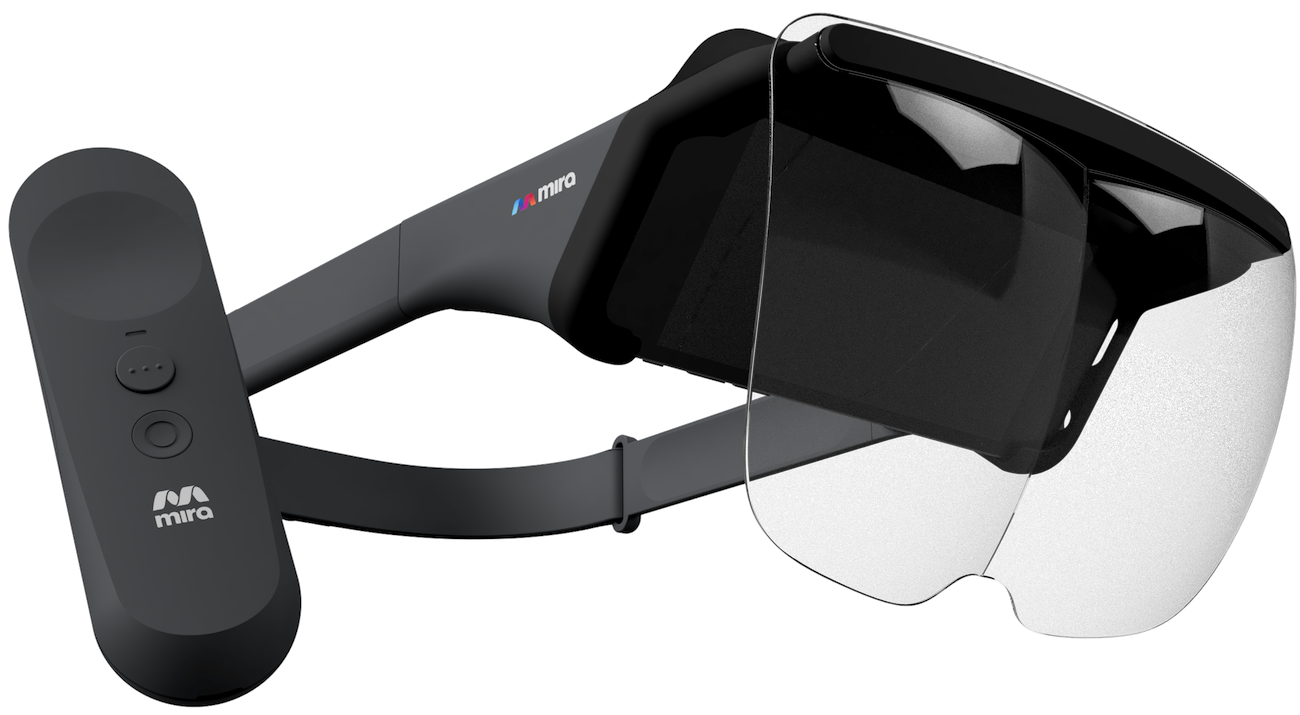
Why wait until 2018 or beyond for a rumored Apple headset when you can immerse yourself in augmented reality right now, and without breaking the bank? Meet Mira Prism, a new iPhone-connected headset that provides augmented reality experiences for just $99.
The product is standalone and requires no plugs, computers or wires.
You just side your iPhone into the headset to begin exploring the wonders of interactive holographic content. It should be mentioned that Mira Prism does not put your iPhone's screen right in front of your eyes, like Google's Cardboard does.
Instead, your iPhone faces the inside of the headset and the front glass lenses facing you basically reflect computer imagery projected onto their surface by a pair of mirrors. The accessory has a 60-degree field of view and supports a resolution of 1,334-by-750 pixels.
https://www.youtube.com/watch?v=w76ESU3XHOg
While the headset only supports a small number of launch titles created specifically for it, they'll be releasing an SDK to let anyone create compatible augmented reality apps and games.
An accompanying app features spectator mode so those without a headset can see what others are seeing in augmented reality through the headset on their own iPhone or iPad.
Engadget took the gadget for a spin and came away impressed:
I played a holographic game that involved maneuvering a character through a maze, which relied on the controller’s motion controls.
Another game had me spinning around in my chair to destroy asteroids hovering all around me. I was particularly surprised how well Prism tracked virtual objects in augmented reality, even though it doesn’t have any spatial mapping technology like HoloLens and Meta.
Mira Prism ships with a remote control for motion-based games, a carrying case and a lens cover, and is compatible with any iPhone from iPhone 6s onward. The biggest drawback of Prism is the fact it won't work with any ARKit-optimized app, just stuff made specifically for it.
If you're interested in this product, pre-order it today for $99 from mirareality.com because it will retail for $150 once officially released in time for 2017 holiday.
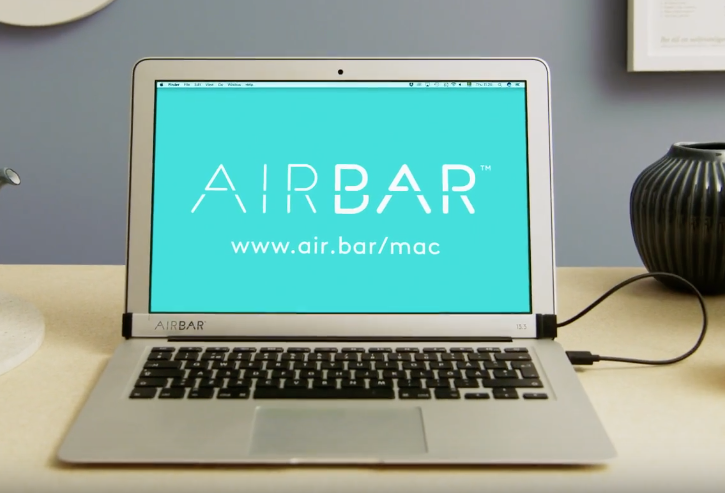
AirBar, a cool Mac touchscreen accessory that was announced at the Consumer Electronics Show in Las Vegas in January 2017, is now available to purchase for $99 at Fry's Electronics, Evine.com and other retailers in the United States, its maker Neonode announced Tuesday.
The product will also launch through Amazon, Best Buy, Staples and other online outlets.
AirBar is basically a touchscreen sensor in the form of a USB laptop dongle that brings familiar touch gestures to your thirteen-inch MacBook Air. It uses an invisible light field projected on the surface of the MacBook Air's display to detect objects like a finger or stylus.
When an object breaks the light, the accessory is able to detect its precise position and distinguish between gestures like tapping, swiping, scrolling and pinch-zooming.
https://www.youtube.com/watch?v=d-4fFaWLnlQ
Remo Behdasht, Senior Vice President of AirBar Devices at Neonode, said:
We’ve seen an overwhelmingly positive response from the Apple community since our big debut of AirBar for MacBook Air at CES this year. Other Apple devices, such as the iPhone and iPad, have helped consumers become accustomed to a range of touchscreen products for several years now.
It’s a natural progression for MacBook Air to have touchscreen capabilities, and we are thrilled to provide Apple enthusiasts with this completely new way to interact with their MacBook Air notebook.
Neonode’s patented zForce AIR technology lets you use anything from a gloved finger to a paintbrush to interact with the MacBook Air's screen, ideal for scrolling through emails, reading e-books, zooming in on images and more.
The product is plug-and-play though support for additional gestures requires the installation of the AirBar multitouch software. AirBar does not support other Mac notebook models because it needs 17mm of free space below the display.
For more information, visit www.air.bar.
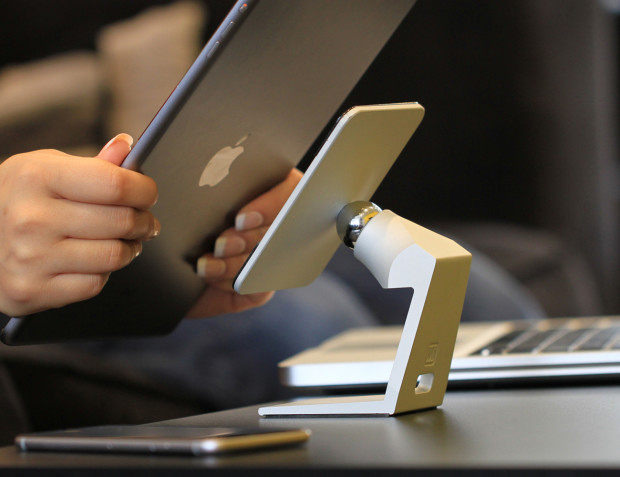
On November 27, 2013, I gave a gushing review of the MiStand, where I claimed the stand was "my new go-to dock, with a small simple and highly functional design." Today, I am still confident in that claim, as the MiStand has not left my kitchen counter since that initial review almost four full years ago. I use it regularly to hold my iPad, while working in the kitchen, watching videos or FaceTiming family. Consequently, I was very excited to learn about MiStand+, which is currently raising funds via Indiegogo for an upgraded version.
Last year, I shared a roundup of my favorite accessories for my 2015 15-inch MacBook Pro. Times have since changed, and I was recently convinced to pick up a new 2017 15-inch MacBook Pro.
In this piece, I’ll pick up where I left off in my previous post by going over additional accessories that I consider essentials for my 2017 MacBook Pro. Worthy of note, these should all work with the 2016 MacBook Pro too.
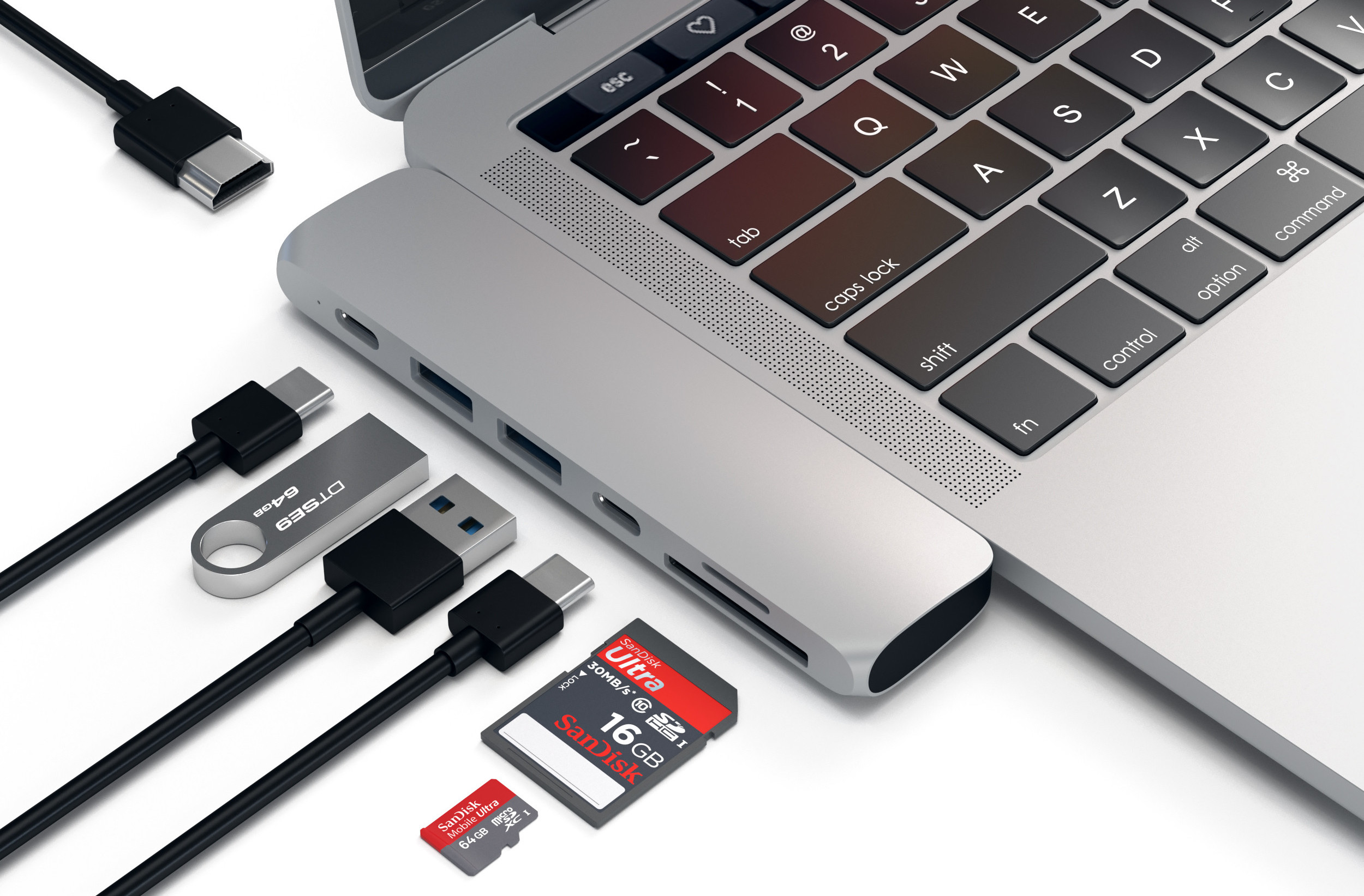
If USB-C is the future, the present still has lots of catching up to do, as we are still reliant on legacy standards such as HDMI, USB 3.0, SD cards, and more. That makes moving to the new MacBook Pro a little less convenient than we were promised, and unless you want to stock up on a set of new cables for all your peripherals, the next smart thing to do is to buy a USB-C hub.

The car audio and navigation systems company Alpine today announced that its first aftermarket CarPlay wireless receiver, dubbed iLX-107, is now available for purchase in the United States, priced a bit on the high side at $900 a pop.
“The award-winning iLX-107 wireless Apple CarPlay system offers even more convenience in accessing Maps, Phone, Messages and Music from the iPhone in-vehicle without ever needing to connect a cable,” the company notes.
The unit packs a seven-inch VGA revolution capacitive touchscreen in a mech-less body. It integrates with rear view camera systems and your car's steering wheel controls.
The conveniently located Volume, Track, Home and Siri hard keys are accessible for quick access and simple control.
Alpine was one of the first firms to offer aftermarket CarPlay receivers for owners of older vehicles than lack CarPlay integration. However, today's new is significant as the iLX-107 represents their first aftermarket CarPlay receiver that supports wireless connections.
This lets you use CarPlay with your iLX-107 without needing to connect an iPhone via a USB cable. To set it up, you just pair your wireless Apple CarPlay unit from your iPhone. Of course, wired connectivity via the standard Lightning cable is supported, too.
Connecting an iPhone to your iLX-107 via a Lightning cable for the first time automatically sets up wireless connectivity, which is great. The accessory uses the 5 GHz Wi-Fi band to optimize wireless connectivity performance, Alpine has said.
While Alpine does not sell the new receiver directly, you can purchase it from a network of authorized dealers who won't just sell you the accessory but install it for you as well.
Check out Alpine's store locator online tool to find a dealer nearest to your location.
Wireless CarPlay requires iOS 8.3 or later.
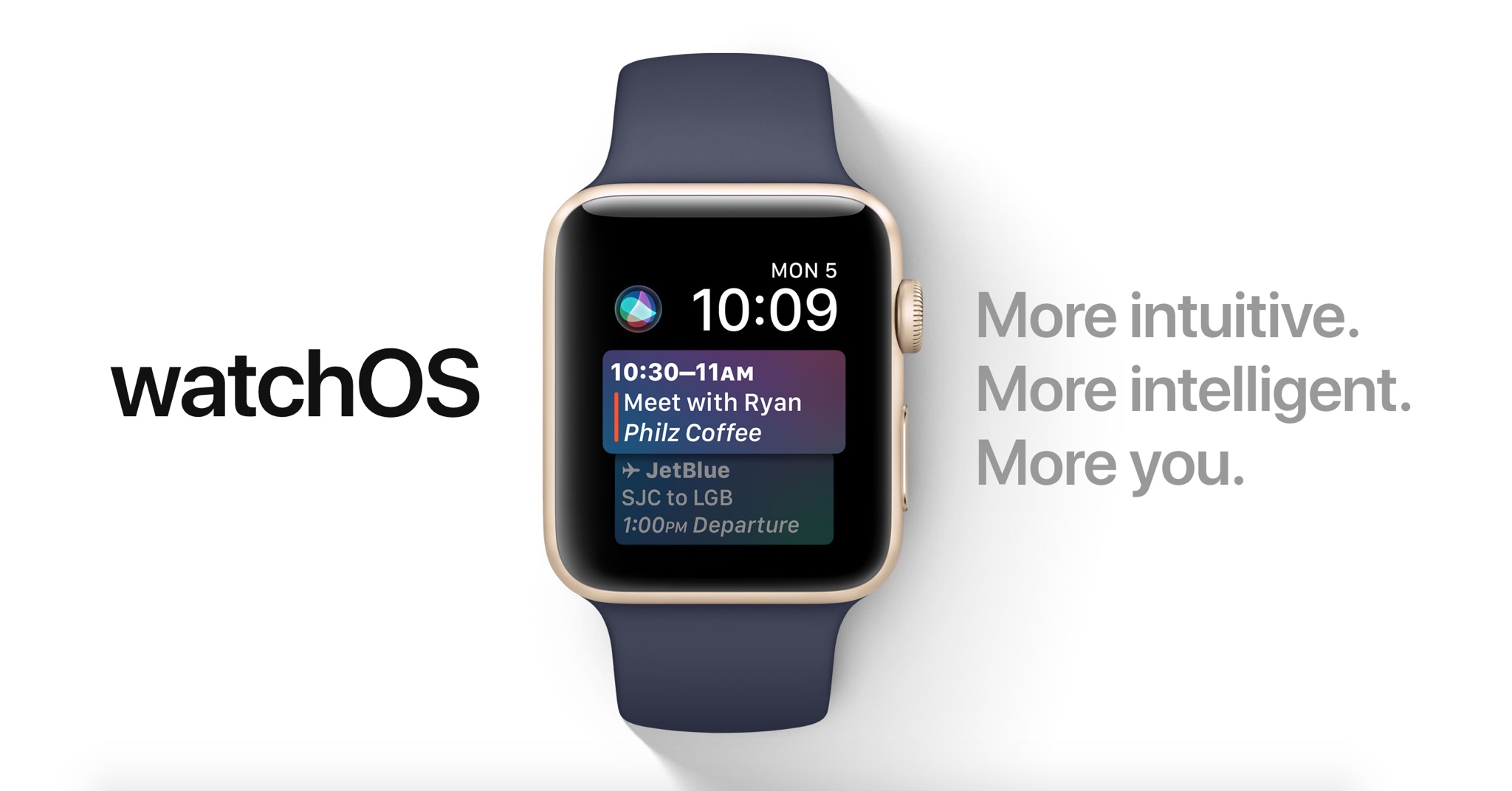
Apple demonstrated a host of useful new features that will ship with watchOS 4 at the WWDC 2017 keynote, but as always, they were constrained on time and couldn’t show us everything the update has to offer.
In this piece, well talk about everything we’ve found new in watchOS 4 so far. We'll include everything Apple demonstrated in addition to lesser-known features that weren’t given the spotlight at the event.
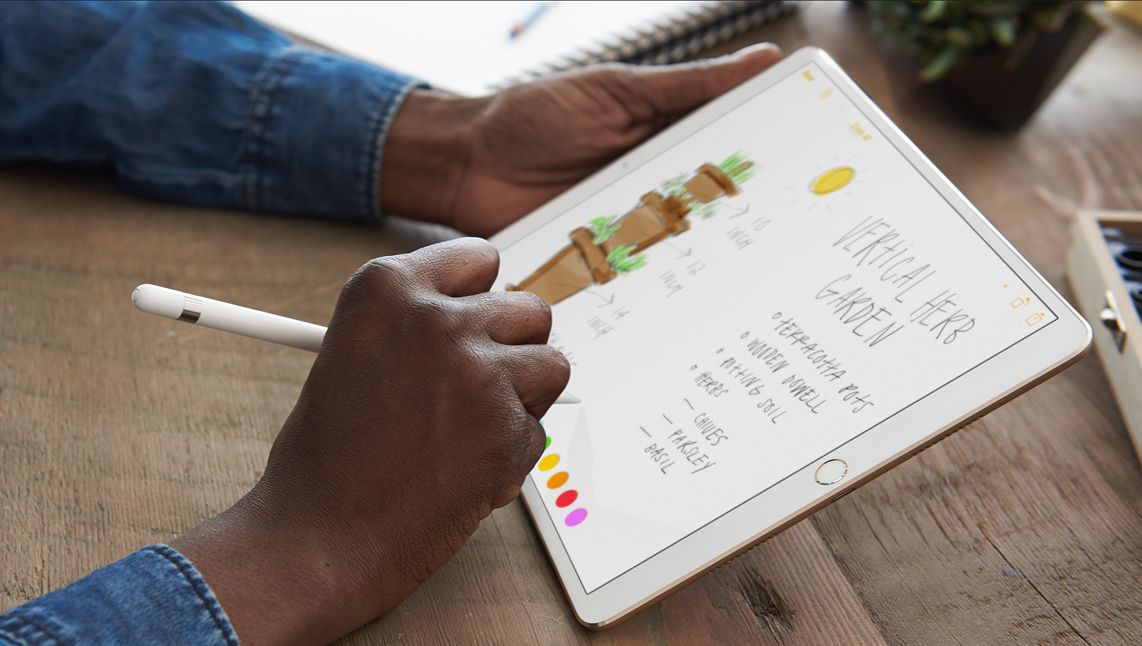
If you're in the market for Apple's 10.5-inch iPad Pro, you should know that any previous cases made for the 9.7-inch model will not fit the new tablet. It's slightly wider than its predecessor (6.8" vs 6.67"), significantly longer (9.8" vs 9.45"), and it has a larger rear camera.
Never fear, there are already several cases available for the new iPad, and we've taken it upon ourselves to track down the best options. Below is our list of the best cases for the 10.5-inch iPad Pro, selected based on manufacturers' reputation, user reviews, and case features.
Apple Smart CoverIf you want the best fitting/functioning cover for your new iPad, and money isn't really a factor, you're probably going to want to check out Apple's Smart Cover. It only covers one side of your iPad (display by default, rear if you fold it over), but it snaps on and peels off easily using magnets, and it folds up to act as a stand with multiple viewing angles. I also like that it's ultra-thin and comes in several colors.
Buy for $49.
Apple also has a more expensive and luxurious cover for the 10.5-inch iPad Pro called the Leather Smart Cover for $69.
JETech Case CoverJETech is a popular accessory-maker on Amazon known for offering OEM-style products at cheap prices. Their products typically get high ratings from customers, and we've had good experiences specifically with their iPad cases. This is their Apple Smart Case-esque Case Cover. The synthetic case slips on the rear of the iPad and then the front is covered by a Smart Cover-like flap—includes magnets that activate the iPad's Sleep/Wake function. If you like this style of case and don't want to pay Apple's prices, check this one out.
Buy for $15.
I-Blason Slim Halo CaseThe Halo case from i-Blason is a clear protective cover for your 10.5 inch iPad Pro. It has a completely transparent back, which also features a convenient stand that makes it easy to watch shows and videos hands-free. Other features include a slim design and full shock, drop and scratch protection. This is a heavier duty case than those mentioned above, but not so much so that it makes the iPad a nuisance to travel with.
Buy for $15.
Supcase Unicorn Beetle Pro CaseThe Supcase Unicorn Beetle Pro offers dual layer protection and convenience without compromising sensitivity. Thermoplastic polyurethane and polycarbonate provide cushion during accidental drops. All phone ports are covered to block dust and debris. Built-in screen protector protects the screen from scratches. This case is designed to withstand heavy use and demanding conditions. This is a little more rugged than the i-Blason Halo, but note that it is not waterproof.
Buy for $25.
Moko Slim Stand CoverThis one is similar to the aforementioned JETech Case cover, which again is a lot like Apple's Smart Case. It has a synthetic back cover and a folding, magnetic front cover that can automatically wake the iPad up and put it to sleep. It has a premium PU leather on the outside, microfiber on the inside to protect your iPad from scratches, and no bulky bezels around the display to allow for unobstructed swiping. Comes with a lifetime warranty.
Buy for $9.
Moko Clear Grip TPU CaseFor those looking for a more minimal case, check out the Clear Grip from Moko. It's a soft TPU case that snaps on the back of your iPad Pro and it has a unique ruffled design for a grippier feel. Other features include raised edges at the 4 corners for added screen protection, cutouts for all of the ports, buttons and speakers, and it even comes with a lifetime warranty from the manufacturer.
Buy for $8.
Belk Vintage Leather FolioIf you're looking for something a little more professional, check out this Vintage Leather Folio from Belk. It's not real leather, but Belk says they used premium PU leather here with a special texture to give it that vintage look and feel. Like most folios, this case has a book-like design with a snap-in cradle for your iPad—giving it full protection. Other features include built-in magnets that activate your iPad's auto-sleep/wake functions and built-in slots for an ID, credit cards and cash.
Buy for $16 (sale price).
Logitech Slim Combo Keyboard CaseAnd for those of you in the market for a keyboard case, there's the Logitech Slim Combo. This case was designed specifically for the new 10.5-inch iPad (there is also a 12.9-inch model). It has no charging cable or batteries—it gets all its power through the iPad via its Smart Connector. This allows it to sip power—0.3% - 2.3% of battery per hour of typing—and makes pairing instant. Other features include full-size, backlit keys, with 3 levels of brightness and an Apple Pencil holder.
Buy for $130.
Did we miss a great 10.5-inch iPad Pro case? Let us know in the comments below!
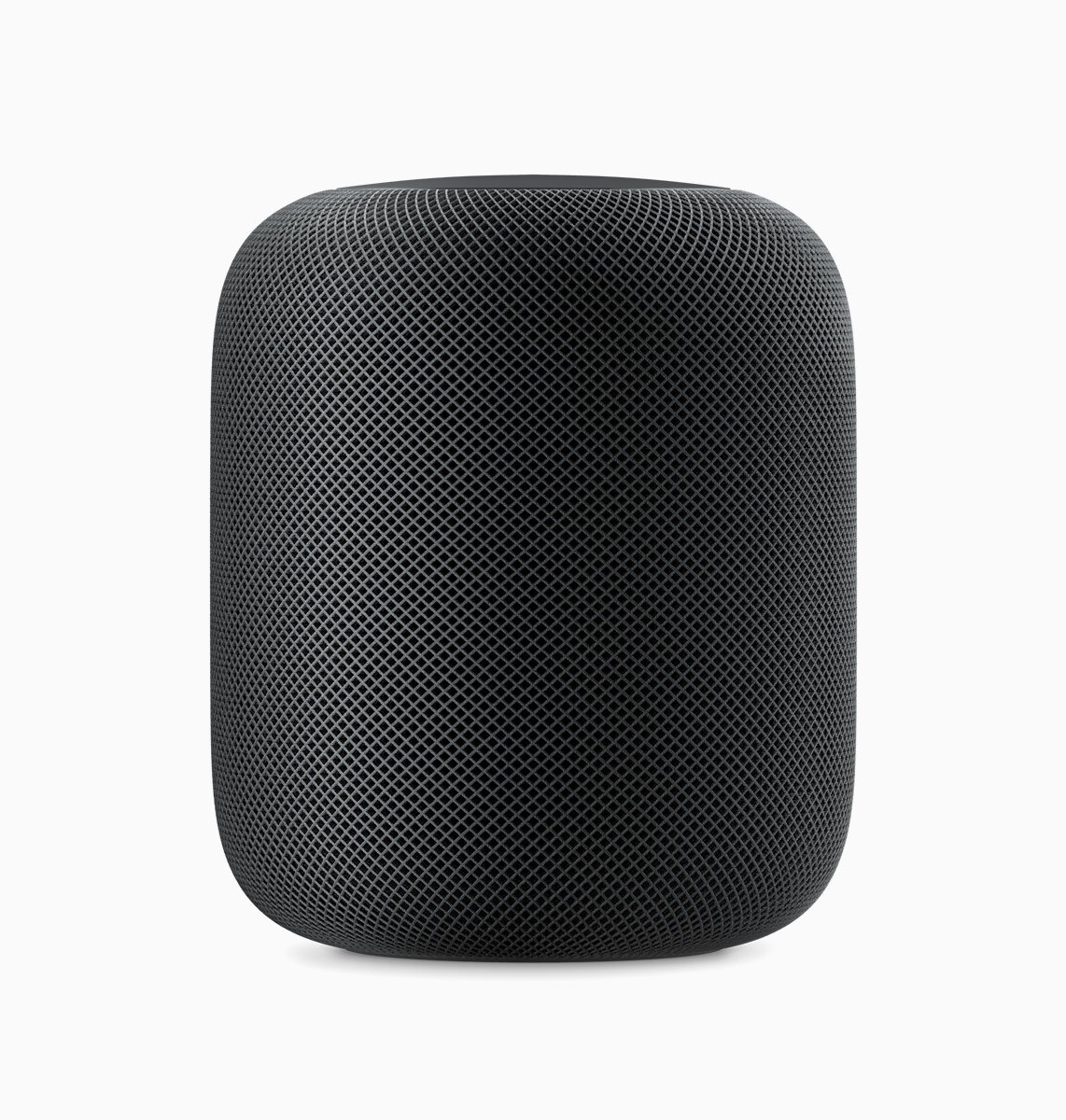
Apple is taking a new responsibility in the world of delivering music to your home by unveiling the HomePod, a new wireless speaker and assistant for your house.
This intelligent new wireless speaker uses similar technology to what’s available in the AirPods, except it’s incredibly more advanced on both the software and hardware ends of things.
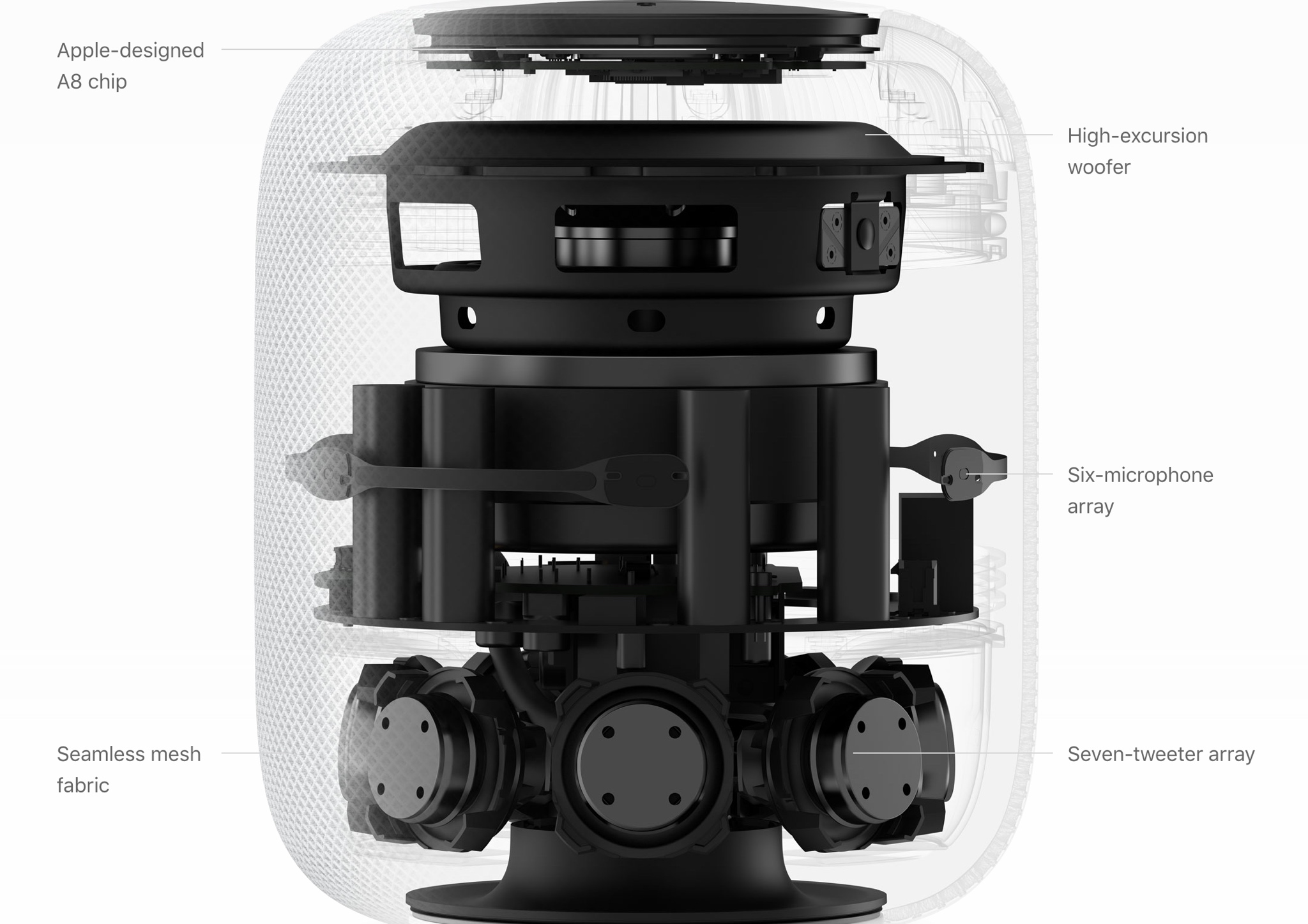
Apple’s HomePod was by far one of the most exciting announcements at WWDC 2017. A totally new kind of technology for Apple’s realm of expertise, HomePod is a speaker system that also acts as a Siri virtual assistant and HomeKit controller, among other things.
In this piece, we’ll go over the HomePod’s tech specs so that you have an idea of what kind of technology is packed into the new accessory.
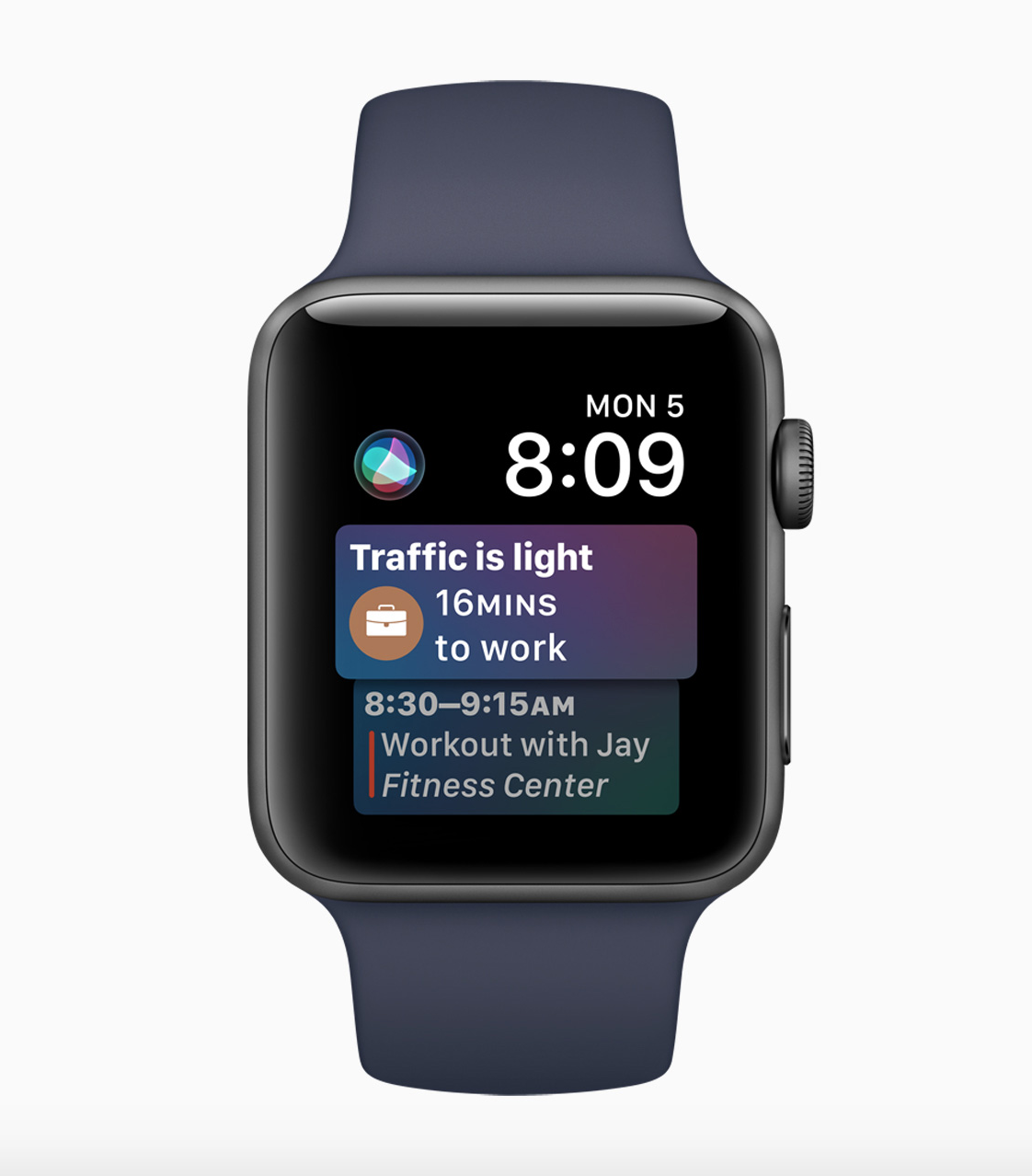
Apple announced a totally new Siri-based watch face for Apple Watch at the WWDC 2017 keynote along with two other new sets of watch faces.
The new Siri watch face is intended to provide automatic information tailored to how you use your Apple Watch with the apps installed on it.