Sébastien Page

Sebastien is the Founder and Editor in Chief of iDB. Once a BlackBerry user, Sebastien instantly fell in love with the iPhone when it was first announced in 2007. Shortly after, he decided to start sharing his knowledge of the iPhone and its nascent ecosystem, which led to the creation of this blog. Sebastien currently owns 14 iPhones, 4 iPads, a MacBook Pro with Touch Bar, a MacBook Air, 2 Apple Watches, 3 Apple TVs, countless HomePods and AirTags as well as a few pairs of AirPods.

Apple rolls out free Battery Replacement Program internationally

Apple started rolling out its Battery Replacement Program internationally today, offering free battery replacement for a subset of iPhone 5 devices that were sold between September 2012 and January 2013. The company notes that "a very small percentage of iPhone 5 devices may suddenly experience shorter battery life or need to be charged more frequently." iPhone 5 users that are experiencing these symptoms can go to a dedicated page on the company's website to check their device's serial number and see if they are eligible for a free battery replacement.

This week on iDB: iPhone 6 and reversible Lightning USB cable

Like every Sunday, we get to take a look at some of the most popular posts that were published on iDB during the week that just ended. Whether it is a news item, a new jailbreak tweak, a tutorial, or an app review, we sum it all up in one convenient place for you.

As always, if you like what you're reading, please feel free to spread the love by sharing our posts on your favorite social network.

We're usually hanging out a lot on Twitter and Facebook, more rarely on Google+.

Here’s why Beta 5 may be the final iOS 8 build seeded to devs ahead of Gold Master Apple releases OS X Yosemite Developer Preview 6 Hands-on with the TouchPal third-party keyboard for iOS 8 Having iPhone 5 battery problems? You could be eligible for a free battery replacement Weight, size, camera design, battery: more details about iPhone 6 emerge Alleged reversible Lightning to USB iPhone 6 cable caught on video More evidence that iPhone 6 and new iPads may ship with fully reversible Lightning cable New photos show partially assembled iPhone 6 How to protect yourself from iMessage spam How to erase everything on your iPhone or iPad This app tells you what apps are battery hogs Beautiful iOS calculator Tydlig goes temporarily free in official Apple Store app Apps of the week: Star Walk 2, The Firm, PAC-MAN Friends, and more… The best jailbreak tweaks for Control Center on iOS 7 The best jailbreak tweaks for Touch ID Download the new OS X Yosemite wallpapers for Mac, iPhone, and iPad Wallpapers of the week: stars and moons

Don't forget to listen to the latest episode of our new podcast, Let's Talk iOS:

Subscribe on iTunes

And of course, make sure to catch up with the new episode of Let's Talk Jailbreak:

Find iDB on Twitter, Facebook, Google+, App.net, YouTube, and in your RSS reader. Also make sure to subscribe to our new podcast!

Having iPhone 5 battery problems? You could be eligible for a free battery replacement

Apple initiated a new Battery Replacement Program on Friday, acknowledging a small percentage of iPhone 5 units may be having battery problems. According to Apple, affected "iPhone 5 devices may suddenly experience shorter battery life or need to be charged more frequently." If you purchased an iPhone 5 between September 2012 and January 2013, and if you’re experiencing these symptoms, then you might be eligible for a free battery replacement.

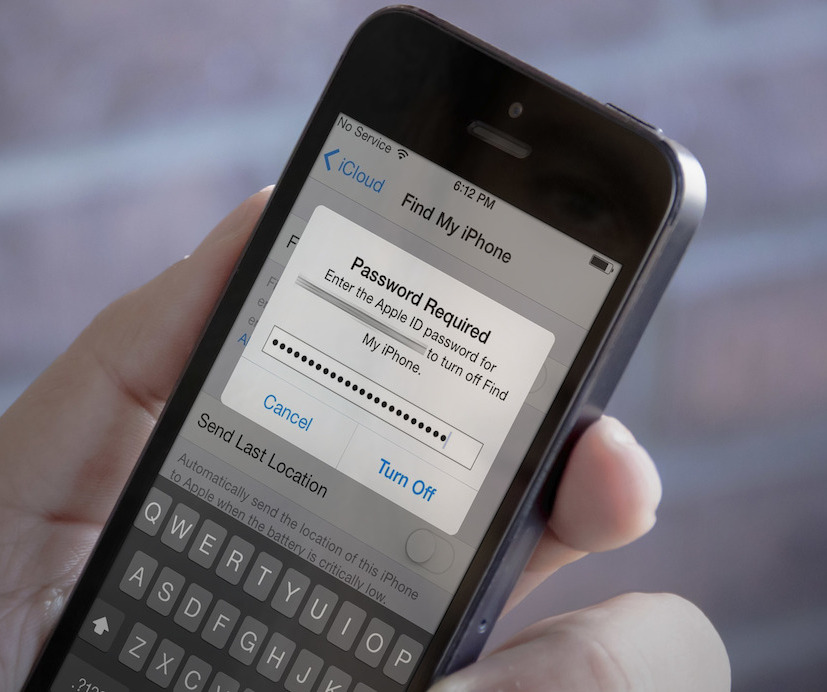
New service offers permanent Activation Lock bypass

Chronic Unlocks has recently started offering a new service which claims to bypass Activation Lock on iOS devices that have been locked. Although the method used to get around the security measure has yet to be detailed, the service can be helpful for people who bought an iOS device that is still tied to its previous owner's Apple ID. But don't expect the company to help you bypass Activation Lock on a stolen device!

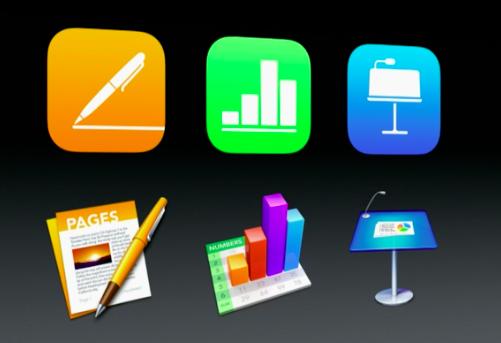
Apple updates Pages, Numbers, Keynote, and iMovie to improve iCloud compatibility

Apple just updated several of its applications for both iOS and OS X with the usual "stability improvements and bug fixes", but after looking into it more closely, it seems there is more to the updates than the changelog shows, with apparent iCloud compatibility improvements.

Pages, Numbers, and Keynote have all been updated for both iOS and OS X, while iMovie has only been updated for OS X so far. All updates show as "stability improvements and bug fixes," except iMovie for Mac, which "includes iCloud compatiblity improvements for iMovie Theater."

If these update look benign on the surface, it seems they do improve iCloud compatibility...

All iCloud services are currently down for some users [resolved]

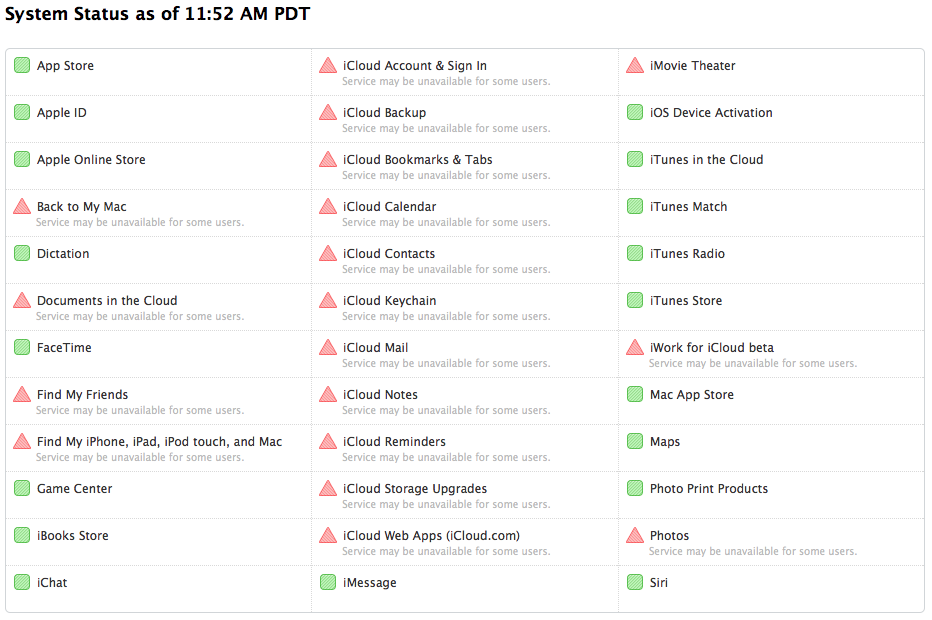
According to Apple System Status, all iCloud services are currently down for some users. The outage has been going on for a little over an hour now with no indication of when the service might be restored.

iCloud services appear to be the only services affected by the outage, which again, doesn't affect all users. Other online services such as FaceTime, iMessage, Siri, and the App Stores are currently working just fine.

Update: System Status page now says all services have been restored.

Pangu 7.1.x untether package released on Cydia, causes issues for some users [update]

An update for the Pangu 7.1 - 7.1.x untether jailbreak is available now on Cydia. Version 0.3, available to those who jailbroke their iOS device using Pangu, comes under the form of a package update in the Cydia/Telesphoreo repo, one of Cydia's default repos. According to the description, version 0.3 adds small improvements to the untether jailbreak. More specifically, it fixes sandboxing issues.

All users who see this update available in Cydia are prompted to update the package, regardless of what device or what iOS version they are currently running, but a few reports from users who have updated Pangu to version 0.3 can be cause for concerns.

Clean up your Downloads folder to regain storage space on your Mac

Sometimes, the most simple and obvious tips are the best. Everybody knows about them because they're usually based on good old common sense, yet, we usually forget about them. One such tip is to periodically clean up the Downloads folder of your Mac, which, depending on your setup and habits, could quickly go out of control.

The Downloads folder is the default location where any file you download from the internet is saved. Downloading the PDF of your bank statement? It's downloaded to the Downloads folder. Downloading a song from an unofficial source? It's most likely going to the Downloads folder.

How to stop iMessage spam

Are you getting spam iMessages from unknown people or scammers with international numbers and weird email addresses? In this post, we will go over four simple ways to protect yourself and stop iMessage spam for a hassle-free messaging experience on your iPhone.