Sébastien Page

Sebastien is the Founder and Editor in Chief of iDB. Once a BlackBerry user, Sebastien instantly fell in love with the iPhone when it was first announced in 2007. Shortly after, he decided to start sharing his knowledge of the iPhone and its nascent ecosystem, which led to the creation of this blog. Sebastien currently owns 14 iPhones, 4 iPads, a MacBook Pro with Touch Bar, a MacBook Air, 2 Apple Watches, 3 Apple TVs, countless HomePods and AirTags as well as a few pairs of AirPods.

iPhone Quick Tip: Rearranging Your Icons

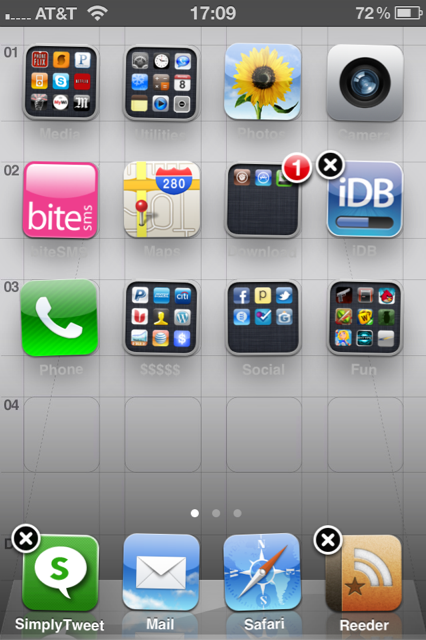
Today, in our iPhone Quick Tips section, we will learn how to rearrange your iPhone icons. While this might sound like the very basics to most of us, I can tell you from experience that some people out there still have no idea they can move their icons around. Don't laugh! You were an iPhone beginner once too.

You can easily customize the layout of application icons on the home screen of your iPhone, including the dock icons at the bottom of the screen...

Update About the iPhone iOS 4.2 Jailbreak & Unlock

With iOS 4.2 release day right around the corner, there are a few things that you need to be reminded of. Most jailbreak veterans out there probably know this by now, but I'm worried that the jailbreak novices will make mistakes they might regret sooner rather than later.

The Dev Team just posted an update on their blog about what to expect, and most importantly about what to do and what not to do. Here is a quick summary...

The Very First Verizon Commercial for the iPad

A few weeks ago we told you that Verizon was to sell the iPad. It's now a done deal and you an buy an iPad 3G directly from Verizon. To celebrate, big red even created its own custom commercial for the iPad, something that AT&T has never been able to do before.

The commercial is not bad but it's boring. These carriers always take the same angle in their advertising: freedom.

What do you think?

CafePress Launches Custom iPhone Cases [We’re Giving Away 5 of Them]

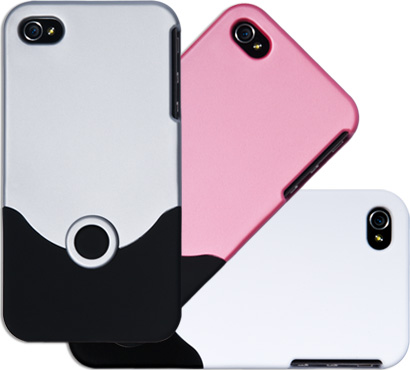
You know CafePress, the online source for custom merchandise such as T-Shirts, mugs, and pretty much anything else you can think of. Yesterday they announced the launch of custom iPhone cases, ready to be designed with your own photos or artwork.

Beginning today, you can shop from a catalog of over 100,000 user-generated custom iPhone 4 cases with thousands of designs, ranging from political to funny to artistic and everything in between...

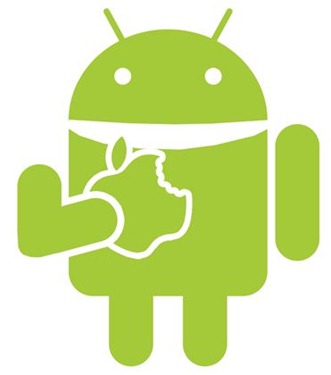
How to Install Android on Your iPhone [No Computer Required]

We've seen our share of guides on how to install Android on the iPhone before. They're not terribly complicated, but they're not that straightforward either. Most importantly, they aren't as easy as installing an app as they usually require a computer to complete the install process.

This is now a thing of the past. With the release of Bootlace 2.1, you can now install iDroid on your iPhone without the need of a computer! All you need is a jailbroken iPhone and a couple minutes of your time...

iPhone Quick Tip: Having Internet Access on an Airplane

This article is the first of a series of quick tips that will be especially helpful to iPhone beginners. In this series, we'll go over some iPhone basics to make sure our new fellow iPhone owners get the best out of their device. Today, our quick tip is about being able to have Internet access while flying.

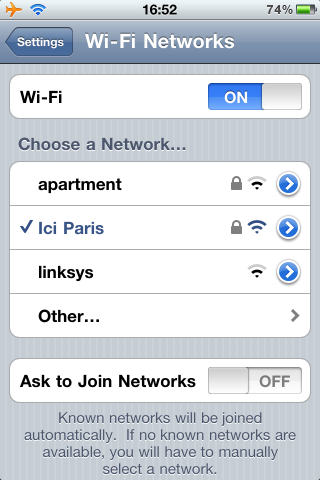
Many airlines now offer in-flight wifi, which is a great way to kill time during a long flight. When boarding an airplane with a phone, you are required to either turn it off or activate the airplane mode, which basically turns off the iPhone cellular, wifi, bluetooh, and GPS to avoid interfering with the aircraft.

But did you know you can still enjoy Internet access while still on airplane mode?

Watch This: Awesome Trailer for Infinity Blade

I'm not a gamer so I'm hardly ever impressed by any video game. But wow, this trailer for Infinity Blade is in its own category and definitely stands out from what I've ever seen on the iPhone.

There is no indication about when Infinity Trailer will be released or how much it will cost, but this non-gamer can't wait to get his hands on it. Check out the video below to see the full trailer...

Turn Your iPhone Into A Stun Gun

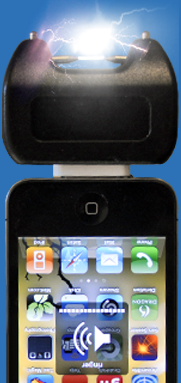
Yes, you read the title of this post correctly. Thanks to a little add-on called the Stun Fone, you can now turn your iPhone into a stun gun. How real is this? I have no idea, but to be honest with you, I don't have much faith in the trustworthiness of it.

I came across the Stun Fone via TUAW, and these peeps are on the fence too.

The Stun Fone sells for $25 on their "official website", which is currently experiencing an overwhelming amount of traffic.

Real or fake?

This iPhone Decal Makes You Look Like You’re Talking to Yourself

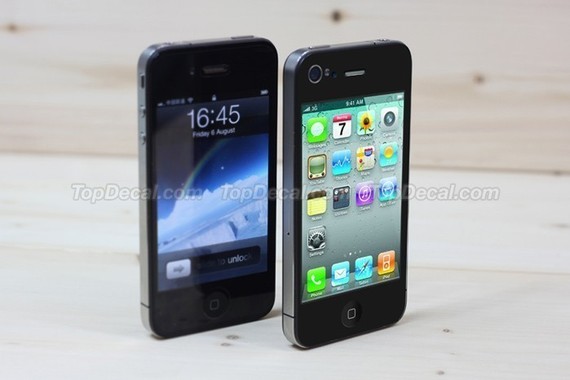
I don't know what to think about this iPhone decal. Do I find it absolutely ridiculous? Or is it genially original? This skin shows the iPhone 4's icons and UI on your iPhone 4, and is to be applied on the back of your iPhone. So basically, the back of your iPhone will now look like the front of your iPhone.

Imagine you're walking down the street, talking to your friend over the phone. Other people will see you and will most likely believe you're pretending to have a phone conversation with some imaginary friend...

Damn You iPhone Auto Correct!

No matter how much you love your iPhone, there's one thing you have to agree on: the auto correct sucks! Until Apple makes this better, there isn't much we can do but laugh about it all.

That's what DamnYouAutoCorrect.com does. The website compiles all those hilarious auto correct suggestions for your browsing pleasure.

What the duck! I should have thought of that earlier ;)

GreenPois0n Jailbreak Goes Open Source

Chronic Dev Team has decided to make their GreenPois0n jailbreak available to the general public by revealing its source code. If you feel like you can make GreenPois0n better, faster, prettier, well, now you can.

Simply download the source code from github and start working on it.

[via Chpwn]

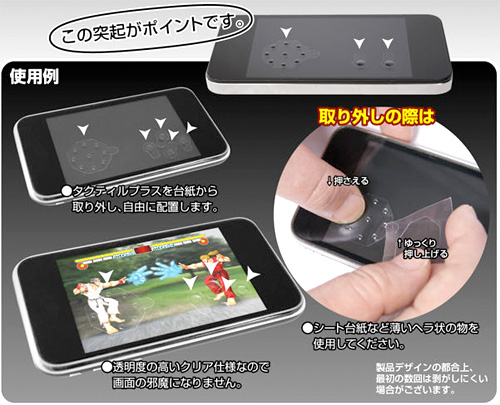
Sticky Buttons Make Your iPhone Touchscreen a Better Control Pad

No doubt the iPhone is a great gaming device, however, one big problem I have with it is when playing games that require heavy use of the touchscreen. Like Street Fighter IV for example.

Because you can't feel the buttons, you sometimes miss the button you want to hit, causing you to lose for the 5th time in a row against M. Bison. No more of that, thanks to those stick-on buttons that will turn your iPhone into a better game pad...