Cody Lee

Cody Lee, iDownloadBlog.com’s longest-serving Editor, joined the site in 2008. He specializes in uncovering the best deals on Apple products, apps, and accessories. With years of experience in technology journalism, Cody helps readers save money while staying informed about the latest trends and updates in the Apple ecosystem. Cody’s history with smartphones goes almost as far back as he does. As the son of a Nokia employee, he was exposed early on to handsets like the N91 and the Communicator. He has since been involved in nearly every aspect of the mobile phone industry. While going to college, he worked at a Nokia factory, building handsets, and later moved on to a sales position at a major wireless carrier.

Apple helps raise over $8M for World Wildlife Fund
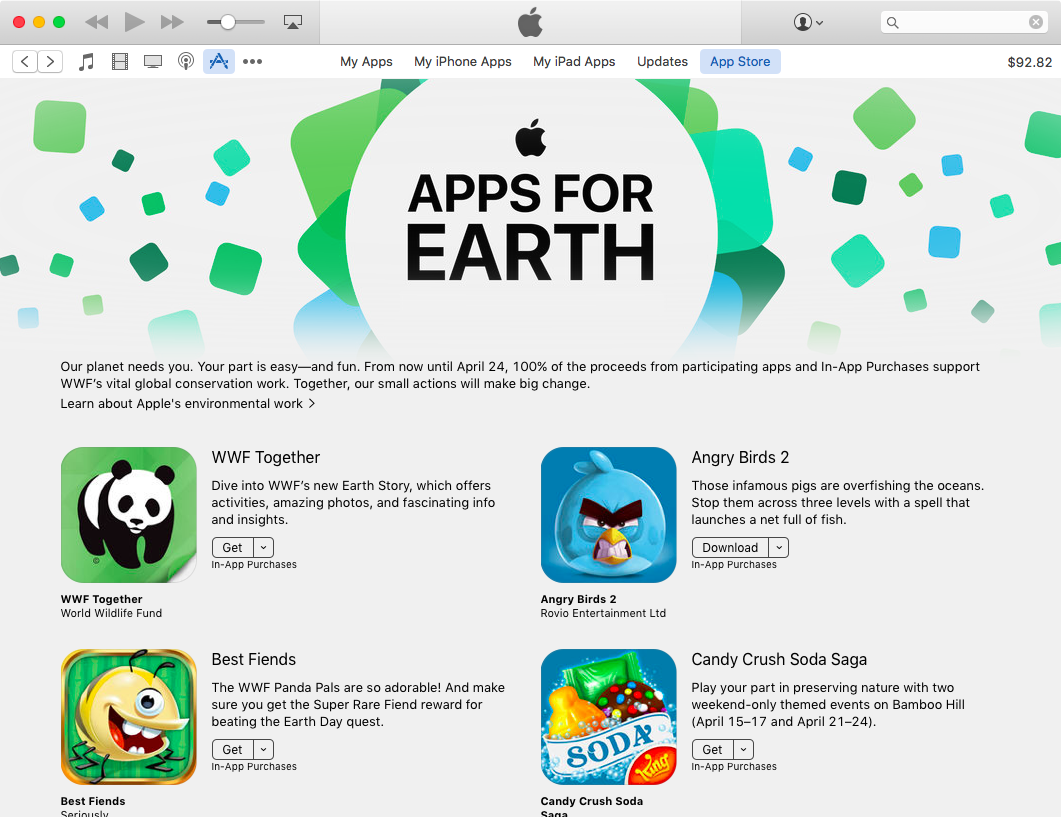
Apple on Friday announced that its Apps for Earth campaign has generated more than $8 million in total proceeds. For 10 days in April, the iPhone maker worked with 24 developers to publish interactive and educational content to the App Store, with the proceeds going exclusively to the World Wildlife Fund.

Apple executive explains why iMessage isn’t on other platforms

In a broad reflective piece on Apple's WWDC keynote, noted tech journalist Walt Mossberg made some interesting comments regarding a recent rumor that Apple was considering bringing its iMessage service to Android. Turns out that isn't happening, and won't be in the near future.

Speaking to a "senior Apple executive," Mossberg says Apple is happy with the 1 billion+ active devices it currently caters to, so it doesn't feel an immediate need to grow its user base by expanding to other platforms. It also still considers its iMessage service a major iOS-exclusive feature.

Apple’s free app of the week: TextGrabber

Apple on Thursday updated its App of the Week promotion with the productivity app TextGrabber. This means that for the next 7 days, you’ll be able to download the popular OCR translation app for free on both iPhone and iPad—a solid savings of $5.

For those of you who are unfamiliar with TextGrabber, it easily and quickly scans, translates and saves your chosen text or QR-codes from virtually any printed material. All you have to do is take a picture, and TG handles the rest.

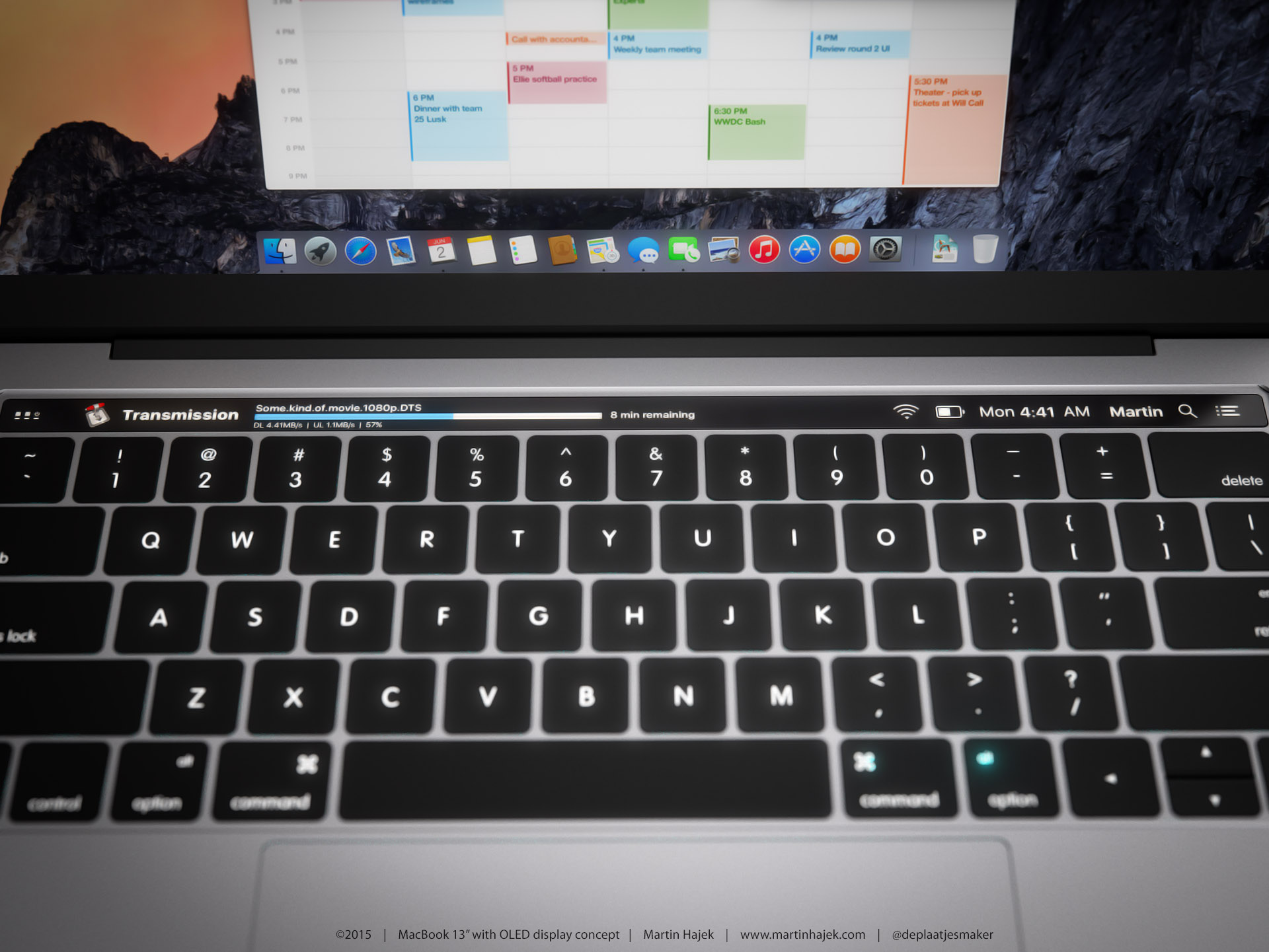
Code found in macOS Sierra hints at rumored OLED touch bar, Touch ID support

Some evidence has been discovered within the code of the initial macOS Sierra beta that suggests there may be some truth to the rumors that Apple is building a MacBook Pro with a built-in OLED touch bar and Touch ID support. As noted by French site Mac Generation, there are several mysterious 'kHIDUsage_LED' references in macOS, as well as mention of support for "biometric devices."

You can now watch Apple’s WWDC 2016 keynote on YouTube

It’s taken a while, but Apple has finally uploaded this year’s WWDC keynote to YouTube. The replay has been available as an embedded video on Apple’s website since yesterday, but obviously YouTube is a lot more device-friendly.

So for the folks who missed the keynote, or would just like to watch it again, things have just gotten much easier. You can now view it in its entirety in YouTube’s desktop or mobile web app, or via the native mobile YouTube app.

Netflix app now supports Picture in Picture on compatible iPads

Netflix on Tuesday pushed out an update for its iOS app, brining the client to version 8.7. It's a minor release, with just a few items mentioned in the change log, but there's one significant new feature that's going to really please iPad fans: Picture in Picture support.

That's right, folks with a compatible iPad can now watch Netflix in a floating, resizable window while continuing to perform tasks like checking email or browsing Safari. Netflix says you'll have to be on iOS 9.3.2 or later, and of course you'll need an iPad Air or later.

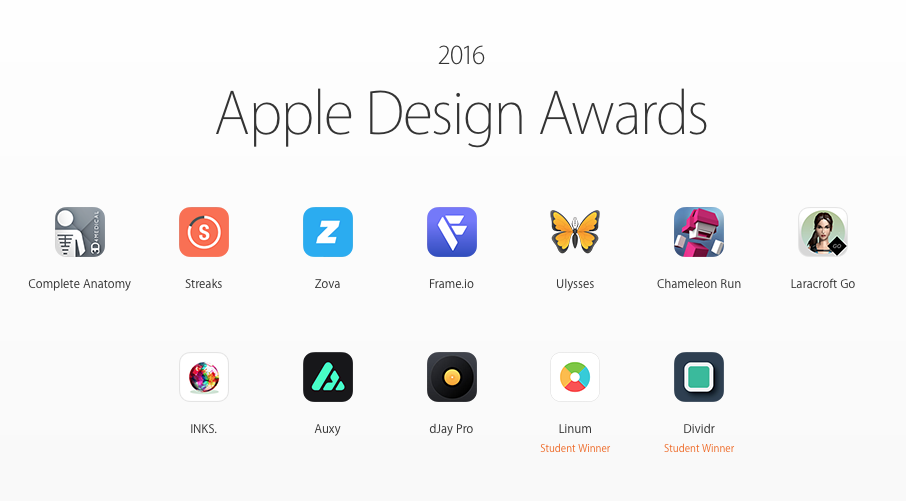
2016 Apple Design Award winners: Streaks, djay Pro, Lara Croft GO, and more

Following its WWDC keynote on Monday, Apple held a smaller event to announce the winners of its Apple Design Awards. This is an annual undertaking for the company, and the awards are highly coveted by developers.

Apple grants the awards to high quality apps and games, with unique and compelling designs that set them apart from other offerings. Winners get featured in the App Store, a trophy, and an assortment of Apple products.

30+ new iOS 10 features Apple didn’t mention today

In typical fashion, Apple used a portion of its WWDC keynote to go over some of the major—or "tentpole"—features coming in the next version of iOS 10. There's a more powerful Messages app, a new HomeKit app, redesigned Music and News apps, and more.

But obvioulsy Apple couldn't cover every new feature today, so it offered up a sneak peak at some other additions and improvements we can expect from the update. The slide you see above names 30+ new features coming in iOS 10, and we've listed them below.

Apple News gets simpler design, subscriptions and more in iOS 10

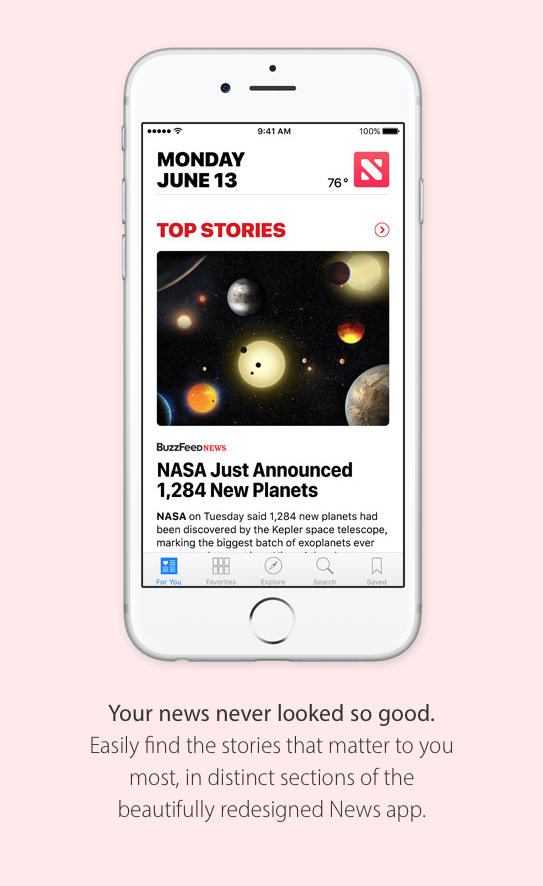
Among the new things Apple announced 10 today is a redesigned News application. This is a standalone news aggregation app, first introduced in iOS 9 last summer, and it's getting some significant improvements in the upcoming iOS 10 update.

These start with what Apple is calling an "all-new design." In the 'For You' tab, your stories are now broken up into clear sections like Top Stories, Trending—which shows you the top stories right now, and topics you follow, like cars or sports.

Watch the WWDC 2016 keynote now

Folks who missed Apple’s WWDC keynote this morning, or would just like to watch it again, will be happy to hear that Apple has posted the full video online for your streaming pleasure. Obviously you can read everything you need to know about today’s event right here on iDB, but if you have the time, the video is worth watching.

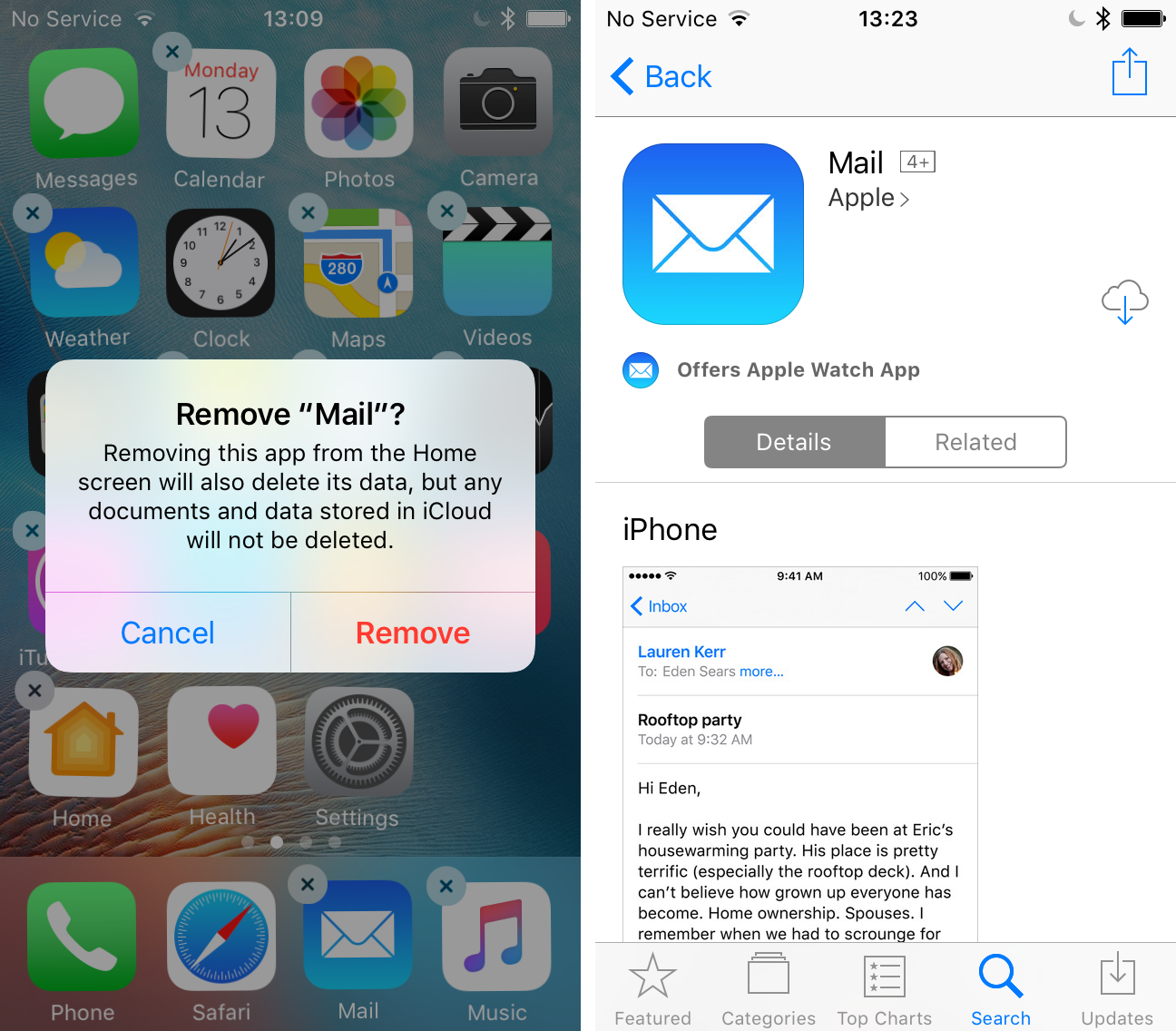
You can delete stock Apple apps in iOS 10

Several stock iOS apps turned up in the App Store this morning, inciting speculation that you will soon be allowed to delete them. Apple didn't mention anything about this during the keynote, but after installing the initial iOS 10 beta, we can confirm that many stock apps are deletable in Wiggle mode.

These apps include Calendar, Weather, Maps, Videos, Notes, Reminders, Stocks, iTunes Store, Home, FaceTime and others that currently come pre-installed on iOS devices, and are not eligible to be deleted or even hidden. We're guessing important apps like Phone and Messages are still mandatory.

Swift Playgrounds: Apple’s new iPad app to teach you how to code

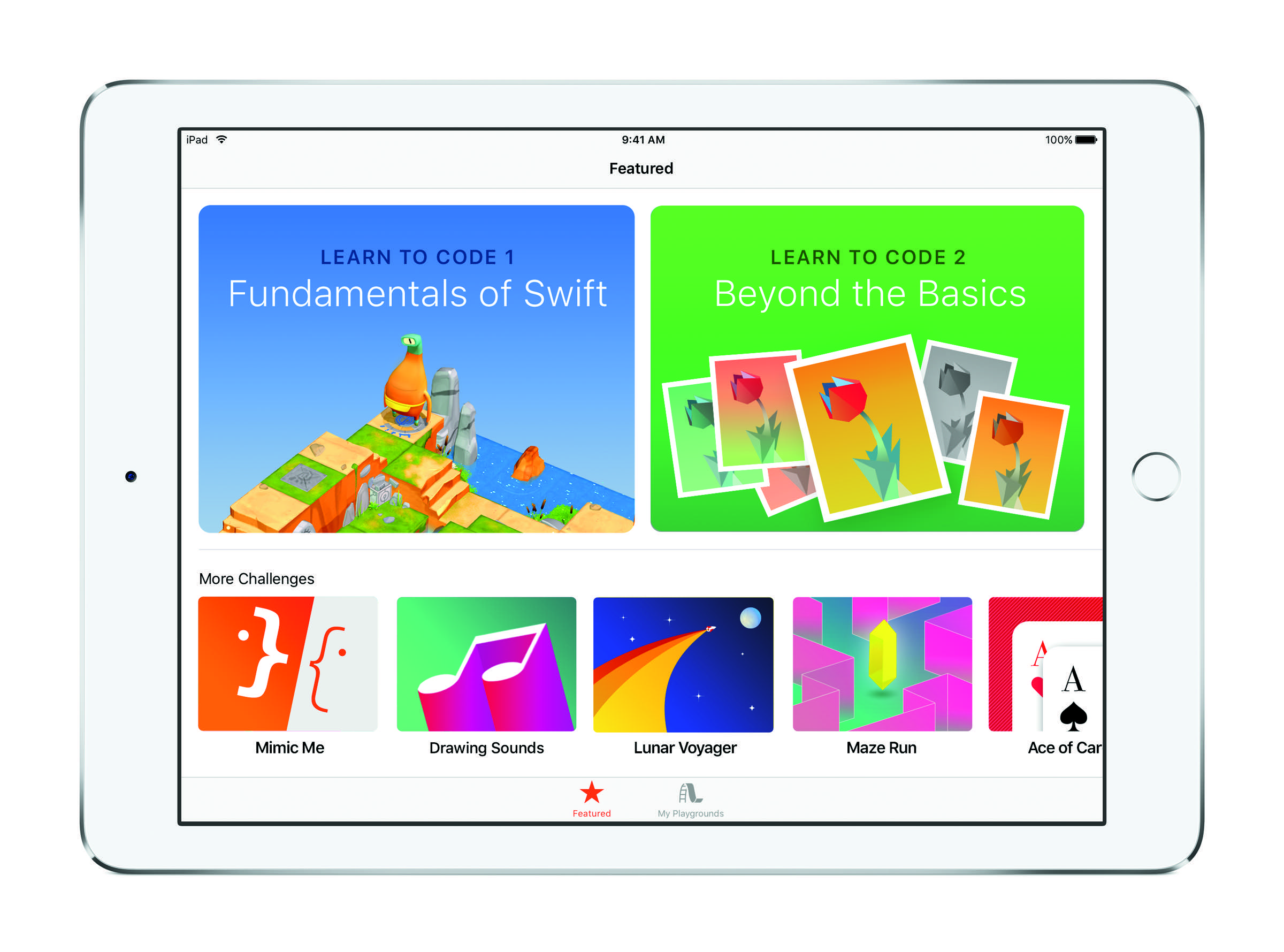
In wrapping up Apple's WWDC keynote this morning, Tim Cook announced a new iPad app called Swift Playgrounds for teaching people how to code. Cook specifically says "the best way to teach everyone to code," but it definitely looks like it was built with kids in mind.

The app looks a lot like other learn-to-code apps (Hopscotch!), but it's cool that Apple is using its scale to get such a tool into the hands of more people. The company says the app "combines the powerful Swift programming language and the powerful capabilities of iPad."