 In an era when people speak in 140 characters or less, make dinner for four in just a few minutes, and don’t waste any time taking breaks, it is hard to see how any of us have time to read through the millions of articles that are posted to the Internet each day. I know I’m always saving stories to read later because I just can’t get through them all during my morning coffee break.
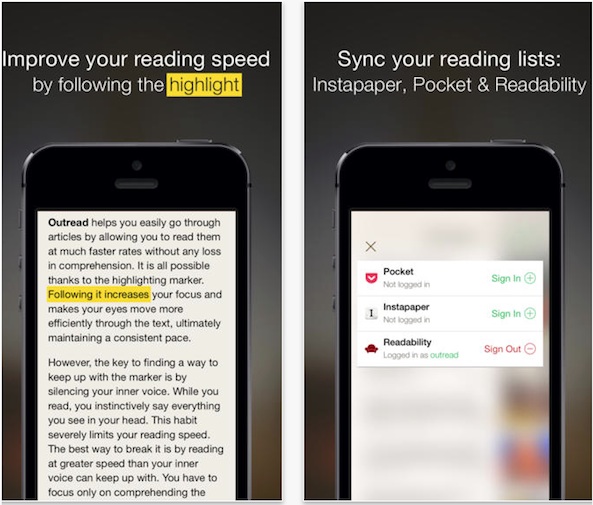
Outread is an app that teaches you how to speed-read by giving you access to articles you already want to read anyway. Instead of seeing one word at a time, get the entire text and follow the highlighted section to train your eyes to follow along at a faster pace…
 The art of speed-reading requires a person to quickly read groups of words without vocalizing them subconsciously. This app uses a highlighted text technique to help you learn how to read words by guiding your eyes across the page in a rhythmic motion. Not only are you able to quickly read through long articles at a faster pace, but also since all of the text is visible on the page, traditional reading won’t distract you when you aren’t using the app.
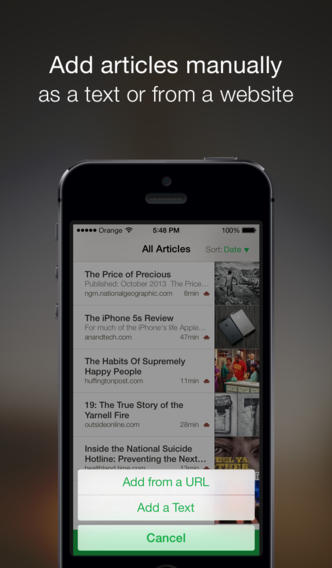
You can log in and connect your Instapaper, Pocket, and Readability accounts to have access to articles you save for reading later. Once logged in, you will see all of your articles, listed by date.
You can also add articles by copying and pasting a web URL into the app, or by adding text directly. Outread also comes with a bookmarklet so that you can add any article from Safari into the app without having to add it to Pocket, Instapaper, or Readability.
 Once you’ve added content, select an article to begin reading. Tap the play button at the bottom of the screen and the highlighting will move from one word to the next at a specific pace. After you are finished, you can archive an article to remove it from your reading list.
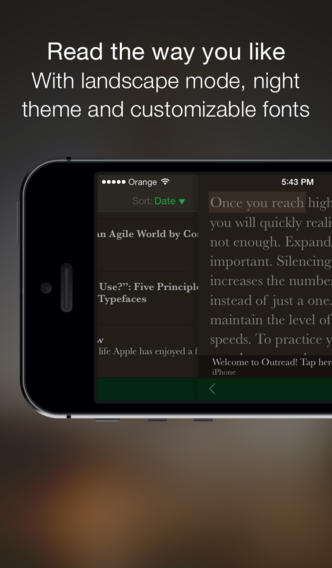
You can increase or decrease the text size, and pace and length of the highlighted text. Adding multiple words to the highlighted marker makes it possible for you to read groups of words, which significantly speeds up your reading time.
You can also change the theme from light to dark and change the font to four different options.
Outread is available for $2.99. Download it in the App Store today.
Do you want to learn how to speed-read? Does Outread look interesting to you?