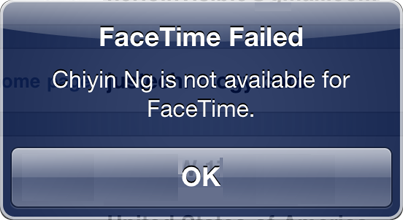
 Today I want to post about an issue I recently had when trying to FaceTime with Tina. Everytime I tried to initiate a FaceTime call, I would get an error message saying “FaceTime Failed – Tina is not available for FaceTime“. What was strange with this issue is that she could initiate the FaceTime call and reach me, but I couldn’t.
So really I thought the problem was from me since I was the one not being able to reach her. This drove me nuts for days. I even went as far as restoring my iPhone, thinking it would fix the issue. It didn’t. The solution was in fact much simpler. Ironically, the issue didn’t even come from my iPhone, but from hers.
I found the fix somewhere deep inside Apple’s support pages. Apparently the problem arises if you ported an old number to your iPhone 4, or if you recently changed your number, which was the case for Tina’s phone.
According to Apple, some of the symptoms are:
- When you are calling someone on FaceTime, the number on their screen is not your number.
- People are unable to initiate a FaceTime call with you.
- After installing a new carrier settings update, FaceTime does not activate.
The fix is really simple:
- In Settings > Phone, turn FaceTime OFF and turn it back ON again
- Go to Settings > General > Reset > Reset all settings
- Done
Immediately after performing this on Tina’s phone I was able to initiate a FaceTime call with her.
Hopefully this will help other people stuck on this issue.