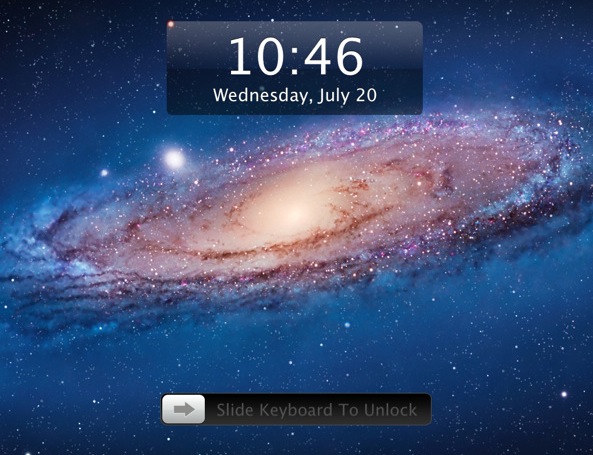
New App Brings the “Slide to Unlock” to Your Mac

By , Sep 25, 2011

Want to give an iOS feel to your Mac while also adding an extra layer of security? Then the Lock Screen 2 app for Mac might just be what you are looking for.

The app is pretty simple and straightforward. It allows you to slide your keyboard or your trackpad to unlock your Mac and get access to the desktop, just like you would on your iOS device of choice…

This video shows the app in action:

Lock Screen 2 is full of customizable options. You can:

  • Lock the screen using hotkeys
  • Slide to unlock with the keyboard, trackpad, or by using a pass pattern
  • Customize the Slide to Unlock text
  • Add a wallpaper
  • And much more…

You can grab Lock Screen 2 from the Mac App Store for $1.99.

What do you think about this app?

  • Share:
  • Follow:
  • Matt

    I had this before the update and it was very laggy and sometimes failed to unlock, but this update is brilliant. No lag or errors at all! :)

  • http://plus.google.com/103614686734718759176 KiKO4LiFE

    Very cool
    I installed it before the version 2 and it wasn’t very accurate

    But now they updated it to 2.0.3 and it’s fairly accurate ^^

    Thanx for posting this post

  • mvd7793

    This isn’t really “new” – I’ve had it installed for a few months. I use it primarily for locking my computer when I don’t want to put it to sleep. For example, if I’m encoding a video and want some measure of security if I step away from my computer I’ll turn the app on. It’s quite fast and useful.