WWDC

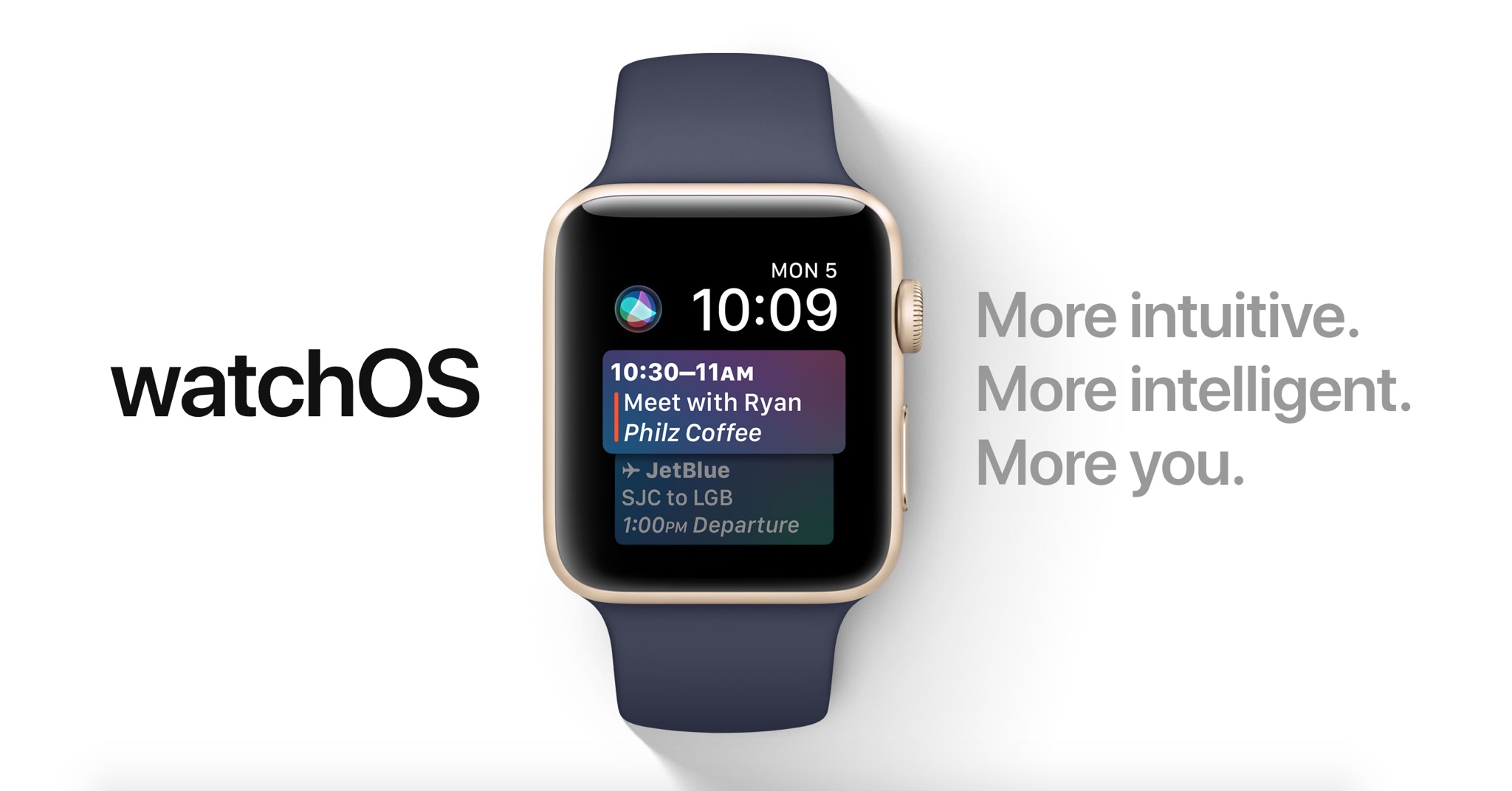
60+ new Apple Watch features in watchOS 4

Apple demonstrated a host of useful new features that will ship with watchOS 4 at the WWDC 2017 keynote, but as always, they were constrained on time and couldn’t show us everything the update has to offer.

In this piece, well talk about everything we’ve found new in watchOS 4 so far. We'll include everything Apple demonstrated in addition to lesser-known features that weren’t given the spotlight at the event.

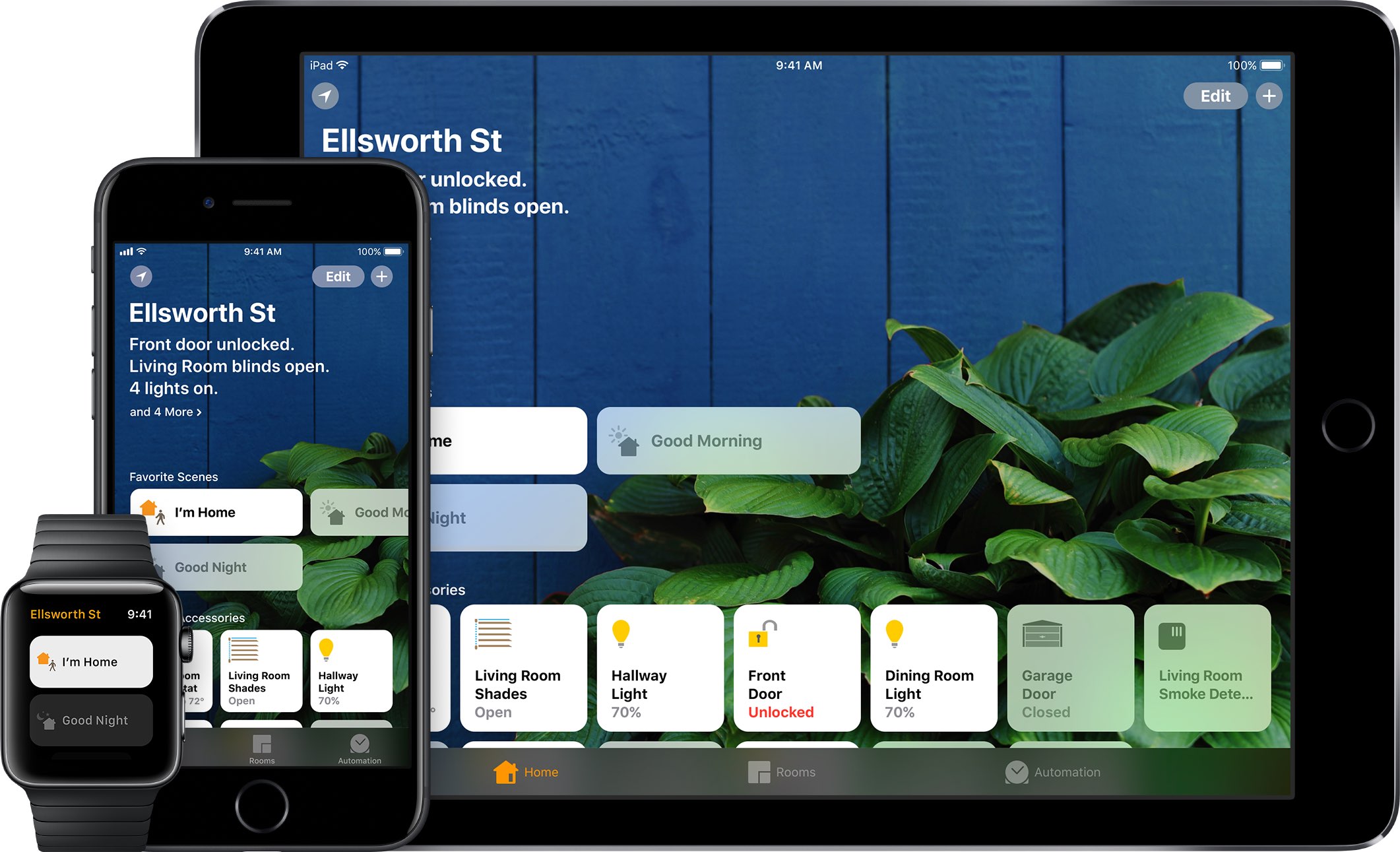
HomeKit gains easier setup with NFC/QR Codes, improved latency, support for sprinklers/faucets & more

Interesting new capabilities for HomeKit, Apple's home automation framework, were announced at the Worldwide Developers Conference earlier this week. The new features were designed to make the smart home platform more flexible for users and even more accessible to third-party developers and device makers in order to encourage faster adoption.

For starters, Apple no longer requires vendors to use dedicated encryption chips in their gadgets. But the big news is that hobbyists and enthusiasts (or just about anyone with an Apple developer account) are now permitted to create prototypes of HomeKit devices without being MFi-certified.

Apple's “What's New in HomeKit” developer session provides a wealth of information on the new end-user capabilities for HomeKit, like easier setup with QR Codes and NFC, greatly improved responsiveness, support for new smart home device types, like sprinklers and faucets, and much more.

HomeKit now implements new triggers and events, making it possible to automatically run scenes based on who is home, only at certain times, and with more types of accessories.

HomeKit scenes and accessories can be controlled through iOS 11's Control Center, with Siri, using the Home app on iPhone, iPad, iPod touch or Apple Watch, and via Apple's new HomePod smart speaker. And with an Apple TV, an iPad or a HomePod actings as a HomeKit hub, you can control your smart home products from just about anywhere in the world.

Sprinklers and faucets

With support for two new product categories—sprinklers and faucets—users can now control water in the garden via Siri. Or, you could have Siri turn on the shower in the morning, knowing the water will be the right temperature by the time you finish your morning coffee.

Greatly improved responsiveness

Many HomeKit accessories use the low-energy Bluetooth standard. In order to reduce the latency which occurs when a Bluetooth accessory communicates with a HomeKit hub, Apple is rolling out a completely new system based on secure broadcast sessions that now send a notification to a HomeKit device.

This reduces the latency between a new event and the actual accessory state change from a few seconds down to under a second. You won't have to buy new products: when iOS 11 launches, all your existing accessories will take advantage of improved responsiveness.

Easier setup

On iOS 10, setting up a home accessory requires launching the Home app, turning on the accessory, tapping the Add option and scanning the special setup code printed on the product's box to authenticate the device.

It is currently not possible to pair a turned-off HomeKit device. With iOS 11, you can pair a HomeKit accessory by scanning its code while it's powered off.

Furthermore, Apple  now supports scanning QR Codes for HomeKit authentication. QR Codes can be as small as 10-by-10 millimeters so this seemingly small change will turn authenticating really tiny HomeKit accessories into a frictionless process.

And with all-new support for NFC tags (who knew, right?), accessory makers can deliver easier experiences where authenticating a HomeKit device is as easy as tap-and-pair.

New event triggers

New events, triggers, recurrences and enhancements for mutable events allow for a significantly elevated flexibility of HomeKit scenes. HomeKit can now run scenes based on who is home, only at certain times, and more. Date-based events let HomeKit triggers to fire off only at certain times (like 5pm every day, for instance).

Significant time events activate triggers on sunrise or sunset, with positive or negative offsets.

For example, you could have HomeKit trigger your “I'm at home” scene an hour after sunset or have the lamps in your home turned on right before the sun goes down. A new convenience condition in iOS 11 makes it easy to create a custom condition between two significant events. As an example, you could have a scene running from one hour before sunset to one hour before sunrise.

Another new iOS 11 condition allows HomeKit to execute a scene when a custom threshold is exceeded. For instance, you could set your air conditioning/heater to kick in when the temperature in your home rises above 76 degrees or when it's between 50 and 76 degrees.

A new presence event lets HomeKit activate scenes when a user arrives home , or leaves home. And with multi-user support, you now can have triggers activate automatically when the last known user leaves home (to shut down the lights, air conditioning, lock the doors and so forth) or the first user arrives home to an empty house.

End events support specifying the time interval from the event execution time.

Apple provided the example of opening a door at night, which triggers an event that turns on the outside lights for just a few minutes. Currently, there's no way to have a HomeKit device enable a certain state for a period of time.

And with recurrences, it's possible to execute triggers only on certain days of the week. For instance, if you like to sleep a little longer on Saturdays, you can now restrict the execution of your “Good morning” scene to workdays only.

Plus, HomeKit now supports creating an event that triggers once, then auto-disables itself.

AirPlay 2

Apple also unveiled a new version of AirPlay, called AirPlay 2.

AirPlay 2 supports multi-room audio and HomeKit, meaning your smart home products can now communicate with your AirPlay 2-enabled speakers or Apple's own HomePod speaker. You can control multi-room audio playback through HomeKit, as long as your wireless speaker or home audio setup works with AirPlay 2.

Apple-owned Beats, as well as audio equipment makers like Bose, Bang & Olufsen, Bowers & Wilkins, Marantz and many others have pledged their support for AirPlay 2. With HomeKit and AirPlay 2, “third-party audio apps will be able to get in on the multi-room audio fun,” said Apple's software engineering chief Craig Federighi said onstage during the WWDC keynote.

Relaxed licensing

HomeKit has always been, first and foremost, about user security.

And because Apple does not compromise about requiring HomeKit developers and vendors to use end-to-end encryption, HomeKit user data is far from being insecure as it unfortunately is with most other platforms for the connected home.

For starters, all HomeKit makers must adhere to Apple's strict “Made for iOS” (MFi) policies and use Apple's authentication chips to guarantee user privacy and security with strong hardware-based encryption. On the downside, this complicates hardware development and makes HomeKit devices pricier than rival gadgets.

The updated HomeKit specification now includes a new option allowing all the HomeKit authorization to go through software. Although software-based encryption is slower versus a dedicated chip, it has the benefit of shortened development times and lower cost.

But more important than that, existing devices that currently lack HomeKit integration will now be able to implement HomeKit support after iOS 11 launches this fall in software, without requiring a hardware change.

Apple now operates two HomeKit certification labs in the United States and is scheduled to open similar labs in the United Kingdom and China next month, which should help local vendors bring their HomeKit hardware to market faster.

Apple also wants encourage hobbyists to build their own HomeKit devices. During WWDC 2017, the company announced that developers no longer have to be MFi-certified to build prototypes of smart home accessories. Not only that, but HomeKit developers can now use popular developer boards like Raspberry Pi and Arduino.

Of course, MFi certification is still required before products can be sold to customers.

That said, the fact that Apple now permits regular people to tinker with HomeKit and even build their own accessories from scratch, for personal use, without an MFi license, should help accelerate the adoption of the platform.

These new HomeKit features are available across iOS 11, watchOS 4 and tvOS 11. macOS currently does not support HomeKit. HomeKit debuted two years ago at the 2014 Worldwide Developers Conference.

ResearchKit gains 3 new active tasks researchers can incorporate into their studies

Apple launched its open source ResearchKit framework two years ago.

At the Worldwide Developers Conference earlier this week, the company announced some interesting updates for Research Kit version 1.5.

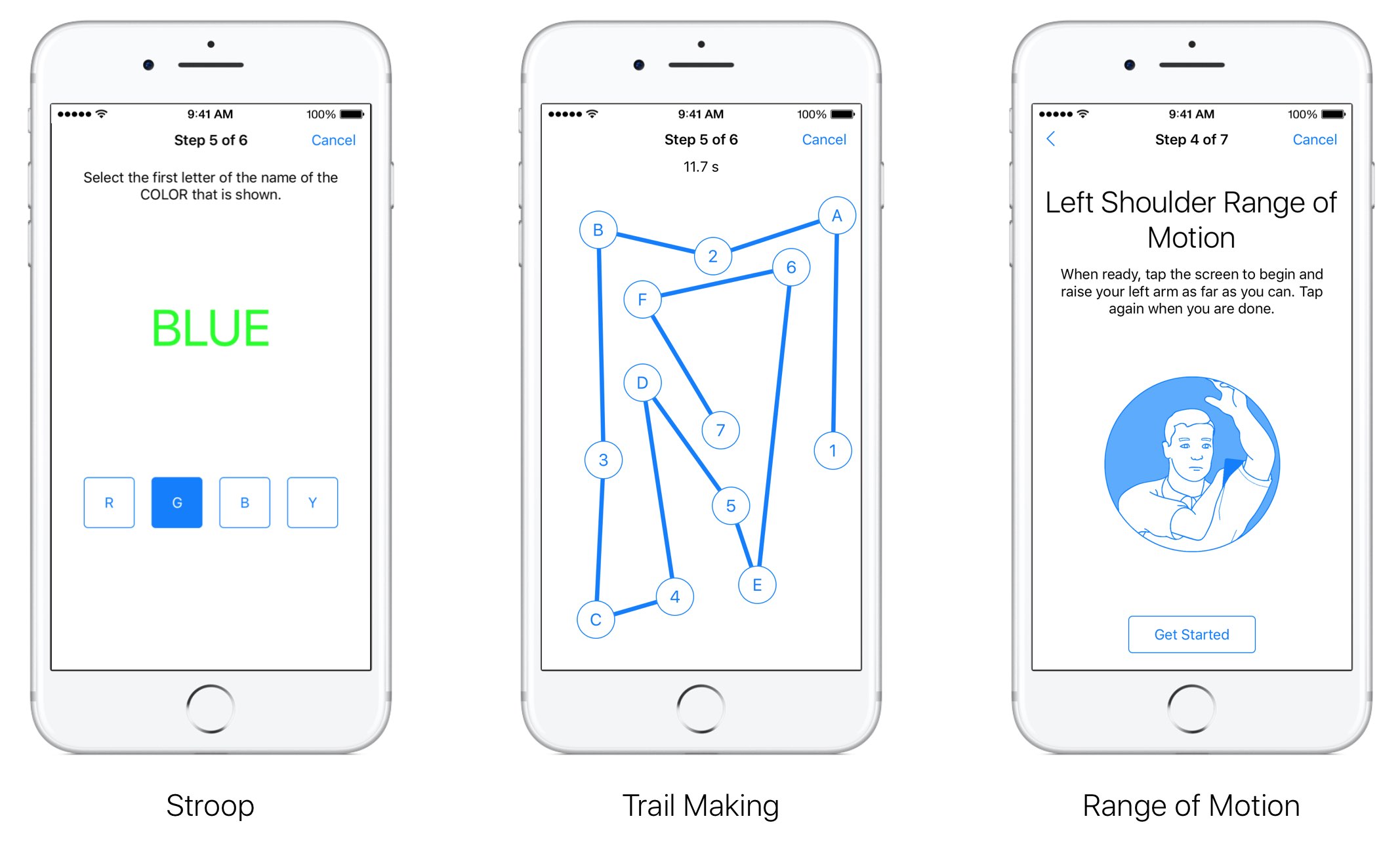
Researchers and app developers can now gather new types of data by taking advantage of three new “active tasks”. A new video instruction step makes it easier for apps to display rich video content to users from either a local or remote source.

“We have also updated the Tone Audiometry active task to include both a left and right button,” notes Apple. “This update will let participants not only indicate when they hear the tone but they can now also specify which ear they hear it in.”

The following new tasks are available as part of ResearchKit 1.5:

for: This test measures selective attention by asking participants to focus their attention on one stimulus and ignore another. The test displays concordant and discordant combinations of text and tint to the user who must ignore the text and instead select the button that reflects the first letter of the tint color. Trail Making: This active task measures visual attention and task switching by asking participants to connect a series of alternating labelled circles by tapping the circles on the screen in the correct sequence. Range of Motion: This test lets you measure both the flexed and extended positions for the shoulder and knee. When participants are ready with their device in the proper position they can simply tap the screen to indicate they are ready to proceed. As users complete the test, data from the accelerometer and gyroscope is recorded.

ResearchKit allows researchers and developers to create apps for medical research that use iPhone's many sensors to gather valuable data from the participants. With it, developers and researchers can incorporate visual consent flows, real-time dynamic active tasks and surveys into their apps.

ResearchKit works seamlessly with HealthKit, allowing researchers to access relevant data for their studies (with user consent), things like daily step counts, calorie use and heart rate.

FunAppocalypse simulates the iPhone apocalypse in the skit from Apple’s WWDC keynote

When Apple kicked off the WWDC 2017 keynote this year, they presented a hilarious comedy skit that put into perspective just how important mobile apps are in our daily lives. As every iOS device went kaput, the world quickly delved into chaos.

iOS developer CPDigitalDarkroom decided it would be fun to recreate the apocalyptic scenario, and so he created a new free jailbreak tweak he calls FunAppocalypse that simulates the visual effects and sounds that were illustrated in the keynote skit.

The 13 features in iOS 11 borrowed from the jailbreak community

Apple releases a major new firmware upgrade for its mobile device lineup every year, and with the announcement of iOS 11 at the WWDC 2017 keynote on Monday, it’s somewhat ironic that Apple has once again borrowed many of its new feature ideas from the brilliant minds that make up the jailbreak community.

In this roundup, we’ll discuss 13 new features in iOS 11 that have previously existed in Cydia as jailbreak tweaks before the new firmware, which is set to release this Fall, was ever even announced.

Apple honors select app developers in its 2017 Design Awards

Unlike the name might imply, Apple’s Design Awards are not exclusively dedicated to chasing the pinnacle of visual design, but more comprehensively appraise other app elements such as user interface innovation, sound design and also gameplay for apps offering unique gaming experiences. The latter, games, have easily stolen the show this year with 5 out of the 12 winners coming from said category.

In a slightly embellished press release, Apple announced the names and links of all twelve winning applications, each coming with a punchy story to explain and celebrate the selection in addition to screenshots and pictures of each developer team.

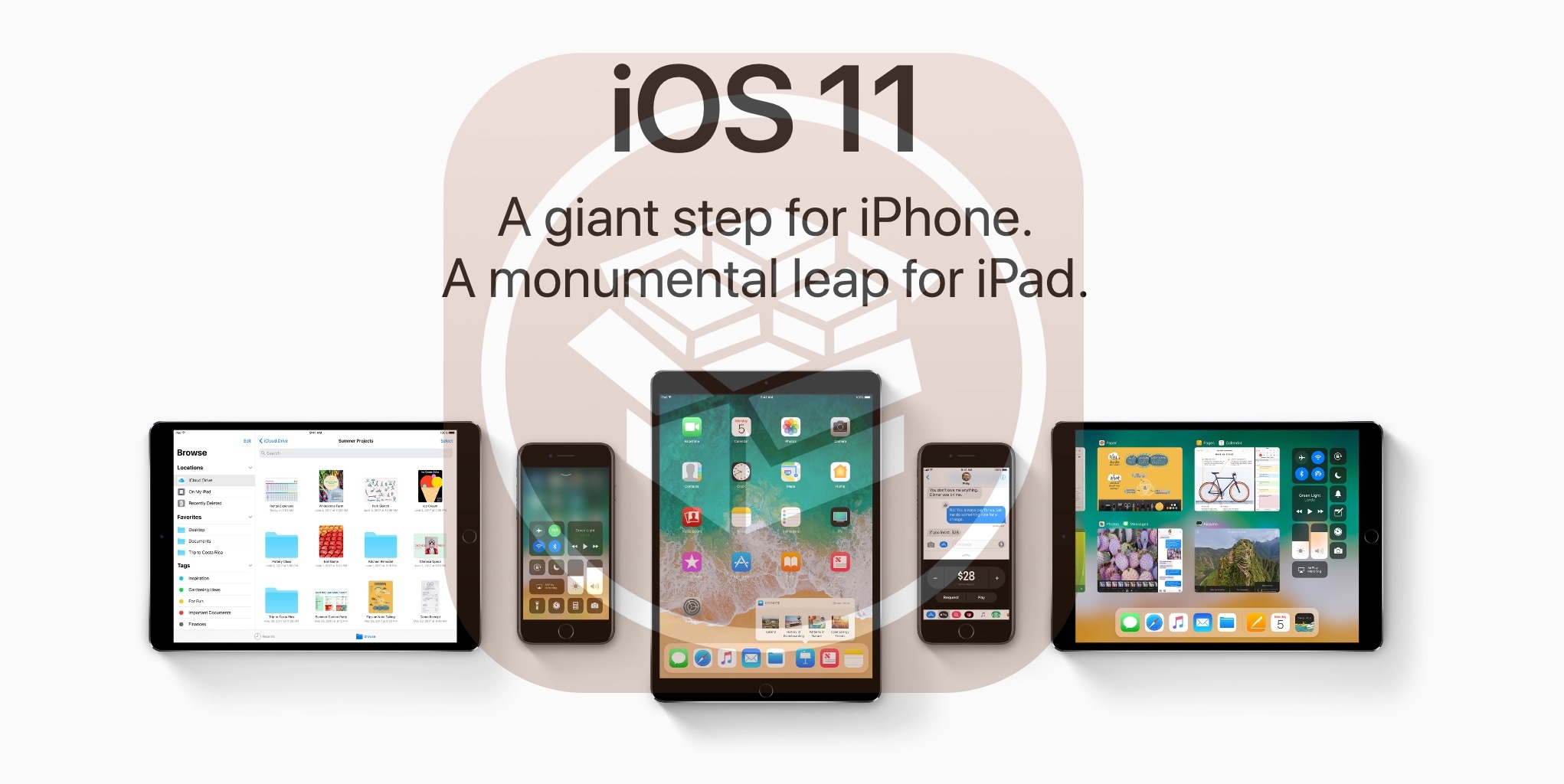
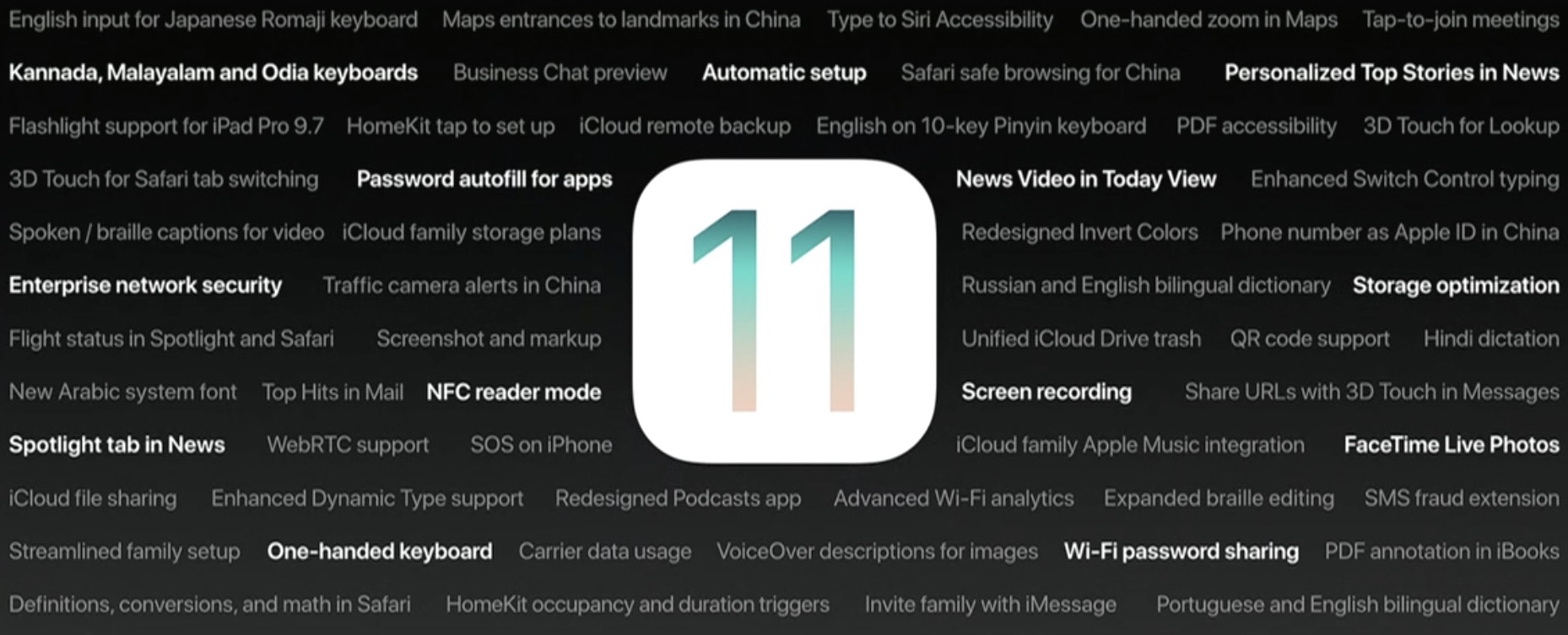
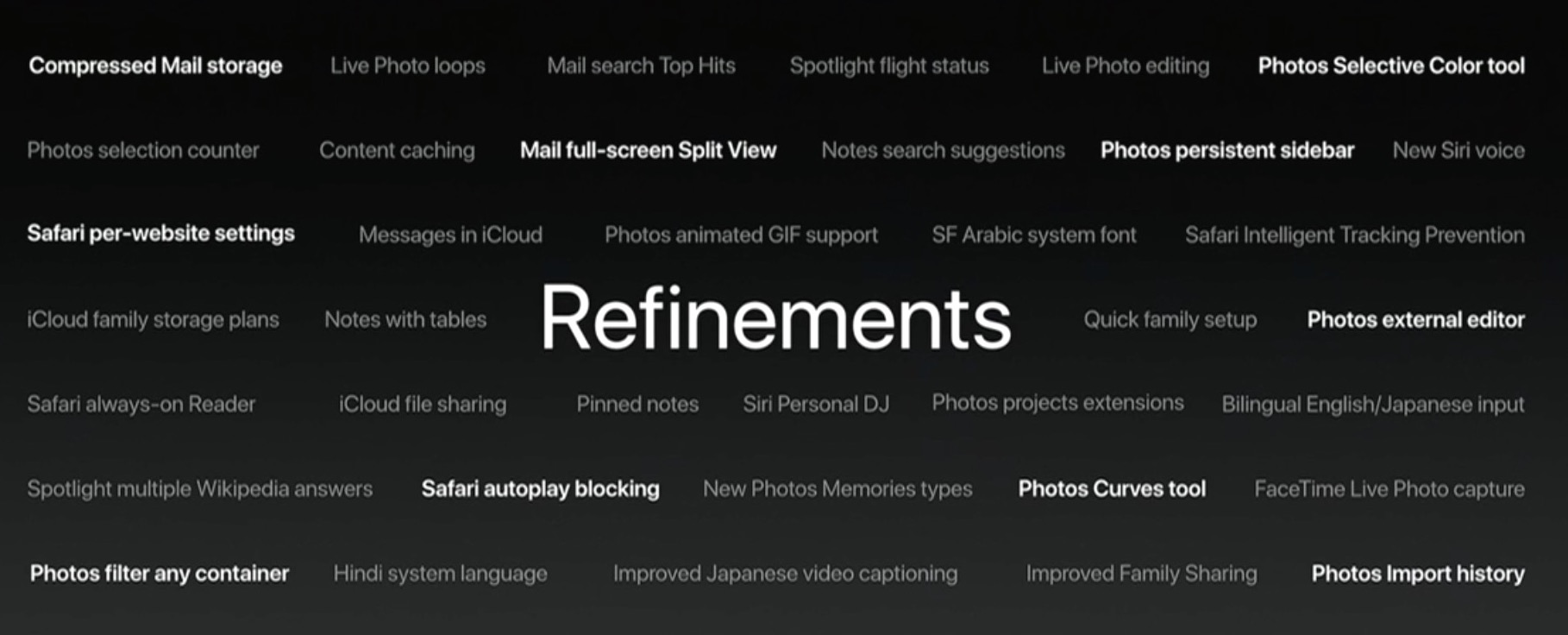
90+ new features shipping with iOS 11 this Fall

Apple spent a lot of time demoing iOS 11 at the WWDC 2017 keynote, but in the interest of time, they were only able to show off some of the top features rather than everything that's new.

In this piece, we'll outline a number of new features that Apple didn't get a chance to show you at the keynote.

More macOS High Sierra features that slipped under the radar

Although Apple announced a host of new features for its upcoming macOS High Sierra operating system for Mac computers at WWDC 2017 on Monday, they didn’t quite have time to cover everything.

In this piece, we’ll outline a number of new features that are coming in macOS High Sierra that Apple didn’t demonstrate at the keynote.

Video: Top 6 WWDC 2017 announcements

Apple had a pretty big day at yesterday's Worldwide Developers Conference in San Jose, revealing a bunch of new or updated products and technologies that have set the stage for other important hardware announcements this fall.

If you didn't have the time to sit through the entire keynote talk and are wondering about the big takeaways, our video editor Andrew O'Hara has put together a short five-minute video highlighting the top six announcements Apple made during the WWDC 2017 keynote.

Andrew's main topics of interest include:

tvOS 11 with Amazon's Prime video-streaming app coming to Apple TV watchOS 11 with all the major improvements for workouts, notifications and more macOS High Sierra and core technologies aimed at AR/VR content creation iOS 11 with all of the improvements for your iPhone and iPad iPad Pro and iMac Pro changes and enhancements HomePod, Apple's high-end Siri-enabled speaker with hi-fi sound

And here's the video:

https://www.youtube.com/watch?v=QQBulSRR9Fc

Subscribe to iDownloadBlog on YouTube

What's your favorite WWDC 2017 announcement so far?

Post a comment below to let us know!

Let’s Talk iOS 190: WWDC 2017 recap

The opening keynote of WWDC 2017 just ended so Cody and Sebastien get together to discuss Apple's big announcement including watchOS 4, macOS High Sierra, new Mac hardware, iOS 11, and of course, the HomePod. This is also the big reveal of the winner of the first annual WWDC fantasy draft. Get ready!

Subscribe on iTunes

Support Let’s Talk iOS: Visit our Deals Store and buy something from us.

Roundup: first impression of Apple’s new 10.5-inch iPad Pro

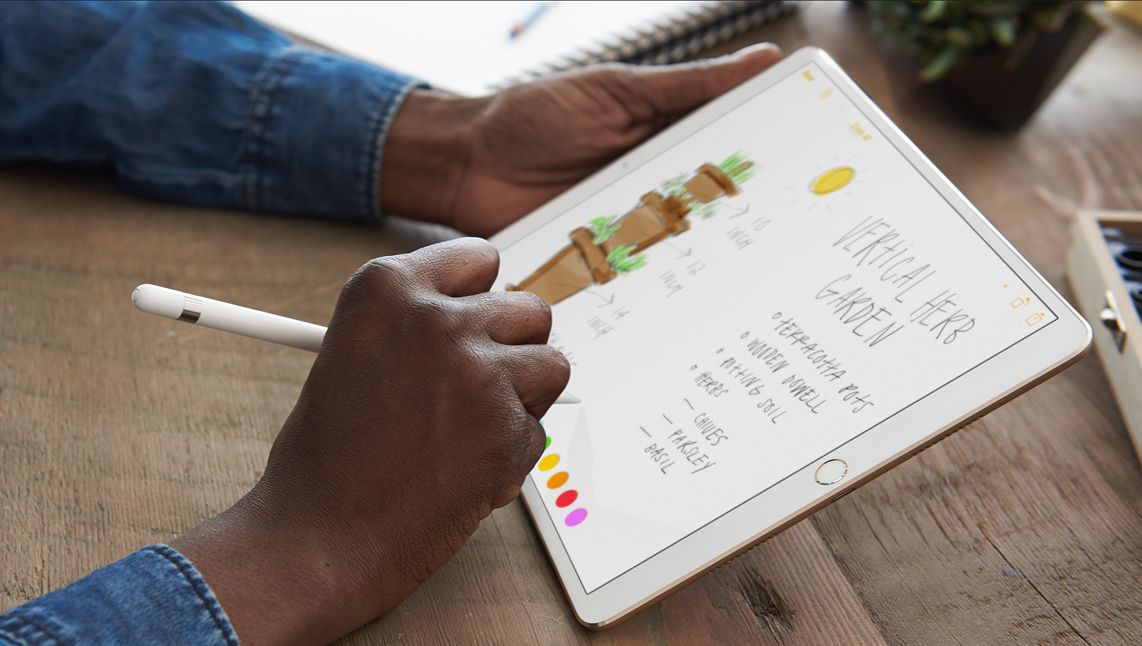
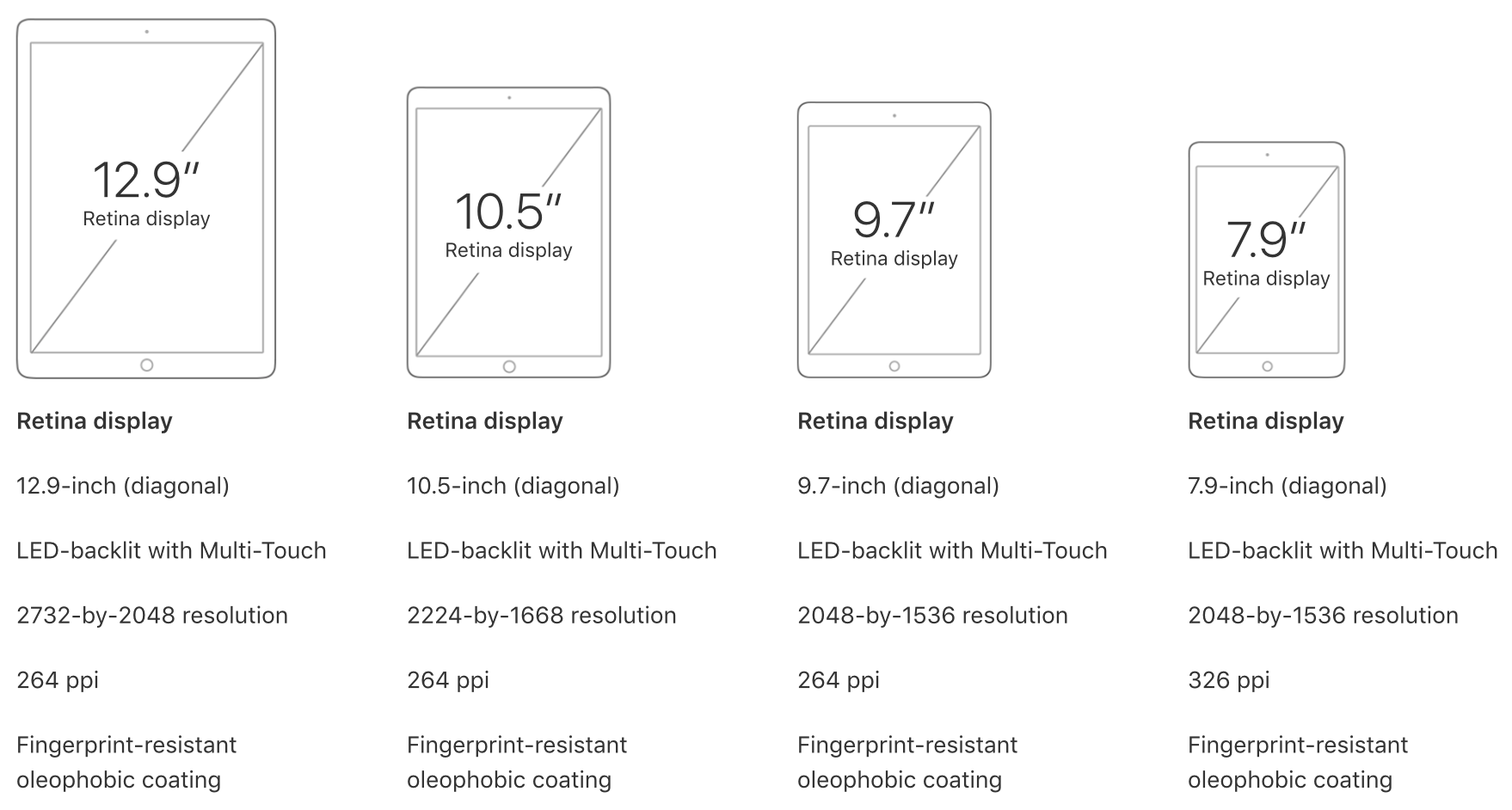
One of the few new hardware announcements Apple made on stage during its WWDC keynote is the new 10.5-inch iPad Pro model. It's essentially a refreshed version of the 9.7-inch iPad Pro, with a slightly larger display panel sitting between thinner bezels.

As usual, Apple allowed members of the press to go hands-on with the new tablet after its keynote event. And as usual, we've put together a roundup of some of their videos to give you a good idea of what to expect before deciding whether or not to purchase it.

The Verge

https://www.youtube.com/watch?v=c-L7Eu89r34

CNET

https://www.youtube.com/watch?v=qDmONcSS83k

SlashGear

https://www.youtube.com/watch?v=8qgECMZ2ZPE

TechCrunch

https://www.youtube.com/watch?v=jJyjFmV4bSU

The 10.5-inch iPad Pro (and updated 12.9-inch model) goes on sale next week, starting at $650. Unfortunately, a lot of the new iOS 11 features you see demoed in the above videos will not be available until iOS 11 launches to the public sometime later this year.

MacBook Pro gets faster CPU/GPU/SSDs, non-Touch Bar model now $200 cheaper

Apple has refreshed its notebook lineup during this morning's keynote presentation at the Worldwide Developers Conference in San Jose. Like its updated 12-inch MacBook, the refreshed MacBook Pro lineup now provides Intel's latest seventh-generation processors, code-named “Kaby Lake”, that were announced in March.

All MacBook Pro models now include enhanced SSDs, up to 50 percent faster than before.

The 13-inch MacBook Pro with Touch Bar starts at $1,799. If you need a notebook with a 15-inch display and Touch Bar, that'll be a cool $2,399, at least.

The 13-inchers have Intel CPUs up to 3.5 GHz Core i7 with Turbo Boost up to 4.0 GHz while their 15-inch counterparts include up to 3.1 GHz Core i7 chips with Turbo Boost up to 4.1 GHz.

In terms of graphics, the baseline non-Touch Bar model uses Intel's Iris Plus Graphics 640. The more powerful Intel Iris Plus Graphics 650 is powering other 13-inchers without Touch Bar.

All models of the 15-inch MacBook Pro have been upgraded to Radeon Pro 555 discrete graphics with 2GB video memory. A Radeon Pro 560 GPU with 4GB memory is available as a build-to-order option on Apple's web store.

Here are the stock MacBook Pro configurations:

$1,299 13-inch MaBook Pro

13.3-inch LED-backlit 2560-by-1600 display with IPS technology at 227PPI, with 200 nits of brightness and wide color (P3) support 2.3GHz dual-core Intel Core i5 processor with Turbo Boost up to 3.6GHz 8GB 2133MHz LPDDR3 memory 128GB SSD storage Integrated Intel Iris Plus Graphics 640 2x USB-C/Thunderbolt 3 ports

$1,499 13-inch MaBook Pro

13.3-inch LED-backlit 2560-by-1600 display with IPS technology at 227PPI, with 200 nits of brightness and wide color (P3) support 2.3GHz dual-core Intel Core i5 processor with Turbo Boost up to 3.6GHz 8GB 2133MHz LPDDR3 memory 256GB SSD storage Integrated Intel Iris Plus Graphics 640 2x USB-C/Thunderbolt 3 ports

$1,799 13-inch MaBook Pro

13.3-inch LED-backlit 2560-by-1600 display with IPS technology at 227PPI, with 200 nits of brightness and wide color (P3) support 3.1GHz dual-core Intel Core i5 processor with Turbo Boost up to 3.5GHz 8GB 2133MHz LPDDR3 memory 256GB SSD storage Integrated Intel Iris Plus Graphics 650 4x USB-C/Thunderbolt 3 ports Touch Bar and Touch ID

$1,999 13-inch MaBook Pro

13.3-inch LED-backlit 2560-by-1600 display with IPS technology at 227PPI, with 200 nits of brightness and wide color (P3) support 3.1GHz dual-core Intel Core i5 processor with Turbo Boost up to 3.5GHz 8GB 2133MHz LPDDR3 memory 512GB SSD storage Integrated Intel Iris Plus Graphics 650 4x USB-C/Thunderbolt 3 ports Touch Bar and Touch ID

$2,399 13-inch MaBook Pro

15-inch LED-backlit 2880-by-1800 display with IPS technology at 220PPI, with 200 nits of brightness and wide color (P3) support 2.8GHz quad-core Intel Core i7 processor with Turbo Boost up to 3.8GHz 16GB 2133MHz LPDDR3 memory 256GB SSD storage Discrete Radeon Pro 555 graphics with 2GB video memory 4x USB-C/Thunderbolt 3 ports Touch Bar and Touch ID

$2,799 13-inch MaBook Pro

15-inch LED-backlit 2880-by-1800 display with IPS technology at 220PPI, with 200 nits of brightness and wide color (P3) support 2.9GHz quad-core Intel Core i7 processor with Turbo Boost up to 3.9GHz 16GB 2133MHz LPDDR3 memory 512GB SSD storage Discrete Radeon Pro 560 graphics with 4GB video memory 4x USB-C/Thunderbolt 3 ports Touch Bar and Touch ID

The updated machines are available with 1-day shipping, in Silver or Space Gray.

It's worth reiterating that the entry-level 13-inch MacBook Pro model without Touch Bar now costs $1,299 instead of $1,499. Being a cool $200 cheaper actually makes in comparison MacBook Air a tougher sell as it's only gotten a faster 1.8GHz Intel chip today.

Apple also continues to offer the previous-generation MacBook Pro with a 15-inch screen, Intel's 2.2GHz quad-core Core i7 processor with Turbo Boost up to 3.4GHz, 16GB 1600MHz memory, 256GB SSD storage, Intel Iris Pro Graphics and two Thunderbolt 2 ports.

It's available in Silver finish only and costs $1,999 a pop.

These updated MacBook Pro models, plus improved iMacs and the 13-inch MacBook Air models with a faster 1.8GHz CPU, are all available to order today on Apple.com.

You can buy them in Apple Stores starting on Wednesday, June 7.