Web browsers are invaluable tools, but to get to one on your iPhone or iPad, you first need to unlock your device.
That is, unless you’re using the new LockBrowser jailbreak tweak, which puts a full-blown web browser right on your Lock screen.
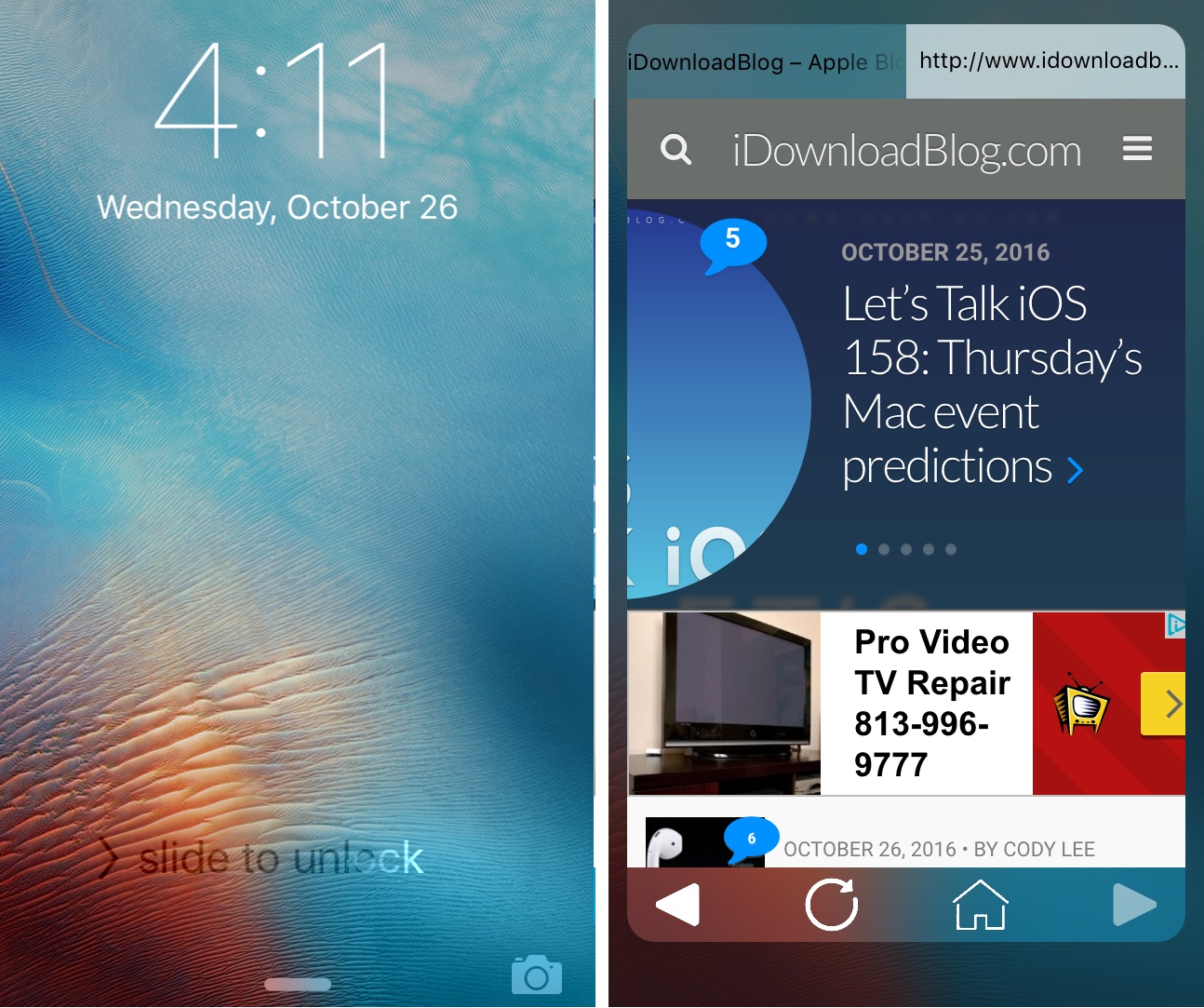
Web browsers are invaluable tools, but to get to one on your iPhone or iPad, you first need to unlock your device.
That is, unless you’re using the new LockBrowser jailbreak tweak, which puts a full-blown web browser right on your Lock screen.

I'm a big time YouTube user, and even though I have zippy fiber optic internet, it seems like there are still times when YouTube videos get stuck buffering instead of playing when I want to enjoy HD video streaming.
If you can relate, then you should take a few minutes to read this piece, because we'll be talking about some common remedies for the annoying buffering problem.

No matter how many Wi-Fi networks you use on a daily basis, and no matter the purpose, a new jailbreak tweak called WiFi – The Strongest Link could help ensure you're always using the strongest Wi-Fi signal possible.
This tweak will constantly monitor the Wi-Fi networks around you in real time and try to keep you connected to the one with the strongest signal.

Learn how to close all open Safari tabs at once on your iPhone or iPad to save time, declutter your browsing, boost performance, and even save battery power.

Because your iPhone doesn't have as large and immersive of a display as your computer does, every single last pixel you can squeeze into a website as viewing space can make the web browsing experience better, depending on the circumstance.
A new free jailbreak tweak called SafariFullScreenScrolling cleans up the interface of Safari while you're scrolling around to give you a much nicer full-screen effect.
It's that time of the year again and Apple's September 7th keynote will be kicking off tomorrow in what is expected to bring the unveiling of the next-generation iPhone and some other exciting surprises.
If you're ready to tune in and see what Apple has to offer, we'll be showing you in this piece how you can live-stream the event on various devices.
Contact groups can be useful, but as your list of contacts changes over time, you may outgrow the need for some you already have, or develop a need to make more. In this tutorial, we'll show you how you can delete a contact group from iCloud.com.
Spring-cleaning your contact group list helps reduce clutter in the Contacts app and makes it easier to find the contacts you want right when you need them.

Apple has launched an official Twitter account on Friday. With @Apple, the company now has yet another channel for releasing important announcements and promoting products and events to the public.

One of the things I find very bland about the Safari web browser for the iOS platform is how all of the bookmarks show the same icon. Not only does this look repetitive and fatiguing for the eyes, but it isn't as friendly to interact with.
Most modern desktop web browsers show the actual website icon when you bookmark a web page, and the mobile Safari web browser should be no different. If you're jailbroken, you can install a new jailbreak tweak called BookmarksIcons to accomplish this.

Create a contact group on iCloud Web so you can bundle similar contacts in one list or use them for group messaging and email.