Video

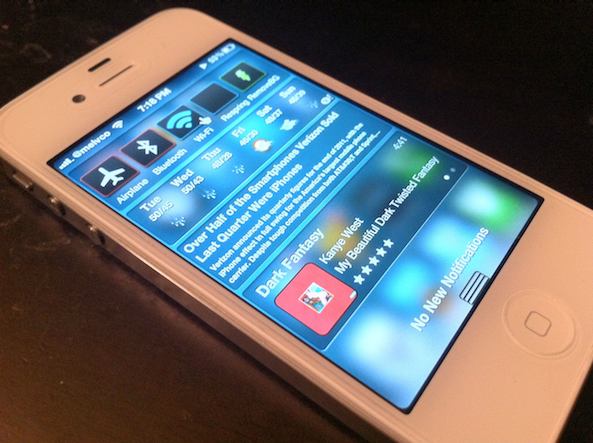
Watch this awesome video of 100 reasons to jailbreak

As you all know, we are major proponents of jailbreaking here at iDB. We've been telling folks how to do it, and why to do it for nearly 5 years now. We may talk about other news topics, but the jailbreak scene is definitely our bread and butter.

That being said, you can understand our excitement when we came across this video that shows off 100 reasons why you should jailbreak your iPhone. It's entertaining, well put together, and less than 4 minutes long...
Top jailbreak videos of the week

It's Monday, and that can only mean one thing: a recap of last week's most excellent jailbreak app and tweak videos. Inside you'll find a way to get the iOS 5.1 Lock screen camera on your 5.0 or 5.0.1 firmware, details on a great new App switcher, along with an awesome SBSettings alternative.

Please be sure to share our iPhone, iPad, and iOS video guides by spreading our posts on Twitter and Facebook.

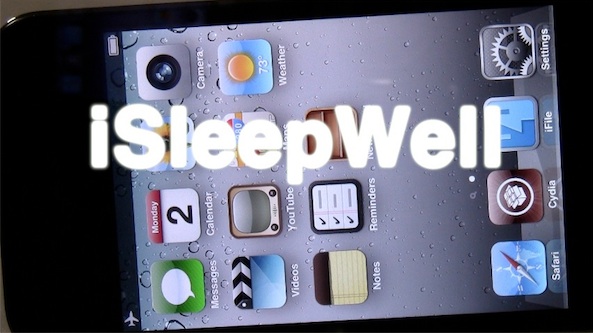
‘iSleepWell’ enables Airplane mode when your iPhone is face down

Don't you just hate it when you receive an unnecessary phone call or text in the middle of the night and it wakes you up?

Apparently the creators of iSleepWell experienced one too many wakeup calls themselves, hence this new jailbreak tweak.

With iSleepWell installed, your iPhone will monitor its accelerometer to know when it's placed face down. After a user defined time threshold, your device will be automatically placed into Airplane mode. This in turn prevents phone calls, texts, and other annoyances from disturbing your beauty sleep...

‘Aero’ now available for download on Cydia

[tube]http://www.youtube.com/watch?v=kS86gtltKDw[/tube]

Aero is a brand new jailbreak tweak that allows you to switch apps in style via custom animations. We've already had some significant hands-on time with Aero last week, and we were excited by what we saw.

Aero adds a whole host of custom animations that allow you to switch between apps in very unique ways. It's a tweak designed by SBCoders, the same folks behind Deck, so you know it's quality.

If you've been waiting on pins and needles for Aero's release, then wait no more; Aero can be downloaded from Cydia's ModMyi repo for $1.99. What do you think?

Speak your “now playing” song with ‘MediaSpeak’

If you do a lot of running or jogging, then you probably find your iPhone in your pocket while you listen to your favorite motivational music.

Unless you have a meticulously designed playlist, chances are you'll run into a song or an artist that you don't immediately recognize. Instead of pulling your phone out of your pocket mid stride, wouldn't it be nice if your iPhone could tell you all about the song itself?

With MediaSpeak, now it can. Check out our video demonstration or the details...

‘UsefulIcons’ goes live on Cydia

[tube]http://www.youtube.com/watch?v=ChOMb2HlTwk[/tube]

UsefulIcons — a jailbreak tweak that we previewed last week — has gone live on Cydia.

The tweak adds a bevy of quick app icon shortcuts to your Home screen to control and toggle everything from WiFi to location services, respring, lock your device, and much more.

In all there are a dozen dynamic icons added to your Home screen courtesy of UsefulIcons. It can be had from Cydia's ModMyi repo for $0.99. Let us know what you think about it if you give it a go.

How to closely monitor your iPhone’s data with ‘Data Usage Monitor’

Data Usage Monitor is a cellular data monitoring tool available for $1.99 on Cydia's BigBoss repo. It's a tweak that has the ability to monitor and take specific actions once your cellular data reaches a user defined threshold.

On paper it looks to be a great tweak that could save you money from data overages, but as you'll see from our video walkthrough, it has a few opportunities for improvement before we'd deem it worthy of purchase...

Customize your Lock screen’s date with ‘LockDate’

Interested in customizing the look of your Lock screen's date display? Then look no further than LockDate — a tweak exclusively devoted to customizing the date reading on your iPhone's Lock screen.

With LockDate you can alter the date's font, color, style, and much more. There is also a provision to incorporate alternate calendar types and switch to them by swiping on the date with your finger.

LockDate certainly isn't a tweak that will find an audience with everyone one, but there's sure to be someone who is interested in this niche...

‘Transparency’ will make your app icons invisible

Transparency is one of those tweaks that allows you to do all sorts of things with respect to the look of your Home screen app icons. As its name suggests, the primary purpose is to make your icons transparent, or in many cases outright invisible.

Once installed, you'll receive a new settings panel in the Settings app that allows you to customize your app icons in a very granular way. Take a look at our video walkthrough for the detailed evidence...

PodControl: control your Music app from the Home screen

Controlling your Music app from the Springboard has been done before by the jailbreak community, but I guess the developer of PodControl felt they needed to put their own spin on the formula.

PodControl is a simple jailbreak tweak that places three buttons on your Home screen. The buttons consist of Next, Play/Pause, and Previous, and they perform just as one would expect.

Take a look inside for our video of PodControl in motion...

‘SwipeBack’ allows you to navigate back with a swipe

SwipeBack is a brand new jailbreak tweak from Ryan Petrich that allows you to navigate back within apps using a simple swipe from left to right.

Although the tweak isn't available on any public repos, and is still relegated to beta status, I can confirm that it works quite well.

Check inside for the download details, and a brief video demonstration of SwipeBack in action...