Jailbreak Apps

How to Get Free Visual Voicemail on T-Mobile Using ‘YouMail’

Once upon a time I unlocked my iPhone 3GS and used it on T-Mobile in order avoid AT&T's more expensive service.

It was a decent experience, but two noteworthy flaws marred it. Number one; I obviously had no 3G-network access since the iPhone doesn't contain the circuitry needed to piggyback T-Mobile's 3G network. Number two; I had no access to Visual Voicemail.

Of course there's no way to fix problem number one, that's an inherent issue regarding hardware. Problem number two, though, is fixable.

In this video tutorial, I'll show you how to use the jailbroken version of YouMail to get real visual voicemail on your iPhone for free...

‘GrayPix’ Takes the Color Out of Your iPhone’s Camera Roll

Been itching for a quick and easy way to convert the photos in your camera roll to black and white? If so, then GrayPix might be the jailbreak tweak that cures what ails you.

A TweakWeek tweak that features no settings or app installations, GrayPix places a convenient 'Convert to Grayscale' button into your camera roll's list of sharing options.

From there, it's just a matter of tapping the button and letting GrayPix do the rest...

‘SpringBoard Invaders’ Brings Arcade Fun Right to Your iPhone’s SpringBoard

iOS might be the mobile platform to beat when it comes to gaming, but you'd be hard pressed to find me something as unique as SpringBoard Invaders on the platform.

As its name implies, SpringBoard Invaders brings a Space Invaders inspired arcade game right to your iPhone's SpringBoard.

That means that there's no need to even launch an app in order to play it; all you do is swipe to the last screen on your iPhone, and let the games begin...

‘NewContact’ Allows You to Add Contacts Using Activator Gestures

Do you always find yourself moseying into the Contacts app to add new friends, family, and acquaintances?

Doing so can be somewhat of a clunky affair, especially if you need to do so while in a hurry.

NewContact is a jailbreak tweak available on Cydia that takes some of the thought process out of adding new contacts to your iPhone's address book...

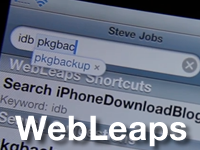
‘WebLeaps’ Adds Custom Search Shortcuts to Spotlight and Safari

WebLeaps seems to be one of those tweaks that fell through the cracks. I'd honestly never heard of this tweak before Sebastien mentioned it to me, but I'm glad that he did.

That's because WebLeaps allows you to easily navigate some of the web's best sites by means of custom search shortcuts.

You can even create your own custom search shortcuts with a bit of plist editing know-how.

Check inside as I go one-on-one with WebLeaps. I even create my own custom iDB search shortcut...

‘BatteryShower’ Gives You More Lock Screen Battery Options

Is it show-er, or shower? I think I'll stick with shower since that's more fun to say.

Naming discrepancies aside, BatteryShower is an iPhone jailbreak tweak that is basically an extension of a previous tweak we touched on called 'ASB'.

ASB allows you to always show the battery icon on your lock screen, regardless of whether or not you have it connected to a power source.

BatteryShower takes this formula, and remixes it so to speak by also allowing you to never show the battery as well...

‘SMSHideKeyboard’ Gives You More Room to View Your SMS History

One of the new features in iOS 5 is the ability to hide your keyboard when viewing your SMS history in the iMessage app.

It didn't take long, but there is now a jailbreak tweak available that mimics said functionality, and even allows you to hide the input box as well.

For longtime biteSMS users, this won't be new to you, but if you've been hanging onto that old outdated Messages app, this is a must have tweak to add to your collection.

Check inside for the video details surrounding SMSHideKeyboard...

Adjust Your App Label Position With ‘LabelMover’

LabelMover is a new jailbreak tweak that will presumably be a part of the TweakWeek selection of tweaks.

The purpose of this tweak is to adjust the position of your app icon labels about 1/4th from the top of the app icon.

That's pretty much all this tweak sets out to do, and to be honest with you, I uninstalled this right after shooting it...

What’s On My iPhone? – June 2011 Edition

It's almost the end of June, so it's no secret that I'm a little overdue with this month's What's On My iPhone? Video. Better late than never, right?

This month, as usual, it's all about my favorite jailbreak tweaks and apps.

Inside, you'll find a moderately thorough walkthrough of biteSMS, along with four other highly useful jailbreak tweaks that I use on my personal iPhone.

Interested in seeing which Cydia tweaks and apps have me hooked? Then check inside for the full disclosure...

‘Orbit’ Exposé for iPhone Updated to Support iOS 4

It's been a long, long time... but change has finally come, and Orbit has been updated to support iOS 4.

Orbit, as you can probably recall, is the jailbreak app that allows you to initiate an iPhone Exposé mode using an Activator action.

It has been sitting in limbo for over a year waiting for iOS 4 support, and that support finally came a few weeks ago when 'Orbit for iOS 4' appeared out of nowhere on the Cydia store.

With its recent resurgence, we figured now would be as good of a time as ever to recap why this app is worth checking out...

Add Text to Your iPhone’s Lock Screen With ‘Custom Lock’

It looks like Tyler Nettleton saved one of his best jailbreak tweaks for last. His swan song, Custom Lock, allows iPhone jailbreakers to add their own custom message to their lock screen.

Custom Lock is the seventh and final entry for this round of TweakWeek and it allows you to use your iPhone's lock screen as a virtual billboard.

A quick venture into your iPhone's Settings app reveals a settings panel for Custom Lock that lets you add clock replacing text along with subtitle text.

Want to see what the results look like? Check inside for a brief video demo of Custom Lock in action...

Censor Your SMS Messages With ‘SMS Censor’

SMS Censor is a new jailbreak tweak that allows you to censor certain words when using your iPhone's default Messages app.

Its purpose is to prevent messages from being sent altogether if it detects a censored string residing in the body of your text message.

I'm not exactly sure who would want to use this, or how it would be used, but I'd imagine it would be a scenario where a parent is censoring or monitoring their child's text messaging habits.

Unfortunately, if the child is smart enough to jailbreak the device in the first place, they're definitely smart enough to find one of the many ways to work around a restriction such as this...