Update

If You Haven’t Already Updated to iOS 4.3.3, You Can’t Anymore

Apple will no longer allow users to update or restore an iOS device to iOS 4.3.3. The signing window for 4.3.3 has been closed, meaning that you can no longer restore a device to 4.3.3 in iTunes without previously saved SHSH blobs from that firmware.

This news is important for jailbreakers that are either considering using JailbreakMe on iOS 4.3.3, or those that may have possibly upgraded to an iOS 5 beta without saving their blobs. The recently released iOS 4.3.4 kills the untethered jailbreak that was previously offered in iOS 4.3.x, so 4.3.3 is the most up to date firmware that offers an untethered jailbreak.

Apple Releases iOS 4.3.4 with Fix for JailbreakMe Exploit

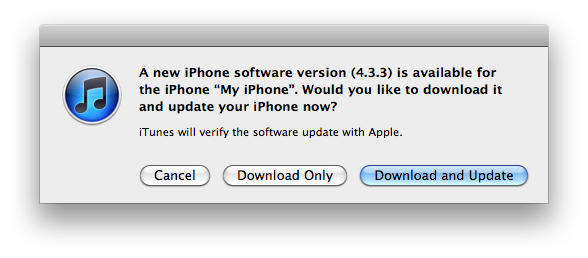
Apple has released iOS 4.3.4 for the iPhone, iPod touch and iPad. This update is now available in iTunes and has been released to fix the PDF exploit uncovered and distributed by Comex in the latest addition of JailbreakMe.

iOS 4.3.4 can be applied to your iDevice by updating your software in iTunes.

BiteSMS Update for JailbreakMe 3.0 Compatibility

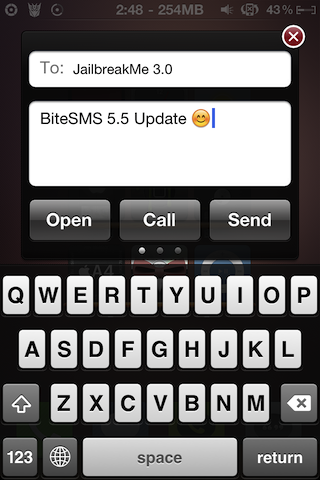
The biteSMS team has pushed out a compatibility update for JailbreakMe 3.0.

Just over a week ago, we discovered that Cydia's popular text messaging tweak, biteSMS, was conflicting with Comex's latest jailbreak, JailbreakMe 3.0.

BiteSMS' quick reply functionality would send users device's into an infinite boot loop. This was quickly confirmed with multiple sources, predominantly the biteSMS support forum, JailbreakQA, and of course our readers here at iDB.

TinyUmbrella Updated for iOS 5 Beta 3 [Save Your SHSH Now]

A quick update to let you know that Notcom has updated TinyUmbrella to version 5.00.04 with iOS 5 Beta 3 support. This update also seems to fix a visual bug that some users may have encountered in the previous version.

As usual, we recommend you download TinyUmbrella and save your SHSH blobs asap to avoid being locked out in the future. Obviously, if you're not a jailbreaker, you shouldn't care about TinyUmbrella...

Jailbreak App iMAME4All Adds iCade Support

Remember when we told you about the iCade? The retro iPad accessory lets you play select iOS games via a set of arcade-style controls, and its SDK just became available for 3rd party development. It looks like the jailbreak community struck first.

Engadget is reporting that the popular Cydia app known as iMAME4All was just updated to support the new tablet accessory. iMAME4All is an emulator that plays hundreds of retro titles, so needless to say it would be an awesome fit for the iCade...

Jailbreaking iOS 5 Beta 3 Will Cause Apps from the App Store to Not Work

iOS 5 Beta 3 has been out for barely half a day, and it's already been confirmed that you can jailbreak Apple's latest beta release with RedSn0w. That's good news for jailbreakers, even if it is only a tethered jailbreak.

Don't get too excited, though. Because it seems that jailbreaking iOS 5 Beta 3 will result in you no longer being able to run apps from the App Store...

Cydia Upgrade Fixes JailbreakMe Bugs and Camera Connection Kit Issue

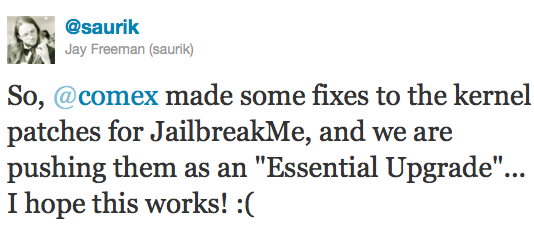
Those of you who have been experiencing bugs after using JailbreakMe will be glad to find out that Comex made some fixes to the kernel patches for the userland jailbreak, and these fixes have been pushed as an "Essential Upgrade" in Cydia.

To get this update, simply launch Cydia and you should be prompted to upgrade. Make sure you do not run JailbreakMe again over your current jailbreak. Instead, let Cydia do the job for you...

Apple Releases iTunes 10.5 Beta 3

Following the release of iOS 5 beta 3 earlier today, Apple also updated iTunes to version 10.5 beta 3. Needless to say that this update is for developers only, although it seems stable enough for anyone to use, assuming you know where to get it.

If you just downloaded iOS 5 beta 3, you will need to install iTunes 10.5 beta 3 in order to install the latest iOS version on your device. From what I see, iTunes 10.5 beta 3 is safe for jailbreakers so there is nothing to worry on that side...

Time Warner Cable App Flips the Finger at Jailbreakers, and How to Bypass This Restriction

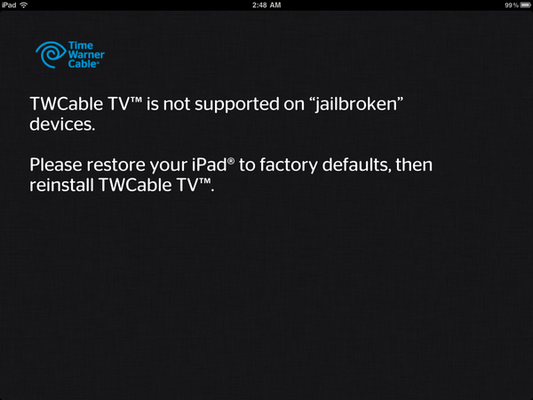
The Warner Cable app for iPad just got an update, and if you're a jailbreaker, you might want to stay away from it. The app that lets you watch cable TV on your iPad - assuming you are in your home - is now showing an error message to anyone using the app with a jailbroken iPad.

It's actually kinda odd that such an app would have anti-jailbreak measures. My guess is that they want to prevent jailbreak developers from coming up with a way to use the TWC app from outside the house...

Apple Plans to Fix JailbreakMe PDF Exploit in Next iOS Update

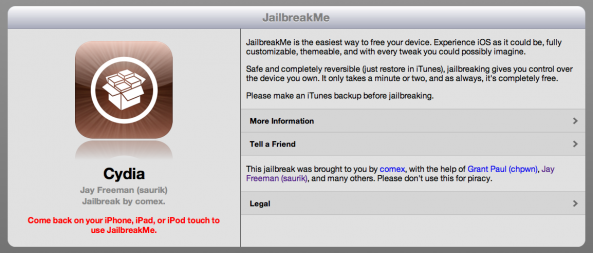
After a long wait, Comex released JailbreakMe 3.0. And now a huge number of iOS devices have already utilised the hack.

The jailbreaking method, which simply requires a user visit a website and press a button, is aimed at jaibreaking iOS devices running version 4.3.3, as well as being the first jailbreak available for Apple's iPad 2.

With experts warning that the same method Comex uses could also be used in a malicious context, it was only a matter of time until Apple looked to plug the PDF exploit that the jailbreak relies on....

TinyUmbrella Updated for iOS 5 Beta 2

Just a heads up for you guys, notcom has announced his latest update to TinyUmbrella - now supporting iOS 5 Beta 2.

TinyUmbrella is widely used by many, predominantly in the jailbreak community to save their SHSH blobs. To put it simply, if you don't save your SHSH and Apple stops signing for that particular firmware, you won't be able to restore your iPhone to older firmware versions through iTunes...