UI

PingWatch gives your iPhone a more audible Lost and found tone

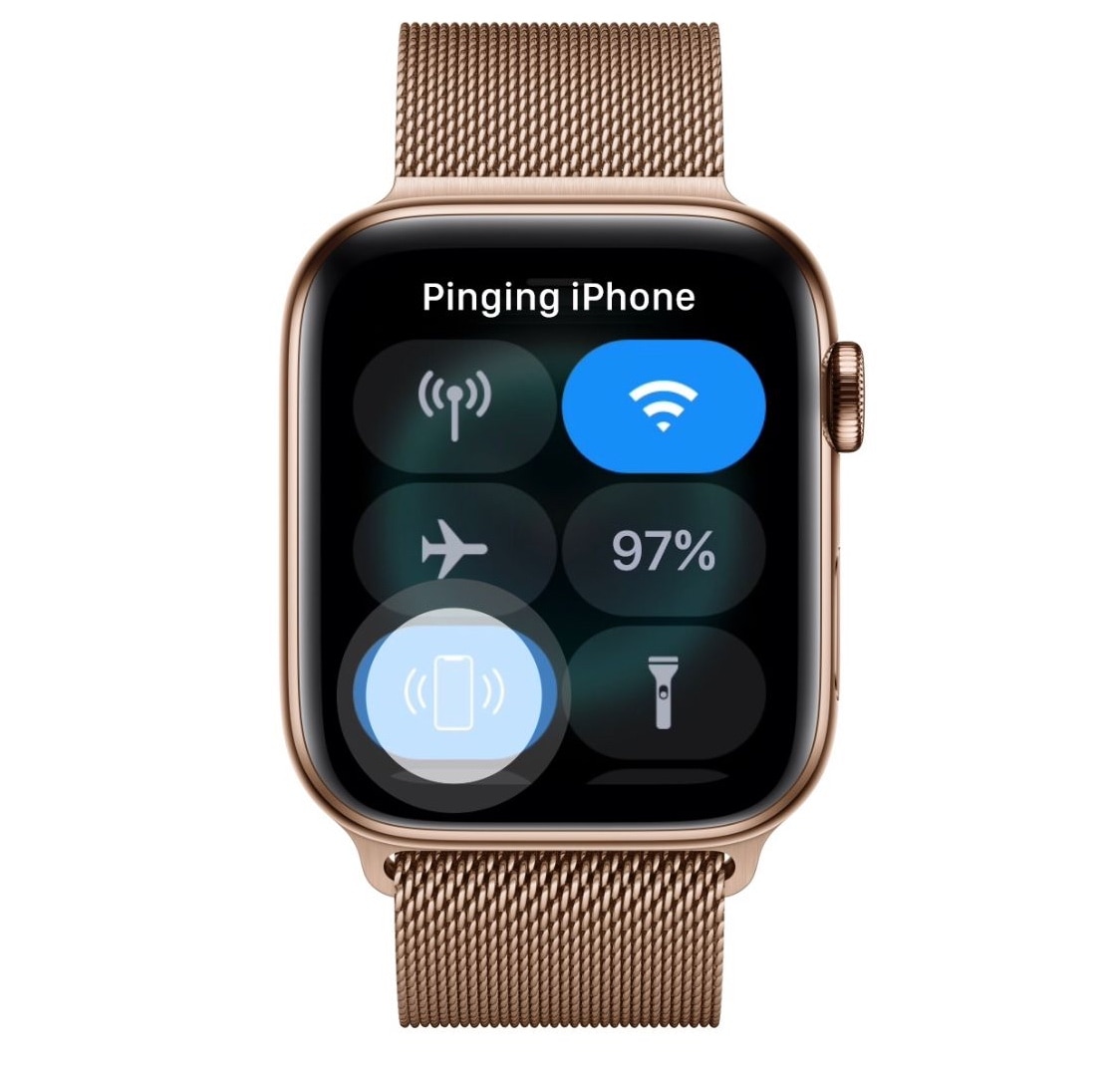
Sometimes you misplace your iPhone and it’s merely hiding in between the seat cushions on your couch rather than being lost out in public, and that’s why Apple includes a native feature on your Apple Watch called Lost and found, which forces your iPhone to emit a high-frequency sonar tone so that you can locate it with just your ears.

As cool as this feature is, many have expressed their concerns with the sound, noting that it isn’t loud or noticeable enough. Apple’s response to these concerns? – such is life. But iOS developer Lefteris Karkaletsis wanted to do more, and so he released a new jailbreak tweak called PingWatch to replace the native Lost and found tone with something more audible.
ReachIt puts a Now Playing music interface in the empty Reachability space

Modern iPhones have become so massive that it’s becoming a challenge to operate them one-handed. For this reason, Apple implemented a feature in iOS called Reachability that pulls the contents of your display farther down so you can reach them with your thumb.

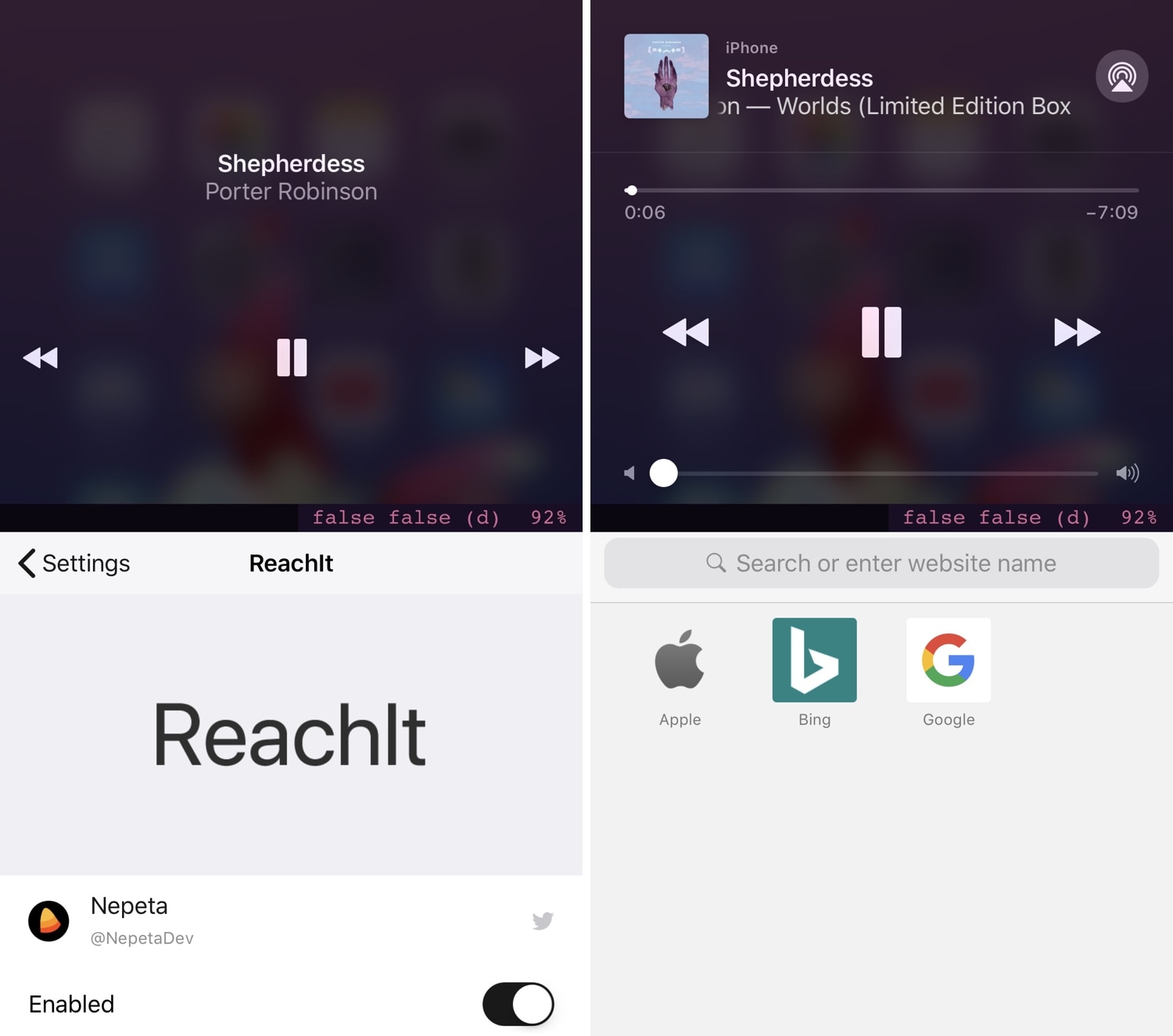
On any stock device, the Reachability interface leaves a large gap of unused space at the top of your display, but a new free jailbreak tweak called ReachIt by iOS developer Nepeta makes use of that wasted screen real estate by incorporating a Now Playing music interface into it.

Improve your iPhone’s multitasking capabilities with PullOver Pro

Multitasking is something that the iOS platform has always fallen short on, and that’s precisely why we’re excited to talk to you about a newly-released jailbreak tweak called PullOver Pro by iOS developer c1d3r.

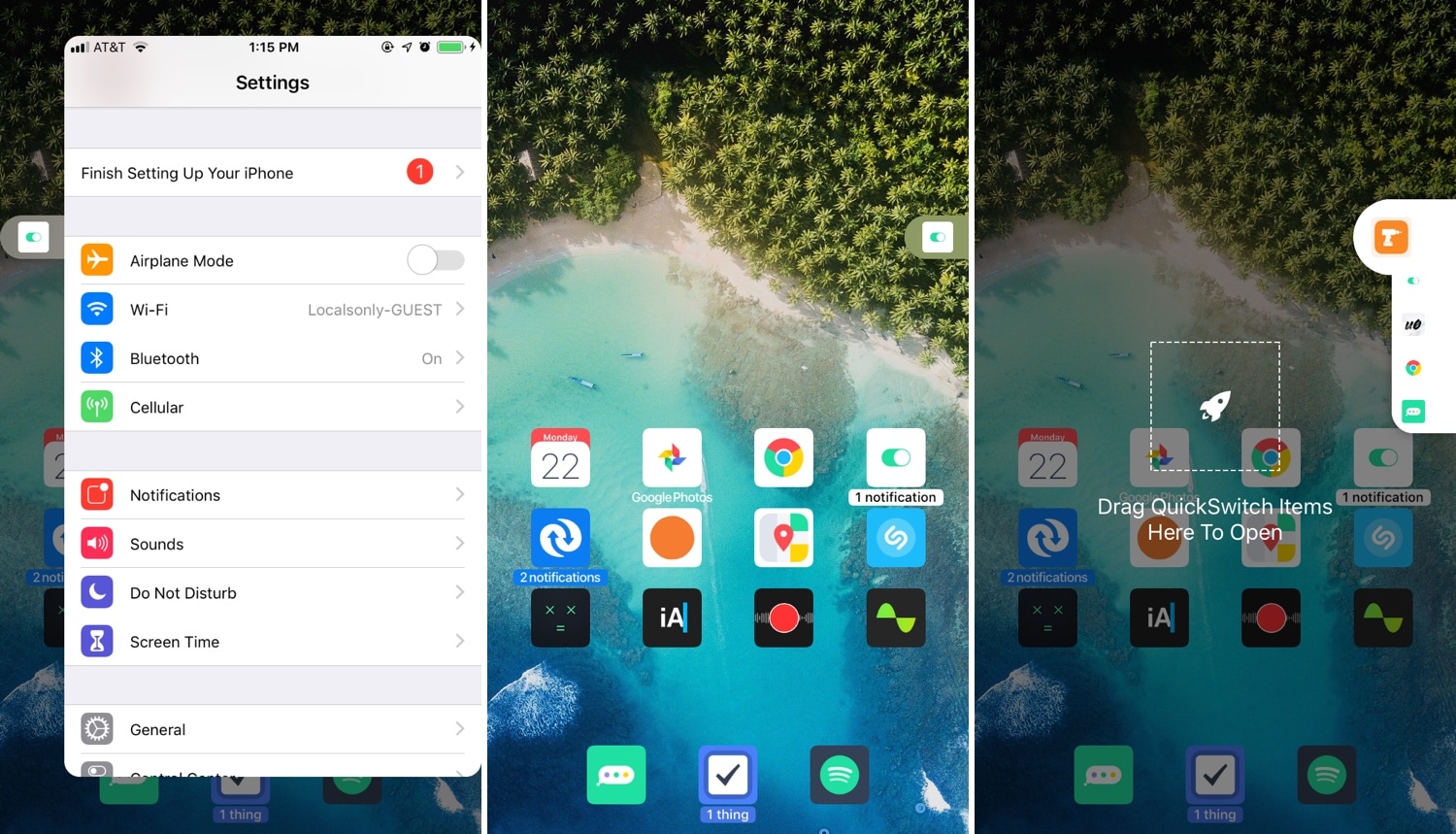
As you might’ve noticed from the screenshot examples above, PullOver Pro is exactly what it sounds like. The tweak adds a small grabber to the side of your display that you can interact with to gain quick access to your favorite or most recently-used apps.

Augment iOS’ Do Not Disturb feature with LeaveMeAlone

I use Do Not Disturb mode all the time, because, like anyone else, there are times when I simply don’t want to be bothered by my smartphone. On the other hand, Apple’s Do Not Disturb feature is implemented in such a way that it can be an annoyance in and of itself.

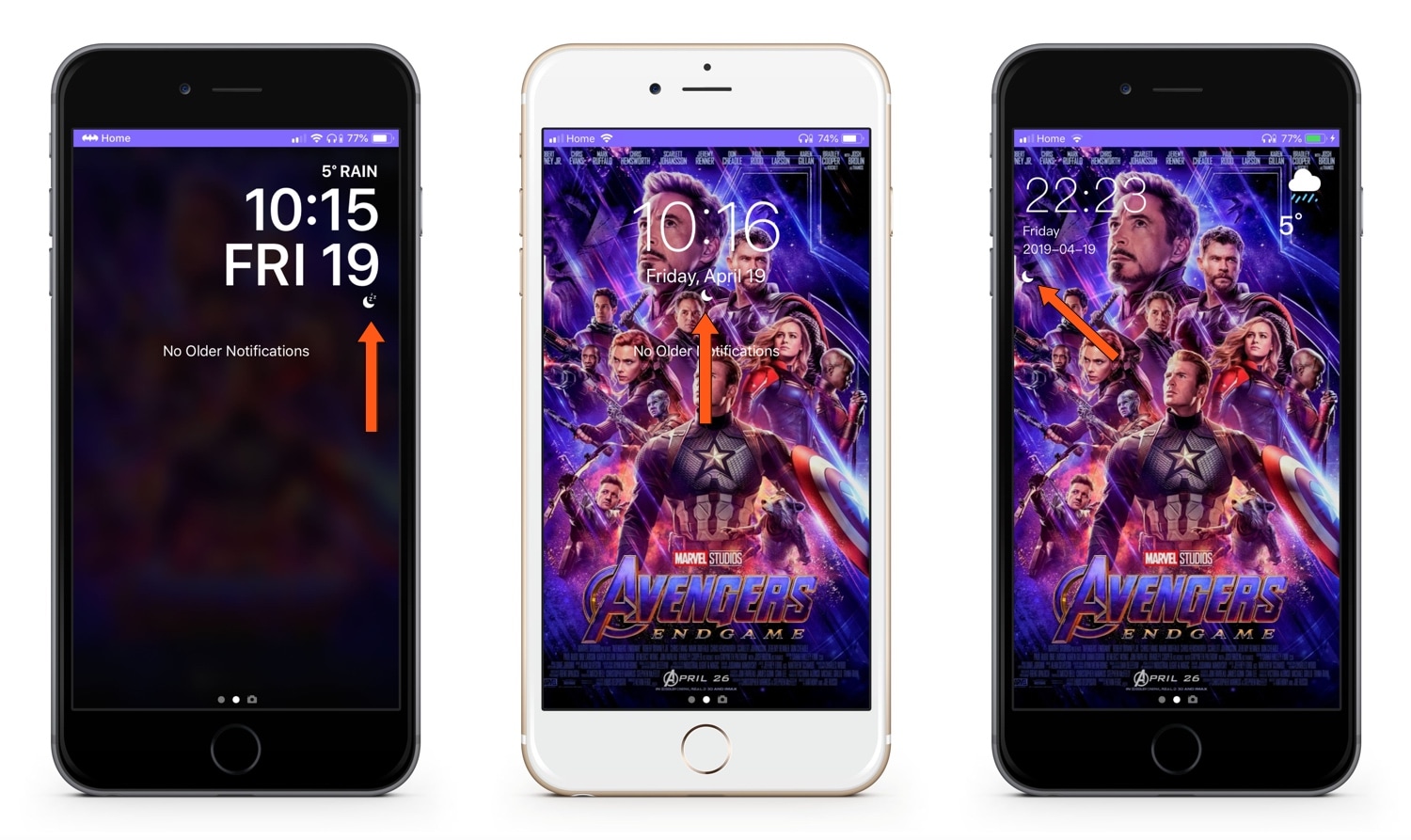
LeaveMeAlone is a new free jailbreak tweak by iOS developer Karimo299 that resolves some of these problems by making Do Not Disturb less of a distance. More specifically, it does away with iOS 12’s annoying Do Not Disturb banner and moves the Status Bar icon beneath the Lock screen’s date and time indicator, as shown above.

Snapper 2 augments your iPhone’s screenshot-centric capabilities

Apple stepped up how iOS handles screenshots in some of the latest iterations of iOS, but that’s not to say it’s perfect. With that in mind, we can usually expect that the jailbreak community will respond with a solution whenever Apple leaves anything to be desired, and that’s precisely what happened in this particular instance.

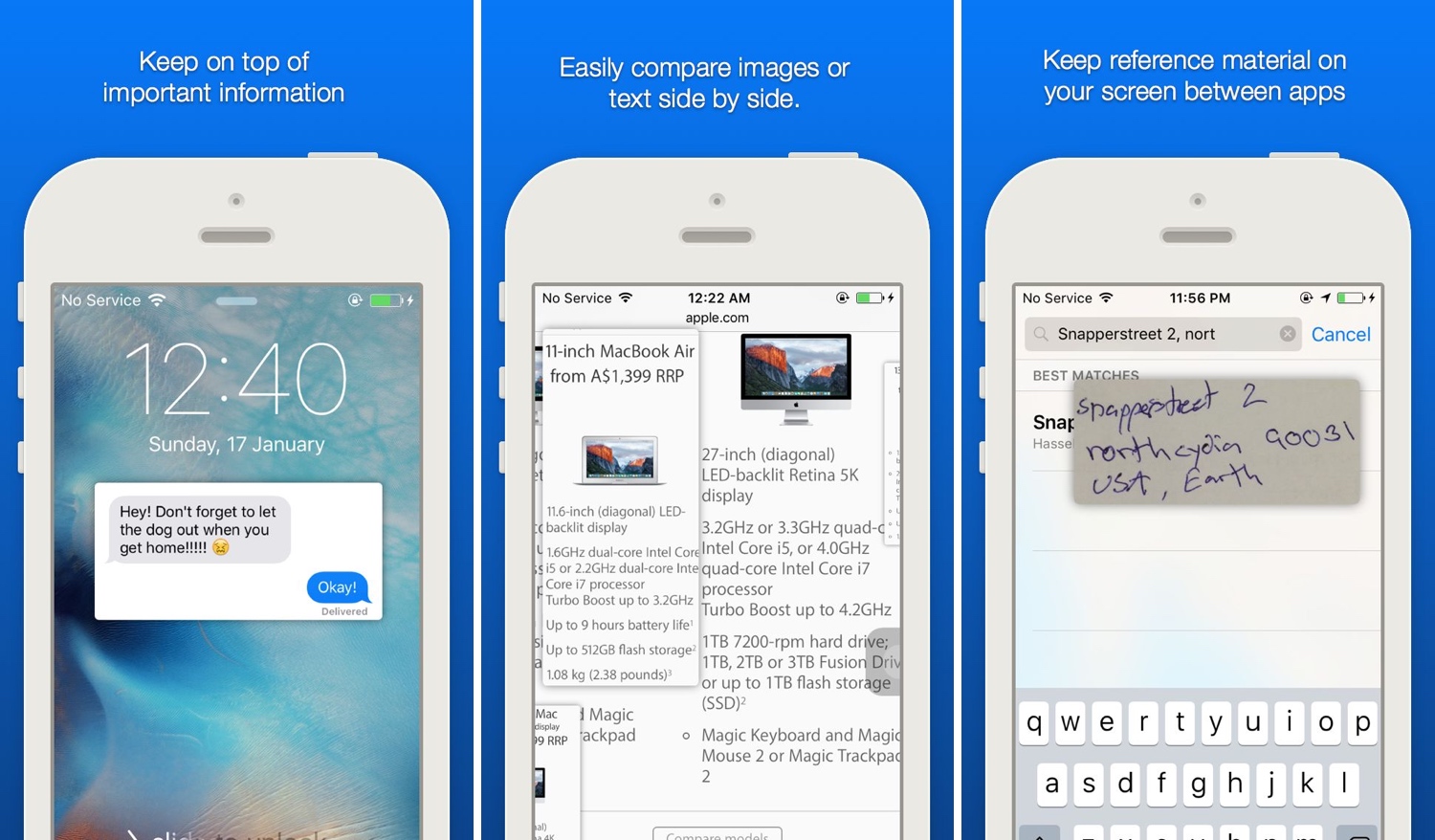
Snapper 2 is a jailbreak tweak by iOS developer Jonathan Winger-Lang that augments iOS’ screenshot handling with a whole trough of new features, including sticky screenshot previews and privacy protection, among other things.

7ower cures your nostalgia for the iOS 7-esque power down menu

Among the plethora of things Apple changed over the years with respect to iOS’ user interface is the power down menu that appears when you press and hold a certain button sequence on your handset. On older handsets, you could access it merely by pressing and holding the sleep/wake button, but on newer handsets, you must hold sleep/wake and a volume button.

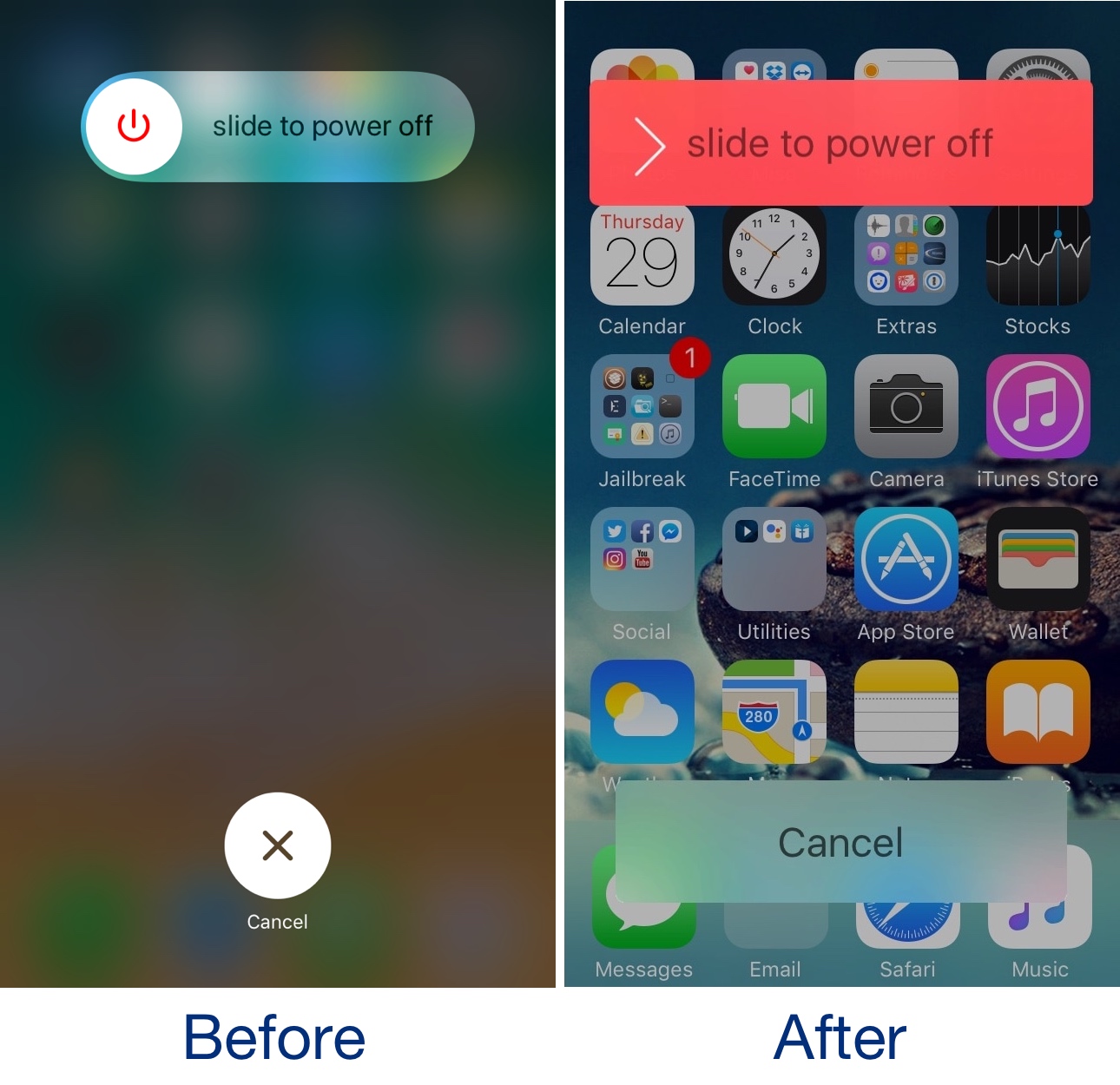
Like with most changes, not all users take as kindly to the updated interface as others, leaving plenty of wiggle room for nostalgia. For that reason, iOS developer PeterDev has just released a new jailbreak tweak called 7ower that ports the pre-iOS 7.1 power down slider to pwned iOS 11 and 12 handsets.

This tweak enables true randomized playback shuffling in Spotify

I still prefer using Spotify over Apple Music, but that’s not to say that the former couldn’t do with some improvements. One of the most notable gripes about Spotify is that the random shuffle isn’t as random as some folks would prefer.

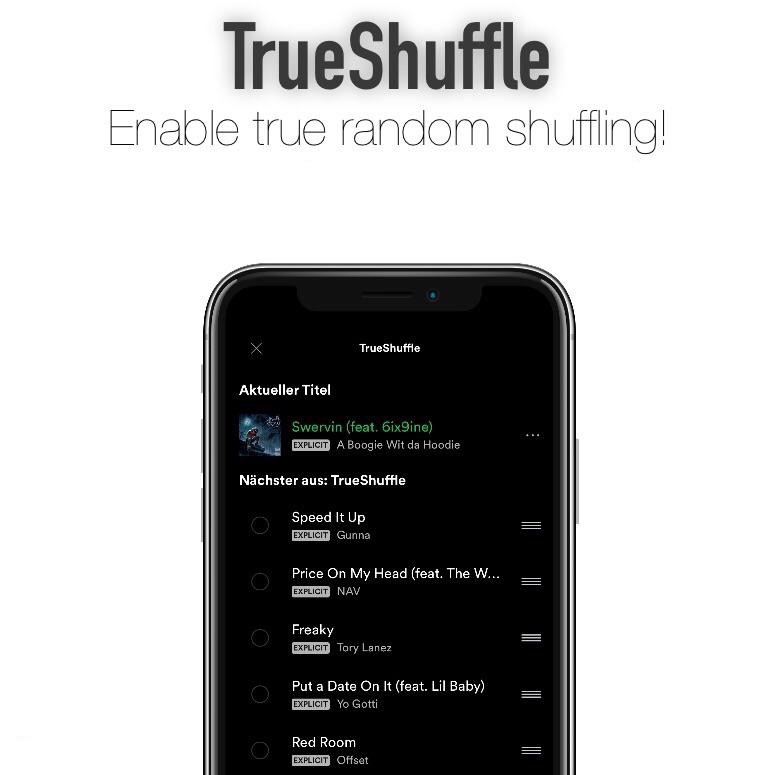
Here to a rescue is a new free jailbreak tweak called TrueShuffle by iOS developer Yung Specht, which, as the name implies, brings true song randomization to the Spotify app on jailbroken devices.

JumpSkip lets you skip between music tracks with your volume buttons

As you listen to music on your iOS device, you can move forward and back between tracks with the designated buttons in the Now Playing widget. But if your handset is in your pocket, then you can’t switch between tracks without first pulling the device out of your pocket.

JumpSkip is a new free jailbreak tweak by iOS developer Karimo299 that lets you move forward and back between music tracks without taking your device out of your pocket; instead, you can articulate specific volume button sequences to accomplish this task.

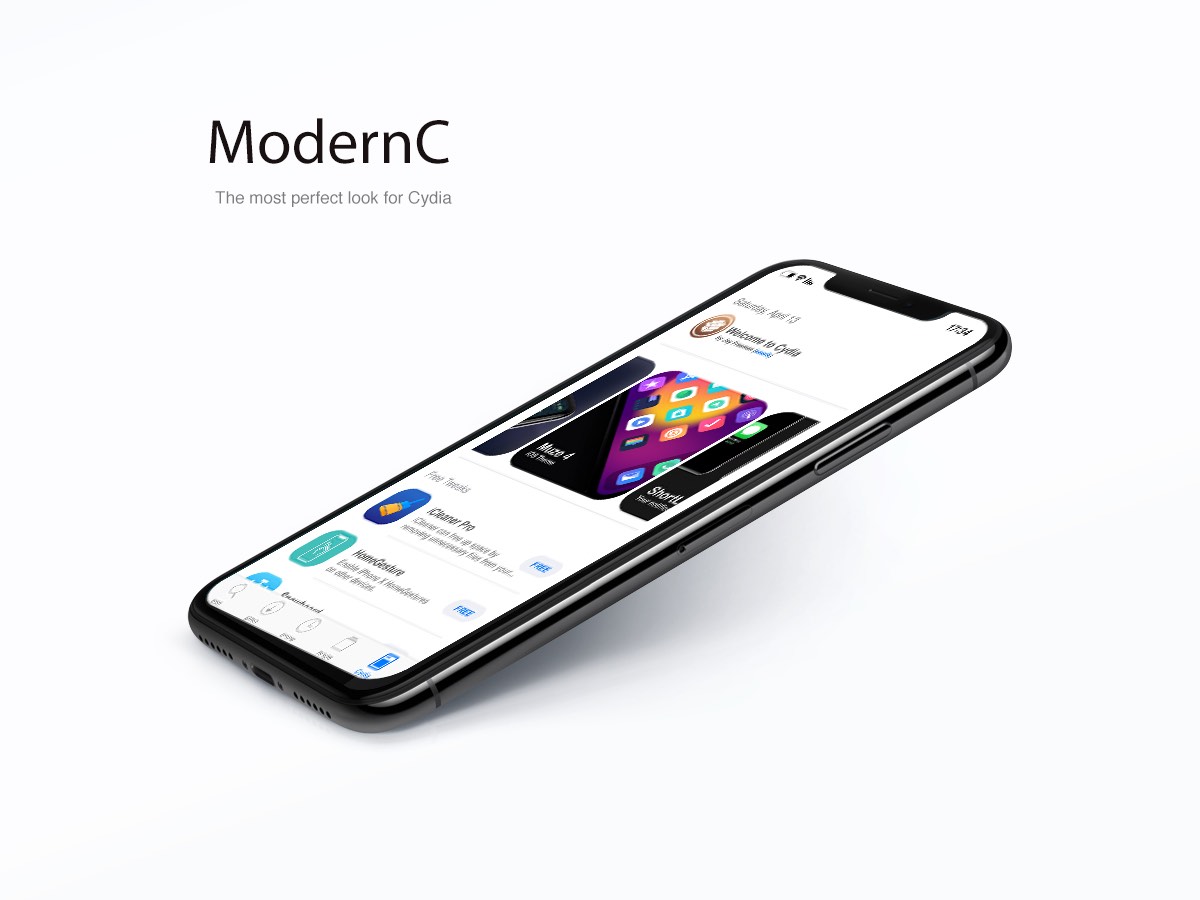
ModernC is yet another modernized redesign for Cydia’s home page

There have been a significant number of jailbreak tweak releases in recent memory that aim to redesign the Cydia app’s user interface to make it more aesthetically pleasing, and while many of them definitely seem like improvements, not all Cydia redesigns are created equally.

One of the latest Cydia redesign-centric tweaks to be released is ModernC by iOS developer DevelopApple, and at first glance, it looks particularly stunning.

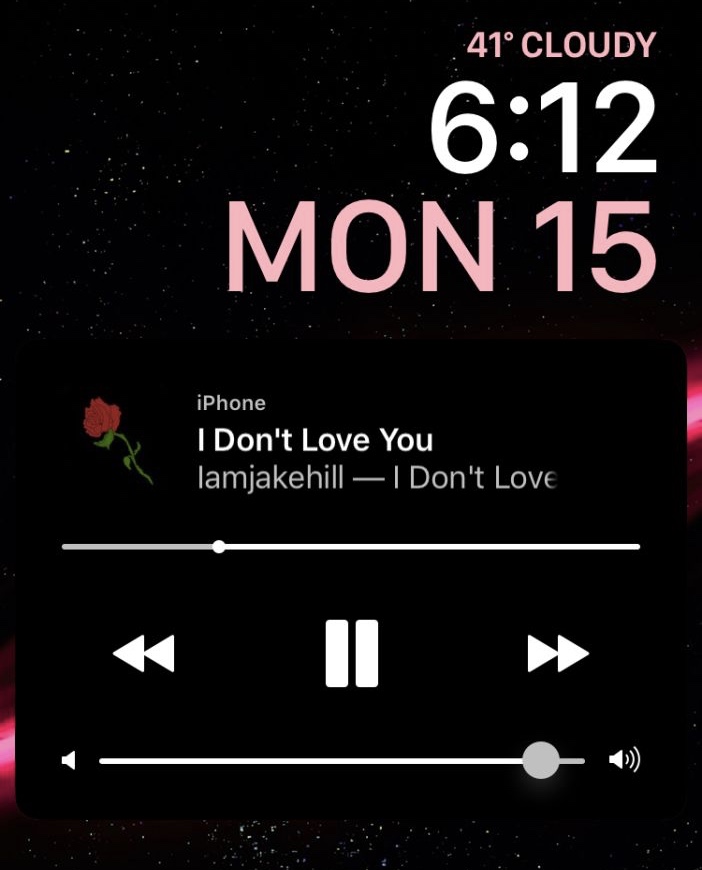
Unclutter your Lock screen’s Now Playing widget with Clean Player

As you listen to music on your iPhone or iPad, your device displays an interactive Now Playing widget on the Lock screen so that you can view information about what’s playing and control your music playback. On the other hand, some people would argue that the widget shows more controls than it needs to.

Clean Player is a new free jailbreak tweak by iOS developers Easy-Z and CloudDev that aims to resolve this problem by providing users with the ability to configure what does and doesn’t appear in the Now Playing widget.

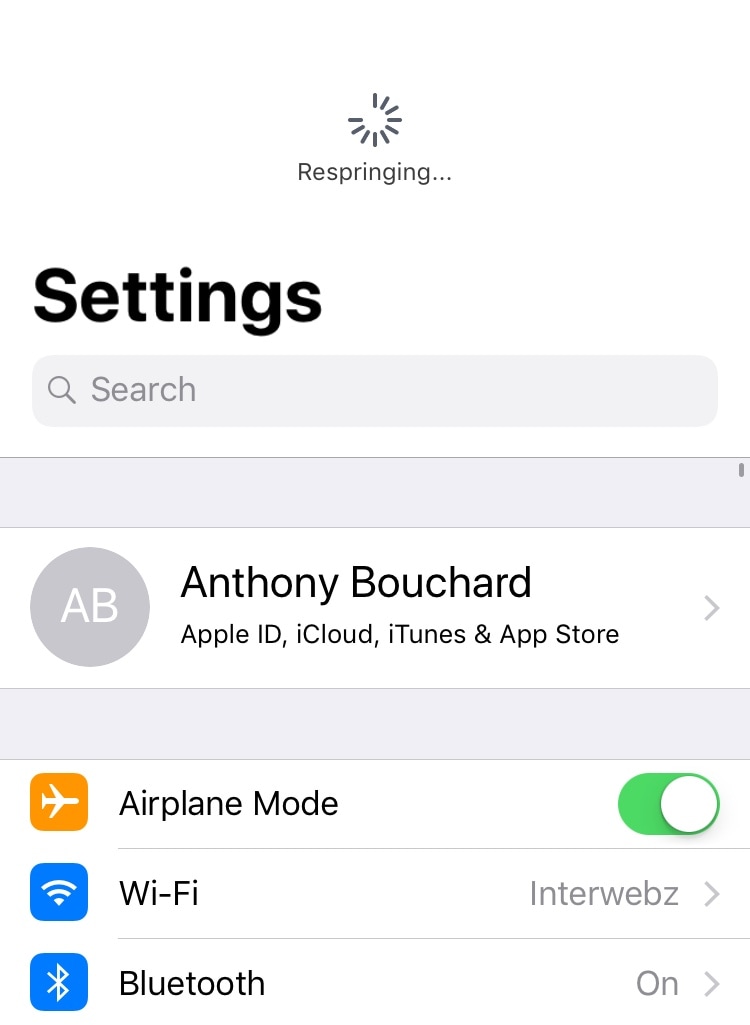
Respring your device by pulling down in the Settings app with Dragspring

Albeit released a very long time ago, one of my favorite utilitarian jailbreak tweaks of all time was PullToRespring because it made it incredibly easy for me to respring my jailbroken handset on demand.

For a while there, it seemed like tweaks of this nature became a thing of the past, but iOS developer ConorTheDev has breathed new life into the concept with the release of a new free jailbreak tweak called Dragspring.

SmallCC12 shrinks the Control Center interface to fit the number of toggles you’ve enabled

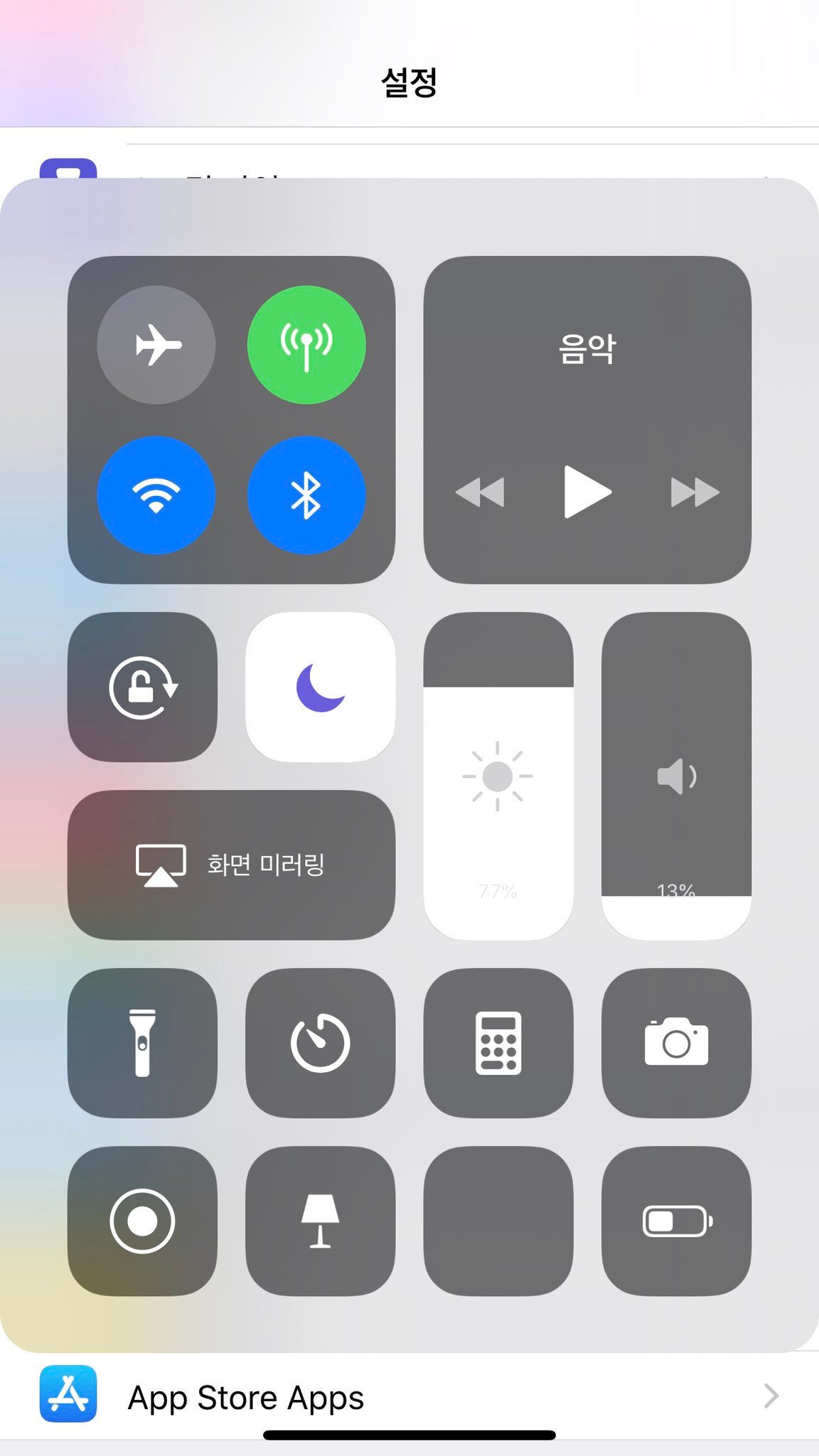
Control Center is perhaps one of my most-used features of iOS, from quick access to shortcuts and toggles, to a more detailed Status Bar on my notched handsets. But regardless of how you look at it, there’s room for improvement.

SmallCC12 is a new jailbreak tweak by iOS developer PeterDev helps in that department, as it promises a smaller and sleeker Control Center interface on both your iPhone and iPad. Above, you can see what it looks like on the iPhone, and you’ll see an iPad example below: