UI

Customize your Lock screen text’s aesthetics with Fabric

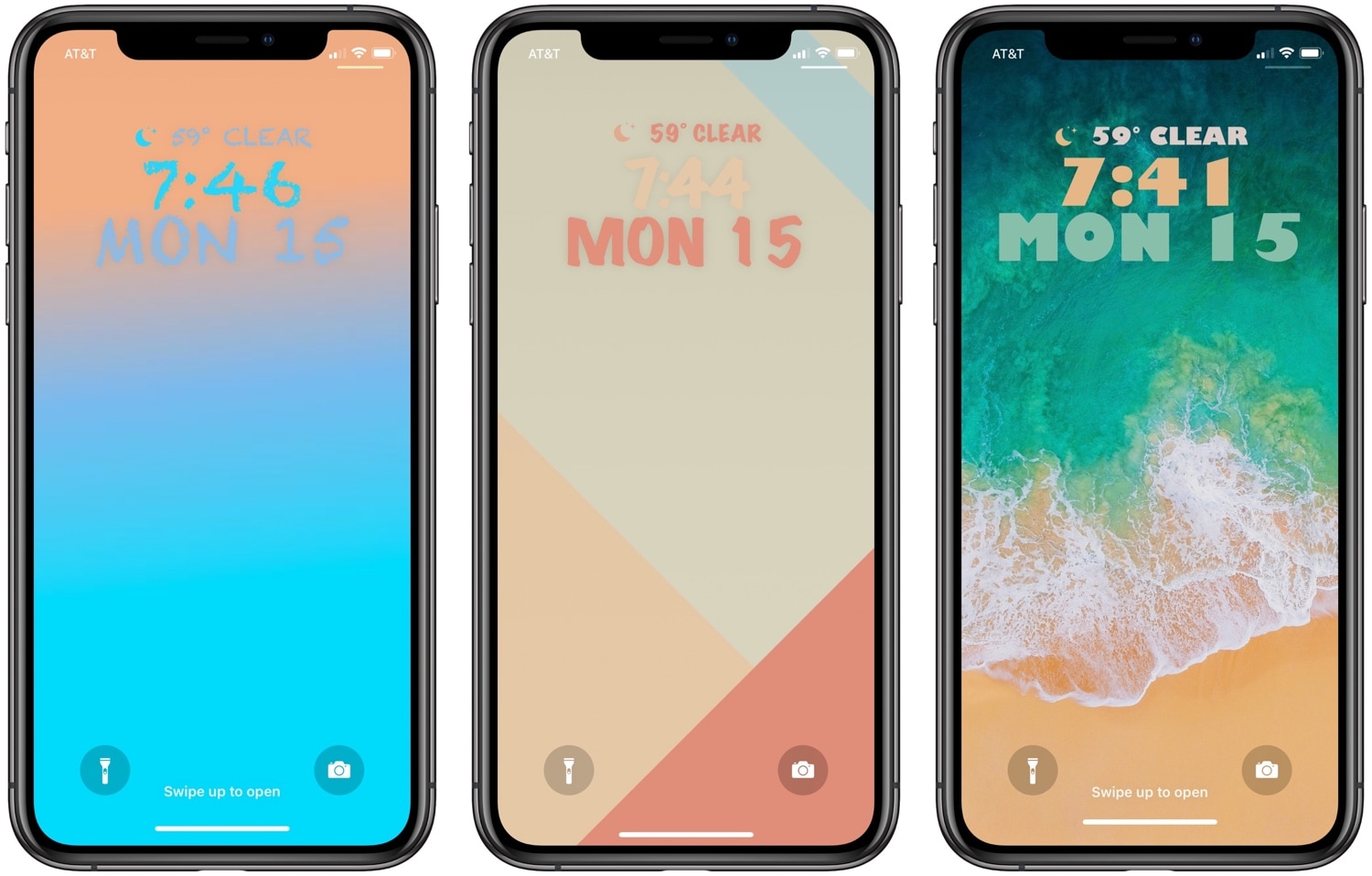
One of the best ways to show your jailbroken device off to the rest of the world is to customize how it looks, and a newly-released jailbreak tweak dubbed Fabric by iOS developer CreatureSurvive will help you do just that.

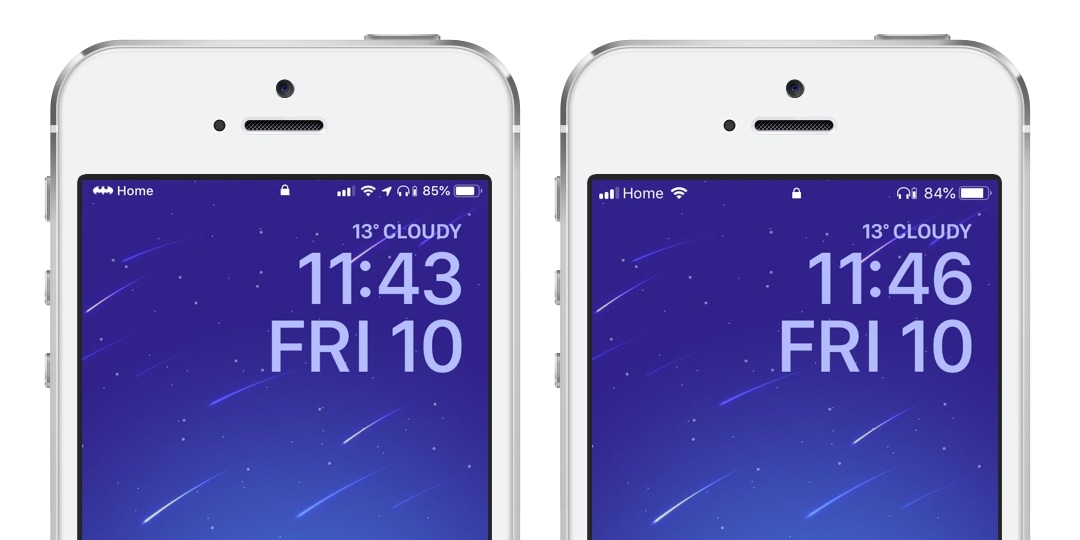
As you might’ve noticed in the screenshot examples above, Fabric lets you get creative with the text strings that appear on your Lock screen; this includes, but isn’t limited to, the date and time. Not only can you change how large the text is, but you can choose custom fonts and formatting, among other things.
This tweak can hide apps from your Home screen

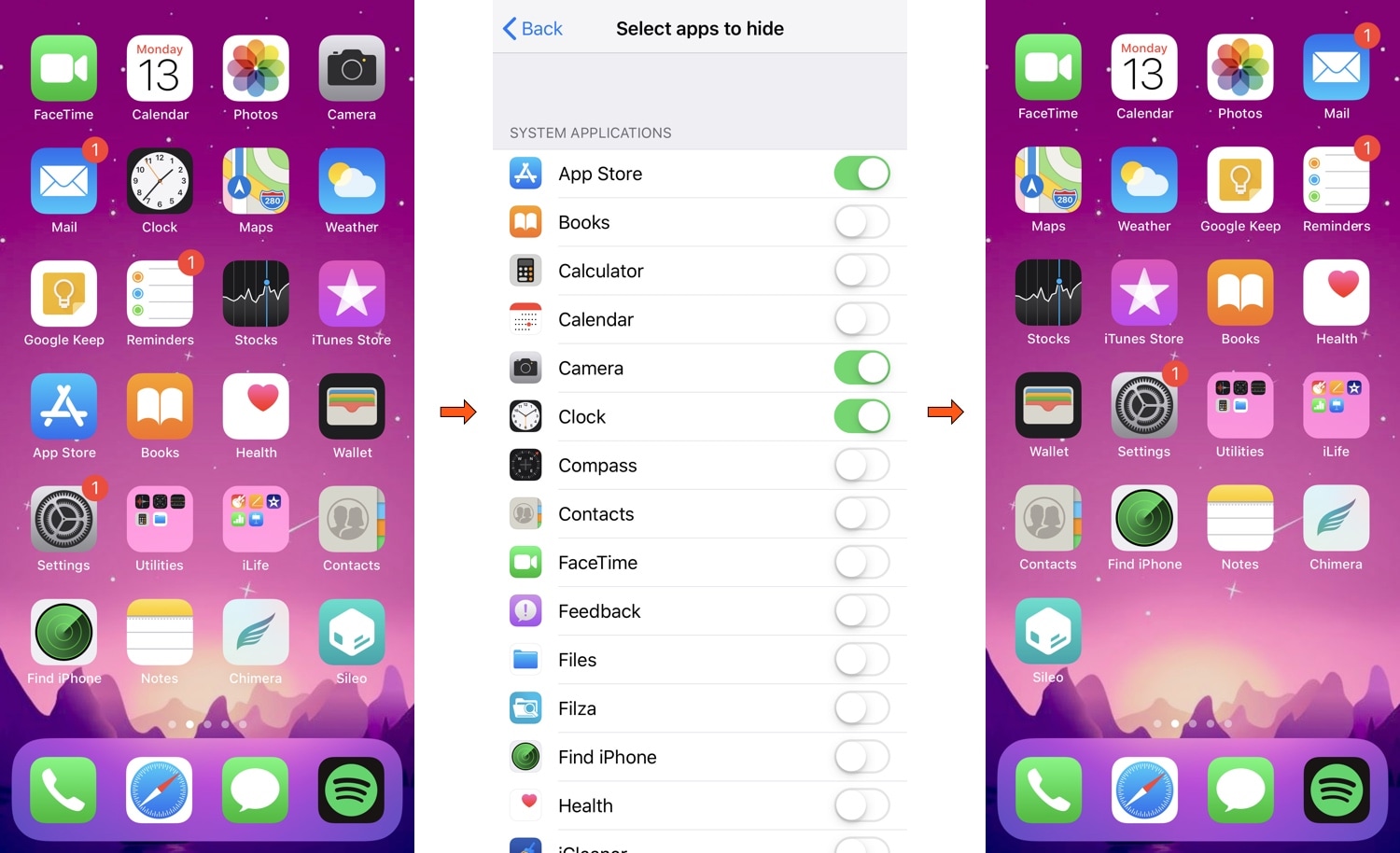
If you have a lot of apps on your Home screen that you don’t use as often as others, then you aren’t alone. The most common solution to this matter is to cram those apps into a folder; but if you’re OCD like I am, then you may not want to look at an unwanted folder icon either.

Here to help with this dilemma is a newly-released jailbreak tweak called HideYourApps by iOS developer Menushka Weeratunga. With this tweak, you can hide specified apps from your Home screen, eliminating the need to make an unwanted folder to house them.

RotaryPass brings a rotary-style passcode entry interface to iOS

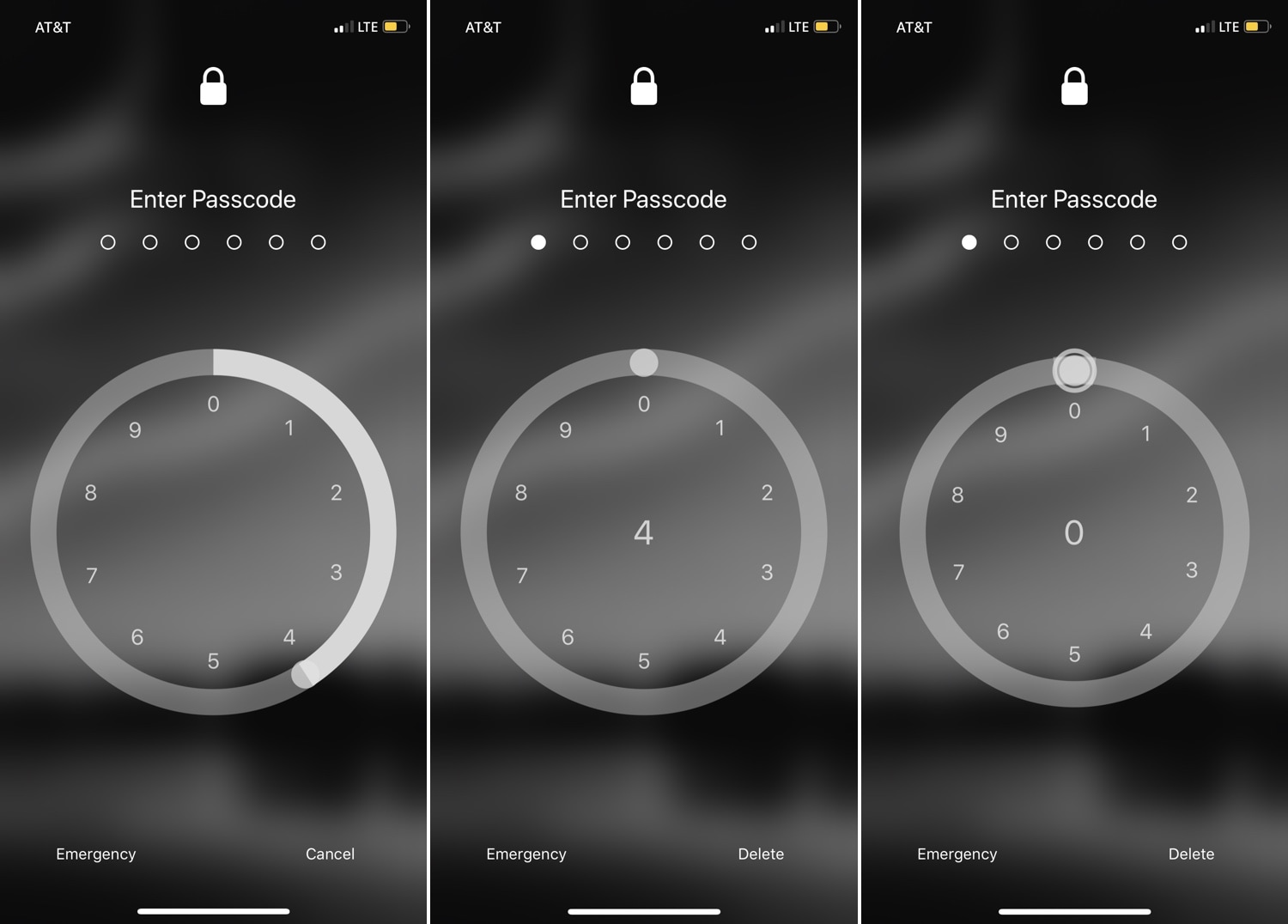
For years, the iPhone’s passcode interface has appeared as a traditional number pad. But if you’re looking for something a bit more exotic that will help your handset stand out from the crowd, then you just might come to appreciate a newly-released jailbreak tweak called RotaryPass by Geometric Software.

As you can discern for yourself in the screenshot examples above, RotaryPass brings an entirely new passcode entry interface to your iPhone – more specifically, one that’s based on those antiquated rotary-style telephones that were commonplace before the 21stcentury.

BTPower puts a battery level icon in the Status Bar for any connected Bluetooth headset

Some folks have so many Bluetooth peripherals in their possession that keeping track of their battery levels becomes a daunting task. Apple made things a little bit easier by implementing the Battery widget in the Today view, but if you’re anything like me, then you might find it to be more convenient to see that information directly in the Status Bar.

A number of Bluetooth headsets that I’ve used for phone calls in the past already supported Status Bar-centric battery level displays, but not all. A newly-released free jailbreak tweak called BTPower by iOS developer Karimo299 ensures that all your Bluetooth headsets exhibit this behavior for simplified battery level tracking.

Translomatic makes it easy to translate text to other languages in almost any app

Translomatic banner image.

If you occasionally stumble upon a text written in another language that you don’t understand, then you might be quick to use a third-party translation service such as Google Translate to get a better idea about what’s being said. But what if you never needed to leave the app you were in?

With the help of a newly-released jailbreak tweak dubbed Translomatic by iOS developer FoxfortMobile, you can now enjoy this type of integrated experience on your jailbroken handset in almost any app you use.

Lisa: A new OLED-friendly notification experience for iOS

Ever since Apple first debuted an OLED display on the iPhone X, users have been begging for a refreshed OLED-friendly Lock screen experience akin to what some might get when using competing Android handsets.

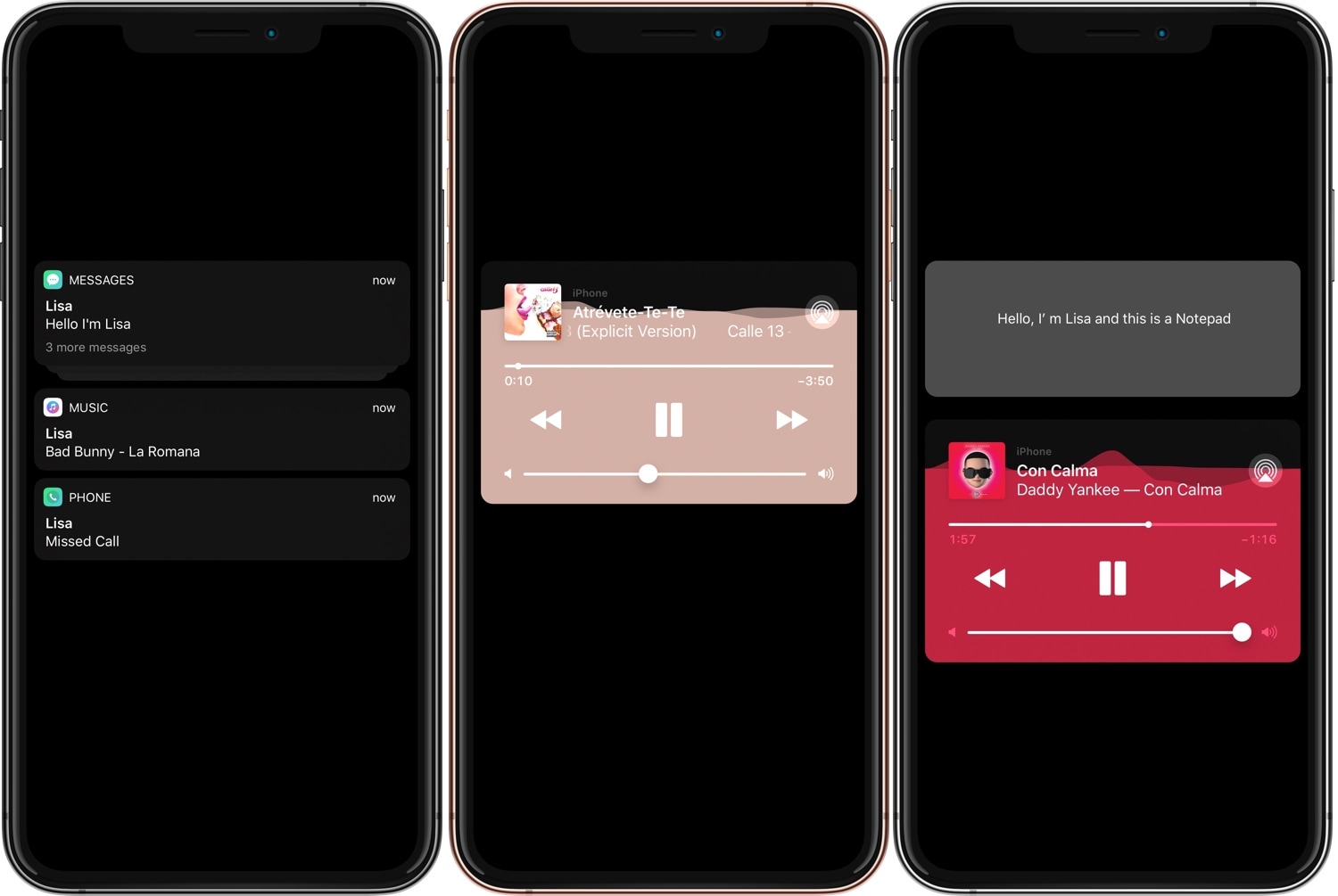
While Apple certainly hasn’t stepped up to the plate in this department, that hasn’t stopped the jailbreak community from doing what it does best. With that in mind, we’re excited to show you a new free jailbreak tweak release dubbed Lisa by iOS developerEsquilli.

Clear unwanted screenshots from your Photo Library more quickly with Screender

I take so many screenshots every day that it isn’t even funny, and as you might come to expect, they clutter up my Camera Roll in seemingly no time at all.

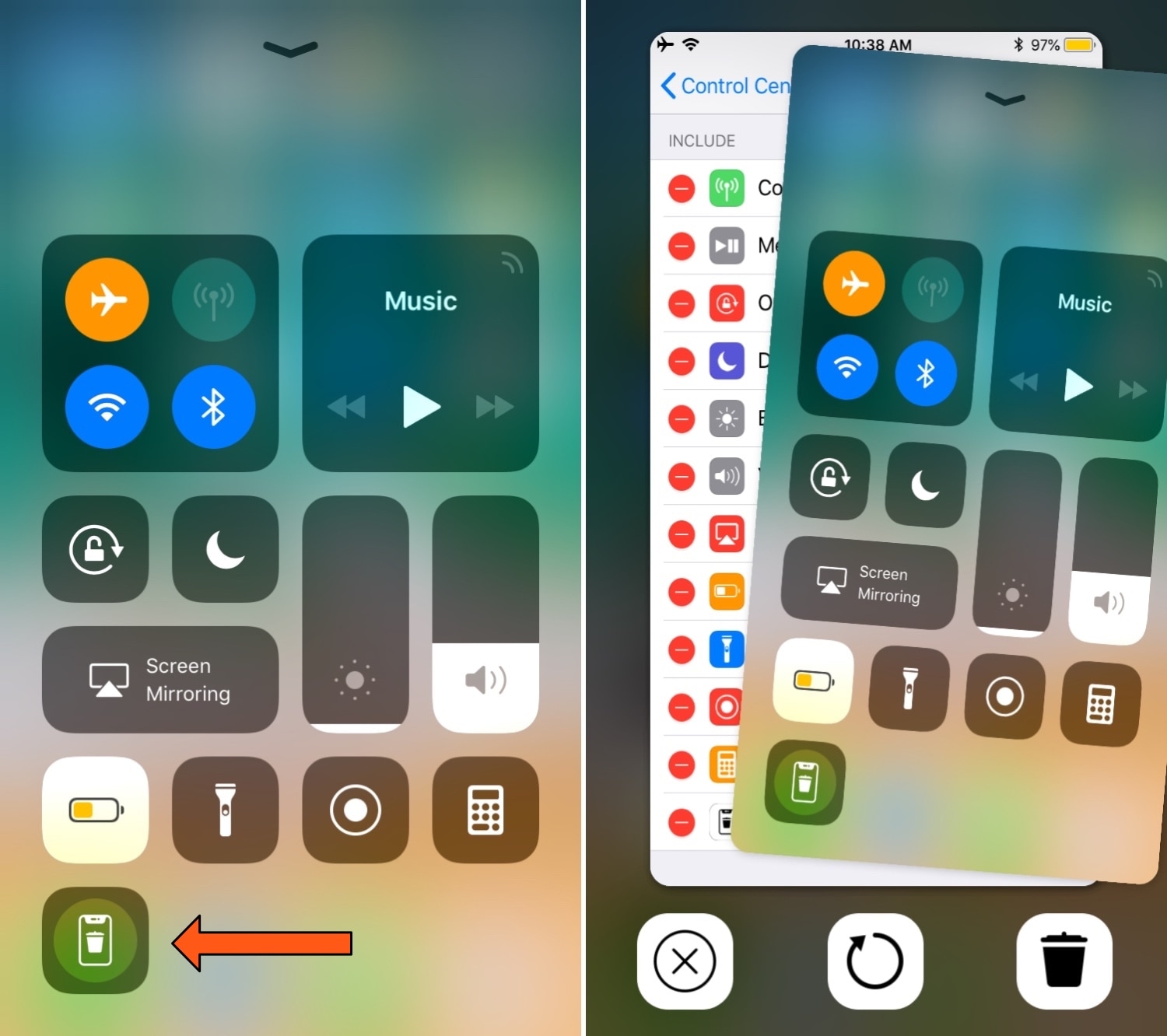
Typically, I’ll delete all my excess screenshots when I’m finished with them, but a free jailbreak tweak called Screender by iOS developer Esquilliaims to make this process easier by implementing a screenshot delete function directly into iOS’ Control Center interface.

MiscSettings is a free and lightweight all-in-one jailbreak tweak

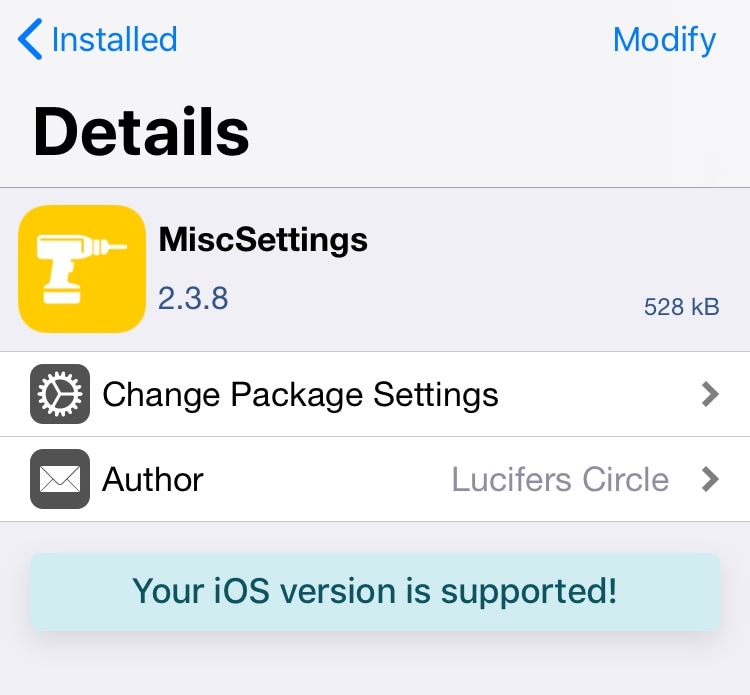
Whenever I jailbreak any of my handset(s), one of the first things I always look for is a useful all-in-one jailbreak tweak that can accomplish the same task as installing several tweaks. Springtomize has always been my go-to for this purpose, but for those on a budget, a newer release called MiscSettings by iOS developer Lucifers_Circle will suffice.

MiscSettings is effectively a lightweight alternative to Springtomize in that it congregates a significant number of user-configurable options in the Settings app once installed:

SelectionPlus upgrades iOS’ cruddy text-selection interface

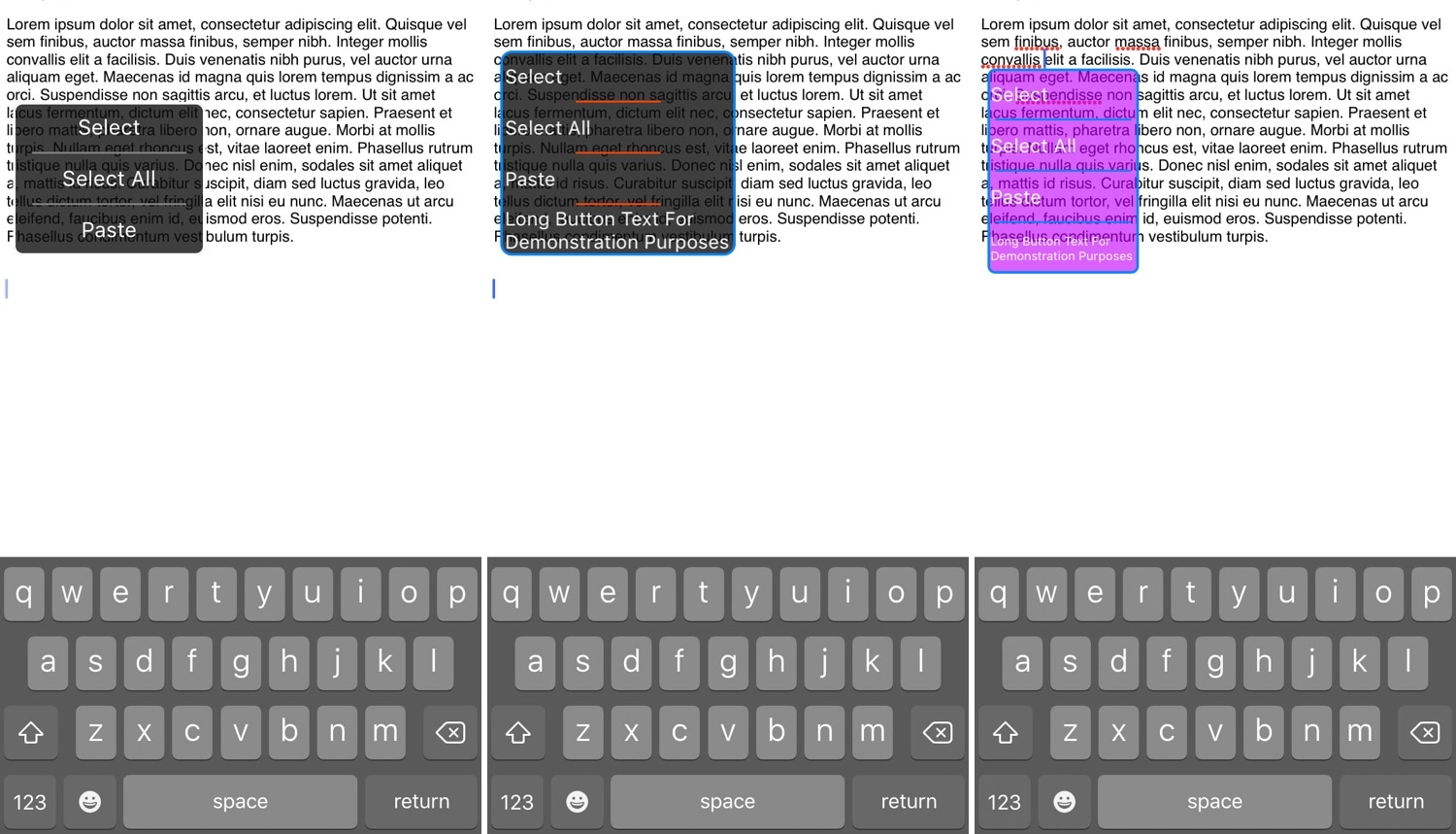
iOS’ native text selection menu is somewhat cumbersome to use, and so it should come as no surprise that jailbreakers have requested alternatives to it for eons. With that in mind, jailbreak tweak developer Satvik has come to the rescue with a new free release dubbed SelectionPlus.

As you might recall from the native text selection menu, users would need to tap and hold before releasing to invoke a column-oriented interface. A setup like this isn’t particularly useful on an iPhone because the handset’s display isn’t particularly wide, and it sometimes necessitates several taps to move between all the options.

Customize your iOS device’s charging sound with Bezon

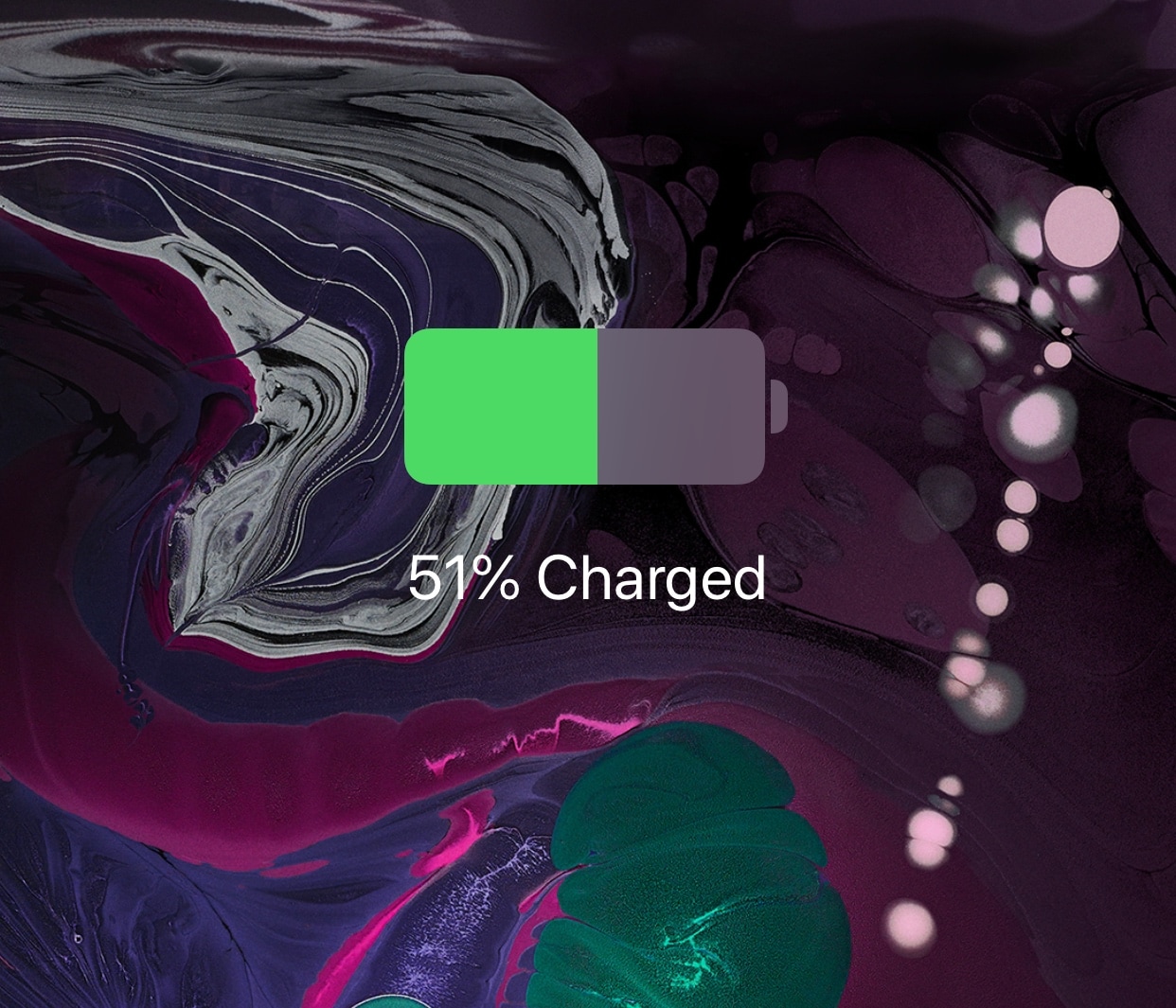
When you plug your iOS device into a power source or set it on a Qi-enabled wireless charger, be it an iPhone or and iPad, you’ll usually hear a charging chime so long as the device isn’t configured to be in silent mode.

Apple doesn’t provide you with a way to change your handset’s charging chime out of the box, but a new jailbreak tweak called Bezon by iOS developer DevelopApple can help in this department.

Modernize the Cydia app’s user interface a bit with cyder

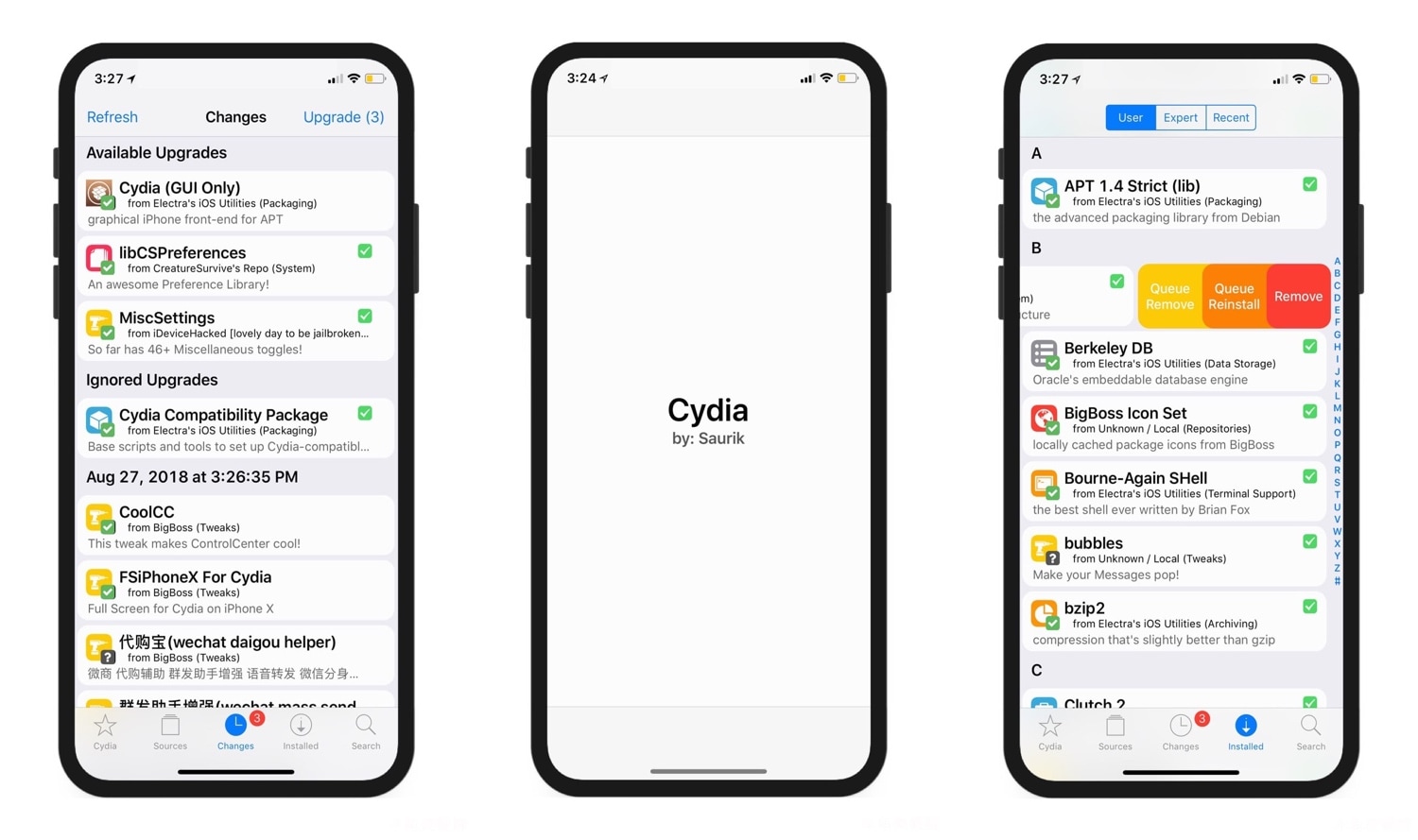
There’s obviously a lot of controversy over Cydia vs. Sileo because the latter has been designed with a modern iOS aesthetic in mind. But those who prefer the tried and true Cydia over something that’s relatively young in comparison can still take advantage of jailbreak tweaks to make Cydia better.

One such release that grabbed our attention as of late was cyder by iOS developer CreatureSurvive, which brings a plethora of modern features to the official Cydia app by way of Cydia Substrate. Obviously, this means it only supports pre-A12(X) devices, but it’s worth checking out if you happen to have a supported handset in your possession.

Nostalgic for the pre-iOS 6 Home screen folder aesthetics? This tweak can help

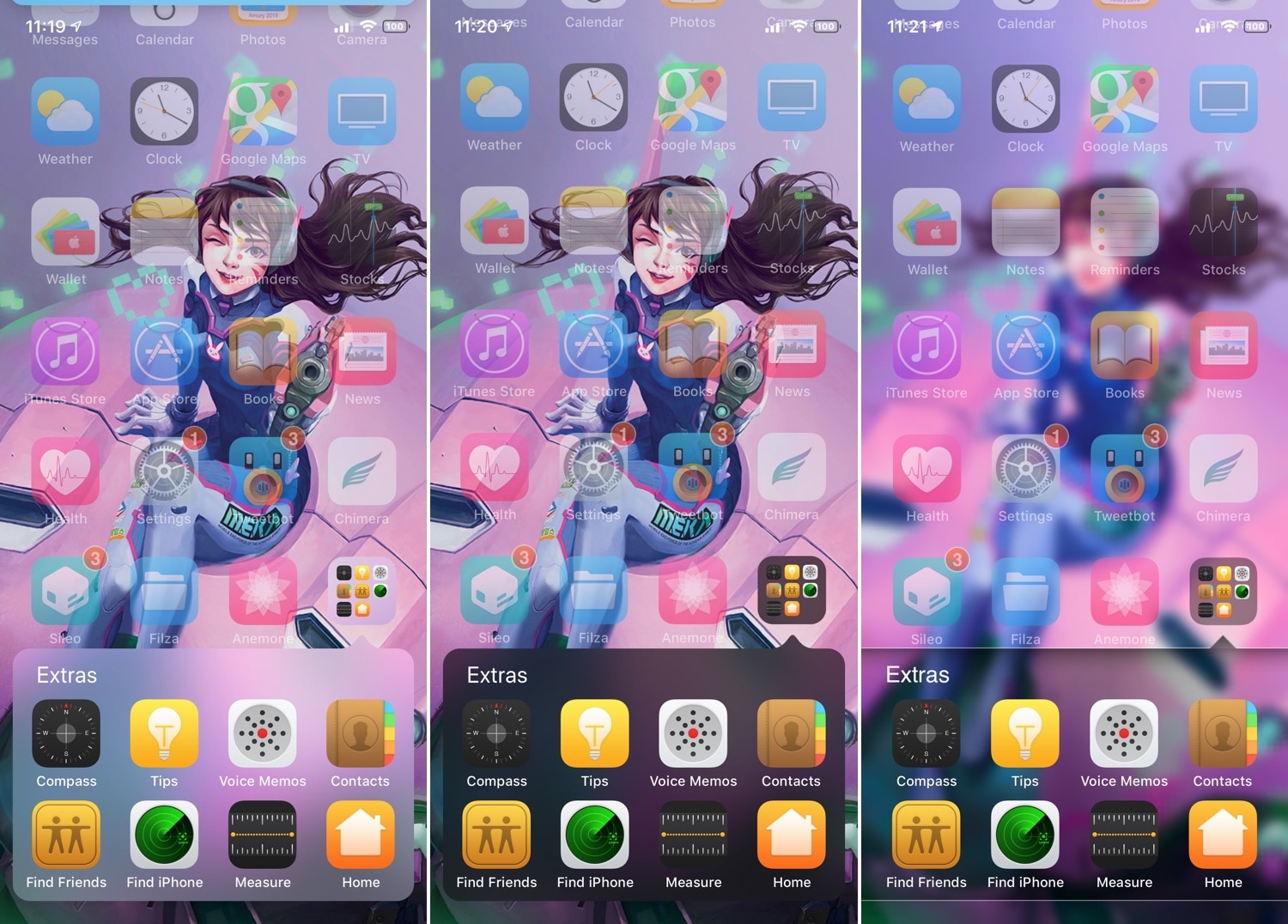
If you’ve ever used iOS 6 or earlier, then you’re undoubtedly familiar with a very different Home screen folder interface that you’re using today. I can’t exactly say that I enjoy the newer folder format better than the older one, and for that reason, I’m excited to talk about a jailbreak tweak called ClassicFolders 2 by iOS developers CoolStar and Jeremy Goulet.

The primary reason that you would want to install ClassicFolders 2 is if you miss the classic Home screen folder interface and you want to use it again on your jailbroken iOS 7-12 device. This tweak works quite well, and it even includes a few bells and whistles to give it an aesthetic appeal such as blurred background modes that match iOS’ modern-day appearance.