Tutorial

Learn how to master your Apple devices with our comprehensive tutorials. From iPhone and iPad to Mac, Apple Watch, AirPods, and more, our expert guides will help you unlock the full potential of your Apple products. Discover new features, tips, and tricks each day to enhance your user experience.

How to Save SHSH Blobs Using TinyUmbrella [Video]

There's no two ways around it, TinyUmbrella is just as much of a staple to jailbreakers, as the tools that actually perform the jailbreaks. For that reason, I figured it was only right to create a standalone TinyUmbrella tutorial, which shows you how to manage your SHSH blobs.

With TinyUmbrella, your blobs can be retrieved from either Apple, or Cydia. In this video tutorial, I show you the difference between both methods and how to save your SHSH blobs for possible firmware downgrades...

How to Downgrade iTunes and Fix the “iTunes Library.itl” Cannot Be Read Error

So, you downloaded and installed the iTunes beta for iTunes Match without first thinking about the consequences. No sweat.

If you've since tried to downgrade your iTunes beta back to a publicly released version of iTunes, resulting in the horrible ‘”iTunes Library.itl” cannot be read because it was created by a newer version of iTunes’ error message, don't succumb to tears just yet; we've got a fix that might just work.

Save the precious iTunes library that you've spent hours upon hours massaging to perfection, and tune in to the following video tutorial...

How to Fix the iPhone’s Dreaded Recovery Loop and Downgrade Back to iOS 4.3.3

If you're the type of person who likes to sell your current iPhone and use the funds to upgrade to the latest and greatest iPhone, then you've been there before. Restoring your iPhone to stock, and cleaning it up, is essential if you want to ensure you get top dollar for your device.

Thankfully, Cody already covered quite a few bases in his article, here. But what if you're still having issues downgrading your iPhone, or getting it back to stock after jailbreaking? I know a lot of you have personally told me about your struggles with the iPhone's dreaded recovery loop.

If you're having issues downgrading your iPhone back to iOS 4.3.3, issues with iTunes Error (1), and/or you're stuck in the recovery loop, and can't get out, this video tutorial should fix what ails you...

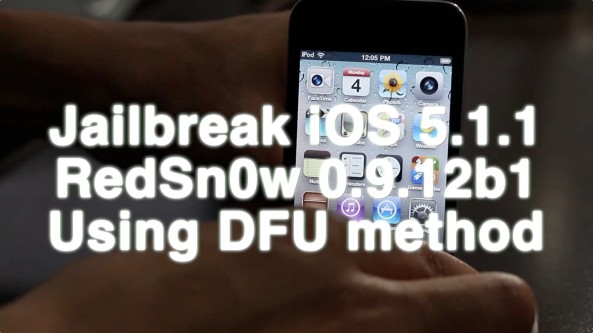
Video Walkthrough of the New RedSn0w Jailbreak Tool

As we previously reported, RedSn0w received a massive update with its 0.9.9b1 iteration, released a few days ago.

This latest version of RedSn0w is a huge step in the right direction for the iPhone Dev Team, as it includes features like firmware fetching and caching, auto-detection from DFU mode, and SHSH blob management.

We're very excited about the future of RedSn0w, but admittedly, all of the new fangled features can be a bit confusing. For this reason, we've created a brief video walkthrough that touches on some of the new areas of RedSnow...

Jailbreak Dynamic Duo: PasswordPilot and StayOpened

Two is always better than one, right? Well, in the case of PasswordPilot and StayOpened, two is indeed, most definitely better than one.

StayOpened is the Robin to PasswordPilot's Batman. Their mission? To make App Store purchases easier!

Inside, I'll show you why you should consider this Lebron James + Dwyane Wade type of combo to conquer what ails you about the App Store...

How to Watch Live ESPN3, Amazon VOD, And More With a Jailbroken Apple TV 2

Yep, that's a picture of a live football match running on my Apple TV 2. Interested in the ability to watch live sports, stream movies from Amazon VOD and Hulu? Then you've come to the right place.

In our third and final tutorial in our Apple TV jailbreak series, we show you how to cut the cable cord completely, and gain access to all sorts of streaming goodies, courtesy of that tiny black miracle box.

If you've already taken the steps to jailbreak your Apple TV with Seas0nPass, and install aTV Flash (black), then check inside for the final piece of the puzzle — installing XBMC and streaming content from a PlayOn instance running from your Mac or PC...

How to Install aTV Flash Black on the Apple TV 2

If you've successfully followed our previous jailbreak tutorial for the Apple TV 2, you're likely thinking, "now what?"

A jailbroken Apple TV on its own isn't much to look at. In fact, there's no way to discern a stock Apple TV from a jailbroken Apple TV with the naked eye.

Fortuantely, the folks at FireCore have created an insanely easy way to tap the power of a jailbroken Apple TV using an application called aTV Flash Black.

aTV Flash Black is an app available for Mac or Windows users, that adds a new 'Maintenance' menu to your Apple TV. Think of it as Cydia for the Apple TV. If your Apple TV is jailbroken, and you're wondering what to do next, check out the following video tutorial that shows you how to install aTV Flash black...

How to Jailbreak the Apple TV 2 With Seas0nPass

Are you a part of the recent cable cutter movement? Have you ditched your satellite service in favor of Boxee, an HTPC, or an Apple TV? Well if so, this series of Apple TV tutorials is definitely for you!

Eventually, I'm going to show you how to watch Amazon VOD, Hulu, and yes, even live ESPN games on your Apple TV 2. The first step in accomplishing this feat is to, yep, you guessed it, jailbreak your Apple TV.

Folks, it really can't get any easier than this tutorial. In it, I show you how to untether jailbreak your Apple TV 2 with Seas0nPass. Check inside for the full step-by-step video tutorial...

How to Enable Multitasking in Cydia [Video Tutorial]

Isn't it funny that Cydia rarely stumbles into the conversation when someone asks what your favorite jailbreak app is? When you think about it, Cydia is far and away the most important, and well put together jailbreak app of them all. It just so happens that it's also the main source of other jailbreak tweaks and apps.

Saurik's brainchild is the reason that most of us are able to thoroughly enjoy jailbreaking today. We also appreciate how hard he has worked over the years to improve the performance and features of Cydia. The 1.1 update still brings a smile to my face, after all.

That all being said, one of the main complaints about Cydia stem from its lack of true multitasking. Saurik graciously included a nice resume feature in his previous update, but that still isn't the same as having true multitasking. Thankfully, enabling multitasking is about as easy as it gets. Check inside for a video tutorial that shows you how to enable multitasking in Cydia...

Quick Cydia Tip: Sharing Links to Your Favorite Apps and Utilities

Have you ever wanted to share a jailbreak app or utility with a friend, but didn't know how to send them a direct link? The App Store has an easy way to share apps with its 'Tell a Friend' button, shouldn't there be something similar in Cydia?

Our friends over at Redmond Pie just passed on this great tip on how to do just that. While it's not as cut and dry as the App Store method, it does allow you to quickly share links to your favorite Cydia packages...

How to Force Any App to Use AirPlay

Back when Apple first announced AirPlay, we all got so excited about being able to throw audio and video from our various iDevices right onto a television or audio system using an Apple TV.

The problem is, not all apps support the technology, which is a crying shame indeed. Thankfully, there is one way to get around most iOS apps' lack of implementation and force these apps to use AirPlay...

Facebook for iPad Hidden Within iPhone App, Here’s How to Get it Right Now

TechCrunch has reported that the rumored Facebook for iPad app is hidden within the iPhone app. How so?

A Twitter user by the name of Marvin Bernal found that changing the "UIDeviceFamily" from 1 to 2 in the info.plist of the iPhone app will display a hidden Facebook iPad app. This also hints that hidden app will become a universal application, meaning that the same app can be downloaded on both an iPhone and an iPad.

Here's how to get the secret Facebook for iPad app on your own iPad right now...