Streaming

Enable AirPlay in apps that block it with PremiumPlay

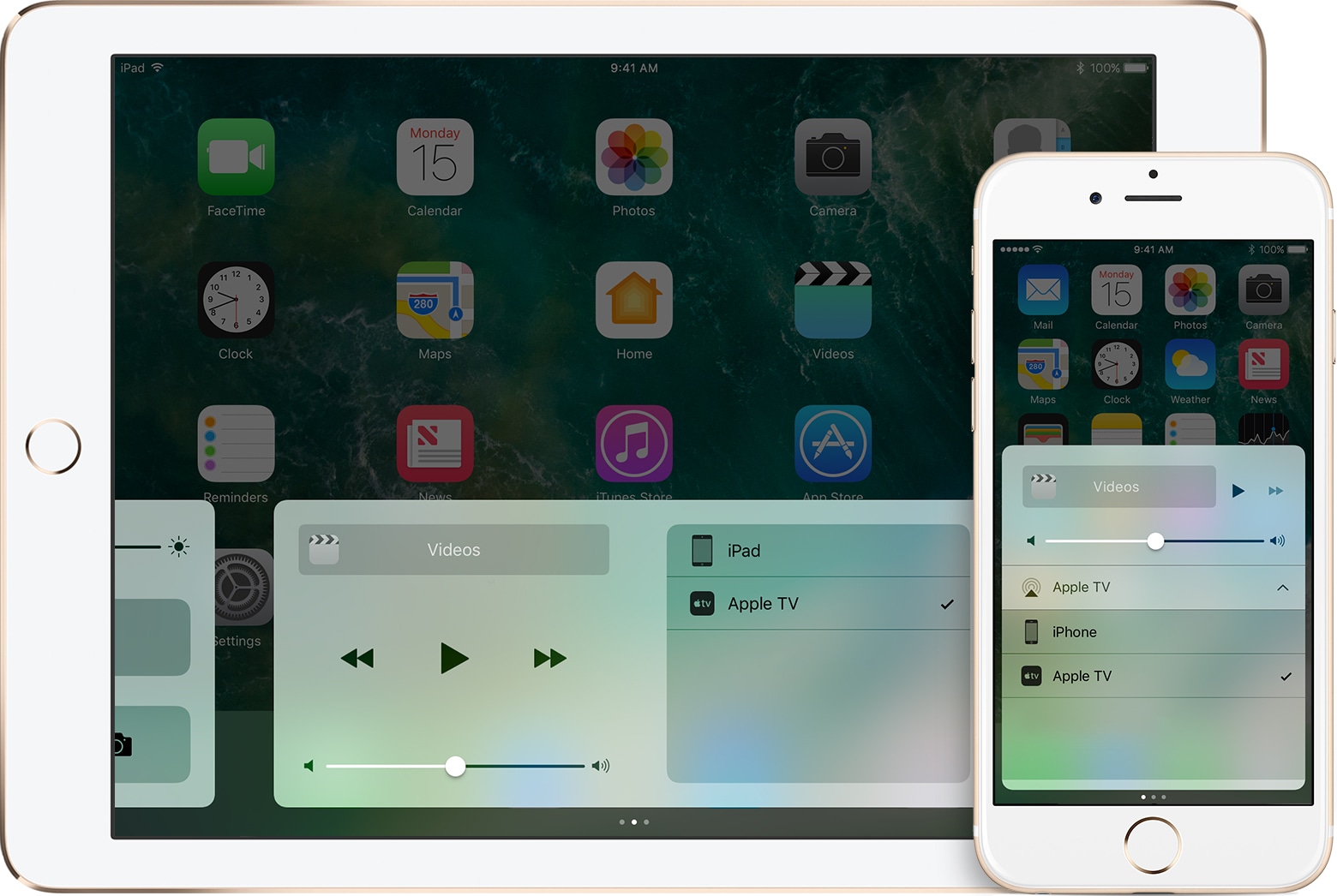
A lot of people rely on AirPlay to stream media from their handsets to their Apple TV or other AirPlay-enabled devices. Unfortunately, some apps, like those provided by TV providers, seem to purposely block the AirPlay function so you can’t stream to the big screen.

As I’m sure many people are peeved by this deliberate block of standard iOS functionality, a new jailbreak tweak called PremiumPlay by iOS developer Tony Kraft provides a way around it.

How to disable ‘Behind the Lyrics’ pop-ups in Spotify

Spotify is perhaps one of the largest names in the music-streaming industry, and while Apple Music is indeed catching up, a large number of iPhone users are still using the third-party alternative.

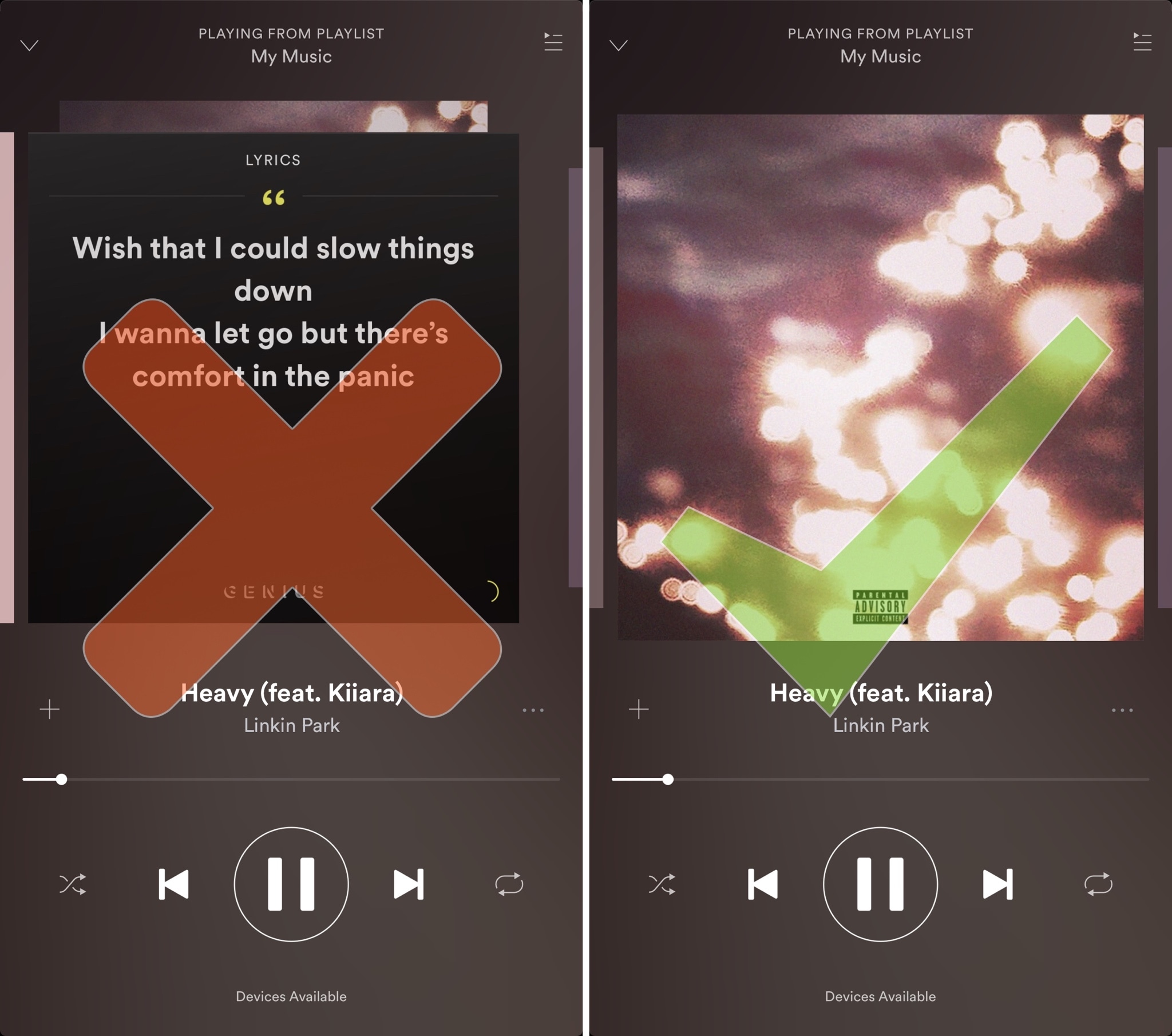
Despite its popularity, many Spotify users aren’t fond of the persistent Behind the Lyrics feature that interrupts your view of the album artwork whenever music is playing.

How to live stream WWDC 2017 on iPhone, iPad, Apple TV, Mac, Windows and Android

Apple will be live-streaming its WWDC 2017 event, just as they have for the last several years, so the world can tune in and see what’s new in the world of iOS, macOS, tvOS, watchOS, and more.

No matter what type of device you’re using the day of the event, you can live-stream the keynote. In this piece, we'll go over all the methods on how for every operating system and platform.

Facebook signs video deals with Electronic Sports League and Major League Baseball

Facebook has signed major deals with Electronic Sports League (ESL) and Major League Baseball (MLB), bringing fans of eSports and baseball both live and on-demand content in its ongoing streaming video push.

The Wall Street Journal reported Friday that the social network is paying professional video game teams and others in the eSports industry to broadcast on its service.

Earlier this year, Facebook signed contracts with five teams to publish live and on-demand video of players practicing or competing in such games as StarCraft II, Counter-Strike, League of Legends and Overwatch.

ESL said in a blog post announcing the deal that its official Facebook page will soon stream all IEM and ESL One events in up to six different languages along with select national championship and online leagues. Viewers will be able to post comments, highlight up and coming players and more via an exclusive new weekly show on Facebook.

In addition to the 30 hours of weekly Rank S streaming, there'll be a weekly 30-minute hosted by Mark “Boq” Wilson, focused on Rank S and the current happenings in ESEA and CS:GO.

These broadcasts will start next month with Rank S matches.

Down the line, they'll host video interviews with the famous players, competition commentary and more. ESL broadcasts competitions on Twitch and YouTube, too.

You can find the ESEA announcement on their website.

As mentioned earlier, Facebook also cut a major deal with MLB that will result in 20 live-streamed Friday night MLB games via MLB's Facebook page during the 2017 season. US-based Facebook users will be able to stream the games for free. The first game is scheduled to broadcast tonight, Friday, May 19, with the Colorado Rockies and Cincinnati Reds facing off.

Amazon may launch its video streaming app for Apple TV in the summer

After pulling all Apple TV hardware from Amazon.com in December 2015 because it didn't “interact well” with its video-subscription service, online retail giant Amazon has at long last warmed up to the idea of permitting owners of Apple's set-top box to use its service.

Recode reported Friday that the two companies are “close to an agreement” that would bring Amazon's Video app to Apple TV in the third quarter of the year, possibly coinciding with the introduction of a next-generation Apple TV with support for 4K video streaming and more.

“It’s unclear what got the two companies to reach an agreement, though some industry observers suggest that any pact would have been worked out, at a high level, by CEOs Tim Cook and Jeff Bezos,” said Recode.

That app would let Amazon Prime Video subscribers watch TV shows and movies directly on their Apple TV set-top box without having to use AirPlay.

It's unclear if Apple TV hardware will be returning to Amazon.com anytime soon and whether or not the two tech giants might have settled other disputes involving their rival video ambitions.

Last year, Amazon CEO Jeff Bezos said why they stopped selling Apple TVs:

We want our player, our Prime Video player, to be on the device, and we want it to be on the device with acceptable business terms. And so, you can always get the player on the device; the question is can you do so with acceptable business terms.

And if you can’t, then we don't want to sell it to our customers, because they’re going to be buying it thinking they can watch Prime Video and then they’re going to be disappointed. And they’re going to return it.

Currently, Apple TV owners and Prime members must use AirPlay to wirelessly send movies and TV shows to their Apple TV via Amazon's pretty limited Prime Video app for iOS, which still won't let you buy or rent individual programs without visiting Amazon.com first.

https://www.youtube.com/watch?v=Io8NU6iTto0

Subscribe to iDownloadBlog on YouTube

“As we have already succeeded in developing an app for iPhone and iPad, we hope to make an app separately for the Apple TV,” said the online retailer a year and a half ago.

The app was supposed to release before the end of 2015, but negotiations between the two tech giants obviously took a lot longer than expected.

Earlier this year, Apple hired Amazon's former Fire TV chief to head up its Apple TV business.

Meanwhile, Amazon’s shopping app is available on the fourth-generation Apple TV with purchasing support for Prime members and other features.

Hulu’s $40 per month Live TV service launches, app hits App Store

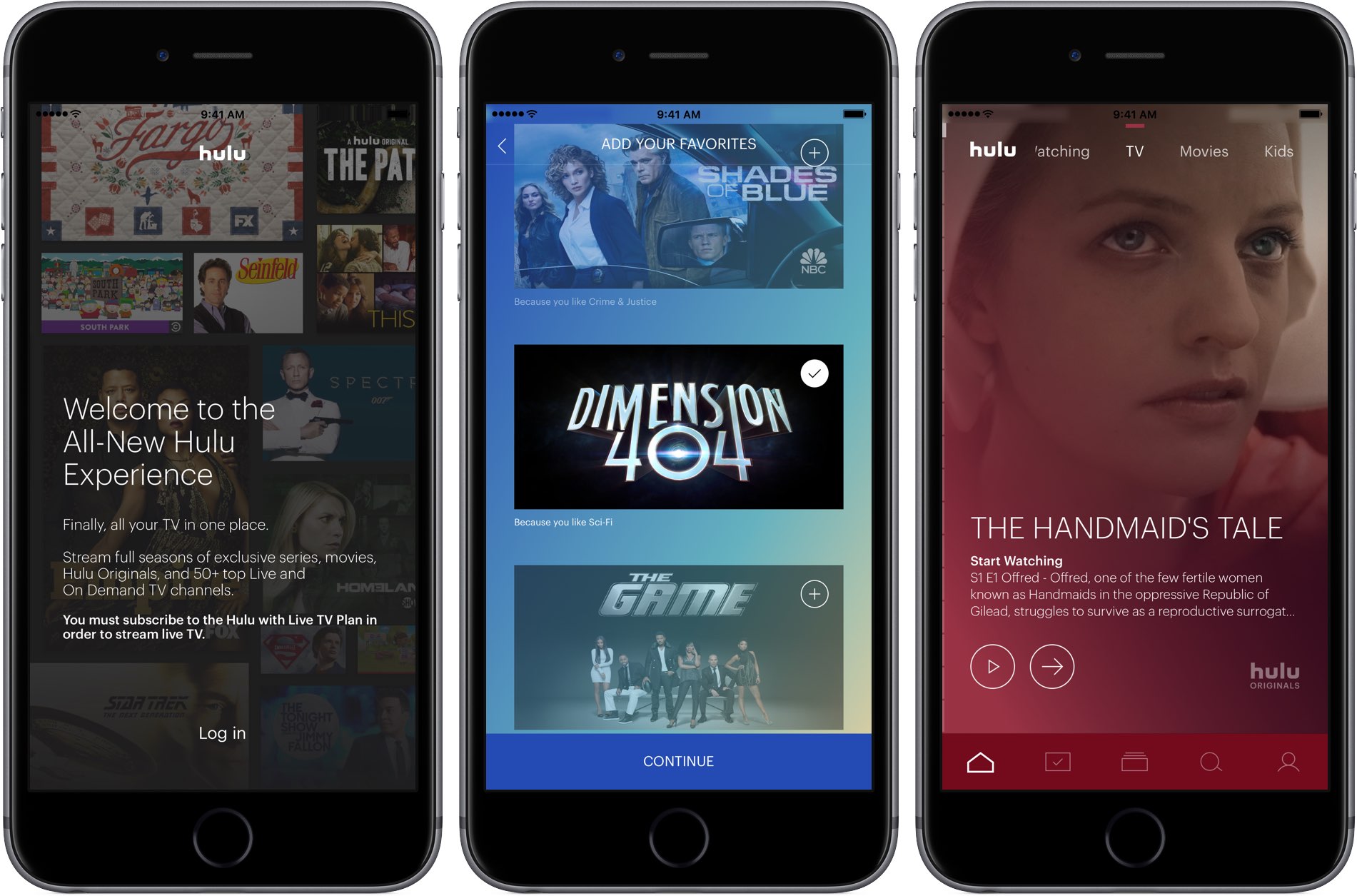
Hulu's long-expected live TV service has gone official with today's launch of the Hulu Live TV app on App Store. Designed for iPhone, iPad, iPod touch and Apple TV, the software lets subscribers access the entire Hulu streaming library and more than 50 top live and on-demand channels, including FOX, ABC, NBC, CBS, ESPN, FX, NBCSN, FS1, History Channel and TNT.

In addition, live sports from top pro and college leagues, as well as regional sports networks, are available in certain areas. As a bonus, you'll get to stream national news with local feeds in select cities, popular kids shows, can’t-miss events and thousands of popular on-demand shows and movies from many of these channels.

You can choose to subscribe to Hulu with ad-supported Live TV for $40, or an additional $4 per month to get rid of advertising. Advanced features are available for extra money, such as Cloud DVR which lets you record live TV to watch your favorites on your own time, the ability to watch concurrent streams on multiple devices, as well as track and record games from your favorite teams with a My Teams feature.

https://www.youtube.com/watch?v=sT-7kxJDX-o

Subscribe to iDownloadBlog on YouTube

For an additional $15 per month, you can upgrade Cloud DVR functionality with up to 200 hours of cloud storage and the ability to fast-forward through commercials. Unlimited simultaneous viewing on as many screens as you want is an additional $15 per month. And if you purchase both add-ons, you'll save a cool $10.

As soon as you launch the app, you're greeted with all-new onboarding experience.

Firstly, you're asked to log in with your Hulu subscription credentials. The app cannot be used unless you're a subscriber. The setup procedure then takes you on a quick tour of the app's main features such as your personal live TV lineup, a My Stuff section and more.

Next, you can optionally tell the app about the kinds of shows you prefer to watch, helping it recommend content that's tailored to your needs. Finally, you can add your favorite shows and movies to the My Stuff section, or skip this step and set up these items at a later stage.

The app lets you create up to six personalized profiles so everyone in your household gets to enjoy their own personalized Hulu experience with their own collection of shows, movies, networks and more. Like with other services, the more you watch, the smarter the system gets.

You can browse Hulu's library while you watch with a Fliptray feature that lets you quickly find what else is on, change the channel, or get recommendations of what to watch next. Just tap the Fliptray button during playback to get started with this multitasking capability.

The app supports iPhone and iPad with iOS 10+ and the fourth-generation Apple TV.

A free seven-day trial of Hulu Live TV is available to new and eligible subscribers. As a cool bonus, Hulu will let you try out each of the add-ons for one month without being charged.

Download Hulu Live TV from App Store.

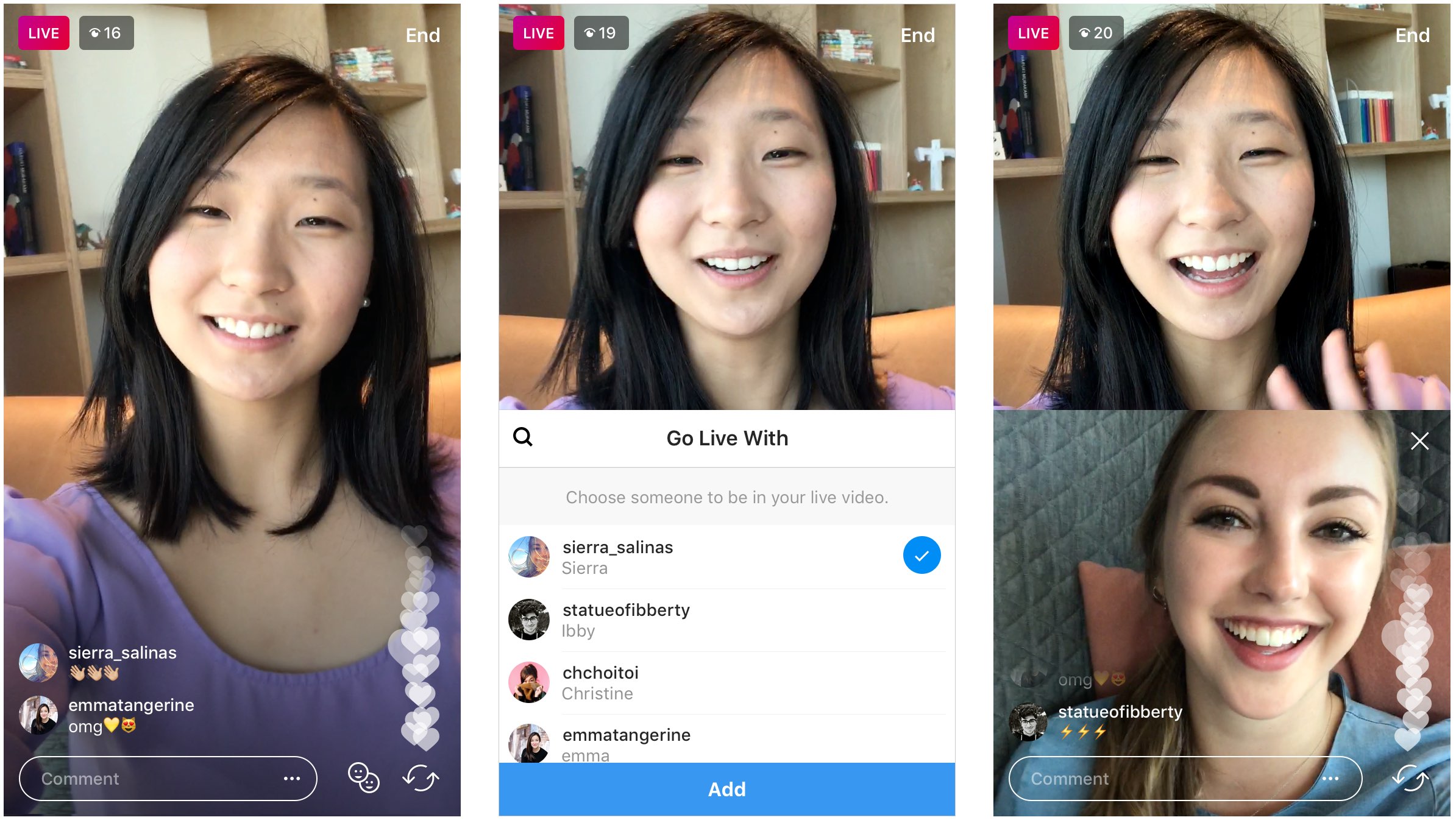
Twitter planning to air live video 24/7

Twitter's bird logo set against a transparent background

Twitter has hinted at plans to eventually air live video 24/7 via both its website and app. That's coming from the mouth of its CFO and COO Anthony Noto, who discussed plans for an always-on Twitter with BuzzFeed News on Wednesday morning, ahead of the company’s earnings report.

Refusing to offer a timetable for the feature, he did acknowledge that the micro-blogging platform wants to build on the more than 800 hours of live shows it aired in the first three months of 2017, including live sports, election coverage and programming from Bloomberg, BuzzFeed and the like.

Chinese government takes issue with live streaming apps on App Store

Chinese regulators have taken issue with live-streaming apps that can be downloaded from App Store. As Reuters said Wednesday citing the official Xinhua News Agency, a government body in China’s capital charged with regulating Internet services is planning to “summon” Apple and urge the company to “tighten its checks” regarding live-streaming apps on App Store.

Tip: save storage space on your iPhone and iPad by clearing Periscope’s stored data

Clearing caches in your favorite apps is one of the many ways of saving storage space on your iPhone, iPad or iPod touch that may be lost to the cruft accumulated on your devices. We've already shown you how to clear Twitter's web and media storage as well as delete Dropbox's caches.

In this tutorial, we'll discuss how to clear any cached files in Twitter's Periscope app for iOS, which will help save that precious storage space on your device.