News

Here’s what people are mainly using their smart speakers for

Smart speakers such as Amazon's Echo, Google's Home (and, soon, Apple's alleged standalone Siri device) allow users to get answers in the more comfortable settings of their homes.

As these things are always listening, there's no need to press a button or pull a phone out of your pocket. But what exactly are people using Amazon Echo and other smart speakers for?

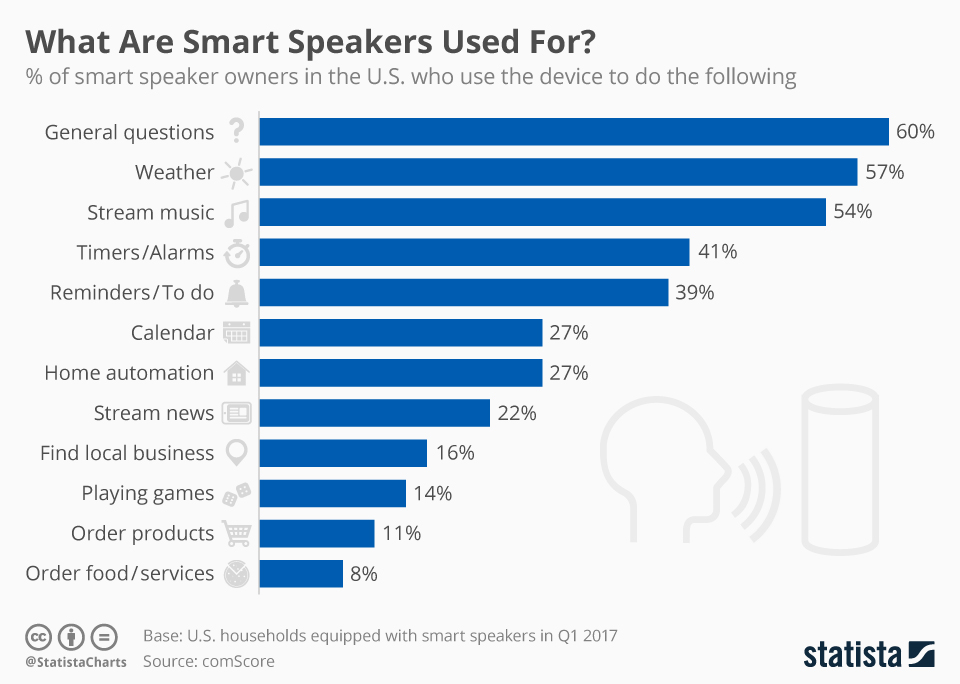
A ComScore study, charted by Statista, says the most common use case is asking basic questions with 60 percent of US smart speaker owners using their device for simple requests, followed by weather queries (57 percent), playing music (54 percent), setting timers/alarms (41 percent), creating reminders/to-dos (39 percent) and more.

In what's bound to be disappointing to Amazon, the study found that very few users of smart speakers use them to order goods or services online, with just 8 percent of US smart speaker owners using their device to order food/services and 11 percent ordering products online.

According to a May research conducted by digital agency Stone Temple, providing answers to basic questions actually is not Alexa’s strong suit.

Amazon's digital assistant powering the Echo family of devices was able to answer just 20.7 percent of the 5,000 questions asked as part of the experiment.

Siri performed similar to Alexa.

Amazon said today that Echo owners and iOS customers who use the mobile Alexa app or the Amazon shopping app can now enable integration with iCloud Calendar.

Speaking of which, the comScore study found that less than one-third of smart speaker owners in the US (27 percent) use their device to find what's on their calendar for the day or add new appointments to the calendar hands-free.

Easily manage all your YouTube notifications via all-new Activity tab

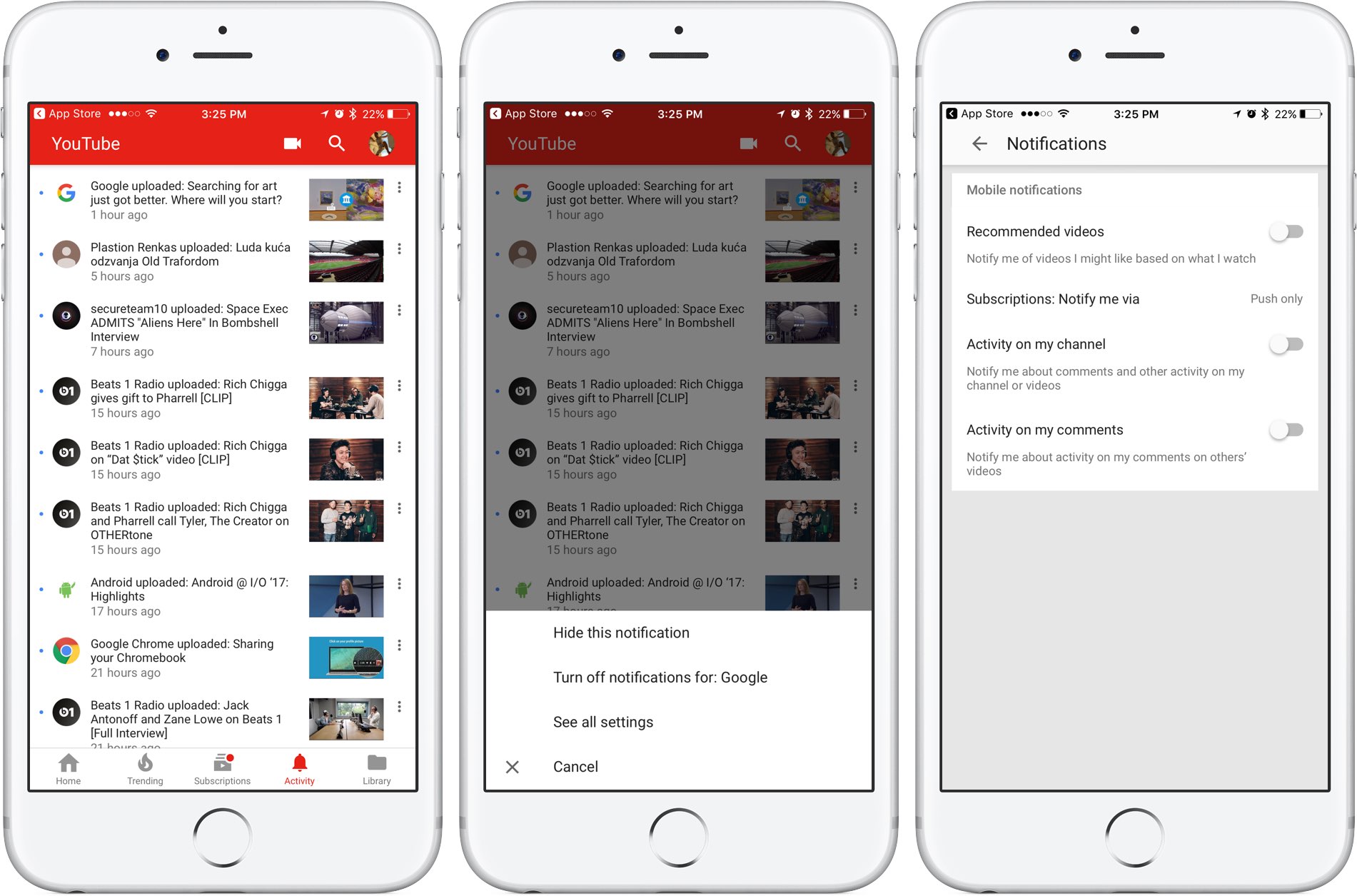
Google is rolling out a small update to its mobile YouTube app for iPhone and iPad, bringing out an all-new Activity tab where you can easily find and control all of your notifications.

Now you can see your notifications, opt-out of receiving alerts from specific accounts and more—all in one central place just a tap away no matter where you happen to be in the app.

The new tab joins the app's existing tabs: Home, Trending, Subscriptions and Library.

Before today, accessing notifications was a multi-tap affair: you were required to tap your profile picture in the app's top-right corner, then hit Notifications (see the screenshot below).

Functionally, nothing has changed drastically—the new Activity section still shows notifications from your favorite accounts in the order they were received.

The old way of managing your YouTube notifications was a multi-tap affair.

Tapping the three dots next to a notification allows you to hide that particular notification, just like before, as well as elect to turn off all future notifications for that account and more.

Tapping the option See All Settings takes you to settings where you can turn notifications on or off for any recommended videos, choose whether you'd like to be notified about activity on your comments or others' videos, select how you'd like to be notified and more.

The new Activity tab requires YouTube for iOS version 12.20 or later.

Grab YouTube for iOS for free form App Store.

Twitter’s inbox now separates out messages from people you don’t follow

Twitter's bird logo set against a transparent background

Twitter is rolling out a new inbox section which it says is designed to separate direct messages from people you do and don’t follow, making it easier to accept or delete unsolicited chats.

“If you’ve opted-in to get Direct Messages from anyone, messages from people you don’t follow will go into Requests in the Messages tab,” wrote the company in a tweet yesterday.

New group chats you’re added to by people you don’t follow will also appear in Requests.

Upon entering the chat, you'll be asked to either Delete or Accept the message. Accepting the chat moves it to your inbox, allowing you to continue the conversation with that person.

“Please note that they will not know you have seen the message until you have accepted their request,” said Twitter. All media will be hidden prior to accepting the message.

If you wish to view any hidden media, tap the View Media option.

https://twitter.com/Twitter/status/869608493548011520

Conversely, deleting the message removes it from the inbox although that account is still able to message you in the future unless you block or report it. These new features are available on the mobile Twitter app for iOS and Android and on twitter.com.

TUTORIAL: How to find Messenger chats you didn't know existed

Facebook-owned Messenger introduced a similar feature back in October 2015, replacing the “Other” inbox with a Message Requests section that brought all the messages from people you’re not friends with on Facebook in one central place, separate from your regular chats.

Grab Twitter for iOS for free from App Store.

Microsoft’s latest initiative brings always-on LTE notebooks with embedded SIM technology

Windows maker Microsoft's new “Always Connected PCs” initiative focuses on helping computer manufacturers bring to market LTE-enabled notebooks that incorporate eSIM technology (not to be confused with Apple SIM). The company said at the Computex 2017 show this morning in Taipei that it will partner with PC vendors, carriers and chip makers like Intel and Qualcomm on the new initiative.

Created a year ago by Apple, Samsung and other players, these SIMs are embedded directly into a device and cannot be removed. But perhaps more important than that, eSIMs are universally compatible with all carriers and as such allow customers to sign up for a wireless service right on their device.

First LTE-enabled Windows notebooks featuring eSIM technology (via Qualcomm's Snapdragon 835 chipset) are on the way from ASUS, HP and Lenovo, said Microsoft. These new Intel x86-based devices will feature Windows 10, always-on LTE connectivity and “great battery life”.

Huawei, VAIO and Xiaomi are committed to Always Connected PCs using eSIM technology, too.

“There is a new generation of users that need to be connected to the cloud at all times. They are students, creators, freelancers, small businesses and enterprises,” said the Redmond firm.

“This means sharing experiences across screens and leveraging the latest network technology like gigabit LTE and eSIM.”

The eSIM standard works virtually anywhere in the world, meaning customers are able to switch carrier instantly, no paperwork or a physical SIM card required whatsoever. Apple owns a patent for an LTE-enabled MacBook with wireless antennas integrated within a hinge mechanism, as depicted on the patent drawing below.

Updated Mac notebooks are expected at WWDC next week, according to Bloomberg.

Ahead of the WWDC keynote, an Apple regulatory filing in Russia has identified five unreleased Mac notebooks, plus a next-generation Magic Keyboard and new iPad Pro models.

It's unclear if these refreshed MacBooks will feature embedded LTE connectivity, but if a next-generation MacBook with an eSIM is lying around somewhere in Jony Ive's basement now would be a good time to bring it to market.

Regulatory filing points towards new Mac, iPad and Magic Keyboard models launching at WWDC

With less than a week until Apple's Worldwide Developers Conference, French outlet Consomac has discovered (Google Translate) a Russian-language regulatory filing in the Eurasian Economic Commission database which identifies five unreleased Mac computers by their model number: A1289, A1347, A1418, A1419 and A1481.

As noted by MacRumors, these numbers differ from the AXX prefixes attributed to current MacBook models. The new model numbers are probably related to the upcoming 13 and 15-inch MacBook Pro updates. According to Bloomberg, Apple will refresh its Mac notebooks at WWDC next week with faster Intel chips and updated internal architecture.

Among the Mac notebooks said to be up for a refresh could be Apple's popular MacBook Air, which hasn't seen a major design change since its 2010 introduction.

The filing also identifies some spare parts for the Macs along with a next-generation Apple wireless keyboard (model number A1843) and four numbers classified under iOS 10 (A1671, A1709, A1670 and A1701) that probably refer to the Wi-Fi and cellular editions of the upcoming iPad Pro models, including the rumored new 10.5-inch model.

How to generate app-specific passwords

Apps designed to use iCloud Drive for syncing data between devices “just work”. On the other hand, those that don’t natively support Apple's secure Two-Factor Authentication system may ask for your Apple ID password to access data stored in your iCloud account.

For instance, Fantastical for Mac may require your Apple ID user name and password to import your iCloud calendars. And what if you'd like to use your iCloud email account in apps like Spark or Airmail, but don't want to expose your Apple ID credentials to the app?

Given that asking for the user's iCloud password poses a dangerous attack vector, Apple now mandates that all native apps use app-specific passwords to access user data stored in iCloud.

The change goes into effect on June 15, 2017.

To ensure worry-free experience, you can use an app-specific password to sign in to an app or service not provided by Apple, without ever typing your Apple ID password.

In this step-by-step tutorial, you will learn how to create an app-specific password for any native app that wants to access your personal data stored in iCloud, revoke all of your generated passwords one by one or all at once, and more.

About app-specific passwords

Security is paramount.

Protecting your Apple ID account against hackers and nefarious users by turning on Apple's older Two-Step Verification system or the modern, more secure Two-Step Verification also entails using app-specific passwords for any web apps, online services and apps that don’t natively support entering verification codes.

TUTORIAL: How to protect your Apple ID with Two-Factor Authentication

App-specific passwords maintain “a high level of security and ensure that your primary Apple ID password won’t be collected or stored by any third-party apps you might use,” notes Apple.

You can have up to 25 active app-specific passwords at any given time. If you need to, you can revoke passwords individually or all at once.

How to generate app-specific passwords

1) Sign in to your Apple ID account page at appleid.apple.com/account/home.

2) In the Security section, click Generate Password below App-Specific Passwords.

3) Type a password label into the text field, then click Create to generate a random password. The password label helps distinguish one app-specific password from another.

I'll create an app-specific password for Fantastical and name it “Fantastical for Mac”.

4) Click Done to finish creating the password.

5) Now paste the password into the password field of the app as you would normally.

Again, I'm a Fantastical believer so I'm going to type the generated password into Fantastical.

Using an app-specific password ensures that Fantastical is able to access my iCloud calendar and gives me a piece of mind knowing I don't have to worry about the security of my Apple ID.

As a reminder, you can have up to 25 active app-specific passwords at any given time. Keep in mind that each app-specific password is case-sensitive and only works in one app.

How to revoke app-specific passwords

You can revoke app-specific passwords individually or all at once. Revoking an app-specific password stops the app from accessing data in your iCloud account.

1) Sign in to your Apple ID account page at appleid.apple.com/account/home.

2) In the Security section, click Edit.

3) In the App Specific Passwords section, click View History.

4) You can now revoke an individual password or all passwords at once:

Revoke individual passwords—To revoke an individual password, click the “x” next to a password you'd like to delete, then click Revoke. Revoke all passwords at once—To revoke all the app-specific passwords you've generated thus far, click Revoke All.

“After you revoke a password, the app using that password will be signed out of your account until you generate a new password and sign in again,” notes Apple.

Be sure to generate new app-specific passwords for any apps that don't support entering verification codes because, for the sake of your own security, all of your app-specific passwords are auto-revoked any time you update or reset your primary Apple ID password.

Need help? Ask iDB!

If you like this how-to, pass it along to your support folks and leave a comment below.

Got stuck? Not sure how to do certain things on your Apple device? Let us know at help@iDownloadBlog.com and a future tutorial might provide a solution.

Submit your how-to suggestions via tips@iDownloadBlog.com.
Apple’s original show “Carpool Karaoke” will debut August 8 on Apple Music

“Carpool Karaoke: The Series,” Apple's first original show based on the popular segment on “The Late Late Show” with James Corden, will premiere August 8 on Apple Music. The news was revealed in today's tweet by Eddy Cue, Apple's chief of Internet Software and Services.

The show was originally supposed to air on Apple Music beginning April 2017, but the iPhone maker was forced to postpone its arrival due to tight production schedule.

All sixteen episodes will debut on Tuesdays, available only to Apple Music members.

https://www.youtube.com/watch?v=n2fipKCrV3I

Featuring a different host every episode, Apple's version of “Carpool Karaoke” replaces the show's regular host James Corden with actors, comedians, athletes and other celebrities, who will be seen riding along in a car together as they're singing different tunes.

Some of the confirmed celebrities that will appear on the show include Will Smith, Billy Eichner, Metallica, Alicia Keys, John Legend, Ariana Grande, Seth MacFarlane, Chelsea Handler, Blake Shelton, Michael Strahan, John Cena and Shaquille O’Neal.

“Planet of the Apps,” Apple's show about apps and their creators, is coming this year. Apple wrapped up filming of that one back in February 2017, but it's unclear when exactly the company might release it on Apple Music.

WWDC to offer fully outfitted on-site studio for podcasters

If you're a podcaster attending Apple's Worldwide Developers Conference next week, Apple has a fully featured on-site studio that you can use to record the latest episode of your podcast.

They're calling it Apple Podcasts Studio and it's located inside the McEnery Convention Center.

Booking studio time is by appointment only. The available slots are limited to one per person for the duration of the conference.

According to the description on the updated WWDC app, each hour-long recording session can accommodate up to four contributors, with Apple's experts on hand to provide help if need be.

Podcasters shall receive a copy of their session for post-production and distribution.

“You may request a reservation beginning at 7am for that day only,” notes the firm.

Tapping Request Reservation within the WWDC app takes you to the webpage at developer.apple.com/wwdc/consultations/ where you can reserve studio time:

Tuesday: 10:00am—6:00pm Wednesday—Thursday: 9:00am—6:00pm Friday: 9:00am—3:00pm

In April 2017, Apple rebranded its iTunes Podcasts app as Apple Podcasts.

Senior Vice President of Internet Software and Services, Eddy Cue, said at the February 2017 Code Media conference that Apple's been working on new features for podcasters. Last year, the Cupertino giant invited top podcasters to its headquarters to hear their complaints.

Subscribe to iDownloadBlog’s “Let’s talk iOS” podcast on iTunes.

WWDC app updated with curated video playlists, interactive venue and street maps & more

Apple today updated its WWDC app for iPhone, iPad and Apple Watch with curated video playlist, interactive venue and street maps and other content ahead of the June 5 keynote.

“We’ve made several app updates to improve your experience in 2017, whether you’re attending or following along remotely,” reads the changelog accompanying the download.

Bumped to version 6.0, the app lets you watch curated video playlists focused on featured themes, as well as view interactive venue and street maps of San Jose McEnery Convention Center and access other important venue information through the new Venue tab.

Unlike before, you can now use all app features without signing in.

Lastly, Apple has given the app an Apple Music-like facelift with bold headings, larger images and simplified navigation, as evidenced by the screenshots.

The WWDC app supports all form-factor iOS devices natively and includes a sticker pack for iMessage and an Apple Watch component.

You can download it free on App Store.

The keynote will be live-streamed through the Apple Developer website and on the WWDC app.

The Cupertino giant could unveil its own Siri speaker at WWDC and potentially unveil hardware updates to the iPad Pro lineup and a next-generation Apple TV with 4K video support.

Check out our WWDC 2017-themed wallpapers for your Apple hardware.

Even if you plan on watching the keynote, be sure to join us here at iDownloadBlog that Monday as we’ll be covering all things WWDC throughout the entire week.

Pixelmator teases a new app it’s been secretly working on for five years

Pixelmator, the makers of perhaps the best Photoshop alternative for macOS, teased a brand new app in a blog post today that they've been secretly working on for five whole years.

The mystery app is coming soon, said the Pixelmator team.

While they stopped short of revealing what the forthcoming software is about, it's a safe bet that they've been working on a new kind of image-editing app for Mac. All we know that it's the coolest thing that “we or anyone else has done in years” and their biggest project ever.

The Pixelmator team said:

This is the biggest thing that we’ve ever done. The most innovative, beautiful and powerful thing that we’ve ever done. And it’s also the most Mac thing that we’ve ever done.

The teaser image they shared shows a little bit of the app's interface, suggesting it could be an app for vector graphics akin to Adobe Illustrator.

To get notified when the new app launches, subscribe to Pixelmator's Notify Me list. The app is “wildly innovative, stunningly beautiful, incredibly powerful and very Mac,” reads the website.

Apple Pay could hit Ukraine in the second quarter of 2018

Apple Pay is set to launch in Ukraine in the second quarter of next year, according to an anonymous tipster in one of the Ukrainian payment systems. PaySpace Magazine is reporting (Google Translate) that Maxim Patrin, the chief of e-business with financial institution Alfa-Bank, mentioned that Apple Pay might make its debut in the country sometime next year.

Alfa-Bank today unveiled a new digital banking service, called Alfa Digital, which will permit customers to add their cards to Apple Pay when the service hits Ukraine. According to MacRumors, the country currently lacks Apple Pay, Android Pay and Samsung Pay.

Samsung Pay is rumored to launch in Ukraine later this year.

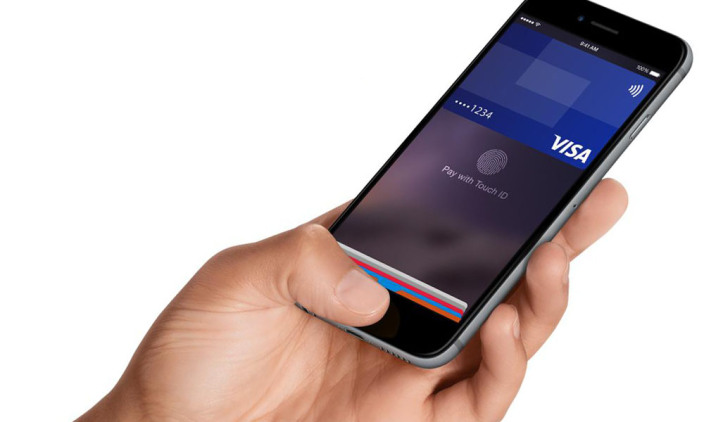
Apple could be working to bring Apple Pay to India soon.

The mobile payments service currently works in 16 major markets: Australia, Canada, China, France, Hong Kong, Ireland, Italy, Japan, New Zealand, Russia, Singapore, Spain, Switzerland, Taiwan, UK and US.

Here’s another clue that Apple might be launching new Macs at WWDC

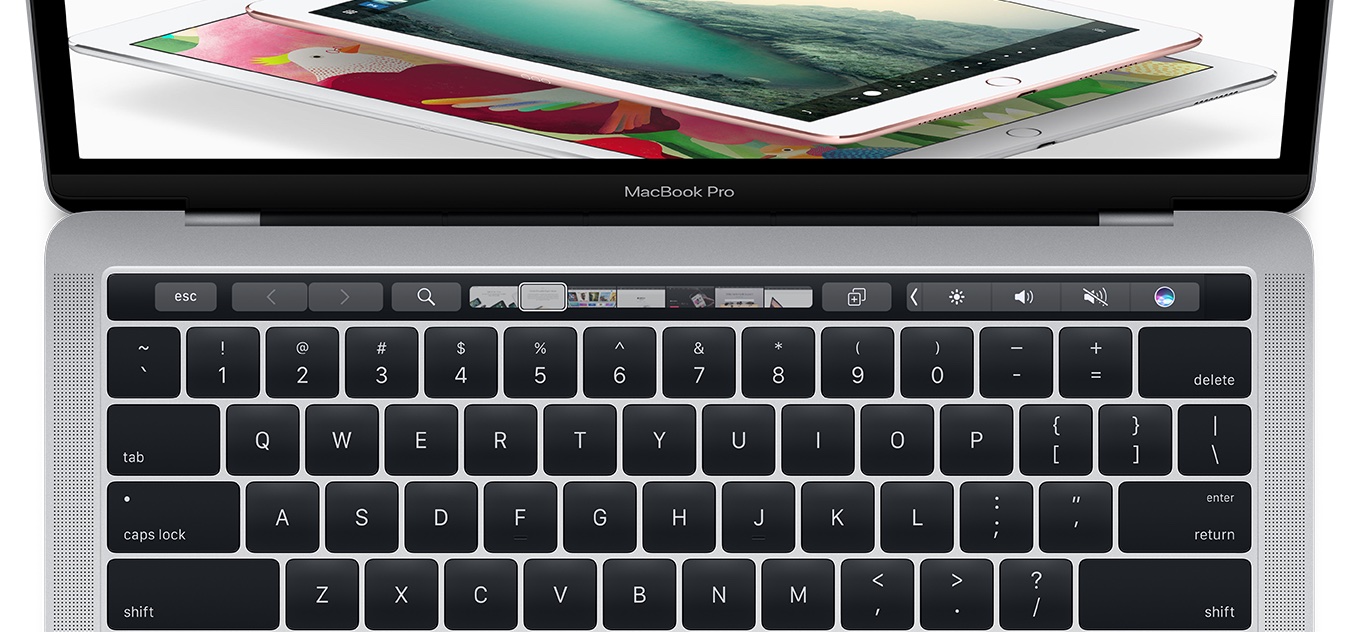
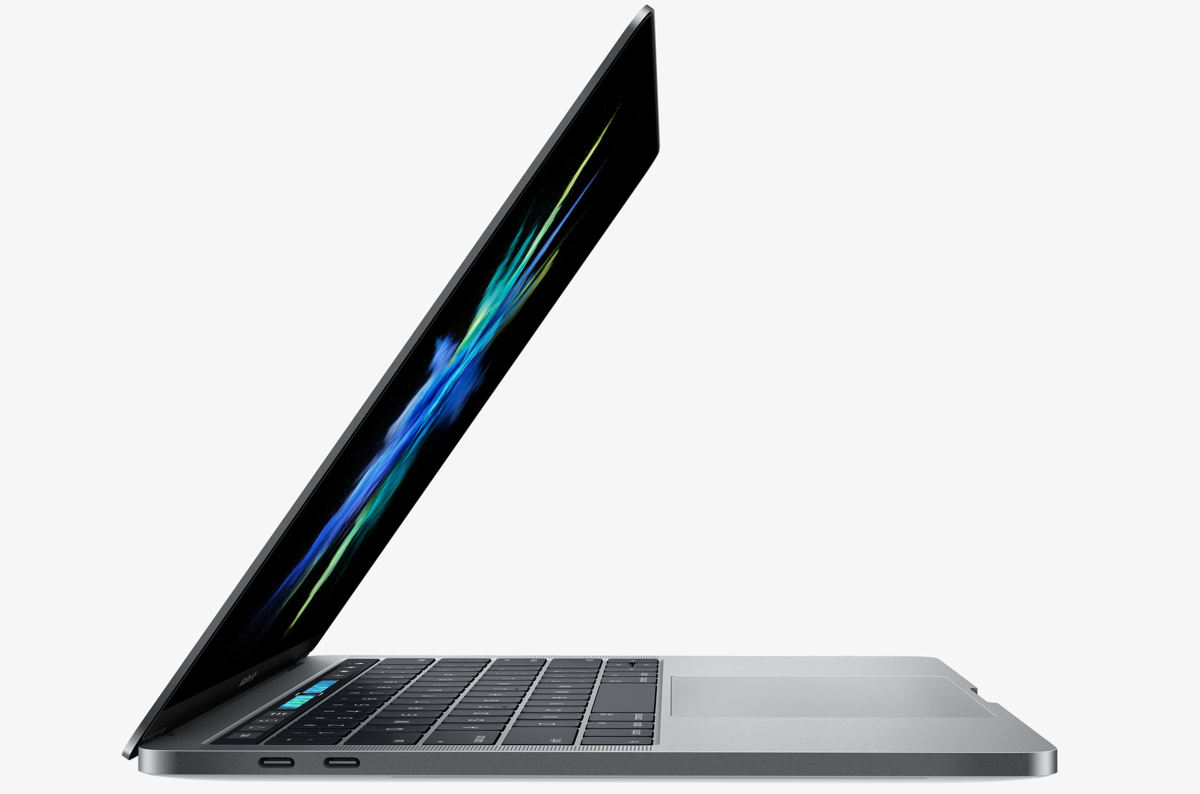
Shipping times for Apple's 15-inch MacBook Pro with Touch Bar have slipped from same day to 3-5 business days in many countries. Deliveries have been conveniently pushed to June 6 or later in the United States, just a day after Apple's WWDC keynote, indicating refreshed models might be unveiled during the keynote.

Delivery estimates for the 15-inch MacBook Pro models have slipped to June 6 or later in other markets, too, including the United Kingdom, Australia, Canada, France, Germany, Hong Kong, Italy, Netherlands, Singapore and Spain.

Shipping times for the 13-inch MacBook Pro models have not changed, MacRumors reports.

Bloomberg recently reported that Apple could upgrade its Mac notebook lineup at WWDC next month with faster Intel chips and updated internal architecture.

Intel in January unveiled new Kaby Lake processors that could be appropriate for the 13-inch MacBook Pro models. Earlier today at Computex in Taipei, the chip giant announced a new Core X chip brand, including a new Core i9 desktop processor line with up to 18 cores and 36 threads of power.