Jailbreak

Check out the most comprehensive jailbreaking coverage on the internet, including the latest news, apps, tweaks, and detailed tutorials about everything jailbreak.

FBUploader Jailbreak Tweak Sends Pics Straight to Facebook From Photos App

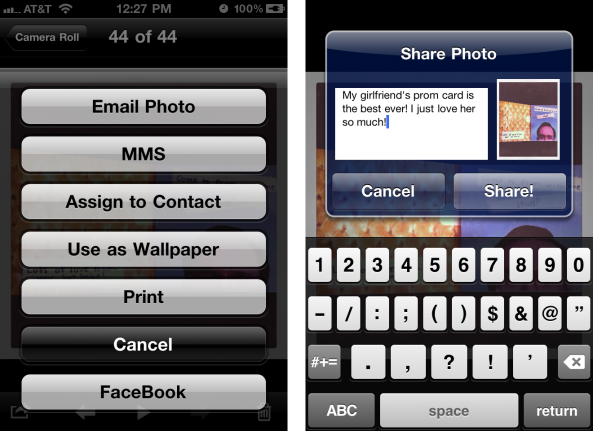
If you've been looking for Facebook integration in iOS, a new jailbreak tweak called FBUploader allows you to upload photos straight from the iPhone's Camera Roll to Facebook. Typically, you would have to open the Facebook app, attach an image, add a caption, tags, etc. and upload from there.

With FBUploader installed on your jailbroken iPhone, you will have the option to upload to Facebook from inside the iPhone's Photos app...

iOS 4.3.3 Jailbreak Tools Updated to Address iPhone Vibration Issue

The iPhone Dev Team has just pushed out an update to its Redsn0w and PwnageTool jailbreak utilities for iOS 4.3.3. Redsn0w rc16 and PwnageTool 4.3.3.1 address the side vibration/ringer switch issue for iPhone 4 and iPhone 3GS owners. The bug is only present on iOS 4.3.3 jailbroken devices.

The bug fix was found by famous iPhone hacker @i0n1c and he doesn't even have an iPhone. For those of you that have already updated to iOS 4.3.3 and jailbroken your iDevice using redsn0w rc15 or PwnageTool 4.3.3, you can install this fix simply by running redsn0w rc16 over your existing 4.3.3 jailbreak. Just uncheck the “Install Cydia” option and check any other options you want. Simple as that... 

How AT&T Recognizes Unauthorized Tethering from Jailbroken iPhones

In case you didn't know, AT&T has started cracking down on unauthorized tethering, specifically for jailbroken iPhones on a grandfathered unlimited data plan.

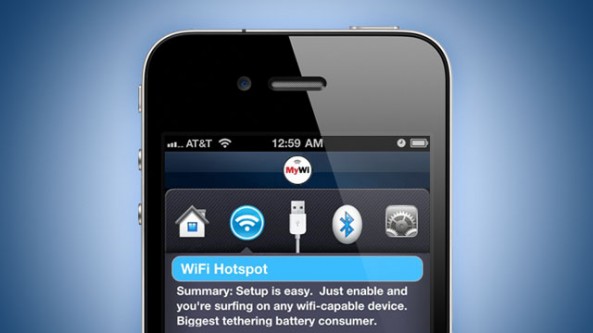
If you've gotten AT&T's "text of death" relating to your tethering usage, you're probably utilizing free tethering through jailbreak apps like MyWi. Understandably, AT&T doesn't want its users to have a free broadband connection through tethering hacks, and the carrier has started moving users over to its DataPro plan for $45 a month.

So, how is AT&T targeting unauthorized tethering on its network?

MyGreatFest Update: Donation Fund for P0sixninja and iPad 2 Giveaway

We've told you about the world's first jailbreak and iOS convention, MyGreatFest. The event will take place this September in London, U.K. and will be a convention for the jailbreak and iDevice community.

Speakers like the creator of Cydia, saurik, and other prominent members of the jailbreak community are already scheduled to speak at MyGrestFest, and now famed jailbreak dev P0sixninja has expressed interest in attending September's event...

Everything You Need to Know About iOS 4.3.3 Jailbreak

Apple released iOS 4.3.3 (4.2.8 for Verizon iPhones) last Wednesday, less than three weeks after the previous software update. The new firmware included a fix for the location tracking file that Apple has gotten into so much water over (is that considered Cider?).

Chances are, most of you didn't consider 4.3.3 big enough to update from 4.3.2. But with the Verizon iPad 2 problem fixed and the infamous tracking bug patched, we may not see another update until iOS 5 is released. If that's the case, then this will likely be the last jailbreak for several months, so why not update?

How to Browse Cydia On Your Desktop Computer

Looking for jailbreak apps and tweaks in Cydia can be a very slow and painful process. Cydia usually has to load almost every single user action, and browsing for content can take quite a long time.

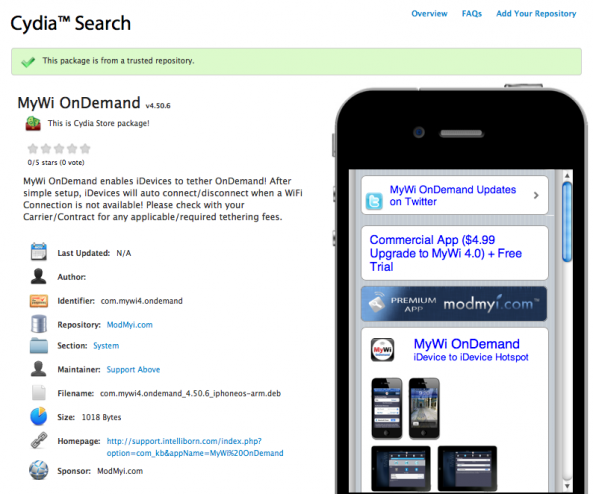
Cydia Search is a new resource developed by Planet-iPhones that allows you to search and browse for Cydia content from your desktop computer. With a full set of browsing and navigation options, Cydia Search takes the pain out of using the iPhone to browse for jailbreak content.

How to Jailbreak iPad 4.3.3 with RedSn0w [Tutorial]

Three days ago, we told you that Apple released a new version of their iOS firmware. This update was specifically released to patch the location bug that made everyone so nervous.

We warned both original iPad and iPad 2 owners to avoid updating until we had official word from the jailbreak community that it was ok. We now have confirmation that iOS 4.3.3 is indeed susceptible to the current exploit.

Earlier today, the Dev Team released updated versions of their jailbreak software. Now both PwnageTool and RedSn0w have the ability to hack Apple's new iOS 4.3.3. If you have an original iPad and have been dying to update it to get rid of the tracking file, check out this step by step tutorial:

This jailbreak is only for the original iPad, if you have an iPad 2 click here.

Step 1: Make sure your iPad is on the latest 4.3.3 firmware. It's also a good idea to make sure you are using the latest iTunes.

Step 2: Download RedSn0w 0.9.6.RC15 and iOS 4.3.3 for your iPad from here. I always recommend downloading everything to your desktop to help keep track of things.

Step 3: After launching RedSn0w, find the firmware you just downloaded, and click next. You'll then be given options like customizing your boot logo, once you've selected what you want, click next.

Step 4: Make sure your iPad is off and connected to your computer. Then just follow the instructions to get your iPad into DFU mode.

Step 5: Once you are successfully in DFU mode, RedSn0w will start its magic. This can take a while, but after it's done your iPad will restart.

You should now see the Cydia icon on your home screen, enjoy.

Any questions?
The Dev Team Gives iPad 2 Jailbreak Update

Less than 3 days after Apple released the new 4.3.3 firmware, leaders of the jailbreak community have already provided provided several way to hack the new software.

The infamous Dev Team updated their popular PwnageTool and RedSn0w applications to jailbreak all iDevices that support Apple's latest firmware, excluding the iPad 2.

I know, the wait is becoming unbearable. Luckily, the Dev Team gave us an update on the current status of the iPad 2 jailbreak:

The iPad2 jailbreak remains under development. As you may know, the original exploit @comex developed in the first week of the iPad2 release was mysteriously fixed by Apple within days of its development. Partly because of this, don't expect much public discussion of the iPad 2 jailbreak until its actually finished and ready for release (and please avoid asking about it). In all likelihood, it will be a userland exploit like the first (unreleased) one, not dependent on bootrom dumps.

For those of you wondering why hackers have the ability to jailbreak the iPad 2 and haven't shared it with the masses yet, the Dev Team explains:

The first one can't be released even for those with the original 4.3 firmware due to legal (distribution) reasons.

It's good to know the Dev Team has not forgotten about us folks who are starving for a jailbreak solution for Apple's latest tablet. It'll be interesting to see if members of the Dev Team can beat Geohot and the Chronic Dev team to the iPad 2 jailbreak, who are reportedly using a method that requires a bootrom dump.

What do you think?

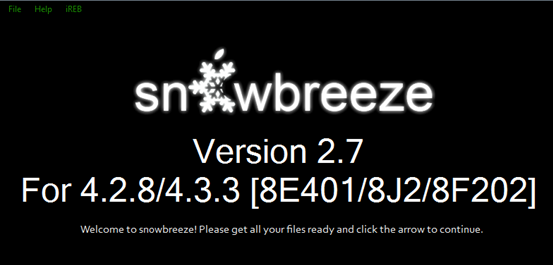
Jailbreak iPhone 4.3.3 with Sn0wbreeze 2.7 [tutorial]

Most of you that have upgraded to Apple's latest firmware, have probably already jailbroken your iDevices using RedSn0w or PwnageTool. If you haven't yet, you may want to give Sn0wbreeze a try. As we reported earlier, the jailbreak software has joined the iOS 4.3.3 party, courtesy of i0n1c's untether.

Although generally mentioned last when discussing jailbreak options, Sn0wbreeze  is still a good choice for jailbreakers looking to hack their iDevices with ease. It's especially useful for folks with Verizon iPhones, as the software created by iH8sn0w is currently the only way to jailbreak 4.2.8...

Sn0wbreeze Updated to Support Untethered Jailbreak for iOS 4.3.3 and 4.2.8

As you've probably already seen with RedSn0w and PwnageTool, i0n1c has updated his untether exploit to support Apple's latest firmware. Like the previously mentioned titles, Sn0wbreeze has been updated to support iOS 4.3.3.

This release comes less than 72 hours after Apple dropped the new iOS software, which fixes the location bug we told you about last month. Though many of you folks didn't have much of a reason to upgrade, for those who did, we have you covered...

How to Jailbreak iPhone 4.3.3 with PwnageTool [Tutorial]

Three updates, and three jailbreaks using the same exploit; that's got to be some sort of record.

For those of you interested in preserving your baseband with this latest jailbreak, you're obviously going to want to stay away from RedSn0w.

PwnageTool is the jailbreak tool to use when you're interested in creating custom firmware, and most importantly, when you need to preserve an unlockable baseband. Even if your baseband isn't unlockable, you may want to preserve your baseband in case a future unlock is found.

The good news is, the choice is yours. Without further explaining, here is the tutorial that will show you how to jailbreak your iPhone running iOS 4.3.3 and preserve your baseband with PwnageTool...

PwnageTool Jailbreak for iOS 4.3.3 Released

With the release of an updated iOS 4.3.3 untethered jailbreak, the Dev Team has also released an update to PwnageTool for Mac OSX users.

PwnageTool 4.3.3 incorporates i0n1c’s updated iOS 4.3.3 untethered exploit. PwnageTool 4.3.3 will allow you to safely restore to an already jailbroken iOS 4.3.3 firmware and preserve your current 1.59.00 baseband so that you may use UltraSn0w to unlock your iPhone…