iPod Touch

Apple Releases iOS 5 to the Public, Update Available Now

Apple today made iOS 5 available to the public, with the update now being pushed out via iTunes for the iPhone, iPad, and iPod touch.

The update, first previewed back in June, has seen 7 betas seeded to iOS developers, as well as the final GM release after last week's "Let's Talk iPhone" event.

Offering more changes than we care to list (we've already done that once), this is the biggest revamp of iOS to date...

iTunes in the Cloud Launching Internationally Right Now

Back when Apple first announced iCloud, and the subsequent beta, one of the new features to make the biggest splash was iTunes in the Cloud. Up until that point, if an iTunes customer bought a song and deleted it they were stuck with no option but to either call Apple support and try to sweet talk them into issuing a refund or replacement track, or to simply stump up the cash all over again.

With iTunes in the Cloud, that was no-longer the case.  Now, a new Purchased section in iTunes lists all bought music as well as apps and books, and the world is a better place for it.

Unfortunately, while books and apps found their way outside the US, music did not. Until now...

How to Get Ready for iOS 5 and iCloud Tomorrow

Apple is finally releasing iOS 5.0 and iCloud to the public tomorrow. Both products was initially previewed to developers at Apple's WWDC conference this past June.

After 7 consecutive developer betas, iOS 5 reached its final Gold Master version on October 4th. The public version drops tomorrow with iCloud. It's time to get ready...

How to Enable Swiping for SBSettings Toggles [Video]

A few days ago, we received a question about SBSettings; specifically, how do you enable swiping for the toggle buttons in SBSettings?

By default, SBSettings will enable more than two rows if you have more than eight buttons in your list of toggles. Because of this, there's no need to have separate pages for toggles, due to everything fitting on a single page.

Ah, but there is a simple way to force a maximum of two rows of toggles, as this video tutorial shows you inside...

Apple Puts Another Nail in the iPod Classic’s Coffin

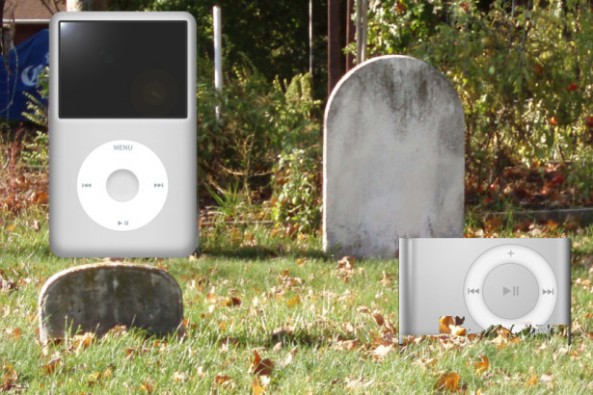
Apple quietly removed its click wheel games category from the iTunes App Store this morning. Multiple sources have already said that Apple is getting ready to kill the iPod Classic and the iPod Shuffle, so this move doesn't come as a surprise.

With the Classic on its deathbed, it's obvious that the age of the click wheel is nearing an end. We'll miss you, little click wheel.

Just Mobile Gum Plus: A MacBook Pro Inspired External Battery Solution for Your iDevice

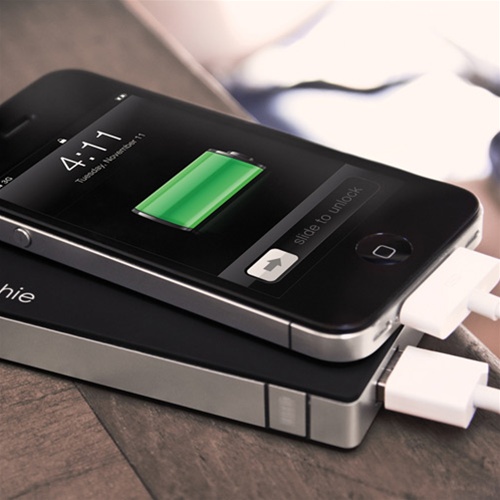
What looks like a MacBook Pro, charges your iPhone to 90% in about an hour, and is super portable? That's right, it's Just Mobile's external iPhone battery, the Gum Plus.

Despite its somewhat bizarre name and small stature, this is a beautiful product that can charge your iPhone over three times on a single refuel. Check out our in-depth video walkthrough of this striking product inside...

New iPhone and iPod Touch Models Show Up in Apple’s Inventory

We are still trying to piece together some sort of picture of what Apple will be unveiling next week. The Cupertino company has done a pretty good job so far of keeping its Fall plans a secret. The stuff we think we know at this point is only based on speculation.

9to5Mac added some more pieces to the puzzle this morning by reporting that 5 new products have turned up in Apple's inventory. The first three devices appear to be new iPod touches, and the other two? Well, the other two are new iPhone models...

Say Goodbye to the iPod Classic and iPod Shuffle

If you've been planning on buying an iPod Classic or iPod Shuffle, now would be a good time to do so.

Last night, TUAW corroborated an earlier report from 9to5Mac that Apple is looking to discontinue the iPod Classic and iPod Shuffle. The "product transition" that Apple hinted at during its last earnings call is apparently within the iPod product line. TUAW's source has said that Apple will axe the two iPods this year, presumably at Tuesday's event...
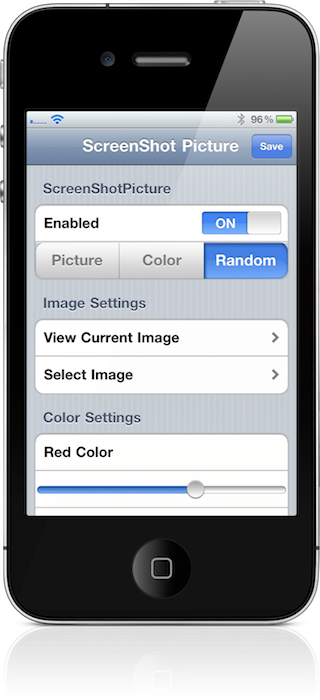

Screenshot Picture: Add Photos to Your iPhone’s Screenshot Flash

You know that boring old white flash that appears on your iPhone's screen when you're taking a screenshot? Wouldn't it be nice if there was an option to spruce that up a bit?

Likely, that's the exact conversation the developer of Screenshot Picture had with himself as he was conceptualizing it.

Inside, you'll find a video walkthrough on this tweak, and learn how to make your screenshot taking experience a tad more interesting...

How to Stitch Your SHSH Blobs Using RedSn0w to Create Firmware That Can Always Be Downgraded

If you checked out our RedSn0w 0.9.9b1 video walkthrough, you saw for yourself how much of a drastic change the latest version is.

One of the most compelling features added to the new RedSn0w, is the ability to 'stitch' your SHSH blobs to their corresponding firmwares. This makes it so that you have a self contained means of downgrading firmware, well after it stops being signed by Apple.

Even better, is the fact that it's completely standalone, meaning you won't have to do any trickery in order to get iTunes to let you downgrade. By stitching an SHSH blob to a firmware file, iTunes is none the wiser.

Check out our full tutorial and video walkthrough of this incredibly handy new feature...

How to Save SHSH Blobs Using TinyUmbrella [Video]

There's no two ways around it, TinyUmbrella is just as much of a staple to jailbreakers, as the tools that actually perform the jailbreaks. For that reason, I figured it was only right to create a standalone TinyUmbrella tutorial, which shows you how to manage your SHSH blobs.

With TinyUmbrella, your blobs can be retrieved from either Apple, or Cydia. In this video tutorial, I show you the difference between both methods and how to save your SHSH blobs for possible firmware downgrades...