iPhone

Stay up-to-date on the latest iPhone news and learn new tips and tricks with our comprehensive tutorials. From software updates to new features, we’ve got you covered.

The best jailbreak tweaks for the Status Bar

Jailbroken or not, the Status Bar is an essential part of your iPhone that lest you keep track of your battery level, wireless signal, and time. On the other hand, jailbreakers can take control of their devices and have their Status Bar do so much more.

In this roundup, we'll discuss the best jailbreak tweaks for modifying the Status Bar since the the Yalu iOS 10 jailbreak was released to the general public.

Pagico 8.7 helps you make better plans and actually stick to them [sponsored]

If you haven't heard about Pagico before, it's a productivity app that allows individuals and team members to easily manage all their tasks, files and notes across iPhone, iPad, Mac, Windows, Ubuntu and Android devices.

With Pagico, you can organize everything related to your projects in one place, stay informed with handy flowcharts, access data anywhere, manage your day, visualize workloads, cross-link everything, organize stuff into collections, collaborate and much more.

Now bumped to version 8.7, the app sports some interesting new features designed to help you be more productive and stay on track with support for sub-containers, enhanced container duplication features, smart filters, teammate filters, improved email handling and printing, plus a lot more.

iTunes is coming to Windows Store later this year

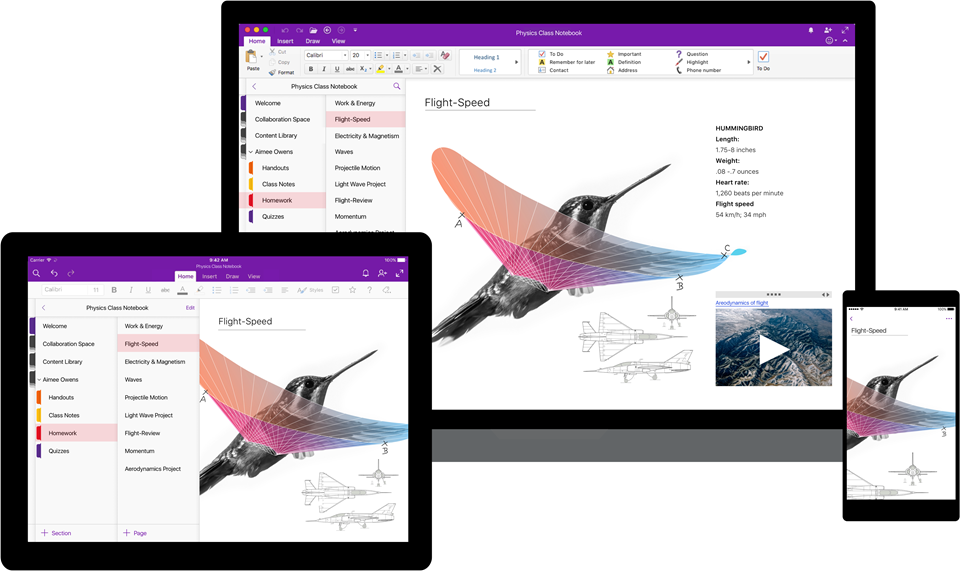
Windows maker Microsoft announced today at its Build conference for developers that Apple is working on bringing iTunes to Windows Store with full support for Apple Music and iOS device syncing. TechCrunch reports that users will essentially enjoy the same iTunes experience from Windows Store that the existing iTunes for Windows download currently offers.

While Microsoft didn’t show any screenshots of what this experience might look like, Apple may be required to tweak iTunes’ look and feel to match Microsoft’s new Fluent Design system.

The development is especially important in light of Windows 10 S, a slimmed down version of Windows 10 for inexpensive Chromebook-like computers aimed at education, because Windows 10 S customers can only install officially sanctioned apps from Windows Store.

As a result of the restrictions, many popular apps such as Apple iTunes, Google Chrome, Mozilla Firefox and Spotify are currently unavailable on Windows 10 S systems. According to The Verge, iTunes is one of the apps Windows users search for most often on the store.

Unless iTunes is available on Windows Store, people in the market for a Surface Laptop, for example, won't be a be able to synchronize their iOS devices with their Windows 10 S-powered PC unless they upgrade to Windows 10 Pro to remove all restrictions.

Windows 10 is now on half a billion devices and Office 365 recently passed its hundred-millionth monthly user, Microsoft revealed at the Build conference.

The Sims Mobile soft-launches, brings all the features of the original Sims game to iPhone and iPad

Publisher Electronic Arts said today that it's soft-launched a new Sims game for mobile devices via App Store in Brazil. Called The Sims Mobile, it includes all of the features of the original PC game which released 17 years ago back in 2000 and files as an official mobile game by Maxis Studios and Electronic Arts.

In The Sims Mobile, players can shape their Sims' legacy as they create their unique personalities, homes and relationships—all on their iPhone, iPad or iPod touch.

Key highlights include:

Shape your Sims' legacy—Shape your Sims’ families over multiple generations. When your Sims accomplish their career goals and retire, you’ll be rewarded with Heirlooms that unlock hobbies and careers for future generations, allowing new Sims to tell deeper stories. Create unique Sims—Customize your Sims with distinct appearances, hairstyles, outfits, and accessories. Choose different personality traits and life goals. Build a home—Personalize your Sims home layouts and designs, and decorate with a variety of furniture, appliances, decorations and more. Play together—Host and attend parties with other Sims to socialize, show off your amazing house, earn rewards, and develop new relationships.

Here's the promotional trailer for the free-to-play title.

https://www.youtube.com/watch?v=VwFMyHGtIXs

As mentioned, The Sims Mobile is a free-to-play download. If other EA games are an indication, the game may include a bunch of optional In-App Purchases.

You can sign up for email updates at the thesims.com/mobile.

Six years ago, EA released The Sims Freeplay for iOS and Android, a simplified version of the original PC game. The publisher has other Sims-branded titles on App Store, including The Sims 3, The Sims 3 World Adventures, The Sims 3 Ambitions for iPad and more.

The Sims Mobile soft-launched today on App Store in Brazil.

We'll keep you posted when the game expands to other markets.

Are you a fan of The Sims franchise?

LG Innotek to supply facial recognition camera for iPhone 8

LG Innotek has been commissioned to build facial recognition camera modules for iPhone 8, Korea Economic Daily reported on Thursday. The Korean company has invested 269.7 billion won, or about $238.50 million, in a new manufacturing plant that will be dedicated to Apple’s orders, The Investor reported Thursday.

An all-new plant is required for the production of the camera component because, according to The Investor, iPhone 8's facial recognition module will be really small and capable of advanced 3D facial recognition in order to achieve better accuracy that the front-facing camera on Samsung's Galaxy S8, which uses 2D images for the facial recognition function.

LG Innotek is the parts unit of LG Group and the supplier of dual-lens iPhone 7 Plus cameras.

“Apple and LG Innotek, the market leader in the smartphone camera module market, teamed up last year to develop the world’s first 3D facial recognition camera system that can be used for a variety of applications from biometric authentication to games,” reads the article.

The initial deal size is estimated at about 200 billion won, or about $177 million.

KGI Securities was first to predict that iPhone 8 would come outfitted with a 3D sensor allowing users to capture 3D selfies, map their surroundings in 3D, scan objects in 3D, use augmented reality features  and more.

Barclays thinks that both front and back cameras on iPhone 8 will support these 3D and augmented reality features. Barron's said in March that Apple had contracted a company called Himax Technologies to build 3D sensors for the OLED iPhone.

TSMC resolves manufacturing woes, kicks off production of A11 chips for upcoming iPhones and iPads

Taiwan Semiconductor Manufacturing Company (TSMC) has commenced production of Apple-designed A11 chips for upcoming iPhones and iPads.

According to a report Thursday from Taiwanese trade publication DigiTimes, the semiconductor foundry has successfully resolved initial manufacturing issues in the company's ten-nanometer FinFET process technology.

“TSMC has begun 10nm chip production for Apple's next-generation iPhone 8 series,” sources told the publication. “Production was once affected by issues involving stacking components in the backend integrated fan-out packaging process, but they have already been solved.”

TSMC is Apple's exclusive manufacturer of the in-house designed 16-nanometer A10 Fusion chip for the iPhone 7 series. TSMC's new ten-nanometer process should yield smaller chips that run faster and consume less energy.

TSMC has also secured 12-nanometer chip orders (a smaller version of its 16nm technology) from Nvidia, MediaTek, Silicon Motion Technology and HiSilicon. As for TSMC's 10nm process, the node technology has obtained orders from Apple, MediaTek and HiSilicon, as per sources.

Meet Breaker, a young podcast app with a social twist

Podcast listeners are traditionally creatures of habit when it comes to the app of choice to access all their favorite shows. Thus, whenever a new gateway to podcasts comes along, it often cops the ‘not as good as Overcast’ treatment and is passed into oblivion.

The guys and girls at Breaker, a fresh podcast app available on your iPhone, look poised to buck that trend by trying something novel in the rubric: marry a solid podcast app to a social network, enabling the community of listeners to discuss, recommend and share the content.

Change the shape of your app icons with SpringToolz

Looking to spice up your Home screen a little bit more? A new free jailbreak tweak called SpringToolz by iOS developer Stoyan Stoyanov lets you change the shape of your Home screen icons, add drop shadows, and much more.

The tweak comes loaded with a vast number of shape options to choose from and can give your device that distinct appearance you’re looking for to make it stand out from the rest.

CCVertically gives Control Center a vertical makeover

Control Center normally has a horizontal layout; it's categorized into rows with each section having its own dedicated purpose, whether it’s for toggles, shortcuts, or sliders.

If you're interested in trying something new, then you might be interested in a new free jailbreak tweak called CCVertically by iOS developer pxcex. This tweak flips everything 90 degrees to give Control Center a vertical layout.

How to disable in-app ratings and review requests on iPhone and iPad

Apple included a handy new feature in iOS 10.3 beta to give people the power to disable in-app prompts seeking feedback in one fell swoop. Apps that use the new SKStoreReviewController API can invoke a new standardized prompt offering users to provide a rating or write a review without taking them to the actual App Store. This feature has been available on and off for beta testers and should be available to the public in an upcoming update to iOS 10.

These in-app prompts for ratings and reviews can be disabled at once for all apps installed on your iPhone, iPad or iPod touch which support the feature. This tutorial provides step-by-step instructions for how to disable in-app ratings and review requests in iOS.

How to disable in-app ratings and review requests on iPhone and iPad

To opt out of receiving these feedback prompts, do the following:

1) Launch Settings on your iOS device.

2) Tap iTunes & App Stores.

3) To disable all in-app prompts for App Store reviews and ratings, flip the switch In-App Ratings & Reviews switch to the OFF position.

This will prevent all apps that are installed on your iPhone, iPad or iPod touch from asking for product feedback in the form of App Store ratings and reviews. Again, this toggle has no bearing on apps on your device that do not use iOS 10.3's new SKStoreReviewController API.

Please think twice before disabling in-app ratings and reviews.

As I explained before, the new API streamlines the product feedback experience with standardized prompts limited to three per year per app. As Apple itself suggests, you should help developers and other users know what you think by letting apps ask for product feedback.

Like before, your submitted ratings are valid for the App Store territory where you originally purchased the app. You can also leave ratings and write reviews for iPhone, iPad and iPod touch apps directly in App Store, and for macOS apps in Mac App Store.

You can also leave ratings for Apple TV apps, but not submit reviews.

About in-app ratings and review requests

iOS 10.3 beta gives users the power to silence in-app prompts seeking App Store feedback.

In the past, developers were free to interrupt the experience and inundate users with pesky prompts asking them to provide a rating or write a review on App Store.

With the new SKStoreReviewController API, developers simply choose when they’d like to prompt the user and identify places in their apps where it makes sense to ask for feedback, and the system takes care of the rest.

The system allows users to submit a rating through the standardized prompt and authenticate with Touch ID to write and submit a review, all without leaving the app.

The API limits these requests to three prompts per app in a 365-day period. The counter is not reset when the app is updated. The hope here is that the new API will encourage developers to strategically ask for feedback for major updates only.

Previously, many apps would aggressively ask for feedback after each and every update because App Store erases an app's average rating with each submitted update. Apps that don't use the aforesaid API can still put up a bespoke prompt seeking feedback “at appropriate times throughout the user experience,” according to Apple.

App makers that use iOS 10.3's new SKStoreReviewController API save time because the system decides when to pull up these in-app prompts and how they're rendered.

Users benefit from having the standardized prompt and the ability to write a review or submit a rating without leaving the app they're in.

When the user sees an in-app prompt seeking App Store feedback, he or she can authenticate with Touch ID to write and submit a review, right there and then.

“The system’s rating prompt offers a familiar, efficient experience that’s designed to engage the user with minimal impact,” explains Apple.

As a bonus, developers can at long last respond publicly to App Store reviews.

Any questions?

If you have any questions regarding the topic of this tutorial, please post a comment below and our knowledgable writers will try to answer them.

Be sure to pass this article along to the friends and family you support.

Submit your ideas regarding future coverage via tips@iDownloadBlog.com.

How to stop your iPhone from automatically switching lenses when shooting video

iOS decides on your behalf when it's appropriate to use iPhone 7 Plus's telephoto camera and when to switch to the wide angle shooter. This default behavior can be altered, which helps you avoid potentially unexpected results when shooting video.

If the phone switches to or from the second lens while you’re zooming in or out, glitches will probably appear in the recorded video. Thankfully, Apple, in all its wisdom, has provided a toggle in Settings to easily override this behavior at any time.

With its dual-lens system, iPhone 7 Plus is an awesome portable camera for both pro and wannabe iPhone photographers. In addition to powering depth-of-field photography, the dual twelve-megapixel cameras give you the benefits of an 2X optical zoom.

The problem with lens switching

Due to an ƒ/1.8 aperture and optical image stabilization, the wide angle camera captures images that are sharper and stabler than those taken with its telephoto counterpart. The two lenses have a different aperture and physical position, which also affects image quality.

Jarring transitions in your recorded videos are caused by automatic lens switching, which occurs if your iPhone switches to or from the second lens as you’re zooming in or out.

To avoid accidentally running into jarring transitions while recording video on your iPhone 7 Plus, you should disable the automatic lens switching feature.

Here's how.

How to stop your iPhone from automatically switching lenses

1) Launch the Settings app.

2) Tap Photos & Camera.

3) Tap Record Video underneath the Camera heading.

4) Slide the Lock Camera Lens switch at the bottom to the ON position.

Your iPhone will no longer automatically switch between camera lenses while shooting video.

This setting only takes effect when you’re actually shooting video. If you toggle the Lock Camera Lens to the ON position, your iPhone will keep on using whichever lens you started recording with. You'll want to keep that in mind when fiddling with this setting.

By the way, I learned about this feature via the always informative iLounge.

Speaking of which, iLounge explains how this setting affects your video recordings:

In most cases, you’ll simply be relying on digital zoom rather than optical. However, if you begin recording a video while zoomed in to beyond 2X, you may not be able to zoom back out, as you’ll already be using the 2X lens.

iOS uses a number of factors to determine whether it should use the optical 2X lens or simply rely on digital zoom, such as in lower light conditions where the faster primary lens has an advantage, so you won’t always see the impact of the Lock Camera Lens setting.

And that's it, boys and girls.

Any questions?

If you have any questions regarding automatic lens switching on iPhone 7 Plus, please post them in the comment section below and our knowledgable writers will try to answer them.

Be sure to pass this article along to th friends and family you support.

You can shoot us your ideas regarding future coverage to tips@iDownloadBlog.com.

Infuse media player gains supercharged subtitles, 10-bit video playback & more

aTV Flash Black developer FireCore recently pushed a new version of Infuse, implementing vastly improved subtitle support, gorgeous 10-bit video playback and a host of other improvements.

Infuse 5.4 for iOS and tvOS, a free download for existing users, recently celebrated its fourth anniversary. Since making its App Store debut back in 2013 [review], this versatile media-player app for iPhone, iPad and Apple TV has been gaining new features on a regular basis.

10-bit video playback

10-bit videos now look great thanks to some slick new hardware decoding options available in Infuse 5.4. Not only does hardware-assisted decoding on newer iOS devices provide great playback performance, it unlocks hours of extra battery life as well.

Hardware-assisted decoding of the Hi10P video format (H264-encoded 10-bit video) requires Apple's A9 chip or later, meaning this feature is supported on iPhone 6s or later models, all iPad Pro models and the new 2017 iPad model.

Supercharged subtitles

Subtitles have been “entirely revamped” in Infuse 5.4.

The new subtitle rendering engine includes support for subtitles on 3D videos (SBS and TAB), plus subtitle position (AN) tags. The app now accepts many more subtitle formats, including .TXT files (MicroDVD, MPL2, SRT and TMP). As a bonus, the update introduces new options for adjusting text color to your liking and fancy styling and animation effects.

Infuse now uses the secure HTTPS protocol to download subtitles from OpenSubtitles, increasing your privacy. Lastly, Traditional Chinese is now supported for metadata and artwork.

Infuse availability

For a complete list of what's new in Infuse 5.4, visit the official Infuse website.

Infuse 5.4 for iPhone, iPad and Apple TV is a free download from App Store.

Advanced features are available without limitations as a $6.49 per year Pro subscription via the In-App Purchase mechanism. A free one-month trial of Infuse Pro is available within the app.

Alternatively, buy Infuse for iOS and tvOS outright for $12.99.