iPad

From the latest news to the most comprehensive tutorials, learn how to get the most out of your iPad with our step-by-step guides and expert tips.

90+ new features shipping with iOS 11 this Fall

Apple spent a lot of time demoing iOS 11 at the WWDC 2017 keynote, but in the interest of time, they were only able to show off some of the top features rather than everything that's new.

In this piece, we'll outline a number of new features that Apple didn't get a chance to show you at the keynote.

iOS can automatically uninstall apps that haven’t been used in a while

iOS 11 included many new features and enhancements, big and small alike.

For example, a revamped storage-management section became available in Settings. Speaking of which, users can appreciate another new feature that allows them to optionally have their device automatically uninstall apps that haven't been used in a while.

If you venture to Settings  → iTunes & App Store, you'll notice a new toggle at the bottom of the screen, labeled Offload Unused Apps. Setting that switch to the ON position shall prompt iOS to delete rarely used apps from your device in order to make more room for your photos, videos, documents and so forth.

iOS uses Siri intelligence to determine your usage of apps.

The feature's description notes that documents and data belonging to uninstalled apps will be kept on your device in case the app is reinstalled. “Reinstalling the app will place back your data, if the app is still available in the App Store,” notes Apple.

This feature is disabled by default.

Rightfully so, if I may add. Had Apple enabled it by default, novice users would've been stunned discovering iOS had deleted their apps for seemingly no apparent reason.

Hands-on with iOS 11’s overhauled Podcasts app

Apple's stock Podcasts app has undergone some visual changes in iOS 11. Functionally, a few things have moved around and some new features have been added.

For example, the Unplayed, My Podcasts, Featured, Top Charts and Search tabs lined up alongside the bottom of the interface have been replaced with a new and simpler tab layout: Listen Now, Library, Browse and Search.

Our resident video editor Andrew O'Hara has put together a quick video for you guys to see for yourselves Apple's new design for the Podcasts app on iOS 11.

Watch Andrew's video right below, then meet us in comments.

https://www.youtube.com/watch?v=LFsAlcnlmSo

Subscribe to iDownloadBlog on YouTube

The Listen Now tab combines podcasts you're subscribed to (previously in the My Podcasts tab), recently played episodes (previously in the Unplayed tab) and shows other people like.

Under the new Library tab, you can easily browse all of the audio and video shows you're subscribed to, as well as individual podcast episodes, ones that have been download to the device and the recently updated episodes of any shows you're following.

The Browse tab is your storefront to the Podcasts section on iTunes.

There, you can swipe through featured podcasts Apple's editors highlight at the top, access the full Featured section, see charts-topping audio and video shows, access the list of major podcast providers and browse all podcasts by category.

The Search tab now lets you choose between searching across podcasts in your library or all shows on iTunes. As evidenced by the screenshots, the redesigned app has adopted a bold font with much bolder headings and other visual cues borrowed from Apple Music on iOS 10.

Another feature iOS 11's Podcasts app has borrowed from Apple Music is a completely revamped mini-player that can be now pressed with 3D Touch to access quick shortcuts pertaining to the currently playing episode.

Other tidbits worth mentioning include larger artwork and other visual tweaks to match the look and feel of other apps inside of iOS 11, as shown on the screenshot top of post. The official Podcasts widget has remained unchanged.

For those wondering, Apple still does not provide Podcasts for Apple Watch.

How do you like these Podcasts app changes on iOS 11?

Let us know by posting a comment below.

Video: Top 6 WWDC 2017 announcements

Apple had a pretty big day at yesterday's Worldwide Developers Conference in San Jose, revealing a bunch of new or updated products and technologies that have set the stage for other important hardware announcements this fall.

If you didn't have the time to sit through the entire keynote talk and are wondering about the big takeaways, our video editor Andrew O'Hara has put together a short five-minute video highlighting the top six announcements Apple made during the WWDC 2017 keynote.

Andrew's main topics of interest include:

tvOS 11 with Amazon's Prime video-streaming app coming to Apple TV watchOS 11 with all the major improvements for workouts, notifications and more macOS High Sierra and core technologies aimed at AR/VR content creation iOS 11 with all of the improvements for your iPhone and iPad iPad Pro and iMac Pro changes and enhancements HomePod, Apple's high-end Siri-enabled speaker with hi-fi sound

And here's the video:

https://www.youtube.com/watch?v=QQBulSRR9Fc

Subscribe to iDownloadBlog on YouTube

What's your favorite WWDC 2017 announcement so far?

Post a comment below to let us know!

iOS 11 drops support for 32-bit apps

During Monday's keynote talk at the Worldwide Developers Conference, Apple introduced iOS 11, the next major software update for iPhone, iPad and iPod touch. As previously suspected, the mobile operating system has dropped support for legacy 32-bit apps.

Attempting to launch a 32-bit app on iOS 11 now yields a message, saying “The developer of this app needs to update it to work with iOS 11”. You can tap OK to dismiss the prompt or tap Learn More to open the full list of 32-bit-only apps that are currently installed on the device.

Apple's Clips app, for example, requires a 64-bit iOS device and the new Files app is optimized for 64-bit computing. Starting with iOS 10.3, Apple began naming and shaming legacy apps via a new App Compatibility section in Settings → General → About → Applications.

TUTORIAL: How to identify legacy 32-bit apps on your iOS device

Any previously installed 32-bit apps are no longer available for re-download through the App Store's Purchased tab. Moreover, 32-bit app no longer appear in App Store search.

The time is right to drop support for non-64-bit apps because running legacy 32-bit apps alongside 64-bit ones slows down the system as iOS has to load both 32-bit and 64-bit versions of the kernel and system frameworks in the RAM.

Devices with the Apple-designed A7 or newer chips are 64-bit, including the sixth-gen iPod touch and every iPhone and iPad from their respective iPhone 5s and iPad Air models onward.

In fact, iOS 11 itself won't run on a non-64-bit iPhone, iPad or iPod touch, meaning iPhone 5s, iPad Air and the sixth-generation iPod touch are now the entry-level devices for iOS 11.

Roundup: first impression of Apple’s new 10.5-inch iPad Pro

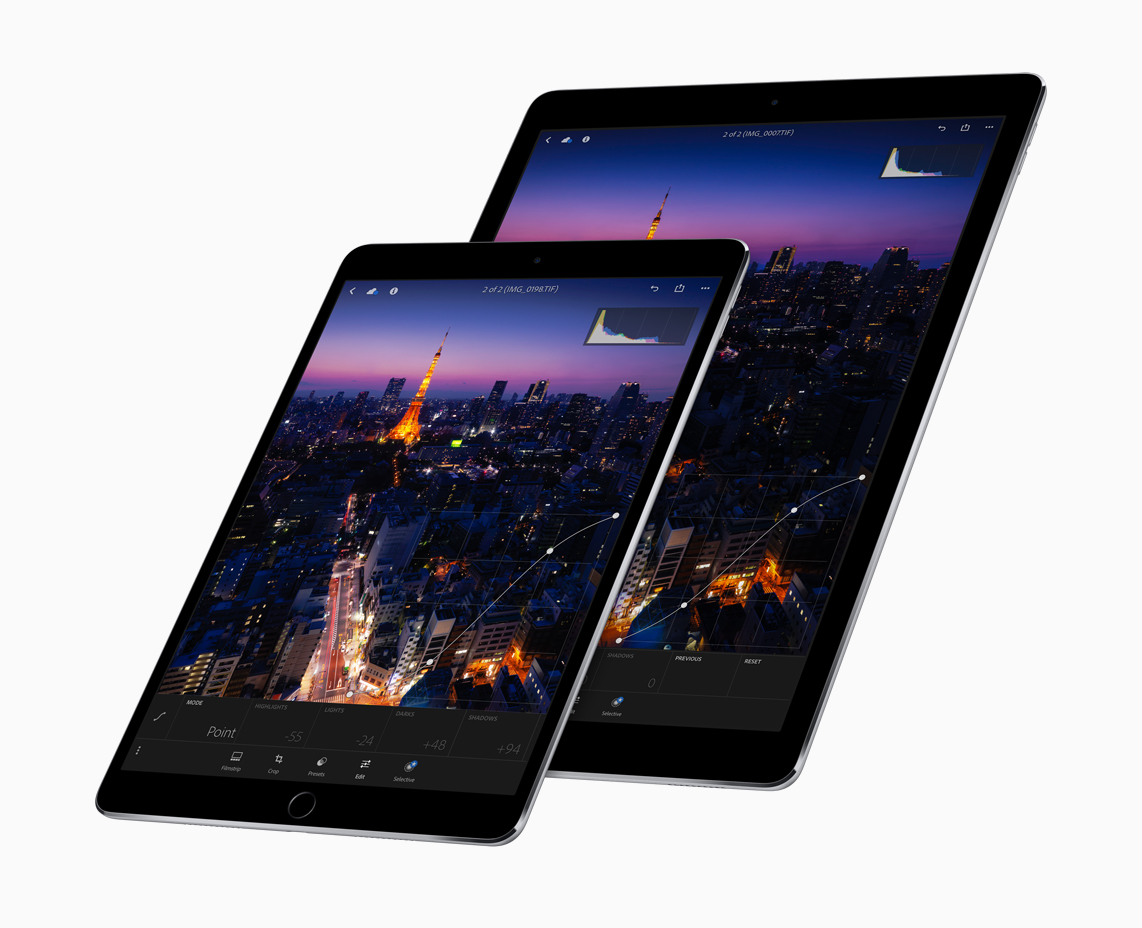
One of the few new hardware announcements Apple made on stage during its WWDC keynote is the new 10.5-inch iPad Pro model. It's essentially a refreshed version of the 9.7-inch iPad Pro, with a slightly larger display panel sitting between thinner bezels.

As usual, Apple allowed members of the press to go hands-on with the new tablet after its keynote event. And as usual, we've put together a roundup of some of their videos to give you a good idea of what to expect before deciding whether or not to purchase it.

The Verge

https://www.youtube.com/watch?v=c-L7Eu89r34

CNET

https://www.youtube.com/watch?v=qDmONcSS83k

SlashGear

https://www.youtube.com/watch?v=8qgECMZ2ZPE

TechCrunch

https://www.youtube.com/watch?v=jJyjFmV4bSU

The 10.5-inch iPad Pro (and updated 12.9-inch model) goes on sale next week, starting at $650. Unfortunately, a lot of the new iOS 11 features you see demoed in the above videos will not be available until iOS 11 launches to the public sometime later this year.

New 2017 iPad Pro tech specs

Among all the new gadgets and accessories Apple unveiled at WWDC 2017, a revamped iPad Pro was one of the lead attention-grabbers. In this piece, we'll go over the tech specs of both the new 10.5-inch and 12.9-inch iPad Pro.

Monument Valley 2 hits App Store

Monument Valley 2, the official sequel to UsTwo's surreal physics-based game of platforms and perspectives with a twist, is now officially available for download through App Store after being demoed during the WWDC keynote earlier this morning.

The game is priced at $4.99 and supports your iPhone, iPad and iPod touch.

Thankfully, it features no In-App Purchases whatsoever. Monument Valley 2 is packed to the gills with the artistic backdrops, visuals and gameplay mechanics that have made the original so popular with fans. Like before, the design is inspired by a mixture of architectural styles, artistic movements and personal influences.

In Monument Valley 2, you guide a mother named Ro and her child as they embark on a journey through magical architecture, discovering illusionary pathways and delightful puzzles as you learn the secrets of the Sacred Geometry, according to the app's description.

Check out my colleague Andrew's video hands-on with Monument Valley 2.

https://www.youtube.com/watch?v=3A1ySdcHDY8

Subscribe to iDownloadBlog on YouTube

The impossible world of Monument Valley 2 has you manipulating architecture to help guide Ro and her child on their way. This is a completely new and standalone adventure set in the Monument Valley universe, meaning you don’t need to have previously played Monument Valley to enjoy the sequel.

Augmenting the individually crafted levels with meditative puzzles, new interactions let you explore the changing dynamics between characters.

“Immerse yourself in uniquely melodic interactive soundscapes, tailored perfectly to every step of Ro and her child’s journey,” reads the description.

The original game was named Apple's Game of the Year 2014.

Buy Monument Valley 2 for $4.99 on App Store. It requires iOS 9 or later.

The original Monument Valley game currently sells for $3.99 on App Store.

Here come the first ads for Apple’s new iPad Pro

With the new 10.5-inch iPad Pro now official, Apple posted a pair of brand new ads on its official YouTube channel as part of its ongoing “Real problems…answered” campaign. Titled “So many things to love” and “A whole new kind of computer,” the videos are running 16 seconds long each and position the new 10.5-inch iPad Pro as a viable alternative to your computer.

With drag-and-drop, a new Files app, an enhanced Dock and other productivity-centric iPad features on iOS 11, plus an improved Apple Pencil hardware and stylus support, your iPad will indeed become more powerful than ever before.

Like before, the new videos are based on real tweets from real people.

“So many things to love”

“You could do everything you love, if your computer was the new iPad Pro.”

https://www.youtube.com/watch?v=fKk4BUfrYp8

The video is based on this tweet by user @yagirlgeorgie.

“A whole new kind of computer”

“ You could work in a whole new way, if your computer was the new iPad Pro.”

https://www.youtube.com/watch?v=1wENU092DDc

The clip is based on this tweet by user @ryandrake.

Don't forget to watch other WWDC videos Apple posted today, highlighting its all-new iMac Pro model, a Siri-driven smart speaker, called HomePod, and iOS 11's upcoming productivit-enahncing features on the new 10.5-inch iPad Pro model.

Now watch Apple’s WWDC videos promoting HomePod speaker, 10.5″ iPad Pro & iMac Pro

With the WWDC keynote wrapped up, Apple has now posted latest product introduction videos to its official YouTube channel, including one aptly titled “Apocalypse” that highlights the importance of mobile apps (it was played as an opening intro for WWDC attendees).

Some of the hardware products and updates announced today are available immediately, like the refreshed Mac desktops and notebooks, while others will arrive later in the year, like the firm's Siri-powered smart speaker, called HomePod, and the new iMac Pro.

Apocalypse

“Ever wonder what life would be like if all our apps suddenly disappeared? Enter the Apocalypse,” reads the videos description.

https://www.youtube.com/watch?v=FC0pT9xg1oI

Song: “All Right” by Christopher Cross

Introducing HomePod

“Immersive hi-fi audio. All the music you love. And the intelligence of Siri. Welcome HomePod.”

https://www.youtube.com/watch?v=1hw9skL-IXc

As we told you, HomePod will be available beginning this December. To learn more about Apple's Siri-enabled smart speaker with HomeKit support and more, visit apple.com/homepod.

The New iPad Pro—On Any Given Wednesday

“With the world's most advanced display, the powerful A10X Fusion chip, and a new 10.5-inch model, the new iPad Pro is everything you want modern computing to be.”

https://www.youtube.com/watch?v=UR5ODc5Wbbo

Productivity-enhancing OS 11 features shown in the video will be available this fall.

To learn more about what the new 10.5-inch iPad Pro has to offer check out my colleague Cody's write-up, then visit apple.com/ipad-pro.

iMac Pro—Power to the Pro

“Packed with powerful technologies for the creative professional. The new iMac Pro. Power to the pro.”

https://www.youtube.com/watch?v=XPIrnAcmCSk

To learn more about the upcoming iMac Pro, visit apple.com/imac-pro.

Can your iPhone or iPad run iOS 11?

iOS 11 makes your iPhone and iPad more powerful, personal and intelligent than ever before. You might be wondering if you have the device requirements to install it. Fortunately, we're here to answer that question.