iPad

From the latest news to the most comprehensive tutorials, learn how to get the most out of your iPad with our step-by-step guides and expert tips.

Netflix app now supports Picture in Picture on compatible iPads

Netflix on Tuesday pushed out an update for its iOS app, brining the client to version 8.7. It's a minor release, with just a few items mentioned in the change log, but there's one significant new feature that's going to really please iPad fans: Picture in Picture support.

That's right, folks with a compatible iPad can now watch Netflix in a floating, resizable window while continuing to perform tasks like checking email or browsing Safari. Netflix says you'll have to be on iOS 9.3.2 or later, and of course you'll need an iPad Air or later.

Poll: will you upgrade to iOS 10 or keep your jailbreak?

Apple announced iOS 10 yesterday at the company's WWDC 2016 Keynote and awed the audience with some pretty neat new features.

Of course, the battle continues for those who want more control over their devices, and because of that, we want to know whether you're going to be updating to iOS 10 this Fall, or if you'll be keeping your iOS device(s) jailbroken on iOS 9 or earlier.

2016 Apple Design Award winners: Streaks, djay Pro, Lara Croft GO, and more

Following its WWDC keynote on Monday, Apple held a smaller event to announce the winners of its Apple Design Awards. This is an annual undertaking for the company, and the awards are highly coveted by developers.

Apple grants the awards to high quality apps and games, with unique and compelling designs that set them apart from other offerings. Winners get featured in the App Store, a trophy, and an assortment of Apple products.

30+ new iOS 10 features Apple didn’t mention today

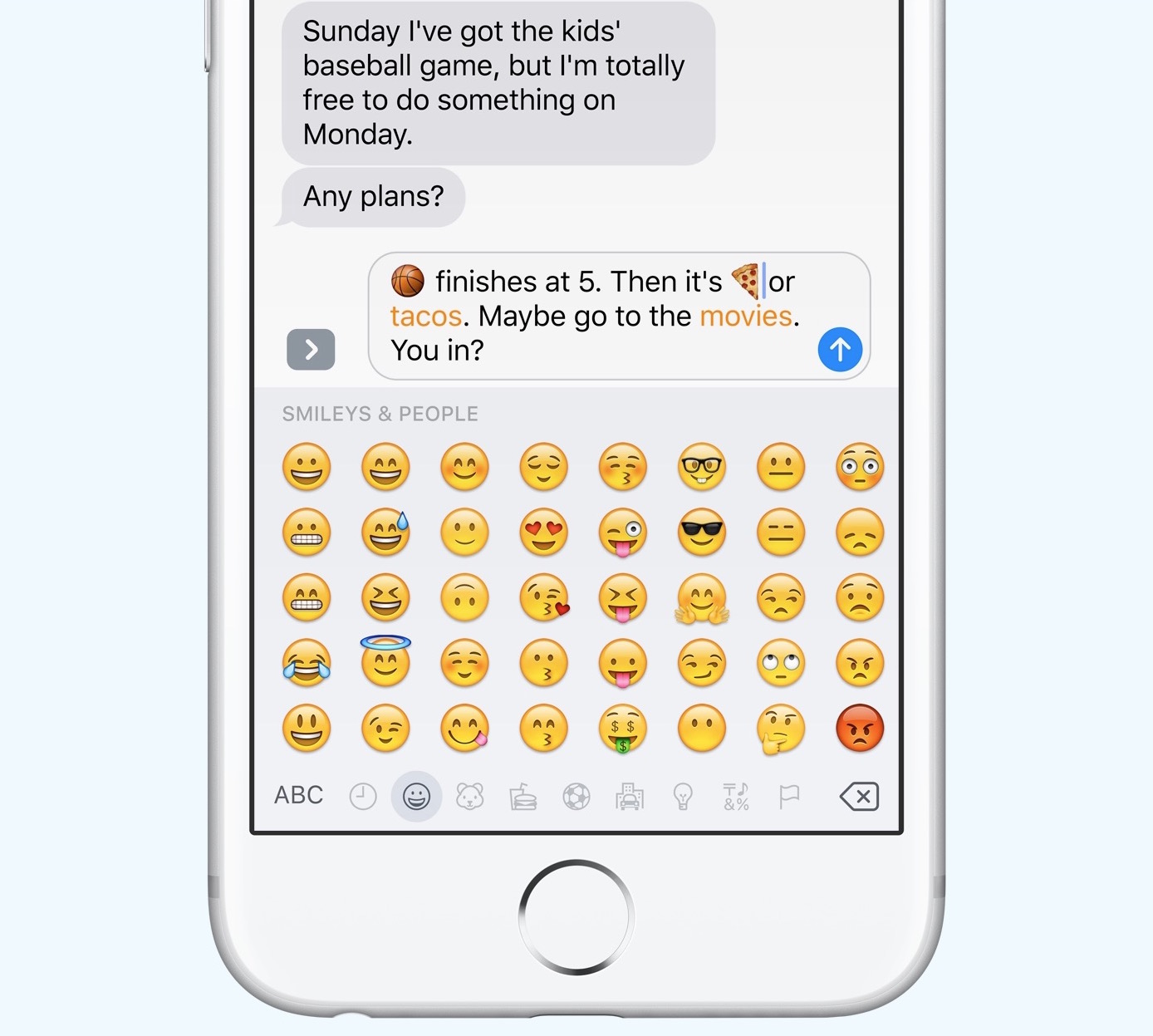
In typical fashion, Apple used a portion of its WWDC keynote to go over some of the major—or "tentpole"—features coming in the next version of iOS 10. There's a more powerful Messages app, a new HomeKit app, redesigned Music and News apps, and more.

But obvioulsy Apple couldn't cover every new feature today, so it offered up a sneak peak at some other additions and improvements we can expect from the update. The slide you see above names 30+ new features coming in iOS 10, and we've listed them below.

Apple News gets simpler design, subscriptions and more in iOS 10

Among the new things Apple announced 10 today is a redesigned News application. This is a standalone news aggregation app, first introduced in iOS 9 last summer, and it's getting some significant improvements in the upcoming iOS 10 update.

These start with what Apple is calling an "all-new design." In the 'For You' tab, your stories are now broken up into clear sections like Top Stories, Trending—which shows you the top stories right now, and topics you follow, like cars or sports.

iOS 10 device compatibility list

Apple today during the WWDC 2016 keynote at the Bill Graham Civic Auditorium in San Francisco announced next major versions of its four main operating systems—iOS, tvOS, watchOS and macOS—that power its iOS devices, set-top boxes, watches and computers.

iOS 10, the tenth major revision of iOS, is now official, but will it work on your existing hardware? Not if you're still on the iPhone 4s or want to run iOS 10 on the original iPad mini or iPads older than the iPad 4.

Swift Playgrounds: Apple’s new iPad app to teach you how to code

In wrapping up Apple's WWDC keynote this morning, Tim Cook announced a new iPad app called Swift Playgrounds for teaching people how to code. Cook specifically says "the best way to teach everyone to code," but it definitely looks like it was built with kids in mind.

The app looks a lot like other learn-to-code apps (Hopscotch!), but it's cool that Apple is using its scale to get such a tool into the hands of more people. The company says the app "combines the powerful Swift programming language and the powerful capabilities of iPad."

Microsoft Office apps updated with support for exporting files in OpenDocument format

Ahead of WWDC keynote at 10am this morning, Microsoft refreshed its trio of Office productivity applications for the iPhone, iPod touch and iPad with a notable new export option. Word, Excel and PowerPoint apps can now export documents, spreadsheets and presentations in the cross-platform OpenDocument format, making the mobile apps even more suited for business use.

Bumpers, Winnie, BitCam and other apps to check out this weekend

It's going to be a long weekend for Apple fans, as we anxiously await the company's big WWDC keynote on Monday. But never fear, we've picked out some great apps and games to help you pass the time. These include a new audio recording and sharing app, an old school camera app,  and of course two great new games.

How to have iCloud sync your calendar subscriptions across Mac, iPhone, and iPad

I recently wrote a post describing how to add the schedule of the Euro 2016 to your iPhone, Mac, or iPad calendar app in order to keep up with the competition. As described in my post, subscribing to this calendar (or any other calendar) directly from your iPhone or iPad, will only add the calendar locally on the device, but it won't sync across all your other devices like an iCloud calendar would.

iDB reader Kyler emailed us earlier today asking how he can subscribe to a calendar while adding it to his iCloud account to make sure the calendar events sync to his iPhone, iPad, and Mac, without having to manually subscribe to the calendar on each device. This is what we're going to do look at in this post.

Save iPhone storage space by slimming down Photos library with Avast Photo Space

iCloud Photo Library has a nifty little feature that lets you store full-resolution photos and videos to iCloud while keeping device-optimized versions on your iPhone, which can save you quite a lot of storage space.

But not everyone uses iCloud Photo Library (do you?) and pays for iCloud storage beyond Apple's measly 5GB free tier (anyone?). That's where Avast's Photo Space for iPhone jumps in. With this app, your Photos library goes on a diet.

Apple’s free app of the week: Drop Flip

Apple on Thursday updated its App of the Week promotion with the game Drop Flip. This means that for the next 7 days, you’ll be able to download the popular physics puzzler for free on both iPhone and iPad—a solid savings of $2.

For those unfamiliar with the title, Drop Flip is a delightful game chock-full of silly physics contraptions. Players must move, flip and manipulate obstacles of every shape and size to force the ball into a bucket. It's a lot harder than it sounds.