It seems like there’ve been a lot of intriguing jailbreak tweak releases recently amid the calm of jailbreak development.
Jailbreak tweaks of the week: Kumquat, Sleepizy 2, Vinculum 2, & more…

It seems like there’ve been a lot of intriguing jailbreak tweak releases recently amid the calm of jailbreak development.
One of the things you’ll notice when tapping on links in apps on your iPhone or iPad is that some apps launch the full-fledged Safari web browser app to load a web page while others launch an in-app web browser that’s based on Safari.
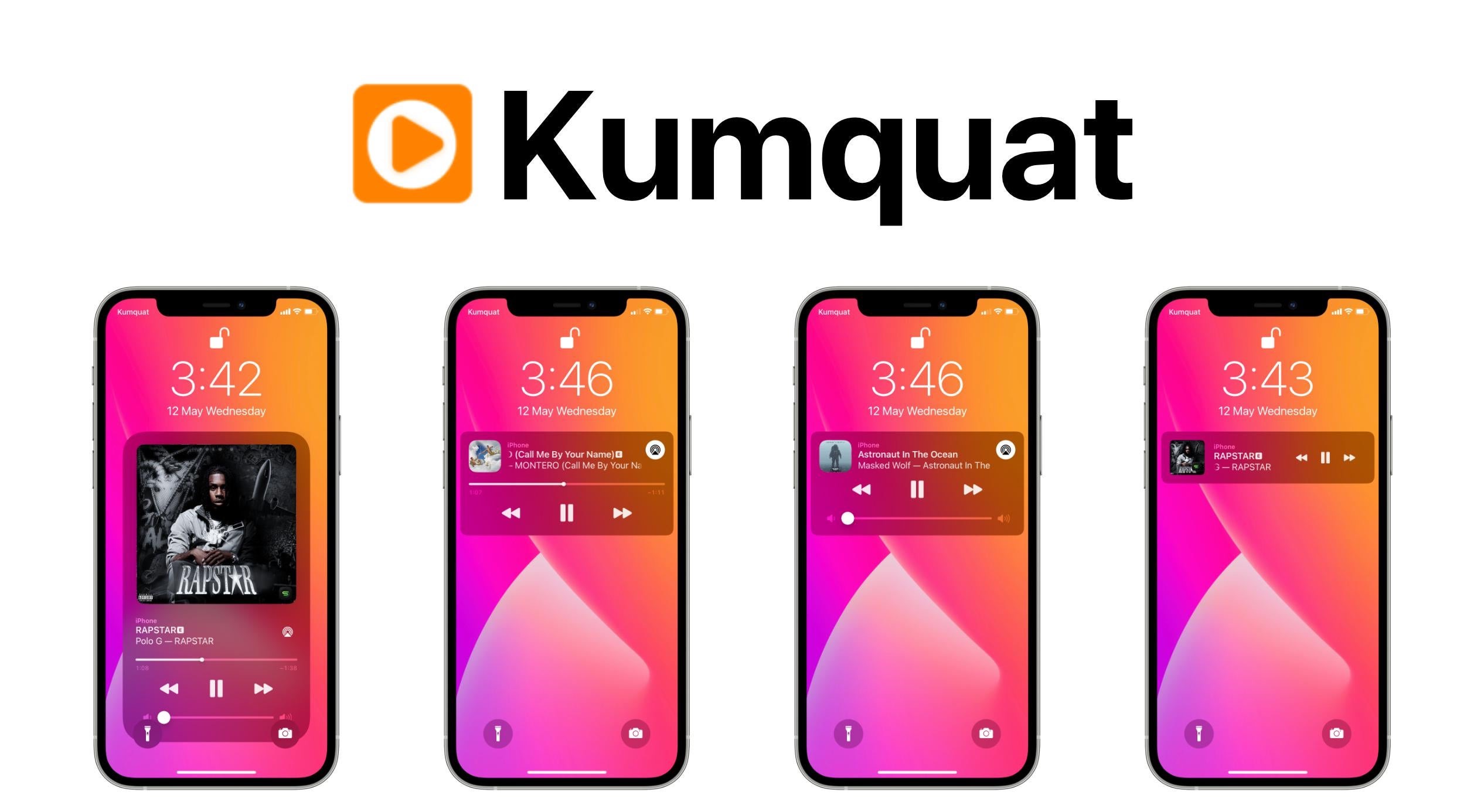
The Now Playing interface that greets music listeners on the iPhone’s Lock Screen works, but it’s not quite as aesthetically pleasing as many would like. Interestingly, it receives minor changes with each major iteration of iOS, but none that really stand out to someone who’d like a total redesign.
The jailbreak community is continuously pumping out exciting news and jailbreak tweak releases, and that’s one of the reasons why we come at you every Sunday with a dedicated roundup just like this one.
In this week’s edition of the Jailbreak Tweaks of the Week, we show you all the latest jailbreak tweak releases and jailbreak-centric news spanning the week of Monday, May 3rd to Sunday, May 9th.
Sam Bingner has launched an updated version of the Substitute tweak injection method this evening, officially bringing the package up to version 2.0.12.
Substitute is used by default on the unc0ver jailbreak when installing tweaks and add-ons and can be installed manually by the end user on the checkra1n jailbreak if Cydia Substrate isn’t already being used. But regardless of which jailbreak you use, this is an update you probably won’t want to miss.
I sternly hold the opinion that Apple offers one of the best touch screen-based keyboards in the smartphone industry today, but that hasn’t stopped me from thinking about ways that Apple could make it better. Perhaps my biggest gripe has to do with the amount of wasted space on notched devices — especially at the bottom of the keyboard interface.
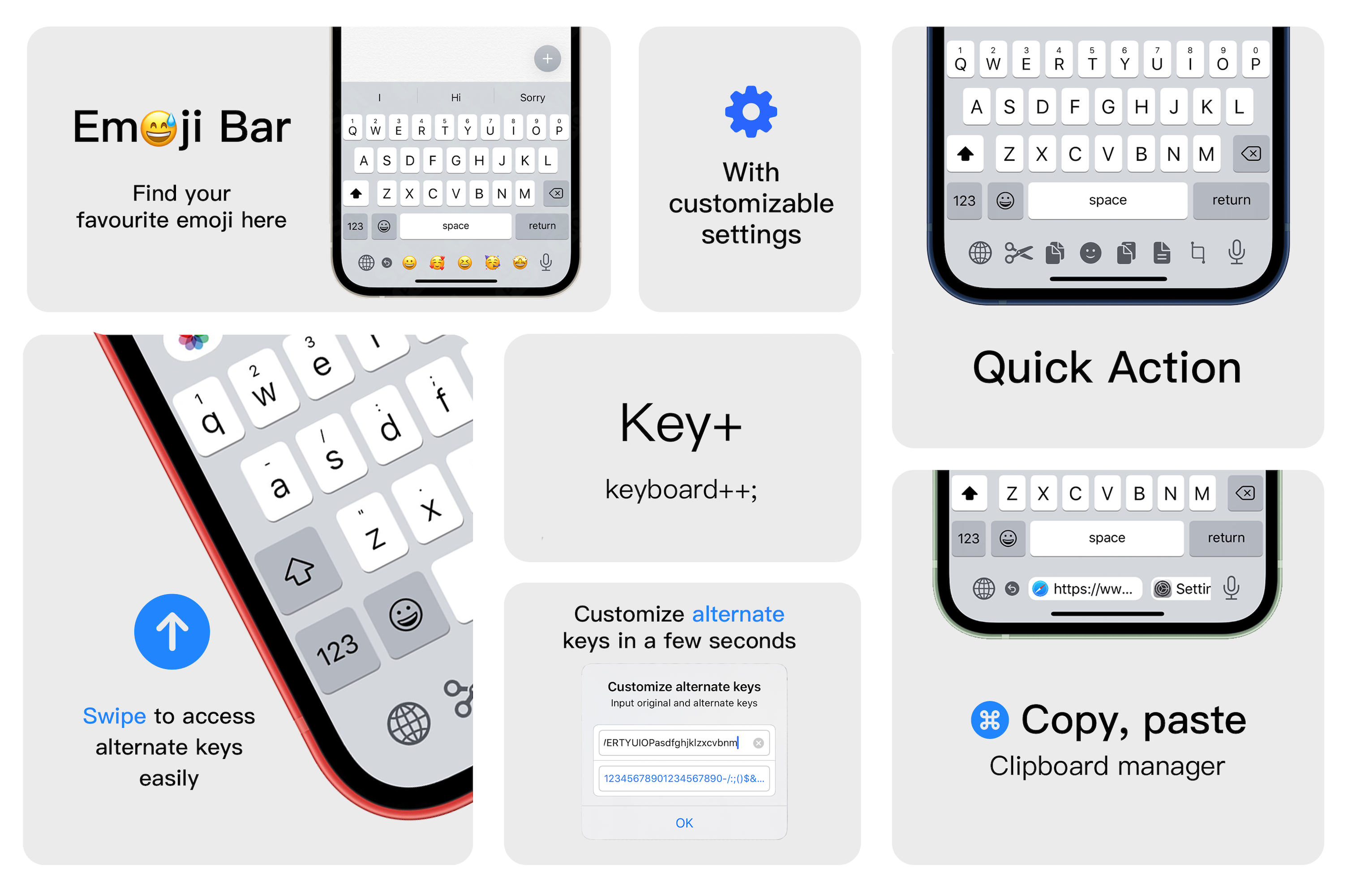
Key+ is a newly released jailbreak tweak by iOS developer XCXiao that makes much more productive use of said wasted space on the keyboard interface by filling it with useful commands and shortcuts. These include but aren’t limited to text editing shortcuts for cutting, copying, and pasting text, a way to customize the output of key swipes, a way to rapidly enter pasteboard items, and a quick entry Emoji bar.
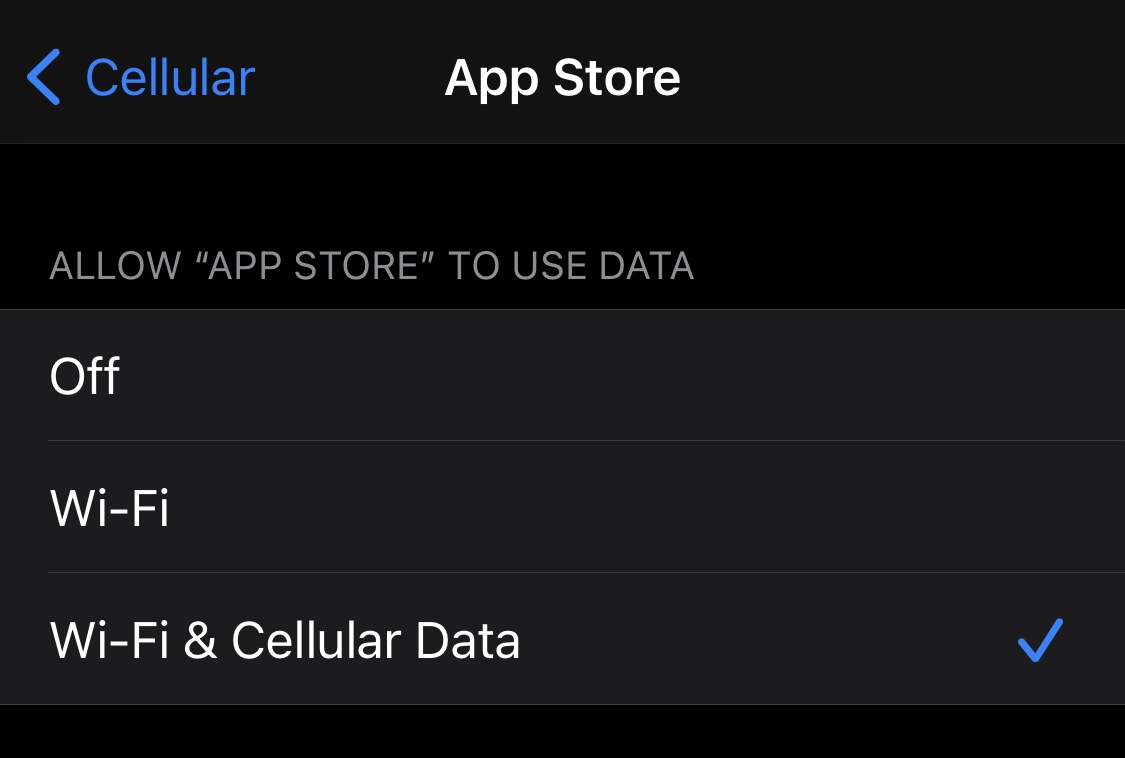
Right out of the box, iPhone and iPad users are able to choose which apps can and can’t use cellular data. This can be particularly helpful for those who might be subscribed to capped data plans with their cellular providers since it’s easy to blow through a couple of gigabytes with certain apps.
Oddly enough, neither of the aforementioned devices offer a way to choose which apps can and can’t use Wi-Fi networks, which seems like a no-brainer given that even some home Wi-Fi plans have data caps. With that in mind, a newly released and free jailbreak tweak called Conditional by iOS developer daniel seems like it could be useful for anyone under this umbrella.
Those sporting jailbroken iPhones and iPads generally embark on a continuous adventure to find the best and latest jailbreak tweaks to trick out their handset. Whether it’s improving a feature, adding a missing feature, or making the device look different, these add-ons offer a plethora of benefits.
Since it can be a daunting experience to try and find all the best or latest jailbreak tweaks for yourself, we at iDownloadBlog cover all the latest releases as they happen and come at you with an easy-to-digest roundup every Sunday that encompasses all of them. This Sunday is no exception.
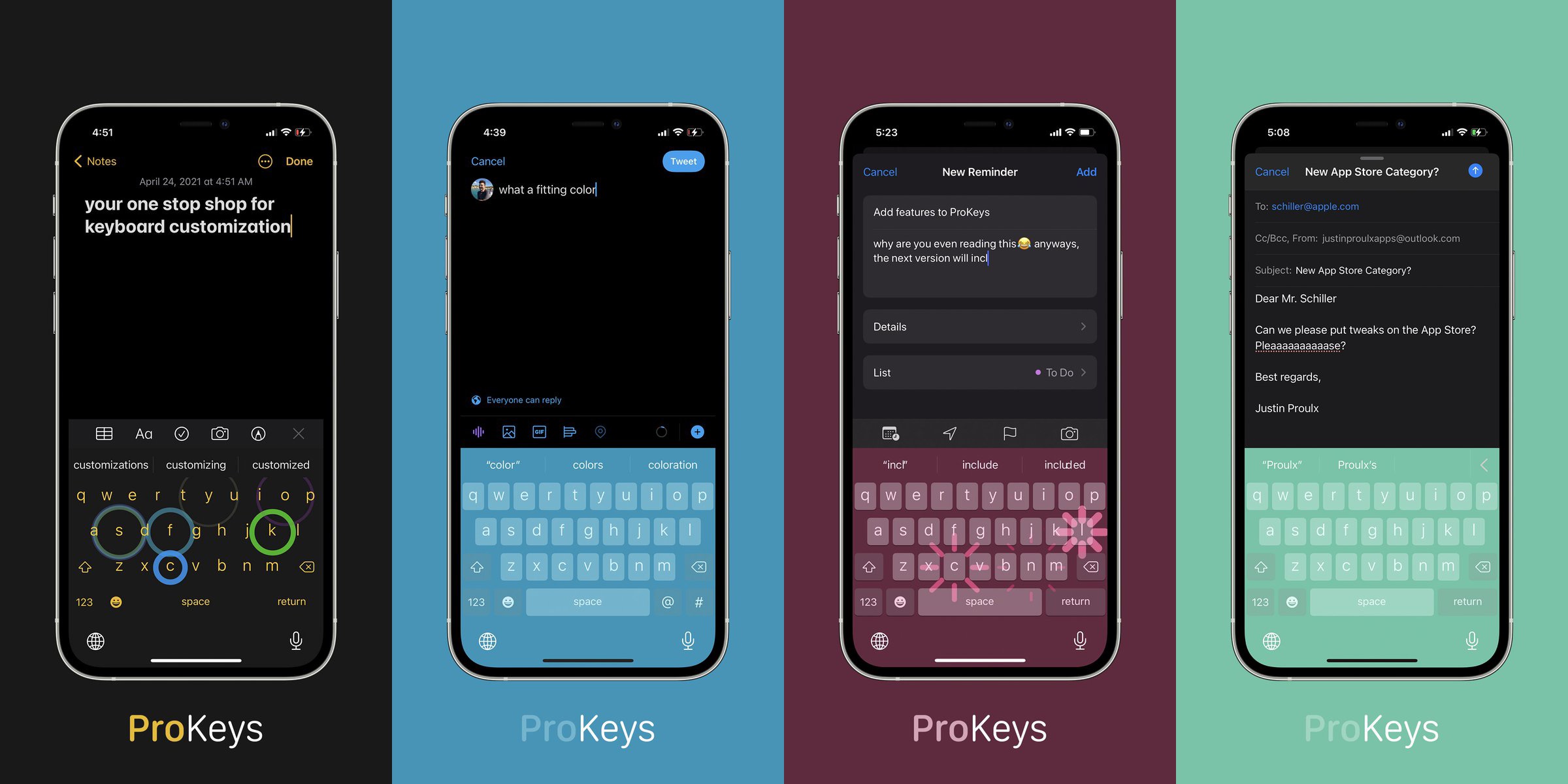
The keyboard is an integral part of the iPhone’s operating system that users will interface with just about every day. It does everything it’s supposed to do right out of the box, yet Apple doesn’t offer much by way of personalization. That’s just one of many reasons why the keyboard is one of the most popular things to customize upon jailbreaking.
One of the latest jailbreak tweaks to lend a hand in this department is a paid release called ProKeys by iOS developer Justin Proulx, which features eye-catching aesthetics like RGB coloring and animations, along with haptic feedback, among other things.
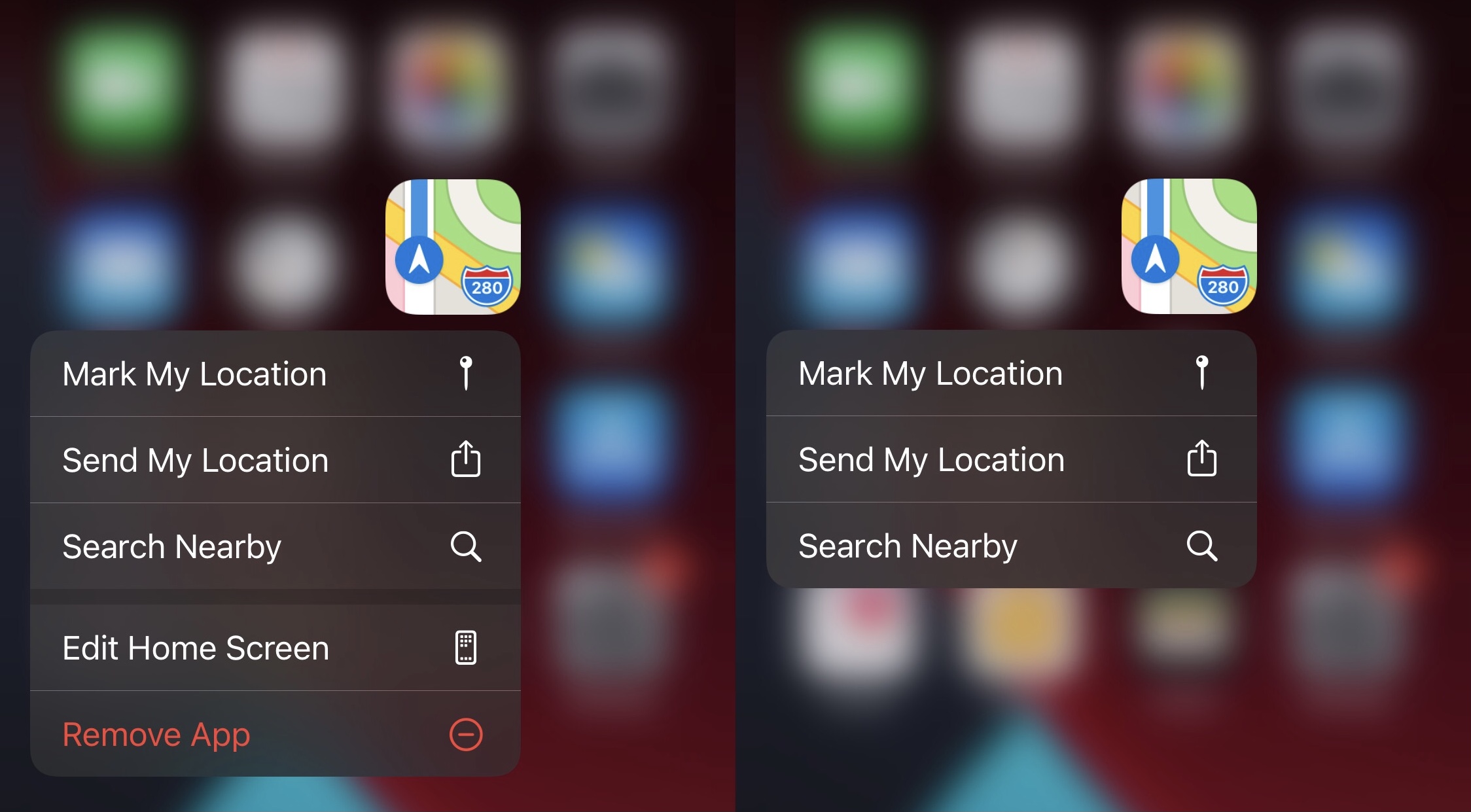
Apple did something right when they made it possible for users to use a Haptic Touch/3D Touch gesture on individual Home Screen app icons to reveal hidden menus.
It’s been a hot minute since the checkra1n jailbreak tool received its last update, and given how much has changed since then, it was only a matter of time before it would receive one.
The latest update comes to us this Thursday afternoon in the form of checkra1n version 0.12.3 with official support for up to iOS & iPadOS 14.5 and preliminary support for Apple’s latest M1-equipped Macs along with various bug fixes.
When perusing through your iPhone’s Photo Library, you’ll find all your previously snapped photographs and recorded videos. One thing I’ve always noticed about it, however, is that Apple doesn’t offer an automatic replay option for videos saved in the Photo Library.
Automatic replay is available for video content on many third-party apps, and so it always seemed funky to me that Apple didn’t at least provide the option to do the same in the iPhone’s native Photo Library. With that in mind, it’s unsurprising to see that the jailbreak community has once again provided a feature Apple seemingly forgot.