Health

The best iPhone apps for tracking steps

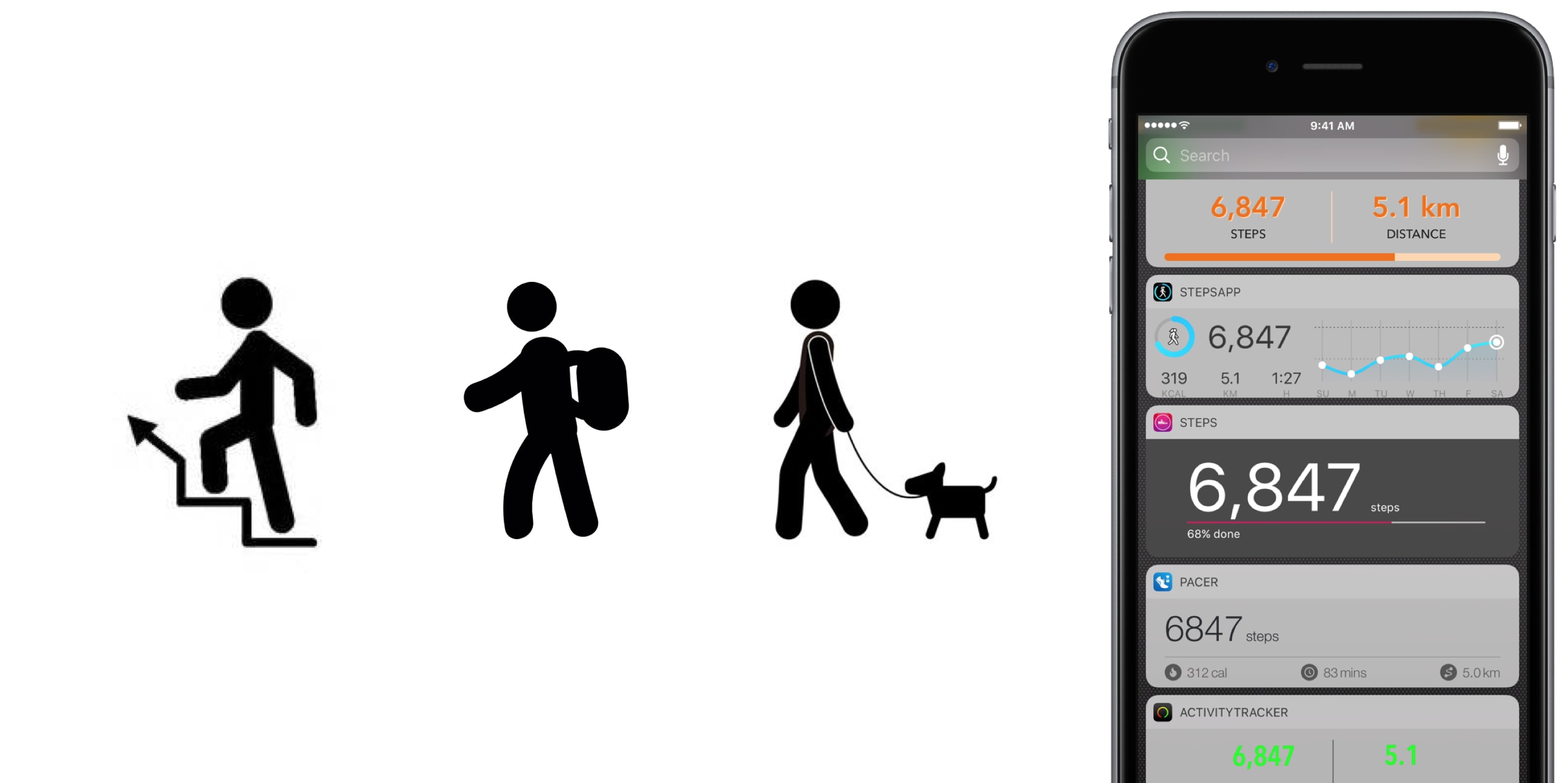
No matter the extend, or amount of joy we derive from it, until anti-gravity boots have been invented and immobilized humanity once and for all, we all have to walk. To work, from work, to run errands, to take the dog to the park, to pick up the kids, to the pub on weekends. Sometimes home on all fours after that. But it is also a loved activity for those seeking a healthy lifestyle or regular exercise. In any event, with your iPhone in the pocket, it is easier than ever to record, visualize, or even gamify your endeavors.

To do justice to the wide array of step trackers available, we have parsed the App Store with the aim to only pick apps standing out for at least one unique quality. The result is - hopefully - a small but diverse sample of the best step tracker apps that is representative of the larger flock of step counters, some of which you might argue should or should not have been included based on merit, features or simply personal allegiance.

If that’s the case, as always do let us and your fellow readers know in the comments. And now, without further ado, let’s get into our list of the best pedometer apps!

The best pedometer apps Activity Tracker

We’re starting at the proverbial shallow end with Activity Tracker, meaning an app not too complex with respect to stats and analytics. Instead of drowning the user in numbers and tabs, Activity Tracker is a great candidate for those appreciating aesthetics and simplicity. A the same time, it manages to smartly condense the most important information about your activity and hide it in plain sight.

Activity Tracker records and presents your daily steps in a very familiar activity ring fashion, in addition logs flights, time, distance and also calories burnt, a giveaway other apps will already demand you go premium for. Moreover, the app icon badge can display your daily number of steps and a reasonable widget is being offered as well, certainly not the best among the pack but a nice to have all the same.

Finally, Apple Watch users are likely to appreciate the wrist implementation of Activity Tracker, as it bundles all the important information (steps, kcal, miles) in one quick glance. For more stats (hourly, monthly) and complete HealthKit integration you’ll have to upgrade to premium for $4.99. Either way, the basic app is a solid place to start your step counting journey.

• Device support: iPhone, Apple Watch • Widget: Yes (Steps, Miles) • Notable features: app icon badge, weekly goals, calories • Cost: free ($4.99 premium)

Pacer

Pacer’s full name - Pacer: Pedometer plus weight loss and BMI tracker - more aptly encompasses the allrounder that this app really is. To its credit, it somehow manages to not stretch itself too thinly taking on step counting, weight monitoring, personal coaching, but also social challenges and group forums. Yet on the flip side, it can for sure be a little overwhelming to those seeking out a straightforward pedometer.

To flesh it out briefly, the free app boasts a regular step counter comprising steps, flights, distance and plenty of graphs (for both portrait and landscape orientation). More exclusively to Pacer, it also features stats for weight, BMI & blood pressure. Refreshingly, Pacer houses a free community of user groups, which can be joined for discussions and the hunt for shared goals. Public events can be attended as well, boosting morale as you sure don’t want to sit at the bottom of the participant's list.

Pacer offers a subscription based Pro service (at $3.99 per month) that covers a plethora of goodies such as a personal coach for exercise plans and weight loss, guided challenges, plus more personal stats. And as you would expect from a jack-of-all-trades app like Pacer, it packages a potent Apple Watch companion as well.

• Device support: iPhone, Apple Watch • Widget: Yes (Steps, Cals, Time, Distance) • Notable features: calories, public events, groups  • Cost: free ($3.99 a month)

Pedometer++

Pedometer++ dates back all the way to 2013 and the release of Apple’s M7 motion coprocessor. Back then, it spearheaded the new movement and was among the first apps to embrace the freshly-fitted piece of hardware. Because of that pedigree alone, we’d be remiss to ignore the application. Besides, it’s the only app (next to StepsApp) to equip you with a nifty iMessage chat extension for friendly banter between you and your friends.

Outside of that, Pedometer++ is a straight shooter, only asking for a daily step goal and taking over from there. Perhaps its biggest strength is the UI, managing to boil down all the information (steps, floors, distance, a color chart) of the tracker in one single page, all the while retaining a clean look. As a result, there is no learning curve with this tracker, no hidden gestures or buttons, no fear of missing out. Via settings, Pedometer++ can also make use of the app icon badge to display the current step count. In addition, the app earns its stripes through accessibility features such as a wheelchair mode and a switch for rest days.

In closing, Pedometer++ can be stripped off its ads for a small tip of $0.99, plus comes in conjunction with an Apple Watch app capable of timing and recording your walks.

• Device support: iPhone, Apple Watch • Widget: Yes (Steps, Miles, Floors) • Notable features: app icon badge, daily goals, wheelchair mode, rest days • Cost: free

Stepz

Stepz most distinguishing feature is not its atrociously spelled name, but an emphasis on social and trophy hunting. The app has dedicated tabs for Achievements and Friends, each making clear where priorities lay during the development of Stepz. Fortunately, that gamble has paid dividends, as scoring and sharing achievements like ‘You have walked the length of the London Underground’ is actually a playful source of motivation.

At the same time, Stepz has been mindful with the implementation and ensured it doesn’t bleed into the core step tracking functions. The latter performs slightly above average amongst all apps featured, with rich and informative data, detailed graphs and an outstanding history tab for everything ever archived on your iPhone. To make sure they leave no stone unturned, an app badge switch and Lock screen widget (Steps & Distance) have been thrown into the bargain as well.

Suffice it to say that the dev team has done their homework on watchOS too, which for all intents and purposes wraps up the package nicely. For $0.99, you get to wipe the interface clean and remove all ads.

• Device support: iPhone, Apple Watch • Widget: Yes (Steps, Miles, Progress) • Notable features: app icon badge, daily goals, calories, achievements badges, friends • Cost: free ($0.99 premium)

Steps

Steps not only beats Stepz to its grammatically sound name, but also broaches the concept of a step counter from an entirely different angle. Essentially, Steps is the cleanest, least pompous pedometer in our line up, so much so that the entire display can be reduced to a single number (your step count).

Under its surface, one tap will reveal distance and time travelled, a swipe up invokes a brief history of the previous three days, while a swipe to the left is utilized to set a daily steps goal. Believe me that we are not trying to shortchange the app, but with the exception of a daily update notification, this is practically it. And that’s precisely the sales pitch.

If you grow fond of the slim step counter, for $1.99 Steps complements its service with a calories tracker.

• Device support: iPhone • Widget: Yes (Steps, Progress) • Notable features: daily goals • Cost: free ($1.99 premium)

StepsApp

StepsApp will tickle your fancy for various reasons, most likely though because of its breadth of customization abilities, especially with regard to your daily goals and notifications along the way. To give you an idea, you can flick on or off notifications for steps, calories, distance, time, weekly reports and an app icon badge. It additionally boasts the option to alter colors inside the app (limited until you go premium), which even redesigns the app's look on your iPhone's Home screen. Nice little touch there, StepsApp.

That is just the tip of the iceberg though, and the foundation is equally solid: the app sports a beautiful interface including a monthly calendar view akin to Apple’s own activity app calendar, interesting diagrams and submits one of the best widgets on iPhone any app in this roundup has to offer.

What’s more is that on Apple Watch, StepsApp's prowess (i.e. amount of data and breakdowns) comes close to rivalling Apple’s proprietary activity and exercise app, so much so that it can serve as a fully fledged outdoor GPS tracking device for walking and running. For $2.99, even more customization, Apple Health integration, and Apple Watch complications await.

• Device support: iPhone, Apple Watch • Widget: Yes (Steps, Miles, kcal, Time, Graph) • Notable features: app icon badge, various daily & weekly goals, app customization, calories, GPS tracking • Cost: free ($2.99 premium)

Step Counter

Step Counter arguably tries to accomplish a little less at once, albeit rocking a design quirky enough to have earned a spot in our list. Unlike the majority of step trackers, Step Counter asks you to select a character and matching attire first, presuming that a personalized avatar is going to funnel extra inspiration and ultimately motivation.

Once completed, the app emulates a fairly plain step counter sans notable bells and whistles. Such being the case, you will get steps and distance measurements, plus gratis hourly breakdowns. Furthermore, step, calories and distance goals can be adjusted and notifications hooked up to help you meet them as you go. Contrary to what some freemium apps at first skimp on, Step Counter is fully integrated into HealthKit from the get-go.

Conversely, they too are guilty of holding back some items to sway you in the direction of the $1.99 in-app upgrade, most pertinently calories analytics and personalized goals. Irrespective of redeeming the entry ticket or not, Step counter does not come with an Apple Watch application or a tailor-made widget for your iPhone.

• Device support: iPhone • Widget: No • Notable features: personal avatar, hourly breakdowns  steps and distance • Cost: free ($1.99 premium)

Honorable Mention

Wokamon 

Before we draw the curtain on this, one final app for you to consider goes by the name of Wokamon. If the success of Pokemon Go has proven anything last year, it would be that above all else, gamifying walks is going to get certain people off the couch. If you are guilty of the need for instant gratification, Wokamon could be the one app closest to a regular step tracker appealing to you. Start by walking to hatch an egg, subsequently keep logging steps to grow and foster your digital pet. Wokamon even features a weekly breakdown of your steps, so by any standards it sure is a pedometer, if slightly whacky at that.

• Cost: free (in-app purchases)

Conclusion

It is easy to get lost in the vast ocean of pedometers out there, and in the likely event that you bank on an application not featured in our roundup, as mentioned earlier, don't hesitate to fill us in!

Apart from that, the time has come to download one of the iPhone apps for tracking steps above, put on some walkable shoes and rediscover the joys of the great outdoors!

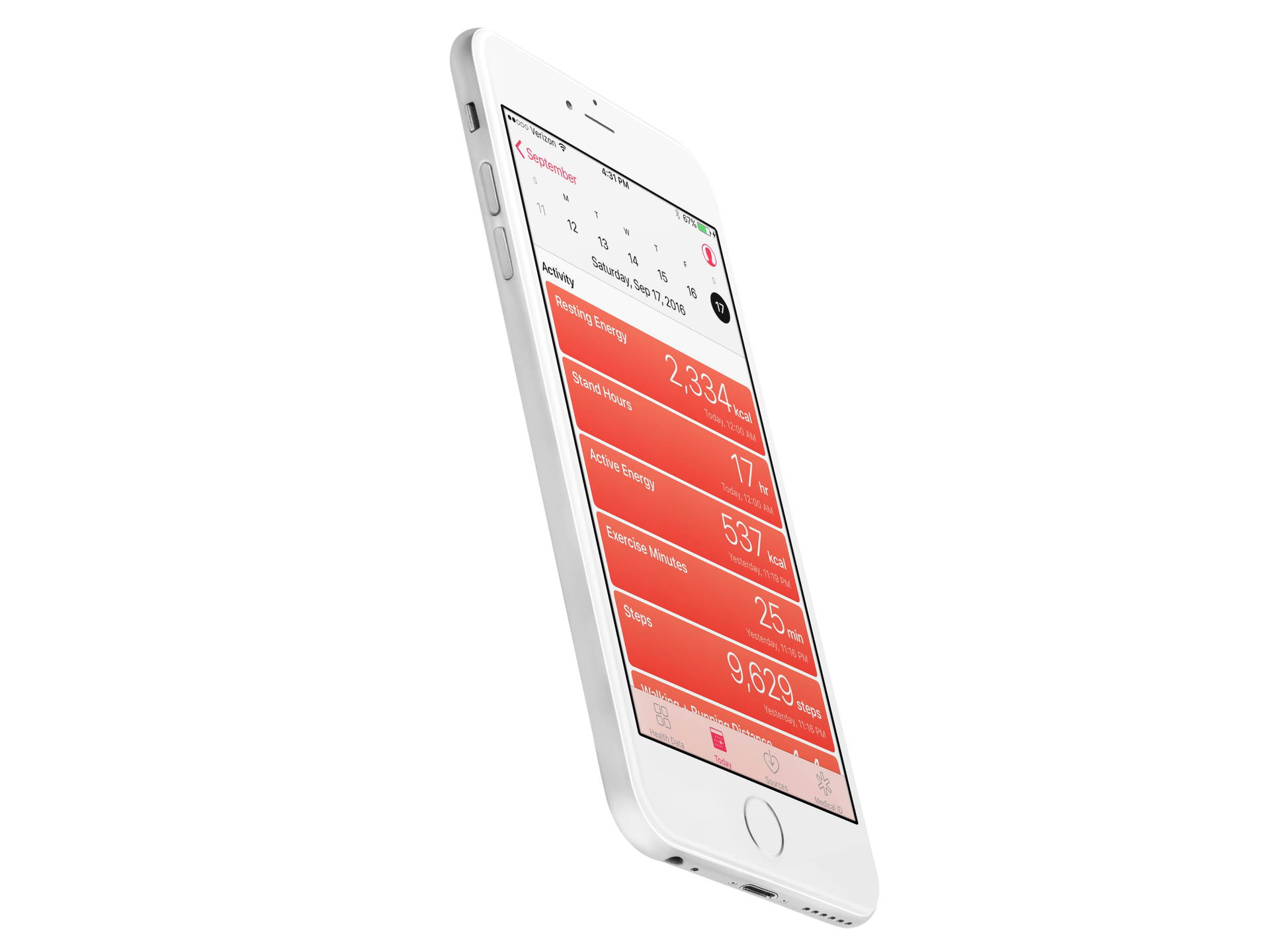
Apple working with startup Health Gorilla to add diagnostic data to iPhone

Apple is teaming up with a tiny startup called Health Gorilla to bring comprehensive clinical data to the iPhone, reports CNBC. The goal is to integrate with hospitals, imaging centers and lab-testing companies to make data such as blood work accessible from the smartphone.

According to its website, Health Gorilla specializes in giving doctors a "complete picture of patient health history." The tech is primarily geared towards physicians, allowing them to easily share records, but also has a free offering for patients that delivers medical info in short order.

Apple is hoping its new partnership will allow it to solve the long-standing interoperability problem by putting patients in charge of their own medical information. This will enable hospitals to access vital data at the point of care, cutting down on missed diagnoses and other errors.

Source: CNBC

Apple working to bring comprehensive clinical data to iPhone

Aiming to turn your iPhone into the “one-stop shop for all your medical info,” a secretive team within Apple's growing Health unit has been in talks with developers, hospitals and other industry groups about bringing comprehensive clinical data to the device.

CNBC has learned from a half-dozen people familiar with the team that a future revision to the stock Health app could let users store their detailed lab results and stuff like allergy lists to their iPhone for optional sharing with hospitals, doctors, health developers and more.

“Imagine turning to your iPhone for all your health and medical information—every doctor's visit, lab test result, prescription and other health information, all available in a snapshot on your phone and shared with your doctor on command,” reads the article.

In its quest to turn the handset into the central bank for all health-related information, Apple is allegedly exploring potential acquisitions and attending health IT industry meetings.

It even hired some of the top developers involved with FHIR, an increasingly popular protocol for exchanging electronic health records, like former Epic Systems executive Sean Moore and Ricky Bloomfield, a physician from Duke University with a background in medical informatics.

According to CNBC:

Apple in recent months has been involved with discussions with health IT industry groups that are looking for ways to make this goal a reality, two of the people said.

These include "The Argonaut Project," a private sector initiative that is promoting the adoption of open standards for health information and "The Carin Alliance," an organization looking to give patients a central role in controlling their medical data.

Since iOS 10, the Health app has supported the Health Level 7 Continuity of Care Document (HL7 CCD) standard, which allows users to bring their own health records to the Health app. Users can share their records in an appropriate format with doctors.

Th Cupertino giant's new initiative, however, seems to be a lot broader in scope because, unlike the ability to store a limited snapshot of HL7 CCD records on the device, it would make sharing full medical data with hospitals and medical professionals a reality.

If successful, the company could easily solve one of the medical community's biggest problems—easy sharing of medical data and patient information between doctors, especially among different hospitals or clinics.

A March report said Apple has been working on a sensor for Apple Watch to non-invasively track blood glucose, a prototype of which Tim Cook is reportedly wearing on his body. Recently, the iPhone maker hired Stanford University's digital health efforts chief, Sumbul Desai.

ResearchKit gains 3 new active tasks researchers can incorporate into their studies

Apple launched its open source ResearchKit framework two years ago.

At the Worldwide Developers Conference earlier this week, the company announced some interesting updates for Research Kit version 1.5.

Researchers and app developers can now gather new types of data by taking advantage of three new “active tasks”. A new video instruction step makes it easier for apps to display rich video content to users from either a local or remote source.

“We have also updated the Tone Audiometry active task to include both a left and right button,” notes Apple. “This update will let participants not only indicate when they hear the tone but they can now also specify which ear they hear it in.”

The following new tasks are available as part of ResearchKit 1.5:

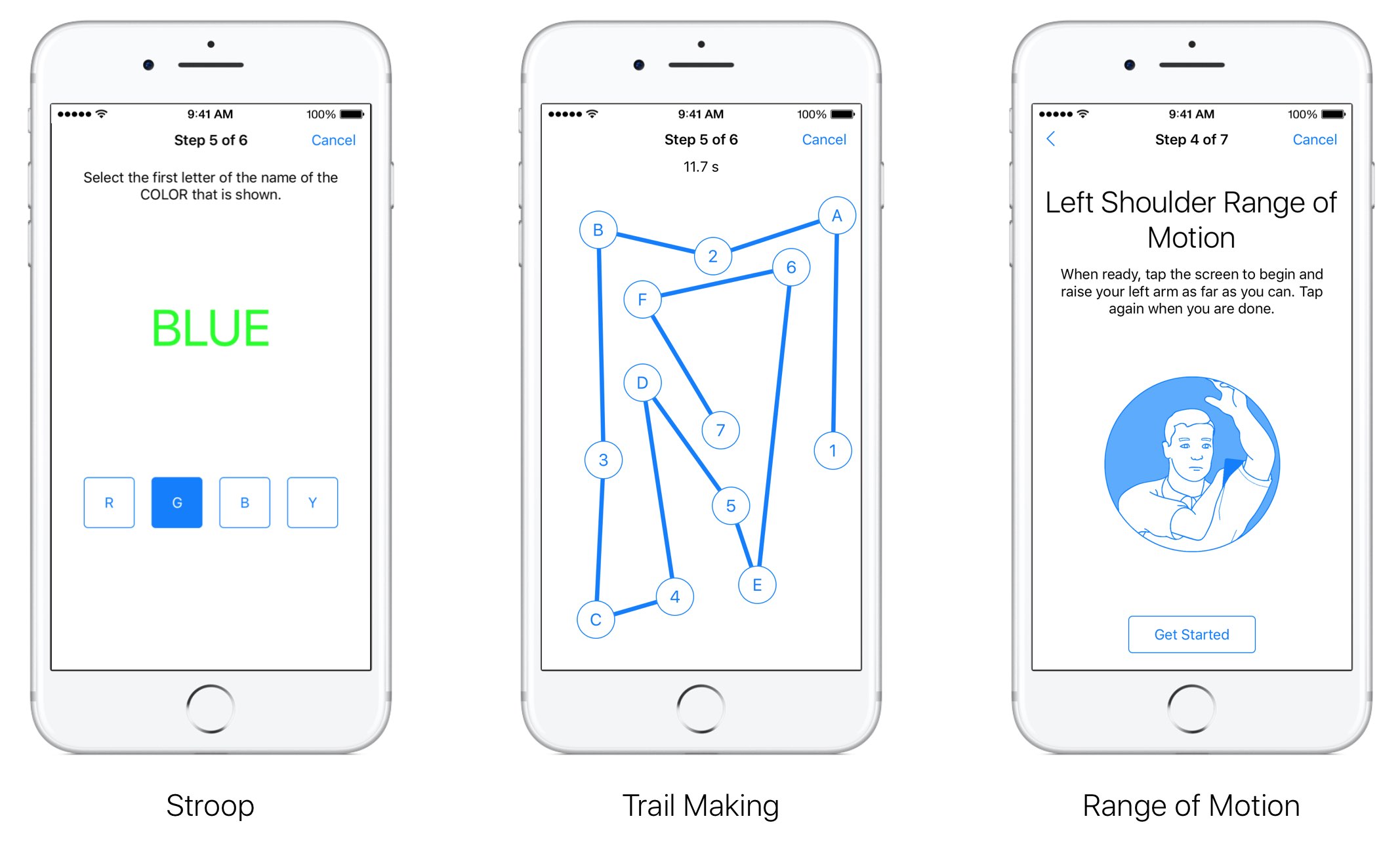
for: This test measures selective attention by asking participants to focus their attention on one stimulus and ignore another. The test displays concordant and discordant combinations of text and tint to the user who must ignore the text and instead select the button that reflects the first letter of the tint color. Trail Making: This active task measures visual attention and task switching by asking participants to connect a series of alternating labelled circles by tapping the circles on the screen in the correct sequence. Range of Motion: This test lets you measure both the flexed and extended positions for the shoulder and knee. When participants are ready with their device in the proper position they can simply tap the screen to indicate they are ready to proceed. As users complete the test, data from the accelerometer and gyroscope is recorded.

ResearchKit allows researchers and developers to create apps for medical research that use iPhone's many sensors to gather valuable data from the participants. With it, developers and researchers can incorporate visual consent flows, real-time dynamic active tasks and surveys into their apps.

ResearchKit works seamlessly with HealthKit, allowing researchers to access relevant data for their studies (with user consent), things like daily step counts, calorie use and heart rate.

Workout app gaining support for 2-way gym equipment sync, multiple workouts in a single session & more

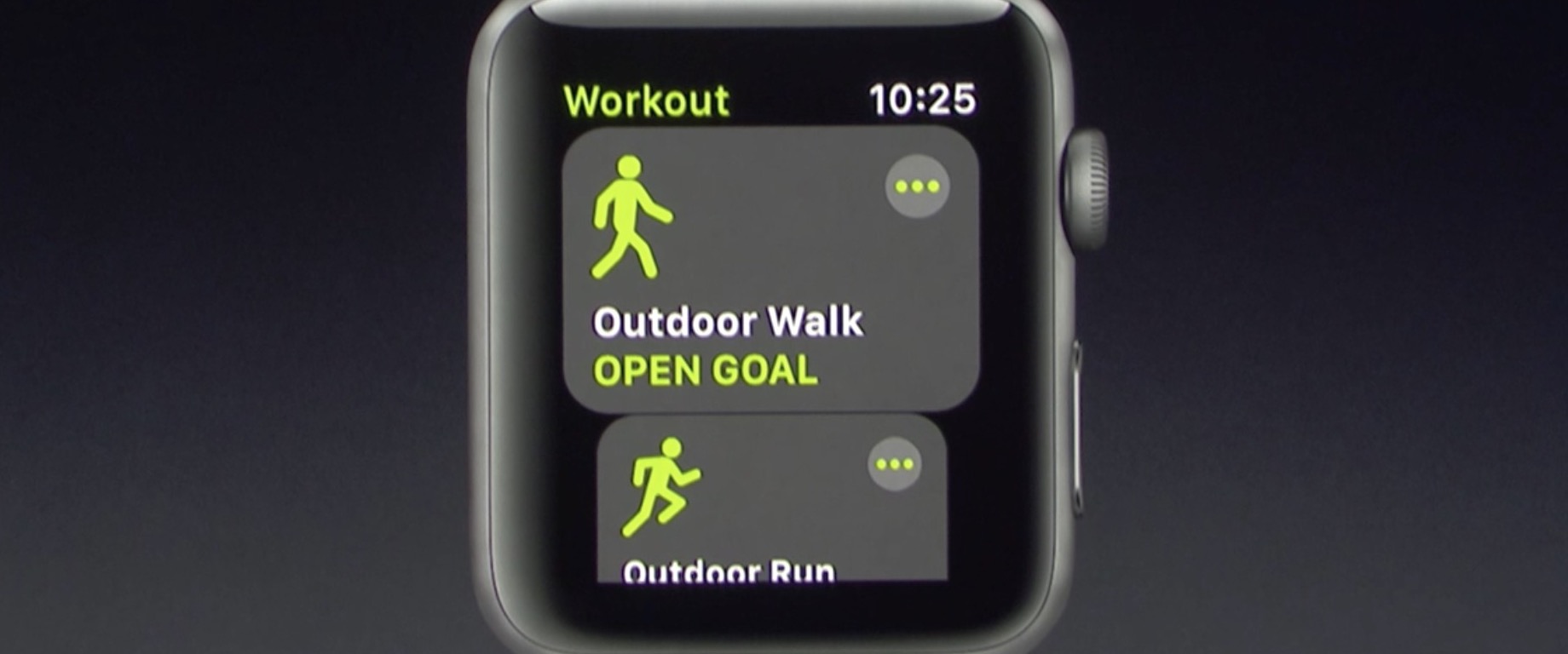
Apple's Kevin Lynch, who is in charge of the watchOS software, said at Apple's Worldwide Developers Conference today that the stock Workout app for Apple Watch will be gaining some much-needed new features. For starters, you'll be able to connect your watch with a number of gym equipment in use today.

With support for multiple workouts, users can easily start a workout session like an outdoor walk, then switch to another workout such as an outdoor run. Apple is working with major gym equipment manufacturers responsible for about eighty percent of equipment in use in gyms today.

watchOS 4 will feature two-way data change in real-time with supported gym equipment. Your watch will send things like your heart rate to, say, the treadmill machine, while getting info like the distance and pace from the machine.

The user interface for the Workout app has also been reworked to be easier to use, with bolder headings and easier to select workout sessions.

The Pool Swim workout now has auto sets, a feature that automatically marks each set that you’re doing. Calisthenics buffs will be pleased to learn that the Workout app in watchOS 4 will be gaining support for a new workout type: Hight Intensity Interval Training, the most popular workout in the world.

These new features will be part of watchOS 4, which will be released as a developer-only preview later today and this fall for public consumption.

Stanford study praises Apple Watch’s heart rate monitoring, calorie counting needs more work

A new medical study from Stanford University focusing on consumer fitness tracker reliability, published Wednesday in the Journal of Personalized Medicine, has crowned Apple Watch the king of heart rate monitoring while pointing out shortcomings in its calorie counting feature.

“People are basing life decisions on the data provided by these devices,” Euan Ashley, DPhil, FRCP, professor of cardiovascular medicine, of genetics and of biomedical data science at Stanford said in a statement.

The study included 29 male and 31 female volunteers who wore several fitness trackers like Basis Peak, Fitbit Surge, Microsoft Band, MIO Alpha 2, PulseOn, Samsung Gear S2 and Apple Watch. The study pitted the wearable gadgets against FDA-approved equipment.

The participants were asked to complete a total of 80 physical tests, including such activities as cycling, running and walking. They compared data against an FDA-approved 12-lead electrocardiograph for measuring heart rate and clinical-grade indirect calorimetry, which determines calories burned by measuring oxygen and carbon dioxide expelled when breathing.

Heart-rate monitoring via Apple Watch achieved the highest accuracy across measured modes of activity with an error rate of two percent, followed by Basis Peak and Fitbit Surge.

Samsung's Gear S2 had the highest heart rate error rate at 6.8 percent.

Researchers set an acceptable error rate at five percent, meaning Samsung's device fell just outside the study's acceptable buffer.

All fitness devices they tested fell short in calorie counting.

In terms of determining the amount of calories burned, Fitbit's Surge was the most accurate device with an error rate of 27.4 percent. PulseOn was the least accurate tracker in terms of calorie count with an astounding error rate of 92.6 percent. Apple Watch had an error rate near 40 percent while Microsoft Band came in at around 33 percent.

Low-impact activities like sitting caused the most inaccuracies with an average error rate of 52.4 percent compared against high-impact activities, such as walking and running.

This is due to the differences in how people exercise. “People are so variable,” Ashely said. “Some people walk smoothly and others waddle along, and that has an impact."

“The heart rate measurements performed far better than we expected, but the energy expenditure measures were way off the mark,” she added.

“The magnitude of just how bad they were surprised me.”

Each of the tested devices uses its own proprietary algorithm for calculating calorie burn, which could explain the wildly differing readings in terms of energy expenditure rates.

Tim Cook is testing Apple’s glucose tracker prototype on his body

Apple's chief executive Tim Cook was spotted around Apple's campus wearing a non-invasive glucose tracker prototype on his body, CNBC said Thursday. A mystery device was connected to his Apple Watch. He's been test-driving this rumored accessory to understand how his blood sugar responds to factors like food and exercise, according to the report.

This is yet another hint at Apple's interest in non-invasive and continuous glucose monitoring, an effort described as a holy grail for treating diabetes and life sciences.

“A source said that Cook was wearing a prototype glucose-tracker on Apple Watch, which points to future applications that would make the device a must have for millions of people with diabetes—or at risk for the disease,” reads the report.

The news adds context to Cook's comment made in February at the University of Glasgow, where he received an honorary degree. “I've been wearing a continuous glucose monitor for a few weeks,” he told a roomful of students. “I just took it off before coming on this trip.”

While Cook did not say if the medical device he had been wearing was an Apple prototype, this now seems perfectly plausible. Companies like Medtronic and Dexcom sell iPhone-connected health accessories for tracking blood sugar levels, invasively.

Cook also spoke about the struggles faced by people with diabetes:

It's mentally anguishing to stick yourself many times a day to check your blood sugar. There is lots of hope out there that if someone has constant knowledge of what they're eating, they can instantly know what causes the response... and that they can adjust well before they become diabetic.

CNBC reported a month ago that Apple had hired a small group of dedicated biomedical engineers to develop advanced sensors that would monitor blood sugar levels non-invasively.

This team is allegedly working from a nondescript office in Palo Alto, miles from Apple’s corporate headquarters, reporting directly to Johny Srouji, Senior Vice President of Hardware Technologies who joined Apple back in 2008.

Apple's non-invasive diabetes treatment technology may not require all-new Apple Watch hardware with additional sensors. According to BGR, Apple is working on smart bands for Apple Watch that would contain sensors for measuring blood sugar levels non-invasively.

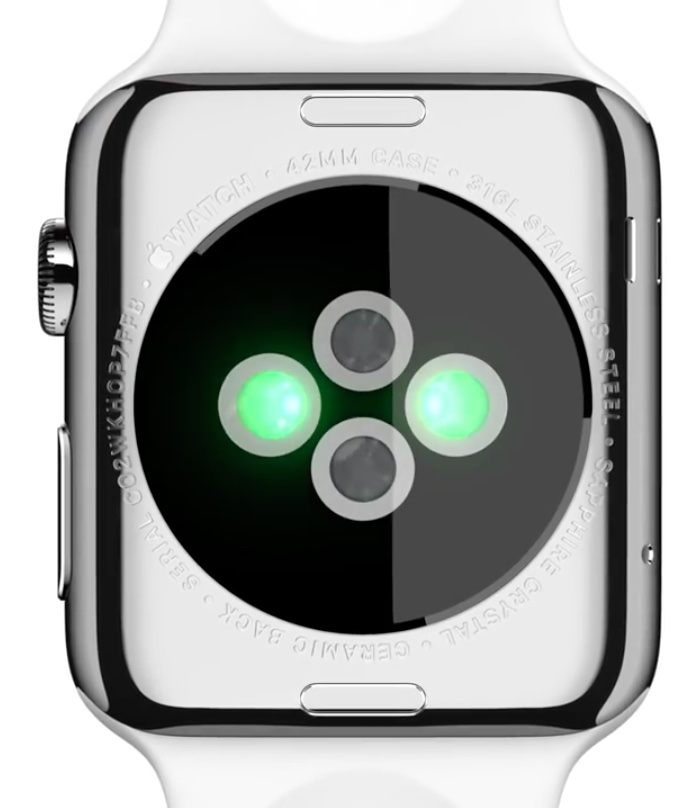
This may actually be a good idea because each Apple Watch features a diagnostic port with six pins, meaning Apple could simply release smart bands for existing Apple Watch models as there's already a path for data flow between the watch and the smart band.

BGR: Next Apple Watch to use smart bands for game-changing diabetes treatment tech

Apple is reportedly working on a “game-changing” diabetes treatment technology for Apple Watch Series 3 which will allegedly use interchangeable “smart watch bands” said to contain specialized built-in sensors.

That's according to a source familiar with Apple’s plans who spoke with BGR. The iPhone maker has reportedly “identified the right part of the body and there’s so much more they can and intend to do with the watch,” said the source.

Jonathan Geller, who runs BGR, speculates that the glucose monitoring feature could use Apple's smart band system rather than being built into the watch hardware.

“Apple also plans to introduce interchangeable smart watch bands that add various functionality to Apple Watch without added complexity, and without increasing the price of the watch itself,” the author wrote.

30 million people suffer from diabetes in the US, as per the American Diabetes Association.

Currently, the only way to properly measure blood sugar levels is by using a blood sample or a device that penetrates the skin. That could change soon, if these reports are anything to go by.

Last week, CNBC learned that the Cupertino company has been developing non-invasive sensors that would continuously monitor blood sugar levels.

The super secret initiative is allegedly focused on developing optical sensors that would shine a light through the skin in order to measure indications of glucose.

Apple is even conducting feasibility trials at clinical sites across the Bay Area.

CNBC says Apple hired consultants to deal with regulatory approvals, yet another indication that these smart Apple Watch bands with built-in sensors could in fact see the light of day.

Apple is expected to preview a major new version of watchOS at WWDC next month.

Study shows Apple Watch can detect abnormal heart rhythm with 97% accuracy

The Apple Watch is 97% accurate at detecting common abnormal heart rhythms, according to a study by the University of California, San Francisco. Heartbeat measurement app Cardiogram began the study with UCSF last year to determine whether or not the wearable could detect an oncoming stroke.

The study consisted of 6,158 participants, most of which had normal EKG readings and 200 of which had been diagnosed with paroxysmal atrial fibrillation (or an abnormal heartbeat). Engineers trained a deep neural network to identify the abnormal heart rhythms from Apple Watch heart rate data.

Testing their findings against 51 in-hospital cardioversions (a procedure that restores the heart's normal rhythm), the team says its neural network correctly identified irregular heart activity with a 97% accuracy rate. The results hold promise for the long-running effort to detect and prevent strokes in the future.

Atrial fibrillation, the most common abnormal hearth rhythm, is believed to cause 1 in 4 strokes. Cardiogram co-founder Brandon Ballinger says two-thirds of these types of strokes can be prevented with inexpensive drugs. The team plans to continue its eHealth study and further validate its neural network.

Source: TechCrunch

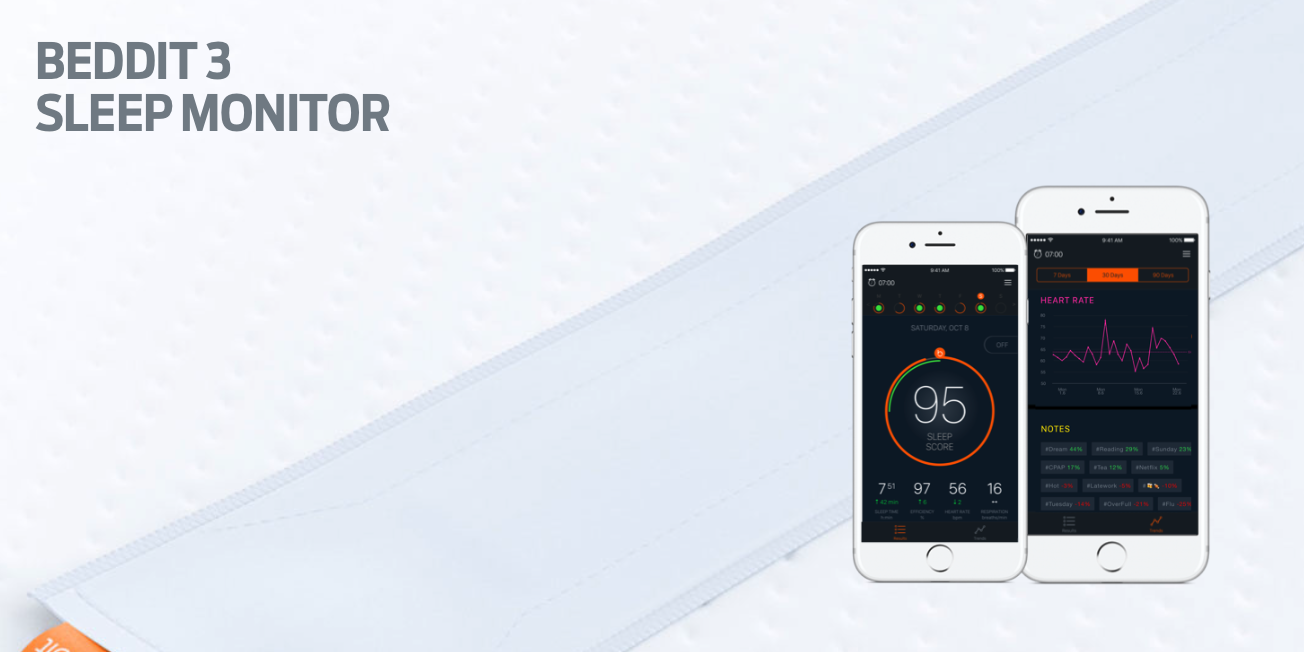
Apple acquires sleep tracking app Beddit

Apple has acquired sleep tracking startup Beddit. The company updated its privacy policy on its website Tuesday to announce the acquisition, saying "your personal data will be collected, used and disclosed in accordance with the Apple Privacy Policy."

Apple to issue new Activity challenge for Mother’s Day

Apple is about to issue a new challenge to its users in the United States this Friday ahead of Mother's Day, via a notification on Apple Watch and in the Activity app on iPhone.

As first reported by 9to5Mac, the US-only challenge will invite users to complete a one-mile walk, run or wheelchair workout session on Mother's Day on Sunday, May 14 to win a special rose medal in the Activity app and rose-themed stickers for iMessage.

The workout must be recorded to the Health app using Apple’s stock Workout app on Apple Watch or any other third-party app that integrates with HealthKit. As mentioned, this particular challenge was designed specifically for users in the United States.

https://www.youtube.com/watch?v=nf7CuUMbZKM

Subscribe to iDownloadBlog on YouTube

The challenge won’t be visible in the Activity app on iPhone until Friday.

Past Activity challenges focused on Earth Day 2017, New Year 2017 and Thanksgiving 2016.

Apple’s been secretly developing non-invasive sensors to monitor blood sugar levels

Apple's hired a small group of dedicated biomedical engineers who have been tasked with the development of advanced sensors that would monitor blood sugar levels non-invasively, an effort described as a holy grail for treating diabetes and life sciences. The initiative was reportedly initially envisioned by Apple's late co-founder Steve Jobs before his death. According to CNBC, this team is working from a nondescript office in Palo Alto, miles from Apple's corporate headquarters, reporting directly to Johny Srouji, Senior Vice President of Hardware Technologies who joined Apple back in 2008.