Cydia

Cydia news and information: read the latest development about Cydia, including jailbreak tweaks.

QuickFlash puts a flashlight button on your Lock screen

Having quick access to your iPhone's LED flash is always convenient, and that’s why Apple built their own Flashlight toggle into iOS when they introduced Control Center with iOS 7. But now, you can make accessing the flashlight even easier.

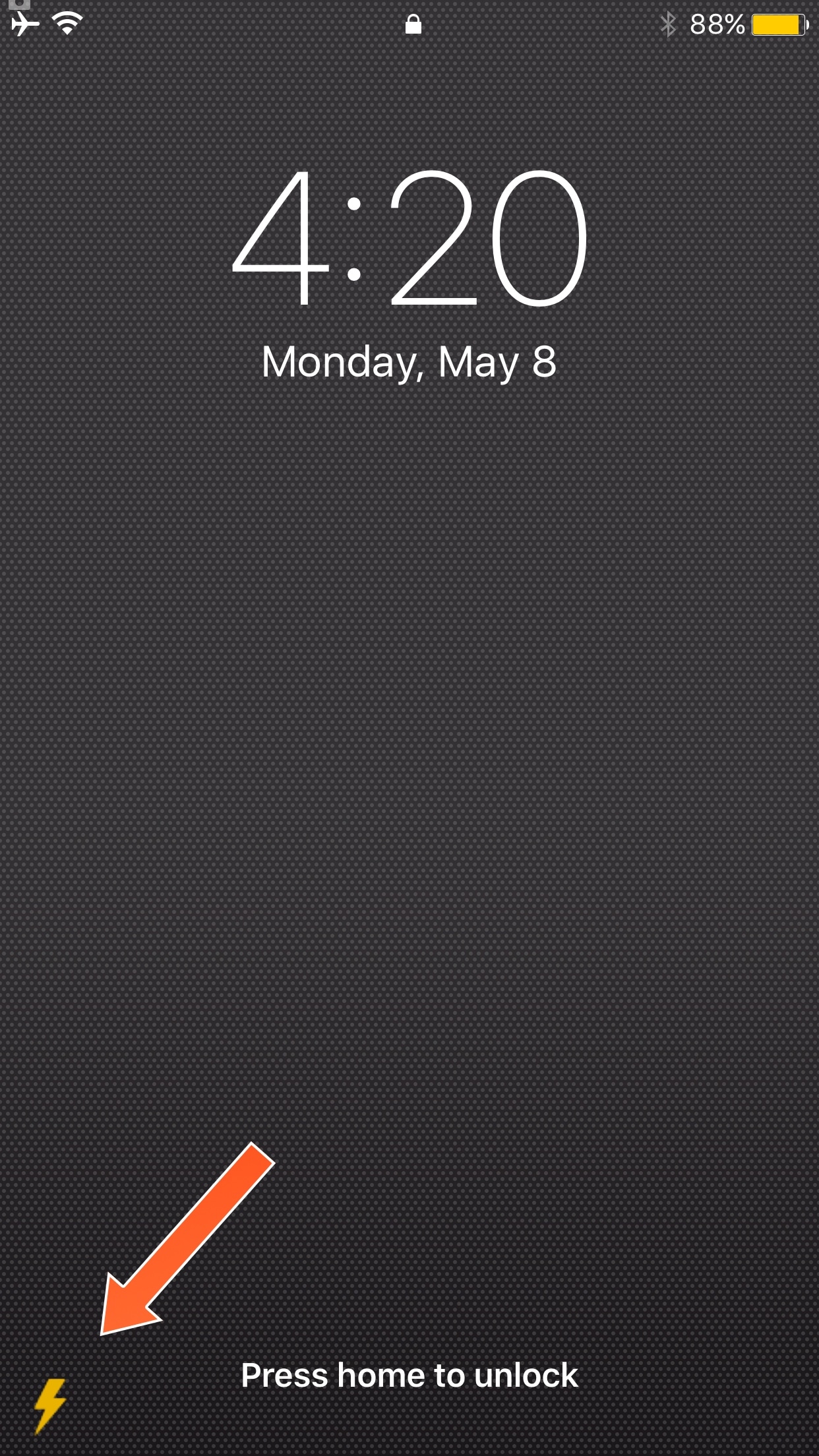
A new free jailbreak tweak called QuickFlash by iOS developer Ziph0n adds a flashlight button to the bottom right of your Lock screen, allowing you to turn on the flashlight with just a tap.

Jailbreak tweaks of the week: ColorGram, HUDPlayer, & more…

The jailbreak community has been pretty unpredictable lately; just as you begin to think Cydia is going through a lull, developers surprise you with a bevy of fun and useful new releases.

In this piece, we'll discuss all of the jailbreak tweaks that were released throughout the week, starting with our favorites. We'll outline the rest of them afterwards.

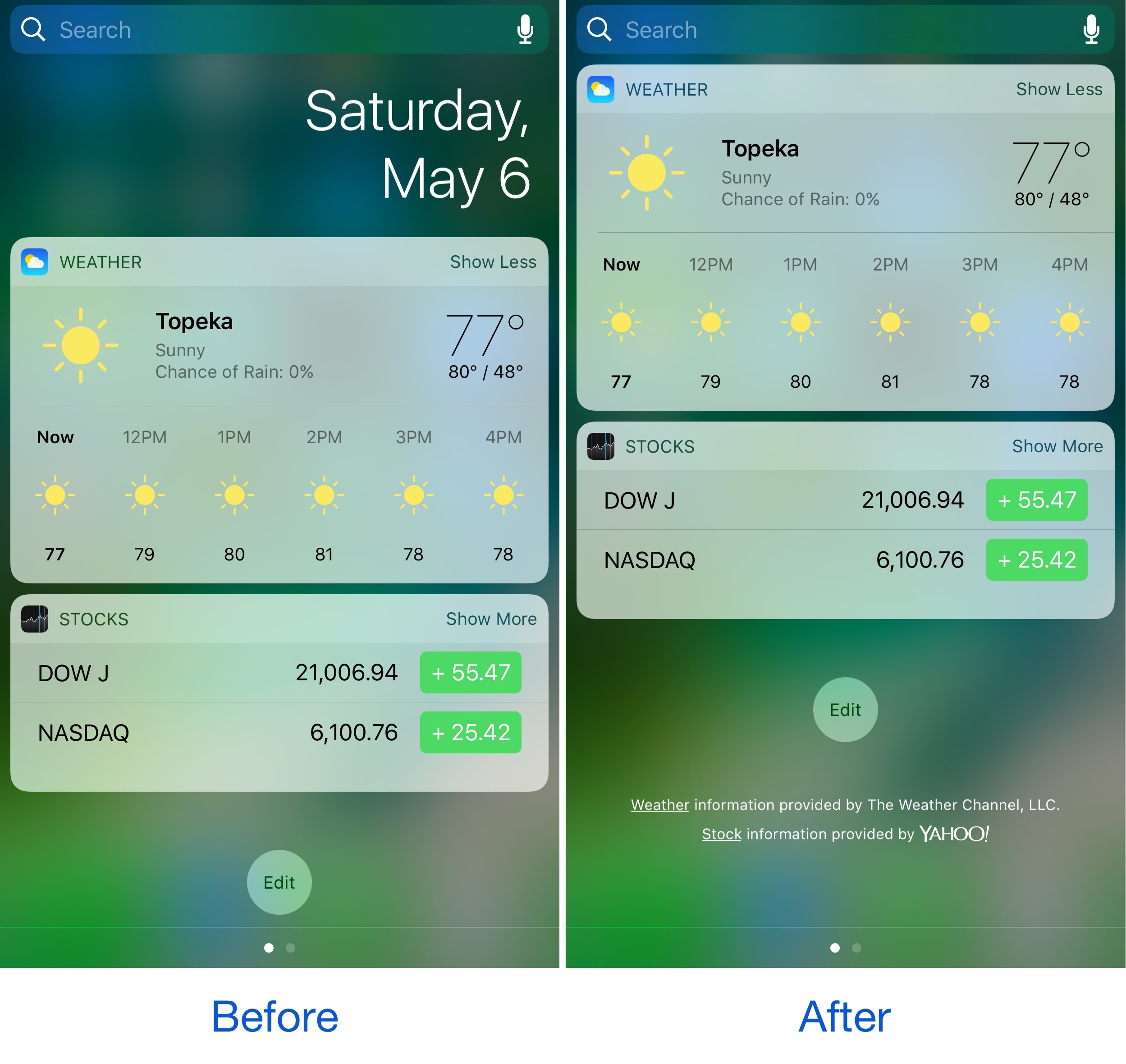
Hide the date from the Today page with No Date Today

Some might consider the date information in the Today page unnecessary because the date appears in several other places on your devices. If you agree, then a new free jailbreak tweak called No Date Today by TheComputerWhisperer could be useful to you.

This tweak removes the double-line date from the Today page and makes more vertical room for cramming additional Today widgets into a single screen; the benefit being that you won't have to scroll down as much to see their information.

This tweak forces Safari to load web pages in Reader or full screen mode

While browsing the web in Safari, two bars typically appear in the app: the navigation bar (top) and the toolbar (bottom). As you scroll through a page, on the other hand, the toolbar disappears and the navigation bar shrinks to conserve vertical space.

There are other modes you can use in Safari to complement the web browsing experience, such as full screen mode in landscape orientation and Reader mode in either orientation, but if you’ve ever wished Safari would just use either mode automatically for every page you visit, then you’re going to love using a new free jailbreak tweak called SafaReaderFullScroll by CydiaGeek.

How to use Extender Installer to automatically re-sign your jailbreak app

Update: As of the 0.3.2 update, the app is now called Extender: Reloaded, search for that in Cydia instead of Extender Installer.

Now that Extender: Reloaded has been released for Cydia Extender on jailbroken devices, we've had a few requests for a quick guide on how to use it. Look no further! Follow our how-to below to ensure your jailbreak app never needs sideloading from a computer again. At last, your semi-untethered jailbreak is truly semi-untethered.

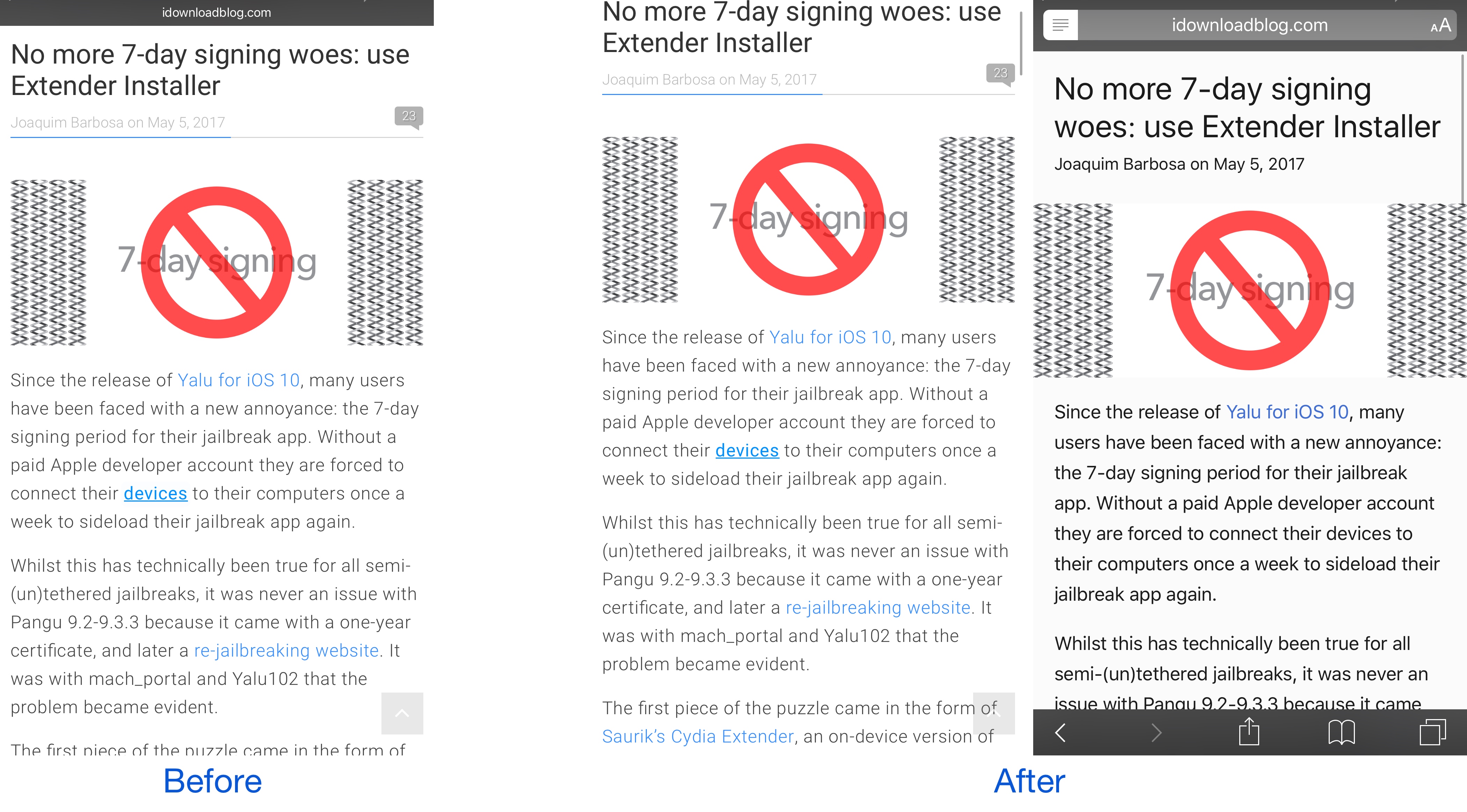
No more 7-day signing woes: use Extender Installer

Update: the tool is now entitled Extender: Reloaded, not Extender Installer. Amend your Cydia search accordingly.

Since the release of Yalu for iOS 10, many users have been faced with a new annoyance: the 7-day signing period for their jailbreak app. Without a paid Apple developer account they are forced to connect their devices to their computers once a week to sideload their jailbreak app again.

Whilst this has technically been true for all semi-(un)tethered jailbreaks, it was never an issue with Pangu 9.2-9.3.3 because it came with a one-year certificate, and later a re-jailbreaking website. It was with mach_portal and Yalu102 that the problem became evident.

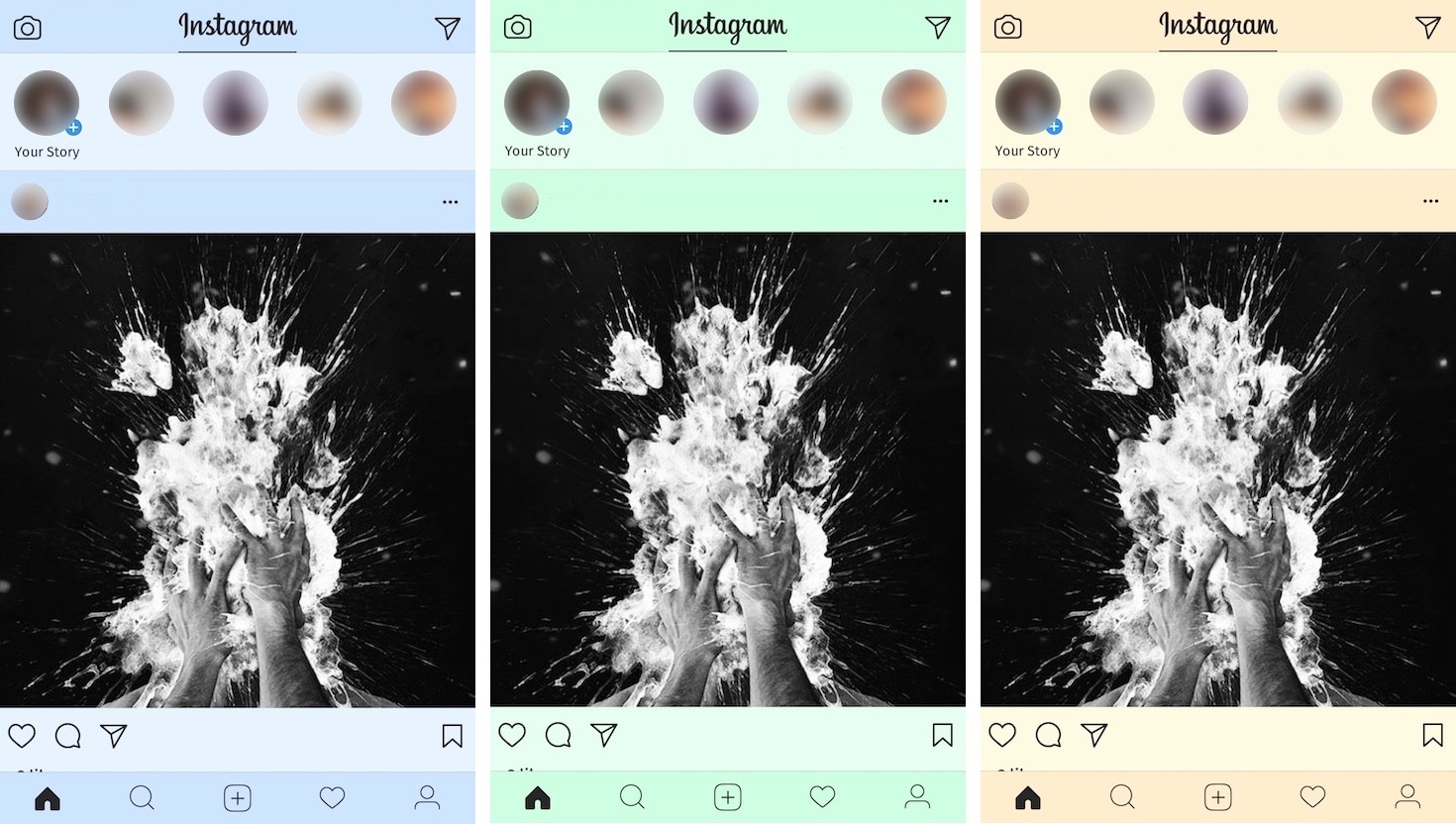
Colorize your Instagram app with ColorGram

Instagram users typically get to see the app’s generic white interface introduced back in 2016, but if you'd like to add a splash of color to it, then you’ll love a new free jailbreak tweak release dubbed ColorGram by iOS developer Justin Petkovic.

This tweak lets you go hands-on with colorizing various elements of the Instagram app so you don’t have to put up with the boring flat colors anymore.

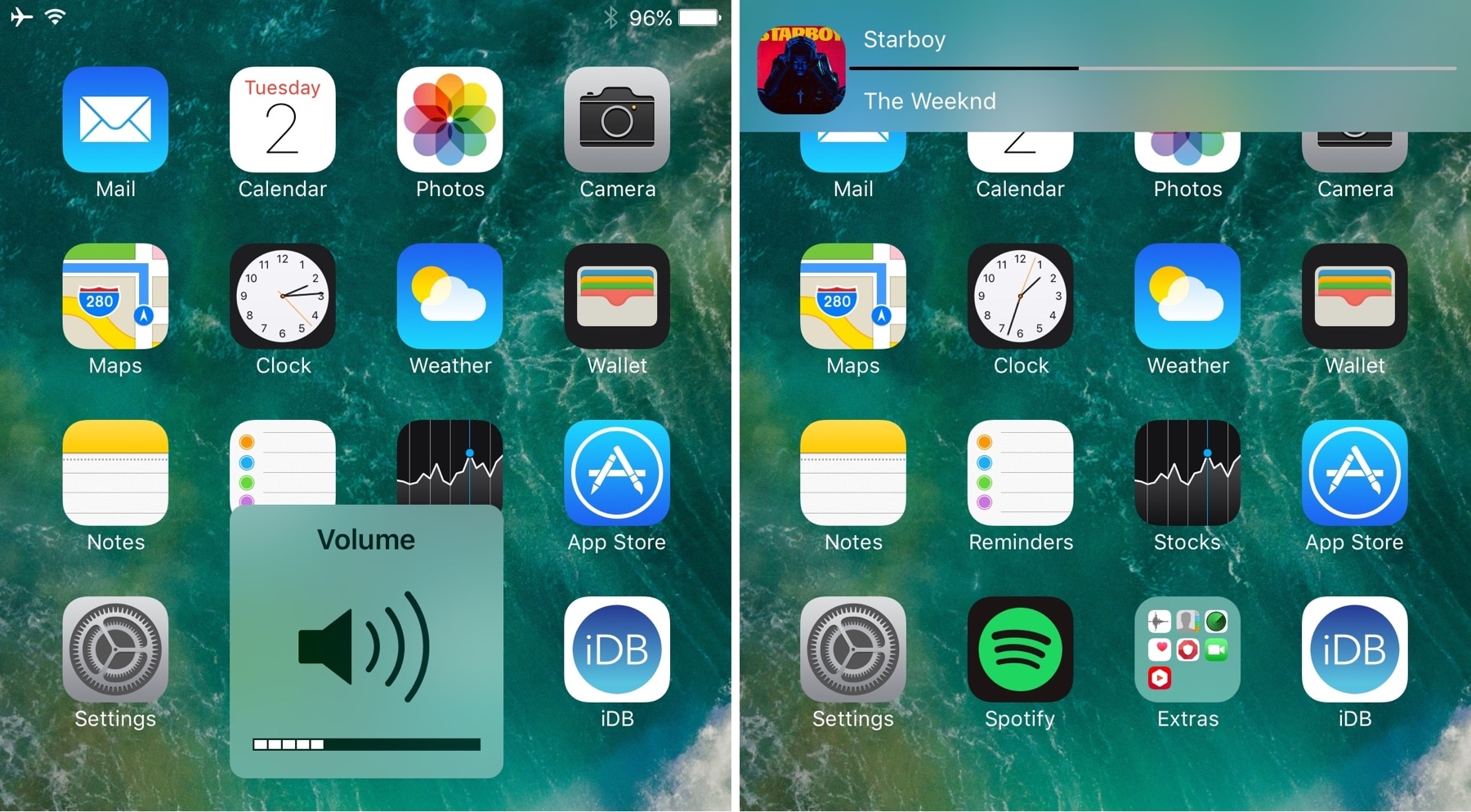
HUDPlayer gives you a banner-styled volume HUD

The volume HUD has always been a pain point for iPhone owners; the fact that it pops up right in the middle of the screen as you adjust your volume is intrusive and becomes a nuisance when you're trying to watch videos or listening to music while viewing photos/reading e-Books.

Countless jailbreak tweaks have been released over the years in an attempt to repair this problem. Most of them move the volume HUD out of the way in creative ways, and now the latest to join that list is HUDPlayer by iOS developer pxcex.

FancyNC thins out your notification banners and widgets

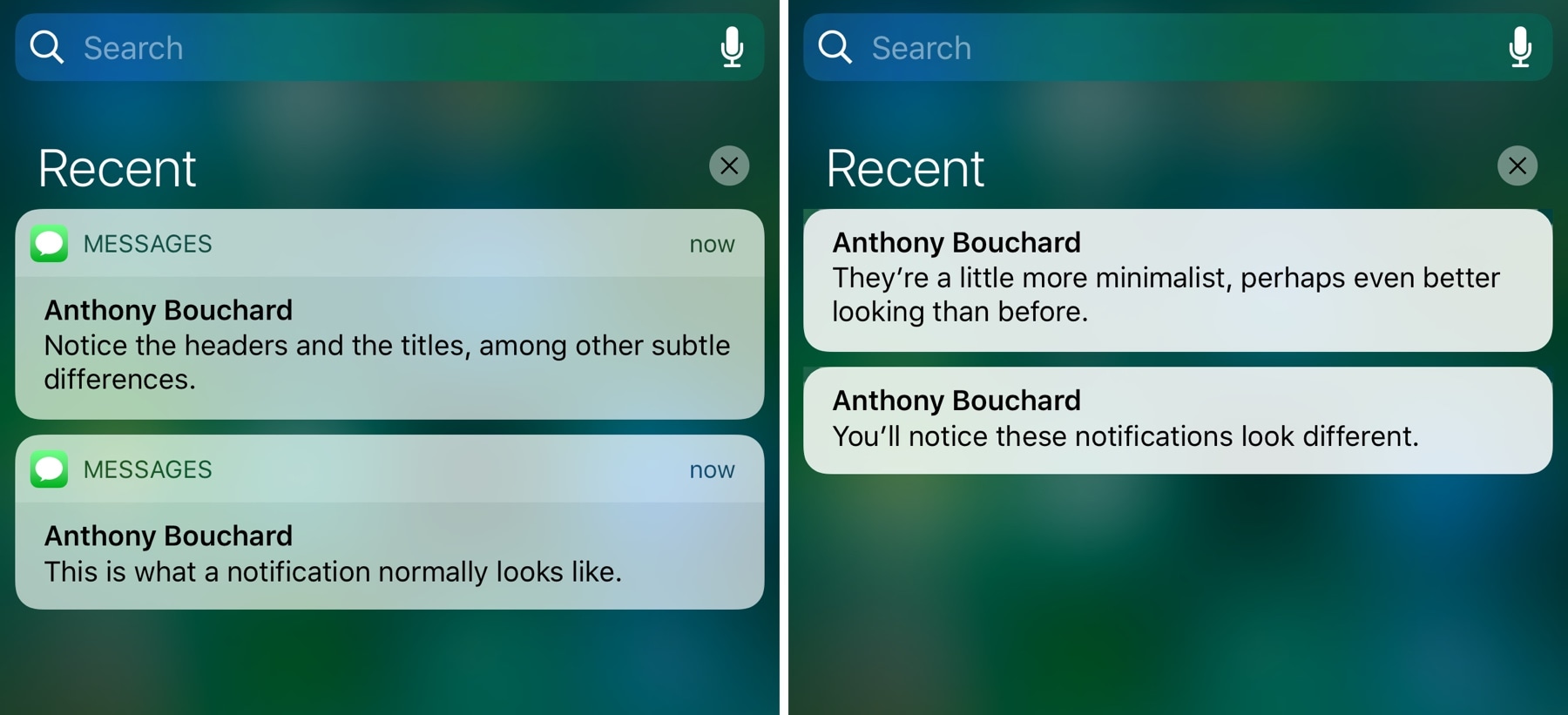
A new free jailbreak tweak dubbed FancyNC by iOS developer Demy Kromhof makes your iPhone's banner notifications and widgets thinner, decreasing their visual footprint and pleasing the average minimalist.

Among the things it does to achieve the end result is remove both the bulky headers and the unsightly separator lines that appear on elements on both the Lock screen and in Notification Center.

CCQuick Pro X turbocharges Control Center with a bevy of new features

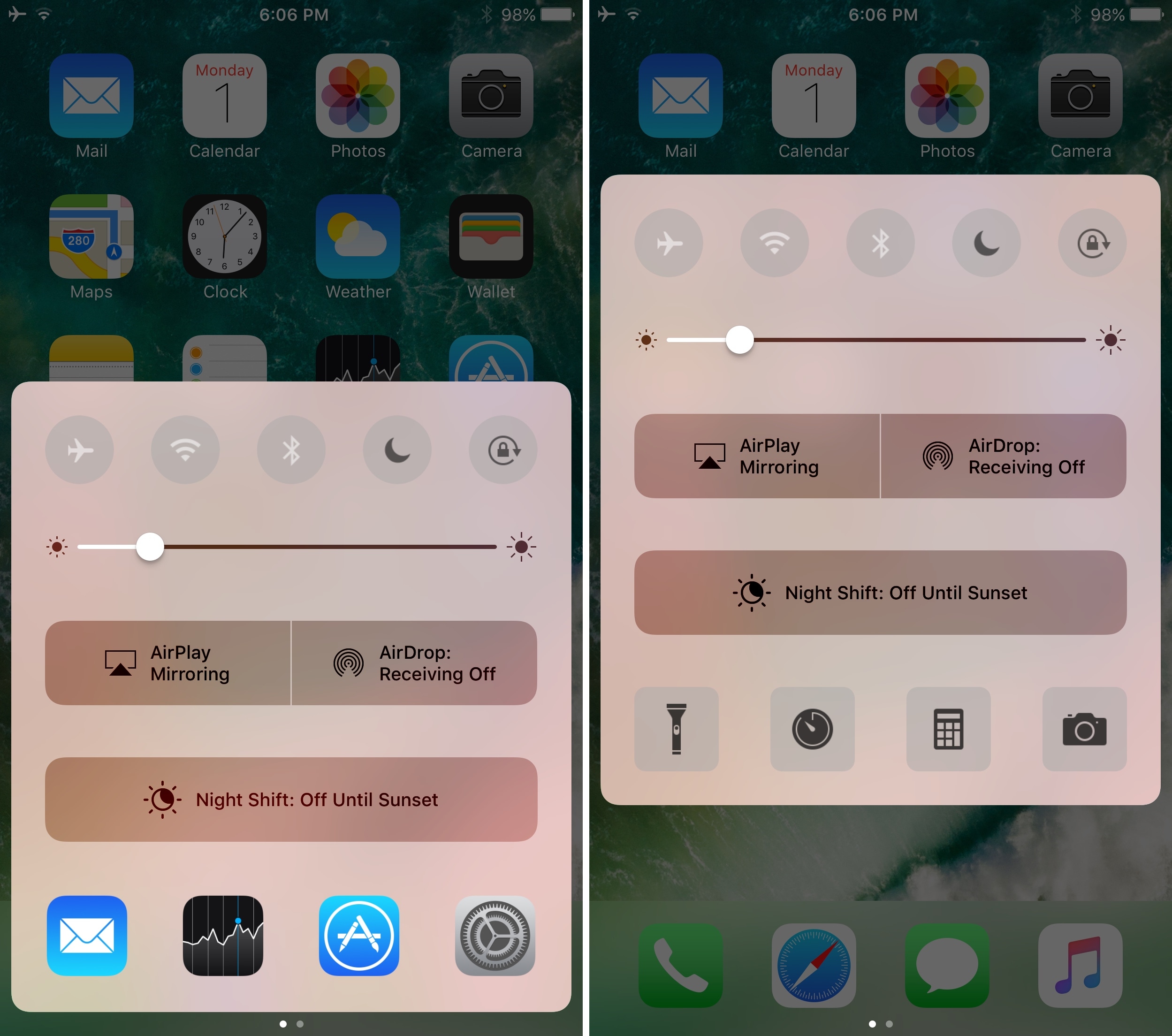
If having an arsenal of quick shortcuts throughout iOS sounds good to you, then you should warm up to a jailbreak tweak release dubbed CCQuick Pro X for iOS10 by iOS developer Cunstuck pretty quickly.

Following installation, the tweak turbocharges Control Center with a slew of new features. Not only can you boost its visual appeal, but you can also upgrade the interface’s usability with additional shortcuts and toggles among other things.

This tweak eliminates the delay after pressing the Home button

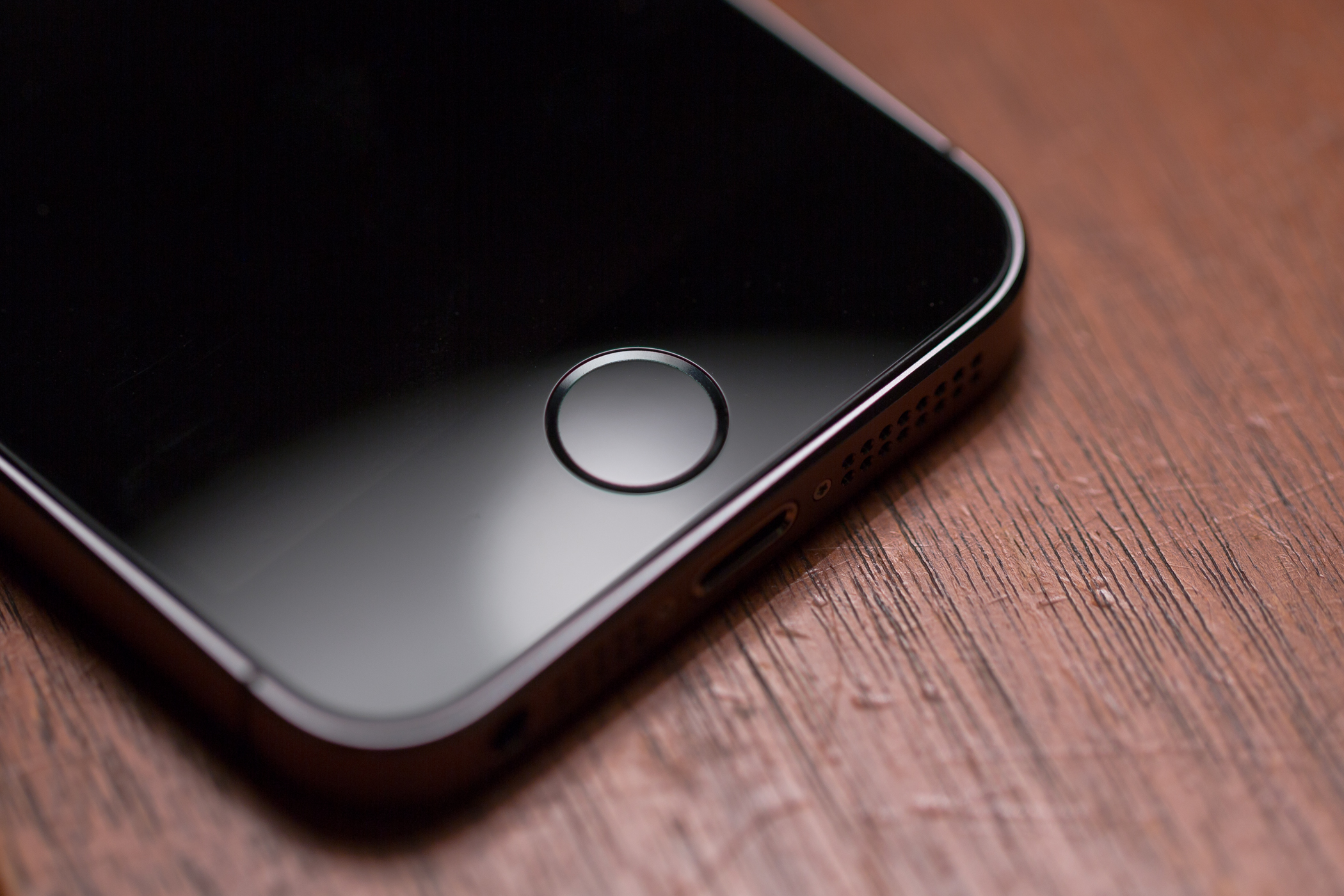
There’s nearly a full second of delay after pressing your Home button before the app you’re in actually closes. Whether you love or hate the delay remains to be seen, but if you aren't fond of it, now there's something you can do about it.

Installing a new free jailbreak tweak called Accelerated Home Button by iOS developer Mehul Rao from Cydia virtually eliminates the delay effect, making access to your Home screen instantaneous after pressing the Home button.