Bug

How to Uninstall Unstable Apps When Cydia Won’t Open

Sometimes we install apps out of curiosity only to discover that they are unstable on our device. In some cases, it's an app developed for a specific iPhone or iPad model. In other cases, the app is only compatible with certain firmware versions. Other times you may have installed conflicting tweaks.

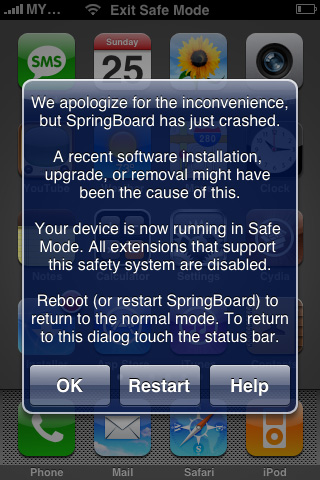
Whatever the reason may be, here is a fix for a constantly crashing Springboard with no way to open Cydia to uninstall unstable apps. If your iPhone boots to the lock screen, but crashes if you do anything beyond that, this guide will help you to remove problematic packages without Cydia.
Warning: You May Want to Set a Second Alarm for Tomorrow Morning

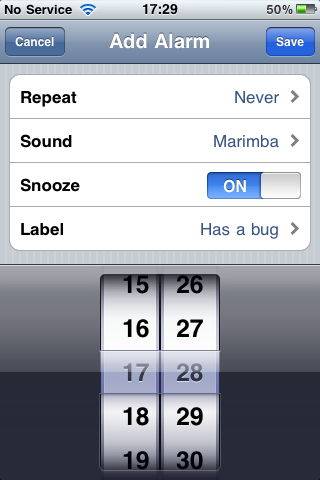
There have been reports of outrage from iPhone users who weren't woken up by their iPhone alarm on New Year's Day morning. There is still mystery surrounding why this problem has occurred, but it seems to be widespread enough to raise concern.

As of 1/1/2011, users began complaining on Twitter that their alarm in the iPhone's clock app didn't wake them up like normal. After the clock struck midnight to usher in the new year, all non-repeating alarms in the clock app failed to sound. This problem sounds like the Daylight Savings Time issue that the iPhone had back in November.

The point is, you if set your alarm clock on your iPhone to be woken up tomorrow, you'll be getting more sleep than you intended...

This Application Requires the iPhone 3.2 Software Update?

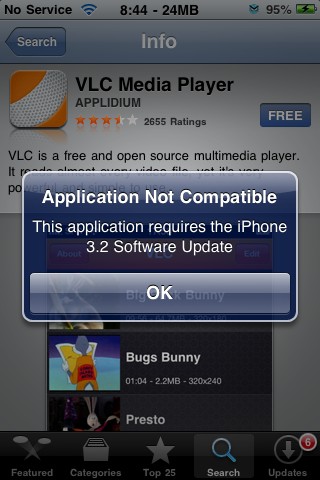
One of my Twitter buddies sent me a screenshot of an error he is currently getting on his iPhone when trying to download a certain application from the App Store. Every time he tries to download VLC, his iPhone tells him that this application is not compatible and that he needs to update his iPhone to iOS 3.2.

Obviously the strange part is there is no such thing as iOS 3.2. There never was and there never will. So why does his iPhone tell him he needs the 3.2 software update?

Warning: Glitch in Your iPhone Alarm Clock Will Cause You to Wake Up Late

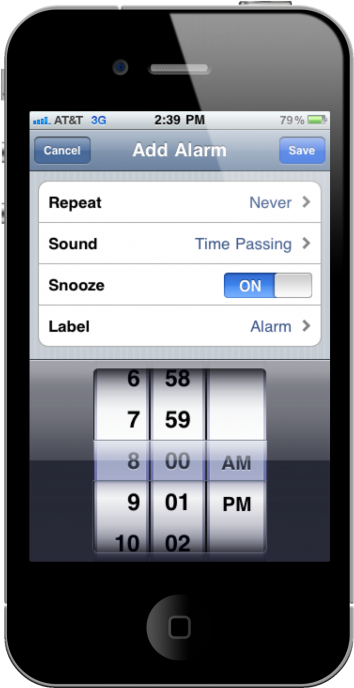
Last week we reported about a bug found in iOS 4.1 that was first revealed by fellow Australian and European iPhone users. The glitch, which happens during Daylight Saving Time (tonight for us in the US), causes your alarm clock to go off an hour late. That's because your iPhone alarm clock doesn't recognize the time change.

Apple is well aware of it, and to be honest with you, I expected them to release iOS 4.2 in time to fix this bug, but this apparently wasn't a priority for them. They did however provide a few steps to make sure your iPhone will wake you up on time if you have an alarm clock set...

Wake Up! Your iPhone Wants You to Sleep in…

Here is an interesting bug found in iOS 4.1 for our fellow European iPhone users.

When switching between Daylight Savings Time and Standard Time, your iPhone actually figures out what time it really is where you are, and changes the clock accordingly. However, it doesn't change these settings for your alarm clock, which caused some Euros to be waken up an hour later than they were supposed to.

This first appeared in Australia a few weeks ago and even though Apple is aware of the bug, they still haven't released a fix for it yet. Engadget did a little bit of digging and here is what they found out: