The iOS 12.2 beta includes a previously unseen landing page for a new digital subscription feature within the stock News app, called Apple News Magazines.
iOS 12.2 seemingly confirms plans for a new Apple News Magazines subscription service
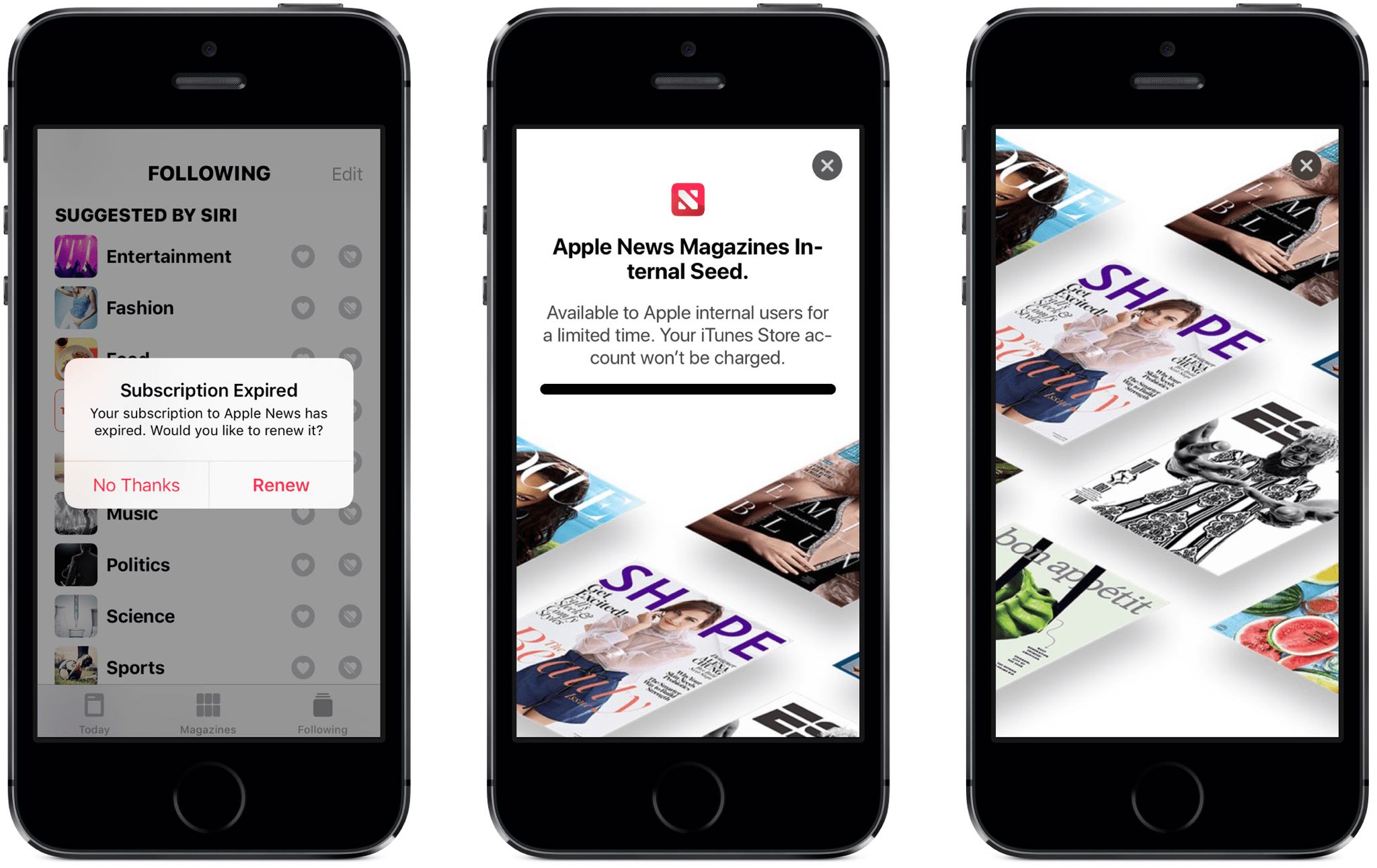
The iOS 12.2 beta includes a previously unseen landing page for a new digital subscription feature within the stock News app, called Apple News Magazines.
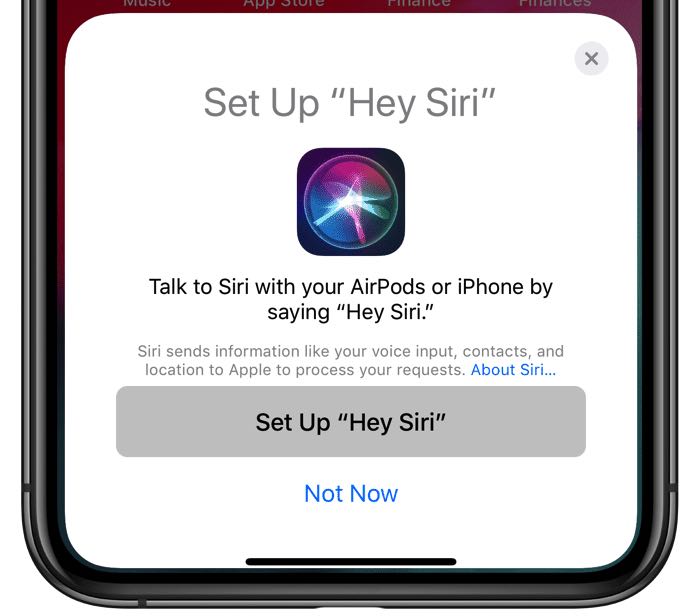
A setup card in the iOS 12.2 beta confirms Apple's working on a new AirPods version with a built-in Hey Siri that could launch around iOS 12.2's release in a matter of few weeks.
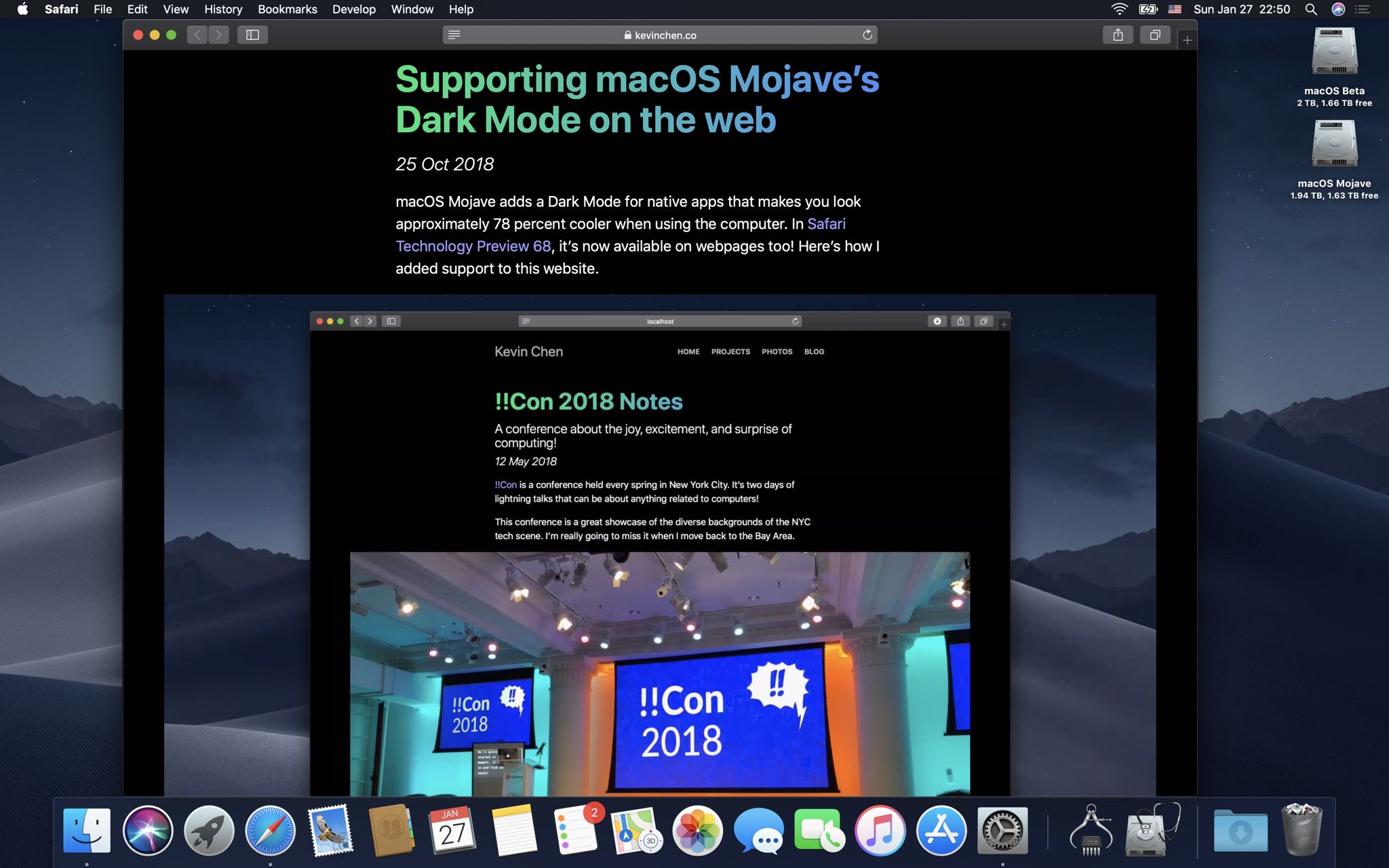
Safari on the macOS Mojave 10.14.4 beta, which was released last week, permits websites to automatically adapt their styling to complement Mojave's dramatic new Dark Mode.
Apple in October put out Safari Technology Preview 68 with support for the prefers-color-scheme media query for styling dark mode content. This experimental feature's now made its way into the Safari browser that ships in the macOS Mojave 10.14.4 developer beta.
Websites that support dark themes still appear white in the current macOS Mojave 10.14.3...This super-useful feature can be manually enabled or disabled in Safari's Develop menu under Experimental Features → Dark Mode CSS Support, as shown top of post. However, That option is nowhere to be seen in the current macOS Mojave 10.14.3 software.
...but on MacOS Mojave 10.14.4 they automatically adapt to OS appearance.When macOS Mojave 10.14.4 releases, turning on Mojave's Dark Mode in System Preferences will now change the styling on websites you visit accordingly. This will, of course, require web developers to implement black themes and adopt the new media query.
If you have the macOS Mojave 10.14.4 beta installed, you can try this out yourself by visiting Kevin Chain's example webpage, then switch between Light and Dark mode in System Preferences to see the website automatically apply an appropriate theme.
Again, this does not work in Safari on macOS Mojave 10.14.3 and earlier.
A white webpage looks out of place when Dark Mode in the current Mojave version is on.Safari Technology Preview gives you an early look at upcoming web technologies in macOS and iOS. Anyone can install it alongside the regular Safari and use them interchangeably.
This looks more like it, however. Courtesy of Safari on macOS Mojave 10.14.4.The biggest annoyance with Mojave's Dark Mode currently is Safari's lack of support for the new media query. With macOS Mojave 10.14.4, Apple's web browser will finally be able to allow websites to automatically cycle their styling for Light and Dark system appearances.
TUTORIAL: How to get Dark Mode on any website with Siri Shortcuts
Dark Mode in Mojave transform your desktop into a darkened color scheme that puts the focus on your content. It changes the look of built-in apps like Mail, Messages, Calendar and more. An official API permits developers to do the same for their own apps.
What you'll find embedded below is a very cool comparison between automatic theme switching on websites when cycling between Dark and Light Mode in MacOS Mojave 10.14.4.
Just drag the vertical slider to see it in action.
Since macOS Mojave was released to the public in September, numerous apps have added support for the system-wide Dark Mode, including 1Password, HazeOver, Spark and more.
Dark Mode is officially unsupported on iOS, but a number of popular apps have adopted dark themes internally. Because there's no OS-level support for Dark Mode in iOS 12, users must manually turn on a darker interface in their favorite app, provided it supports it.
Dark Mode in Bear Notes for Mac.Be sure to check out Apple’s list of the top apps that feature darkened or pure black interfaces. A fan-made website over at Darkmodelist.com highlights more than 70 iPhone and iPad apps with custom dark themes along with screenshots.
Apple's App Store list of apps with black themes.macOS Mojave 10.14.4 will also bring support for Apple News in Canada and the ability for Safari to automatically fill in your saved passwords with a touch of the Touch ID button.
The software update should releases to all users in a few weeks.
Are you looking forward to Safari's support for Dark Mode styling on website?
Let us know by leaving a comment down below!
Hacker and unc0ver lead developer Pwn20wnd has been on quite the roll lately; just yesterday he released unc0ver v2.1.4 to the general public, and he also pushed a bevy of revisions this weekend to the unc0ver v2.2.0 pre-release with bug fixes, performance improvements, and experimental new features. But as it would seem, there’s still more work to be done.
Pwn20wnd shared a Tweet Sunday morning denoting how he’s “actively implementing user requests” to make unc0ver “even better.” The Tweet points to the hacker’s official GitHub repository, where unc0ver users can reach out about problems and feature requests via the Issues tab on the web page:
acker and unc0ver lead developer Pwn20wnd pushed his ninth revision to the unc0ver v2.2.0 pre-release jailbreak tool for public testing on Friday. As you might come to expect, this revision incorporates minor bug fixes and improvements to help the beta process along.
We can gather from Pwn20wnd’s official GitHub changelog that this new revision brings the following changes:
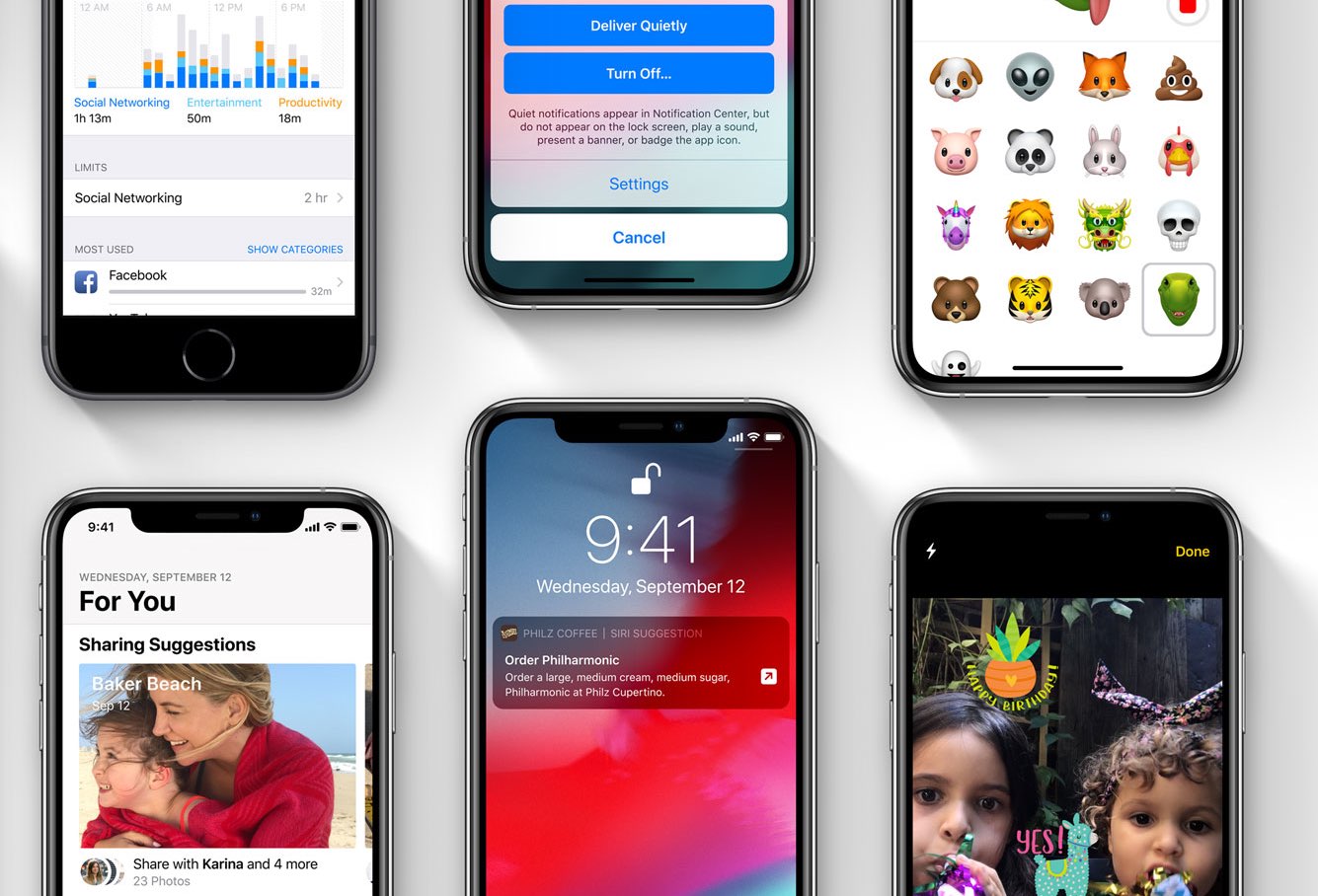
Apple on Thursday started a new round of beta testing, issuing the first betas of iOS 12.2, macOS 10.14.4, watchOS 5.2 and tvOS 12.2 to developers. Registered devs can install the updates via each platform's respective OTA mechanism, or through the Developer Center.
Hacker and unc0ver lead developer Pwn20wnd issued at least three more revisions to the unc0ver v2.2.0 pre-release since our last coverage, with each revision bringing fresh bug fixes and performance improvements to make the jailbreak experience as smooth as possible for users.
Citing the changelog published on Pwn20wnd’s official GitHub page, those three revisions encompass the following changes:
Hacker and unc0ver lead developer Pwn20wnd revised the unc0ver v2.2.0 pre-release again on Tuesday with additional bug fixes and improvements.
Citing the changelog published on Pwn20wnd’s official GitHub page, what is now the fifth pre-release beta of this particular unc0ver jailbreak tool version comprises of the following changes:
01/22/2019 - v2.2.0~b5 was released for public testing with the following changes:
- Fix theoretical bugs
- Improve assertion to make it safer
- Fix a bug in logging
- Update bootstrap
- Enable overwriting files in the bootstrap extractor
Just like the pre-release revisions that we reported about yesterday, this revision is still a beta and should not be deployed on daily driver handsets. This release is only intended for experienced jailbreakers or developers with knowledge of the troubleshooting steps required to handle potential bugs and instabilities.
Given how long the unc0ver v2.2.0 pre-release has been in its beta stages thus far, we expect that an official public release will follow in the coming days; of course, only time will tell.
If you aren’t comfortable using a pre-release version of unc0ver, then we advise you to use the latest official public release (v2.1.3) instead; it too can be downloaded from Pwn20wnd’s official GitHub repository.
Unc0ver is a semi-tethered jailbreak just like Electra, which means you must re-run the tool after every reboot. That aside, it bundles a newer iOS 11-optimized build of Cydia that sports the official seal of approval from Saurik himself.
If you’ve never used unc0ver before, and plan to do so now, then you can follow our in-depth tutorial about how to install and run the unc0ver jailbreak. The unc0ver jailbreak tool supports all devices that can run iOS 11.0-11.4 beta 3. If you run into any problems while using unc0ver, then you can report bugs here.
Hacker and unc0ver lead developer Pwn20wnd dropped the first unc0ver v2.2.0 pre-release for public testing on Sunday with an extensive list of changes, but it now seems that was only the beginning.
On Monday, Pwn20wnd pushed at least two new revisions to the unc0ver v2.2.0 pre-release, dubbed b3 and b4. The changelog appearing on Pwn20wnd’s official GitHub page cites the following changes in these revisions:
It was only yesterday that hacker and unc0ver lead developer Pwn20wnd released unc0ver v2.1.3 to the general public; but as it would seem, he’s not finished fine-tuning the iOS 11-centric jailbreak tool just yet.
In a Tweet shared Sunday afternoon, Pwn20wnd announced the availability of unc0ver v2.2.0 for public testing:
Hacker and unc0ver jailbreak tool lead developer Pwn20wnd pushed the fifth revision to the unc0ver v2.1.1 pre-release this weekend with another handful of bug fixes and improvements.
Citing Pwn20wnd’s official GitHub page, this is the fifth revision to the unc0ver v.2.1.1 pre-release since its conception one week ago. The latest revision brings the changes listed below:
If you haven’t already heard, those rocking Pwn20wnd’s unc0ver jailbreak for iOS 11.0-11.4 beta 3 can now install the Sileo package manager alongside Cydia on their pwned handset.
The choice to install the Sileo package manager on your unc0ver jailbreak is entirely up to you, but if you’d like to move forward with the install, then you’ll find all the steps you need to follow to do so in this tutorial.