App Store Apps

Pagico 8.7 helps you make better plans and actually stick to them [sponsored]

If you haven't heard about Pagico before, it's a productivity app that allows individuals and team members to easily manage all their tasks, files and notes across iPhone, iPad, Mac, Windows, Ubuntu and Android devices.

With Pagico, you can organize everything related to your projects in one place, stay informed with handy flowcharts, access data anywhere, manage your day, visualize workloads, cross-link everything, organize stuff into collections, collaborate and much more.

Now bumped to version 8.7, the app sports some interesting new features designed to help you be more productive and stay on track with support for sub-containers, enhanced container duplication features, smart filters, teammate filters, improved email handling and printing, plus a lot more.

The Sims Mobile soft-launches, brings all the features of the original Sims game to iPhone and iPad

Publisher Electronic Arts said today that it's soft-launched a new Sims game for mobile devices via App Store in Brazil. Called The Sims Mobile, it includes all of the features of the original PC game which released 17 years ago back in 2000 and files as an official mobile game by Maxis Studios and Electronic Arts.

In The Sims Mobile, players can shape their Sims' legacy as they create their unique personalities, homes and relationships—all on their iPhone, iPad or iPod touch.

Key highlights include:

Shape your Sims' legacy—Shape your Sims’ families over multiple generations. When your Sims accomplish their career goals and retire, you’ll be rewarded with Heirlooms that unlock hobbies and careers for future generations, allowing new Sims to tell deeper stories. Create unique Sims—Customize your Sims with distinct appearances, hairstyles, outfits, and accessories. Choose different personality traits and life goals. Build a home—Personalize your Sims home layouts and designs, and decorate with a variety of furniture, appliances, decorations and more. Play together—Host and attend parties with other Sims to socialize, show off your amazing house, earn rewards, and develop new relationships.

Here's the promotional trailer for the free-to-play title.

https://www.youtube.com/watch?v=VwFMyHGtIXs

As mentioned, The Sims Mobile is a free-to-play download. If other EA games are an indication, the game may include a bunch of optional In-App Purchases.

You can sign up for email updates at the thesims.com/mobile.

Six years ago, EA released The Sims Freeplay for iOS and Android, a simplified version of the original PC game. The publisher has other Sims-branded titles on App Store, including The Sims 3, The Sims 3 World Adventures, The Sims 3 Ambitions for iPad and more.

The Sims Mobile soft-launched today on App Store in Brazil.

We'll keep you posted when the game expands to other markets.

Are you a fan of The Sims franchise?

Meet Breaker, a young podcast app with a social twist

Podcast listeners are traditionally creatures of habit when it comes to the app of choice to access all their favorite shows. Thus, whenever a new gateway to podcasts comes along, it often cops the ‘not as good as Overcast’ treatment and is passed into oblivion.

The guys and girls at Breaker, a fresh podcast app available on your iPhone, look poised to buck that trend by trying something novel in the rubric: marry a solid podcast app to a social network, enabling the community of listeners to discuss, recommend and share the content.

How to disable in-app ratings and review requests on iPhone and iPad

Apple included a handy new feature in iOS 10.3 beta to give people the power to disable in-app prompts seeking feedback in one fell swoop. Apps that use the new SKStoreReviewController API can invoke a new standardized prompt offering users to provide a rating or write a review without taking them to the actual App Store. This feature has been available on and off for beta testers and should be available to the public in an upcoming update to iOS 10.

These in-app prompts for ratings and reviews can be disabled at once for all apps installed on your iPhone, iPad or iPod touch which support the feature. This tutorial provides step-by-step instructions for how to disable in-app ratings and review requests in iOS.

How to disable in-app ratings and review requests on iPhone and iPad

To opt out of receiving these feedback prompts, do the following:

1) Launch Settings on your iOS device.

2) Tap iTunes & App Stores.

3) To disable all in-app prompts for App Store reviews and ratings, flip the switch In-App Ratings & Reviews switch to the OFF position.

This will prevent all apps that are installed on your iPhone, iPad or iPod touch from asking for product feedback in the form of App Store ratings and reviews. Again, this toggle has no bearing on apps on your device that do not use iOS 10.3's new SKStoreReviewController API.

Please think twice before disabling in-app ratings and reviews.

As I explained before, the new API streamlines the product feedback experience with standardized prompts limited to three per year per app. As Apple itself suggests, you should help developers and other users know what you think by letting apps ask for product feedback.

Like before, your submitted ratings are valid for the App Store territory where you originally purchased the app. You can also leave ratings and write reviews for iPhone, iPad and iPod touch apps directly in App Store, and for macOS apps in Mac App Store.

You can also leave ratings for Apple TV apps, but not submit reviews.

About in-app ratings and review requests

iOS 10.3 beta gives users the power to silence in-app prompts seeking App Store feedback.

In the past, developers were free to interrupt the experience and inundate users with pesky prompts asking them to provide a rating or write a review on App Store.

With the new SKStoreReviewController API, developers simply choose when they’d like to prompt the user and identify places in their apps where it makes sense to ask for feedback, and the system takes care of the rest.

The system allows users to submit a rating through the standardized prompt and authenticate with Touch ID to write and submit a review, all without leaving the app.

The API limits these requests to three prompts per app in a 365-day period. The counter is not reset when the app is updated. The hope here is that the new API will encourage developers to strategically ask for feedback for major updates only.

Previously, many apps would aggressively ask for feedback after each and every update because App Store erases an app's average rating with each submitted update. Apps that don't use the aforesaid API can still put up a bespoke prompt seeking feedback “at appropriate times throughout the user experience,” according to Apple.

App makers that use iOS 10.3's new SKStoreReviewController API save time because the system decides when to pull up these in-app prompts and how they're rendered.

Users benefit from having the standardized prompt and the ability to write a review or submit a rating without leaving the app they're in.

When the user sees an in-app prompt seeking App Store feedback, he or she can authenticate with Touch ID to write and submit a review, right there and then.

“The system’s rating prompt offers a familiar, efficient experience that’s designed to engage the user with minimal impact,” explains Apple.

As a bonus, developers can at long last respond publicly to App Store reviews.

Any questions?

If you have any questions regarding the topic of this tutorial, please post a comment below and our knowledgable writers will try to answer them.

Be sure to pass this article along to the friends and family you support.

Submit your ideas regarding future coverage via tips@iDownloadBlog.com.

Infuse media player gains supercharged subtitles, 10-bit video playback & more

aTV Flash Black developer FireCore recently pushed a new version of Infuse, implementing vastly improved subtitle support, gorgeous 10-bit video playback and a host of other improvements.

Infuse 5.4 for iOS and tvOS, a free download for existing users, recently celebrated its fourth anniversary. Since making its App Store debut back in 2013 [review], this versatile media-player app for iPhone, iPad and Apple TV has been gaining new features on a regular basis.

10-bit video playback

10-bit videos now look great thanks to some slick new hardware decoding options available in Infuse 5.4. Not only does hardware-assisted decoding on newer iOS devices provide great playback performance, it unlocks hours of extra battery life as well.

Hardware-assisted decoding of the Hi10P video format (H264-encoded 10-bit video) requires Apple's A9 chip or later, meaning this feature is supported on iPhone 6s or later models, all iPad Pro models and the new 2017 iPad model.

Supercharged subtitles

Subtitles have been “entirely revamped” in Infuse 5.4.

The new subtitle rendering engine includes support for subtitles on 3D videos (SBS and TAB), plus subtitle position (AN) tags. The app now accepts many more subtitle formats, including .TXT files (MicroDVD, MPL2, SRT and TMP). As a bonus, the update introduces new options for adjusting text color to your liking and fancy styling and animation effects.

Infuse now uses the secure HTTPS protocol to download subtitles from OpenSubtitles, increasing your privacy. Lastly, Traditional Chinese is now supported for metadata and artwork.

Infuse availability

For a complete list of what's new in Infuse 5.4, visit the official Infuse website.

Infuse 5.4 for iPhone, iPad and Apple TV is a free download from App Store.

Advanced features are available without limitations as a $6.49 per year Pro subscription via the In-App Purchase mechanism. A free one-month trial of Infuse Pro is available within the app.

Alternatively, buy Infuse for iOS and tvOS outright for $12.99.

Snapchat launches limitless snaps, new Magic Eraser & Loop tools

Snap Inc. announced yesterday that it'd added new features to its mobile Snapchat app, including limitless snaps as well as a pair of all-new creative tools in the form of the Magic Eraser and Loop features.

For starters, you can now draw with emojis. Simply tap the doodle tool to get started. If you'd like to access Snapchat's new Magic Eraser tool, tap the Scissors tool, then the Stars icon.

To let your friends view your snaps for as long as they want, use the new Loop tool for videos. With this Instagram Boomerang-like feature, you can easily decide whether your snap plays once or loops until your friend is ready to tap to the next one (the infinity option for the timer).

According to the company:

We’ve all felt the frustration of not being able to fully enjoy a snap—even after replaying it—and we wanted to give you the option of allowing the recipient to enjoy your snap as long as they’d like. After your friend finishes viewing the snap and taps to close it, it will delete as usual.

The new creative tools require Snapchat version 10.8 or later.

Snapchat for iOS available at no charge on App Store.

Schedule repairs and make Genius Bar reservations with Apple Support app

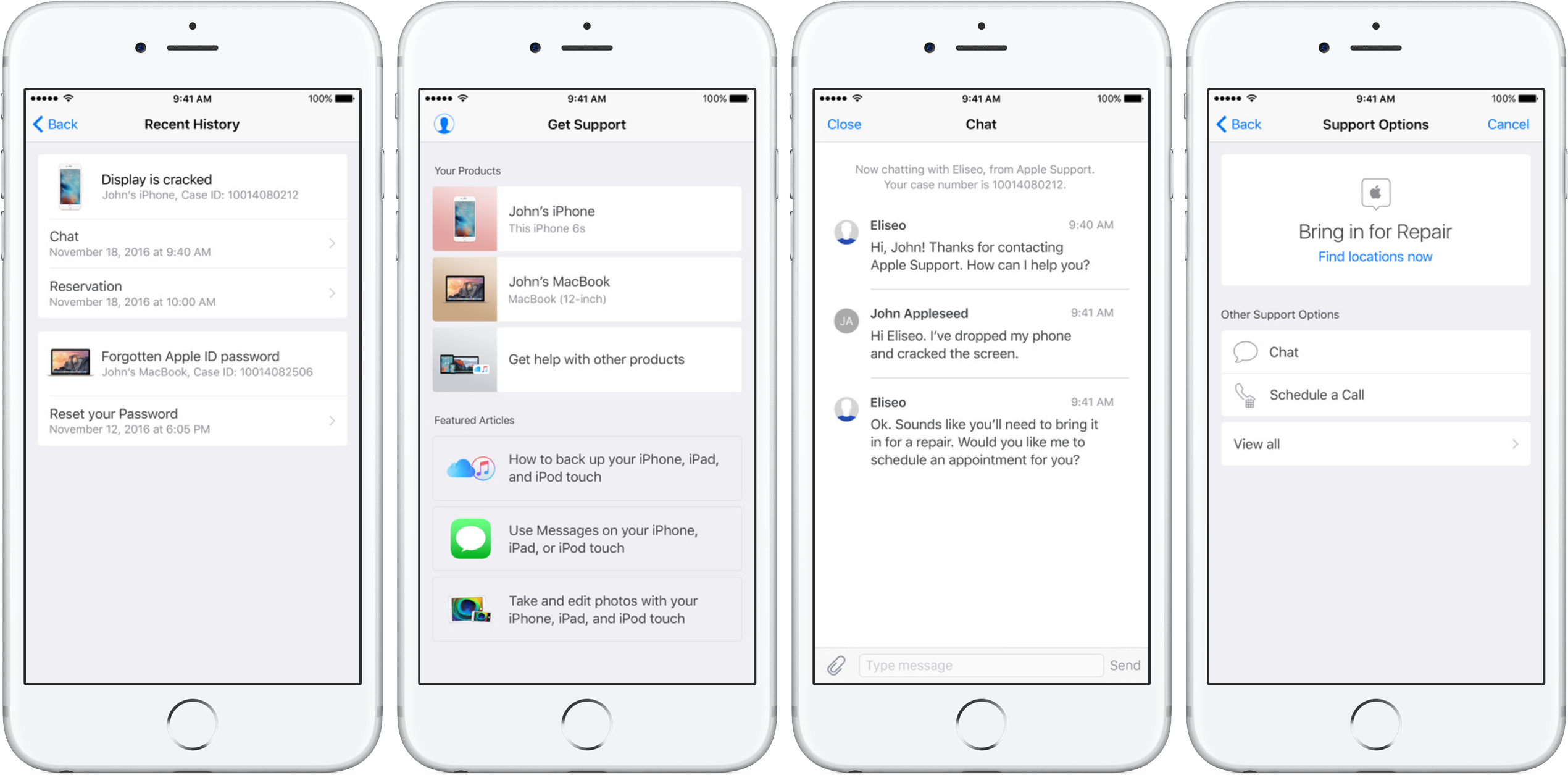
Apple's dedicated Support app was refreshed on App Store today with the ability to schedule repairs and make Genius Bar reservations. Bumped to version 1.1, the app packs in other improvements as well, including simplified authentication process, support for iOS 10's rich notifications for chat and the ability to filter locations by mobile carrier.

As mentioned, the refreshed app now permits iPhone, iPad and iPod touch owners to schedule repairs at participating Apple Authorized Service Providers. The ability to make Genius Bar reservations from within the app is currently limited to Apple Stores in China, Hong Kong, Macao, Turkey and United Arab Emirates.

Apple Support is a free download from App Store.

PDF Expert 6 for iOS is out with revamped look, enhanced search, new editing tools & more

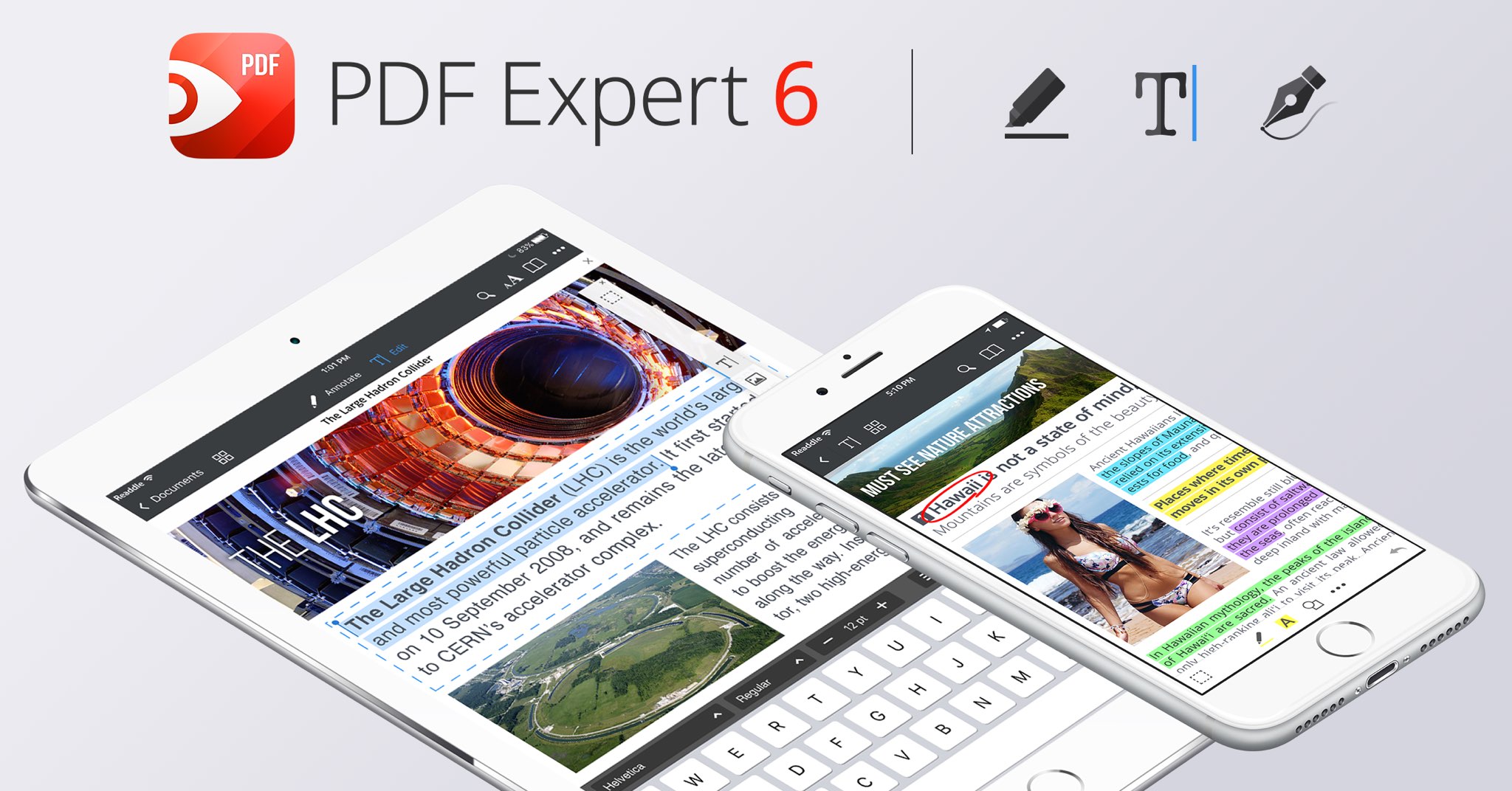
Readdle, a prolific Ukrainian developer of fine productivity software for iOS and macOS, today pushed a major new version of its fast, robust and beautiful PDF editor, called PDF Expert.

Aside from an overhauled interface which allows you to navigate your documents in a most effective way, PDF Expert 6.0 for iPhone and iPad includes a brand new experience when adding and managing files and built-in editing tools for those times when you're required to edit that contract, update presentation slides or change the invoice logo while on the go.

PDF Expert for iPhone and iPad

“You make fewer taps in order to edit, zip, tag, move or sync files,” developers noted, adding that “bigger file preview thumbnails give you a better idea of the content of that Excel spreadsheet or PowerPoint presentation.”

Aside from the usual features, PDF Expert 6.0 now allows users to edit and modify text and images in their PDFs, as well as add links, redact information and more.

But first, watch the promotional video below.

https://www.youtube.com/watch?v=_Jrg8txgDVo

The new editing tools in the iOS app let you:

Edit and modify PDF text Add and replace images Add links to text and pictures Hide sensitive information using Redact feature

For those who work in the cloud, the app now allows you to edit, annotate or sign documents in your Dropbox or any other supported cloud storage service without needing to download the document locally—all your edits are now saved directly in the cloud version of the document.

With PDF Expert 6.0, PDF documents that contains sensitive data can be finally protected with a password. Lastly, the iOS app now lets you edit outlines to help structure data in huge documents and provides an enhanced search feature with the ability to search for a word or a document across multiple documents and file types.

PDF Expert for Mac

The Mac app was refreshed with enhanced navigation, faster search and other updates back in March 2017, here are your key highlights. To make the editing process even easier, the Mac app automatically detects the font, size and opacity of the original text.

This is very useful because no longer do you have to adjust the formatting after every single edit. “Now, you can edit PDF text and images, add links, work directly from the cloud without downloading files and much more,” Readdle noted.

The improved search is smarter and quicker than before. Perhaps more important than that, you can save all relevant discoveries into your search history to easily find them in the future.

Lastly, you'll notice the all-new toolbar layout with several page layout templates and the ability to customize your reading experience in macOS's Split View multitasking mode. Whether you’re comparing contracts or reading an article, you can now bring up the new rendering options to choose the most convenient layout to quickly accomplish your task.

The new editing tools in PDF Expert 6.0 for iOS require a one-time $9.99 In-App Purchase. All the other new features are free for existing users of the iPhone and iPad app.

New users can grab PDF Expert for iOS on App Store in exchange for $9.99.

PDF Expert for macOS is available for $60 via Mac App Store.

A free trial is available via the official PDF Expert website.

Apple acquires sleep tracking app Beddit

Apple has acquired sleep tracking startup Beddit. The company updated its privacy policy on its website Tuesday to announce the acquisition, saying "your personal data will be collected, used and disclosed in accordance with the Apple Privacy Policy."

WhatsApp quietly added encryption to iCloud backups in late 2016

WhatsApp last year closed an important security loophole by adding encryption to users' chat backups stored in iCloud. Before the change, hackers could theoretically gain access to WhatsApp chat archives in iCloud using third-party forensic tools to access underlying messages in a readable form.

Rather than rely on iCloud Drive to protect customer data, the Facebook-owned company has added a unique encryption key created by the WhatsApp app.

A spokesperson confirmed iCloud backups are now being encrypted, telling Forbes: “When a user backs up their chats through WhatsApp to iCloud, the backup files are sent encrypted.”

Although Apple holds the encryption keys for iCloud, it's up to app makers to use encryption when sending user data to iCloud. According to TechCrunch, a Russian company called Oxygen Forensics, which supplies mobile and cloud hacking tools, was able to generate encryption keys for WhatsApp's iCloud backups.

The workaround requires that an attacker have access to a SIM card with the same mobile number that the app uses to send a verification code to generate the encryption key for the iCloud backup. Of course, Oxygen still needs a user's Apple ID and password to gain access to their iCloud user space in the first place.

“Then, using the associated SIM, Oxygen said it can generate the encryption key for decrypting the data by passing the verification process again,” explains TechCrunch. Forbes suggests the method could be used by police in possession of a device where the WhatsApp account has been deleted but iCloud backups have not been wiped.

https://twitter.com/FiloSottile/status/861569977681412096

In other words, after realizing that forensic tools could be used to download encrypted WhatsApp data from iCloud backups in a readable form, WhatsApp has beefed up security and quietly rolled out encryption for iCloud backups last year.

You can backup your entire WhatsApp chat archive to iCloud by tapping the Settings tab in the lower-right corner of the app. Now tap Chats, then Chat Backup and finally hit Back Up Now.

By the way, WhatsApp should update the wording of the Chat Backup screen because it states, somewhat confusingly, that “media and message you back up are not protected by WhatsApp end-to-end encryption while in iCloud.”

Apple’s Workflow app gains new Apple Music actions, brings back Chrome and Pocket integrations

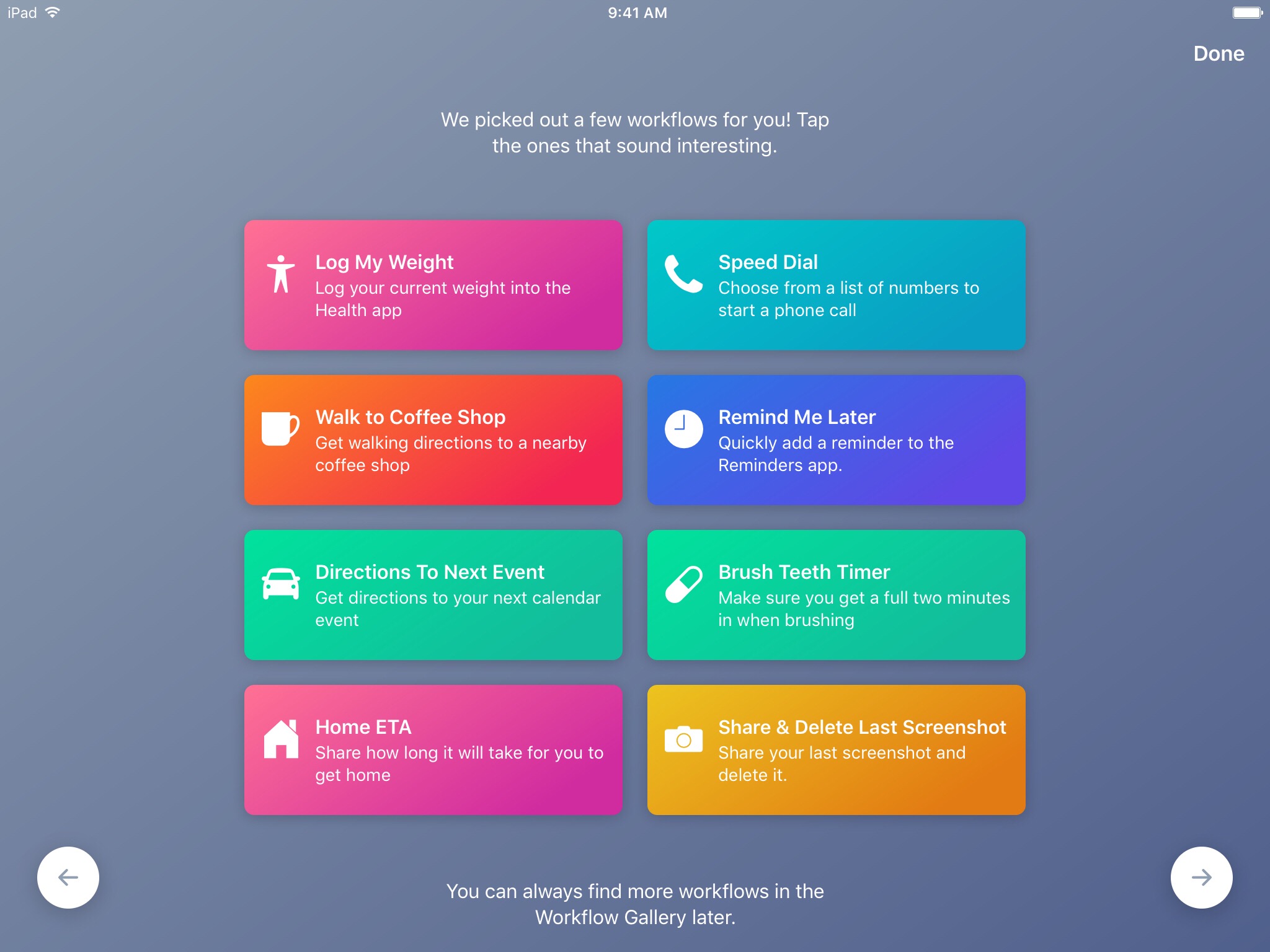
Workflow, the powerful iOS automation app that Apple acquired in March, has brought back a few features that were originally removed from the software following the Apple deal while adding updated Apple Music actions.

In Workflow 1.7.4 for iPhone and iPad, users can now create workflows using actions specifically designed for Google's Chrome browser and the read-later app Pocket, which browser vendor Mozilla acquired in February.

With the updated Apple Music actions, Workflow fans can now add songs to their Up Next queue in the Music app. Another new action lets you clear the songs in the Up Next queue.

Additionally, Workflow's Get Distance actions has been updated with support for getting the distance from a specified location while the order of items passed from a Dictionary action to Choose from List is now preserved.

Here's everything new and fixed in Workflow 1.7.4:

Bug fixes and improvements Restored the Google Chrome and Pocket actions Add music to your Up Next queue with the Add Music to Up Next and Clear Up Next actions Get Distance now supports getting the distance from a specified location The order of items passed from a Dictionary action to Choose from List is now preserved Fixed getting prices for books in Search iTunes Store Fixed making archives with special characters in the filename on iOS 10.3 and later Fixed an issue where workflow glyphs in the Today Widget may be stretched and cut off Fixed an issue where latitude and longitude may be formatted incorrectly in international locales Fixed an issue where .wflow files may fail to open on iOS 10.3 and later Fixed an issue where improperly formatted URLs from Pinboard could cause Workflow to crash Fixed an issue where booleans may not update when their value is changed inside dictionary fields Fixed an issue where handing off clipboard content from the Today Widget or Action Extension may throw a “The file Clipboard could not be opened” error Fixed an issue that could cause Workflow to crash on launch Other bug fixes and minor additions

Apple has said that it will continue to push maintenance updates to Workflow, but no new user features will be added to the software. Today's update makes good on that promise.

https://www.youtube.com/watch?v=7rJXJcn93jU

Subscribe to iDownloadBlog on YouTube

Apple's plans for Workflow are unclear at the moment. For what it's worth, any new features or major changes that could be in the works for the app should be formally announced at the company's annual conference for developers next month.

Workflow is available at no charge via App Store.

How to gift iTunes credit on iPhone and iPad

A particularly cruel proverb says there's more than one way to skin a cat. True or not for cats, its intended meaning certainly applies to sending iTunes gifts and gift cards to your loved ones. For years, Apple has done their homework to make sure we can easily swoop up gift cards for iTunes at most retailers, online through services such as PayPal and also directly gift apps or music we come across and want to share immediately.

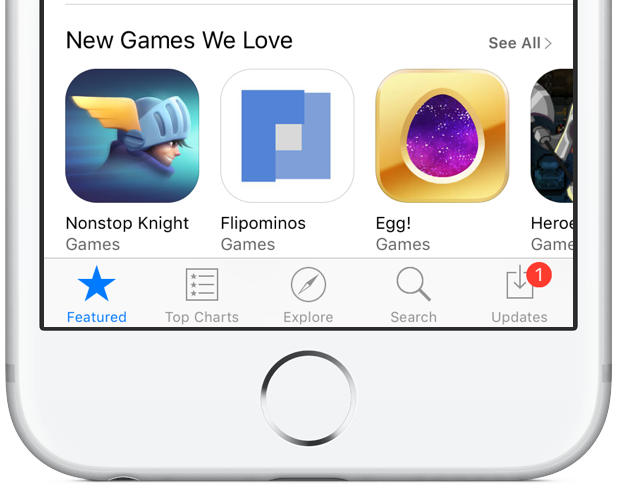
On top of the bevy of options available, there's another simple trick to send (any desired) iTunes credit to a fellow application user, right through iTunes or the App Store on iOS. While on no account a hidden gem, we haven't called attention to it before on iDB, so let's bring you up to speed on it if necessary.