Accessibility

SnoozeX provides a more intuitive firing alarm interface for iOS

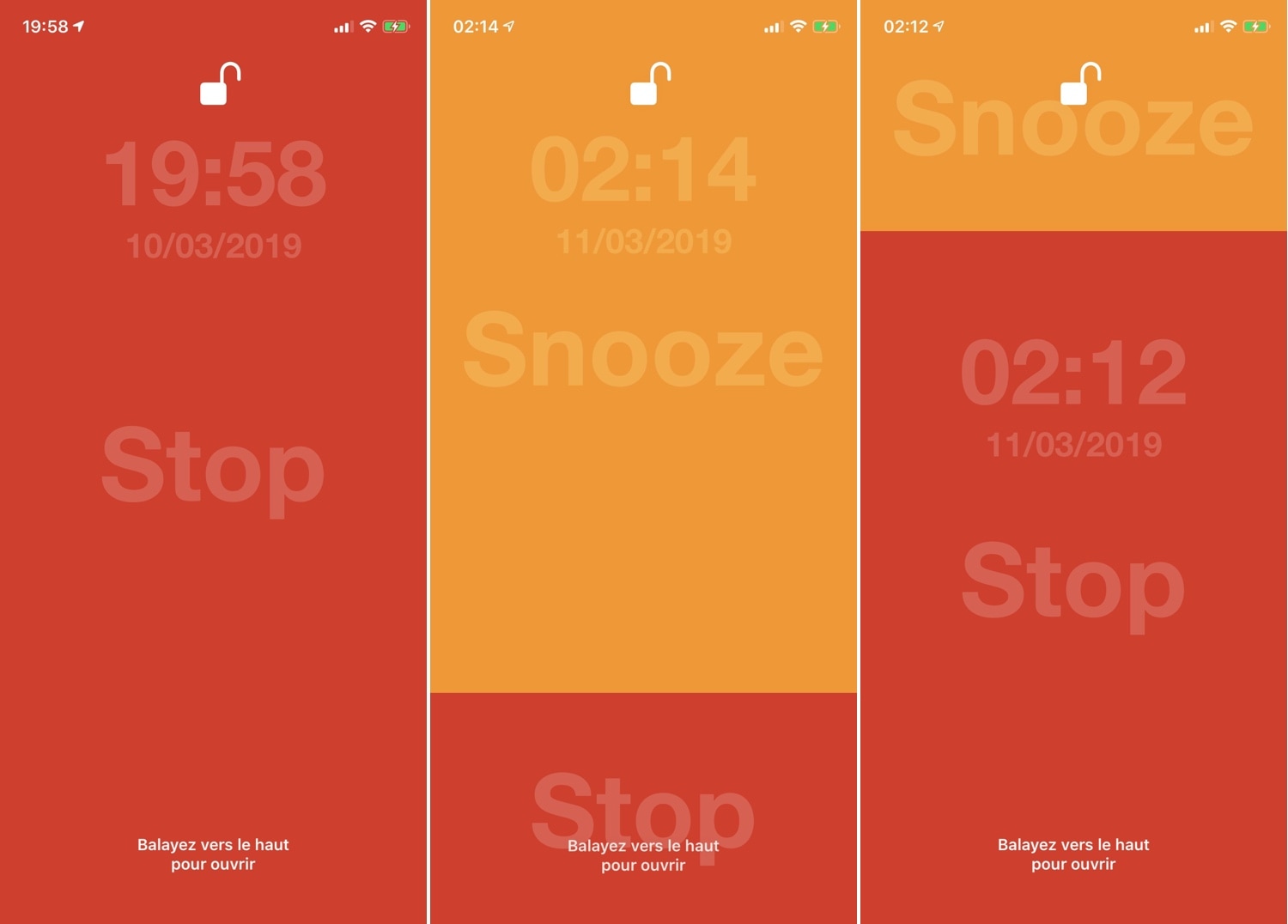
Whenever one of your iPhone’s alarm fires, you’re presented with an interface where you can either snooze or stop the alarm indefinitely. Many have expressed their dissatisfaction with iOS’ native alarm firing interface, and with that in mind, iOS developer VincentMDIM came out with a jailbreak tweak called SnoozeX to address that.

SnoozeX makes the iOS’ alarm firing interface more intuitive, especially for those who have trouble waking up early in the morning after their alarm goes off. As depicted by the screenshot examples above, SnoozeX makes the alarm firing interface easier to interact with, which will be appreciated by folks who are still half asleep when the alarm sounds.

LockDock lets you access your Dock from the Lock screen

When I first started jailbreaking many years ago, you were the cool kid on the block if you had access to application shortcuts on your iPhone’s Lock screen. For whatever reason, application shortcut add-ons have all but disappeared in recent memory, but a new jailbreak tweak called LockDock by iOS developer Blake Boxberger appears to revive this once popular concept.

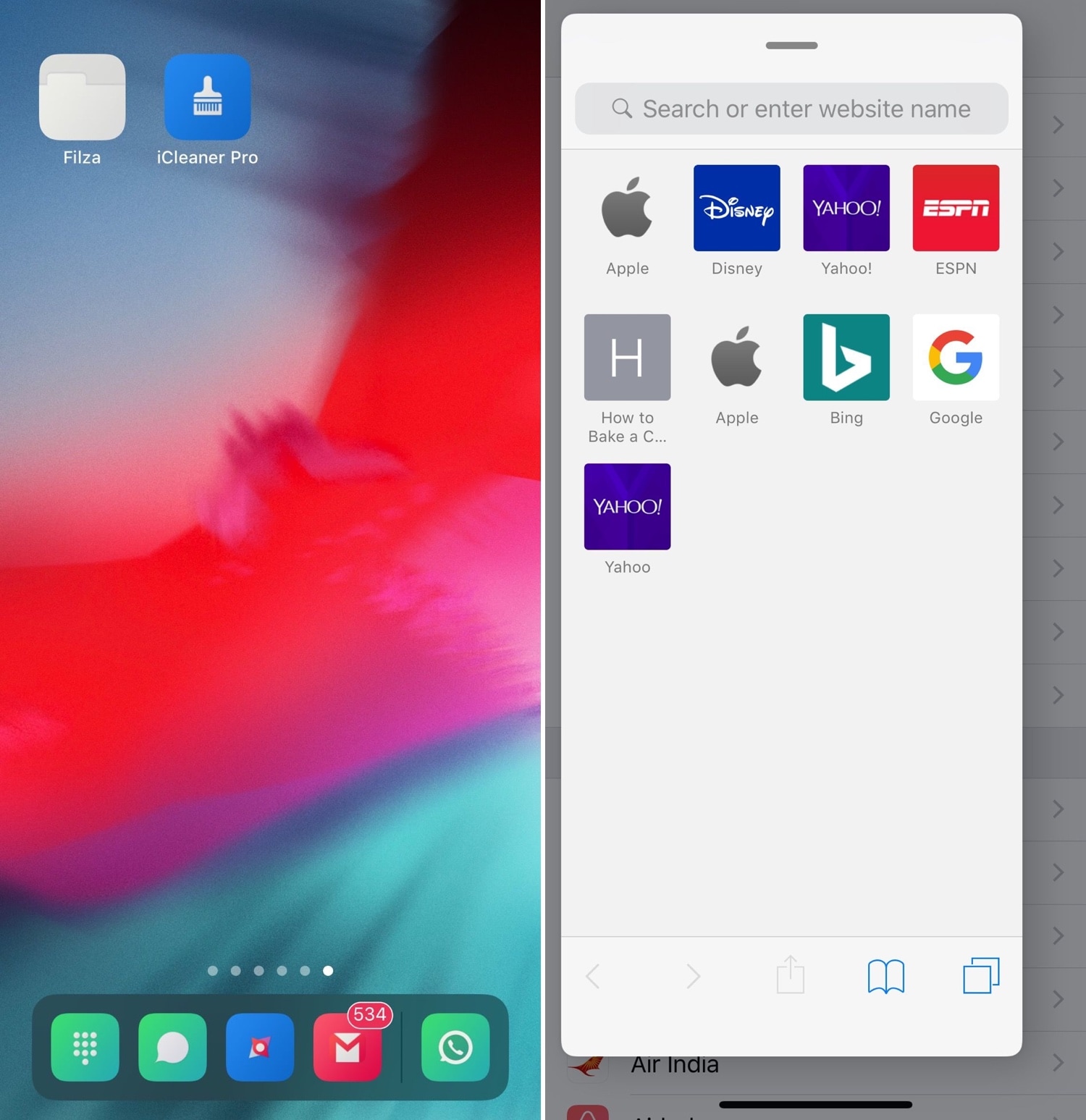
LockDock takes advantage of an application launcher that already exists on the iOS platform – the Home screen’s application Dock – and makes it accessible from the Lock screen in addition to the Home screen, as shown above.

SpotCC launches Control Center instead of Spotlight when swiping down on the Home screen

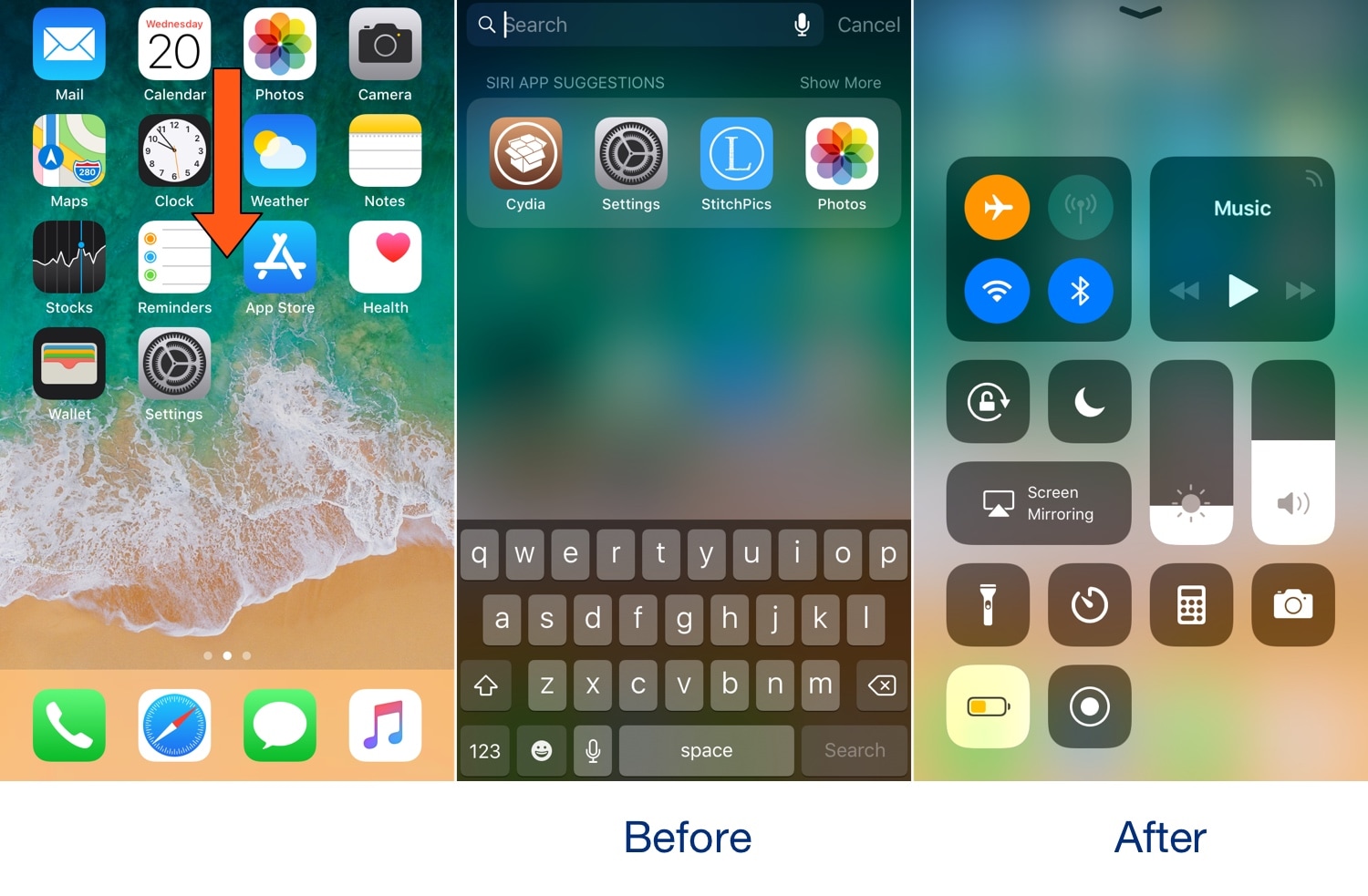
Swiping down while on the Home screen of your iPhone usually presents you with the Spotlight search interface, but if you don’t use the Spotlight search feature that often, then you might take a liking to a new free jailbreak tweak called SpotCC by iOS developer Kiran Patil.

There isn’t much to say here concerning what the tweak does, but just as the name implies, SpotCC makes it so that swiping down on the Home screen summons Control Center rather than Spotlight search.

TinyBanners provides less intrusive notification banners for iOS 12

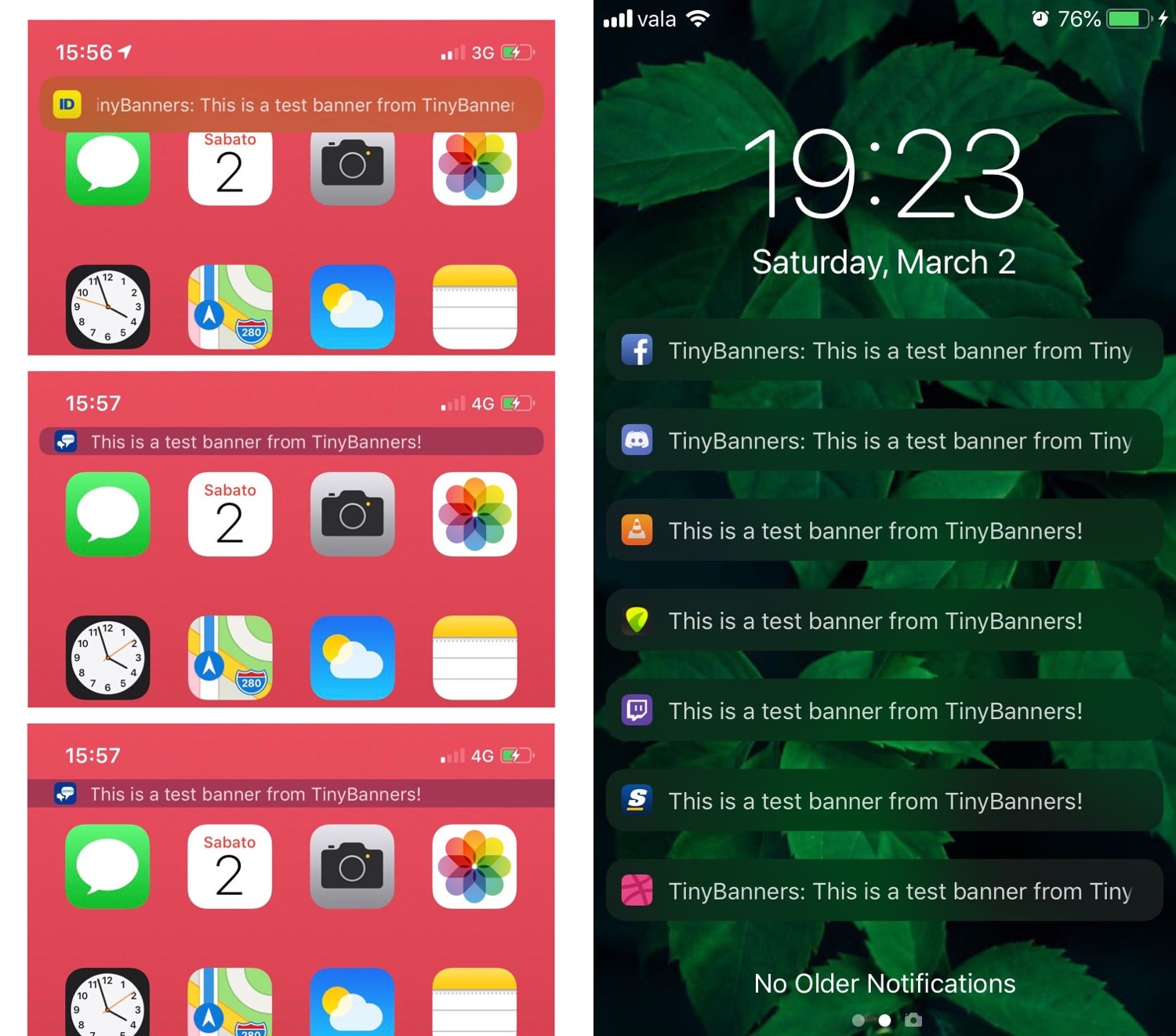
Apple originally introduced the humble notification banner to replace the intrusive notification alert pop-up in iOS, but Apple has since made those notification banners much taller, making them more intrusive than they were initially designed to be.

Here to solve that problem is a new jailbreak tweak called TinyBanners by iOS developer donbytyqi, which just as the name implies, makes iOS’ notification banners smaller such that they aren’t as intrusive.

SmartRotate: a video-friendly Rotation Lock for your iPhone

While iOS’ built-in Rotation Lock feature can be an asset at times, there are also instances where it tends to be a real pain in the fanny. Case in point: when you begin watching a video and your handset won’t rotate into landscape mode until you manually turn Rotation Lock off.

iOS developer LaughingQuoll understood the problem with this implementation by Apple and set out to come up with a better solution. The result? – A new jailbreak tweak called SmartRotate has now been released.

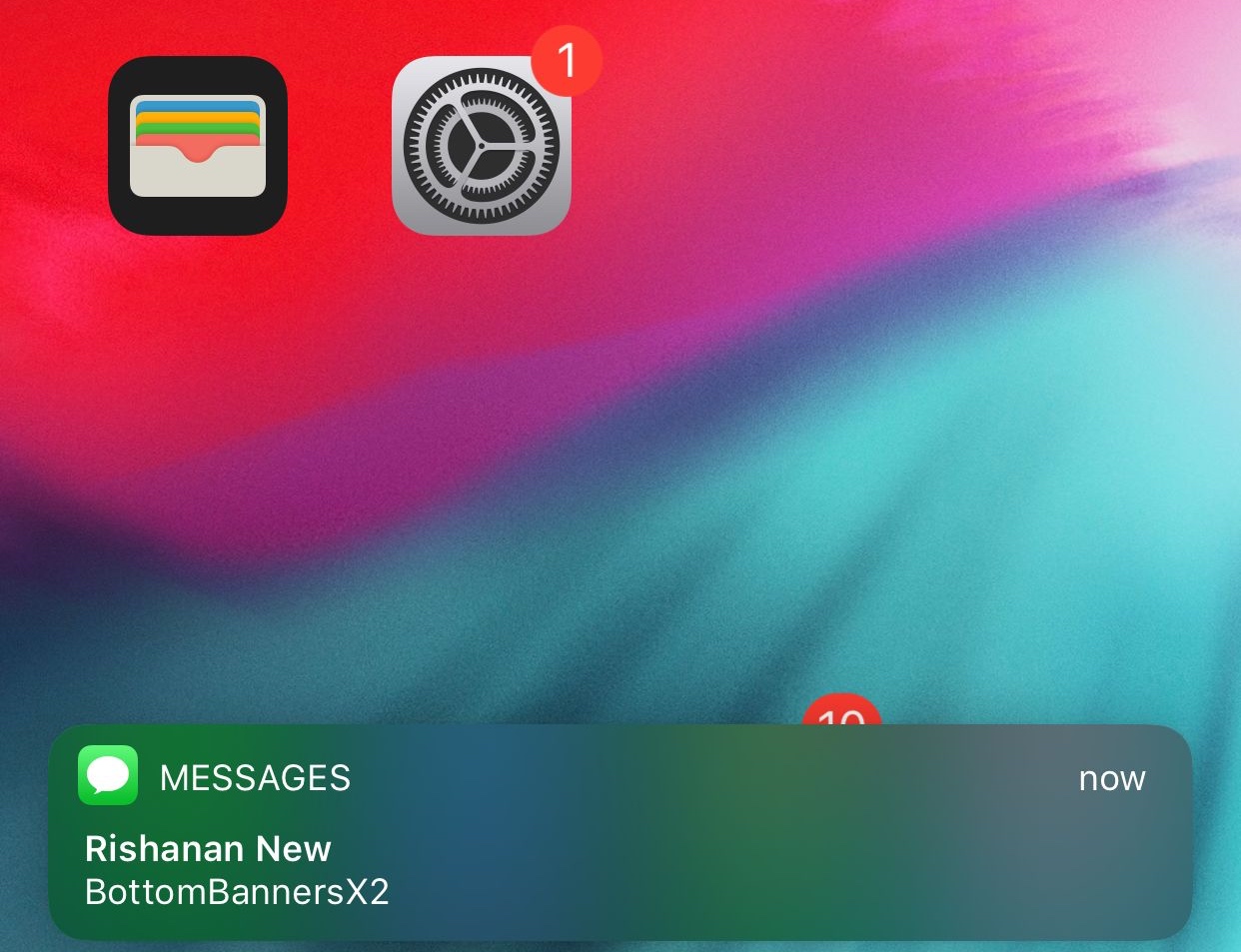
BottomBannersX2 moves notification banners to the bottom of the display

iOS device users have long been accustomed to seeing their notification banners pop up at the top of the display, but with modern handsets adopting taller, larger displays, it becomes more challenging with each passing day to reach said banners one-handed without doing some serious thumb articulations.

Given the circumstances, iOS developer Rishanan has just released a new free jailbreak tweak called BottomBannersX2, which as the name implies, moves all inbound notification banners to the bottom of the display for easier one-handed access.

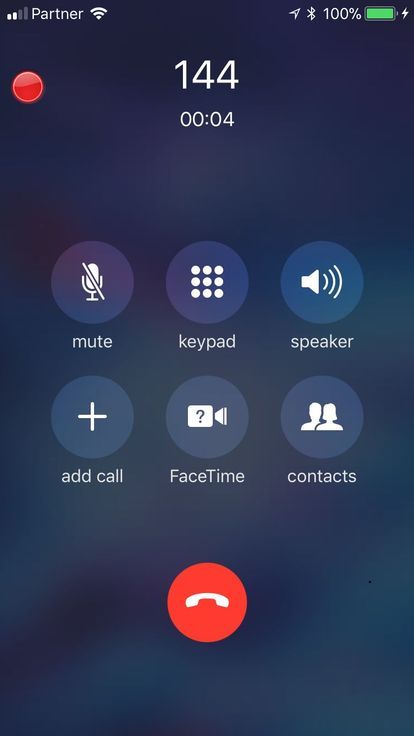
These jailbreak tweaks let you record phone calls with the press of a button

Have you ever wanted to record your inbound and outbound phone calls from your iPhone? If so, then you’re not alone; in fact, this is quite possibly one of the most highly-requested features that Apple hasn’t natively implemented in the iPhone’s calling interface.

While a slightly convoluted process exists that may or may not work depending on your carrier, those with jailbroken handsets can make this process a whole lot easier by installing one of two recently-released jailbreak tweaks dubbed Call Recorder X+ (iOS 12) and Super Recorder X+ (iOS 12) by iOS developer hacx.

Move the Dock to the top of your iPhone’s Home screen with stratosphere

Most iPhone and iPad users are accustomed to having their application Dock at the bottom of their Home screen, but if you’re feeling courageous enough to change things up, then you might take a liking to a new free jailbreak tweak called stratosphere by iOS developer Sam Gardner (A.K.A. Samg_is_a_Ninja).

As shown in the screenshot example above, stratosphere moves the application Dock from the bottom of the Home screen to the top, delivering an entirely different aesthetic and user experience.

Improve the multitasking experience on the iPhone with FloatingDockPlus

Every iOS device sports a Dock at the bottom of its Home screen, but not every Dock is created equally. Case in point, anyone who has used an iPad before has likely taken notice of unique behavior that isn’t necessarily present on iPhones and iPod touches; more specifically, the iPad’s Dock shows recently-used apps in a separate section just right of the usually docked icons.

This is just one of several ways that the iPad makes multitasking easier, and with that in mind, iOS developer Kiran Patil set out to port many of these features to other iOS devices. The end result? – a jailbreak tweak dubbed FloatingDockPlus is now available to download from Cydia.

XB-WakeDevice lets you customize how you wake your handset

Just yesterday we showed you a jailbreak tweak called DownLocker that permitted users to lock their handset by placing it face-down on a desk or tabletop; but today, we’re excited to show you a new free jailbreak tweak called XB-WakeDevice by iOS developer Oliver Crespo that lets users customize how they wake their handset back up again, among other things.

While the Raise to Wake feature reigns supreme on many of Apple’s latest handsets, the same can’t be said about all iPhones and iPads. Furthermore, not everyone uses Raise to Wake, and XB-WakeDevice appeals to both of these somewhat ‘niche’ audiences.

This tweak lets you reassign the native Spotlight/Today page gesture to something more useful

The Spotlight/Today page can be a wonderful thing, but not everybody uses it. With that in mind, iOS developer Oliver Crespo has created a new free jailbreak tweak called XB-SpotlightScroll that aims to increase the number of things you can do when invoking the gesture that’s typically used to access the Spotlight/Today page.

As it would seem, XB-SpotlightScroll can replace the native Spotlight/Today interface with any one of the following options: