Accessibility

Lock your iPhone by placing it face-down on a desk with DownLocker

There are typically two ways to lock your iPhone when you’re finished using it: 1) press the sleep button; or 2) wait for the lockout timer time out. But with a new free jailbreak tweak called DownLocker by iOS developer Soh Satoh, you can add a third and practical method to that list.

DownLocker utilizes your iPhone’s accelerometer system to discern the handset’s orientation in space, and when it senses that your handset is lying face-down, it locks the device. This works with virtually any flat surface, whether that object is opaque or transparent, which is an apparent advantage over similar tweaks that would use the handset’s proximity sensor instead.

Hate iOS’ native App Switcher? Try NewGridSwitcher

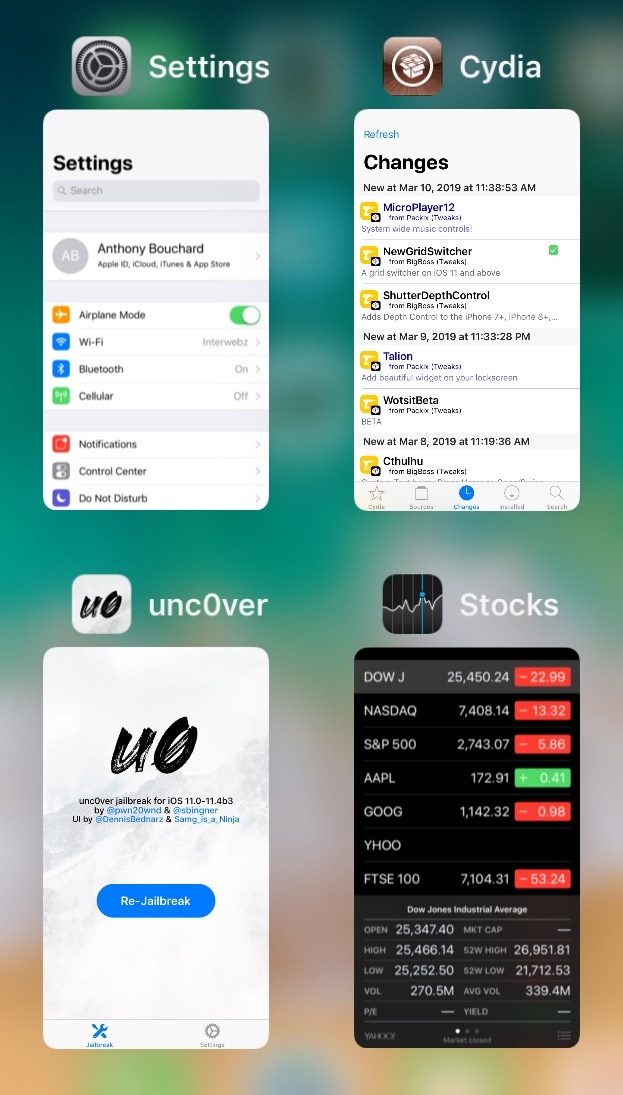
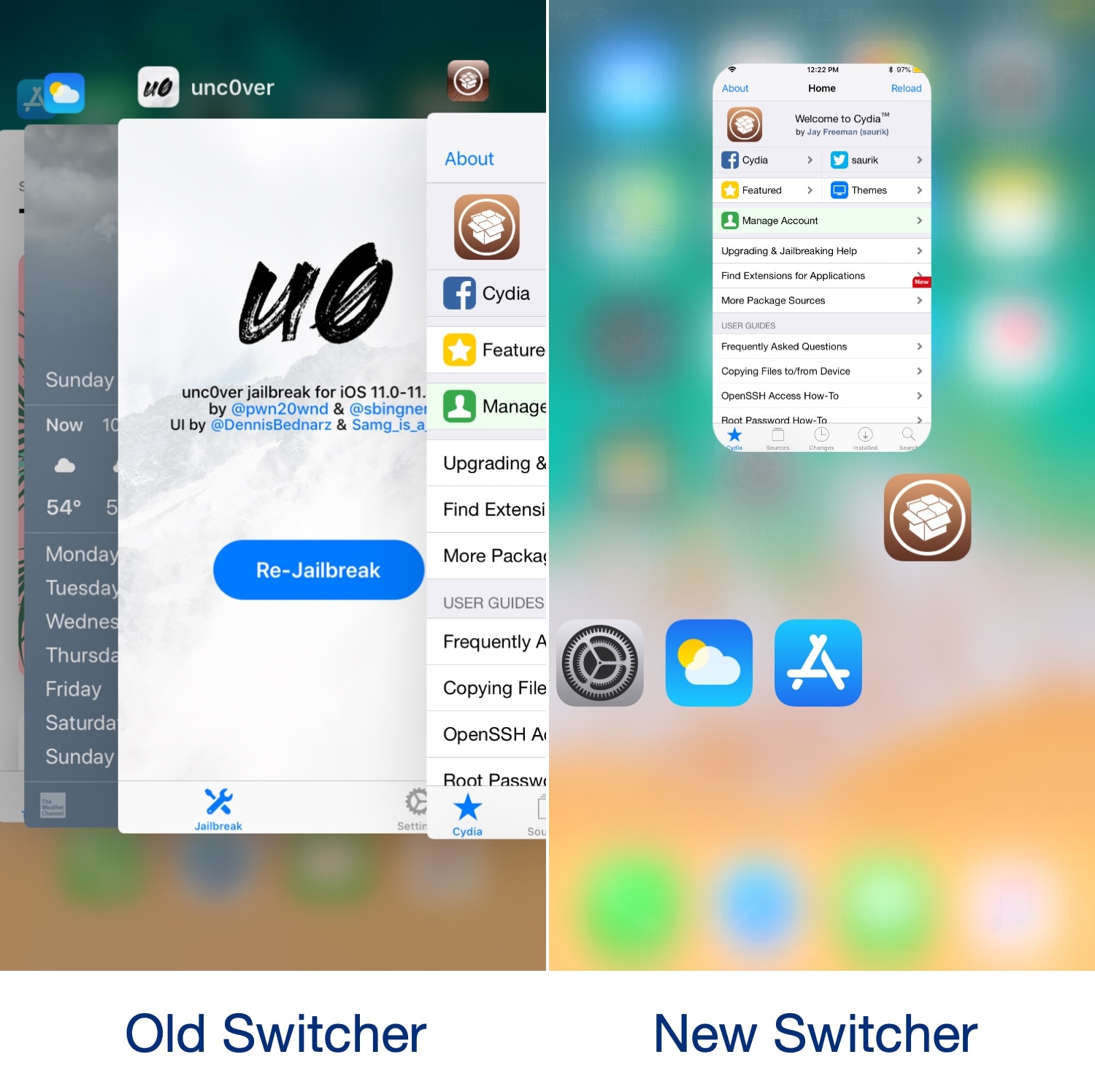
The App Switcher has changed a plethora of times over the years with each major iteration of iOS, but most would agree that even the latest interface leaves a lot to be desired.

One of the most common complaints about the current App Switcher setup is how it seemingly wastes so much canvas space that could otherwise be used for a more intuitive interface. That said, iOS developer relative just released a new free jailbreak tweak called NewGridSwitcher that aims to help resolve this problem.

Video Direction Control lets rotation lock users enjoy videos in landscape orientation without fuss

The rotation lock feature on any iOS device can be extraordinarily useful, except when it’s not. More specifically, it tends to be less convenient when you watch videos because it tries to display the (usually widescreen) video in portrait orientation on your tall-displayed device, resulting in something like what you see above on the left.

Fortunately, those with jailbroken handsets can now spearhead this problem dead-on with a new free jailbreak tweak called Video Direction Control (iOS 11) by iOS developer rf00.

CallBar XS brings everyone’s favorite phone call-centric jailbreak tweak to iOS 14

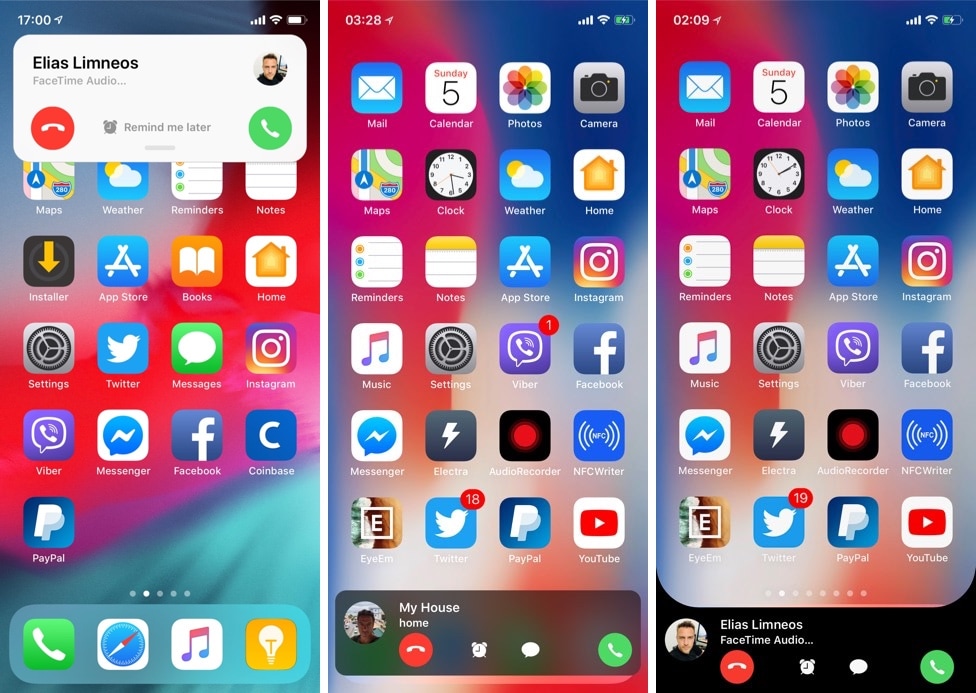
If you have a jailbroken iPhone, then you should probably add Elias Limneos’ new CallBar XS jailbreak tweak to your wish list.

Just like its predecessor, CallBar XS streamlines the phone-centric functionality of your iPhone by incorporating a less intrusive incoming and outgoing phone call interface. In short, it replaces iOS’ full-screen call interface with one that’s hardly any larger than a standard notification banner, and it does so without sacrificing any functionality.

PowerModules supercharges Control Center with useful new toggles

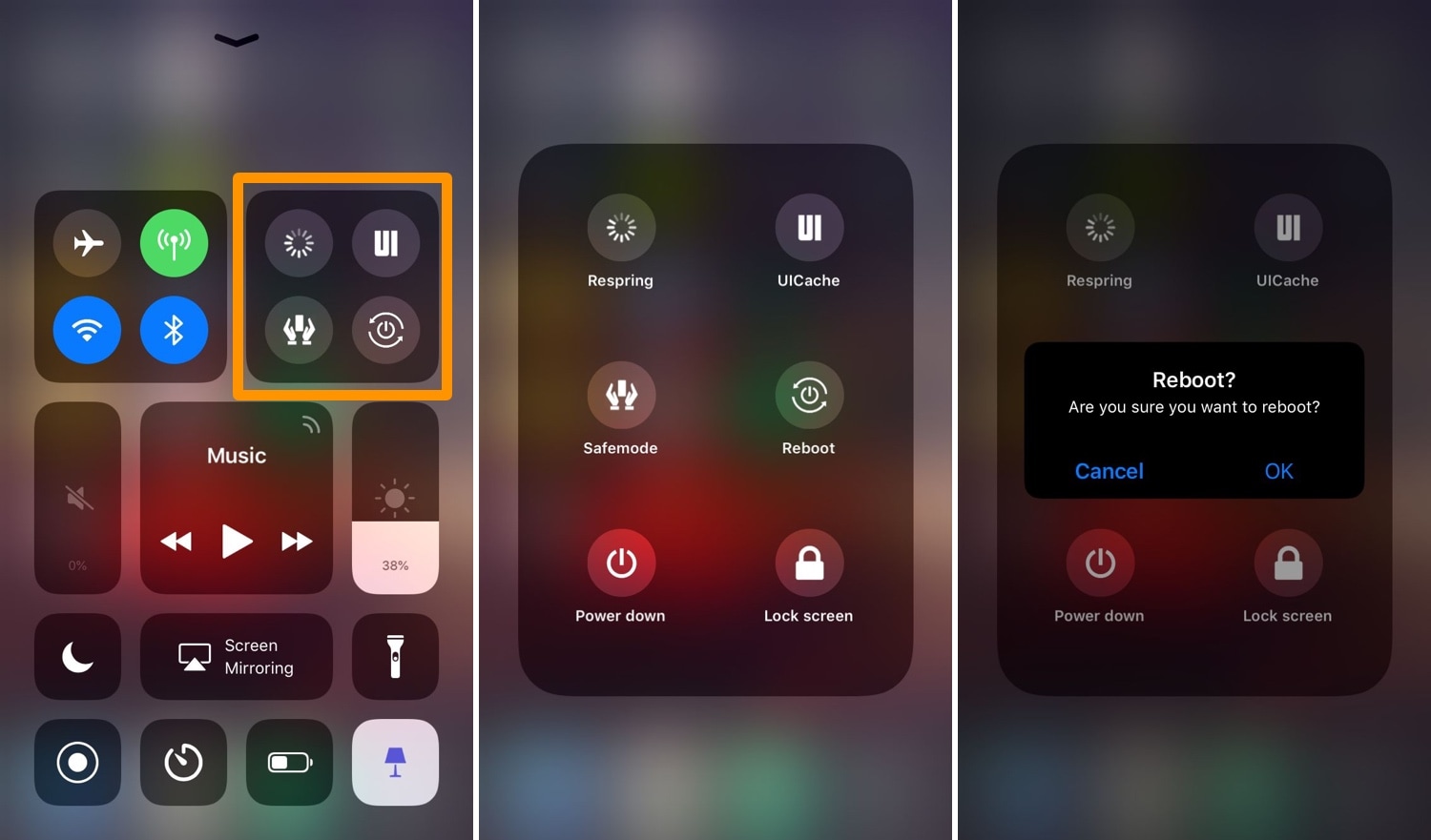
Those with jailbroken handsets probably understand the importance of respringing and using safe mode for troubleshooting, among other things. Unfortunately, many of these features can be too far out of reach for comfort, and that’s why iOS developer Muirey03 has created a new free add-on jailbreak tweak for CCModules called PowerModule.

Just as the name implies, PowerModule adds a new module to the Control Center interface that encompasses a bevy of different power options, among other things. Some of the toggles it supports include:

Switchy: a webOS-inspired App Switcher for jailbroken iOS devices

Most iPhone and iPad users are accustomed to using Apple’s native App Switcher when they want to access recently-used apps, but jailbreakers have access to a wide variety of jailbreak tweaks that can replace the native App Switcher experience with something much cooler.

With that in mind, we’re proud to show you Switchy, a jailbreak tweak made by iOS developer William Vabrinskas that brings a webOS-style App Switcher to jailbroken iPhones and iPads.

This tweak makes iOS display the times when trimming video clips in the Photos app

After recording a video with your iPhone or iPad, you can then visit the Photos app to view your freshly-recorded footage. But perhaps more importantly, you can edit that footage with a handful of native tools.

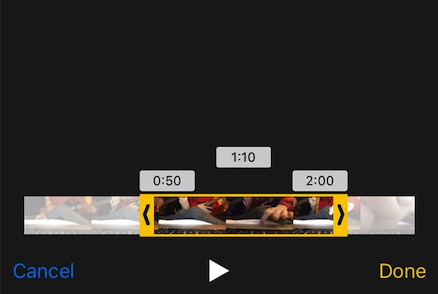
One of my favorite video-editing features in iOS is the ability to trim your footage to a custom length; on the other hand, iOS doesn’t show the times at the start and end of your trim like macOS does. The circumstances are frustrating to amateur video editors, and that’s why iOS developer Kane Buckthorpe has created a new jailbreak tweak dubbed Trim Times.

Customize the Cydia app to your liking with Store Features

Many forget that the Cydia app itself can be tweaked by way of Saurik’s Cydia Substrate framework, but not iOS developer aJboCydia; he has just released a new free jailbreak tweak called Store Features that lets users customize the Cydia app.

Right out of the box, Store Features empowers users with each of the following features:

Prevent new tab pop-ups in mobile Safari with TabBlocker

I browse the web somewhat frequently on my iPhone and iPad, and while I love the mobile web-browsing experience, I don’t much appreciate it when I’m suddenly jolted to a new Safari tab by way of unwanted ads and pop-ups.

As it would seem, I’m not the only one who dislikes this experience, as iOS developer Droom0ne has just launched a new free jailbreak tweak called TabBlocker with the goal of preventing this headache from ever happening.

AirWave brings more media control gestures to your iPhone when AirPods are connected

AirPods

Just a few days ago, we showed you a new jailbreak tweak called Siliqua 2 that empowered users to customize the stock gesture system on any pair of AirPods, but why stop there? A new free release called AirWave by iOS developer Michael Lema can provide you with at least two more customizable gestures whenever a pair of AirPods are actively paired with your handset.

While Siliqua 2 focused primarily on changing the outcome of your AirPods’ native tap gestures, AirWave brings two previously non-existent gestures to your device: 1) double-pressing your iPhone or iPad’s power button when AirPods are connected; and 2) triple-pressing your iPhone or iPad’s power button when AirPods are connected.

Siliqua 2 lets you customize your AirPods’ gesture system

A set of AirPods can go a long way when you’re listening to music or watching a movie from your iPhone or iPad, but could Apple’s flagship wireless earbuds be improved with user-configurable software? If you answered yes to that question and you have a jailbroken handset, then you’re in for a treat.

Developer LaughingQuoll has just released Siliqua 2, the successor of a popular jailbreak tweak called Siliqua that launched just under two years ago. With Siliqua 2, you can customize your AirPods’ gesture system, which empowers you with additional control over your media playback directly from the peripheral.