Instagram

How to post photos and videos in landscape or portrait mode on Instagram

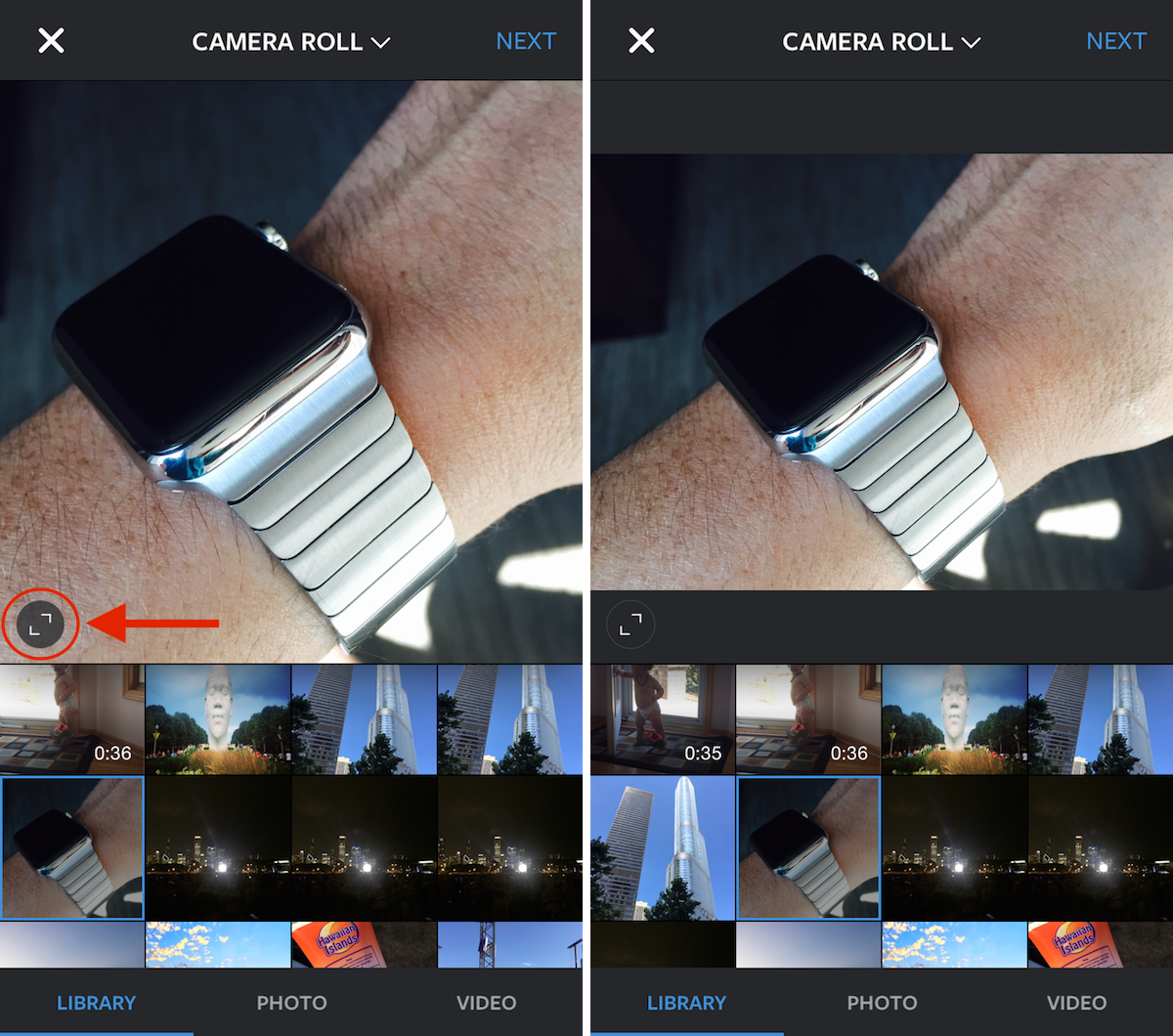
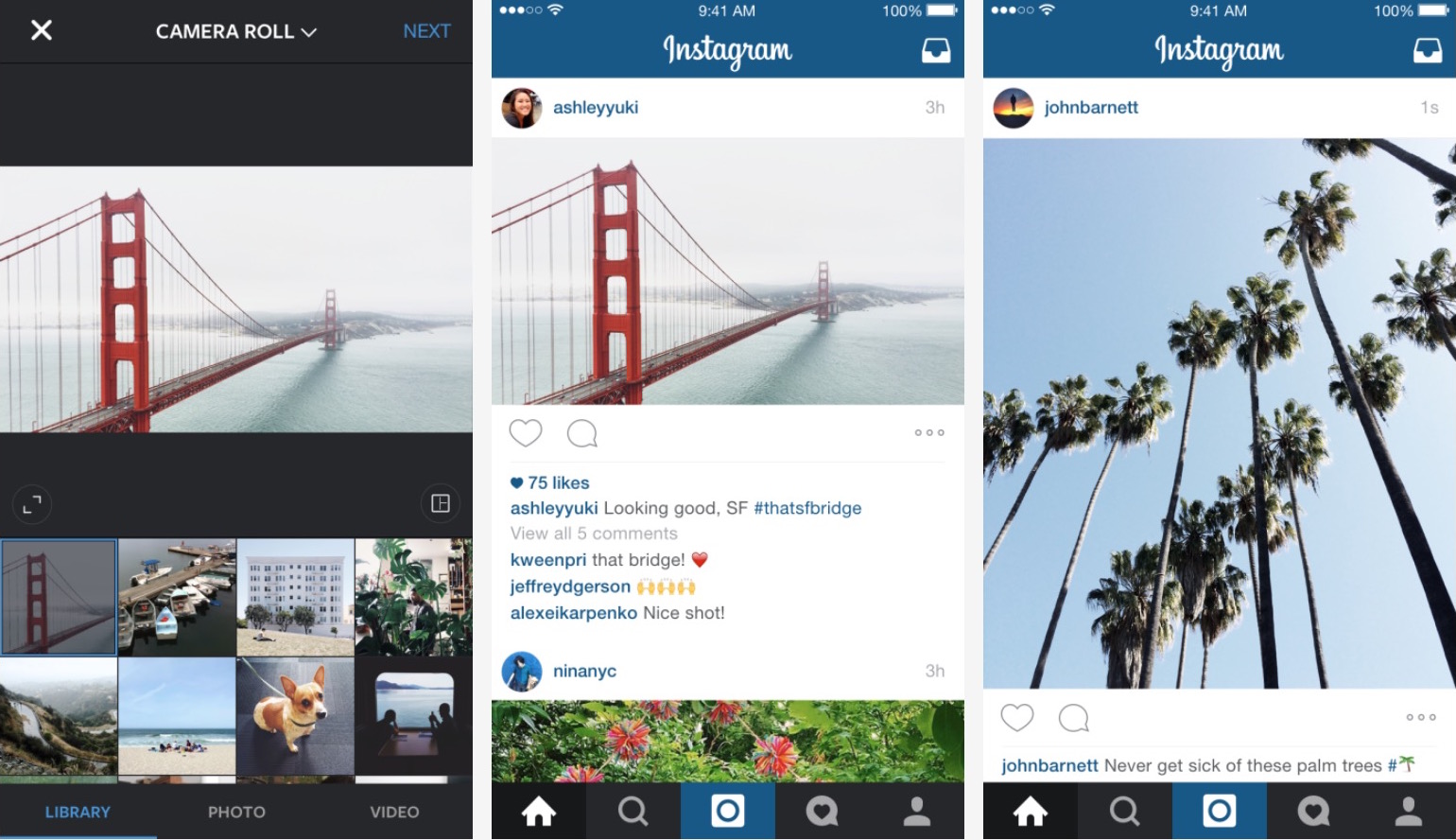
Earlier today, Instagram announced a big change to the way your feed will look like soon by finally allowing users to upload content in landscape or portrait orientation. Up until now, only square images or videos could be uploaded, although there were apps offering a workaround for that, making Instagram a very standardized experience for most.

Now that the company has updated the app to allow for different orientations, we are going to show you how to publish photos or videos in landscape or portrait mode on Instagram.

Instagram now lets you share photos and videos in portrait or landscape mode

Instagram announced today that users are now able to upload photos and videos in either portrait or landscape mode, on top of the current square format that has became a marquee feature of the app. Available via the Instagram app update version 7.5 on iOS, this new capability will certainly be welcome by many users, as Instagram notes in a blog post that nearly 1 in 5 photos or videos posted on the service aren't in square format.

igSpeedster: an awesome tweak for managing multiple Instagram accounts

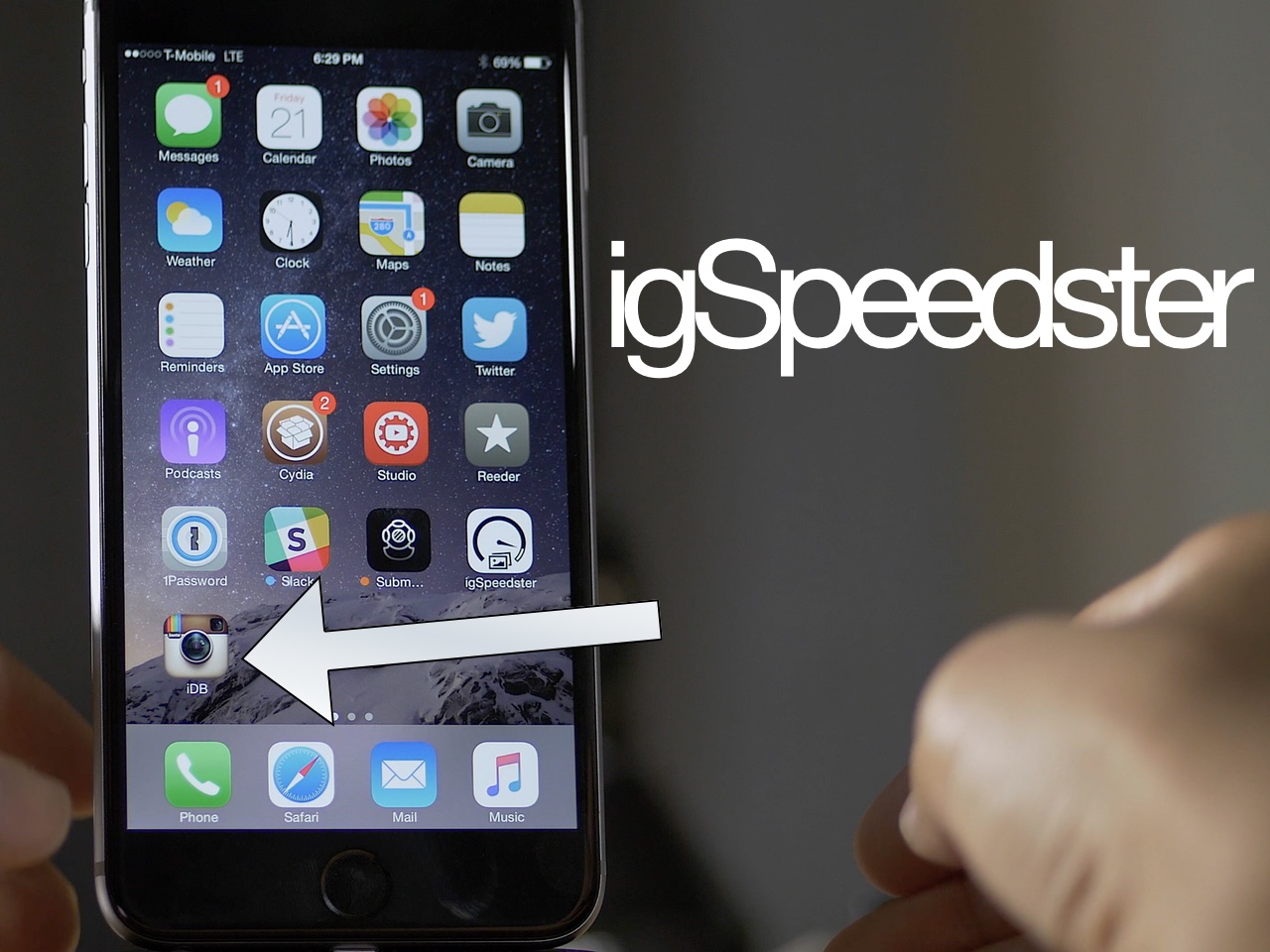
igSpeedster is a new jailbreak tweak that's squarely aimed at social media managers with multiple Instagram accounts. But you don't need to be a social media manager to benefit from igSpeedster, as it's not uncommon for a person to have multiple Instagram accounts.

I like to keep my personal and work Instagram accounts separate, so a tweak like this is right up my alley. Yet, igSpeedster does more than just let you manage multiple accounts. It adds the ability to save images to your photo library, tap on links, copy captions, and repost photos. It really is one of the best Instagram jailbreak tweaks that I've seen thus far.

Facebook steps up advertising on Instagram

Before today, advertising on Instagram was mostly limited as media buyers had had to contact an Instagram sales representative directly. But things have just changed for the better (or worse, depending on your point of view) as Instagram's parent company, Facebook, has officially switched on Instagram's advertising application programming interface (API) to allow brands to buy ad slots on Instagram in a more automated fashion, Business Insider is reporting.

Because there's a lot of pent-up demand for targeted ads on the popular mobile photography service, this major move practically spells an end to Instagram's light ad experience as Instagram is poised to make big bucks by shoving more and more ads down users' throat.

Instagram bringing place, people and hashtag search to the web

Following an update last month that added expanded search options to its mobile app, Facebook-owned Instagram has now started rolling out place search and other search-related enhancements for its web version, the company announced Monday.

The new search features are currently rolling out to a subset of Instagram's installed base before going live for everyone so they may not be available to you just yet.

This app injects your Instagram feed inside Notification Center’s Today view

There's no shortage of apps on the App Store for browsing Instagram using your iPhone and iPad, and most let you enjoy snaps from people you follow far more elegantly that on Instagram's official iPhone app. But wouldn't it be great if you could check out the latest Instagram photos anywhere in iOS, with a simple pull-down gesture?

That's what Feeday, a new Today Widget for the iPhone and iPad by developer Arcangelo Fiore, does.

With this app you can easily keep track of your latest Instagram feed right within the Today view of iOS's Notification Center, and it's free!

At long last, Instagram is increasing photo resolution to a sharper 1,080-by-1,080 pixels

I love Instagram but have always had a first-world problem with its paltry photo resolution. In today's age of ultra-crisp mobile screens, 640-by-640 pixel images just don't cut it anymore. Well, it took only a couple of years but Instagram just announced that it is rolling out support for bigger, crisper images on both iOS and Android.

“We're rolling out 1080x1080 uploads (and higher-quality viewing) for Instagram on iOS and Android,” Instagram co-founder Mike Krieger wrote in a tweet today.

The company's iPhone application wasn't updated today with support for uploading and viewing crisper photos so it's likely a silent update on Instagram's servers. The official company blog did not share details about the sharper photography experience at post time.

Instagram for iPhone adds curated collections, trending tags and places, place search and more

Fans of iPhone photography should check out Instagram 7.0, the latest update to the Facebook-owned mobile photo sharing app. The new versions surfaced Tuesday on the App Store with interesting new social media discovery features such as an improved search and a much enhanced Explore tab.

With dynamically updated trending tags and places under the Explore tab, Instagram users can now check out, in real-time, what's happening around them and what's trending all over the world.

Instagram updated with new filters and emoji hashtags

Facebook's Instagram posted an update today for its iOS client, bringing the app to version 6.11.0. The update brings about a handful of improvements, including new filters and the ability to use emoji in hashtags.

The new filters include Lark, Reyes and Juno, and Instagram describes the creative tool additions "as a family of modern, subtle filters that brighten and enhance your photos in refined, beautiful ways."

Instagram announces new ‘Fade’ and ‘Color’ tools

Instagram on Tuesday announced that it would be adding two new options to the suite of tools in its photo editing app. Those tools are 'Fade' and 'Color,' and they will allow users to further tweak the appearance of their photos before sharing them on the social network.

More specifically, Color will bring about the ability to tint the highlights or shadows within photos with choices of yellow, orange, red, pink, purple, blue, cyan and green. Fade, on the other hand, will enable users to bring a quiet tone to their photos by softening colors.

Post to Instagram directly from your Mac with Uploader for Instagram

Most people’s biggest gripe with the photo sharing site Instagram is that they can’t upload photos directly from their Macs. There are a few workarounds for this, but most of them are intrusive, labor intensive, and far from user friendly. The aptly titled Uploader for Instagram seeks to simplify this process so that anyone can easily post from whatever device they choose.