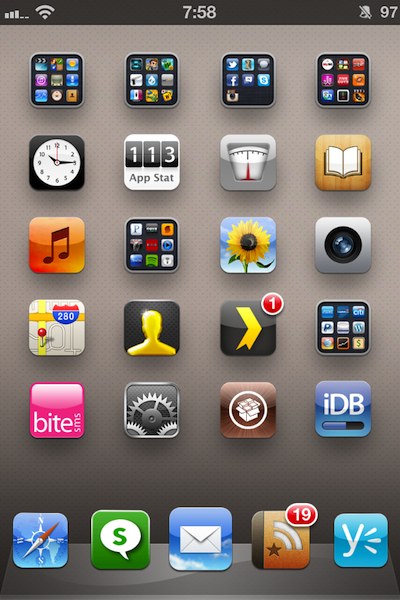
Home screen

‘UsefulIcons’ goes live on Cydia

[tube]http://www.youtube.com/watch?v=ChOMb2HlTwk[/tube]

UsefulIcons — a jailbreak tweak that we previewed last week — has gone live on Cydia.

The tweak adds a bevy of quick app icon shortcuts to your Home screen to control and toggle everything from WiFi to location services, respring, lock your device, and much more.

In all there are a dozen dynamic icons added to your Home screen courtesy of UsefulIcons. It can be had from Cydia's ModMyi repo for $0.99. Let us know what you think about it if you give it a go.

‘Transparency’ will make your app icons invisible

Transparency is one of those tweaks that allows you to do all sorts of things with respect to the look of your Home screen app icons. As its name suggests, the primary purpose is to make your icons transparent, or in many cases outright invisible.

Once installed, you'll receive a new settings panel in the Settings app that allows you to customize your app icons in a very granular way. Take a look at our video walkthrough for the detailed evidence...

PodControl: control your Music app from the Home screen

Controlling your Music app from the Springboard has been done before by the jailbreak community, but I guess the developer of PodControl felt they needed to put their own spin on the formula.

PodControl is a simple jailbreak tweak that places three buttons on your Home screen. The buttons consist of Next, Play/Pause, and Previous, and they perform just as one would expect.

Take a look inside for our video of PodControl in motion...

‘UsefulIcons’ adds quick shortcuts to your Home screen

We've seen something like this before, but you can never have too much of a good thing, right?

UsefulIcons is an upcoming jailbreak tweak that promises to add convenient shortcuts to your Home screen.

The various shortcuts cover everything from Voice Control/Siri, to respring and flashlight functionality. It's safe to say that this tweak will yield a varied amount of shortcuts, and you'll find at least some of them to be, well, useful...

How to hide your iPhone’s dock with ‘DockHide’

DockHide is a recently released jailbreak tweak that enables you to hide the dock on your iPhone's Home screen.

Along with outright hiding the dock, there's also a provision to stretch out the remaining icon spacing to fill the void from the missing dock.

All of this is accomplished by means of a simple Activator action that you can configure via the tweak's settings panel.

Check out our video walkthrough of DockHide inside...

The One and Only Screen On My iPhone

When I wrote about my top 10 jailbreak tweaks last week, many of you were surprised not to see Springtomize 2 on the list. As I explained in the comments, Springtomize was not on the list because it hadn't been really optimized to work properly on the iPhone 4S, which ended up causing me a bunch of troubles.

But this is now behind us as Springtomize was updated yesterday. It is more stable, and even brings its insane level of customization to the iPad.

In association with some of my favorite tweaks like InfiniFolders and InfiniDock, I was able to use Springtomize to create my ideal home screen...