Roof of Apple’s new flagship store in Chicago looks like MacBook Air lid

Apple is putting finishing touches on a new store on Chicago's North Michigan Avenue and one particular design detail immediately jumped out at us: an Apple logo on the top center of the building, making the flagship store look as if a massive MacBook Air just landed.

“Our store on North Michigan Avenue has welcomed more than 23 million customers since it opened in 2003,” said Apple spokesman Nick Leahy in 2015. “We're now creating something even more remarkable for Chicago.”

As reported by Chicago publication DNAinfo, less than an hour later crews rolled up the logo and took it away. The logo did not appear on store renderings dated 2015.

It's unclear whether it will be reinstalled.

https://www.youtube.com/watch?v=BmzPr106E7U

The upcoming 20,000-square-foot flagship outlet was designed by London-based Foster+Partners. As evidenced by the video, it consists of a huge glass box stretching from Pioneer Court to the riverfront.

Located on Pioneer Court, 401 North Michigan Avenue, the new store will, when complete, replace Apple's existing outlet on 679 North Michigan Avenue.

The Chicago store's attractive roof design reminds me of Apple's awesome-looking 20,000 square-foot retail outlet in Istanbul, Turkey, which too features a striking all-glass exterior with an Apple logo on its rooftop, as seen above.

Hands-on with watchOS 4: pausing workouts in the background, Toy Story faces & more

Yesterday was a big day as Apple seeded a bunch of new betas to its developers. Earlier this morning, we posted a nicely done hands-on video walkthrough of the new features and changes in iOS 11 beta 2, but what about the latest watchOS 4 beta?

Your wish is our contributor Andrew O'Hara's command!

Andrew put together a quick video demonstration of everything new in the latest beta of watchOS 4. Keep in mind that watchOS 4 beta 2 is not as feature-packed as a second beta of iOS 11, but there's still plenty to get excited about.

Watch Andrew's video highlighting all the new stuff and important changes in beta 2.

https://www.youtube.com/watch?v=jD7D-F0mXXU

Subscribe to iDownloadBlog on YouTube

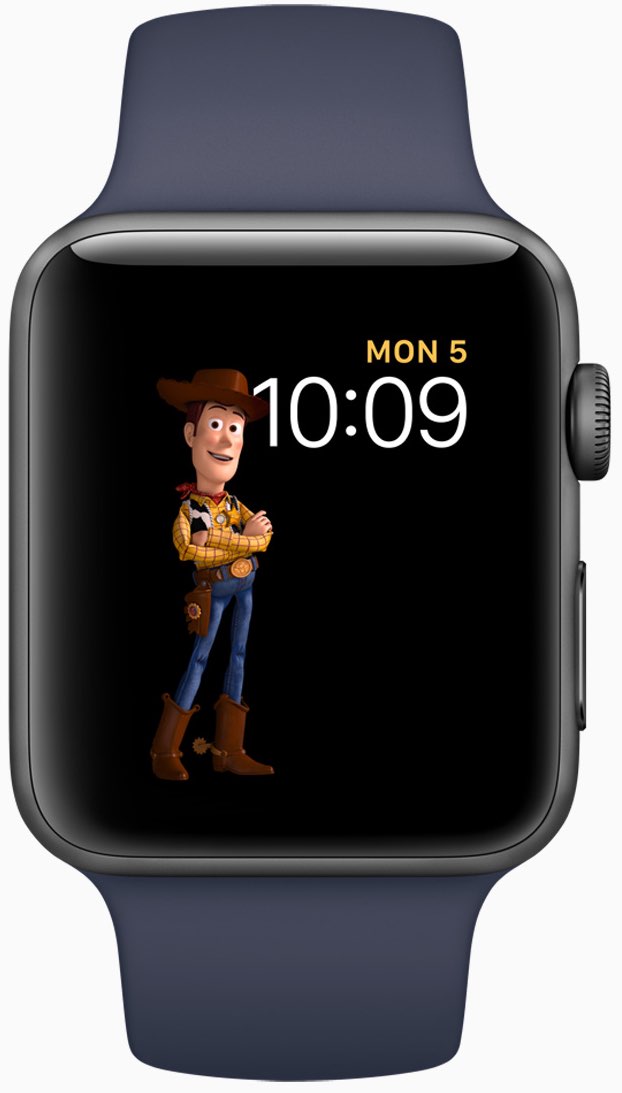
Aside from the gorgeously animated characters on the new Toy Story watch face, this beta lets you press the Side button and the Digital Crown simultaneously in order to quickly pause an active workout session, even if the Workout app is running in the background.

This is a very compelling feature for those who use their watch for swimming. Prior to watchOS 4, pausing a workout while swimming first required you to turn the Digital Crown to expel the water from the speaker. Then you had to swipe on the Workout app's screen to reveal the session controls, among them the Pause button.

The problem is, a wet Apple Watch display tends to behave erratically so getting to that screen while in water was difficult. With the new shortcut, this particular pain point goes away.

Haptics now play for frontmost apps in watchOS 4 beta 2, but some languages are unavailable for Dictation, including the newly released Shanghainese dictation.

New features and changes

Here are the new features and important changes in watchOS 4 beta 2.

Nicely animated Toy Story watch face Breathe notifications now respect your custom settings Location-based automation triggers now work if triggered from the alert on Apple Watch Pressing the Side Button and Digital Crown pauses an active workout session even if the Workout app is not in the foreground SiriKit requests no longer fail with a “Sorry I can’t do that” error. watchOS apps from TestFlight or the App Store now work with SiriKit Siri may not play music that has been synced to Apple Watch Music tracks now play from and sync to Apple Watch (Apple Watch must be on its charger for Music tracks to sync and Love/Dislike options are currently missing for locally synced music on your watch)

Aside from Woody, Jessie and Buzz Lightyear, the new Toy Story watch face in the second beta provides other animated characters, like Ham, Rex and Bullseye.

A separate video from Andrew shows off almost all the character animations available in the new Toy Story watch face, including additional customizations.

https://www.youtube.com/watch?v=NuEuxD9AJ7I

That's all, folks!

As we conclude our tour of watchOS 4 beta 2, we'd like to ask you to share any new feature discoveries of your own with fellow readers by posting them in the comment section.

You can also shoot us your findings via tips@iDownloadBlog.com.

What’s your favorite new feature in watchOS 4 beta 2, and why?

Apple seeds fourth beta of iOS 10.3.3 and tvOS 10.2.2 to developers

Apple on Thursday released a fourth beta of iOS 10.3 for iPhone, iPad and iPod touch, as well as tvOS 10.2 for Apple TV. iOS 10.3.3 beta 4 (build number 14G5053a) and tvOS 10.2.2 beta 4 (build number 14W5751b) are now available to Apple's registered developers and members of the Apple Developer Program through Dev Center.

To deploy them over the air, use the Software Update mechanism in the Settings app. Your iPhone, iPad, iPod touch or Apple TV must have an Apple beta configuration profile installed.

Both iOS 10.3.3 and tvOS 10.2.2 are bug-fix releases with no new user-facing features. They're probably the last point updates as Apple is currently beta-testing the next major versions of its platforms: iOS 11, watchOS 4, macOS High Sierra and tvOS 11.

GPU designer Imagination puts itself up for sale just two months following Apple dispute

Fabless semiconductor maker Imagination Technologies has announced it's putting itself up for sale, either in chunks or as a larger whole, just two months after Apple said it didn't want to license its mobile GPU blueprints for iOS devices anymore.

The iPhone maker accounts for about half of Imagination's sales.

The UK-based company's share price immediately fell off a cliff as a result. Imagination lost 70 percent of its value following a dispute with Apple.

Reuters reported Thursday that Imagination's board of directors has “received interest from a number of parties”.

The company said in a statement:

Imagination Technologies announces that over the last few weeks it has received interest from a number of parties for a potential acquisition of the whole group.

The board of Imagination has therefore decided to initiate a formal sale process for the group and is engaged in preliminary discussions with potential bidders.

Analysts think potential bidders could include Intel, Qualcomm, Mediatek, CEVA and various Chinese firms. It's unclear it Apple itself could be interested.

Founded in 1985 and listed in 1994, Imagination had a market capitalization of 425 million pounds, or approximately $538 million, following today's news. By comparison, the company was valued at more than 2 billion pounds in April 2012, or more than $2.5 billion.

Two months ago, Imagination started seeking buyers for its Ensigma business and the MIPS division, which it bought for $100 million in 2013. The British GPU designer said it was offloading those businesses in order to focus on its new PowerVR Furian graphics architecture.

According to UBS, Imagination's non-Apple business was worth 81 million pounds in April 2017, or about $100 million. Apple, which owns an eight percent stake in Imagination, said in April it's been working on “a separate, independent graphics design in order to control its products.”

The Cupertino firm should stop using Imagination's GPU designs within 15 to 24 months.

Apple was rumored to acquire Imagination last year, but the talks fell apart. Apple has since poached Imagination's COO John Metcalfe along with a bunch of Imagination engineers.

Without any Apple royalty contributions, Imagination could become a loss-making company.

Hands-on with iOS 11 beta 2: DND While Driving and other new features, changes & fixes

Apple (somewhat surprisingly) dropped the second beta of iOS 11 to developers on Wednesday with a myriad of changes and bug fixes. While there doesn't seem to be a huge number of user-facing enhancements, there are still quite a few notable changes and new features in this beta.

A large number of prominent bugs have been fixed that have been plaguing users, like crashing when deleting a voicemail, manual screen brightness not staying set, 3D Touch on phone numbers and addresses not working.

Unfortunately, with all of those bug fixes are several new bugs and known issues.

For instance, an SOS alert may still be sent even though the user cancelled it. This is a good reminder this is an early developer beta that should only be run on secondary devices.

As for the new features, we have the initial implementation of the much touted Do Not Disturb While Driving mode that will lock your phone as well as send a custom auto-reply (customizable in Settings → Do Not Disturb) should someone text you.

Control Center can now be disabled inside of applications, like on prior iOS editions. And far from last, the Files app now has started to show external locations like Google Drive and Box.

New features and changes

This is what you probably wanted to know about iOS 11 beta 2.

CarPlay now has lane guidance in Maps Smaller speed in Maps To edit/add filters in Photos you now tap the edit button in the top right corner instead of the sliders icon Now Playing widget has been tweaked New phone placeholder icon when no album artwork present in Now Playing widget Audio source switcher is now available on Lock screen New orange color for the new Echo effect in Messages Do Not Disturb While Driving is enabled with extra options in Settings Control Center can be turned on or off while in apps New search options within Apple Music You can now select multiple items in Photos Bluetooth widget now works the same as Wi-Fi: instead of turning off, it will just disconnect from whatever is connected to it Notification Center pull down has a gradual blur New Share sheet extension: Save to Files app Safari has new experimental features in Settings Dictation is now available in Hindi New options in Settings to make notification banners permanent or permanent Built-in screen recorder boosts video capture resolution to 1080p

Take a look at our hands-on video to see all of these new features and more in action.

https://www.youtube.com/watch?v=TZ5pwZMPRxI

Subscribe to iDownloadBlog on YouTube

And here's a quick overview of the most important fixes.

Bug fixes 3D Touch data detectors are now working for phone numbers, addresses, etc. Screen brightness stays at set level YouTube search bar has returned More stable Bluetooth connections (Dexcom) Android Migration now works as intended Crashing when deleting voicemails is fixed Lock screen no longer rotates Long exposure photos are now higher quality than in first beta Wrapping it all up

As we conclude our tour of all the changes, fixes, improvements and new features in iOS 11 beta 2, feel free to tell us about your own discoveries and observations in comments or via tips@iDownloadBlog.com.

What's your favorite change in iOS 11 beta 2 thus far, and why?

Hands-on with beautifully animated Toy Story faces in watchOS 4

Aside from bringing more intelligence and fitness features to Apple Watch, the new watchOS 4 software includes a bunch of beautifully animated Toy Story faces. Not unlike the existing Mickey and Minnie Mouse watch faces, the Toy Story ones bring to life popular Pixar characters including Woody, Jessie, Buzz Lightyear, Ham, Rex and Bullseye.

Our own Andrew O'Hara did a quick video showing off almost all the character animations available in the new Toy Story watch faces in watchOS 4, including additional customizations.

Give the video a quick watch, then meet us in comments.

https://www.youtube.com/watch?v=NuEuxD9AJ7I

watchOS 4 packs in other new watch faces.

Kaleidoscope, for instance, turns static images into mesmerizing patterns and the new Siri watch face uses artificial intelligence and machine learning to display the information users need most throughout the day.

ROUNDUP: 60+ new features in watchOS 4

Plus, you have new complications for your watch faces, including Now Playing and Apple News.

These new watch faces, complications and other features all require watchOS 4, a free upgrade for all Apple Watch users later this year.

Are you excited for the new Toy Story-themdd faces for your Apple Watch? Share in the comments section below!

New video tutorials from Apple explain how to customize and share Moments

Apple yesterday published a pair of new videos through its official YouTube channel, covering the Moments feature in Photos which uses machine learning to automatically create themed albums and animated slideshows from your best images and videos.

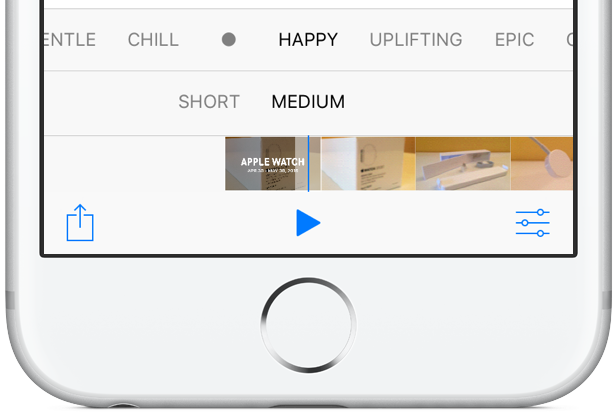
Running sixteen seconds long each, the two new clips show how to customize and share Memories in the stock Photos app on iPhone. Using iOS's multipurpose Share sheet, users can publish their currently playing Memory Movie to Facebook, Twitter and other services.

And with the ability to choose from many built-in templates and songs, everyone can customize every Memory to their liking, all from within the stock Photos app.

How to customize Memories on iPhone 7

“Customize your Memories movies by choosing from tons of preselected moods and music, right from the Photos app,” reads the video's description.

https://www.youtube.com/watch?v=_Dzv3LCvlJY

How to share Memories on iPhone 7

“Share your favorite Memories movies with friends, family or all of Facebook, right from the Photos app.”

https://www.youtube.com/watch?v=X-VxQYw8hLk

To watch other tutorials in the series, visit apple.com/iphone/photography-how-to.

The best jailbreak tweaks for the Lock screen

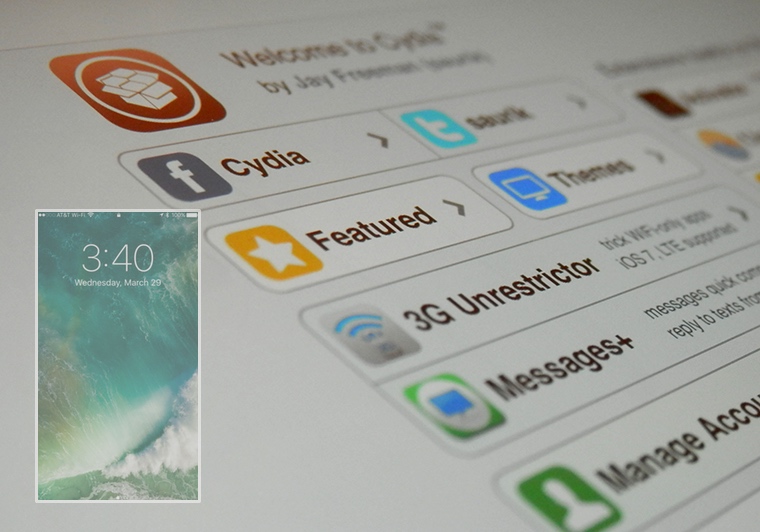
The Lock screen separates the outside world from your personal data and is the first thing you interact with any time you use your device. If you're using the Yalu jailbreak for iOS 10, then you might be wondering about the best ways to personalize it.

In this piece, we’ll discuss the best Lock screen-oriented jailbreak tweaks released since the iOS 10 jailbreak launched to the general public.

Apple seeking to reduce record label revenue share from streaming

Apple is looking to reduce record label's share of revenue from streaming, reports Bloomberg. Citing people familiar with the matter, the outlet says the negotiations are part of a larger plan to revise the company's overall relationship with the music industry.

The record labels's current deals regarding Apple Music expire at the end of June, although they are likely to be extended if new terms can't be reached. Apple is trying to negotiate new deals that would bring their rates closer to what Spotify pays out.

Under Apple’s current deal, record labels at first received about 58 percent of revenue from Apple Music subscribers, a higher cut than from other major streaming services including Spotify, the largest paid music-streaming service in the world. Spotify reduced its rate to 52 percent from 55 percent in recent negotiations with labels, tied to certain guarantees on subscriber growth. The labels are open to a reduction in Apple’s rate -- provided it’s also able to expand subscriber rolls and meet other requirements, the people said.

Initially, Apple overpaid a bit to appease the labels, who were concerned its entry into the streaming space would cannibalize iTunes sales—a major source of their revenue. But as it turns out, Apple Music hasn't been as damaging to iTunes as originally feared.

Bloomberg adds that labels have asked Apple to commit to promoting iTunes, and music in general, in countries where streaming isn't as prevalent. Apple announced earlier this month that Apple Music now has 27 million paid subscribers.

Source: Bloomberg

Apple seeds watchOS 4 beta 2 to developers

In addition to macOS High Sierra and iOS 11, Apple on Wednesday seeded the second beta of watchOS 4 to developers. Developers running the watchOS 4 beta can upgrade to beta 2 via the Watch app on iPhone.

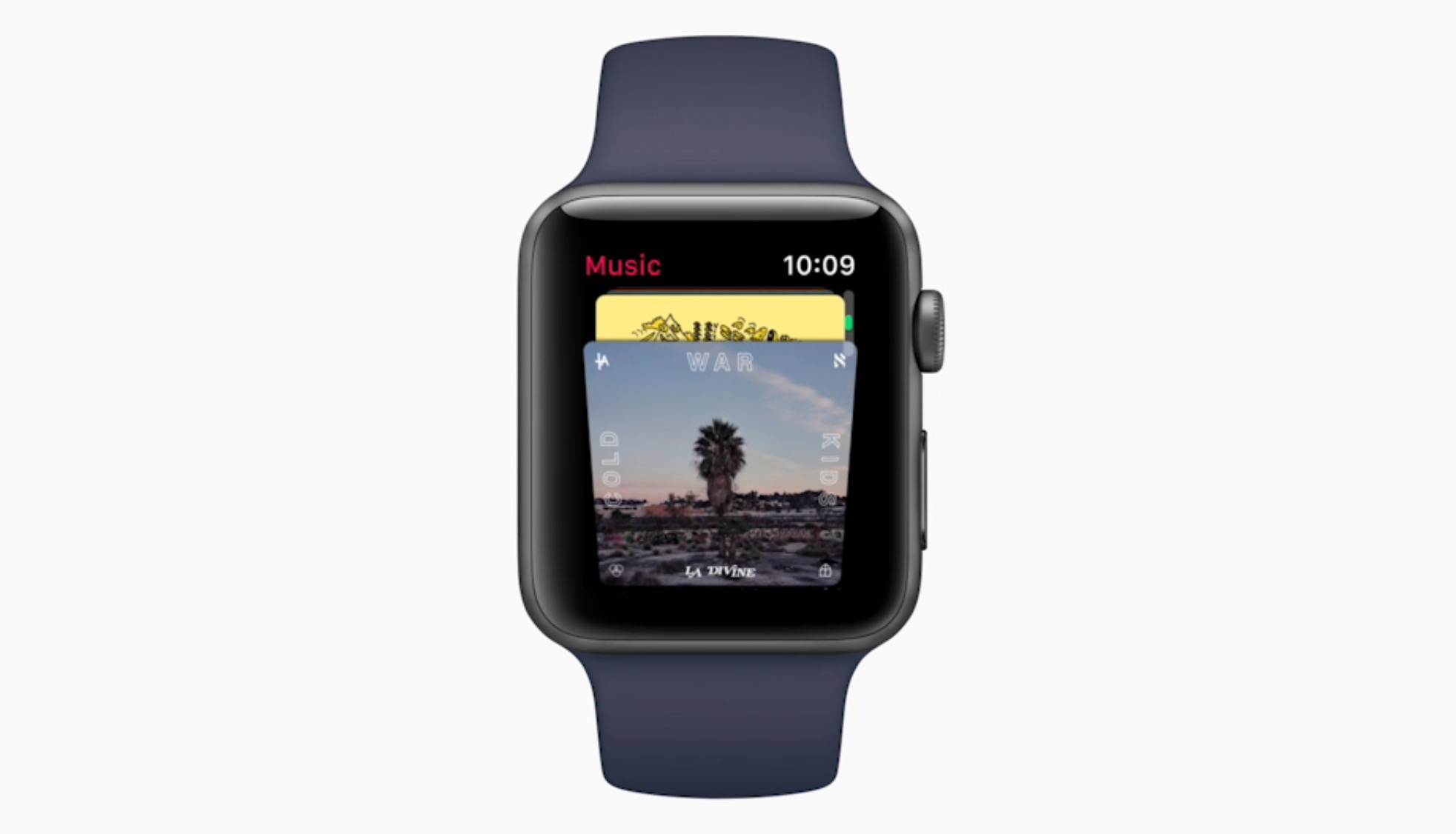
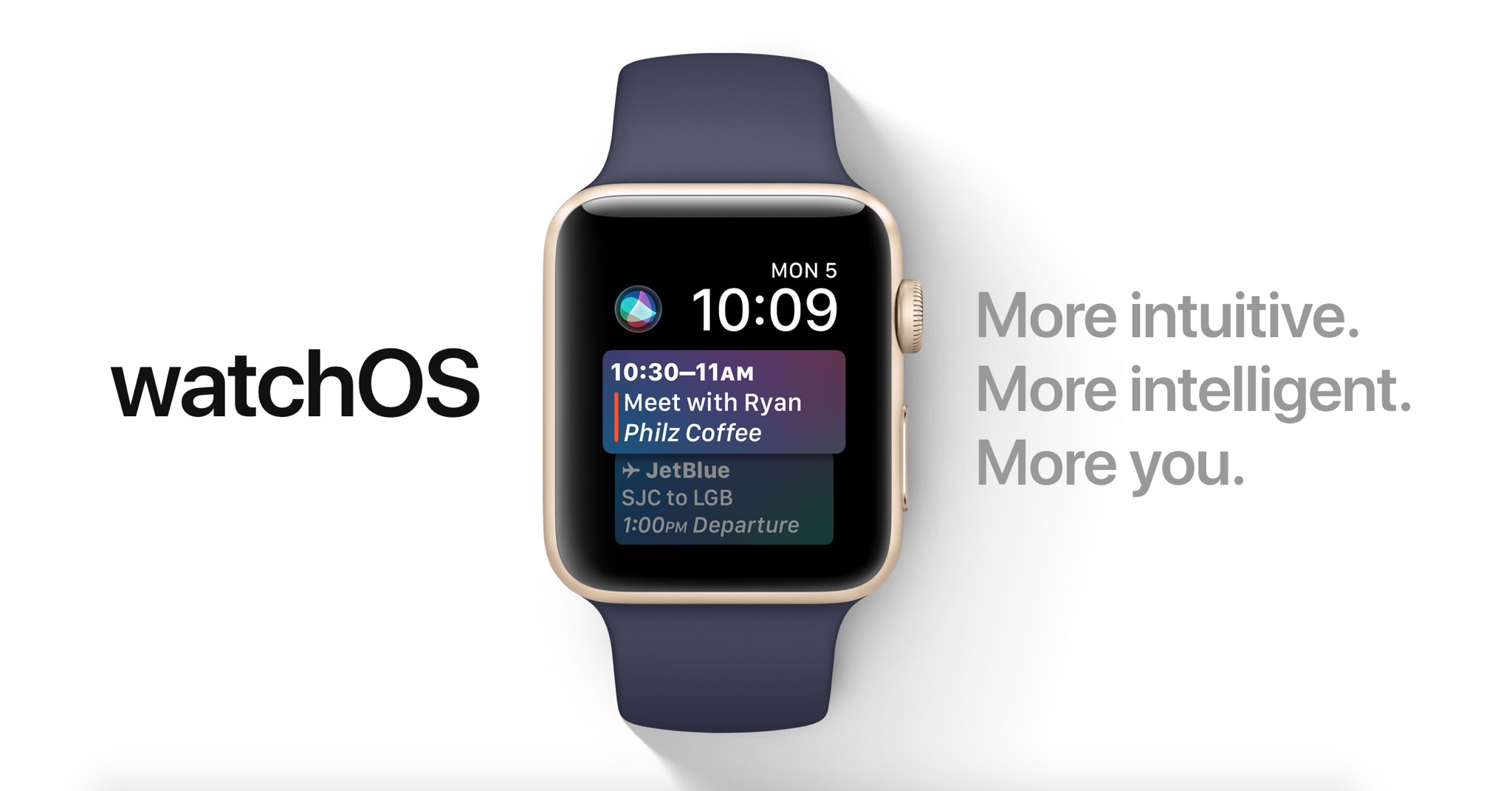
Introduced earlier this month, watchOS 4 includes several new features and improvements such as new watch faces, a new list-style Home screen, an all-new Music app, new gestures and quick compose in Mail, and more.

https://www.youtube.com/watch?v=BcB0H_b43dg

Subscribe to iDB on YouTube

Here are the release notes for beta 2:

General

Resolved Issues

• The Toy Story watch faces are now available. Toy Story is copyright © Disney/Pixar.

Apple Pay

Known Issues • When attempting to add multiple cards during the pairing process, only the last added card will be properly provisioned. (32624044)

Workaround: Once pairing is complete, go to the Watch app on iPhone and remove previously added cards. Once removed, re-add additional cards as desired.

Breathe

Resolved Issues

• Breathe notification preferences are now respected. (32298347)

CloudKit

Known Issues

CloudKit does not support unsigned long long values with the high-order bit set. (30567424) ApplicationsthatuseCKModifyRecordsOperationshouldspecifyanappropriate value for CKModifyRecordsOperation.isAtomic. If your client is compiled against watchOS 4, operations enqueued against the default CKRecordZone have new behavior because atomic is true by default. If the operation hits a “preflight” failure (most commonly, a network issue uploading a CKAsset, or a malformed CKRecord), the entire operation is canceled. (30838858)Core MediaResolved Issues

• Haptics now play for frontmost apps. (32139107)

Dictation

Known Issues

• Some languages are not available for Dictation on watchOS, including the newly released Shanghainese dictation. (32235495)

Foundation

New Features AddedaschedulingAPItoURLSessionTaskthatallowsbackgroundURLSession clients to schedule tasks in the future, enabling easy background app refresh semantics for apps, watchOS complications, and more. The API also allows developers to update requests before transmission to address cases where the request has become stale when scheduled in the future. Additions include the earliestBeginDate, countOfBytesClientExpectsToSend, and countOfBytesClientExpectsToReceive properties of URSessionTask, and the URLSession:task:willBeginDelayedRequest:completionHandler method of URLSessionTaskDelegate protocol. (27866330) URLSessionTask adopts the ProgressReporting protocol providing a consistent mechanism for URLSession clients to track the progress of URLSessionTask using the new progress property. (30834550) AddedanAdaptableConnectivityAPItoURLSessionthatenablestaskstoautomatically monitor and wait for satisfactory network connectivity, instead of immediately failing with an error when connectivity is unsatisfactory. Additions include the waitsForConnectivity property of URLSessionConfiguration and the URLSession:taskIsWaitingForConnectivity: method of the URLSessionTaskDelegate protocol.

• Added support for HTTP brotli content encoding to URLSession. By defaueslt, HTTP requests contain a br value (in addition to gzip and deflate) for the Accept-Encoding HTTP header, informing the web server that the user agent supports brotli encoding. The web server can send an HTTP body with Content-Encoding: br in the HTTP header to indicate that the content is brotli-encoded. URLSession automatically decompresses the HTTP body data and pass the decoded data back to the client in the same way it does for Content-Encoding: gzip. For binary compatibility reasons, URLSession brotli support is enabled only for apps built using the watchOS 4 SDK. (27724985)

HealthKit

Resolved Issues

Pressing the Side Button and Digital Crown pauses an active workout session even if the the app is not in the foreground. (30199786) Attempting to finish a workout route when no location data is inserted no longer throws an exception. (32307523)Known Issues• To track location in the background while a user is in a workout session, add UIBackgroundModes/location in the Info.plist file. (29483437)

HomeKit

Resolved Issues

• Location-based automation triggers now work if triggered from the alert on Apple Watch. (32288709)

Messages

Known Issues

• Messages may fail to send when responding to Activity notifications. (32294875)

Music

Resolved Issues

• Music tracks now play from and sync to Apple Watch. (32314271)

Known Issues Apple Watch must be on its charger for Music tracks to sync. (31818127) Deleting a playlist or album in the Apple Watch app will cause the app to crash and your selection will remain on your Apple Watch. (32624529) Love and Dislike options are missing for locally synced music on Apple Watch. (30845293)

Phone

New Issues

• Phone calls using Apple Watch that exceed 30 seconds may fail. (32659453)

Pairing

Known Issues

Backups only trigger when the user unpairs their watch. If the user erases their iOS 11 iPhone without unpairing their watch first, there will not be a backup to restore. (32358338)Workaround: Before erasing iPhone, go to the Watch app, choose My Watch, and unpair your Apple Watch. Alarms are lost when migrating to watchOS 4. (31285349)SettingsResolved Issues In Settings > Bluetooth, additional devices such as the paired iPhone no longer show as Not Connected. (32314078) Permissions on Apple Watch are now reset when a user resets location and privacy using Settings > General > Reset > Reset Location & Privacy on iPhone. (32393123)SiriKnown Issues

• Siri requests may fail in the iOS and watchOS simulators. (31971229)

• Siri may not play music that has been synced to Apple Watch. (31964674)

SiriKit

Resolved Issues

• SiriKit requests no longer fail with a “Sorry I can’t do that” error. (32305639) • watchOS apps from TestFlight or the App Store now work with SiriKit. (32387616) • SiriKit requests on watchOS no longer fail with a Continue in App error. (32355820)

WatchKit

Resolved Issues Anon-autoplayingWKInterfaceInlineMovienowworks.(32168160) WKInterfaceInlineMovie objects now pause when moving an app to thebackground. (31872332)Known Issues

• Automatic display of attachments in default WatchKit Notification interfaces do not work. (31589086)

Workout

Known Issues

You may experience inaccurate distance measurements for Pool Swim workouts. (32816933) Pressing the Side Button and Digital Crown pauses an active workout session even if the app is not in the foreground. (30199786) Workout sessions may be slow to start and they may fail to update with calorie and distance measurements. (32313252)Workaround: Call HKWorkoutRouteBuilder finishRouteWithWorkout:Metadata: only when some location data has been inserted to the builder.Xcode

Resolved Issues

• Building and running a Watch app from Xcode your app now installs, launches, and attaches. (32180669)

Known Issues

• Crashlogs may take a few minutes to sync and be visible in Xcode. (31156191)

macOS High Sierra beta 2 rolling out

Apple today rolled out a second beta of macOS High Sierra to its registered developers and members of the Apple Developer Program. macOS High Sierra beta 2 is now available via the Updates tab on Mac App Store on your Mac that has an appropriate configuration profile installed, which can be obtained through Dev Center.

macOS High Sierra 10.3 beta 2 doesn't offer new features, but instead focuses on performance improvements and bug fixes.

The general public should soon have the chance to test-drive macOS High Sierra via the Apple Beta Software Program. macOS High Sierra debuted as a developer-only preview at Apple's Worldwide Developers Conference on June 5. The software update will exit beta and release publicly this fall.

Should you spot new user-facing features and other changes in macOS High Sierra beta 2, ping us on Twitter or shoot us an email via tips@iDownloadBlog.com. Feel free to attach any screenshots, if necessary. We'll be making sure to update the post with any relevant new information, as it becomes available.