Hands-on with beautifully animated Toy Story faces in watchOS 4

Aside from bringing more intelligence and fitness features to Apple Watch, the new watchOS 4 software includes a bunch of beautifully animated Toy Story faces. Not unlike the existing Mickey and Minnie Mouse watch faces, the Toy Story ones bring to life popular Pixar characters including Woody, Jessie, Buzz Lightyear, Ham, Rex and Bullseye.

Our own Andrew O'Hara did a quick video showing off almost all the character animations available in the new Toy Story watch faces in watchOS 4, including additional customizations.

Give the video a quick watch, then meet us in comments.

https://www.youtube.com/watch?v=NuEuxD9AJ7I

watchOS 4 packs in other new watch faces.

Kaleidoscope, for instance, turns static images into mesmerizing patterns and the new Siri watch face uses artificial intelligence and machine learning to display the information users need most throughout the day.

ROUNDUP: 60+ new features in watchOS 4

Plus, you have new complications for your watch faces, including Now Playing and Apple News.

These new watch faces, complications and other features all require watchOS 4, a free upgrade for all Apple Watch users later this year.

Are you excited for the new Toy Story-themdd faces for your Apple Watch? Share in the comments section below!

New video tutorials from Apple explain how to customize and share Moments

Apple yesterday published a pair of new videos through its official YouTube channel, covering the Moments feature in Photos which uses machine learning to automatically create themed albums and animated slideshows from your best images and videos.

Running sixteen seconds long each, the two new clips show how to customize and share Memories in the stock Photos app on iPhone. Using iOS's multipurpose Share sheet, users can publish their currently playing Memory Movie to Facebook, Twitter and other services.

And with the ability to choose from many built-in templates and songs, everyone can customize every Memory to their liking, all from within the stock Photos app.

How to customize Memories on iPhone 7

“Customize your Memories movies by choosing from tons of preselected moods and music, right from the Photos app,” reads the video's description.

https://www.youtube.com/watch?v=_Dzv3LCvlJY

How to share Memories on iPhone 7

“Share your favorite Memories movies with friends, family or all of Facebook, right from the Photos app.”

https://www.youtube.com/watch?v=X-VxQYw8hLk

To watch other tutorials in the series, visit apple.com/iphone/photography-how-to.

The best jailbreak tweaks for the Lock screen

The Lock screen separates the outside world from your personal data and is the first thing you interact with any time you use your device. If you're using the Yalu jailbreak for iOS 10, then you might be wondering about the best ways to personalize it.

In this piece, we’ll discuss the best Lock screen-oriented jailbreak tweaks released since the iOS 10 jailbreak launched to the general public.

Apple seeking to reduce record label revenue share from streaming

Apple is looking to reduce record label's share of revenue from streaming, reports Bloomberg. Citing people familiar with the matter, the outlet says the negotiations are part of a larger plan to revise the company's overall relationship with the music industry.

The record labels's current deals regarding Apple Music expire at the end of June, although they are likely to be extended if new terms can't be reached. Apple is trying to negotiate new deals that would bring their rates closer to what Spotify pays out.

Under Apple’s current deal, record labels at first received about 58 percent of revenue from Apple Music subscribers, a higher cut than from other major streaming services including Spotify, the largest paid music-streaming service in the world. Spotify reduced its rate to 52 percent from 55 percent in recent negotiations with labels, tied to certain guarantees on subscriber growth. The labels are open to a reduction in Apple’s rate -- provided it’s also able to expand subscriber rolls and meet other requirements, the people said.

Initially, Apple overpaid a bit to appease the labels, who were concerned its entry into the streaming space would cannibalize iTunes sales—a major source of their revenue. But as it turns out, Apple Music hasn't been as damaging to iTunes as originally feared.

Bloomberg adds that labels have asked Apple to commit to promoting iTunes, and music in general, in countries where streaming isn't as prevalent. Apple announced earlier this month that Apple Music now has 27 million paid subscribers.

Source: Bloomberg

Apple seeds watchOS 4 beta 2 to developers

In addition to macOS High Sierra and iOS 11, Apple on Wednesday seeded the second beta of watchOS 4 to developers. Developers running the watchOS 4 beta can upgrade to beta 2 via the Watch app on iPhone.

Introduced earlier this month, watchOS 4 includes several new features and improvements such as new watch faces, a new list-style Home screen, an all-new Music app, new gestures and quick compose in Mail, and more.

https://www.youtube.com/watch?v=BcB0H_b43dg

Subscribe to iDB on YouTube

Here are the release notes for beta 2:

General

Resolved Issues

• The Toy Story watch faces are now available. Toy Story is copyright © Disney/Pixar.

Apple Pay

Known Issues • When attempting to add multiple cards during the pairing process, only the last added card will be properly provisioned. (32624044)

Workaround: Once pairing is complete, go to the Watch app on iPhone and remove previously added cards. Once removed, re-add additional cards as desired.

Breathe

Resolved Issues

• Breathe notification preferences are now respected. (32298347)

CloudKit

Known Issues

CloudKit does not support unsigned long long values with the high-order bit set. (30567424) ApplicationsthatuseCKModifyRecordsOperationshouldspecifyanappropriate value for CKModifyRecordsOperation.isAtomic. If your client is compiled against watchOS 4, operations enqueued against the default CKRecordZone have new behavior because atomic is true by default. If the operation hits a “preflight” failure (most commonly, a network issue uploading a CKAsset, or a malformed CKRecord), the entire operation is canceled. (30838858)Core MediaResolved Issues

• Haptics now play for frontmost apps. (32139107)

Dictation

Known Issues

• Some languages are not available for Dictation on watchOS, including the newly released Shanghainese dictation. (32235495)

Foundation

New Features AddedaschedulingAPItoURLSessionTaskthatallowsbackgroundURLSession clients to schedule tasks in the future, enabling easy background app refresh semantics for apps, watchOS complications, and more. The API also allows developers to update requests before transmission to address cases where the request has become stale when scheduled in the future. Additions include the earliestBeginDate, countOfBytesClientExpectsToSend, and countOfBytesClientExpectsToReceive properties of URSessionTask, and the URLSession:task:willBeginDelayedRequest:completionHandler method of URLSessionTaskDelegate protocol. (27866330) URLSessionTask adopts the ProgressReporting protocol providing a consistent mechanism for URLSession clients to track the progress of URLSessionTask using the new progress property. (30834550) AddedanAdaptableConnectivityAPItoURLSessionthatenablestaskstoautomatically monitor and wait for satisfactory network connectivity, instead of immediately failing with an error when connectivity is unsatisfactory. Additions include the waitsForConnectivity property of URLSessionConfiguration and the URLSession:taskIsWaitingForConnectivity: method of the URLSessionTaskDelegate protocol.

• Added support for HTTP brotli content encoding to URLSession. By defaueslt, HTTP requests contain a br value (in addition to gzip and deflate) for the Accept-Encoding HTTP header, informing the web server that the user agent supports brotli encoding. The web server can send an HTTP body with Content-Encoding: br in the HTTP header to indicate that the content is brotli-encoded. URLSession automatically decompresses the HTTP body data and pass the decoded data back to the client in the same way it does for Content-Encoding: gzip. For binary compatibility reasons, URLSession brotli support is enabled only for apps built using the watchOS 4 SDK. (27724985)

HealthKit

Resolved Issues

Pressing the Side Button and Digital Crown pauses an active workout session even if the the app is not in the foreground. (30199786) Attempting to finish a workout route when no location data is inserted no longer throws an exception. (32307523)Known Issues• To track location in the background while a user is in a workout session, add UIBackgroundModes/location in the Info.plist file. (29483437)

HomeKit

Resolved Issues

• Location-based automation triggers now work if triggered from the alert on Apple Watch. (32288709)

Messages

Known Issues

• Messages may fail to send when responding to Activity notifications. (32294875)

Music

Resolved Issues

• Music tracks now play from and sync to Apple Watch. (32314271)

Known Issues Apple Watch must be on its charger for Music tracks to sync. (31818127) Deleting a playlist or album in the Apple Watch app will cause the app to crash and your selection will remain on your Apple Watch. (32624529) Love and Dislike options are missing for locally synced music on Apple Watch. (30845293)

Phone

New Issues

• Phone calls using Apple Watch that exceed 30 seconds may fail. (32659453)

Pairing

Known Issues

Backups only trigger when the user unpairs their watch. If the user erases their iOS 11 iPhone without unpairing their watch first, there will not be a backup to restore. (32358338)Workaround: Before erasing iPhone, go to the Watch app, choose My Watch, and unpair your Apple Watch. Alarms are lost when migrating to watchOS 4. (31285349)SettingsResolved Issues In Settings > Bluetooth, additional devices such as the paired iPhone no longer show as Not Connected. (32314078) Permissions on Apple Watch are now reset when a user resets location and privacy using Settings > General > Reset > Reset Location & Privacy on iPhone. (32393123)SiriKnown Issues

• Siri requests may fail in the iOS and watchOS simulators. (31971229)

• Siri may not play music that has been synced to Apple Watch. (31964674)

SiriKit

Resolved Issues

• SiriKit requests no longer fail with a “Sorry I can’t do that” error. (32305639) • watchOS apps from TestFlight or the App Store now work with SiriKit. (32387616) • SiriKit requests on watchOS no longer fail with a Continue in App error. (32355820)

WatchKit

Resolved Issues Anon-autoplayingWKInterfaceInlineMovienowworks.(32168160) WKInterfaceInlineMovie objects now pause when moving an app to thebackground. (31872332)Known Issues

• Automatic display of attachments in default WatchKit Notification interfaces do not work. (31589086)

Workout

Known Issues

You may experience inaccurate distance measurements for Pool Swim workouts. (32816933) Pressing the Side Button and Digital Crown pauses an active workout session even if the app is not in the foreground. (30199786) Workout sessions may be slow to start and they may fail to update with calorie and distance measurements. (32313252)Workaround: Call HKWorkoutRouteBuilder finishRouteWithWorkout:Metadata: only when some location data has been inserted to the builder.Xcode

Resolved Issues

• Building and running a Watch app from Xcode your app now installs, launches, and attaches. (32180669)

Known Issues

• Crashlogs may take a few minutes to sync and be visible in Xcode. (31156191)

macOS High Sierra beta 2 rolling out

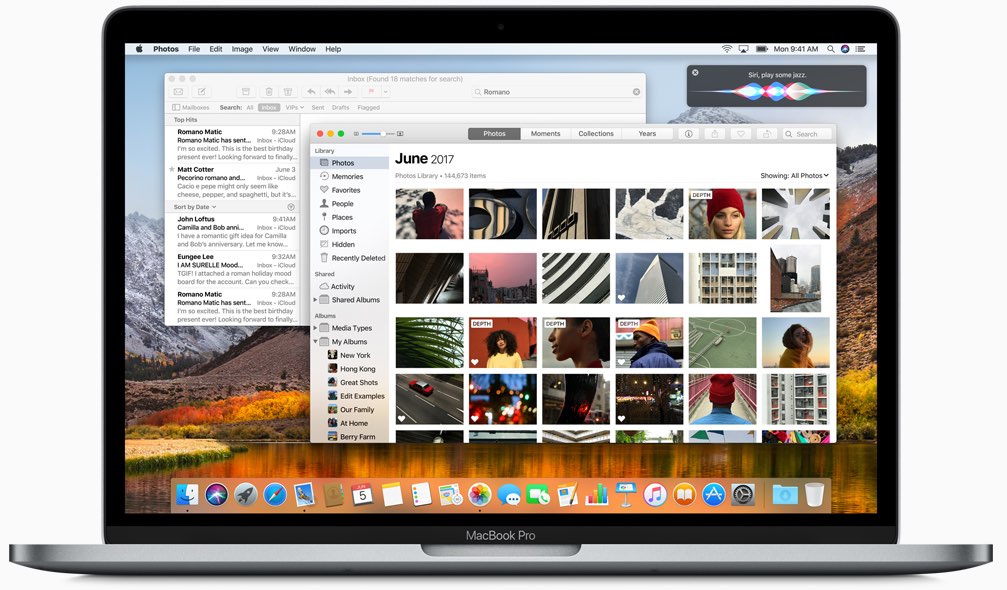
Apple today rolled out a second beta of macOS High Sierra to its registered developers and members of the Apple Developer Program. macOS High Sierra beta 2 is now available via the Updates tab on Mac App Store on your Mac that has an appropriate configuration profile installed, which can be obtained through Dev Center.

macOS High Sierra 10.3 beta 2 doesn't offer new features, but instead focuses on performance improvements and bug fixes.

The general public should soon have the chance to test-drive macOS High Sierra via the Apple Beta Software Program. macOS High Sierra debuted as a developer-only preview at Apple's Worldwide Developers Conference on June 5. The software update will exit beta and release publicly this fall.

Should you spot new user-facing features and other changes in macOS High Sierra beta 2, ping us on Twitter or shoot us an email via tips@iDownloadBlog.com. Feel free to attach any screenshots, if necessary. We'll be making sure to update the post with any relevant new information, as it becomes available.
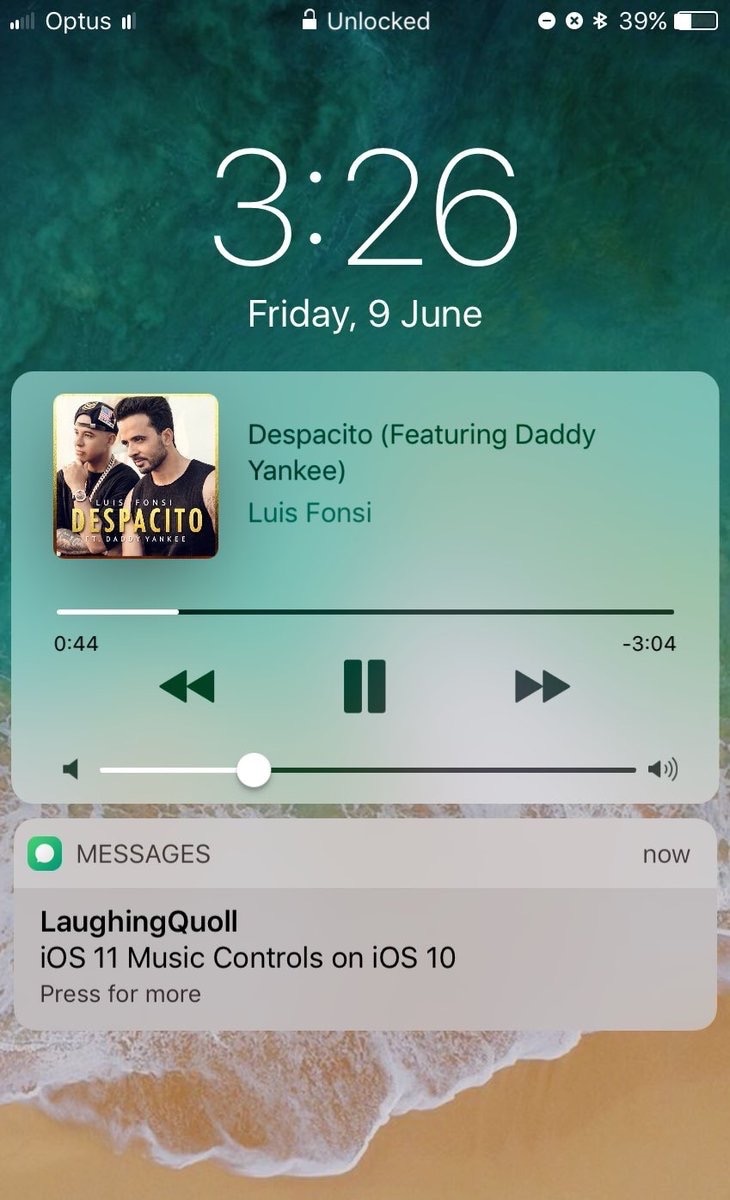
Second beta of iOS 11 seeded to developers

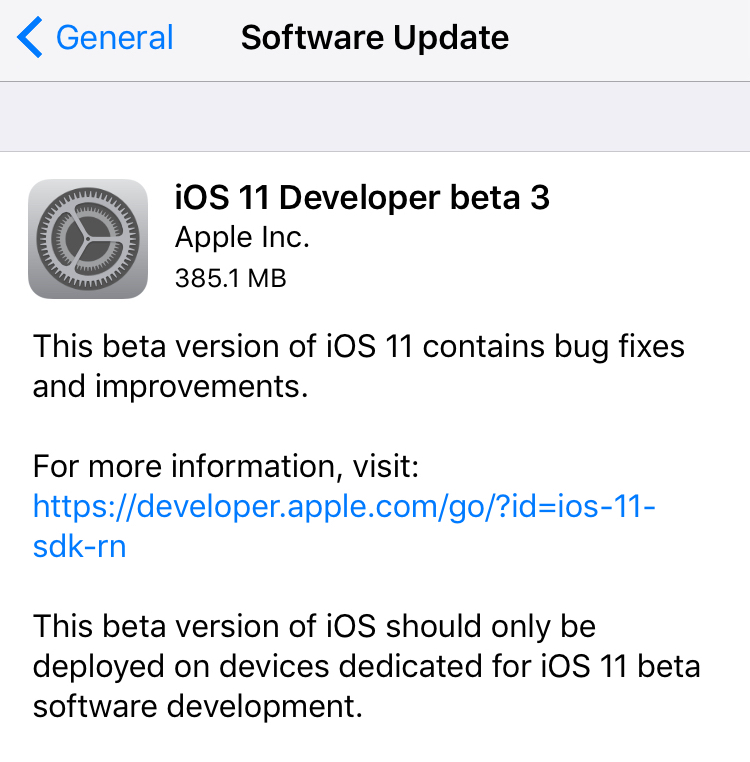
Apple today seeded a second beta of iOS 11 to its registered developers and members of the Apple Developer Program. To download and install the update, use the Software Update mechanism on your iPhone, iPad or iPod touch, which must be running the previous beta and have an appropriate configuration profile installed (you can download it through Dev Center).

This second beta doesn't seem to come with new features, but rather looks like it is focusing on the usual bug fixes and performance improvements.

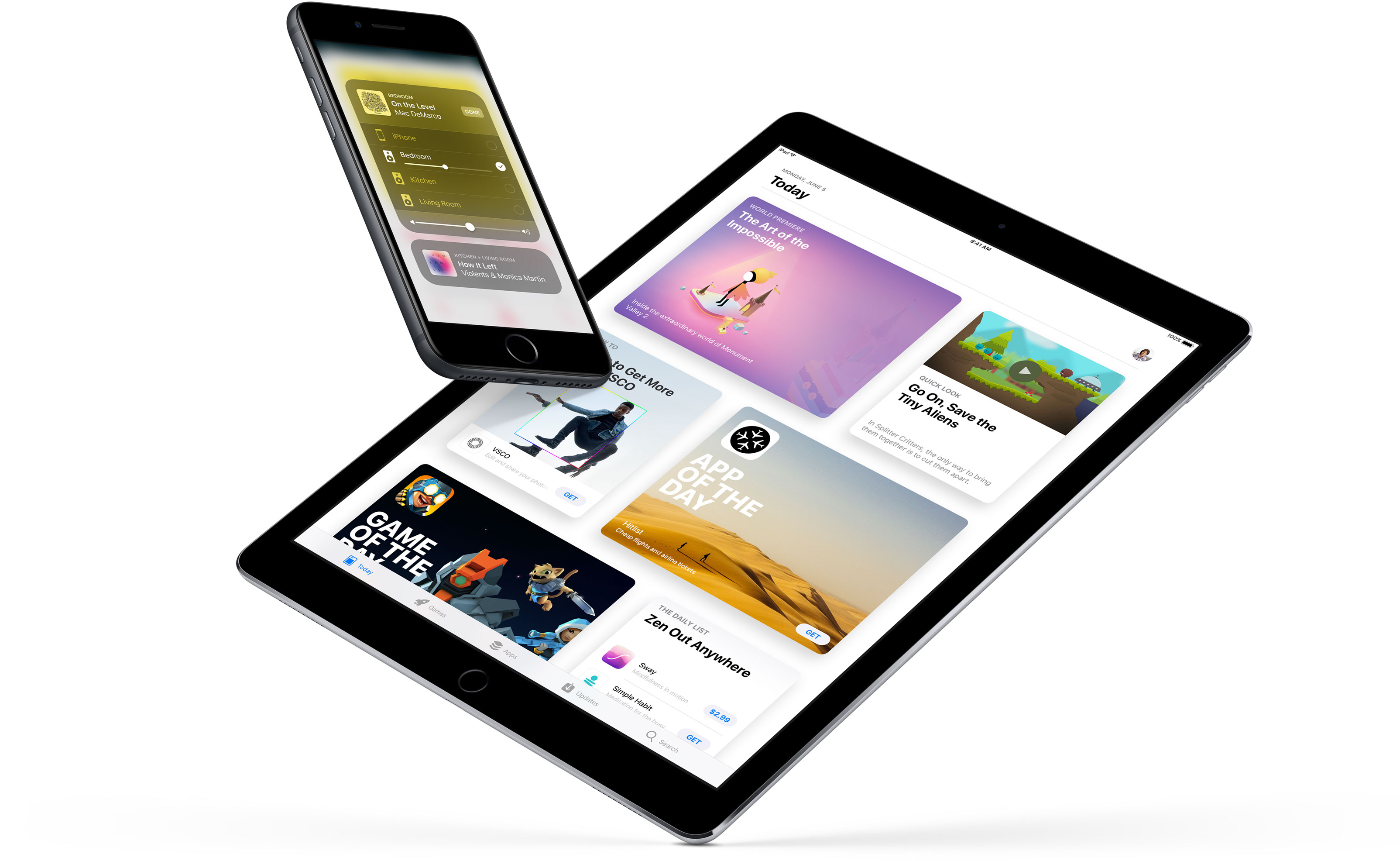
The first developer-only beta of iOS 11 brought out a bunch of new features and platform technologies, including a major revamp for App Store, advanced multitasking features on iPad, drag and drop, a new Files app, AirPlay 2 with multi-room audio, new Siri capabilities and more.

https://www.youtube.com/watch?v=-hoPcMPvL88

Subscribe to iDownloadBlog on YouTube

iOS 11 also packs in many visual refinements across the system designed to make Apple's mobile operating system look prettier than ever. Some of the visual tweaks include bolder headlines across stock apps, a redesigned app drawer in Messages and much, much more.

If you spot new user-facing features, changes or important refinements in iOS 11 beta 2, be sure to ping us on Twitter or shoot us an email via tips@iDownloadBlog.com (attach any screenshots, if necessary) and we'll update the article with any relevant new information.

Watch rare interview with former iOS chief Scott Forstall and original iPhone team members

The Computer History Museum last night hosted Pulitzer Prize journalist John Markoff (formerly of the New York Times) who interviewed former iOS chief Scott Forstall and the original iPhone engineering team members Hugo Fiennes, Nitin Ganatra and Scott Herz.

“We knew we were doing something right with the user interface design,” Forstall told Markoff, citing an example of a two-year old girl and a 99-year old woman who could use iPhone and iPad without any user manual.

“The team was amazing and we knew we were doing something right,” he added.

“The first text I ever sent was on my iPhone, because texting on other devices was horrid,” he revealed. Commenting on Apple's late co-founder Steve Jobs, Forstall called him “the most intense person I’ve ever known.”

Jobs was “super driven, demanding and forced people to do their best,” Scott said.

“When he was sick, I’d go to his house every day. On some days, he couldn’t open his eyes,” he said of Steve's passing. “We got Siri right before he passed and he loved it because he was too weak to type. I was surprised, it just seemed like he’d always be there.”

Asked to comment on the then controversial skeuomorphic design, which imitates real-world materials like leather in software, Forstall responded by saying the following:

I never heard the term skeuomorphism, even years after we built iPhone.

I mean, that’s a horrible word. It sounds unnatural, it just sounds terrible. When I look at good design—when I look for good design—I look for something which is easy to use.

Approachable and friendly that you can use without a manual.

If you look at the designs we did at Apple, we talked about photo-illustrative, metaphorical designs. And those were infused into the design sense of Apple by Steve Jobs since the original Mac if not earlier. The original Mac had a desktop and folders that looked very much like the desktop on which that Mac sat.

And so we used these design philosophies. It doesn’t mean that we loved every single part of it. It doesn’t mean I loved every single part of it. There’s definitely things that I was less a fan of than others. But we built these designs that worked. And how do we know they worked? You just had to watch people use it.

Here's the full video of the interview (the Forstall part begins at 1:07).

https://www.youtube.com/watch?v=zjR2vegUBAo

The original video is available on Facebook.

Asked if there ever was a time he shook his head at something about iPhone (assuming he's still using one), Forstall said this:

That happens all the time. If you’re a designer, if you care about design, you can’t go through any part of your life without shaking your head and thinking that could have been done better. And I thought that for our design, even the first version. The second version you’re always making it better.

On Apple secrecy:

The thing about Apple is we all get it, we all live in that culture. They were very respectful. You develop a talent for describing what you’re working on without giving too many details.

Fiennes added that the first time he saw pinch-zooming was at the original iPhone keynote. Ganatra said he heard Forstall on many occasions talking about scrolling deceleration, adding he was “being very detailed about scrolling and how the UI responds to touch.”

“There’s a lot of math that goes into making it work so well,” said Ganatra.

And to illustrate Apple's legendary attention to detail, Fiennes said Jobs asked him to move the processor in an iPhone a couple of millimeters in order to make the printed circuit board (which ordinary users never get to see) symmetrical.

Forstall suggested Apple kicked off work on a tablet project, dubbed Project Purple, because Steve hated an unnamed Microsoft employee (Scott says it wasn't Bill Gates).

“It began because Steve hated this guy at Microsoft. That is the actual origin. Every time Steve had any social interaction with that guy, he would come back pissed off,” said Forstall.

“Steve came in on a Monday, there was a set of expletives and then he said, 'Let's show them how it's really done'.”

Steve later put the tablet project on hold to work on iPhone, asking Scott if they could take a rubber-band scrolling demo they were doing with the tablet and shrink it down to a phone.

The rest, as they say, is history.

I also like this anecdote on how Jobs scammed Apple for free lunch:

He and I would go to the cafeteria at Apple all the time, and he would insist on paying. I was like, you're paying me enough that I can afford the $8 lunch, but he'd always, if he got his food before he'd wait at the line for me to get up there and he'd pay.

And he made it so you could pay with your Apple badge.

So you'd come up there and you'd badge in, and it would be directly withdrawn from your paycheck. Somehow, I was like, 'Why are you, really, go sit down, I feel like an ass when you're sitting up there waiting for me and I can't get any long-cooking food.'

Steve said 'No, no, no, this is great. I only get paid $1 per year. I don't know who's paying every time I badge!' He was a multi-billionaire scamming Apple!"

The lunch story is at mark 1:56 in the video.

Although Forstall isn't currently building anything himself, he's “doing a lot” in terms of advising startups and Broadway (he has always loved theater and even used to act).

“It was always a passion” he said. “When I left Apple, I was introduced to a woman and we hit it off and she said ‘we should produce something on Broadway.’” Doing a Broadway show, he says, is like managing a startup.

“You start with the creative types, you invent something, then you put a bunch of money and effort and time behind it and you give it to the public.”

At the end of the interview, Forstall thanked everyone in the audience who had participated in creating iPhone, iPad and iOS. “It's not one person or even four people,” he said. “It was hundreds and thousands of people who made it happen.”

It is no secret that Forstall was a divisive figure within Apple due to its exacting standards, demanding demeanor and abrasive management style.

He was fired in a major management shakeup in October 2012, in part due to his alleged refusal to sign an apology letter over the Apple Maps debacle, prompting CEO Tim Cook to issue a public apology to Apple customers.

Full schedule for the JailbreakersUnite 2017 conference materializes

At the beginning of June, we shared the news of a new conference called JailbreakersUnite, which will allow avid jailbreakers to meet up with one another and have an opportunity to listen to prominent community members speak about their projects.

The event, which is taking place at the Fat Cat Fab Lab Maker Space in Greenwich Village in New York City, will be like a slimmed-down WWJC and will allow participants to mingle with those with similar interests and grab selfies with famous jailbreak hackers and developers.

Videos: cool stuff made with ARKit

Eager to learn why Apple's new ARKit framework is such a big deal? Look no further than a new website which offers a hand-picked curation of some of the coolest stuff developers have made thus far with ARKit, via The Loop.

For the uninitiated, augmented reality experiences superimpose computer-generated imagery on top of live video feed of the real world. According to Apple, ARKit uses a technique known as Visual Inertial Odometry to accurately track the world around an iPhone or iPad by fusing camera sensor data with motion data.

“These two inputs allow the device to sense how it moves within a room with a high degree of accuracy, and without any additional calibration,” the company says.

The following videos offer a look at the capabilities of the ARKit framework.

https://www.youtube.com/watch?v=nMd0dIAEJuc


https://www.youtube.com/watch?v=1hvfpxaxGwc


https://www.youtube.com/watch?v=6OV2mBbNtVk


https://www.youtube.com/watch?v=2xrVFDRJ8HQ


https://www.youtube.com/watch?v=R4OeFjZCi9o


https://www.youtube.com/watch?v=OHJRExynkuI


https://www.youtube.com/watch?v=VdaWHv6hmJk


https://www.youtube.com/watch?v=njQSiO2uj0s


https://www.youtube.com/watch?v=Rq2NChZ3c4E


https://www.youtube.com/watch?v=4HY868Jskrc

The ARKit framework uses computer vision to determine the layout of your surroundings and automatically find horizontal planes like tables and floors. It can track and place objects on smaller feature points and apply the right type of light to a virtual object in order to match the current lighting conditions in your room.

Ikea is working on an AR app in partnership with Apple that will let users try out furniture in augmented reality before buying it. Apple's WWDC 2017 keynote demos included an upcoming ARKit-driven game, called Wingnut AR, by director Peter Jackson's AR company.

If you like these demos, be sure to follow @madewithARKit on Twitter.

Swift creator Chris Lattner leaves Tesla after only six months on the job

Closeup of Tesla model 3 headlights

Former Apple executive Chris Lattner is leaving Tesla. He barely lasted six months on the job. “Chris just wasn't the right fit for Tesla, and we've decided to make a change,” the electric car company said Tuesday, according to The Wall Street Journal.

He exited the same day Tesla hired leading artificial intelligence expert Andrej Karpathy as its new director of AI and Autopilot. Lattner's LinkedIn profile had not been updated at post time to reflect his exit from Elon Musk's company.

He did tweet though that he was interested in any available roles for a seasoned engineering leader. “Turns out that Tesla isn't a good fit for me after all,” reads his impromptu tweet. “I'm interested to hear about interesting roles for a seasoned engineering leader”.

The Wall Street Journal notes that Tesla saw a number of high-profile departures over the past few months amid pressure from CEO Elon Musk on engineers to develop and perfect autonomous car systems by the end of 2017, a tall order.

Credited as the creator of Swift, Apple's new modern pogromming language, Lattner left Apple this January to take a position as Vice President of Autopilot Software at Tesla. During his Apple tenure, he also held the title of Senior Director of the Developer Tools team.

Photo creidit: Sean O’Kane for The Verge