Saurik has released an update for the Cydia Impactor un-jailbreaking tool on Monday. Among the changes, the too has been renamed Cydia Eraser and has received a new icon.
So what's new? Let's discuss...
Saurik has released an update for the Cydia Impactor un-jailbreaking tool on Monday. Among the changes, the too has been renamed Cydia Eraser and has received a new icon.
So what's new? Let's discuss...
The new iOS 9.2-9.3.3 jailbreak from Pangu has been all the rage over the weekend and into this week, and one of the things that stands out most about it is how it's a semi-untethered jailbreak.
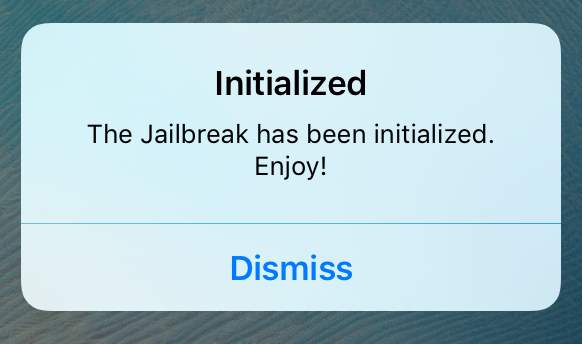
For those who want to make sure their jailbreak is being initialized correctly after each reboot, Initialized is a new jailbreak tweak that notifies you every time your jailbreak is re-initialized.

It's very nice to have a jailbreak for the purpose of modifying your iOS device(s) any way you want to, but should you move forward with the iOS 9.2-9.3.3 jailbreak in its current state?
In this article, we'll talk about whether or not you should.
Pangu certainly took the jailbreak community by storm over the weekend, working with 25PP to launch a working jailbreak for iOS 9.2-9.3.3.
In this piece, we'll talk about all the caveats to the jailbreak, and everything you need to know about it before you consider jailbreaking your own device(s) and what the future may hold for the current jailbreak.

When you jailbreak your iOS 9.3.3 device with the latest Pangu jailbreak tool, you may end up with a third-party application store that you don't really want on your device.
In this tutorial, we'll show you how to remove the unwanted third-party application store without getting rid of Cydia or the Pangu app that you need to boot semi-untethered.
For those who are unaware, Pangu launched a new jailbreak for iOS 9.2-9.3.3 over the weekend. Now, an iOS developer from the jailbreak scene has made it possible to jailbreak your iOS 9.3.3 device directly from your iOS device itself without the need for a computer.
It's officially JailbreakMe-style, and in this tutorial, we'll show you how to do it!
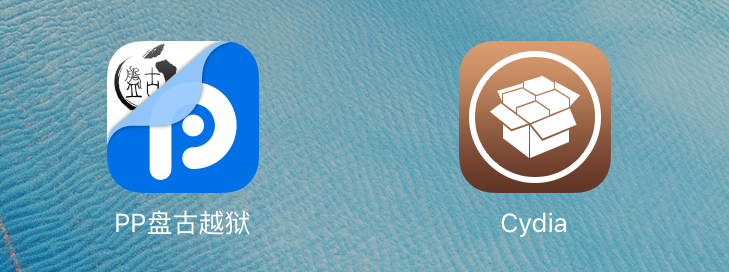
Unless you've been living under a rock, you've probably heard the great news about Pangu releasing an official jailbreak for iOS 9.2-9.3.3 over the weekend. Despite the fact that it's what we call a semi-untethered jailbreak around here, it's still a fully-functional jailbreak.
On the other hand, lots of people seem to be having some issues jailbreaking their devices, so we'll be talking about some of the common errors you might be making so you can try again and get your device jailbroken; finally!
Those of you who have jailbroken your iOS 9.2-10.2 devices with the Pangu jailbreak tool or the Yalu jailbreak tool should know by now that it's a semi-untethered jailbreak. This means you have to re-run the jailbreak app from your Home screen every time you reboot your device.
In this piece, we'll talk about how to reboot your semi-untethered jailbroken iOS 9.2-10.2 device properly so that Cydia works as expected after your device turns back on.
Over the weekend, Pangu announced the release of a new jailbreak tool for iOS 9.2-9.3.3. The tool is not yet available in English as of this writing, but a Chinese version of the tool is available. In this tutorial, we'll show you how to jailbreak iOS 9.2 to iOS 9.3.3 with the new Pangu jailbreak tool for Windows.

The jailbreak community has been very quiet for several months but this is about to change with today's release of a jailbreak for iOS 9.2 - 9.3.3. Despite what has been another slow week, there are still some developers rocking jailbroken devices, and as a result, tweak development continues.
In this roundup, we'll show you the jailbreak tweaks that were released this week, starting with our favorites and then moving on to the rest.
Keyboard shortcuts are something we all have on our personal computers, whether it's a Mac or a PC, but it's not something that we get to enjoy on our iPhones or iPads.
A new jailbreak tweak dubbed Protonix is now available in Cydia that lets you set up dynamic keywords on your device so that when you type them, special things will happen.
We'll show you more in this review.

Many of you are probably familiar with the stock function of iOS that lets you restrict apps from having access to your cellular network, but iOS doesn't have a similar feature for restricting apps from utilizing Wi-Fi.
With a new jailbreak tweak dubbed ConditionalWiFi, you can now restrict any of your iOS apps from having access to the internet when you're connected to a Wi-Fi network, rather than a cellular one.